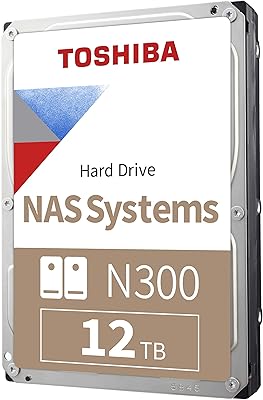
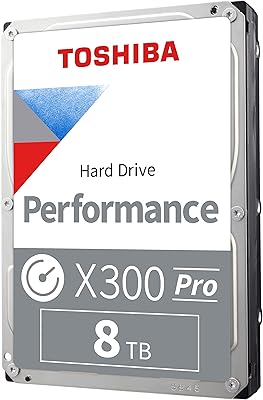
Overview

The Toshiba DT01ACA300 3TB Internal Hard Drive has quietly built a strong reputation among desktop builders and home server enthusiasts who need reliable bulk storage without chasing SSD pricing. Part of Toshiba's well-regarded DT01ACA series, this desktop hard drive occupies a sensible middle ground — not the cheapest option on the shelf, but far from overpriced for what it delivers. It spins at 7200 RPM using a traditional magnetic platter design, so if you're expecting SSD-like responsiveness, adjust expectations accordingly. What you get instead is solid everyday reliability that the DT01ACA line has become known for among storage enthusiasts and budget-conscious builders alike.
Features & Benefits

At 7200 RPM, the DT01ACA300 moves data considerably faster than most budget 5400 RPM alternatives, which you'll notice when copying large video files or running sustained write tasks. The SATA 6Gb/s interface drops into virtually any modern desktop motherboard cleanly — no adapter, no fuss. A 64MB cache buffer helps smooth out bursts of simultaneous activity, preventing bottlenecks when the system is multitasking. Ramp Load technology parks the read/write head away from the platters at power-off, quietly protecting the drive during repeated shutdown cycles. Active idle power consumption stays around 5 watts, which matters when this drive is running inside a NAS or media server around the clock.

Best For

This desktop hard drive makes the most sense as a secondary bulk storage solution — a dedicated games library, media archive, or backup target sitting alongside a faster SSD boot drive. Home NAS users will find it equally well-suited; the low idle power and quiet acoustics are practical virtues when the enclosure runs continuously. DVR and surveillance setups, which demand drives capable of sustained continuous writing, are another strong match. Dropping it into an older machine with a spare SATA bay requires no driver downloads and no special configuration. Cold storage archives, where the drive sits mostly idle but holds years of accumulated data, round out the ideal use cases nicely.

User Feedback

Across a large pool of owner reviews, this Toshiba 3TB drive earns consistent praise for quiet operation and painless installation, with many buyers noting it slots into NAS enclosures and home media centers without complaint. Compatibility across both older and newer SATA systems comes up frequently as a genuine plus. The criticisms are worth taking seriously, though — a notable portion of long-term users report failures after two to three years of heavy daily workloads, so relying on it as a solo backup drive without redundancy would be a mistake. A smaller number of buyers have encountered dead-on-arrival units, which makes running a quick SMART diagnostic immediately after installation a smart habit.

Pros

  • Delivers strong sequential transfer speeds for a mechanical drive thanks to the 7200 RPM spindle.
  • 3TB of storage offers generous headroom for media libraries, game collections, and backups.
  • SATA 6Gb/s compatibility means it slots into virtually any desktop motherboard without hassle.
  • Ramp Load technology reduces head wear, supporting a longer usable lifespan under normal conditions.
  • Active idle power stays around 5 watts, keeping energy costs low in always-on NAS setups.
  • Quiet during typical workloads — owners in home theater and media center builds specifically call this out.
  • Reliable compatibility across both legacy and modern SATA systems, confirmed by a wide range of users.
  • Straightforward plug-and-play installation with no driver downloads required.
  • The 64MB cache helps smooth out bursty write activity during multitasking or mixed workloads.
  • Widely available and backed by a recognizable brand with established desktop drive experience.

Cons

  • Some users report drive failures after two to three years of heavy daily use, raising durability concerns.
  • A small but consistent number of buyers receive dead-on-arrival units, making early testing essential.
  • Noticeably louder under sustained heavy loads compared to premium NAS-rated drives.
  • No included mounting screws or installation accessories — budget separately for those if needed.
  • Slower random read/write performance compared to even entry-level SSDs limits its role as a primary drive.
  • The DT01ACA series is aging, and long-term firmware support from Toshiba is not guaranteed going forward.
  • Vibration in multi-drive NAS enclosures can affect performance if the unit is not properly dampened.
  • Warranty terms vary significantly by seller and region, so buyers should verify coverage before purchasing.

Ratings

The scores below reflect an AI-driven analysis of verified global buyer reviews for the Toshiba DT01ACA300 3TB Internal Hard Drive, with spam, incentivized, and bot-generated feedback actively filtered out before scoring. Every category captures what real owners experienced across home servers, desktop builds, NAS enclosures, and DVR setups — strengths and frustrations alike. Nothing has been smoothed over to make the product look better than it actually performs in daily use.

Value for Money
83%
Buyers consistently point to the cost-per-terabyte as one of the strongest arguments for choosing this drive over competing brands. For bulk secondary storage — games, video libraries, backup archives — the price-to-capacity ratio holds up well even as the product line matures.
A handful of users who experienced early failures feel the value proposition collapses if the drive does not last beyond two years, particularly given that data recovery costs can easily exceed the purchase price several times over.
Reliability & Durability
67%
33%
Under light to moderate workloads — secondary storage, occasional backups, or home media libraries — the DT01ACA300 builds a generally solid reputation for running without incident for extended periods. Many NAS users report years of trouble-free operation in low-intensity environments.
The reliability picture gets noticeably murkier under heavy continuous use. A consistent thread of owner reports describes failures clustering around the two-to-three year mark when the drive is pushed hard daily, and a small but notable percentage of units arrive already non-functional.
Read/Write Performance
74%
26%
The 7200 RPM spindle and 64MB cache combine to deliver sequential transfer speeds that genuinely stand out against slower 5400 RPM alternatives. Owners copying large video files or writing surveillance footage in real time report the drive handles sustained workloads without obvious throttling.
Random I/O performance is the clear weak spot, as it is for all mechanical drives — application loading and small-file operations feel sluggish compared to even budget SSDs. Users who accidentally set this as a primary drive are almost always disappointed.
Noise Level
78%
22%
Quiet operation comes up unprompted in a large share of positive reviews, particularly from home theater PC builders and media center users where drive noise is genuinely noticeable. During idle and light activity, the drive is easy to forget is even spinning.
Under sustained read or write activity — large file transfers or continuous DVR recording — a low mechanical hum and intermittent seek clicks become audible. In a silent room or open-frame build, some users find this distracting enough to mention specifically.
Installation Ease
91%
Plug-and-play compatibility is almost universally praised. Owners across a wide range of desktop builds, NAS enclosures, and external cases report the drive is recognized immediately without driver installation, firmware flashing, or any special configuration steps.
No mounting screws are included in the box, which catches some first-time builders off guard. It is a minor gripe, but buyers assembling a new system from scratch occasionally flag this as an unnecessary extra trip to find hardware.
Power Efficiency
79%
21%
The approximately 5-watt active idle draw is a genuine practical advantage for always-on setups. Home server and NAS users who track electricity costs appreciate that running this desktop hard drive around the clock does not add meaningfully to monthly energy bills.
Compared to purpose-built NAS drives with more aggressive power management features, the DT01ACA300 does not offer the same depth of spin-down and power state control. For single-drive setups this is rarely an issue, but in multi-bay systems it adds up.
Compatibility
88%
SATA backward compatibility across old and new motherboards is a recurring positive in reviews. Buyers dropping this drive into systems spanning nearly a decade of hardware report zero compatibility issues, which makes it a safe pick for mixed-age PC environments.
The 3.5-inch form factor limits placement options — it cannot fit into slim desktop cases or standard laptop bays without an enclosure. A few buyers have also noted that certain DVR and set-top box platforms require specific drive firmware versions that Toshiba does not always document clearly.
Long-Term Endurance
62%
38%
In low-intensity roles — cold storage, archival backups, or light desktop secondary storage — the drive has a reasonable track record of lasting well beyond the warranty period. Owners who treat it as a warm but not hot storage tier generally report fewer issues.
The endurance story deteriorates under always-on heavy workloads. This is not an enterprise or surveillance-rated drive, and pushing it into those roles without redundancy leads to a disproportionate number of the failure reports seen in the owner review pool.
Heat Management
72%
28%
During normal desktop use, the drive stays at moderate temperatures that most monitoring tools show well within safe operating ranges. In open desktop towers with even basic airflow, thermal issues essentially never come up in user reports.
In sealed or poorly ventilated NAS enclosures running multiple drives simultaneously, some owners report temperatures creeping into ranges that shorten drive lifespan over time. Adding a small enclosure fan largely resolves the issue, but it requires an extra step.
Build Quality
71%
29%
The physical construction feels solid and consistent with what experienced builders expect from a mid-range Toshiba desktop drive. Ramp Load head parking adds a layer of protection during power cycling that owners running frequent shutdowns particularly appreciate.
The external casing shows no meaningful upgrades over older DT01ACA revisions, and there are no vibration-dampening features built into the drive itself. In multi-drive enclosures where platters from adjacent drives create resonance, this absence becomes noticeable.
DOA Rate
58%
42%
The majority of units arrive fully functional and pass basic health checks without incident. For most buyers, the out-of-box experience is unremarkable in the best way — install, format, and start using it within minutes.
The proportion of dead-on-arrival reports is higher than what you see with premium drive lines, and it appears consistently enough across review periods to be a real pattern rather than isolated bad luck. Testing the drive immediately after purchase and within the return window is strongly advisable.
Sequential Transfer Speed
76%
24%
For a mechanical drive, sustained sequential reads and writes are competitive. Video editors using this as a media scratch drive and surveillance users recording multiple camera streams simultaneously generally find throughput sufficient for their workloads.
The performance ceiling is fixed by the mechanical design — no firmware update or cache tuning will change that. Buyers who later upgrade to an NVMe SSD in the same system immediately feel the gap, which can make the HDD feel more dated than it actually is.
Warranty & Support
61%
39%
Toshiba's brand presence provides a degree of buyer confidence, and the product line is widely stocked enough that replacement units are accessible if a warranty claim is honored quickly. Customer service experiences in straightforward cases are generally positive.
Warranty terms vary significantly by region and reseller, and several buyers report difficulty navigating the claims process when issues arise outside of the standard retail channel. The warranty period itself is not class-leading for the desktop HDD category.

Suitable for:

The Toshiba DT01ACA300 3TB Internal Hard Drive is a natural fit for desktop PC builders who want a high-capacity secondary drive to store games, media, and project files without the cost of solid-state storage. Home server and NAS users will find the low idle power draw and quiet acoustics particularly practical, especially when the enclosure runs continuously for weeks at a time. It handles surveillance and DVR workloads well too, since the 7200 RPM speed and sustained write capability hold up under constant recording demands. Buyers upgrading older desktops with a spare SATA bay will appreciate how straightforward the installation is — no software, no special setup. Anyone building a dedicated cold storage or archive system on a budget will also get strong value from the sheer capacity at this price point.
Not suitable for:

The Toshiba DT01ACA300 3TB Internal Hard Drive is not the right choice for anyone expecting fast boot times, quick application launches, or snappy system responsiveness — that is solidly SSD territory, and no mechanical drive at any price will close that gap. Laptop users or those working with compact mini-ITX builds should note this is a 3.5-inch unit; it will not physically fit without an enclosure or adapter. If you are planning to use this as your only backup copy of irreplaceable data, think twice — real-world failure reports from heavy long-term users suggest redundancy is not optional here. Creative professionals handling large RAW video edits or fast random I/O workflows will find the mechanical design a bottleneck compared to NVMe alternatives. Anyone who needs near-silent operation in an acoustically sensitive environment may also find spinning-platter noise noticeable under sustained load.
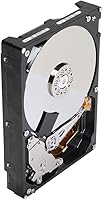
Specifications

  • Storage Capacity: This drive provides 3TB of raw storage capacity, suitable for large media libraries, game collections, and backup archives.
  • Form Factor: The standard 3.5-inch form factor fits directly into desktop tower bays and most external hard drive enclosures without adapters.
  • Interface: It uses a SATA 6Gb/s (SATA-600) interface, fully backward compatible with older SATA 3Gb/s and 1.5Gb/s motherboard ports.
  • Rotational Speed: The drive spins at 7200 RPM, delivering faster sequential read and write throughput than typical 5400 RPM desktop drives.
  • Cache Buffer: A 64MB cache buffer helps manage burst data transfers and reduces latency during mixed read/write workloads.
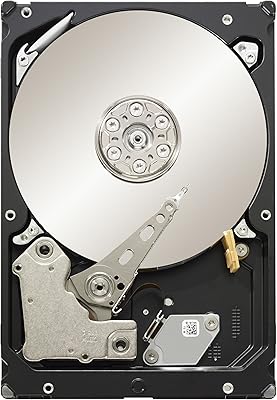
  • Drive Type: This is a traditional mechanical hard disk drive (HDD) using magnetic platters, not a solid-state or hybrid drive.
  • Active Idle Power: Active idle power consumption is approximately 5.2 watts, making it energy-efficient for continuously running NAS or DVR systems.
  • Standby Power: In standby and sleep modes the drive draws only 1.0 watt, minimizing power use during inactive periods.
  • Head Protection: Ramp Load technology parks the read/write head off the platter surface at power-off, reducing mechanical wear over time.
  • Dimensions: The drive measures 4 x 1.02 x 5.8 inches, conforming to standard 3.5-inch HDD mounting specifications.
  • Weight: It weighs 1.5 pounds, consistent with typical full-size 3.5-inch desktop hard drives.
  • Compatible Devices: Officially compatible with desktop PCs, select laptops with 3.5-inch bays, NAS enclosures, and DVR or set-top box systems.
  • Installation Type: Designed as an internal drive, it connects directly to the motherboard and power supply via standard SATA connectors.
  • Manufacturer: Manufactured by Toshiba, a long-established storage and electronics brand with a broad desktop drive product history.
  • Model Number: The official model number is DT01ACA300, part of Toshiba's DT01ACA desktop hard drive series.
  • Color: The drive has a black casing finish, standard for internal desktop hard drives installed inside closed tower systems.

Related Reviews
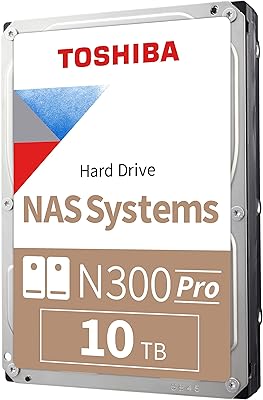
Toshiba N300 PRO 10TB Internal Hard Drive
87%
92%
Reliability for 24/7 NAS Use
89%
Performance in RAID Setups
91%
Workload Capacity (300 TB/year)
85%
Data Transfer Speed
88%
Vibration Control with RV Sensors
More
Toshiba X300 PRO 8TB Internal Hard Drive
76%
83%
Sequential Read/Write Speed
91%
Sustained Workload Endurance
88%
Reliability & Longevity
61%
Noise Level
66%
Thermal Performance
More
Toshiba MG06ACA600E 6TB Enterprise Internal Hard Drive
76%
91%
Reliability & Longevity
83%
Sustained Performance
88%
Vibration Resistance
86%
Data Protection
78%
Value for Money
More
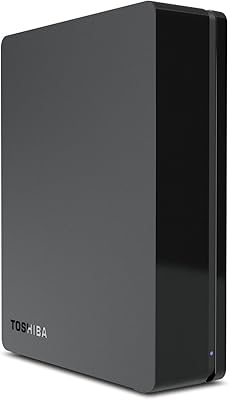
Toshiba Canvio 3TB Desktop External Hard Drive
71%
93%
Ease of Setup
91%
Windows Compatibility
61%
Transfer Speed
72%
Long-term Reliability
43%
Mac Compatibility
More
Toshiba N300 12TB NAS Internal Hard Drive
76%
83%
Reliability & Longevity
81%
Performance Consistency
89%
NAS Compatibility
88%
CMR Recording Quality
62%
Noise & Vibration
More
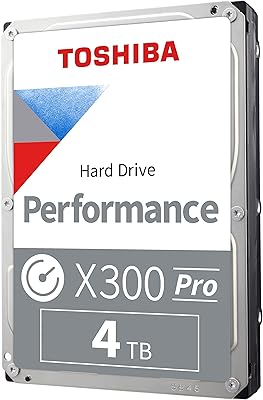
Toshiba X300 PRO 4TB Internal Hard Drive
82%
88%
Sustained Write Performance
91%
Recording Technology (CMR)
86%
Reliability & Longevity
83%
Value for Money
61%
Noise & Vibration
More
Seagate Barracuda XT 3TB Internal Hard Drive
84%
89%
Performance
95%
Storage Capacity
88%
Speed/Access Time
92%
Value for Money
85%
Build Quality
More
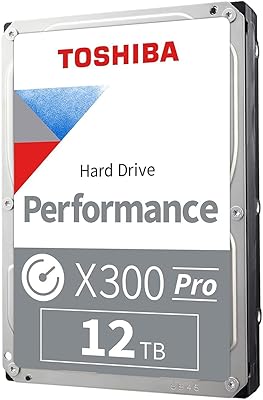
Toshiba X300 PRO 12TB Internal Hard Drive
79%
88%
Sequential Transfer Speed
93%
Workload Endurance
83%
Reliability & Longevity
79%
Value for Money
61%
Noise & Vibration
More
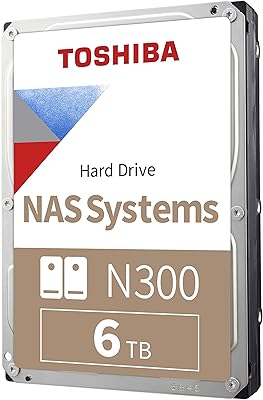
Toshiba N300 6TB NAS Internal Hard Drive
86%
88%
Performance
91%
Reliability
72%
Noise Levels
86%
Data Transfer Speed
85%
Ease of Installation
More
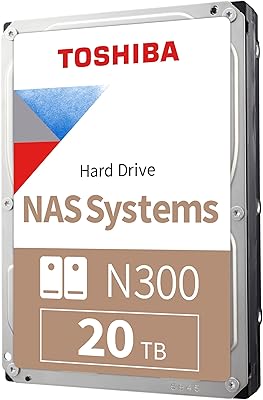
Toshiba N300 20TB NAS Hard Drive
80%
94%
Storage Capacity
86%
Reliability & Endurance
91%
NAS Compatibility
83%
Read & Write Performance
88%
Vibration Management
More

FAQ

Yes, the DT01ACA300 is backward compatible with SATA 2 (3Gb/s) and even SATA 1 (1.5Gb/s) ports. You just won't hit the full 6Gb/s transfer ceiling, but for a mechanical drive that is rarely a real-world bottleneck anyway.

It works well in many NAS enclosures and plenty of owners use it exactly that way for home media servers and backup storage. That said, it is not officially rated as a NAS-optimized drive, so if your enclosure runs multiple drives under heavy 24/7 load, a drive from a NAS-specific line might offer better vibration compensation and longer rated duty cycles.

Most users describe it as quiet during everyday tasks — you would not hear it over typical ambient room noise. Under sustained heavy reads or writes it does produce a noticeable hum and some seek noise, but nothing unusual for a 7200 RPM desktop drive.

You can install an operating system on it, but the experience will feel slow compared to any SSD. Boot times, application loading, and file searches are all significantly slower on a spinning disk. The Toshiba DT01ACA300 3TB Internal Hard Drive really shines as a secondary or bulk storage drive alongside a faster SSD boot drive.

Run a quick health check with a free tool like CrystalDiskInfo or the manufacturer's own diagnostic utility right after installation. A small percentage of units arrive with early-stage issues, and catching a problem within the return window saves a lot of frustration later.

No, mounting hardware is not included. Most desktop cases come with spare drive screws, but if you are building fresh or your case is out of spares, pick up a pack of standard M3 6-32 hard drive screws before you start the build.

The low idle power draw and Ramp Load head parking make this desktop hard drive reasonably well-suited to always-on scenarios like media servers or DVR systems. Just keep in mind that continuous heavy workloads over multi-year periods do accelerate wear, so plan for eventual replacement or maintain a backup copy of critical data.

Yes, drop it into any standard 3.5-inch USB or eSATA enclosure and it will work like any external hard drive. The SATA interface is universal, so compatibility with external enclosures is rarely an issue.

On Windows you will need to initialize and format the drive through Disk Management before it appears as a usable volume — this takes just a couple of minutes. On macOS, Disk Utility handles the same job. No special Toshiba software is required.

Under light to moderate use — secondary storage, media libraries, occasional backups — many owners report several years of reliable operation. Under heavy continuous workloads the picture is less consistent, with a notable portion of users reporting failures around the two-to-three year mark. Regular backups are non-negotiable regardless of how well the drive is treated.