Overview

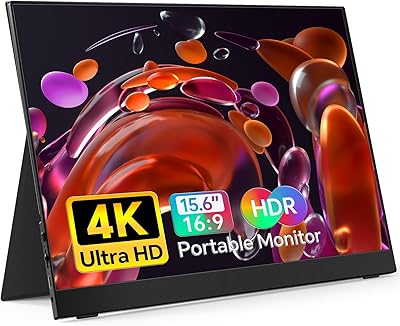
The KYY K3 15.6-inch Portable Monitor is a no-frills, genuinely capable second screen built for people who want extra display real estate without hauling extra weight. At just 1.7 pounds and barely a third of an inch thick, it slides right into a laptop sleeve without a second thought. Setup takes seconds — plug in a USB-C cable and you are running instantly. No driver installs, no configuration headaches. It ships with both a smart cover and a screen protector included, which adds real value at this price tier. Just do not expect professional-grade color accuracy; this is a solid everyday performer, not a tool for photo editors or colorists.

Features & Benefits

The 15.6-inch IPS panel delivers a full 1080p image with a 178-degree viewing angle, so colors and contrast stay consistent even when you are watching from off to the side — handy in cramped co-working spots. The matte screen surface handles ambient light reasonably well, cutting glare without washing out the image. Connectivity is a genuine strength: two full-function USB-C ports plus a Mini-HDMI input cover most modern laptops, phones, and consoles. On Thunderbolt-compatible devices, a single USB-C cable handles both power and video. Built-in speakers and a 3.5mm jack cover basic audio needs, while an edge-mounted control wheel makes navigating on-screen menus quick and intuitive.

Best For

This travel-friendly screen really shines for a specific crowd. Remote workers and freelancers bouncing between coffee shops, airports, and client offices will appreciate having a real second display that fits in the same bag as their laptop. Students can set it up on a dorm desk or library table in under a minute. Console gamers traveling with a Switch, PS4, or Xbox will find it a practical companion — though you will need to source a Mini-HDMI cable separately, as one is not bundled in the box. Anyone who simply wants a reliable plug-and-play portable display without fuss or extra adapters will feel right at home here.

User Feedback

Buyers consistently highlight easy plug-and-play setup and crisp IPS image quality as the standout positives — many are genuinely surprised by how stable the picture looks straight out of the box. The USB-C single-cable experience draws particular praise from MacBook and ultrabook users. On the downside, the built-in speakers are functional but thin; if audio matters to you, bring headphones or a small Bluetooth speaker. The smart cover works well as a stand at shallow angles, but propping it up steeper gets fiddly. Several buyers also flag that a Mini-HDMI cable is not included. The overall verdict is clear: a capable, no-drama starter display that over-delivers for the price without pretending to be something it is not.

Pros

  • Instant plug-and-play via USB-C — no drivers, no setup menus, no wasted time.
  • At 1.7 pounds and under half an inch thick, it fits into a laptop sleeve without adding meaningful bulk.
  • Dual USB-C ports plus Mini-HDMI cover laptops, phones, Switch, PS4, and Xbox without adapters.
  • The IPS panel delivers sharp, consistent 1080p visuals with wide viewing angles for shared workspaces.
  • Matte anti-glare coating handles typical indoor lighting without requiring constant repositioning.
  • Bundled smart cover and screen protector add genuine day-one value without extra cost.
  • Portrait mode works reliably for coders and writers who prefer vertical document layouts.
  • Flicker-free operation and blue light reduction make extended work sessions noticeably easier on the eyes.
  • The control wheel makes brightness and input adjustments quick and intuitive during actual use.
  • Strong value for money — the KYY K3 15.6-inch Portable Monitor bundles more than most rivals at this price tier.

Cons

  • No Mini-HDMI cable is included in the box, which catches console-focused buyers off guard at first use.
  • The smart cover only offers two shallow fixed angles, making steeper tilts or portrait-mode stands impractical.
  • Built-in speakers lack bass and volume — headphones become a necessity for anything beyond basic system audio.
  • Color gamut sits at 72% NTSC, which is visibly limiting for any color-sensitive creative work.
  • At 300 cd/m², screen brightness washes out in bright outdoor environments or near sunny windows.
  • Plastic bezels feel noticeably budget-grade up close, with occasional light bleed reported at screen corners.
  • Compatibility with older devices lacking USB-C video output or Thunderbolt 3 is limited and inconsistent.
  • Some Android phones produce unreliable results when used as a video source, depending on the handset model.
  • The cover-stand can be wobbly on uneven surfaces like beds or soft furniture, reducing usability off-desk.
  • Adjusting the OSD wheel while the monitor is propped in the stand sometimes requires steadying the whole unit.

Ratings

The KYY K3 15.6-inch Portable Monitor earns a well-rounded rating based on AI analysis of thousands of verified global buyer reviews, with spam, bot activity, and incentivized feedback actively filtered out before scoring. Across categories ranging from display clarity to daily portability, both the genuine strengths and the honest frustrations buyers encounter are reflected in these numbers. No score here is inflated — where this portable display excels, it shows; where it falls short of expectations, that shows too.

Portability
93%
At 1.7 pounds and barely over a third of an inch thin, most buyers find this travel-friendly screen genuinely easy to carry alongside a laptop without noticeably adding bulk. Frequent travelers and commuters specifically call out how effortlessly it fits into a standard laptop sleeve or backpack.
A small number of users note that the included smart cover, while protective, adds a bit of extra thickness that makes the package slightly less svelte than the bare monitor spec suggests. For ultra-minimalist packers, every millimeter counts.
Display Quality
81%
19%
The IPS panel consistently earns praise for delivering sharp, clear 1080p visuals with wide viewing angles — side-by-side comparisons at coffee shop tables or in shared workspaces rarely require repositioning. Contrast and sharpness for everyday work and video streaming hold up well at this price level.
Color accuracy is entry-level at 72% NTSC, and buyers doing photo editing or design work will notice the limitations quickly. HDR labeling is present but the real-world HDR impact is modest; do not expect the kind of punch you would get from a mid-range desktop panel.
Setup & Ease of Use
94%
Plug-and-play via USB-C is genuinely instant — no driver downloads, no system restarts, and no configuration menus to wade through before getting to work. MacBook and modern Windows laptop users in particular rave about the single-cable experience feeling completely frictionless.
The Mini-HDMI path is less straightforward because the cable is not included in the box, which catches some buyers off guard and requires an extra purchase. A small number of users also report occasional signal handshake delays when hot-swapping between devices.
Build Quality
74%
26%
The slim metal-finish chassis feels more substantial than the price suggests, and the matte screen surface is scratch-resistant enough for everyday bag-and-go use. Most long-term owners report no flex, creak, or structural issues after months of regular travel.
The plastic bezels feel noticeably less premium up close, and a handful of reviewers mention minor light bleed at screen corners under dark scenes. It is not a deal-breaker, but it is a reminder that cost savings had to come from somewhere.
Connectivity & Compatibility
88%
Two full-function USB-C ports and a Mini-HDMI input cover an impressive range of real-world scenarios — from MacBooks and Android phones to PS4, Xbox, and Nintendo Switch. Buyers frequently highlight how rarely they need to carry an adapter alongside this display.
Compatibility with older laptops that lack Thunderbolt 3 or USB-C video output is limited, and some Android phone users report inconsistent results depending on the handset. The missing Mini-HDMI cable in the box remains a recurring complaint for console-first buyers.
Stand & Viewing Angles
61%
39%
The integrated PU leather smart cover doubles as a stand and works reliably at the two preset shallow angles, which suits most desk and table setups for productivity work. The frameless magnetic design keeps the cover firmly attached during transport.
Two fixed groove positions is genuinely restrictive — buyers who prefer a more upright angle for standing desk use or portrait-mode workflows find the setup frustrating. The cover can also be fiddly to prop securely on uneven surfaces like beds or laps.
Audio Performance
57%
43%
Having dual built-in speakers and a 3.5mm headphone jack means you can get audio out of the box without hunting for external gear, which is useful in a pinch during travel or in a hotel room watching a film.
The speakers themselves are thin and lacking in bass — functional for system alerts and video calls at low volume, but not satisfying for music or immersive gaming. Most buyers who care about audio quality default to headphones after a short trial period.
Value for Money
91%
At this price point, the combination of a proper IPS 1080p panel, dual USB-C inputs, an included smart cover, and a screen protector represents genuinely strong value. Buyers repeatedly describe feeling like they got more than they paid for, especially when comparing to pricier alternatives with similar core specs.
The value calculus shifts slightly if you need the Mini-HDMI cable separately, or if you were expecting richer color performance or a more flexible stand. Buyers upgrading from a premium portable monitor may find the overall package underwhelming relative to higher-tier options.
Glare & Screen Visibility
79%
21%
The matte anti-glare coating handles typical indoor lighting conditions — office windows, cafe lighting, overhead fluorescents — better than glossy alternatives at the same price, and most buyers do not need to fight reflections during normal use.
Outdoors or in very bright environments, the 300 cd/m² brightness ceiling becomes a real constraint and the image washes out noticeably. This is not a monitor designed for use in direct sunlight or bright outdoor settings.
Portrait Mode & Flexibility
68%
32%
Portrait mode works reliably and is appreciated by coders and writers who use it for viewing long documents or vertical content, especially when paired with a laptop in a dual-screen configuration on a desk.
Rotating to portrait is simple enough electronically, but the physical stand provides no stable portrait-specific groove, meaning you need a separate stand or wall mount for any serious portrait-mode workflow. The cover alone is not practical in that orientation.
Accessories & Packaging
77%
23%
The bundled smart cover and screen protector add tangible day-one value, and the packaging is compact and well-organized — the kind of unboxing that feels thought through rather than an afterthought.
The absence of a Mini-HDMI cable is the single most commented-upon omission across buyer reviews worldwide. A basic cable costs very little and its exclusion feels like a missed opportunity, particularly for a product heavily marketed toward console gamers.
Eye Comfort
82%
18%
Blue light reduction and flicker-free operation are features buyers notice during extended work sessions — several remote workers mention being able to clock longer hours in front of this display without the eye fatigue they experienced with cheaper monitors.
The anti-blue light mode does shift the color temperature visibly warm, which some users find off-putting for color-sensitive tasks. It is an either-or trade-off between comfort and neutrality that not every display at this tier handles gracefully.
OSD & Controls
78%
22%
The single control wheel for navigating the on-screen display is genuinely intuitive once you spend five minutes with it — brightness, input switching, and basic picture settings are all accessible without hunting through layered sub-menus.
The wheel placement on the edge of the unit can be awkward when the monitor is propped in the cover-stand, occasionally requiring you to steady the whole setup with one hand while adjusting with the other. A minor frustration, but a consistent one.

Suitable for:

The KYY K3 15.6-inch Portable Monitor is genuinely well-matched for remote workers and freelancers who split their time between home, cafes, and client sites — anyone who has wrestled with a single small laptop screen during a long work session will immediately appreciate having a proper second display that fits in their bag without complaint. Students cramming in library carrels or dorm rooms will find the plug-and-play USB-C setup refreshingly simple, with no IT support or software installs standing between them and extra screen space. Console gamers who travel with a Switch, PS4, or Xbox will also get real value here, as long as they pick up a Mini-HDMI cable separately before the trip. Mobile professionals who regularly extend their phone screen for media review or remote presentations are another natural fit. Essentially, if your priority is a lightweight, no-fuss portable display that gets out of your way and just works, this travel-friendly screen delivers on that promise consistently.

Not suitable for:

The KYY K3 15.6-inch Portable Monitor is the wrong tool for anyone whose work depends on accurate color reproduction — graphic designers, photographers, and video editors will run into the limits of its 72% NTSC color gamut quickly, and no amount of manual calibration will close that gap entirely. Buyers expecting a flexible ergonomic setup will also find the two-position cover-stand frustrating; if you need a steeper tilt for a standing desk or a stable portrait orientation, you will want a dedicated monitor arm or external stand on top of this purchase. The built-in speakers are thin and low in volume, so anyone planning to use this display as their main audio source for gaming or film will likely be disappointed and reach for headphones. If you are coming from a premium portable monitor and expecting comparable build refinement or panel performance, this portable display will feel like a step down in those departments. Finally, buyers who need reliable outdoor visibility should look elsewhere — 300 cd/m² is simply not enough brightness to compete with daylight.

Specifications

  • Screen Size: The display measures 15.6 inches diagonally, with an active screen area of approximately 8.85 x 14.48 inches.
  • Resolution: Native resolution is 1920 x 1080 pixels (Full HD), delivering a pixel density suitable for crisp text and detailed visuals at typical viewing distances.
  • Panel Type: Uses an IPS LCD panel, which provides consistent color and contrast when viewed from wide angles up to 178 degrees horizontally and vertically.
  • Brightness: Peak brightness is rated at 300 cd/m², adequate for most indoor environments but limiting in direct sunlight or bright outdoor settings.
  • Color Gamut: Covers 72% of the NTSC color space, which is standard for entry-level IPS displays and suitable for general productivity and media consumption.
  • Contrast Ratio: Contrast ratio is specified at 1200:1, providing reasonably defined separation between dark and bright areas in everyday content.
  • HDR Support: The display supports HDR input signals, though the panel's brightness ceiling limits the depth of HDR impact compared to dedicated HDR-certified monitors.
  • Connectivity: Equipped with two full-function USB-C ports and one Mini-HDMI port; the USB-C ports support both video signal and power delivery simultaneously on compatible devices.
  • Audio: Includes two built-in stereo speakers and a 3.5mm headphone jack, allowing audio output without requiring external speakers or a separate DAC.
  • Dimensions: The monitor body measures 8.85 x 14.48 x 0.35 inches, making it thin enough to slide alongside a laptop inside most standard sleeves.
  • Weight: The monitor itself weighs 1.7 pounds, keeping the total carry weight low even when the smart cover is attached.
  • Screen Surface: The matte anti-glare coating diffuses reflected light, reducing distracting reflections in mixed or ambient indoor lighting conditions.
  • Stand & Cover: Includes a PU leather smart cover that doubles as a folding stand with two preset viewing angle positions for landscape use.
  • Portrait Mode: The display supports portrait orientation, allowing vertical layout operation when rotated 90 degrees and adjusted in display settings.
  • Driver Requirement: No driver installation is required; the monitor is recognized automatically by Windows, macOS, and most Android devices upon connection.
  • Operating Voltage: The monitor operates at 5 volts, drawing power directly from the connected device or a USB-C power source without a separate AC adapter.
  • Aspect Ratio: The panel uses a standard 16:9 widescreen aspect ratio, compatible with virtually all modern video formats and operating system display configurations.
  • Included Accessories: The package includes a PU leather smart cover, a screen protector, and a USB-C cable; a Mini-HDMI cable is not included and must be purchased separately.

Related Reviews

Topmonitor P15.6/2.5K Portable Monitor 15.6-inch 2560×1680
86%
94%
Display Quality
90%
Portability/Size/Weight
91%
Color Accuracy
87%
Connectivity (USB-C, HDMI)
85%
Build Quality
More
Westinghouse 15.6 Inch Portable Monitor
82%
88%
Display Quality
92%
Portability
86%
Connectivity Options
94%
Ease of Setup
80%
Build Quality
More
CAPERAVE 15.6-inch Portable Monitor
85%
88%
Display Quality
92%
Portability
93%
Setup and Ease of Use
90%
Compatibility
80%
Gaming Performance
More
LUMIPIX 15.6-Inch Portable Monitor
84%
91%
Portability
89%
Display Quality
93%
Ease of Setup
87%
Connectivity
84%
Build Quality
More
InnoView INVPM406 15.6-inch Portable Monitor

75%
91%
Ease of Setup
83%
Display Clarity
78%
Portability & Build
62%
USB-C Compatibility
88%
Value for Money
More
Anyuse PM1561P 15.6-inch Portable Monitor
74%
91%
Portability & Form Factor
84%
Image Clarity
72%
Setup & Compatibility
74%
Build Quality & Durability
61%
Brightness & Outdoor Usability
More
VILVA V156F1 15.6-inch Portable Monitor

69%
74%
Display Quality
61%
Portability
82%
Connectivity & Compatibility
67%
Build Quality
83%
Value for Money
More
HotYeah 15.6-inch Portable Monitor
86%
91%
Display Quality
95%
Portability & Weight
88%
Compatibility & Connectivity
89%
Ease of Use & Setup
60%
Speaker Quality
More
VILVA 15.6-inch 4K Portable Monitor
75%
91%
Display Sharpness
88%
Color Accuracy
93%
Portability
86%
Value for Money
67%
USB-C Compatibility
More
VisionOwl Portable Monitor 15.6-inch FHD
86%
89%
Display Quality
91%
Portability
88%
Ease of Setup
85%
Compatibility
92%
Connectivity Options
More

FAQ

Yes, if your MacBook has a Thunderbolt 3 or USB-C port that supports video output, a single USB-C cable handles both the display signal and power delivery simultaneously. Most MacBook Pro and MacBook Air models from 2018 onward support this without any adapters or additional software.

No, it is not. The package includes a USB-C cable, a smart cover, and a screen protector, but the Mini-HDMI cable is a separate purchase. If you plan to connect a PS4, Xbox, or any device using HDMI, add a Mini-HDMI to standard HDMI cable to your order before the item arrives.

Yes, the Nintendo Switch connects via Mini-HDMI when docked, so you will need a Mini-HDMI cable to make that connection. In handheld mode, the Switch does not output video over USB-C to external displays, so the docked method is the reliable route here.

Not at all. The KYY K3 15.6-inch Portable Monitor is fully plug-and-play on Windows, macOS, and most Android devices. Just plug in the USB-C cable and your operating system detects it automatically — no driver downloads, no setup wizards.

Yes, portrait mode is supported. You physically rotate the display, then adjust the orientation in your display settings on Windows or macOS. Just keep in mind that the included cover-stand does not have a stable portrait groove, so you will likely need a separate stand or monitor arm for a reliable vertical setup.

The built-in smart cover provides two fixed shallow viewing angles — it works well for typical desk use but does not tilt to steeper positions. If you need a more upright angle for a standing desk or ergonomic setup, a third-party monitor stand or arm would give you the flexibility the cover lacks.

They are functional for casual use — video calls, YouTube, or background audio — but the sound is thin and lacks bass. Most people who use this travel-friendly screen for gaming or film eventually switch to headphones or a small Bluetooth speaker for a more satisfying audio experience.

It depends on your phone. Smartphones that support DisplayPort Alt Mode over USB-C can drive this display with a single cable connection. However, not all Android phones support this, and compatibility varies significantly by manufacturer and model, so it is worth checking your phone's USB-C video output specifications before assuming it will work.

The matte anti-glare coating handles typical indoor lighting reasonably well — overhead office lights and nearby windows are generally manageable. That said, 300 cd/m² is not particularly bright, so in very sunny environments or near a large sunlit window, the image can appear washed out and harder to read clearly.

Honestly, it is not the best fit for that use case. The color gamut covers 72% NTSC, which is entry-level and will show colors less accurately than a monitor calibrated for creative work. For casual editing or basic review it is passable, but professional colorists or photographers should look at a display with wider color coverage and hardware calibration support.