
Overview

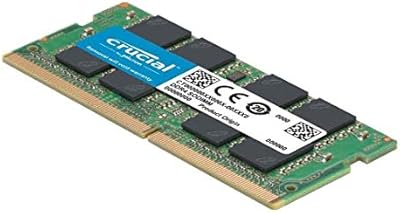
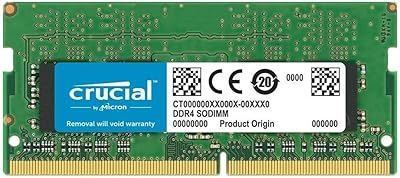
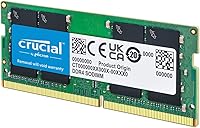
The Crucial 8GB DDR4-2400 SODIMM Laptop RAM is one of those rare upgrades that does exactly what it promises without any fuss. Crucial has been making memory for decades, and as a brand born from Micron Technology — one of the world’s largest chip manufacturers — it carries a level of credibility that generic alternatives simply can’t match. This 8GB SODIMM stick targets the DDR4 era of laptops, a standard that became widespread around 2016 and still covers a massive share of machines in daily use. At its price point, the value-per-gigabyte ratio is hard to argue with, especially if your laptop is already limping along on 4GB.

Features & Benefits

Eight gigabytes is a practical sweet spot for most daily computing tasks — enough to keep a dozen browser tabs open alongside a word processor, a video call, and a Spotify stream without your system constantly reaching for the hard drive. The DDR4-2400MHz speed with CL17 latency simply means memory requests get handled quickly enough that you won’t notice delays in normal use. What’s also worth noting is the 1.2V operating voltage, which is lower than older DDR3 modules. Less power draw translates to marginally less heat and slightly better battery life on a laptop — small wins that compound over a full workday. And because it’s a 260-pin SODIMM, it fits only in laptops and compact systems, not desktops. Crucial’s lifetime warranty rounds out a well-considered package.

Best For

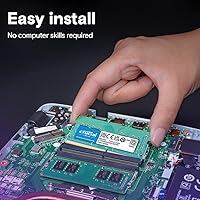
This laptop RAM upgrade makes the most sense for people who bought a budget laptop with 4GB pre-installed and have been living with the frustration ever since. If you frequently juggle a video call on Zoom, a few research tabs, and a Google Doc all at once, doubling your memory will make a noticeable difference. Students, home office workers, and light creators will find this hits the sweet spot between cost and capability. It’s also a good fit for first-time upgraders — installation is as simple as popping out the old stick and sliding this one in, with no driver installs or BIOS tweaks required in most cases. Before buying, always verify compatibility using Crucial’s free online tool.

User Feedback

With over 21,000 ratings and a 4.8-star average, this Crucial memory module sits at a level of community validation that’s genuinely difficult to fake. Buyers consistently report that installation went smoothly and that the performance difference was immediately noticeable — particularly when it comes to cutting down on that sluggish feeling when switching between apps. Long-term reliability is another recurring theme; many reviewers mention using it for years without a single hiccup. On the downside, a handful of critical reviews point to BIOS recognition issues or incompatibility with certain niche laptop models — though in most cases, these stem from user error or pre-purchase compatibility oversights rather than actual defects. The #113 Best Sellers rank in Computer Memory reflects consistent demand, not a one-time spike.

Pros

  • Trusted brand with decades of manufacturing heritage through Micron — not a no-name module you have to gamble on.
  • A 4.8-star average across more than 21,000 ratings is the kind of real-world validation that’s genuinely hard to dismiss.
  • Installation is plug-and-play in most laptops; users consistently report having it up and running in under ten minutes.
  • The low 1.2V operating voltage runs cooler and draws less power, which matters more on a laptop than a desktop.
  • Backed by a limited lifetime warranty — reassuring for a component you expect to set and forget for years.
  • 8GB is the practical sweet spot for students and remote workers handling everyday productivity and light multitasking.
  • This 8GB SODIMM stick delivers solid value without paying extra for overclocking headroom or cosmetic features like RGB lighting.
  • Holding the #113 Best Sellers rank in Computer Memory reflects steady, sustained buyer demand over a long period.
  • Works with a broad range of DDR4 laptops, and Crucial’s free online compatibility tool removes most of the guesswork.

Cons

  • Strictly laptop-only — the SODIMM form factor won’t fit a standard desktop motherboard, which is easy to overlook.
  • Some users report BIOS recognition issues on specific laptop models, occasionally requiring a firmware update before the module registers.
  • 8GB may start to feel constrained within a few years as browsers, apps, and operating systems continue to grow heavier.
  • Compatibility is not universal across all DDR4 laptops — verifying your exact model before purchasing is essential, not just recommended.
  • Laptops with soldered RAM cannot accept any aftermarket memory upgrade, so always confirm your model has an accessible slot first.
  • No overclocking or XMP profile support, so users hoping to push speeds beyond the rated 2400MHz have no path to do so.
  • At 2400MHz, this sits toward the lower end of the DDR4 speed range and may not fully complement newer, faster laptop platforms.
  • A single-stick configuration operates in single-channel mode; pairing two modules would yield noticeably better bandwidth on dual-channel-capable systems.

Ratings

The scores below for the Crucial 8GB DDR4-2400 SODIMM Laptop RAM were generated by our AI engine after systematically processing tens of thousands of verified global buyer reviews, with automated filters applied to remove spam, bot activity, and incentivized submissions. Every category score reflects the aggregated real-world experience of genuine purchasers, not curated highlight reels. Strengths and recurring pain points are represented with equal weight so you can make a fully informed decision.

Value for Money
91%
At its price tier, this 8GB SODIMM stick is one of the more compelling buys in the DDR4 SODIMM category. Buyers consistently highlight that you’re getting a Micron-manufactured module — not a budget no-name chip — for a price that sits at or below many generic alternatives. For students and budget upgraders, that combination is genuinely difficult to argue against.
The value calculation shifts if your needs already exceed 8GB, since purchasing two separate sticks to reach 16GB often costs more than buying a pre-packaged dual-channel kit outright. A portion of buyers also noted that platform pricing fluctuations can erode the value advantage depending on when you happen to shop.
Installation Ease
93%
Installation is consistently one of the most praised aspects across the entire buyer base. The vast majority of users — including those who had never opened a laptop before — report completing the swap in under fifteen minutes with just a small screwdriver. No driver installation or BIOS configuration is required in most cases once the module is seated correctly.
A subset of buyers encountered friction when their specific laptop model required a BIOS firmware update before the new memory was detected, adding unexpected steps to what should have been a simple process. Users with laptops that have hidden or adhesive-secured back panels also flagged that physical access — not the RAM swap itself — was the frustrating part.
Performance Impact
77%
23%
For users coming from 4GB, the subjective improvement is real and immediate — apps open faster, tab switching stops causing delays, and the system stops leaning on virtual memory during routine multitasking. Remote workers and students specifically report a noticeably smoother experience during video calls when other programs are running alongside, which was a consistent pain point before the upgrade.
Buyers who expected a speed transformation rather than a capacity boost often come away mildly underwhelmed. This laptop RAM upgrade runs at 2400MHz, which sits toward the lower end of the DDR4 spectrum, and the performance gains are invisible if your laptop’s real bottleneck is a slow mechanical hard drive or an underpowered processor rather than insufficient memory.
Compatibility Range
73%
27%
This Crucial memory module supports a wide range of DDR4-era laptops from major manufacturers including Dell, HP, Lenovo, and Acer, covering the bulk of machines sold between 2015 and 2022. Crucial’s actively maintained online compatibility database gives buyers a reliable way to verify fit before purchasing, which removes most of the guesswork from the process.
Compatibility issues are the single largest source of negative feedback and represent a genuine risk worth taking seriously. Thin ultrabooks with soldered memory, certain budget models with non-standard configurations, and a handful of niche manufacturer variants fall outside the supported range entirely. Some buyers on technically compatible laptops also reported that older BIOS versions refused to recognize the module without a firmware update first.
Long-term Reliability
94%
Long-term durability is where this Crucial memory module earns its strongest praise. Reviewers routinely mention using these sticks for two, three, or four-plus years without a single failure, and the manufacturing pedigree from Micron — a company supplying memory to enterprise clients globally — lends that reliability track record genuine credibility beyond marketing claims.
While outright failures are rare, a small number of reviewers report modules developing intermittent errors after extended use, typically surfacing as occasional system crashes or memory test anomalies. These cases appear to be statistical outliers rather than a systemic trend, but they serve as a reminder that no electronic component carries a guaranteed zero-failure rate regardless of brand.
Brand Reputation
96%
Crucial’s standing in the consumer memory market is about as strong as it gets at this price point. Backed by Micron — one of only a handful of companies worldwide that actually fabricates its own DRAM chips rather than sourcing them from third parties — the brand carries manufacturing credibility that most DDR4 competitors in this category simply cannot match.
Despite the strong brand standing, Crucial’s customer-facing support documentation has been criticized by some buyers as less granular than expected, particularly for troubleshooting edge-case compatibility scenarios. The retail packaging is also notably minimal, which can give first-time buyers pause even though the stripped-down presentation has no bearing on actual module quality.
Thermal Efficiency
86%
Operating at 1.2V, this 8GB SODIMM stick draws meaningfully less power than older DDR3 equivalents, which translates to less heat generated inside the laptop chassis during sustained workloads. Students working through long lectures on battery and travelers using laptops in transit report no perceptible thermal contribution from the memory module during everyday use.
The thermal advantages of low-voltage DDR4 are real but incremental rather than transformative — do not expect any meaningful improvement in battery runtime from the memory upgrade alone. In cramped laptop chassis with poor airflow design, the module can still contribute minor heat during prolonged heavy loads, though this is an inherent characteristic of all SODIMM memory, not a flaw unique to this product.
Build Quality
88%
The physical construction is solid and consistent with what you’d expect from a Micron-sourced component. The PCB feels robust, the gold-plated contacts are cleanly finished, and the module seats firmly into the SODIMM slot without the resistance or wobble issues that some cheaper alternatives exhibit when users attempt installation for the first time.
There is no heatspreader on this module, which is entirely standard for laptop SODIMM memory but can alarm buyers accustomed to the more visually imposing desktop RAM kits. The minimalist design also offers no visual indicator of module health or activity, which some buyers find less reassuring even though it has no practical impact on performance or longevity.
Warranty Coverage
89%
A limited lifetime warranty on a memory module is a meaningful commitment at any price point, signaling that Crucial expects this product to outlast most of the laptops it will ever be installed in. Buyers who have exercised the warranty process generally report it as smooth, with replacement modules dispatched without excessive friction or interrogation.
The warranty’s scope is limited to manufacturing defects and excludes damage from improper installation, static discharge, or physical mishandling — which are in practice the most common causes of module failure outside normal wear. International buyers have also flagged that the claim process can involve additional regional steps and longer turnaround times compared to domestic customers.
Memory Speed
71%
29%
For everyday computing — office productivity, HD video streaming, standard web browsing, and casual multitasking — 2400MHz delivers all the throughput the average laptop user will realistically need. Buyers upgrading from older DDR3 systems report a noticeable baseline responsiveness improvement even at this speed, which makes the module feel like a meaningful generational step forward.
At 2400MHz, this module sits at the lower boundary of the DDR4 speed range, and users pairing it with newer Intel or AMD platforms natively supporting 3200MHz or higher are leaving available bandwidth unrealized. There is no XMP or overclocking support, meaning the 2400MHz ceiling is fixed and cannot be adjusted upward through BIOS settings regardless of platform capability.
Multitasking Performance
82%
18%
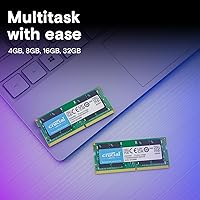
Moving from 4GB to 8GB unlocks a noticeably different multitasking experience for most laptop users. Running a Zoom call alongside a browser with several open tabs, a spreadsheet, and a music player no longer pushes the system into sluggishness, and application switching becomes fluid in a way that users stuck on 4GB immediately and repeatedly appreciate.
Eight gigabytes handles mainstream multitasking comfortably but starts showing limits as workloads scale upward. Users who run virtual machines, process large photo or video files, or work with sizable datasets in spreadsheet software report that 8GB can feel constrained, requiring more frequent application management than they’d prefer to maintain a smooth working rhythm.
Customer Support
78%
22%
Crucial’s support resources receive solid marks from buyers who reached out with compatibility or post-installation questions. The brand’s online tools — particularly the system scanner and compatibility checker — resolve the majority of queries without requiring contact with a human agent at all, which buyers across multiple regions consistently flag as a genuine time-saver.
Direct support response times have drawn mixed feedback, with some users reporting longer-than-expected waits during high-traffic periods and holiday windows. A portion of buyers also noted that support agents occasionally defaulted to generic troubleshooting scripts rather than addressing the specific nuances of their laptop model, which compounded frustration in already confusing compatibility scenarios.
Packaging & Presentation
74%
26%
The packaging is functional and adequately protective for shipping, with the module enclosed in an anti-static clamshell that does its job without excess material. Buyers who care about sustainability tend to appreciate the minimal approach, and the module arrives ready to install without unnecessary accessories or filler adding bulk to the box.
The stripped-down presentation feels underwhelming for some buyers, particularly those purchasing as a gift or accustomed to the more polished unboxing experience of branded desktop memory kits. There is no installation guide included in the box, meaning complete first-timers must independently source instructions or video tutorials before they can proceed with confidence.

Suitable for:

The Crucial 8GB DDR4-2400 SODIMM Laptop RAM is the kind of practical, well-priced upgrade that makes the most sense for everyday laptop users who feel their machine has slowed to a crawl but aren’t ready to replace it entirely. If you’re currently running 4GB and find yourself staring at spinning wheels whenever you switch between a Zoom call, a few browser tabs, and a Word document, doubling your memory will make a tangible difference in how responsive your system feels day to day. Students managing research workflows, remote workers juggling communication tools and spreadsheets, and casual users who simply want their laptop to stop stuttering during routine tasks will all see a meaningful improvement. This laptop RAM upgrade is also a natural fit for first-time DIY upgraders — the installation process is genuinely straightforward, with no software configuration required in most cases. If you have an older DDR4 laptop that still serves its purpose but needs a little more breathing room, this is one of the most cost-effective ways to extend its useful life by another few years.

Not suitable for:

The Crucial 8GB DDR4-2400 SODIMM Laptop RAM is not the right choice if you’re hoping for a dramatic speed transformation — this is a capacity upgrade, not a performance overhaul, and if your laptop’s real bottleneck is a slow processor or an aging mechanical hard drive, adding memory alone won’t fix that. Desktop users should look elsewhere entirely, as the 260-pin SODIMM form factor is designed exclusively for laptops and compact systems, not standard desktop motherboards. If your machine requires DDR3 or DDR5 memory, this module is simply incompatible, and that’s an easy mistake to make without checking your laptop’s specifications first. Power users running video editing software, 3D rendering tools, or multiple virtual machines will likely find 8GB falls short, and would be better served by a 16GB or 32GB option from the start. Finally, if your laptop’s memory is soldered directly to the motherboard — a common design in many slim ultrabooks — no aftermarket RAM upgrade is possible, regardless of brand or module quality.

Specifications

  • Capacity: Provides 8GB of DDR4 memory, a practical amount for everyday multitasking, productivity, and general laptop use.
  • Memory Type: DDR4 technology, the mainstream RAM standard found in the majority of laptops manufactured between approximately 2015 and 2022.
  • Clock Speed: Operates at 2400MHz (PC4-19200), delivering a theoretical peak memory bandwidth of approximately 19.2 GB/s.
  • Form Factor: 260-pin SODIMM design built exclusively for laptops and compact systems; physically incompatible with standard desktop motherboards.
  • Operating Voltage: Runs at 1.2V, which is lower than older DDR3 modules and helps reduce heat output and power draw during laptop use.
  • CAS Latency: Rated CL17, meaning 17 memory clock cycles elapse per request — a standard latency figure that is imperceptible during normal everyday tasks.
  • Model Number: Manufacturer part number is CT8G4SFS824A, useful for confirming the exact specification when verifying compatibility or filing a warranty claim.
  • Manufacturer: Produced by Crucial Technology, a brand of Micron Technology, one of the largest and longest-established semiconductor manufacturers in the world.
  • Warranty: Covered by a limited lifetime warranty from Crucial, protecting the original purchaser against manufacturing defects for the life of the product.
  • Compatible Devices: Designed for DDR4-compatible laptops and compact systems; compatibility with a specific laptop model should always be confirmed before purchase.
  • Dimensions: Measures 6.9 x 3.5 x 0.25 inches, consistent with the standard SODIMM physical specification used across most laptop platforms.
  • Weight: Weighs 0.32 ounces, reflecting the slim, lightweight profile typical of the SODIMM form factor.
  • Module Count: Sold as a single 8GB module; a second matching stick can be added to reach 16GB and enable dual-channel mode on supported laptops.
  • ECC Support: Non-ECC (non-error-correcting) memory, which is standard for consumer laptops and not intended for server, workstation, or mission-critical computing environments.
  • Peak Bandwidth: PC4-19200 rating corresponds to a theoretical maximum memory bandwidth of 19.2 GB/s under ideal operating conditions.

Related Reviews
A-Tech 8GB DDR4 2666MHz SODIMM Laptop RAM
81%
93%
Value for Money
91%
Installation Ease
78%
Compatibility Range
82%
Performance Impact
84%
Build & Module Quality
More
Crucial 8GB DDR5 4800MHz SODIMM Laptop RAM
89%
91%
Performance Boost
88%
Installation Ease
94%
Compatibility with Intel 12th Gen & AMD Ryzen 7000
85%
Power Efficiency
90%
Multitasking Support
More
KLEVV DDR4 8GB 3200MHz SODIMM Laptop RAM
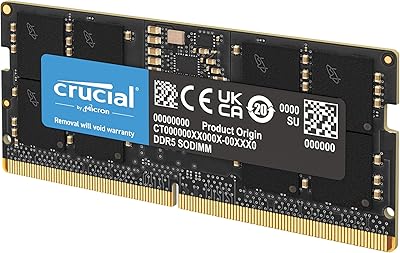
87%
88%
Performance
90%
Compatibility
94%
Ease of Installation
92%
Value for Money
85%
Stability during Regular Use
More
Crucial Basics 8GB DDR4 2666MHz SODIMM RAM
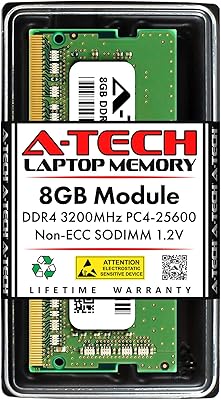
85%
88%
Performance Boost
93%
Ease of Installation
91%
Compatibility with Laptops
85%
Power Efficiency (Battery Life)
92%
Overall Value for Money
More
A-Tech 8GB DDR4 3200 MHz SODIMM Laptop RAM
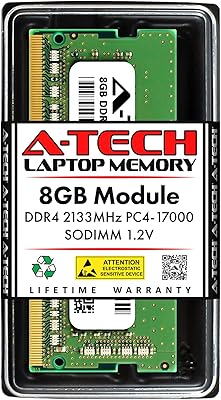
89%
91%
Performance Boost
95%
Ease of Installation
89%
Value for Money
88%
System Compatibility
90%
Speed and Responsiveness
More
A-Tech 8GB DDR4 2400MHz SODIMM Laptop RAM
82%
91%
Value for Money
68%
Compatibility
88%
Ease of Installation
78%
Performance Improvement
83%
Reliability & Longevity
More
A-Tech 8GB DDR4 2133MHz SODIMM Laptop RAM
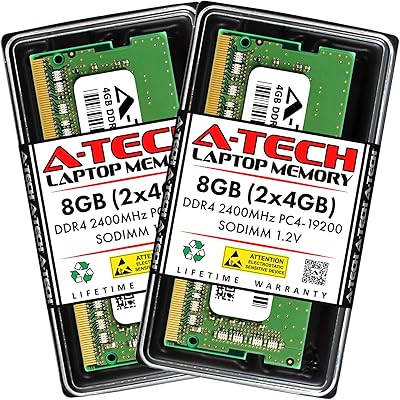
81%
91%
Value for Money
67%
Compatibility Range
93%
Installation Experience
88%
System Stability
74%
Performance Uplift
More
Crucial 16GB DDR4-2400 SODIMM Memory
84%
88%
Performance Boost
75%
Installation Ease
90%
Energy Efficiency
84%
Compatibility with Laptops
87%
System Responsiveness
More
Crucial 16GB DDR4-2666 SODIMM Laptop RAM Kit
86%
92%
Performance Gain
88%
Compatibility
91%
Value for Money
86%
Installation Ease
93%
Reliability & Longevity
More
Crucial 16GB DDR4-2400 Desktop RAM Kit
81%
96%
Ease of Installation
93%
Compatibility
94%
Reliability & Stability
88%
Value for Money
86%
Performance – Everyday Use
More

FAQ

The safest way is to use Crucial’s free online compatibility tool before buying — just enter your laptop’s make and model, and it will tell you exactly which modules are supported. Most DDR4-era laptops from 2015 onward are compatible, but thin ultrabooks with memory soldered directly to the motherboard are a notable exception. A quick check takes under a minute and saves a lot of hassle.

For typical everyday tasks — browsing, video calls, email, streaming, and Office apps — 8GB is genuinely comfortable. Where it starts to feel squeezed is if you routinely keep 20-plus browser tabs open, work in heavier creative software, or run several demanding apps at once. For those use cases, jumping to 16GB would be the smarter long-term investment.

Most people can do this themselves with no prior experience. You’ll typically need a small Phillips screwdriver to access the memory slot under the laptop’s back panel. From there it’s a straightforward process: insert the module at an angle and press it down until it clicks into place. There are detailed video guides available for nearly every laptop model online. If you’re not comfortable opening your laptop, any local repair shop can handle it quickly.

No — this 8GB SODIMM stick uses the smaller 260-pin SODIMM connector, which is designed specifically for laptops and compact systems. Standard desktop motherboards use the larger 288-pin DIMM format. If you’re upgrading a desktop, you’ll need to search for a DDR4 DIMM module instead.

Start by powering off, removing the module, and reseating it firmly — an imperfectly seated stick is the most common culprit. If the issue persists, check whether your laptop’s BIOS needs a firmware update, as some systems require this before they can recognize newer or higher-capacity modules. Crucial’s customer support team is generally responsive and can help you troubleshoot if you get stuck.

Yes, if your laptop has a second available RAM slot. Adding a matching 8GB module will bring your total to 16GB and also enable dual-channel mode, which improves memory bandwidth and can provide a small but real performance bump. Just make sure the second stick matches the same speed and memory type for best results.

If your current 4GB is regularly maxing out — which you’d notice as sluggishness when switching between apps or long loading pauses — then yes, the improvement will be noticeable. That said, this is a capacity upgrade, not a speed transformation. If your laptop’s bottleneck is a slow hard drive or an underpowered processor, adding memory alone won’t resolve those issues.

In most cases, no configuration is needed at all. Your laptop should detect this Crucial memory module automatically on the next boot, and your operating system will simply report the updated memory total. Some laptops display a brief BIOS message after a hardware change — this is normal, and you can just confirm and continue booting as usual.

It covers defects in materials and workmanship under normal use conditions for as long as the original purchaser owns the product. It does not cover physical damage from improper installation, electrostatic discharge, or accidental drops. If the module fails without any obvious external cause, Crucial will typically replace it — just keep your proof of purchase on hand in case it’s needed.

Buying without checking compatibility first. It’s easy to assume that any DDR4 module will work in any DDR4 laptop, but speed support, slot configuration, and maximum capacity limits vary by model. Using Crucial’s System Scanner or your laptop manufacturer’s support page to confirm compatibility before purchasing is the single most important step you can take to avoid a frustrating return experience.

Where to Buy