Overview

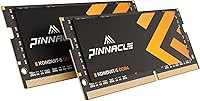
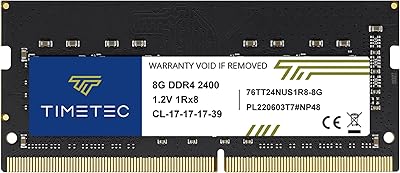
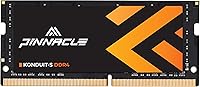
If your laptop has started crawling through browser tabs or stuttering during video calls, the Timetec Pinnacle 8GB DDR4 3200MHz Laptop RAM offers one of the cleanest fixes available without a significant investment. Timetec is a U.S.-based brand that has carved out genuine credibility in the value memory space, backed by warranty support that actually holds up. Running at 3200MHz, this SODIMM module delivers real-world responsiveness for everyday tasks and light gaming. Its single-rank 1Rx8 configuration aligns well with what most consumer notebooks expect, reducing the risk of compatibility headaches. That said, set expectations accordingly — this is a reliable everyday upgrade, not a tool for pushing frequency limits.
Features & Benefits

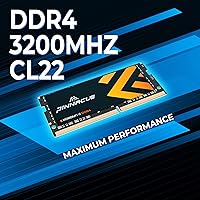
One quietly useful detail about this laptop RAM upgrade is its ability to automatically downclock to 2933MHz or 2666MHz on older systems — no manual configuration required. If your laptop only supports lower-speed DDR4, the module just adapts. The single 8GB SODIMM design makes strategic sense too: your second slot stays open, so adding a matched stick later for dual-channel operation is a realistic path. Running at just 1.2 volts, heat generation stays low — meaningful in thin machines where thermal headroom is already tight. CL22 timing is not cutting-edge, but it handles everyday workloads without issue. The lifetime warranty with U.S.-based support rounds things out — that kind of backing is genuinely rare at this price tier.

Best For

This SODIMM module makes the most sense for a specific kind of buyer: someone with a laptop that shipped with just 4GB of RAM or slow 2400MHz sticks who wants a noticeable improvement without a complicated install. Students and remote workers running multiple browser tabs alongside productivity apps will feel the difference almost immediately. It also suits those planning a phased upgrade — start with a single 8GB stick now, add a second later when budget allows. Mini PC and all-in-one owners who rely on SODIMM memory will find it equally fitting. If you would otherwise buy an unbranded stick to save a few dollars, this Timetec stick offers a meaningful step up in accountability.

User Feedback

Across a large pool of verified buyers, the story is fairly consistent: installation is straightforward, and most users never needed to touch their BIOS settings. The lifetime warranty and accessible customer support draw frequent praise, particularly from buyers who have dealt with unresponsive sellers before. Reviewers on older systems confirm the module downclocks correctly without errors — a real concern for anyone running hardware from a few years back. The criticism that does surface is mostly compatibility-related: a handful of buyers discovered their specific laptop model was not officially supported, which underscores the importance of checking your QVL list before purchasing. At a 4.7-star average across thousands of reviews, the overall satisfaction rate is hard to argue with.

Pros

  • Installs without any BIOS configuration on most laptops — truly plug and play.
  • Auto-downclocking to 2933MHz or 2666MHz means it works reliably with older DDR4 systems.
  • The 1.2V low-voltage design keeps thermals in check on thin and budget laptops.
  • Lifetime warranty backed by U.S.-based support is genuinely rare at this price tier.
  • Single-stick packaging leaves your second RAM slot open for a future dual-channel upgrade.
  • A 4.7-star rating across thousands of real buyers is a strong signal of consistent quality.
  • This Timetec stick offers brand accountability that cheap unbranded alternatives simply cannot match.
  • CL22 latency is entirely adequate for web browsing, productivity, and casual gaming workloads.
  • Lightweight and compact — shipping and handling adds no complexity to the purchase.
  • Non-ECC unbuffered design is exactly what consumer laptops require, so there is no configuration mismatch risk.

Cons

  • CL22 latency is behind what premium DDR4 kits offer at the same speed rating.
  • No official QVL coverage for every laptop model, so compatibility research is the buyer's responsibility.
  • Only available as a single stick — buyers who want a pre-matched dual-channel kit must look elsewhere.
  • Not compatible with desktop motherboards, which can catch inattentive buyers off guard.
  • No RGB or aesthetic features for users who care about visible hardware presentation in open-chassis builds.
  • The brand is less universally recognized than Crucial or Kingston, which may matter for resale or IT procurement.
  • At 8GB, this module may feel limiting sooner than expected for users who run virtual machines or heavy creative software.
  • Support, while available, is limited to U.S. business contexts and may be less accessible for international buyers.

Ratings

The scores below reflect an AI-driven analysis of verified global buyer reviews for the Timetec Pinnacle 8GB DDR4 3200MHz Laptop RAM, with spam, bot-generated, and incentivized feedback actively filtered out before scoring. Each category captures what real users experienced across a wide range of laptops, use cases, and technical skill levels. Both the genuine strengths and the frustrations buyers encountered are reflected transparently in every score.

Value for Money
93%
Buyers consistently point to this SODIMM module as one of the better deals in the DDR4 laptop memory space — a reputable brand, a lifetime warranty, and solid everyday performance without the premium markup of Crucial or Kingston. For budget-conscious upgraders, the cost-to-benefit ratio is hard to fault.
A small number of buyers noted that slightly pricier kits with tighter timings are available for not much more, making the value case slightly less clear-cut for users who do their research carefully before purchasing.
Compatibility
78%
22%
The auto-downclocking feature genuinely impressed users who dropped this laptop RAM upgrade into older systems running at 2666MHz — it just worked, without any BIOS intervention or configuration. Most mainstream laptops from the past five years had no issues whatsoever.
A recurring frustration in negative reviews involves laptop models that fall outside officially supported QVL lists. Some buyers on niche or budget OEM laptops hit compatibility walls and wished the supported device list was more thoroughly documented before purchase.
Ease of Installation
91%
The installation experience drew overwhelmingly positive feedback, with most users — including first-timers — completing the swap in under fifteen minutes using just a screwdriver. No BIOS changes, no driver downloads, and no post-install errors were the norm across the vast majority of reports.
A handful of users ran into issues specific to laptops with non-standard back panels or deeply recessed SODIMM slots, which made physical installation more fiddly than expected. These cases were rare but did occasionally result in accidental returns.
Performance Gain
86%
Users upgrading from 4GB or sluggish 2400MHz modules noticed genuine day-to-day improvements: faster tab switching, smoother video calls, and snappier application loading. For students and remote workers, the bump in responsiveness was frequently described as immediately noticeable.
Buyers expecting dramatic gains for gaming or creative workloads were occasionally underwhelmed, particularly those staying in single-channel configuration. The CL22 latency also drew mild criticism from more technically informed users who know what tighter timings feel like.
Build & Reliability
88%
Long-term reliability feedback is strong, with users reporting stable operation over months of daily use and no signs of degradation or instability. The confidence that comes with a lifetime warranty meant buyers felt protected even years down the line.
Because this is a value-tier module, there is no heat spreader or any physical reinforcement beyond the bare PCB. In heavily loaded laptops that already run hot, a small number of users reported occasional instability under sustained workloads, though this was not common.
Warranty & Support
89%
The lifetime warranty drew genuine praise — not as a marketing footnote but as something buyers actually relied on. Several reviewers specifically mentioned the U.S.-based support team being responsive and helpful when troubleshooting compatibility questions before and after purchase.
International buyers noted that the U.S.-centric support structure could make warranty claims slower or less convenient depending on their region. Response times, while generally solid, occasionally slipped during high-demand periods according to a small subset of reviewers.
Speed & Frequency
82%
18%
Running at 3200MHz on compatible systems, this Timetec stick delivers adequate bandwidth for everyday computing and light-to-moderate gaming. Users who previously had 2400MHz or 2666MHz modules noticed a measurable improvement in memory-intensive tasks like large spreadsheet operations and browser-heavy workflows.
At CL22, the latency is on the looser end for a 3200MHz module, and informed buyers noticed it. For workloads that are particularly sensitive to memory latency rather than raw throughput, this timing profile is a genuine if expected trade-off at this price tier.
Thermal Performance
84%
The 1.2V operating voltage keeps heat generation modest, which matters considerably in slim laptops where airflow is restricted. Users with thermally constrained ultrabooks reported that the module ran cool without adding to the system's overall heat load in any noticeable way.
The lack of any heat spreader means the module relies entirely on ambient airflow within the chassis. In very compact mini PCs or laptops with poor internal ventilation, a small number of users saw temperatures creep higher than expected under prolonged multitasking.
Brand Reputation
81%
19%
Timetec is not a household name like Kingston or Crucial, but buyers who researched the brand came away reassured by its U.S. base of operations, consistent product quality, and the volume of positive long-term owner reports across multiple product lines.
For corporate IT buyers or users who need RAM approved through strict procurement processes, Timetec's lower brand recognition compared to Tier-1 manufacturers occasionally posed a barrier. Some first-time buyers also admitted initial hesitation before pulling the trigger.
Packaging & Presentation
71%
29%
The module arrives well protected in basic anti-static packaging that does its job effectively. For buyers who care only about getting the stick safely from the warehouse to their laptop slot, the packaging is entirely adequate.
The no-frills packaging feels a noticeable step below what premium brands offer, and a few buyers who were gifting the upgrade mentioned it lacked any presentational quality. This is a minor gripe but consistent enough across reviews to be worth noting.
Documentation & Clarity
67%
33%
The included product information is straightforward enough for users who already know what SODIMM RAM is and how to install it. Spec details on the packaging are accurate and legible, which buyers appreciated after receiving units with missing or incorrect labels from other brands.
Buyers less familiar with memory specifications frequently mentioned wishing for clearer guidance on how to verify compatibility with their specific laptop model before installing. The absence of a comprehensive, searchable compatibility tool on Timetec's website was a common frustration.
Upgrade Path Flexibility
87%
Choosing a single 8GB stick rather than a pre-matched kit is a deliberate advantage here — it leaves one slot free so users can add a second identical module later for dual-channel operation, making this a natural first step in a phased upgrade strategy.
Buyers who later went looking for an identical second stick to pair with their existing module occasionally found stock availability inconsistent, which added friction to the dual-channel upgrade plan they had in mind when making the initial purchase.
Multitasking Improvement
88%
The jump to 8GB made a tangible difference for users running browser-heavy workflows, Zoom calls alongside open documents, or multiple productivity apps simultaneously. Remote workers and students specifically called out reduced freezing and faster context switching as immediate improvements.
For users whose bottleneck was something other than RAM — a slow HDD or an aging CPU — the performance improvement was less pronounced than anticipated, leading to a handful of disappointed reviews that were more about misaligned expectations than any fault of the module itself.

Suitable for:

The Timetec Pinnacle 8GB DDR4 3200MHz Laptop RAM is a practical choice for anyone whose laptop has become frustratingly slow under everyday workloads and who wants a meaningful fix without spending a lot. Students juggling research tabs, streaming, and document editing will notice the difference almost immediately after installing this SODIMM module. Remote workers who rely on video conferencing alongside multiple open applications will also benefit, since moving from 4GB to 8GB tends to eliminate the worst stuttering and lag that plagues budget laptops. Buyers who plan to expand memory further down the line will appreciate that a single stick leaves the second slot free for a future matched upgrade to dual-channel. Mini PC and all-in-one desktop owners who need SODIMM-format memory are equally well served here, and the U.S.-based lifetime warranty makes this a low-risk choice for anyone cautious about buying from a lesser-known brand.
Not suitable for:

The Timetec Pinnacle 8GB DDR4 3200MHz Laptop RAM is not the right pick for buyers chasing maximum memory performance. Enthusiasts who prioritize tight latency timings or plan to run XMP or manual overclocking profiles will find the CL22 specification underwhelming compared to higher-end kits. This module is also a poor fit for desktop builds, as it is strictly a SODIMM form factor and will not seat in a standard DIMM slot. Anyone whose laptop manufacturer maintains a strict qualified vendor list should verify compatibility before purchasing, since not every notebook officially supports every DDR4 module regardless of spec match. Users needing ECC memory for workstation-grade reliability or error-correction, such as those running data-sensitive professional applications, should look elsewhere entirely. If your system already has 16GB of RAM or runs on DDR5, this laptop RAM upgrade simply does not apply.
Specifications

  • Capacity: This module provides 8GB of DDR4 memory in a single SODIMM stick.
  • Form Factor: Uses the 260-pin SODIMM form factor, designed for laptops, mini PCs, and all-in-one desktops.
  • Memory Type: DDR4 SDRAM, which is the standard memory type for consumer laptops manufactured from roughly 2016 onward.
  • Speed: Rated at 3200MHz (PC4-25600), representing the upper range of mainstream DDR4 speeds for laptops.
  • Downclocking: Automatically adjusts to 2933MHz or 2666MHz on systems that do not natively support 3200MHz DDR4.
  • Latency: Operates at CL22 with full timings of 22-22-22-52, which is standard for 3200MHz modules in this tier.
  • Voltage: Runs at 1.2V, a low-voltage specification that helps limit heat output in thermally constrained laptops.
  • Rank Configuration: Single rank (1Rx8) with a 1024x8 die configuration, which offers broad compatibility with most consumer notebook platforms.
  • ECC Support: Non-ECC, meaning it does not perform error-correction — the correct specification for consumer laptops and not for server use.
  • Buffering: Unbuffered (UDIMM-style for SODIMM), which is the standard configuration required by consumer-grade laptop motherboards.
  • Package Contents: Each purchase includes one 8GB SODIMM module; buyers needing a matched pair must order two units separately.
  • Compatible Devices: Designed for DDR4-compatible laptops, notebooks, mini PCs, and all-in-one desktop systems that use SODIMM slots.
  • Warranty: Covered by a lifetime warranty from the date of purchase, backed by Timetec directly.
  • Customer Support: Technical support is provided by a U.S.-based team, accessible for troubleshooting or warranty claims.
  • Manufacturer: Made by Timetec, a U.S.-based memory brand with a focused product line in the consumer RAM segment.

Related Reviews
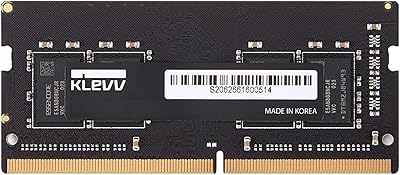
KLEVV DDR4 8GB 3200MHz SODIMM Laptop RAM
87%
88%
Performance
90%
Compatibility
94%
Ease of Installation
92%
Value for Money
85%
Stability during Regular Use
More
Samsung 8GB DDR4 3200MHz SO-DIMM Laptop RAM
83%
86%
Performance
79%
Compatibility
91%
Value for Money
93%
Installation Ease
89%
Reliability
More
Timetec 8GB DDR4 2400MHz SODIMM Laptop RAM
78%
91%
Value for Money
88%
Installation Ease
74%
Compatibility
86%
Performance Improvement
83%
Reliability
More
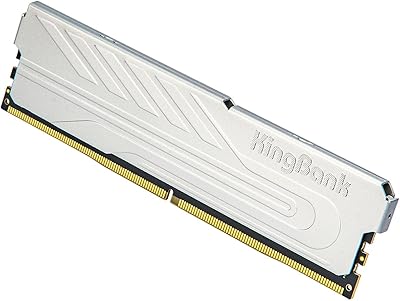
KingBank DDR4 8GB 3200MHz Desktop RAM
75%
88%
Value for Money
84%
Installation Ease
83%
XMP Performance
73%
Compatibility
57%
Brand Reliability
More
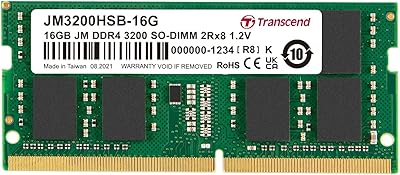
Transcend JM3200HSB-16G 16GB DDR4 Laptop RAM
83%
88%
Value for Money
84%
Compatibility
92%
Installation Ease
86%
Performance Improvement
91%
Stability & Reliability
More
Timetec 16GB DDR4 2133MHz Laptop RAM Kit
80%
93%
Value for Money
71%
Compatibility
88%
Ease of Installation
79%
Performance Impact
86%
Stability & Reliability
More
SK Hynix HMA41GS6AFR8N 8GB DDR4 Laptop RAM

83%
93%
Reliability & Stability
76%
Compatibility Range
91%
Installation Experience
88%
Value for Money
94%
Brand Trustworthiness
More
A-Tech 8GB DDR4 2666MHz SODIMM Laptop RAM
81%
93%
Value for Money
91%
Installation Ease
78%
Compatibility Range
82%
Performance Impact
84%
Build & Module Quality
More
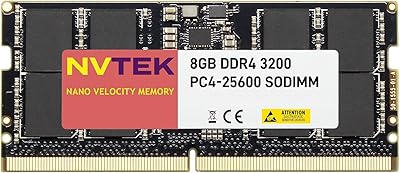
NVTEK 8GB DDR4 3200MHz SODIMM RAM

76%
88%
Value for Money
93%
Installation Ease
74%
Compatibility
67%
Performance
84%
Warranty & Support
More
Timetec 16GB KIT DDR4 3200MHz Desktop RAM
81%
88%
Value for Money
93%
Installation Ease
82%
Compatibility
86%
Stability & Reliability
62%
Latency Performance
More

FAQ

Yes, it will. This SODIMM module will automatically downclock to match your system's supported speed, so if your laptop runs at 2666MHz natively, the stick will operate at that frequency without any manual adjustment needed.

Most users do not need to touch the BIOS at all. The module is detected automatically on boot. In rare cases, you may see a one-time memory configuration prompt, but that typically resolves itself after a single restart.

No. This is a SODIMM module with a 260-pin connector designed specifically for laptops, mini PCs, and all-in-one systems. It will not fit in a standard desktop motherboard, which uses full-size DIMM slots.

No, it is not. Apple MacBooks use proprietary memory architectures, and since the 2019 models, RAM is soldered directly to the motherboard and cannot be upgraded with any third-party SODIMM module.

It works fine with a single stick, though you will be running in single-channel mode rather than dual-channel. That said, going from 4GB to 8GB on a single stick still produces a very noticeable improvement in everyday performance.

Check your laptop's user manual, the manufacturer's support page, or run a free tool like CPU-Z to see what type of RAM your system currently uses. If it shows DDR4, this laptop RAM upgrade is compatible in terms of memory type — just verify the slot count and max supported capacity too.

For casual and mid-range gaming on a laptop, absolutely. At 3200MHz with CL22 timings, it handles most games comfortably. If you are running a high-end gaming rig and obsessing over memory bandwidth numbers, you would want tighter timings, but for the vast majority of laptop gamers this is more than sufficient.

It covers defects in materials and workmanship for the life of the product from your original purchase date. If the module fails under normal use, Timetec will replace it. Support is handled by a U.S.-based team, which makes the process considerably smoother than dealing with overseas-only support channels.

Technically you can, and it will often work, but mixing brands and modules is not guaranteed to be stable. For the most reliable dual-channel setup, it is better to use two identical sticks from the same batch — ideally a matched kit or two of the same module purchased together.

It is one of the more beginner-friendly hardware upgrades you can do. You power down the laptop, open the back panel, locate the RAM slot, angle the module in at about 45 degrees, press it flat until it clicks into place, and reassemble. Most people complete the process in under 15 minutes with just a small Phillips screwdriver.