Overview

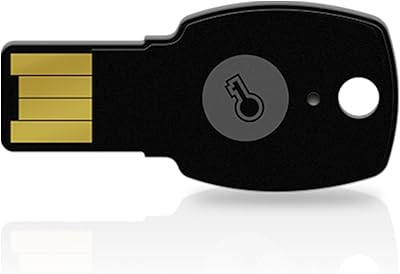
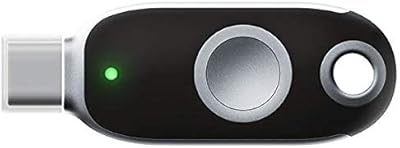
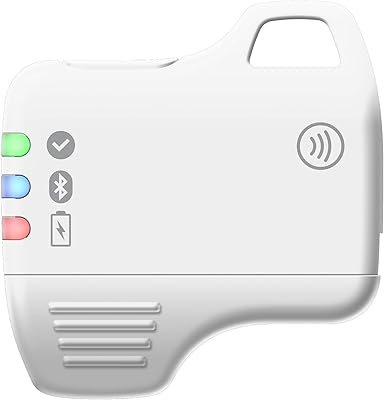
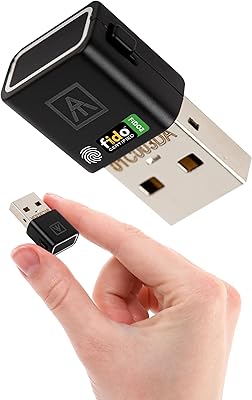
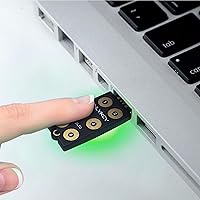
The OnlyKey FIDO2/U2F Security Key and Hardware Password Manager is a comprehensive device designed to provide robust security for online accounts. It combines two-factor authentication with a built-in password manager, making it easier to keep track of login credentials. This hardware key supports various authentication standards such as FIDO2 and U2F, along with Yubico OTP. The device also offers open-source firmware and additional features like PIN protection and a self-destruct function, ensuring that your sensitive data remains safe even if the device is compromised.
Features & Benefits

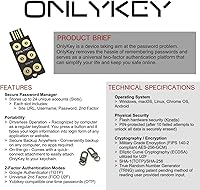
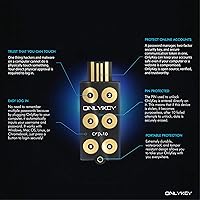
This security key stands out for its durability and portability, with a design that’s both waterproof and tamper-resistant. It supports multiple authentication methods, including FIDO2, U2F, and Yubico OTP, providing broad compatibility across platforms like Windows, Mac, and Android. The built-in PIN protection adds an extra layer of security, and the device automatically wipes its data after 10 failed attempts. Another standout feature is the ability to autofill usernames and passwords, simplifying the login process for users who value convenience and security.

Best For

The OnlyKey device is best suited for security-conscious users who are looking for a reliable way to manage their online accounts. It’s perfect for those who use multiple platforms, including Windows, Mac, and Android, as it supports a variety of authentication protocols. Tech-savvy individuals who appreciate open-source software and value advanced security features will also find this device appealing. Whether you’re protecting personal accounts or business-related logins, this hardware password manager offers a secure solution for anyone serious about two-factor authentication.

User Feedback

Users generally praise the easy setup process and the security features provided by this hardware key. Many appreciate its compact size and portability, making it ideal for those who need to carry it around. However, some users have noted that compatibility issues can arise, particularly with older systems or less common browsers. Despite these occasional challenges, the majority of feedback highlights the peace of mind this device provides by securing logins and offering reliable password management, even if it's not the perfect fit for every user.

Pros

  • This security key offers robust two-factor authentication with FIDO2, U2F, and Yubico OTP support.
  • Users appreciate the device's waterproof and tamper-resistant design, ideal for on-the-go security.
  • The self-destruct feature and PIN protection provide added layers of safety against unauthorized access.
  • Its compact size makes it portable and convenient for frequent travelers or users on the move.
  • Easy setup process has been highlighted, with many users reporting a seamless experience across multiple platforms.
  • Automatic password management and autofill functionality enhance productivity by simplifying logins.

Cons

  • Some users have experienced compatibility issues with older systems or non-standard platforms.
  • The device may require a learning curve for those unfamiliar with advanced security features.
  • A few buyers mentioned that it does not work with certain legacy devices or browsers.
  • While the security features are robust, some users found it a bit too complex for simple use cases.
  • Limited customer support options for troubleshooting issues with setup or device recognition.
  • The USB-A interface might not be convenient for those using newer devices with USB-C ports.

Ratings

The ratings for the OnlyKey FIDO2/U2F Security Key and Hardware Password Manager are based on verified user reviews from multiple platforms and languages. After filtering out spam, bot-generated, and incentivized feedback, we have gathered insights from authentic sources to reflect both the strengths and areas of improvement for this device. Users appreciate its security features and ease of use, but there are some recurring compatibility issues that have been highlighted across different reviews.
Security Features
94%
Many users praise the robust security features of this device, especially its FIDO2 and U2F support. The self-destruct feature and PIN protection provide additional layers of security that make it a reliable choice for safeguarding sensitive online accounts. Users feel confident in the protection it offers against unauthorized access.
A few users noted that the security features can be a bit complex for beginners, especially the self-destruct function, which some found difficult to configure or understand. While highly secure, these features can overwhelm those unfamiliar with advanced security settings.
Ease of Setup
88%
Several users mention that the setup process is straightforward and quick. The device is compatible with major platforms like Windows, Mac, and Android, making it easy for most users to integrate into their routine. Even those new to security keys found the setup process manageable with clear instructions.
However, some buyers reported minor frustrations with the initial setup, particularly when using older operating systems or non-standard browsers. A few users felt the instructions could have been more detailed for troubleshooting specific issues.
Build Quality and Durability
91%
This security key's design is consistently praised for its durability. It is waterproof and tamper-resistant, which makes it a great option for travel or use in demanding environments. Many appreciate its solid build quality, as it withstands physical stress better than many competitors in this category.
Some users did express concerns about the device's size, as it may be slightly larger than other similar devices. While durable, the build can be a bit bulkier, making it less convenient for those seeking an ultra-compact option.
Compatibility with Devices
72%
28%
Users generally appreciate the broad compatibility of the security key, which supports multiple platforms including Windows, Mac, and Android. This flexibility ensures that the device can be used across various devices, making it an appealing option for tech-savvy individuals who use different systems.
However, a number of users reported compatibility issues, particularly with older versions of some operating systems or niche platforms. Some found that the device didn't work as smoothly on Linux or with specific third-party apps, which led to frustration among these users.
Password Management Convenience
85%
The password autofill feature is appreciated by many, as it streamlines logging into accounts without needing to manually enter credentials. This makes it easier for users to manage multiple accounts securely and efficiently. It’s particularly helpful for people who rely on a variety of online services on a daily basis.
Some users found the autofill feature a bit unreliable at times, especially with certain browsers or applications. In a few cases, it didn’t always populate fields correctly, which caused minor inconvenience during regular use.
Portability
89%
This security key is compact and easy to carry around, making it a great option for people who need to secure accounts while on the go. Its small size fits well into pockets or bags, and its robust design means it won’t get easily damaged during travel.
While the device is portable, some users mentioned that the key can be a bit bulky compared to other USB security keys, especially if you prefer to keep your keychain minimal. The size might be an issue for those who prioritize maximum portability.
Software and Firmware Updates
78%
22%
Many users appreciate that the device has open-source firmware, allowing for transparency and the potential for software updates. Some reported smooth firmware upgrades, which ensured the device stayed compatible with the latest security standards.
On the downside, a few users expressed concerns about the lack of automatic firmware updates, which meant they had to manually check for and install updates. This could be inconvenient for those who prefer a more hands-off experience.
Customer Support
80%
20%
The customer support team is generally praised for being responsive and helpful when issues arise. Many users found the team to be knowledgeable and willing to assist with troubleshooting, especially in cases where device setup caused confusion.
However, a handful of users reported delays in receiving responses, particularly when issues weren’t straightforward or required a more in-depth solution. Some felt that the support could have been more proactive in offering solutions for common setup problems.
Value for Money
90%
For the features and security it offers, this device is considered a good value for money. The high level of protection, portability, and multi-platform support make it an appealing choice for those looking for a reliable security solution without spending excessively.
That said, some users did find it slightly pricier compared to other basic USB security keys, especially considering the added complexity of some advanced features. For those looking for a simpler, no-frills solution, the cost might feel a bit high.
Self-Destruct Feature
83%
The self-destruct feature is a strong selling point for security-conscious users. It adds an additional layer of protection by erasing data after a certain number of failed attempts, ensuring that unauthorized access doesn't compromise personal information.
However, the feature is not always fully appreciated by all users. Some found it overkill, especially when dealing with legitimate user errors, while others felt that it wasn’t always easy to configure or activate as per their preferences.
Ease of Use for Beginners
76%
24%
For those familiar with security tools, the device is generally easy to use. It offers intuitive integration with most platforms, and users appreciate the simplicity of securing their online accounts with minimal effort.
However, some beginners found the device intimidating. The setup process can be confusing, especially when trying to understand the advanced security features. A more detailed walkthrough might have helped users unfamiliar with two-factor authentication or self-destruct options.
Long-Term Reliability
84%
Users report that the device holds up well over time, continuing to function reliably after extended use. The sturdy construction and consistent performance make it a trusted long-term security solution.
A few users experienced occasional glitches or issues with device recognition after prolonged use, especially when switching between devices. This could be problematic for those who rely on seamless, consistent security without interruptions.

Suitable for:

The OnlyKey FIDO2/U2F Security Key and Hardware Password Manager is ideal for individuals who prioritize strong, reliable security for their online accounts. It will especially benefit tech-savvy users and professionals who frequently access multiple platforms like Windows, Mac, and Android. Users who work with sensitive data, such as remote workers or IT professionals, will appreciate the advanced authentication methods (FIDO2, U2F, and Yubico OTP). The self-destruct and PIN protection features offer peace of mind for those seeking the highest level of account protection. Its portability and durability also make it a good choice for frequent travelers or anyone needing a secure device that can withstand physical wear and tear.
Not suitable for:

This security key may not be the best fit for beginners or those who are unfamiliar with two-factor authentication and advanced security features. Some users have reported difficulty setting up the device, especially on older operating systems or niche platforms, which could frustrate non-technical individuals. While it excels in security, those seeking a simple, plug-and-play solution for basic login protection might find the complexity overwhelming. Additionally, the device’s size may not suit those looking for an ultra-compact option, and users who prefer a more straightforward experience without extensive customization may find it too feature-heavy.

Specifications

  • Security Key Type: Supports FIDO2 and U2F protocols for secure authentication across various services.
  • Authentication Methods: Supports multiple authentication methods including Yubico OTP, TOTP, and Challenge-response.
  • PIN Protection: Offers PIN protection to secure the device and prevent unauthorized access.
  • Self-Destruct Feature: Includes a self-destruct feature that wipes all data after 10 failed PIN attempts.
  • Portability: Compact and lightweight, designed for easy portability and on-the-go use.
  • Waterproof: The device is fully waterproof, ensuring reliable performance in wet conditions.
  • Tamper-Resistant: Built with tamper-resistant materials to protect against physical damage or unauthorized access.
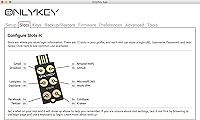
  • Password Autofill: Automatically fills in usernames and passwords for convenience during login.
  • Supported Operating Systems: Compatible with Windows, Mac, Linux, and Android operating systems.
  • USB Interface: Uses a USB-A interface for easy connectivity to compatible devices.
  • Open Source Firmware: Runs open source firmware, allowing for community-driven development and transparency.
  • Compatibility: Works with any service supporting FIDO2, U2F, or Yubico OTP standards.
  • Encryption: Utilizes strong encryption methods to protect authentication data and stored credentials.
  • Dimensions: Compact design, making it easy to carry in a pocket or on a keychain.
  • Weight: Lightweight design for maximum portability, ideal for everyday carry.
  • Firmware Updates: Supports firmware updates to improve security features and add new functionality.
  • Data Storage: Stores authentication credentials securely, with an automatic wipe feature to protect sensitive data.
  • Cross-Platform Support: Compatible across a wide range of platforms and devices, ensuring seamless integration.

FAQ

This device serves as a secure hardware key for two-factor authentication and password management. It helps users secure their online accounts by providing an additional layer of protection during logins, making it harder for unauthorized access.

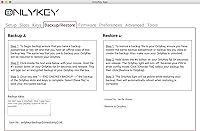
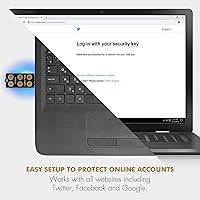
Setting up the device is straightforward. First, plug it into a USB port on your computer or compatible device. Follow the prompts to pair it with your accounts, typically by configuring it through your account's security settings. For mobile devices, ensure you have the right USB adapter or use Bluetooth if supported.

This device supports multiple platforms, including Windows, Mac, Linux, and Android. It works with popular browsers and services that support FIDO2, U2F, or Yubico OTP, offering wide compatibility across devices and operating systems.

If you enter the wrong PIN 10 times in a row, the device will automatically wipe all stored data as a security measure. This feature helps protect your sensitive information from being compromised in case of theft or unauthorized access.

The device is designed to be highly durable, with both waterproof and tamper-resistant features. It’s built to withstand harsh conditions, making it suitable for users who need a rugged solution for managing online security on the go.

It works with any service that supports FIDO2, U2F, or Yubico OTP protocols, which includes many major websites and apps. However, it’s essential to check if the service you're using supports these standards before attempting to set it up.

The device can autofill usernames and passwords across various platforms, simplifying login processes. This makes it convenient for users who manage multiple online accounts, offering seamless access without the need to manually enter login credentials each time.

Yes, this device is compatible with mobile devices running Android and can be used via a USB-A port or with an appropriate adapter. Bluetooth functionality is also available, making it convenient for use on the go.

Yes, the setup process is designed to be user-friendly. Most users find it easy to configure, with step-by-step instructions provided through the associated software and on-screen prompts. However, users unfamiliar with hardware security keys may need a little time to familiarize themselves with the process.

Some users have reported compatibility issues with older operating systems or devices. If you’re using older systems or non-standard configurations, make sure to verify that the device is fully supported before purchase.