Overview

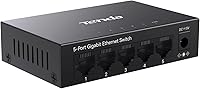
The Tenda TEG1005D 5-Port Gigabit Network Switch is a straightforward, no-frills solution for anyone who has run out of wired ports on their router and simply needs more — without a steep learning curve or a complicated setup. Plug it in, connect your cables, and it works. That simplicity is the whole point. The all-metal fanless body feels more substantial than you might expect at this price tier, and it runs completely silently. It gives you five gigabit ports to distribute across your devices, which is plenty for most homes. Be clear-eyed going in, though: this is an unmanaged switch, meaning no web interface, no VLAN configuration, and no traffic prioritization controls. What you see is what you get.
Features & Benefits

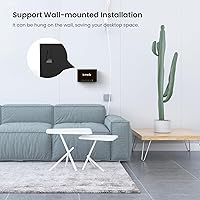
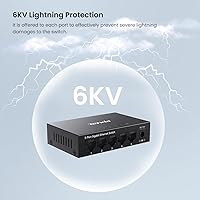
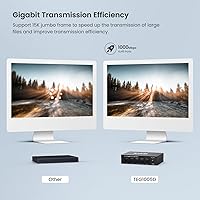
All five ports on this gigabit switch run at full gigabit speeds, which in practice means copying a large video file to a NAS takes seconds rather than minutes. The support for 9K Jumbo Frames is a thoughtful inclusion for anyone regularly moving big data between a workstation and network storage — most competing switches at this price skip it entirely. IEEE 802.3X flow control keeps traffic from bottlenecking when multiple devices transfer simultaneously, cutting down on dropped packets during busy periods. Perhaps the most underappreciated spec is the 6KV lightning protection across all ports — that level of surge resilience is genuinely uncommon here. Wall-mount capability rounds things out, making placement options more flexible than the compact footprint might suggest.

Best For

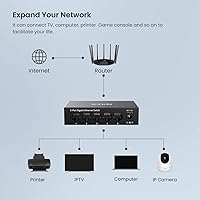
This little network switch is a natural fit for households where the router needs to feed a smart TV, game console, streaming box, and desktop all at once — without any of them depending on Wi-Fi. It also suits a compact home office where a desktop, printer, and NAS need a reliable wired backbone without the overhead of a managed setup. Gamers appreciate the consistent, low-latency connections that wired always delivers over wireless. If you live somewhere with frequent thunderstorms, the built-in surge protection adds real peace of mind. It is not the right pick if you need more than five ports or require any form of network segmentation or advanced traffic control.

User Feedback

The pattern among buyers is consistent: people who want something that just works with zero fuss tend to remain happy with the TEG1005D long after the initial setup. Long-term reliability comes up repeatedly, with users noting it runs without hiccups in always-on home environments. The completely silent operation earns specific praise from people who keep it in a bedroom or media room. On the critical side, a handful of buyers find the indicator LEDs distractingly bright in dark rooms — a minor but recurring complaint. A few also note that the compact body makes cable management slightly awkward when several thick patch cables are involved. Overall, the metal construction consistently impresses buyers who are comparing it against plastic-bodied rivals at a similar price.

Pros

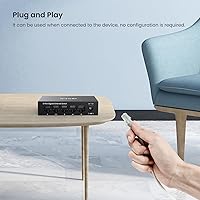
  • Plug-and-play setup takes under a minute with zero software or configuration required.
  • Full gigabit speeds on all five ports handle 4K streaming and large file transfers without breaking a sweat.
  • 9K Jumbo Frame support is a rare inclusion at this price tier, benefiting NAS users noticeably.
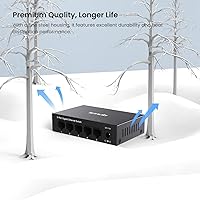
  • The all-metal fanless body runs completely silently — a genuine plus in living rooms and bedrooms.
  • 6KV lightning protection on every port adds meaningful surge resilience that most budget switches skip.
  • IEEE 802.3X flow control reduces packet loss when multiple devices transfer data simultaneously.
  • Wall-mount option provides flexible placement without needing extra hardware or adapters.
  • Build quality consistently impresses buyers who are used to flimsy plastic-bodied alternatives at similar prices.
  • Long-term stability is a recurring theme — users report months of trouble-free operation after setup.
  • Works reliably across a wide range of devices including mesh nodes, game consoles, smart TVs, and printers.

Cons

  • Only five ports — anyone connecting more than four devices plus a router uplink will need additional hardware.
  • No management interface at all, so there is no way to monitor traffic, set priorities, or segment the network.
  • Indicator LEDs are reported as noticeably bright, with no option to reduce or disable them through software.
  • The compact body makes cable routing tight when multiple stiff ethernet cables converge at once.
  • Daisy-chaining a second unmanaged switch to extend port count can introduce minor latency and stability concerns.
  • No PoE output, so powered devices like IP cameras or access points will need separate power sources.
  • No included ethernet cable in the box, which is a minor but occasionally inconvenient omission for first-time buyers.
  • Not rack-mountable, limiting its suitability for anyone building even a basic structured home lab setup.

Ratings

The Tenda TEG1005D 5-Port Gigabit Network Switch has been scored by our AI rating system after analyzing thousands of verified buyer reviews from global markets, with spam, bot-generated, and incentivized feedback actively filtered out. Scores reflect the full picture — where this little network switch genuinely excels and where real users have run into friction. Both strengths and pain points are represented transparently so you can make a confident, informed decision.
Ease of Setup
97%
Buyers across all technical levels consistently describe the setup experience as effortless — unbox, plug in the power adapter, connect cables, done. There is no app to download, no account to create, and no settings page to navigate, which makes it genuinely accessible for non-technical users tackling their first wired network expansion.
Because there is absolutely no interface, more advanced users occasionally wish there were at least a basic web UI for monitoring port activity. A small number of buyers were momentarily confused by the lack of any confirmation that the switch was working beyond the LEDs lighting up.
Build Quality
88%
The all-metal enclosure draws consistent praise from buyers who were expecting a lightweight plastic shell at this price tier. The chassis feels solid and dense, and the finish resists minor scuffs well — multiple reviewers specifically noted it looks and feels more expensive than it is.
A handful of buyers noticed the port labeling can wear off over time with repeated cable swapping, and a few reported that the external power adapter feels slightly less premium compared to the main unit itself. The wall-mount bracket, while functional, feels thinner than the body it supports.
Network Performance
91%
Full gigabit throughput on all five ports holds up reliably in real-world use — buyers report fast local file transfers to NAS drives and consistent 4K stream delivery without buffering or drops. The 9K Jumbo Frame support is a meaningful bonus for anyone regularly moving large media or backup files across the network.
As an unmanaged switch, there is no way to prioritize traffic for specific devices, which means a heavy file transfer can occasionally crowd out latency-sensitive traffic like gaming or video calls. This is an inherent limitation of the unmanaged design rather than a flaw in execution, but it is worth understanding before buying.
Noise Level
96%
The fanless design delivers complete silence in operation, which buyers in bedroom media setups and open-plan home offices cite as a genuine quality-of-life benefit. Several reviewers specifically switched to this gigabit switch after replacing a fan-cooled unit that was audible during quiet evenings.
There is genuinely little to criticize here, though a small number of buyers noted the metal body can feel slightly warm to the touch after extended continuous use. This is normal passive thermal behavior and no buyer reported it as a performance or safety concern.
Value for Money
89%
The combination of all-metal build, gigabit speeds, Jumbo Frame support, and 6KV lightning protection at this price point consistently earns strong praise when buyers compare it to plastic-bodied rivals in the same range. Most feel the TEG1005D over-delivers relative to its cost, especially given the surge protection that competing switches quietly omit.
Buyers who later realize they need more than five ports, PoE output, or any managed features feel the value proposition breaks down quickly — not because the switch is bad, but because they needed a different category of product entirely. A clearer upfront understanding of its limitations would prevent some of this post-purchase disappointment.
Lightning & Surge Protection
86%
The 6KV port-level lightning protection is repeatedly flagged by buyers in storm-prone regions as the deciding factor in their purchase. Users in rural areas or regions with unreliable power infrastructure specifically appreciate having this safeguard built into a device that typically runs 24 hours a day.
While the 6KV rating is strong for this product tier, buyers with sensitive professional networking equipment upstream may want additional whole-home surge protection rather than relying solely on the switch. A few buyers also noted that Tenda does not publish detailed test methodology behind the 6KV rating, which left some skeptical.
Port Count & Density
71%
29%
For a typical home setup — router, smart TV, game console, desktop, and NAS — five ports is exactly enough, and buyers in that scenario rarely express any shortage. The port spacing is adequate for standard RJ-45 connectors without neighboring ports blocking each other.
Five ports is a hard ceiling that buyers frequently bump into as their wired device count grows. Several reviewers returned or supplemented their purchase within months when adding a second desktop, a second console, or a network-attached printer pushed them past the limit.
Thermal Management
83%
Passive cooling through the metal body keeps the switch running reliably in always-on environments without accumulating dust inside a fan housing. Buyers who have owned the switch for over a year report no thermal-related dropouts or performance degradation.
In enclosed or poorly ventilated spaces like packed cable cabinets, the body temperature can climb noticeably. No buyer reported hardware failure from this, but placing the switch in a sealed box with no airflow is not advisable for long-term health of the unit.
LED Indicators
58%
42%
Each port has a dedicated status LED that makes it immediately obvious which connections are active and live. For troubleshooting a cable or confirming a device is properly linked, the LEDs do their job clearly and without ambiguity.
The LED brightness is one of the most consistently mentioned complaints across reviews — they are noticeably bright in a darkened room and cannot be dimmed or disabled through any software or hardware control. Buyers who place this switch in a bedroom entertainment unit often resort to tape as the only practical solution.
Mounting Flexibility
79%
21%
The dual desktop and wall-mount capability gives buyers genuine placement options that similarly priced switches often skip. Wall mounting works well for keeping the switch off a crowded desk, and several buyers report clean installs behind TV units or inside cable management panels.
The wall-mount hardware included in the box is functional but basic, and the mounting slots require precise screw placement to sit flush. A few buyers found the instructions for wall mounting sparse, and the compact body can make the switch feel less secure on a wall compared to larger units with wider mounting spans.
Cable Management
63%
37%
The compact footprint keeps the switch from dominating a desk surface, and the side-entry port layout on most configurations allows cables to route away from the device relatively neatly. Buyers with short, slim patch cables report a tidy finished appearance.
With five ports clustered into a small chassis, running five thick cat6 or cat7 cables simultaneously creates a bundle that can strain the ports slightly and makes individual cable identification harder. Several buyers noted the body is too small to comfortably label ports or attach velcro ties nearby.
Long-term Reliability
87%
Buyers who have owned this little network switch for a year or more consistently report trouble-free continuous operation with no port failures or unexplained dropouts. The fanless design eliminates the most common failure point in compact network devices, which buyers with older fan-cooled switches can attest to.
Long-term data is naturally limited for a product in this category, and Tenda does not publish a clearly stated warranty period in all markets, which leaves some buyers uncertain about their coverage if something does eventually fail. A minority of early adopters reported a dead-on-arrival unit, though this appears isolated rather than systematic.
Compatibility
92%
Buyers report clean compatibility with a wide range of routers, mesh systems, NAS drives, smart TVs, and gaming consoles with zero configuration required. Auto-negotiation across all ports means the switch adapts to whatever speed each connected device supports without any intervention.
No meaningful compatibility issues were reported across major device categories. The only recurring edge case involves older 10Mbps legacy devices where the auto-negotiation occasionally needs a cable reseat to establish a stable link, though this is an uncommon scenario in modern homes.

Suitable for:

The Tenda TEG1005D 5-Port Gigabit Network Switch is purpose-built for home users and small home offices who have exhausted the wired ports on their router and need a simple, reliable way to add more without touching any settings or installing software. If your living room setup involves a smart TV, streaming device, game console, and a desktop all competing for a single ethernet port, this switch solves that problem immediately. It is equally well-suited for a compact home office where a desktop, NAS, and printer need stable, high-speed connections without the dropouts that wireless can introduce during busy hours. Gamers and content creators who push large files across a local network will appreciate both the full gigabit throughput and the Jumbo Frame support, which most switches at this price quietly omit. Anyone living in an area prone to electrical storms gets a meaningful bonus in the 6KV lightning protection, which is a genuinely practical feature rather than a marketing footnote. The fanless all-metal body also makes it a natural fit for always-on installs in bedrooms, media rooms, or any space where a humming fan would be unwelcome.
Not suitable for:

The Tenda TEG1005D 5-Port Gigabit Network Switch is not the right tool for network administrators or power users who need granular control over their infrastructure. If your setup requires VLANs, Quality of Service rules, port mirroring, or any form of managed traffic prioritization, this switch simply cannot deliver — it has no configuration interface whatsoever. Growing small businesses or home labs that anticipate connecting more than five devices over ethernet will quickly find the port count limiting, and daisy-chaining multiple unmanaged switches to compensate introduces its own reliability trade-offs. Users who need link aggregation or advanced monitoring capabilities should budget upward for a managed alternative. The compact form factor, while useful in tight spaces, also means cable management can become awkward when you are running several thick patch cables into a small chassis. If indicator LEDs in a darkened room are a concern — say, in a bedroom entertainment center — there is no way to dim or disable them without physical intervention.
Specifications

  • Brand: Manufactured by Tenda, a networking hardware company known for accessible home and small office network equipment.
  • Model: The specific model identifier for this switch is TEG1005D.
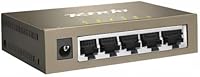
  • Port Count: Features 5 x RJ-45 ports, each supporting 10/100/1000 Mbps auto-negotiation for full gigabit connectivity.
  • Switching Capacity: Total non-blocking switching capacity is 10 Gbps, ensuring all five ports can operate at full gigabit speed simultaneously.
  • Jumbo Frames: Supports up to 9K Jumbo Frames, enabling more efficient transfer of large data payloads across the network.
  • Flow Control: Implements IEEE 802.3X flow control to manage data congestion and reduce packet loss during peak traffic periods.
  • Lightning Protection: All five ports are equipped with 6KV lightning and surge protection to guard against power spikes and induction damage.
  • Management Type: Fully unmanaged — requires no software installation, web interface login, or any configuration to operate.
  • Enclosure: Constructed from an all-metal body with a fanless passive cooling design for silent, continuous operation.
  • Mounting Options: Supports both flat desktop placement and wall mounting, with the necessary mounting hardware included.
  • Power Supply: Powered via an included external AC adapter; no PoE output is supported on any port.
  • MAC Address Table: Supports a MAC address table of up to 2K entries, sufficient for typical home and small office environments.
  • Forwarding Mode: Uses store-and-forward switching to ensure each packet is verified for errors before being forwarded.
  • Color: Available in a grey and black finish that suits most desk or wall environments without drawing attention.
  • Compatible Devices: Works with routers, mesh system nodes, NAS drives, game consoles, smart TVs, PCs, printers, and other ethernet-equipped devices.
  • Standards: Compliant with IEEE 802.3 (10BASE-T), IEEE 802.3u (100BASE-TX), and IEEE 802.3ab (1000BASE-T) networking standards.
  • Indicator LEDs: Each port has a dedicated LED indicator showing link status and activity; there is no software control to dim or disable them.
  • Form Factor: Compact desktop footprint designed for tight spaces such as media cabinets, desk corners, or wall-mounted utility areas.

Related Reviews
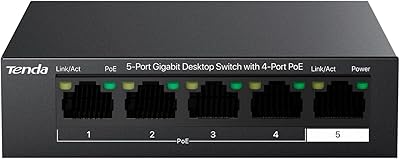
Tenda TEG1105P 5-Port Gigabit PoE Switch
82%
96%
Ease of Setup
91%
Value for Money
74%
PoE Power Delivery
88%
Build Quality
89%
Thermal Performance
More
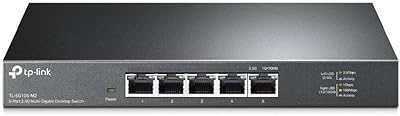
TP-Link TL-SG105-M2 5-Port 2.5G Unmanaged Switch
82%
91%
Throughput Performance
96%
Ease of Setup
88%
Build Quality
71%
Thermal Management
63%
Port Count & Expandability
More
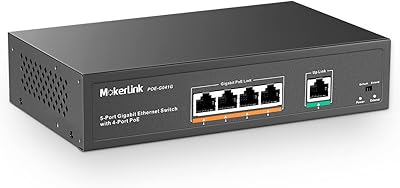
MokerLink 5-Port Gigabit POE Switch
86%
94%
Ease of Setup
88%
Performance
85%
Build Quality
75%
PoE Power Output
91%
Fanless Design (Noise Level)
More
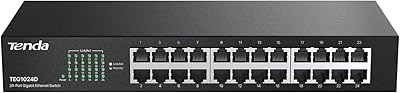
Tenda TEG1024D 24-Port Gigabit Ethernet Switch
76%
93%
Value for Money
96%
Ease of Setup
88%
Build Quality
91%
Port Performance
97%
Noise Level
More
TRENDnet TEG-S51SFP 5-Port Gigabit Switch
86%
91%
Build Quality
96%
Ease of Setup
98%
Noise Level
72%
Thermal Management
74%
Port Count & Layout
More
MokerLink 5-Port Gigabit Industrial Ethernet Switch
86%
94%
Build Quality & Durability
91%
Performance & Speed
89%
Ease of Installation
93%
Environmental Resistance
88%
Reliability in Harsh Conditions
More
Tenda TEG1008M 8-Port Gigabit Ethernet Switch
86%
95%
Ease of Setup
89%
Performance/Stability
91%
Noise Level
87%
Build Quality
85%
Mounting Flexibility
More
Linksys SE3005 5-Port Gigabit Ethernet Switch
83%
97%
Ease of Setup
88%
Network Performance
79%
Build Quality
93%
Reliability & Uptime
91%
Value for Money
More
STEAMEMO 5-Port 52W Gigabit PoE+ Switch
76%
91%
Value for Money
74%
App & Remote Management
83%
PoE Power Delivery
78%
Build Quality
81%
Ultra-Far Transmission Mode
More
Tenda TEG208E 8-Port Managed Gigabit Switch
85%
94%
Value for Money
88%
Ease of Setup
91%
Build Quality
93%
Network Performance
97%
Noise Level
More

FAQ

Not at all. The TEG1005D is completely plug-and-play — you plug in the power adapter, connect your ethernet cables, and it starts working immediately. There is no app, no web interface, and no configuration of any kind required.

Yes, in most cases it works well alongside mesh systems. You connect the switch to one of the wired ports on a mesh node, and it expands that single port into four additional connections. Compatibility has been widely reported with major mesh brands without any issues.

The switch itself is compact, but the length of your ethernet cables determines how far apart your devices can be. Standard ethernet cables support runs up to 100 meters (about 328 feet), so you can absolutely route cables to different rooms as long as your cabling infrastructure supports it.

It is genuinely silent. There is no fan inside — the metal body itself dissipates heat passively. Users consistently single out the quiet operation as one of its most appreciated qualities, especially in bedroom or living room installs.

Unfortunately, no. There is no software or physical switch to dim or disable the port indicator LEDs. If brightness is a concern in a dark room, the most practical workaround is positioning the switch so the LEDs face away from the sleeping area, or using a small piece of opaque tape over them.

No, this gigabit switch does not provide PoE output on any of its ports. If you need to power IP cameras, access points, or VoIP phones through the ethernet cable, you will need a dedicated PoE switch instead.

The switch uses IEEE 802.3X flow control to manage exactly this situation. When multiple devices are active simultaneously, flow control signals reduce the rate of incoming data before buffers overflow, which keeps packet loss to a minimum during busy periods.

It makes a real practical difference. The metal enclosure acts as a passive heatsink, pulling heat away from the internal components without needing a fan. This keeps the switch running cooler during long-term continuous use, which generally improves reliability and lifespan compared to sealed plastic designs.

Yes, it supports wall mounting and the necessary hardware is included. The mounting slots on the bottom of the unit allow you to hang it on two standard screws, which is handy for keeping cables tidy and freeing up desk space in compact setups.

This little network switch is about as straightforward as networking hardware gets. If you can plug a cable into a router, you can set this up. There are no settings to configure, no passwords to create, and no decisions to make beyond which device connects to which port.

Where to Buy