Overview

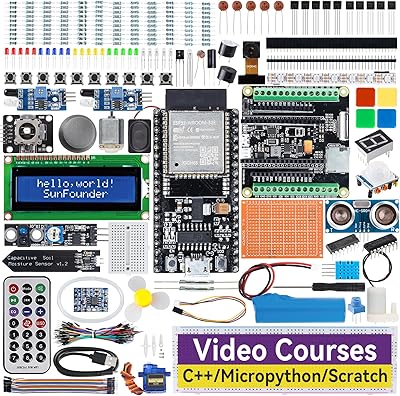
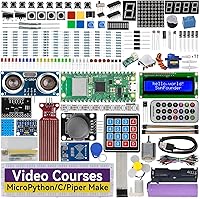
The SunFounder Raspberry Pi Pico W Ultimate Starter Kit is an all-in-one educational package built around Raspberry Pi's Wi-Fi and Bluetooth-enabled microcontroller board. Unlike buying components piecemeal, this IoT learning kit bundles the board, over 450 components, a structured curriculum, and community support under one roof — at a price that undercuts assembling a comparable setup yourself. The board arrives pre-soldered, which matters more than it sounds: you can start wiring circuits on day one without a soldering iron or prior electronics experience. It is also RoHS certified, so parents and educators can feel confident about material safety. Just know going in — this is a learning tool, not something you plug in and watch run.
Features & Benefits

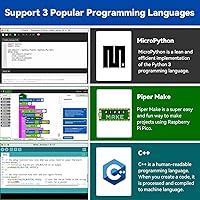
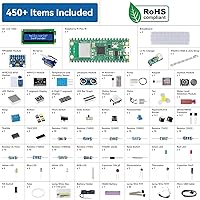
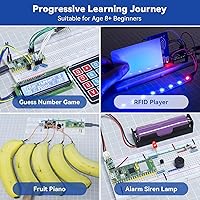
The component count alone — 450+ parts spanning sensors, motors, displays, and basic passive components — gives this Pico W starter kit enough range to carry you well past the introductory stage. The 117 projects are split across three programming tracks: MicroPython (the friendliest starting point), C/C++ for those who want lower-level control, and Piper Make for a more visual approach. You do not need to tackle all three; most beginners start with MicroPython and branch out later. What truly sets this kit apart is Paul McWhorter's 27 video tutorials, which walk through concepts in a way that written docs simply cannot replicate. Real IoT integrations — MQTT, IFTTT, live weather data — round out the experience.

Best For

This IoT learning kit makes the most sense for curious kids and teens who want more than a basic blink-an-LED experience — though the age-8 claim deserves a caveat. Younger children will almost certainly need an adult present to interpret wiring diagrams and troubleshoot code. For parents hunting for a structured STEM gift that will not collect dust after day three, the built-in curriculum gives the learning a clear direction. It is also a strong pick for hobbyists moving away from block-based tools like Scratch toward real text-based programming. And if you are specifically chasing Wi-Fi and Bluetooth projects rather than standalone circuits, the Pico W's connectivity makes this a natural fit.

User Feedback

Among buyers, Paul McWhorter's tutorials come up again and again as the reason they chose this kit over competitors — that kind of curriculum quality is hard to manufacture. Component variety also earns consistent praise, with most reviewers feeling they got strong value for a mid-range investment. That said, not everything lands smoothly. Several users note that the MicroPython path feels well-scaffolded, but the C/C++ track assumes a significantly higher baseline — beginners can hit a wall fast there. A handful of reviews mention missing or misidentified components, worth watching for when first inventorying your box. Customer support responses appear generally positive, though response times can vary depending on the issue.

Pros

  • Paul McWhorter's 27 video tutorials are a genuine differentiator — clear, patient, and beginner-tested.
  • Over 450 components cover enough ground to keep learners busy for months, not days.
  • The pre-soldered Pico W board means you are wiring circuits on day one, not wrestling with a soldering iron.
  • Real IoT integrations like MQTT and IFTTT teach connected-device concepts most kits never touch.
  • Three programming language tracks give the kit a long shelf life as skills develop over time.
  • RoHS certification offers meaningful reassurance for households with young children.
  • A dedicated online curriculum and community forum provide ongoing help well after the box is opened.
  • The project library progresses from simple LED circuits to live weather dashboards — real, measurable advancement.
  • Buying this Pico W starter kit all-in costs noticeably less than sourcing equivalent components and curriculum separately.
  • The breadth of sensors — PIR, ultrasonic, humidity, RFID, and more — supports genuinely varied project types.

Cons

  • The C/C++ track assumes prior programming knowledge that true beginners are unlikely to have.
  • Small components like resistors and jumper wires are occasionally miscounted or loosely sorted in packaging.
  • The age-8 recommendation is misleading — unsupervised use at that age is rarely realistic.
  • Written documentation can fall behind MicroPython version updates, requiring minor code fixes to get examples running.
  • Breadboard and jumper wire quality feels budget-grade, which can cause unreliable connections during longer builds.
  • Customer support response times are inconsistent — some buyers wait over a week for a meaningful reply.
  • The difficulty progression between project tiers can jump sharply without enough bridging material in between.
  • Buyers with existing component collections will duplicate a lot of what they already own.
  • The three-language structure is not clearly explained upfront, and some beginners try to tackle all three at once.
  • Once the 117-project library is finished, there is no built-in next step within the same ecosystem.

Ratings

The SunFounder Raspberry Pi Pico W Ultimate Starter Kit earns strong marks overall, and the scores below reflect what our AI system found after parsing verified global buyer reviews — actively filtering out incentivized, bot-generated, and unverified feedback. Strengths in curriculum quality and component breadth are real, but so are the friction points around learning curve and consistency. Both sides are represented honestly here.
Curriculum Quality
91%
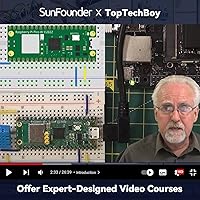
Paul McWhorter's 27 video tutorials are the single most praised element across buyer reviews worldwide. His ability to explain circuit logic and code behavior in plain language makes concepts click in a way that static PDFs rarely achieve, and many buyers say the videos alone justified the purchase.
The curriculum is not perfectly uniform across all three language tracks. MicroPython projects feel well-structured and progressive, while the C/C++ path assumes prior programming familiarity that genuine beginners often do not have, creating an uneven experience depending on which track you start with.
Component Variety
88%
With over 450 parts in the box — including sensors like the MPU6050 and MFRC522, a centrifugal pump, servo, DC motor, and multiple display types — buyers consistently report that this kit sustains interest well beyond the first week. There is enough variety to explore meaningfully different project categories.
A recurring complaint across reviews is that small passive components like resistors and jumper wires are occasionally miscounted or mislabeled in the packaging. It is not a widespread problem, but enough buyers flag it that inventorying the box before starting a project is a sensible precaution.
Beginner Accessibility
78%
22%
The pre-soldered Pico W board removes one of the most intimidating barriers for first-timers, and the structured project sequence gives new learners a clear starting point rather than a pile of parts with no direction. Many parents report their children were able to complete early MicroPython projects independently.
The age-8 recommendation is optimistic for unsupervised use. Younger learners will almost certainly need an adult to help interpret wiring diagrams and debug code errors. The kit works well for that age group with guidance, but marketing it as independently accessible at eight can lead to frustrated returns.
IoT & Connectivity Features
86%
Built-in Wi-Fi and Bluetooth on the Pico W opens doors that most entry-level kits do not. Integrations with real platforms like MQTT, IFTTT, and live weather APIs give learners a taste of how connected devices actually behave in production, which is rare at this price tier.
Getting IoT projects running requires network configuration steps that are not always beginner-friendly. Some buyers report spending significant time troubleshooting Wi-Fi credentials and API keys before their first cloud-connected project worked, which can dampen early enthusiasm if not anticipated.
Value for Money
84%
Sourcing the Pico W board, 450-plus components, and any structured curriculum separately would cost considerably more. Buyers who have compared the itemized parts list against individual component prices consistently conclude the kit offers strong value, especially when factoring in the included video course.
Buyers who already own a Pico W board or a general electronics component library may find the kit less compelling at its price point. There is no stripped-down version that offers just the curriculum and unique modules, so some purchase cost goes toward duplicating what they already own.
Build & Component Quality
74%
26%
The core electronic components — sensors, displays, and the board itself — are functional and perform reliably across the project library. The LCD1602 and WS2812 LED strip in particular receive specific positive mentions for working consistently out of the box with minimal calibration.
Some passive components, particularly the jumper wires and breadboard, feel like cost-cutting choices. A few reviewers noted wire connections that felt loose or unreliable during extended project sessions, which can cause intermittent bugs that are frustrating to diagnose for someone still learning circuit fundamentals.
Documentation & Online Resources
81%
19%
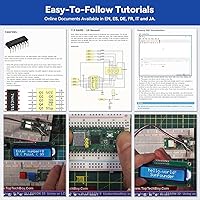
The dedicated online curriculum at the kit's documentation site is thorough and reasonably well-organized. Having a browser-based reference alongside the video tutorials means learners can cross-check concepts without hunting across multiple sources, which experienced educators particularly appreciate.
The written documentation occasionally lags behind software updates, and a handful of buyers report code examples that require minor edits to run correctly on current MicroPython versions. It is not a dealbreaker, but it does mean the kit is not entirely copy-paste-and-run for beginners.
Customer Support
72%
28%
SunFounder's community forum provides a searchable archive of common issues, and buyers report that direct support inquiries are generally acknowledged. Several reviewers mention getting functional fixes from the support team rather than canned responses, which builds trust over time.
Response times are inconsistent. Some buyers report quick, helpful replies within a day or two, while others describe waiting over a week with follow-up messages needed. For a kit marketed heavily on its support infrastructure, that inconsistency is a noticeable gap.
Project Depth & Progression
83%
117 projects is a genuinely substantial library, and the progression from simple LED blinkers to MQTT-based IoT dashboards gives learners a real sense of advancement. Buyers who commit to working through the sequence report feeling meaningfully more capable by the time they reach the intermediate projects.
The jump between difficulty tiers can be abrupt. Some projects in the middle of the library assume knowledge that earlier projects did not explicitly teach, leaving learners to fill gaps on their own. A few more bridging projects between difficulty levels would smooth the experience considerably.
Multi-Language Support
77%
23%
Offering MicroPython, C/C++, and Piper Make in one kit is genuinely unusual and gives the kit a longer shelf life. Learners who start with Piper Make or MicroPython have a natural path toward C/C++ without needing to buy a new kit or find a separate curriculum.
The three-track structure can confuse new buyers about where to start. The packaging and marketing do not clearly communicate that these are independent paths, not sequential stages. Some buyers attempt to follow all three simultaneously and end up overwhelmed rather than making steady progress on any one track.
Unboxing & Organization
69%
31%
The kit arrives in a reasonably organized box with components grouped by type, which helps with initial inventory. Most buyers report being able to identify major components without much trouble, and the physical packaging feels appropriate for the number of parts included.
Smaller components like resistors and capacitors are loosely sorted rather than individually labeled by value, which forces beginners to use a multimeter or rely on color codes they may not yet know. For a kit aimed at newcomers, better labeling at the component bag level would save real frustration.
Replayability & Long-Term Use
79%
21%
Because the kit supports three programming languages and 117 distinct projects, it genuinely sustains engagement longer than most beginner kits. Buyers who return to the kit months after their initial run often discover projects they had skipped, keeping the investment productive over time.
Once you have completed the project library, there is no built-in path forward within the SunFounder ecosystem. Motivated learners will eventually outgrow the guided content and need to seek external project ideas, which means the kit has a defined ceiling rather than open-ended expandability.
Safety & Compliance
93%
RoHS certification matters for households with young children, and SunFounder's compliance signal is something budget kit manufacturers often skip. Buyers specifically mention this as a deciding factor when purchasing for children under twelve, and it adds a layer of confidence the spec sheet alone cannot fully convey.
While the kit is RoHS compliant, there is no explicit mention of low-voltage safety guidance in the physical materials included in the box. For the youngest end of the recommended age range, clearer printed safety notes about handling components and power connections would be a meaningful addition.

Suitable for:

The SunFounder Raspberry Pi Pico W Ultimate Starter Kit is a strong match for anyone who wants a structured, self-contained entry point into microcontroller programming and IoT — not just a pile of parts to figure out alone. It works especially well for teens and motivated pre-teens who have some patience for trial and error, particularly if a parent or teacher is available to help work through the trickier wiring diagrams and code errors. Parents shopping for a substantive STEM gift will appreciate that there is an actual learning path built in, rather than a vague component assortment that loses its appeal after a weekend. Educators setting up informal coding clubs or enrichment programs will find the three-language structure and project library genuinely useful for mixed-skill groups. Hobbyists who are already comfortable with block-based tools like Scratch and are ready to graduate to real Python or C code will find this kit bridges that gap well. Anyone specifically interested in connected, internet-aware devices — rather than just standalone circuits — gets real value from the built-in Wi-Fi, Bluetooth, and platform integrations that most entry-level kits simply do not include.
Not suitable for:

The SunFounder Raspberry Pi Pico W Ultimate Starter Kit is not the right pick for every buyer, and it is worth being direct about where it falls short. If you are an adult with prior programming experience looking for a fast, project-focused hardware platform, this kit will feel over-explained and under-challenging — you would be better served by a bare Pico W board and your own component selection. The age-8 marketing claim should be taken with real skepticism: without consistent adult involvement, most eight-year-olds will stall quickly on the wiring and debugging steps, and frustration can set in fast. Buyers who already own a general electronics component library will find significant overlap with what is in this box, making the value case much weaker. If your primary interest is C/C++ from day one, be aware that this track assumes more background knowledge than the kit's beginner positioning implies — the MicroPython path is far more accessible for newcomers. And if you need a fully self-updating, maintenance-free curriculum, this is not that: documentation can lag behind software versions, and some code examples require minor troubleshooting to run correctly on current firmware.

Specifications

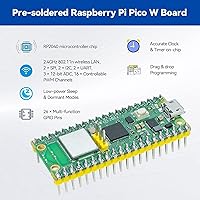
  • Microcontroller Board: Includes a pre-soldered Raspberry Pi Pico W board built on the ARM Cortex-M0+ dual-core processor running at up to 133 MHz.
  • Wireless Connectivity: The Pico W board supports Wi-Fi 802.11n (2.4 GHz) and Bluetooth 5.2 via the onboard CYW43439 chip.
  • Operating System: The kit operates with FreeRTOS, a real-time operating system commonly used in embedded and IoT development environments.
  • Memory: The Pico W includes 2 MB of onboard flash storage and 264 KB of SRAM for program and runtime data.
  • Component Count: The kit ships with 450+ individual components spanning sensors, actuators, displays, passive components, and connectivity modules.
  • Project Library: A structured library of 117 guided projects is provided, distributed across MicroPython, C/C++, and Piper Make programming tracks.
  • Programming Languages: The kit supports three independent programming language tracks: MicroPython, C/C++ (compatible with Arduino IDE), and Piper Make.
  • Video Tutorials: 27 professionally produced video lessons by educator Paul McWhorter are included as part of the online curriculum.
  • IoT Platforms: Supported IoT platforms include MQTT, IFTTT, OpenWeatherMap, Web Server, Anvil, CheerLights, and SunFounder Controller.
  • Display Modules: Display options in the kit include an I2C LCD1602, LED Matrix, 7-Segment and 4-Digit 7-Segment displays, and a WS2812 RGB 8-LED strip.
  • Sensors Included: The kit includes DHT11 humidity sensor, PIR motion sensor, ultrasonic distance module, MPU6050 gyroscope/accelerometer, MFRC522 RFID module, and several others.
  • Actuators: Included actuators are a DC motor, a servo motor, and a centrifugal pump, enabling projects involving mechanical motion and fluid control.
  • Power: One lithium metal battery is included; the Pico W can also be powered via its USB Micro-B port from any standard 5V USB source.
  • Safety Compliance: All components in the kit are RoHS certified, meaning they meet European Union standards restricting hazardous substances in electrical equipment.
  • Package Dimensions: The complete kit measures 9.84 × 6.5 × 2.56 inches and weighs approximately 0.64 oz for the board itself, with the full package being heavier.
  • Recommended Age: The manufacturer recommends this kit for learners aged 8 and up, though adult supervision is advisable for younger users.
  • Curriculum Access: Full written documentation and project guides are hosted online at the dedicated curriculum link kepler-kit.rtfd.io, accessible on any browser.
  • Community Support: SunFounder provides access to a community forum and direct technical support channels for troubleshooting and project assistance.
  • USB Ports: The Pico W board includes 2 USB 2.0 ports, used for programming via a computer and optionally powering connected peripherals.
  • Compatibility: The C/C++ track is compatible with the Arduino IDE, allowing users already familiar with that environment to work within a known toolchain.

Related Reviews
SunFounder Raspberry Pi Pico Starter Kit
88%
88%
Build Quality
94%
Component Variety
90%
Ease of Setup
92%
Instruction Clarity
89%
Programming Language Support
More
SunFounder Da Vinci Starter Kit for Raspberry Pi
86%
91%
Learning Experience
87%
Component Quality
94%
Video Tutorials
90%
Project Variety
85%
Compatibility
More
FREENOVE Super Starter Kit for Raspberry Pi Pico
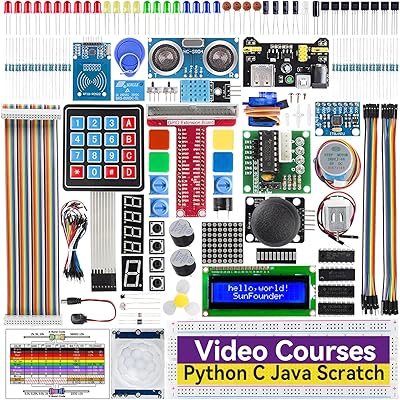
85%
92%
Value for Money
88%
Ease of Use for Beginners
94%
Tutorial Quality
85%
Component Variety
90%
Project Range and Complexity
More
Vilros Raspberry Pi Zero 2 W Starter Kit
86%
91%
Value for Money
88%
Build Quality
85%
Setup & Installation
84%
Performance
90%
Accessories Included
More
SunFounder ESP32 Ultimate Starter Kit
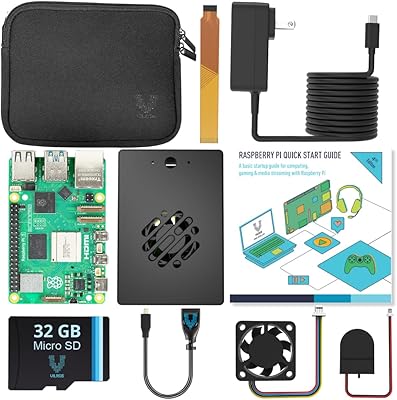
80%
88%
Value for Money
91%
Tutorial & Documentation Quality
79%
Component Quality
63%
Ease of Setup
67%
Camera Module Performance
More
Vilros Raspberry Pi 5 Starter Kit 4GB
86%
94%
Build Quality
91%
Cooling Performance
88%
Ease of Setup
90%
Included Accessories
85%
Performance under Load
More
Vilros Raspberry Pi 4 4GB Starter Kit
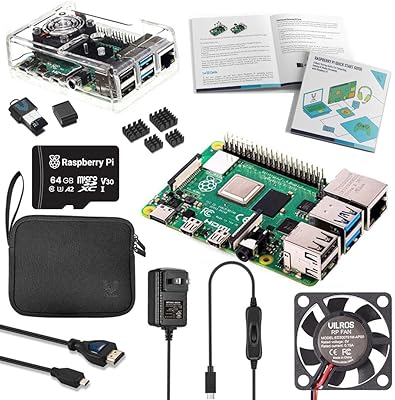
81%
91%
Build Quality
88%
Thermal Management
84%
Ease of Setup
86%
Performance
89%
Power Supply Quality
More
Vilros Raspberry Pi 5 8GB Starter Kit
80%
93%
Ease of Setup
89%
Thermal Performance
91%
Build Quality
67%
Value for Money
88%
Cooling System Design
More
Raspberry Pi 5 8GB Starter Kit 64GB Edition
87%
88%
Performance
91%
Setup and Installation
83%
Cooling Efficiency
87%
Build Quality
92%
Value for Money
More
Vilros Raspberry Pi 4 Starter Kit 8GB
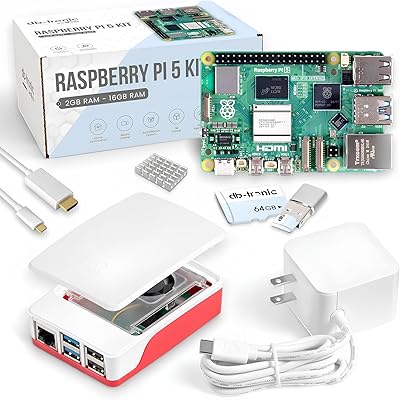
82%
93%
Out-of-Box Readiness
88%
Value for Money
84%
Thermal Management
86%
Accessory Completeness
89%
Power Supply Quality
More

FAQ

No prior experience is needed, especially if you start with the MicroPython track, which is the most beginner-friendly of the three language options. Paul McWhorter's video tutorials are designed to walk complete newcomers through both the circuit wiring and the code logic step by step. That said, some patience for trial and error is genuinely helpful.

With adult involvement, yes — but unsupervised use at that age is a stretch. The wiring diagrams and code debugging steps require a level of reading comprehension and abstract thinking that most 8-year-olds will need help with. Think of it as a parent-child or teacher-student activity for younger users, rather than something a child that age would work through independently.

Not at all — the three tracks are completely independent of each other. Most beginners start with MicroPython and never touch the other two, which is a perfectly valid approach. The C/C++ and Piper Make tracks are there if and when you want to branch out, not as required steps in a sequence.

The board is included and comes pre-soldered, which means the header pins are already attached. You do not need to buy it separately or do any soldering before you start working on your first project.

Yes, the C/C++ programming track in this Pico W starter kit is compatible with the Arduino IDE. If you are already comfortable in that environment, you can work within it rather than setting up a new toolchain from scratch.

A computer with a USB port is the main thing you will need — it is used to program the Pico W board. A stable Wi-Fi connection helps for accessing the online tutorials and for the IoT projects that connect to web services. Everything else, including the board and components, comes in the box.

The written curriculum at the documentation site is freely accessible online with no subscription. The 27 video tutorials by Paul McWhorter are also available without any additional cost — they are part of what you get when you purchase the kit.

A handful of buyers have reported minor discrepancies in small component counts — usually passive parts like resistors or jumper wires. Before starting, it is worth doing a quick inventory against the component list. If something is genuinely missing, SunFounder's support team and community forum are the best first contacts for getting a replacement sorted out.

Yes — the kit carries RoHS certification, which means the components meet regulated standards for restricting hazardous substances like lead and mercury. That said, small components are present throughout the kit, so the usual caution around young children and small parts applies.

It goes well beyond basic LED projects. The kit includes integrations with real platforms like MQTT for device messaging, IFTTT for automation triggers, and OpenWeatherMap for live data — these are the same tools used in actual IoT product development. The progression takes time to get there, but the deeper IoT projects are a genuine and meaningful part of the curriculum.