Overview

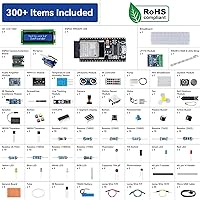
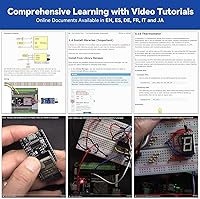
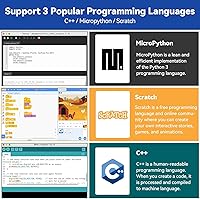
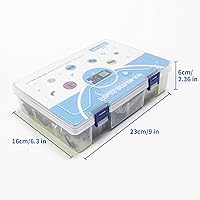
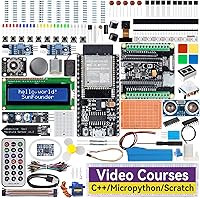
The SunFounder ESP32 Ultimate Starter Kit is a mid-range electronics bundle that punches well above its price point, packing over 320 components into a compact 9.8 x 6.5 x 2.5-inch box. What sets it apart from most beginner kits is the breadth of what's included: not just a capable ESP32-WROOM-32E board, but also a camera extension board and a rechargeable lithium-ion battery — no extra purchases needed to get started. It supports three programming languages: C++, MicroPython, and Scratch, which is genuinely unusual at this price tier. Tutorials are available in English, Japanese, and German, with 50+ video lessons covering everything from basic LED circuits to Wi-Fi-connected automation projects.
Features & Benefits

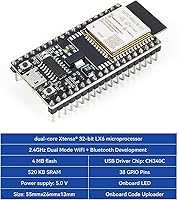
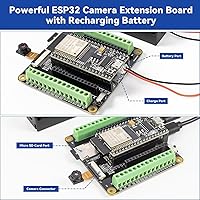
The ESP32-WROOM-32E board at the heart of this IoT learning kit brings genuine Bluetooth and Wi-Fi connectivity, meaning projects aren't just simulations — they talk to real networks and devices. The camera extension board handles live video streaming and basic image capture; at 2MP, it's not meant for sharp photography, but it works well for motion detection, surveillance demos, or remote monitoring prototypes. The sensor roster is legitimately broad: PIR motion, ultrasonic ranging, soil moisture, DHT11 temperature and humidity, line tracking, and more. Throw in actuators like a DC motor, servo, and centrifugal pump, and you have hands-on hardware diversity that covers most beginner-to-intermediate project ideas without needing to supplement the box.

Best For

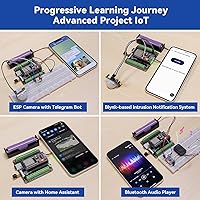
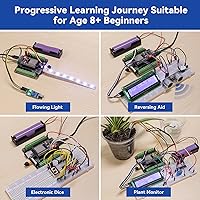
This ESP32 kit fits a wider range of people than most comparable bundles. Kids aged 8 and up can start with Scratch and progress toward MicroPython as confidence builds, making it genuinely practical for family or classroom use. Educators teaching STEM will appreciate the multi-language documentation and the ready-made project structure — it cuts prep time considerably. Hobbyists chasing home automation ideas will find the IoT platform support for Home Assistant, MQTT, and Telegram Bot directly applicable to real builds. Even engineers wanting a fast proof-of-concept platform get real mileage from the 100+ structured projects. It's less compelling for someone who already owns most components, but as a starting point it's hard to fault.

User Feedback

Buyers consistently praise the tutorial clarity and depth — the video lessons in particular get called out as genuinely helpful rather than superficial filler. Component quality earns mostly positive marks, though a handful of users report a missing part or two on arrival; SunFounder's support forums are reportedly responsive when that happens. The camera board draws mixed reactions: it works well for basic streaming and motion demos, but buyers expecting crisp output are sometimes caught off guard by the 2MP ceiling. A recurring friction point is the initial setup — configuring the IDE, drivers, and Wi-Fi credentials can trip up complete beginners. Experienced tinkerers occasionally note the kit feels limiting once they push past the included projects, but most agree the overall value is solid.

Pros

  • All key components — board, camera, battery, and 320+ parts — arrive in one box with no supplemental purchases needed.
  • Three supported programming languages let learners grow with the kit from Scratch basics to full C++ IoT projects.
  • Video tutorials are genuinely well-structured, not just marketing material filmed on a shoestring budget.
  • Built-in Wi-Fi and Bluetooth on the ESP32-WROOM-32E enable real connected projects, not just desk-bound simulations.
  • IoT platform support covers Home Assistant, MQTT, and Telegram Bot — tools hobbyists actually build with.
  • The rechargeable battery makes portable demos and outdoor sensor experiments practical without hunting for a power source.
  • RoHS compliance gives parents and schools confidence when putting this ESP32 kit in younger hands.
  • Documentation is available in English, Japanese, and German, which is rare at this price point.
  • The sensor variety — PIR, ultrasonic, soil moisture, DHT11, and more — supports a wide range of project types without add-ons.
  • SunFounder maintains active support forums, giving beginners somewhere to turn when they inevitably get stuck.

Cons

  • First-time setup can be frustrating — driver conflicts and serial port issues on Windows machines are a recurring complaint.
  • The difficulty curve between beginner and intermediate projects can spike sharply, especially when Wi-Fi and MQTT enter the picture.
  • A small but consistent number of buyers report a missing or dead-on-arrival component in their kit.
  • The 2MP camera output disappoints buyers who expect anything close to webcam-level image quality.
  • Scratch tutorial coverage is noticeably thinner than the C++ track, limiting younger learners who start there.
  • Buyers who already own basic electronics components will find significant overlap with what they already have.
  • Some written documentation lags behind the video content, creating gaps when users prefer reading over watching.
  • IoT integrations require external accounts and stable internet, which adds setup complexity the kit documentation doesn't fully address.
  • Battery life under continuous camera use is shorter than many buyers anticipate for wireless project work.
  • The kit grows limiting fairly quickly for advanced users — there is no clear upgrade path within the SunFounder ecosystem.

Ratings

The SunFounder ESP32 Ultimate Starter Kit earns a strong overall reputation across verified buyer communities, and the scores below reflect that — but they also capture the honest friction points that show up repeatedly in real user experiences. Our AI has analyzed confirmed purchase reviews from global markets, filtering out incentivized, bot-generated, and duplicate submissions to surface what genuine learners, hobbyists, and educators actually think. Strengths and weaknesses are weighted equally so you can make a clear-eyed decision before buying.
Value for Money
88%
For what's packed into the box — a capable microcontroller board, camera extension, rechargeable battery, 320+ components, and 50+ video tutorials — buyers consistently say they'd have spent considerably more sourcing everything separately. That all-in-one convenience resonates especially with beginners who wouldn't know where to start building their own parts list.
Experienced makers who already own breadboards, sensors, and jumper wires may feel they're paying for redundant components. If you're upgrading from a simpler Arduino kit, the overlap can feel wasteful rather than additive.
Tutorial & Documentation Quality
91%
The video tutorials are a genuine standout — buyers frequently highlight how structured and clearly explained they are, covering each project step-by-step rather than assuming prior knowledge. Multi-language documentation in English, Japanese, and German broadens accessibility in a way most competing kits don't bother with.
A recurring complaint is that the difficulty curve between beginner and intermediate projects can feel abrupt, particularly when transitioning into Wi-Fi configuration or MQTT setup. Some written docs have been flagged as lagging behind the video content in terms of updates.
Component Quality
79%
21%
The majority of buyers report that components arrive functional and well-organized, with the sensors in particular drawing praise for performing reliably across multiple projects. The RoHS-compliant build gives parents and educators extra confidence when handing this kit to younger learners.
A small but consistent subset of buyers report a missing or non-functional component upon unboxing — most commonly a passive component like a resistor or a sensor module. It's not endemic, but it happens often enough to be worth noting, especially if you're buying as a gift.
Ease of Setup
63%
37%
Once the environment is configured, most users find the workflow smooth and the board responsive. Buyers who have used Arduino-based kits before tend to get up and running within an hour, and the video tutorials help close the gap for those who haven't.
Initial setup is the most cited friction point across reviews. Installing the correct IDE, drivers, and serial port configuration trips up a meaningful number of complete beginners — particularly on Windows machines. Wi-Fi credential setup for IoT projects adds another layer that some found unexpectedly fiddly.
Camera Module Performance
67%
33%
For basic use cases — live streaming a room, building a simple doorbell camera prototype, or experimenting with motion-triggered image capture — the camera extension board does exactly what most buyers need it to do. The battery recharging support adds genuine portability that similar boards in this tier don't offer.
At 2MP, the image quality is limited, and buyers who expected something closer to a webcam-level output come away disappointed. The camera is best framed as a learning and prototyping tool, not a reliable imaging device — and the listing could do more to set that expectation upfront.
Hardware Variety
93%
The sensor and actuator selection is genuinely broad for a kit at this price point. Having a DHT11, PIR motion sensor, ultrasonic module, soil moisture probe, and line tracking module all in one box means you can explore a wide range of real-world project types without hunting down add-ons.
While the variety is impressive, some of the included components feel like checkbox inclusions rather than deeply supported ones. The centrifugal pump, for instance, gets limited tutorial coverage relative to how interesting it is as a component.
Programming Language Support
86%
Supporting C++, MicroPython, and Scratch in a single kit is an unusually broad offer for this price tier, and it genuinely extends the kit's lifespan as a learner grows. A child starting on Scratch can migrate to MicroPython months later without buying new hardware.
The breadth can be a double-edged sword. True beginners sometimes feel paralyzed by which language to start with, and the tutorial paths for each language aren't always equal in depth — the C++ track has the most content, while Scratch coverage feels comparatively thin.
IoT Platform Integration
82%
18%
Support for Home Assistant, MQTT, Telegram Bot, and MIT App Inventor is a standout feature for anyone serious about building connected projects. Hobbyists working on home automation setups will find these integrations directly applicable rather than purely educational.
Getting these platforms configured requires external accounts, stable internet, and sometimes third-party software — none of which is plug-and-play. Beginners following IoT tutorials without prior networking knowledge often hit walls that the kit documentation doesn't fully help them climb.
Board Reliability
84%
The ESP32-WROOM-32E is a well-established and respected microcontroller, and buyers report consistent, stable behavior across extended project sessions. Bluetooth and Wi-Fi connectivity hold up reliably in typical home or classroom environments.
A small number of users report inconsistent serial communication on certain USB cables or ports — a known quirk of ESP32 boards generally rather than a SunFounder-specific issue, but worth mentioning for buyers on older computers.
Portability
76%
24%
The included rechargeable lithium-ion battery is a meaningful differentiator, letting you run wireless and camera projects away from a desk power supply. This makes demos, classroom presentations, and outdoor sensor experiments far more practical.
Battery life under continuous camera streaming is shorter than some buyers expect, and the overall kit size means you're not exactly throwing it in a pocket. It's portable enough for room-to-room use, but not suited for extended field deployment.
Community & Support
78%
22%
SunFounder maintains active forums and responds to technical questions with reasonable turnaround, which is more than many kit manufacturers offer. Buyers with missing components or configuration questions generally report getting useful responses.
Support quality is inconsistent — some users describe fast, helpful replies while others report generic responses that don't address their specific issue. The community forum is smaller than Arduino or Raspberry Pi equivalents, which limits peer-to-peer help for niche problems.
Age Appropriateness
81%
19%
The Scratch language path and structured beginner projects make this genuinely accessible for kids aged 8 and up with adult supervision. Parents using it as a family learning tool tend to rate their experience positively, especially when working through the video tutorials together.
Unassisted use by younger children will likely stall at the IDE setup and wiring stages. The kit works best as a guided experience rather than independent exploration for the lower end of its stated age range.
Packaging & Organization
72%
28%
Most buyers note that components arrive sorted into labeled compartments, which reduces the initial chaos of opening a 320-piece kit. A logical layout makes it easier to locate parts when following along with a tutorial.
The packaging does its job but isn't particularly robust — a few buyers mention that smaller components shift around in transit, and the compartment labels could be more descriptive for complete beginners who don't yet recognize component names by sight.

Suitable for:

The SunFounder ESP32 Ultimate Starter Kit is a strong match for anyone who wants a structured, guided entry into electronics and IoT without the hassle of sourcing parts separately. Kids aged 8 and up get genuine value here — the Scratch language path is accessible, the projects are incremental, and having a parent or teacher work through it alongside them transforms it into a solid co-learning experience. STEM educators will appreciate the multi-language documentation and the fact that 100+ projects are already sequenced and explained, which cuts classroom prep time considerably. Self-taught hobbyists chasing home automation ideas will find real utility in the built-in support for Home Assistant, MQTT, and Telegram Bot — these aren't theoretical integrations, they connect to platforms people actually use. Engineers who want a fast, low-cost prototyping platform for embedded or wireless proof-of-concept work will also find the ESP32-WROOM-32E board more than capable, especially paired with the camera extension for any vision-adjacent experiments.
Not suitable for:

If you already own a decent electronics parts collection — breadboards, common sensors, jumper wires, a microcontroller board — the SunFounder ESP32 Ultimate Starter Kit will likely feel like paying for redundancy. Makers who have outgrown beginner kits and want to tackle complex, custom projects will find the guided structure more constraining than helpful, and the tutorial library doesn't extend far past intermediate territory. The 2MP camera module is genuinely limited; if your project requires reliable image quality, object detection, or anything beyond basic live streaming, this board will frustrate you quickly. People with no patience for software environment setup — driver installation, IDE configuration, serial port troubleshooting — should be prepared for a bumpy first hour or two, because the hardware is only as accessible as the software setup that precedes it. And if you're shopping for a standalone gift for a young child who will be working entirely independently, the complexity of the initial setup makes this a poor fit without adult involvement.
Specifications

  • Microcontroller: The kit is built around the ESP32-WROOM-32E, a dual-core processor with integrated Wi-Fi and Bluetooth support.
  • Camera Module: A 2MP ESP32 Camera Extension Board is included, capable of live video streaming and still image capture.
  • Battery: A rechargeable lithium-ion battery is included in the box and compatible with the camera extension board for portable use.
  • Programming Languages: The kit supports three languages: C/C++ (39 projects plus 10 IoT projects), MicroPython (34 projects), and Scratch (20 projects).
  • Component Count: The kit contains 320+ individual components spanning sensors, actuators, displays, passive components, and wiring hardware.
  • Video Tutorials: Over 50 step-by-step video tutorials in English are included, covering beginner to intermediate project levels.
  • Documentation: Written online documentation is available in English, Japanese, and German via the official SunFounder curriculum portal.
  • IoT Platforms: Supported IoT platforms include MQTT, Home Assistant, OpenWeatherMap, Telegram Bot, CheerLights, and MIT App Inventor.
  • Sensors Included: Sensors in the kit cover DHT11 temperature and humidity, PIR motion, ultrasonic ranging, soil moisture, line tracking, IR receiver, and thermistor.
  • Actuators: The kit includes a DC motor, a servo motor, and a centrifugal pump for hands-on mechanical and fluid control projects.
  • Display Options: Display components include an I2C LCD1602 screen, a 7-segment display, and a WS2812 RGB 8-LED strip.
  • Connectivity: The ESP32-WROOM-32E board provides onboard Bluetooth and 2.4GHz Wi-Fi connectivity without requiring any external modules.
  • Compliance: All components in the kit are RoHS certified, confirming they meet international standards for hazardous substance restrictions.
  • Dimensions: The packaged kit measures 9.8 x 6.5 x 2.5 inches, making it compact enough to store on a standard shelf or desk.
  • Target Age: The kit is rated for learners aged 8 and above, with Scratch projects designed for younger beginners and C++ tracks for older or more experienced users.
  • Supported OS: The development environment is compatible with Windows, macOS, and Linux operating systems for IDE and driver installation.

Related Reviews
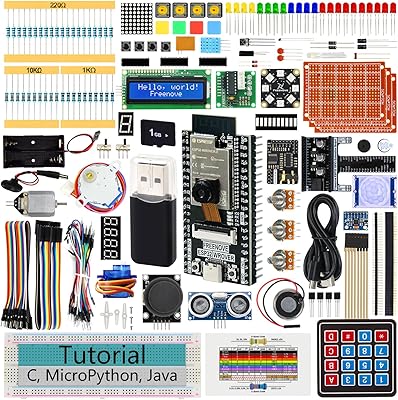
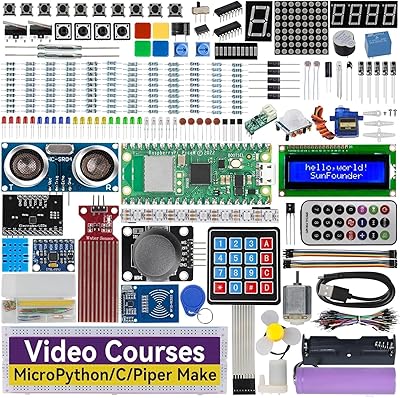
Freenove ESP32-WROVER CAM Board Ultimate Starter Kit (FNK0047B)
81%
93%
Tutorial Quality
88%
Component Variety
79%
Board & Hardware Quality
74%
Beginner Accessibility
86%
Multi-Language Code Support
More
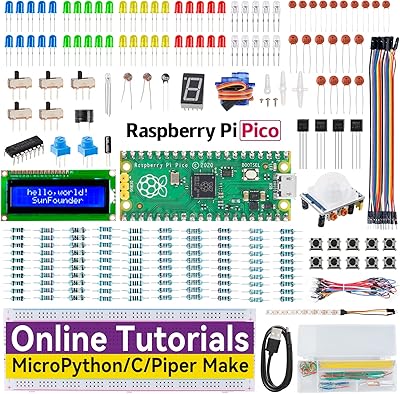
SunFounder Raspberry Pi Pico W Ultimate Starter Kit
81%
91%
Curriculum Quality
88%
Component Variety
78%
Beginner Accessibility
86%
IoT & Connectivity Features
84%
Value for Money
More
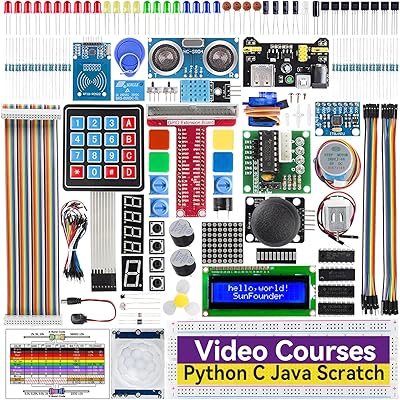
SunFounder Raspberry Pi Pico Starter Kit
88%
88%
Build Quality
94%
Component Variety
90%
Ease of Setup
92%
Instruction Clarity
89%
Programming Language Support
More
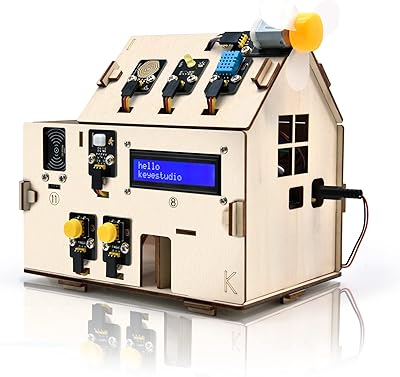
KEYESTUDIO IOT ESP32 Smart Home Starter Kit
82%
85%
Ease of Use
91%
Learning Experience
70%
Assembly Process
88%
Programming Flexibility
80%
Quality of Tutorials
More
SunFounder Da Vinci Starter Kit for Raspberry Pi
86%
91%
Learning Experience
87%
Component Quality
94%
Video Tutorials
90%
Project Variety
85%
Compatibility
More
SunFounder Ultimate Sensor Kit with Arduino Uno R4 Minima
86%
88%
Ease of Use
90%
Tutorial Quality
87%
Sensor Variety
85%
Performance (Processor)
84%
Project Range
More
Acure Brightening Starter Kit
85%
88%
Effectiveness in Brightening
91%
Gentleness on Sensitive Skin
84%
Texture and Feel
86%
Absorption and Finish
75%
Fragrance
More
Narrative Cosmetics Starter Effects Kit
86%
88%
Ease of Use for Beginners
92%
Realism of Effects
74%
Scar Wax Application
90%
Versatility of Bruise Wheel
85%
Quality of Ingredients
More
Arduino Starter Kit K000007
84%
91%
Component Quality
93%
Project Book Quality
92%
Beginner Accessibility
72%
Value for Money
74%
Scope & Depth of Projects
More
SunFounder GalaxyRVR Mars Rover Kit
76%
88%
Build Quality
84%
Terrain Performance
76%
FPV Camera & Live Streaming
79%
Obstacle Avoidance
71%
Assembly Experience
More

FAQ

For the most part, no. The kit includes the microcontroller board, camera extension, rechargeable battery, and 320+ components. The one thing you will need is a computer with a USB port to upload code and a stable internet connection for IoT projects. A micro-USB or USB-C cable may also be needed depending on your setup, so it is worth confirming one is included or having one on hand before you sit down to start.

If you are brand new to coding and under 12, start with Scratch — it uses visual blocks that remove the syntax barrier entirely. If you have any prior programming experience or you are a teenager or adult, jump straight into MicroPython. It is more readable than C++ and the transition to real hardware feels less overwhelming. Save C++ for when you want more control or are following along with more advanced IoT projects in the curriculum.

It depends on your expectations. The 2MP camera streams live video reliably and can handle basic motion-detection or doorbell-camera prototypes well. However, if you need crisp image quality, night vision, or continuous high-resolution recording, it will fall short. Think of it as a capable learning and prototyping camera rather than a production-ready security solution.

Yes, and it works well for this use case. The ESP32-WROOM-32E supports MQTT, which is the standard protocol Home Assistant uses to communicate with sensors and devices. Several of the included IoT projects walk you through connecting the kit to a Home Assistant instance step by step. You will need a running Home Assistant setup and a local Wi-Fi network, but the curriculum covers the integration clearly.

The key difference is connectivity. A standard Arduino Uno has no built-in Wi-Fi or Bluetooth, so wireless projects require add-on shields. This kit's ESP32 board has both built in, which unlocks IoT and smart home projects that an Arduino starter kit simply cannot do out of the box. The ESP32 is also faster and has more memory, though Arduino has a larger community and more beginner-friendly documentation overall.

SunFounder has a dedicated support forum and a customer service email for exactly this situation. Most buyers report that the team responds within a few business days and typically ships a replacement component without requiring you to return the entire kit. It is worth photographing the contents when you first unbox it so you have documentation if something is missing.

It is RoHS compliant, so the components themselves meet safety standards, but the setup process is not designed for fully independent use by young children. A child aged 8 to 10 will need a parent or teacher for the initial software setup and wiring steps. Once a project is up and running, kids can interact with it more independently, but the early stages genuinely benefit from having an adult nearby.

Yes — one of the included IoT project tracks walks you through setting up a Telegram Bot that can send commands to and receive data from the board over Wi-Fi. You will need a Telegram account and a phone or computer with the app installed. It is one of the more satisfying projects in the curriculum because the feedback loop between sending a message and seeing a real hardware response is immediate.

Battery life under continuous camera streaming is limited — most users report roughly one to two hours of active use before needing a recharge, depending on the workload. For stationary desk projects that are plugged in, this is not an issue at all. For portable or field deployments where you are relying on the battery, plan for short sessions or bring a power bank as a backup.

Yes, though the value proposition shifts. If you are already comfortable with embedded systems, the guided curriculum will feel slow, but the hardware selection is genuinely useful for rapid prototyping. Having sensors, a camera, actuators, and an IoT-capable board all in one place means you can stand up a proof-of-concept quickly without waiting on component orders. Engineers tend to skip the beginner projects and jump straight into the IoT and Home Assistant tracks, which is a perfectly reasonable way to use this ESP32 kit.