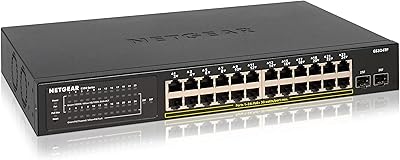
Overview

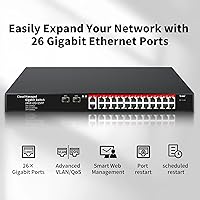
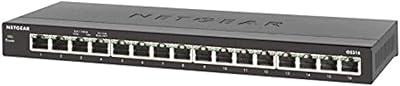
The STEAMEMO 26-Port Gigabit Managed Ethernet Switch is a solid pick for small and mid-sized businesses that want real management features without spending enterprise money. The port count breaks down as 24 standard Gigabit RJ45 ports plus 2 SFP slots for fiber uplinks — a practical split that covers most office or server room needs. It ships in a compact steel chassis that can sit on a desk or slide into a rack, which gives it flexibility that similarly priced switches often lack. Setup is plug-and-play out of the box, and the web-based management interface is there when you need it. Don't expect the same polish as a Netgear or Cisco, but the build quality holds up well for the price tier.
Features & Benefits

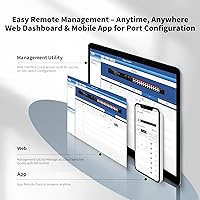
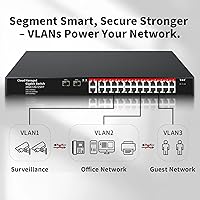
The web management interface is where this managed gigabit switch earns its keep for users who aren't comfortable with command-line configuration. Through a browser-based GUI, you can set up VLANs, adjust port priorities, and monitor traffic without touching a terminal. Speaking of VLANs, the switch supports up to 15 IEEE 802.1Q groups — enough for separating guest Wi-Fi, staff machines, and a handful of IoT devices, though larger deployments will feel the ceiling quickly. QoS settings let you prioritize time-sensitive traffic like VoIP calls or video feeds over routine data transfers. Storm control prevents broadcast loops from taking down the whole network, and port mirroring is handy when you need to analyze traffic without dedicated tap hardware. Auto MDI/MDI-X means any cable works in any port.

Best For

This rackmount network switch hits a sweet spot for small offices, home labs, and light commercial setups that need more control than an unmanaged switch but can't justify an enterprise budget. IT admins who need to keep guest devices, staff workstations, and IoT gear on separate network segments will find the VLAN tools practical, if basic. AV integrators and security camera installers will appreciate the QoS controls for keeping video streams stable across a busy network. It's also a reasonable entry point for anyone stepping up from unmanaged gear who wants to learn network management through a web UI rather than a command line. For a rack-based server closet needing fiber backbone connections, the SFP uplink slots add genuine value.

User Feedback

With over 438 ratings averaging 4.4 stars, the STEAMEMO 26-port switch has built a surprisingly strong reputation for a relatively new and lesser-known brand. Buyers consistently call out the straightforward out-of-box experience and the connection stability during day-to-day use. The metal build also earns praise — it doesn't feel cheap for the price. On the downside, some users find the management software documentation thin, and a handful report a noticeable learning curve getting VLANs configured correctly the first time. Heat management seems adequate under normal loads, with no widespread complaints about overheating. Those coming from Netgear or TP-Link gear occasionally note that the interface feels less refined, but most buyers consider the trade-off entirely worth it.

Pros

  • Includes 24 full Gigabit RJ45 ports and 2 SFP fiber slots at a price well below comparable managed switches.
  • The web-based GUI makes VLAN setup and QoS configuration accessible without any command-line experience.
  • Steel chassis feels solid and holds up well in both rack and desktop deployments.
  • Auto MDI/MDI-X on every port means you never have to worry about cable type compatibility.
  • Port mirroring support is a genuine plus for anyone who needs to diagnose traffic issues on a budget.
  • Plug-and-play setup means the switch works right out of the box even before touching any management settings.
  • Rated 4.4 stars across more than 438 buyers, with consistent praise for connection stability and ease of use.
  • QoS and bandwidth controls help keep VoIP calls and video streams smooth across busy shared networks.
  • Storm control adds meaningful protection against broadcast loops that could otherwise take down a small network.
  • Dual form factor support lets you rack-mount or place it on a desk without any additional hardware.

Cons

  • STEAMEMO is a relatively new brand with limited third-party support resources and a smaller user community compared to established names.
  • The 15-VLAN group cap is genuinely restrictive for any network more complex than a basic small office.
  • Management software documentation is thin, and new users often have to figure out settings through trial and error.
  • No Layer 3 routing, no stacking support, and no 10G uplink options significantly limit long-term scalability.
  • The VLAN configuration interface has a reported learning curve that can frustrate less experienced network admins.
  • No CLI access means advanced users cannot automate configurations or script repetitive management tasks.
  • This rackmount network switch operates on 110V AC only, limiting compatibility in some international or specialized deployments.
  • Long-term firmware update support and ongoing software development from a newer brand remain uncertain.
  • Heat dissipation is entirely passive with no fan, which may raise concerns in poorly ventilated rack environments under sustained load.
  • The external power adapter brick can add unwanted cable clutter in tight or organized rack installations.

Ratings

The STEAMEMO 26-Port Gigabit Managed Ethernet Switch scores below are generated by our AI review engine after systematically analyzing verified buyer feedback from worldwide markets, actively filtering out incentivized, bot-generated, and duplicate reviews to ensure reliability. Our analysis surfaces both the genuine strengths and the real pain points that matter most to buyers weighing this purchase. Scores reflect how this rackmount network switch performs against category benchmarks, not inflated ideals.
Value for Money
91%
Buyers coming from comparable managed switches at two or three times the price consistently report feeling surprised by how much functionality this rackmount network switch delivers. Getting 24 Gigabit ports, dual SFP uplinks, QoS, VLAN support, and port mirroring in a steel chassis for this price bracket is a genuinely hard combination to beat.
Value perception dips slightly once users hit the VLAN group cap or encounter documentation gaps, since resolving those issues sometimes requires extra research or outside help. The external power adapter design also feels like a minor corner cut at this otherwise competitive price point.
Build Quality
83%
The steel metal shell earns consistent praise from buyers who have racked or desk-mounted it alongside more expensive equipment — it does not feel flimsy or hollow. Several reviewers note the chassis held up well through repeated moves and redeployments without showing structural flex or damage at the port cluster.
Some users point out that port status indicators could be brighter and easier to read at a distance, which matters in a dim server closet. There is also no redundant power supply option, which can be a meaningful gap in uptime-critical or always-on business deployments.
Port Density
88%
Twenty-four Gigabit copper ports plus two SFP slots on a single unit at this price is genuinely competitive — most small businesses find the port count comfortably covers current needs with room to grow. Having fiber uplinks built in is a practical bonus that avoids buying a separate media converter for inter-switch runs.
There is no expansion or stacking capability, so when all 26 ports are occupied the only path forward is adding a separate switch entirely. There is also no 10G connectivity anywhere on the unit, which starts to feel like a constraint as internal server traffic demands grow over time.
Ease of Setup
86%
Reviewers regularly call out how painless the initial deployment was — getting basic connectivity running takes minutes with zero configuration needed out of the box. For users upgrading from an unmanaged switch, the transition to this managed gigabit switch feels approachable rather than intimidating, which is not always the case with managed hardware.
While plug-and-play works well for basic use, accessing the management interface for the first time requires manually assigning a static IP to your computer — a step that catches some less technical users off guard. The initial login process could also be more clearly documented in the included materials.
Management Interface
73%
27%
The browser-based GUI covers the essentials without requiring any command-line knowledge — most users report locating and configuring VLANs, port priorities, and bandwidth limits without needing external guides. For non-technical admins managing a small office network on their own, that kind of accessibility is genuinely valuable.
The interface feels functional but dated compared to the polished dashboards found on Netgear or TP-Link managed switches at similar price points. A handful of buyers specifically mention that navigating between VLAN settings and QoS rules feels disjointed, and there is no mobile-optimized version of the management page for quick remote checks.
VLAN Functionality
67%
33%
For small offices needing basic segmentation — separating guest devices from staff machines or isolating IoT equipment — the VLAN tools here get the job done without requiring deep networking expertise. Port-based VLAN and port isolation make it practical to lock down traffic between specific device groups with minimal configuration effort.
The hard cap of 15 VLAN groups is where this managed gigabit switch starts to show its limits in a real and non-negotiable way. IT professionals managing more complex environments with multiple security zones, dedicated management VLANs, and voice segments running in parallel will exhaust that limit surprisingly quickly with no available workaround short of replacing the unit.
Network Performance
84%
Buyers running the switch in small office environments — with 15 to 20 simultaneous users, IP cameras, and network-attached storage — consistently report stable throughput and no unexplained packet drops over extended periods. Several users specifically call out that performance held up under sustained load without throttling or random disconnections.
A small number of users report minor link negotiation inconsistencies when mixing older 100Mbps hardware alongside Gigabit devices on the same switch. Performance under a fully saturated 26-port load has not been verified by established third-party benchmark labs, so real-world headroom at maximum density remains somewhat uncertain.
QoS & Traffic Control
79%
21%
The QoS settings prove genuinely useful in mixed-use environments where video conferencing or VoIP runs alongside heavy file transfers or backups. Users in surveillance and AV installations report noticeably smoother camera streams and call quality after configuring priority queues, which is the practical outcome that matters most in those deployments.
QoS configuration is fairly basic by any enterprise standard — there are no granular DSCP marking options or dynamic policy rules, which limits usefulness in more sophisticated traffic engineering scenarios. Users familiar with Cisco or Juniper hardware will find the depth of QoS controls here noticeably shallow by comparison.
Heat Management
71%
29%
The fanless passive cooling design is a genuine advantage in quiet office or meeting room deployments — no spinning parts means zero noise, and that matters when the switch sits within earshot of people working. Most users in moderately ventilated server closets and open rack setups report no heat-related issues under normal operating loads.
Passive cooling effectiveness depends entirely on ambient conditions, and buyers who deployed the unit in a sealed or poorly ventilated cabinet report some concern about sustained surface temperatures during peak load periods. The 60-degree Celsius operating ceiling leaves less thermal headroom than some competing switches in warm or densely packed rack environments.
SFP Connectivity
77%
23%
Having two fiber uplink slots at this price tier is a genuine differentiator — most comparable budget options offer copper uplinks only, forcing a separate media converter purchase for any fiber run. Users who connect the STEAMEMO 26-port switch to a core router or upstream switch via fiber report the links perform reliably under normal traffic loads.
SFP modules are sold separately, adding cost that is not always apparent from the initial listing — buyers who did not account for this are occasionally caught off guard at checkout. A small number of users also report that certain third-party SFP modules were not consistently recognized, which adds uncertainty to module purchasing decisions.
Documentation & Support
52%
48%
The included quick-start guide is sufficient to get basic connectivity and default management access running for most users without outside help. Community-posted guides and informal video walkthroughs have partially filled the official documentation gap for buyers needing help with less common features like port mirroring or storm control configuration.
The official documentation is widely described as thin and, in some cases, poorly translated — leaving users to configure VLAN and QoS settings largely through trial and error. There is no dedicated support line or live chat, and email response times from the manufacturer have been described as inconsistent by multiple verified buyers.
Brand Reliability
61%
39%
A 4.4-star average across more than 438 verified purchases is a meaningful signal that the product delivers on its core promises for the majority of real-world buyers. Reaching rank #53 in a competitive networking category within a relatively short time on market reflects genuine satisfaction, not just initial novelty purchases.
STEAMEMO has a limited public track record compared to established networking brands, which creates real uncertainty around long-term firmware support, warranty reliability, and product continuity. Buyers investing in infrastructure for a growing business should weigh the risk of the brand discontinuing updates or exiting the market more carefully than they would with a Netgear or Cisco product.
Form Factor Flexibility
85%
The ability to deploy in either a rack or on a desk without buying additional accessories is more useful in practice than it sounds — buyers retrofitting desk-based setups or gradually building out a rack can use the same unit throughout. Several users report running it on a desk temporarily and racking it later once their server room was ready.
The chassis is sized for a 1U rack bay, which means desktop placement occupies a larger footprint than purpose-built desktop switches of similar port count. There is also no integrated cable management tray or dedicated port labeling system, which can make organized wiring trickier in high-density environments.
Port Mirroring
76%
24%
Having port mirroring available at this price point is a genuine asset for small IT teams who need to capture and analyze traffic without buying dedicated network tap hardware. Users troubleshooting intermittent issues or validating firewall behavior report getting useful packet captures without spending extra on specialized diagnostic tools.
The port mirroring implementation is basic — only one destination monitoring port is supported at a time, which limits simultaneous diagnostic use cases. Users running advanced captures with tools like Wireshark also note that mirrored traffic can include some duplicated frames under heavy load, which adds noise to the analysis.
Network Security Features
74%
26%
Storm control gives small network admins a practical safety net against broadcast flooding — the kind of cascading failure that can take down an entire small office network when a misconfigured device or failing NIC starts transmitting uncontrollably. Having this protection built in at no extra cost is a meaningful inclusion for the price bracket.
The security feature set is limited to basic protections — there is no 802.1X port authentication, no DHCP snooping, and MAC address filtering is restricted to static entries only, all of which are standard on slightly more expensive alternatives. Buyers needing any of these for compliance requirements or stricter access control will need to look at a higher-tier switch.

Suitable for:

The STEAMEMO 26-Port Gigabit Managed Ethernet Switch is a strong match for small business owners, IT generalists, and home lab enthusiasts who need real network management capabilities without paying enterprise prices. If your use case involves segmenting guest devices, staff workstations, and IoT equipment onto separate network zones, the VLAN and port isolation tools here are practical enough to handle it without requiring advanced networking knowledge. AV installers and surveillance system operators will find the QoS controls genuinely useful for protecting video and audio streams from being crowded out by routine data traffic. The two SFP fiber uplink slots also make this a reasonable inter-switch backbone option for small server closets needing longer-distance connections. Because the management interface is entirely browser-based, it works well for anyone stepping up from unmanaged switches who wants to learn network administration through a graphical interface rather than a command line.
Not suitable for:

The STEAMEMO 26-Port Gigabit Managed Ethernet Switch is a poor fit for organizations with complex or growing network segmentation needs — the hard cap of 15 VLAN groups will become a real constraint the moment you need to separate multiple departments, dedicated server zones, voice infrastructure, and guest access all at once. Enterprise IT teams that rely on CLI scripting, SNMP monitoring integration, or centralized network management platforms will find the feature set far too limited for professional production environments. There is no Layer 3 routing, no switch stacking, and no 10G uplink option, which means it offers limited headroom for networks that are expected to scale significantly over the next few years. Buyers who prioritize long-term vendor support and firmware reliability should also weigh the fact that STEAMEMO is a newer brand without the established track record of Netgear, TP-Link, or Cisco. If your deployment is outside North America, the 110V-only power supply may also create compatibility complications.

Specifications

  • Total Ports: The switch provides 26 total ports, comprising 24 copper Gigabit RJ45 ports and 2 dedicated SFP fiber uplink slots.
  • RJ45 Ports: All 24 copper ports support 10/100/1000BASE-T auto-negotiation, ensuring backward compatibility with older or mixed-speed network equipment.
  • SFP Uplinks: Two 1G SFP slots accept standard small form-factor pluggable fiber modules (sold separately) for longer-distance or inter-switch backbone connections.
  • Management: Network administration is handled through a browser-based web GUI or free companion software, requiring no command-line interface experience.
  • VLAN Support: Supports up to 15 IEEE 802.1Q VLAN groups, with additional support for MTU VLAN and port-based VLAN with port isolation.
  • QoS: Quality of Service and bandwidth control settings allow traffic prioritization for latency-sensitive applications such as VoIP, video conferencing, and business-critical data.
  • Storm Control: Built-in storm control prevents broadcast, multicast, and unknown unicast packet flooding from saturating and degrading overall network performance.
  • Port Mirroring: Port mirroring allows administrators to duplicate traffic from selected ports to a designated monitoring port for real-time network diagnostics and analysis.
  • Auto MDI/MDI-X: All RJ45 ports automatically detect and adjust cable wiring configuration, eliminating the need for crossover cables in any connection scenario.
  • Case Material: The chassis is built from a steel metal shell, providing structural rigidity suitable for both rackmount and freestanding desktop use.
  • Form Factor: The unit supports 1U rackmount installation or freestanding desktop placement, with no additional mounting accessories required for either configuration.
  • Max Temperature: The switch is rated for continuous operation at ambient temperatures up to 60 degrees Celsius under normal ventilation conditions.
  • Dimensions: Package dimensions are 18.31 x 10.47 x 3.5 inches, with the switch chassis itself sized to fit a standard 1U rackmount bay.
  • Weight: The unit weighs 4.99 pounds, making single-person rack installation straightforward without requiring additional lifting assistance.
  • Input Voltage: The switch operates on 110V AC power only and is not rated for direct connection to 220V mains without a suitable voltage converter.
  • Power Supply: An external power adapter is included in the retail package, so no separate power supply purchase is needed to get started.
  • Data Rate: Each copper port supports full-duplex operation at up to 1 Gigabit per second, delivering a maximum switching capacity across all 24 RJ45 ports.

Related Reviews
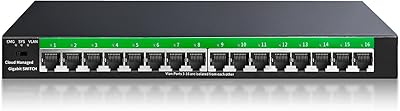
STEAMEMO 16-Port Managed Gigabit Ethernet Switch
78%
91%
Value for Money
88%
Ease of Setup
84%
Build Quality
86%
Network Performance
74%
VLAN Functionality
More
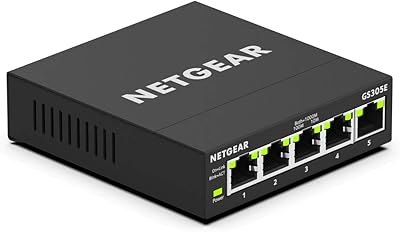
NETGEAR GS308E 8-Port Managed Network Switch
81%
93%
Reliability & Uptime
96%
Silent Operation
67%
Ease of Setup
78%
Web Management Interface
88%
Value for Tier
More
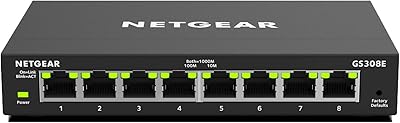
NETGEAR GS305E 5-Port Gigabit Managed Switch
76%
93%
Value for Money
84%
Setup & Ease of Use
81%
Build Quality & Durability
88%
Network Performance & Throughput
97%
Silent Operation
More
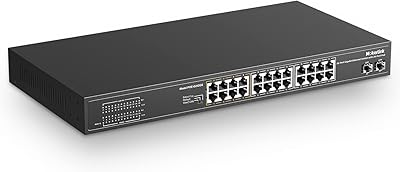
NETGEAR GS324TP 26-Port Smart PoE+ Switch
81%
88%
Build Quality
84%
PoE Performance
86%
Setup Experience
67%
Management Interface
83%
Value for Money
More
ienRon 10-Port Gigabit Ethernet Switch
81%
93%
Ease of Setup
88%
Network Performance
72%
Build Quality
76%
VLAN Functionality
67%
Thermal Management
More
Goalake 16-Port Gigabit Managed Switch
79%
93%
Value for Money
88%
Build Quality
96%
Noise Level
79%
Ease of Initial Setup
66%
Management App Quality
More
MokerLink 26-Port Gigabit Unmanaged PoE Switch
79%
91%
Value for Money
88%
Port Count & Layout
73%
PoE Power Budget
93%
Ease of Setup
86%
Build Quality & Chassis
More
NETGEAR GS324 24-Port Gigabit Ethernet Switch
84%
97%
Ease of Setup
94%
Silent Operation
89%
Build Quality
92%
Port Performance & Stability
67%
Thermal Management
More
Cudy GS1016E 16-Port Managed Gigabit Switch
78%
88%
Value for Money
84%
Ease of Setup
83%
Build Quality
76%
Web Management Interface
81%
VLAN Functionality
More
Binardat 5-Port Gigabit Industrial Ethernet Switch
89%
89%
Performance & Speed
94%
Build Quality & Durability
92%
Noise & Operation
91%
Ease of Installation
90%
Temperature Tolerance
More

FAQ

You can plug it straight in and it will work immediately as a standard network switch with no setup required. The web management interface is there if you want to configure VLANs, QoS, or other features, but basic connectivity requires zero configuration out of the box.

The SFP modules are not included — you will need to purchase them separately based on your specific fiber type and cable distance requirements. Make sure to match the module spec to your fiber cable, whether that is single-mode or multi-mode, and verify the supported distance before buying.

For most small offices, yes — 15 VLAN groups is typically sufficient to separate guest traffic, staff devices, IoT equipment, a server zone, and maybe a voice network. If you are running a more complex environment with multiple departments, dedicated management VLANs, and security zones all at once, you will likely find that ceiling restrictive sooner than expected.

There is no fan — it relies entirely on passive heat dissipation, which means it runs silently under normal operating loads. That makes it a solid choice for quiet environments. Just make sure wherever you place it has decent airflow, since passive cooling is less effective in sealed or poorly ventilated spots.

Yes, the RJ45 ports are standard Gigabit Ethernet and will connect to virtually any wired network hardware regardless of brand. The SFP slots also accept standard 1G modules, so inter-switch fiber links with other vendors should not be an issue as long as the modules are compatible.

No, this switch does not support Power over Ethernet in any form. If you need to power cameras, access points, or VoIP handsets directly through the Ethernet cable, you will need a dedicated PoE or PoE+ switch instead.

The typical process involves connecting a computer directly to one of the switch ports, temporarily assigning your computer a static IP address within the same subnet as the switch's factory default IP, and then navigating to that IP in a browser. The exact default IP address and login credentials are documented in the included manual, so read through that first before assuming standard defaults.

The switch is designed to fit a standard 1U rack space and should include the basic rack-mounting hardware. That said, always double-check the package contents when it arrives before drilling anything, since accessory contents can occasionally vary between shipments.

It is a genuinely good home lab option, especially if you want hands-on practice with VLAN segmentation, QoS policy, and basic network monitoring without spending a lot. The browser-based management interface is approachable enough for self-learners, and having real managed features at this price point is hard to find elsewhere. Just keep in mind the brand is relatively new, so community resources and third-party guides are more limited than you'd find for Cisco or Netgear gear.

You would need to upgrade to a switch with a higher VLAN group capacity — most mid-range business switches support 64 or more groups, and enterprise-grade options support many more. The upside is that since this switch uses standard IEEE 802.1Q tagging, documenting and migrating your existing VLAN configuration to a new switch is a relatively clean process when the time comes.