Overview

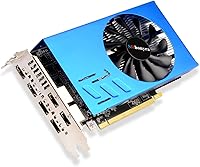
The SRhonyra RX 580 8GB 6-Monitor Graphics Card is a purpose-built commercial GPU — not a gaming card, not a general workstation board, but something quite specific: a multi-display output machine designed for trading terminals, video walls, and surveillance setups. Built around AMD's familiar RX 580 chip, this six-monitor GPU repurposes proven silicon for professional display-driving duties rather than raw rendering. Six native HDMI 2.0 ports are genuinely rare on a single card, and that alone sets it apart from most alternatives. SRhonyra is a lesser-known OEM, which means warranty terms and long-term driver continuity deserve careful consideration before committing.
Features & Benefits

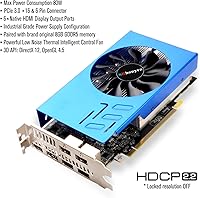
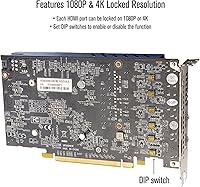
What makes the RX 580 multi-display card practically useful is not its raw GPU horsepower — that's not the point here. Each of the six HDMI 2.0 outputs carries independent audio, meaning you get a clean, adapter-free setup out of the box. The locked resolution feature is worth understanding: it stabilizes display output at 1080p or 4K, which is ideal for fixed commercial installations but less flexible if your screen configuration varies. Hardware H.264 and H.265 encoding and decoding handles 4K video without burdening the CPU, and an 80W power draw keeps this card viable in compact or multi-card builds. Windows 7 support is a quiet but real advantage in legacy commercial environments.

Best For

This commercial graphics card makes most sense for people with very specific multi-screen needs. Stock traders and financial analysts who need six live data feeds on a single workstation — without a tangle of adapters — will find it genuinely useful. Retail signage operators and corporate AV teams building video walls, where stable fixed-resolution output matters more than flexibility, are another natural fit. Security and surveillance setups also benefit from the low heat and power profile, letting operators drive a full monitor bank from one slot. It is not the right pick for anyone who regularly mixes screen sizes or needs dynamic resolution changes on the fly.

User Feedback

With 91 reviews and a 4.4-out-of-5 rating, the RX 580 multi-display card has built a respectable track record for a niche product. Buyers most commonly praise how straightforward the initial setup is — plug in, install drivers, and the six screens come up without drama. Low heat generation and quiet operation also get repeated mentions. On the other side, some users report friction with driver installation on certain motherboards, and a handful find the locked resolution limiting when they need to mix screen sizes or resolutions across their array. A few reviewers note the price sits high relative to DIY alternatives, though most who bought it for trading desks or CCTV applications consider it money well spent.

Pros

  • Six native HDMI 2.0 ports on a single card eliminates the need for any adapters or splitters.
  • Hardware H.264 and H.265 decode keeps CPU usage low during continuous 4K video playback.
  • An 80W power draw makes this commercial graphics card viable in compact builds or multi-card configurations.
  • Locked resolution support at 1080p and 4K brings real stability to fixed commercial display installations.
  • Plug-and-play setup is consistently praised by buyers — screens come up without complicated driver work in most cases.
  • Video wall splicing modes including 3×2 and 5×1 grids cover a broad range of signage and monitoring layouts.
  • Windows 7 compatibility is a meaningful advantage for businesses still running legacy commercial software stacks.
  • Low heat output under normal multi-display loads keeps fan noise down and reduces cooling demands on the host system.
  • At 1.4 pounds and standard PCIe form factor, this six-monitor GPU fits into most workstation cases without clearance issues.
  • A 4.4-star rating across 91 reviews suggests consistent real-world performance for its intended commercial use cases.

Cons

  • SRhonyra is an obscure OEM with limited public information on warranty terms and post-sale support reliability.
  • Maximum single-screen refresh rate is capped at 30Hz at 4K, which is noticeably sluggish for anything motion-intensive.
  • No DisplayPort outputs at all, which locks buyers entirely into HDMI-only monitor ecosystems.
  • Driver installation has caused friction for some users, particularly on certain motherboard and chipset combinations.
  • The locked resolution feature becomes a hard constraint if you ever need to mix screen sizes or resolutions across your array.
  • Priced at the higher end of its niche, making the value case weaker if you only need four or fewer monitors.
  • No Linux support is mentioned, limiting deployment options for open-source commercial and kiosk environments.
  • Long-term driver update continuity from a small OEM brand is uncertain, which matters for multi-year commercial deployments.
  • The 6Gbps memory speed is modest and can become a bottleneck when simultaneously driving six high-resolution outputs.
  • Limited reseller network makes replacement or RMA support harder to access compared to major GPU brands.

Ratings

Our AI rating system analyzed verified global buyer reviews for the SRhonyra RX 580 8GB 6-Monitor Graphics Card, actively filtering out incentivized, bot-generated, and low-credibility submissions to surface what real commercial users actually experienced. The scores below reflect the full picture — where this six-monitor GPU genuinely delivers for trading desks, surveillance stations, and signage walls, and where it falls short for buyers with different expectations. Both the strengths and the friction points are represented transparently, so you can make an informed call before purchasing.

Multi-Monitor Output
91%
For its intended purpose — driving six screens simultaneously without a single adapter — this commercial graphics card delivers with rare consistency. Buyers running trading terminals and CCTV banks report all six displays coming up cleanly, staying stable under continuous load, and holding their signal without dropout over extended sessions.
The 30Hz ceiling at 4K is a real limitation that becomes noticeable when any motion-heavy content plays across the array. Users who expected smooth 60Hz output at full resolution on all six screens were caught off guard by this constraint, which is not prominently communicated in the product listing.
Setup & Installation
78%
22%
The majority of buyers describe a straightforward out-of-box experience — install the driver package, connect the monitors, and the system recognizes all six displays without manual configuration. For commercial deployers setting up identical fixed-resolution stations, the process is repeatable and predictable, which matters at scale.
A meaningful subset of users hit driver conflicts on specific motherboard chipsets, requiring clean installs, BIOS adjustments, or slot swaps to resolve. The absence of detailed troubleshooting documentation from SRhonyra means buyers are largely on their own when things do not go smoothly on the first attempt.
Locked Resolution Stability
83%
In fixed commercial environments — retail signage loops, financial data dashboards, surveillance monitor walls — the locked resolution behavior is exactly what operators want. It prevents the display from renegotiating resolution on reboot or after a signal interruption, which keeps unattended deployments running without human intervention.
Any buyer who needs to mix screen resolutions, switch between 1080p and 4K dynamically, or connect monitors with varying native resolutions will find this feature actively obstructive. It is a design choice that suits one specific use case well and handles almost every other scenario poorly.
Power Efficiency
88%
An 80W draw for a card pushing six independent outputs is genuinely impressive by the standards of this product category. Surveillance operators and signage deployers running systems around the clock appreciate the low heat output and the fact that a modest 450W power supply handles the card comfortably alongside a full system build.
While efficiency is strong, the single 6-pin connector requirement can still be a minor logistical issue in older workstations where available connectors are already spoken for. There is no fanless or passive cooling option, so some low-level fan noise is always present during continuous operation.
Video Wall Splicing
76%
24%
Support for 3×2, 5×1, and similar composite layouts allows operators to span a single content source across all six screens without external switching hardware. AV teams and retail deployers who have used this feature report it working reliably once the initial configuration is set and saved.
The setup process for splicing modes is not well documented, and new users often have to rely on community forums or trial-and-error to get composite layouts configured correctly. The 30Hz refresh cap in spliced mode is also a hard ceiling that limits how dynamic the displayed content can realistically be.
Hardware Video Decode
82%
18%
Offloading H.264 and H.265 decode to the GPU keeps the host CPU free for other tasks, which is a practical benefit in media-heavy signage or surveillance recording setups where the CPU is already handling data feeds or recording software simultaneously. Users with older CPUs particularly benefit from this offload.
The decode capability tops out at 4K 30Hz, which aligns with the display output ceiling but will feel limiting as higher frame rate 4K content becomes more standard in commercial AV workflows. There is no support for newer codec formats beyond HEVC, which some modern broadcast and streaming sources now require.
Build Quality
67%
33%
The card is compact and light, and buyers generally report it arriving without damage and seating cleanly in PCIe slots. For the commercial environments it targets — where the card sits inside a tower and is rarely touched again — the physical build is functional enough to do the job.
SRhonyra's manufacturing quality control cannot be independently verified at the level that established GPU brands allow, and there are scattered reports of units arriving with minor cosmetic or connector issues. The card feels more utilitarian than premium, which is not necessarily a dealbreaker but is worth noting at this price point.
Driver Support
59%
41%
For straightforward Windows 10 and 11 installations on common hardware, the drivers provided work adequately and get all six outputs running without requiring advanced technical knowledge. The Windows 7 compatibility is a genuine plus for legacy commercial systems that cannot be upgraded.
Long-term driver update continuity from a small OEM is genuinely uncertain, and there is no public roadmap or support portal that buyers can reference. Users on less common motherboard configurations have reported that driver installation requires multiple attempts, and the lack of responsive technical support from the manufacturer compounds the frustration.
OS Compatibility
81%
19%
Covering Windows 7, 10, and 11 in 64-bit configurations is broader than most niche commercial cards manage, and it opens the door to legacy deployments that mainstream GPU vendors have quietly abandoned. Financial and industrial operators still tied to Windows 7 environments will find this breadth practically useful.
There is no Linux support mentioned or community-confirmed, which closes off a significant portion of commercial and kiosk deployment environments that run on open-source operating systems. macOS is entirely unsupported, as expected for a PCIe card of this type.
Value for Money
63%
37%
For buyers who specifically need six native HDMI outputs on a single card with no adapters, the price reflects a real specialization premium that is difficult to replicate with off-the-shelf consumer hardware. Trading desk and CCTV operators who have priced out alternative six-screen solutions often find this card competitive on total cost.
For anyone who only needs four or fewer screens, or who can tolerate adapters, the price is hard to justify against mainstream multi-monitor GPU alternatives from established brands. Several reviewers explicitly noted that the cost feels high relative to the underlying RX 580 hardware, which is widely available in consumer form for considerably less.
Heat Management
84%
Under typical multi-display commercial workloads — static dashboards, looping signage, surveillance feeds — the card runs cool and quiet, which is exactly what you need for systems operating 24 hours a day in enclosed workstation cases or kiosk enclosures. Buyers running continuous CCTV setups have reported no thermal issues over extended periods.
Thermal performance under more demanding decode workloads, such as simultaneous 4K video playback across multiple screens, has not been independently benchmarked, and SRhonyra provides no published thermal specifications. Users in poorly ventilated enclosures should ensure adequate airflow as a precaution.
Audio Output
74%
26%
Having independent digital audio on all six HDMI outputs without any additional hardware is a meaningful convenience for signage and AV deployments where each screen needs its own audio feed. It simplifies cable management and reduces the number of devices needed in the rack or enclosure.
Audio quality and channel configuration options are not documented in detail, and buyers needing advanced audio routing or multi-channel setups will likely need additional software or hardware to achieve their goals. For pure display-only surveillance use, the audio capability goes entirely unused.
Form Factor
86%
The single-slot, compact profile means this card fits into a wide range of cases without blocking adjacent slots or requiring special clearance, which is a real advantage in compact commercial workstations where internal space is already tight. Its light weight also means no PCIe slot stress over long deployments.
The very thin profile (listed at 0.04 inches depth, which likely reflects PCIe bracket thickness rather than total card depth) does raise minor questions about long-term connector durability under repeated cable insertion and removal cycles. Users in high-churn environments should handle the HDMI ports with care.
Brand & After-Sales Support
44%
56%
SRhonyra does appear to respond to some buyer inquiries through the Amazon platform, and the product listing invites contact for additional questions, which at least signals some level of seller engagement. For straightforward plug-and-play deployments that go smoothly, the lack of a strong support infrastructure may never become relevant.
This is the weakest area by a significant margin. There is no established warranty documentation, no dedicated support portal, and no history of long-term driver maintenance that buyers can point to. For commercial deployments where a failed card needs rapid replacement, relying on a small OEM with limited reseller presence is a genuine operational risk.

Suitable for:

The SRhonyra RX 580 8GB 6-Monitor Graphics Card is built for a narrow but real audience, and if you fall into that group, it solves a genuinely difficult problem cleanly. Stock traders and financial analysts who need six live screens running charts, feeds, or dashboards from a single PCIe slot will find this card does exactly what it promises without a rat's nest of adapters. Corporate AV teams and retail operators managing fixed-resolution video walls or digital signage arrays also get real value here — the locked resolution behavior is actually a feature in those environments, not a limitation. Surveillance and security professionals who need to drive a full six-monitor CCTV display bank from one low-power card will appreciate the 80W draw, which keeps heat and electrical load manageable. If your system still runs Windows 7 for legacy commercial software, the broad OS compatibility is a quiet but meaningful bonus.
Not suitable for:

The SRhonyra RX 580 8GB 6-Monitor Graphics Card is a poor fit for anyone expecting a flexible, general-purpose graphics card. If you regularly mix monitors of different resolutions or need dynamic resolution switching, the locked resolution behavior will frustrate you quickly. Gamers should look elsewhere entirely — this card is not tuned for rendering performance, and the RX 580 chip here will not deliver the frame rates or driver optimizations that gaming demands. Creative professionals doing video editing, 3D work, or color grading will also find the 30Hz cap at 4K a hard constraint that limits practical usability. Buyers who prioritize brand reputation, established warranty programs, and long-term driver support should be cautious about SRhonyra as an OEM, since the company lacks the track record of mainstream GPU vendors. Finally, if DisplayPort connectivity matters to your setup at all, this card simply has none.
Specifications

  • GPU Chip: Powered by the AMD Radeon RX 580 processor, a proven mid-range GPU repurposed here for multi-display commercial output rather than gaming workloads.
  • Video Memory: Equipped with 8 GB of GDDR5 memory running on a 256-bit memory bus at 6 Gbps, providing sufficient bandwidth for driving six simultaneous displays.
  • Core Clock: The GPU core runs at 1244 MHz, which is adequate for stable display output and hardware video decoding but not optimized for rendering-intensive tasks.
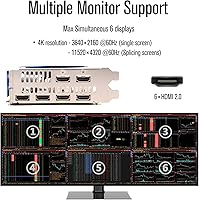
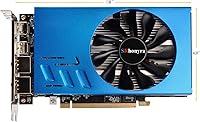
  • Output Ports: Features six independent HDMI 2.0 ports with built-in audio support on each output, requiring no adapters, splitters, or daisy-chaining.
  • Max Resolution: Supports up to 3840×2160 at 30Hz on a single screen, and a combined spliced resolution of up to 11520×4320 at 30Hz across a video wall array.
  • Power Draw: Rated at 80W total power consumption, connected via a single 6-pin PCIe power connector alongside the standard PCIe 3.0 x16 slot.
  • PCIe Interface: Uses a PCIe 3.0 x16 interface, which is compatible with the vast majority of modern and legacy desktop motherboards on the market.
  • Video Codec: Provides hardware-accelerated encode and decode for H.264 and H.265/HEVC formats at up to 4K resolution, offloading that processing from the host CPU.
  • Locked Resolution: Includes a locked resolution mode supporting 1080p and 4K fixed output, designed to prevent display reconfiguration in stable commercial installations.
  • Splicing Modes: Supports multiple video wall layout configurations including 3×2, 5×1, 1×5, and other arrangements for large-screen signage and monitoring deployments.
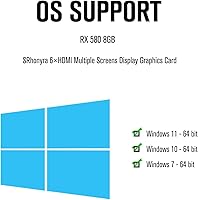
  • OS Compatibility: Compatible with Windows 11 (64-bit), Windows 10 (64-bit), and Windows 7 (64-bit); no Linux or macOS support is specified by the manufacturer.
  • Stream Processors: Contains 2048 stream processors (compute units), consistent with the standard RX 580 architecture used here primarily for display management.
  • Dimensions: Measures 7.33 × 4.37 × 0.04 inches, a compact single-slot form factor that fits most standard ATX and micro-ATX cases without clearance conflicts.
  • Weight: Weighs 1.4 pounds, making it lightweight enough for easy installation and suitable for systems with standard PCIe slot retention mechanisms.
  • Audio Output: Each of the six HDMI 2.0 ports carries independent digital audio, eliminating the need for separate audio routing hardware in display or signage setups.
  • Brand: Manufactured by SRhonyra, a smaller OEM specializing in commercial multi-display hardware, with limited public documentation on warranty duration and support terms.

Related Reviews
SRhonyra RX 580 8GB GDDR5 Graphics Card
81%
91%
Value for Money
88%
Performance at 1080p
85%
Cooling Efficiency
87%
Ease of Installation
83%
Multi-Display Support
More
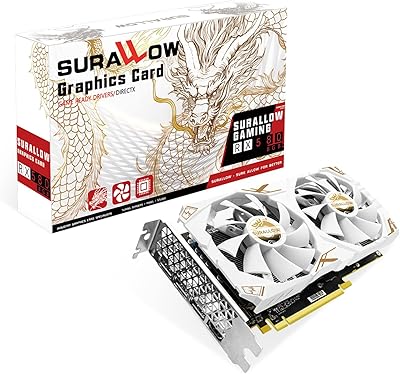
SURALLOW RX 580 8GB Graphics Card
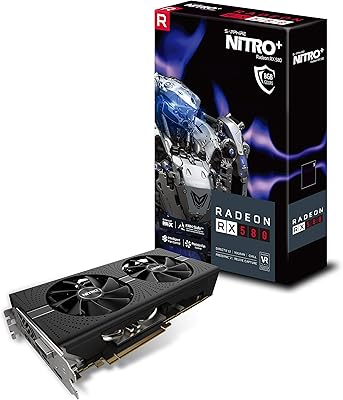
73%
83%
1080p Gaming Performance
78%
Value for Money
76%
Thermal Management & Cooling
61%
Build & Component Quality
89%
Driver Support & Software Compatibility
More
Sapphire NITRO+ RX 580 8GB Graphics Card
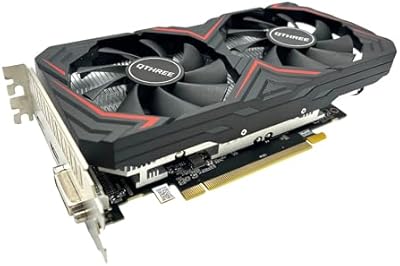
80%
84%
1080p Gaming Performance
88%
Thermal Management
91%
Build Quality
83%
Value for Money
57%
Power Efficiency
More
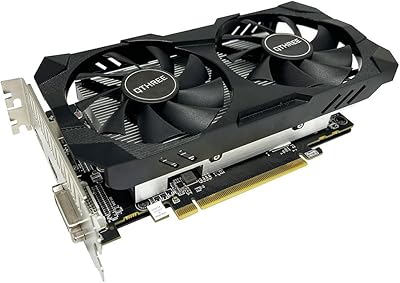
QTHREE Radeon RX 590 GME 8GB Graphics Card
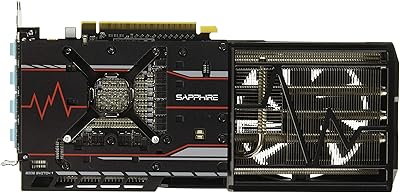
69%
72%
Value for Money
67%
1080p Gaming Performance
63%
Cooling Efficiency
84%
Ease of Installation
68%
Driver Stability
More
Sapphire Radeon RX Vega 56 8GB HBM2 Graphics Card
83%
89%
Performance at 1440p and 1080p
84%
Cooling System Efficiency
91%
Value for Money
70%
Size and Compatibility
85%
Build Quality and Durability
More
QTHREE Radeon RX 560 XT 8GB Graphics Card
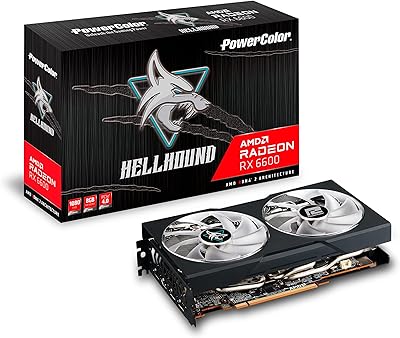
68%
61%
Value for Money
53%
Gaming Performance
88%
Installation & Setup
67%
Thermal Performance
58%
Fan Noise
More
PowerColor Hellhound AMD Radeon RX 6600 8GB Graphics Card
85%
91%
Value for Money
88%
Gaming Performance (1080p)
85%
Cooling Efficiency
75%
Noise Level Under Load
90%
Ease of Installation
More
MSI Radeon RX 5700 XT Gaming X 8GB GDDR6 Graphics Card
84%
91%
Gaming Performance
84%
Cooling Efficiency
88%
RGB Lighting Customization
70%
Driver/Software Installation
65%
Noise Levels Under Load
More
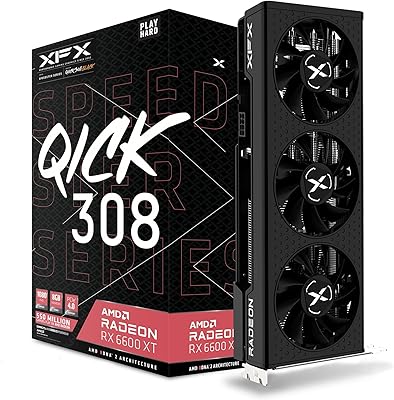
XFX QICK308 RX 6600 XT Graphics Card
79%
88%
1080p Gaming Performance
67%
1440p Gaming Performance
91%
Cooling Performance
86%
Noise Levels
53%
Ray Tracing Performance
More
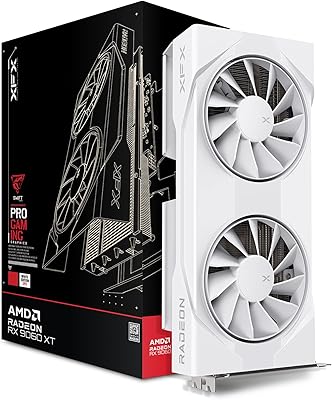
XFX RX 9060 XT 8GB Graphics Card
82%
88%
Gaming Performance at 1440p
93%
Gaming Performance at 1080p
67%
VRAM Adequacy
86%
Thermal Performance
89%
Noise Levels
More

FAQ

Yes, all six HDMI outputs are fully independent and active simultaneously — that is the core purpose of this card. There is no software trick or display cloning involved. Each port drives its own screen, and buyers consistently confirm that all six come up without issue once drivers are installed.

Technically it will output to multiple screens, but this is not a gaming GPU and you should not buy it for that purpose. The RX 580 chip here is tuned for stable display output, not frame rate performance, and you will find driver support and optimization lacking compared to gaming-focused cards. If gaming is your goal, look at a mainstream consumer GPU instead.

It means the card holds a fixed output resolution — either 1080p or 4K — and does not dynamically adjust based on what the connected monitor reports. For a fixed commercial installation like a trading desk or digital signage wall, that is genuinely useful because it eliminates unexpected resolution switches. If you need to mix different screen resolutions across your six outputs, however, this feature becomes a real constraint.

Not really — 80W is a modest draw for a six-output GPU. A standard 450W or better power supply with a free 6-pin PCIe connector will handle this card comfortably, even alongside a mid-range CPU and a few drives. It is one of the more power-friendly options in this multi-monitor niche.

Yes, Windows 7 (64-bit) is officially supported, which is a meaningful detail for businesses still running legacy software on older hardware. That said, you should verify your motherboard has a PCIe 3.0 x16 slot available, as that is the required interface.

Most buyers report a straightforward experience — install the provided or downloaded drivers, plug in your monitors, and the screens are recognized without much fuss. A smaller number of users have encountered driver conflicts on specific motherboard chipsets, so if you run into trouble, trying a clean driver install or a different PCIe slot has resolved the issue for some users.

Yes, the card supports several splicing configurations including 3×2, 5×1, and 1×5 layouts, where content is distributed across the display array to form one large composite image. This is specifically intended for signage, monitoring walls, and AV applications, and it works without additional hardware splitters.

This is honestly where some caution is warranted. SRhonyra is a smaller OEM without the established support infrastructure of brands like ASUS, MSI, or Sapphire. Warranty terms are not prominently documented, and sourcing a replacement quickly could be difficult. If post-sale support reliability is critical for your deployment, factor that risk into your decision.

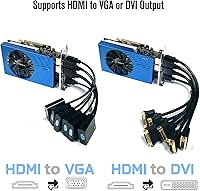
It is strictly HDMI only — there are no DisplayPort outputs on this card whatsoever. If any of your monitors or displays use DisplayPort as their primary input and lack an HDMI port, you would need an active adapter, which introduces potential compatibility and signal quality variables.

It is actually one of the more practical choices for that exact use case. The low power draw, six independent outputs, stable fixed-resolution behavior, and quiet operation under continuous load all suit a 24-hour surveillance monitoring environment well. Several real-world buyers have confirmed using this commercial graphics card specifically for CCTV display setups with positive results.