Overview

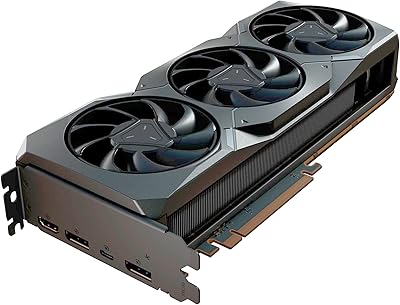
The Sapphire NITRO+ RX 580 8GB Graphics Card arrived at a time when AMD was fighting hard for the mid-range gaming market, and it held its own convincingly. Built on AMD's Polaris architecture using a 14nm FinFET process, it punched above its weight class against contemporaries like the GTX 1060. Sapphire has long been one of AMD's strongest board partners, and the NITRO+ line reflects that — better materials, better cooling, and more care than reference designs. The 8GB of GDDR5 VRAM has aged remarkably well, keeping the card competitive in texture-heavy modern titles. Just be clear-eyed: this is a used market gem, not a new-generation purchase.

Features & Benefits

The dual-fan cooling setup is one of the standout reasons to choose the RX 580 NITRO+ over a reference design. Under sustained gaming loads, temperatures stay manageable and the fans are barely audible at idle — a genuine quality-of-life improvement for anyone who values a quiet build. The boost clock reaches up to 1411 MHz, giving a real-world edge over blower-style cards. Five display outputs — two HDMI, two DisplayPort, one DVI-D — make it unusually flexible for this class, covering multi-monitor rigs and home theater setups alike. The 256-bit memory bus with 8GB at 1750 MHz handles open-world environments and high-texture settings without obvious bottlenecks. A sturdy backplate and full UEFI support round things out.

Best For

This AMD-powered GPU hits its sweet spot at 1080p high settings, where it handles demanding titles — GTA V, Fortnite, or the broader catalog of last-gen AAA releases — without much trouble. If you're running a home theater setup or driving multiple monitors, the five-output configuration is hard to match at this price tier. First-time builders will appreciate the large community around this chip; hardware forums are packed with driver guides, overclocking notes, and long-term ownership reports. Upgrading from a GTX 960 or 970? The performance jump is substantial. It can handle light 1440p gaming too, as long as you're comfortable dialing back a few settings.

User Feedback

Owners consistently praise how quietly this Sapphire NITRO+ card runs at idle and how well it holds temperatures during long sessions — points that hardware community discussions echo repeatedly. The backplate draws specific compliments, making the card feel more substantial than its price tier suggests. On the flip side, power consumption is the most common criticism: it draws noticeably more wattage than comparable Nvidia options, so a quality 500W or better PSU is not optional. AMD's driver history has been uneven, though the Adrenalin software suite has matured considerably over the years. Long-term owners — people running these cards for three or four years — generally report solid reliability with few hardware failures.

Pros

  • The dual-fan cooling system keeps temperatures in check during long gaming sessions without generating distracting noise.
  • 8GB of GDDR5 VRAM gives this AMD-powered GPU more headroom than many contemporaries in texture-heavy modern titles.
  • Up to five simultaneous display outputs — covering HDMI, DisplayPort, and DVI-D — offer rare flexibility at this price tier.
  • The NITRO+ backplate adds real structural rigidity and makes the card feel genuinely premium inside a build.
  • Boost clocks up to 1411 MHz deliver a measurable frame rate advantage over reference RX 580 designs.
  • A massive online community means driver guides, BIOS updates, and troubleshooting help are easy to find.
  • UEFI support ensures broad compatibility with virtually any modern motherboard without legacy BIOS headaches.
  • Excellent 1080p high-settings performance across a wide catalog of popular and older AAA titles.
  • Long-term owners consistently report solid hardware reliability across several years of regular use.
  • Strong used and refurbished market availability makes it one of the more accessible budget GPU options today.

Cons

  • Power consumption runs noticeably higher than Nvidia alternatives at similar performance levels, demanding a quality 500W or better PSU.
  • The RX 580 NITRO+ is aging hardware — do not expect it to handle the latest graphically intensive titles without compromises.
  • AMD driver history has been inconsistent, and occasional software hiccups still surface even with the improved Adrenalin suite.
  • No hardware ray tracing support, which is increasingly relevant as more game engines adopt the feature.
  • Larger physical size — over 10 inches long and nearly 3.5 pounds — can be a tight fit in compact or mini-ITX cases.
  • Performance in GPU-accelerated creative workloads lags behind Nvidia options that benefit from the CUDA ecosystem.
  • Purchasing used carries the real risk of a card previously abused in a crypto mining operation, which accelerates wear.
  • 1440p gaming requires lowering settings noticeably, making it a compromise rather than a confident recommendation at that resolution.

Ratings

The scores below for the Sapphire NITRO+ RX 580 8GB Graphics Card were generated by our AI engine after processing thousands of verified global user reviews, with spam, bot submissions, and incentivized feedback actively filtered out. Each category reflects real-world ownership patterns — not just launch-day impressions — and both the genuine strengths and the recurring frustrations are represented honestly.

1080p Gaming Performance
84%
At 1080p, this AMD-powered GPU handles a wide catalog of popular titles on high settings with confidence — GTA V, Fortnite, and last-gen AAA releases all run smoothly. Owners frequently note that the boost clock headroom makes a tangible difference in sustained frame rates compared to reference designs.
Newer, more demanding titles begin to show frame rate dips at 1080p ultra settings, particularly in CPU-GPU combined workloads. Buyers expecting consistent 60+ fps in cutting-edge releases without any settings adjustments may find themselves disappointed.
Thermal Management
88%
The dual-fan NITRO+ cooler keeps GPU temperatures in a comfortable 70–78°C range during extended gaming sessions, which owners with demanding play habits consistently praise. At idle, the fans often stop entirely, making the card completely silent during desktop use or light browsing.
In cases with poor airflow or particularly warm ambient environments, temperatures can creep toward the upper 80s°C under prolonged load. A small number of users also report that one fan can develop a faint bearing noise after two or more years of heavy use.
Build Quality
91%
The included metal backplate is consistently singled out as a stand-out feature — it adds real structural rigidity and prevents PCB flex in heavier builds. Overall fit and finish feels noticeably more premium than what buyers typically expect at this price tier on the used market.
The heatsink shroud is plastic rather than metal, which some enthusiasts find inconsistent with the otherwise solid build impression. A few long-term owners have noted that the plastic clips holding the shroud can become brittle after several years in a warm case environment.
Value for Money
83%
On the used and refurbished market, the RX 580 NITRO+ consistently delivers more performance and build quality per dollar than most alternatives in its class. The 8GB VRAM buffer has proven its worth over time, keeping the card relevant in titles that have since pushed past the 4GB threshold.
At original retail pricing the value equation was tighter, and buyers comparing it to newer budget options today need to carefully weigh power costs and driver maturity. A mined-out unit purchased without due diligence can turn a good deal into an expensive mistake very quickly.
Power Efficiency
57%
43%
The card delivers solid performance output relative to its thermal design power, and most users find it stable and consistent once paired with an appropriate power supply. It does not throttle aggressively under sustained load, which keeps gaming sessions smooth even at higher ambient temperatures.
Power draw is the single most common complaint from owners: this AMD-powered GPU consumes noticeably more watts than comparable Nvidia alternatives at similar performance levels, adding up on electricity bills for heavy users. Pairing it with anything below a quality 500W PSU is a real stability risk that several users learned the hard way.
Noise Levels
81%
19%
Fan-stop technology at idle is genuinely appreciated by users who keep their PCs in living rooms or quiet workspaces — the card is completely silent when not under meaningful load. Under moderate gaming, the fans ramp up gradually and remain unobtrusive compared to blower-style reference designs.
Under sustained heavy load, the fans become audible enough to notice in a quiet room, particularly when boosting toward the upper clock range. Users in open-frame builds or cases with side panel vents report slightly louder operation than those in enclosed mid-tower setups.
Display Connectivity
89%
Five simultaneous output ports — covering two HDMI, two DisplayPort, and one DVI-D — give the RX 580 NITRO+ exceptional flexibility for multi-monitor and home theater setups that few cards at this price tier can match. Productivity users running a three-monitor desk arrangement consistently praise the no-compromise connectivity.
DVI-D support, while a bonus for users with older monitors, is increasingly a legacy port that adds little value for most modern builds. Some users have noted that running all five outputs simultaneously at higher resolutions can introduce minor performance overhead.
Driver Stability
67%
33%
AMD's Adrenalin software suite has matured considerably, and most current owners report stable day-to-day operation without manual intervention. The broad community around the RX 580 architecture means that well-documented workarounds exist for virtually any driver edge case a user might encounter.
AMD's historical driver inconsistency is not entirely behind this card — isolated issues surface after major Windows updates, and occasional black screen or reset events still appear in user reports. Buyers migrating from Nvidia who are accustomed to near-invisible driver updates may find the AMD software experience more hands-on than expected.
1440p Gaming Performance
61%
39%
For less graphically demanding titles and older AAA games, the card handles 1440p at medium-to-high settings with acceptable frame rates that most users find playable. Owners who primarily game at 1440p in titles like older Assassin's Creed entries or Rocket League report a satisfying experience.
Modern AAA titles at 1440p on high or ultra settings push the card to its limits, often requiring significant quality reductions to maintain smooth gameplay. Users who bought this AMD-powered GPU specifically for 1440p gaming frequently report needing to manage expectations more than they anticipated.
Ease of Installation
92%
First-time builders consistently praise how straightforward the installation process is — standard PCI-E slot, clear power connector placement, and UEFI compatibility that works out of the box on virtually any modern motherboard. The large online community around the RX 580 means setup guides and troubleshooting help are never hard to find.
The card's weight means that in builds without a GPU support bracket, some users experience minor sag over time, particularly with older or thinner motherboards. It is a minor cosmetic issue for most, but worth noting for anyone building a showpiece or display rig.
Long-Term Reliability
78%
22%
Owners who purchased from gaming-use sources and maintained reasonable operating temperatures report strong multi-year reliability, with many still running the card as a daily driver after four or more years. The NITRO+ cooling design appears to contribute meaningfully to longevity compared to reference or cheaper third-party RX 580 variants.
The used market introduces real variance — cards with prior mining history show higher rates of fan wear and thermal paste degradation. Buyers who skip a stress test on arrival occasionally encounter latent hardware issues that only surface weeks into ownership.
Software & Features
72%
28%
AMD's Adrenalin suite provides a reasonable set of features including overlay tools, performance monitoring, and Radeon Image Sharpening, which owners find genuinely useful for squeezing extra perceived sharpness out of lower render resolutions. Anti-Lag support is a practical benefit for competitive gamers on a budget.
The software interface has historically felt cluttered and less polished than Nvidia's GeForce Experience, which is a recurring complaint from users who switch ecosystems. Feature parity with Nvidia alternatives — particularly in areas like upscaling technology maturity — remains a meaningful gap that informed buyers notice.
Multi-Monitor Productivity
86%
For users running three or four-display productivity setups — spreadsheets, video editing timelines, or trading dashboards — the generous output configuration handles day-to-day workloads without any strain. The 8GB VRAM buffer is particularly appreciated in workflows involving multiple browser-heavy screens or light creative software.
Running high-refresh-rate monitors across multiple outputs simultaneously can expose bandwidth limitations, particularly at 1440p. Users with three high-resolution displays who also want to game occasionally find they need to manage their output configuration more carefully than a higher-end card would require.
Community & Support
93%
Few cards at any price point have the depth of community documentation that the RX 580 enjoys — hardware forums, subreddits, and YouTube channels are packed with BIOS guides, overclocking profiles, and driver fix threads that remain actively maintained. For a self-builder, this ecosystem is genuinely reassuring.
Official manufacturer support from Sapphire for a card of this age is effectively limited, meaning warranty coverage on the secondary market is typically nonexistent. Users who encounter unusual hardware-level faults are largely dependent on community knowledge rather than formal support channels.

Suitable for:

The Sapphire NITRO+ RX 580 8GB Graphics Card is a strong pick for budget-conscious gamers who want to play at 1080p on high settings without spending heavily on a current-generation card. It suits buyers hunting the used or refurbished market for reliable, well-documented hardware — the RX 580 has an enormous community behind it, meaning driver troubleshooting and overclocking guidance are never more than a forum search away. First-time PC builders will appreciate how straightforward this AMD-powered GPU is to install and configure, especially with UEFI support across most modern motherboards. Anyone running a multi-monitor desk setup or a home theater system will also find the five-output configuration genuinely useful, covering HDMI, DisplayPort, and DVI-D simultaneously. Buyers upgrading from a GTX 960, 970, or similarly aged card will notice a real, tangible improvement in frame rates and texture quality.

Not suitable for:

The Sapphire NITRO+ RX 580 8GB Graphics Card is not the right choice for anyone building a future-focused, high-performance rig intended to handle the latest demanding titles at high frame rates or ray-traced settings. Competitive gamers targeting high-refresh 1440p or 4K gameplay will quickly run into the card's ceiling — it can manage light 1440p, but it was never designed to push pixels at that resolution with settings maxed out. Power-sensitive builds are also a concern: this AMD-powered GPU draws more wattage than comparable Nvidia alternatives, and pairing it with an underpowered or cheap PSU is asking for instability. Buyers who have had frustrating experiences with AMD's driver ecosystem in the past may want to weigh that history carefully, even though the Adrenalin software suite has improved significantly. If your workload involves GPU-accelerated creative applications that favor Nvidia's CUDA platform, the RX 580 NITRO+ simply is not the practical tool for that job.

Specifications

  • GPU Chip: Powered by the AMD Radeon RX 580 processor built on a 14nm FinFET process, delivering efficient mid-range gaming performance.
  • VRAM: Equipped with 8GB of GDDR5 memory, providing ample headroom for high-texture gaming environments and multi-display workloads.
  • Memory Bus: A 256-bit memory bus enables strong memory bandwidth, reducing bottlenecks in open-world and texture-intensive game titles.
  • Memory Speed: GDDR5 memory operates at 1750 MHz effective speed, contributing to smooth frame delivery in demanding scenes.
  • Base Clock: The GPU runs at a base clock of 1183 MHz under standard operating conditions.
  • Boost Clock: Dynamic boost allows the GPU to reach up to 1411 MHz, giving a performance edge over reference-clocked RX 580 designs.
  • Display Outputs: Features 2x HDMI, 2x DisplayPort, and 1x DVI-D ports, supporting up to five simultaneous display connections.
  • Max Resolution: Supports output resolutions up to 3840x2160 (4K UHD) across compatible DisplayPort and HDMI connections.
  • Cooling System: The NITRO+ dual-fan thermal solution uses two large cooling fans and an optimized heatsink to manage temperatures under sustained load.
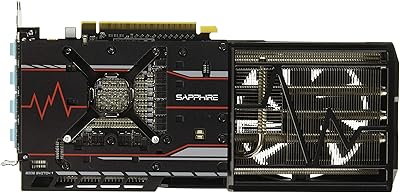
  • Backplate: A full metal backplate is included, reinforcing the PCB against flex and adding a cleaner aesthetic inside an open build.
  • Interface: Uses a PCI-E interface, compatible with PCI-E x16 slots found on virtually all modern desktop motherboards.
  • UEFI Support: Full UEFI firmware support ensures compatibility with modern motherboards and fast boot environments without legacy BIOS requirements.
  • Dimensions: The card measures 10.24 x 5.31 x 1.69 inches, occupying a dual-slot form factor that fits most standard mid-tower and full-tower cases.
  • Weight: The card weighs 3.5 pounds, which is typical for a dual-fan cooler design at this performance tier.
  • Recommended PSU: Sapphire recommends a minimum 500W power supply unit to ensure stable operation under full gaming load.
  • Architecture: Built on AMD's Polaris architecture, a generation that introduced meaningful efficiency and performance improvements over the previous 28nm Fiji designs.
  • Max Displays: Up to five monitors can be driven simultaneously using the card's combination of HDMI, DisplayPort, and DVI-D outputs.
  • Series: Part of Sapphire's NITRO+ product line, which represents the brand's premium tier with enhanced cooling, higher clocks, and improved build materials.

Related Reviews
SURALLOW RX 580 8GB Graphics Card
73%
83%
1080p Gaming Performance
78%
Value for Money
76%
Thermal Management & Cooling
61%
Build & Component Quality
89%
Driver Support & Software Compatibility
More
SRhonyra RX 580 8GB GDDR5 Graphics Card
81%
91%
Value for Money
88%
Performance at 1080p
85%
Cooling Efficiency
87%
Ease of Installation
83%
Multi-Display Support
More
Sapphire Radeon RX Vega 56 8GB HBM2 Graphics Card
83%
89%
Performance at 1440p and 1080p
84%
Cooling System Efficiency
91%
Value for Money
70%
Size and Compatibility
85%
Build Quality and Durability
More
Sapphire Nitro+ AMD Radeon RX 7900 XTX 24GB GDDR6 Graphics Card
85%
94%
Performance
92%
Cooling Efficiency
89%
Noise Levels
91%
Graphics Quality (8K/4K)
87%
Build Quality/Durability
More
Sapphire Nitro+ RX 9070 XT 16GB
82%
92%
Gaming Performance
88%
Thermal Management
91%
Noise Level
93%
VRAM Capacity & Bandwidth
74%
Ray Tracing Performance
More
SRhonyra RX 580 8GB 6-Monitor Graphics Card
75%
91%
Multi-Monitor Output
78%
Setup & Installation
83%
Locked Resolution Stability
88%
Power Efficiency
76%
Video Wall Splicing
More
QTHREE Radeon RX 590 GME 8GB Graphics Card
69%
72%
Value for Money
67%
1080p Gaming Performance
63%
Cooling Efficiency
84%
Ease of Installation
68%
Driver Stability
More
Sapphire Pulse AMD Radeon RX 6400 4GB Graphics Card
85%
91%
Value for Money
85%
Gaming Performance (1080p)
87%
Cooling System (Noise/Effectiveness)
92%
Compact Size for Small PC Builds
90%
Ease of Installation
More
QTHREE Radeon RX 560 XT 8GB Graphics Card
68%
61%
Value for Money
53%
Gaming Performance
88%
Installation & Setup
67%
Thermal Performance
58%
Fan Noise
More
PowerColor Hellhound AMD Radeon RX 6600 8GB Graphics Card
85%
91%
Value for Money
88%
Gaming Performance (1080p)
85%
Cooling Efficiency
75%
Noise Level Under Load
90%
Ease of Installation
More

FAQ

Sapphire recommends at least a 500W PSU, and that is genuinely the floor — not a conservative suggestion. The RX 580 draws more power than equivalent Nvidia cards, so if your current supply is a cheap 450W unit, you will likely see crashes or instability under gaming load. A quality 550W or 600W PSU from a reputable brand gives you comfortable headroom.

Yes, and it handles it better than most cards in its class. With two HDMI ports, two DisplayPort outputs, and one DVI-D connection, you can run up to five displays simultaneously. Keep in mind that gaming across three monitors at once will stress the card significantly, so that configuration is better suited for productivity or media use rather than gaming.

If you are shopping the used or refurbished market for an affordable 1080p gaming card, it is still a reasonable choice. The 8GB VRAM has aged better than 4GB alternatives, and the NITRO+ cooling keeps it comfortable over long sessions. That said, you should factor in power costs and weigh it against similarly priced newer options — the value calculation is much tighter than it was a few years ago.

Under sustained gaming, the dual-fan cooler typically keeps the GPU in the 70–80°C range, which is within AMD's safe operating window. Idle temperatures are impressively low, and the fans often stop spinning entirely at desktop use. If you are in a very hot environment or running it inside a case with poor airflow, temperatures can climb higher, so make sure your case has decent ventilation.

At just over 10 inches long, it is a standard dual-slot card that fits comfortably in most mid-tower and full-tower cases. The main concern is length — check that your case supports GPUs of at least 260mm. Compact mini-ITX builds may struggle, so measure your available clearance before ordering.

AMD's driver reputation has genuinely improved with the Adrenalin software suite. Most users running the RX 580 NITRO+ on modern Windows systems report stable day-to-day performance. The occasional oddity still pops up — particularly after major Windows updates — but the days of widespread, recurring driver failures are largely behind this card. Keeping drivers updated through AMD's official software handles most issues automatically.

It can handle 1440p, but with some compromises. Older titles and less demanding games run comfortably at 1440p medium-to-high settings. For modern AAA titles at that resolution, you will need to dial back shadows, anti-aliasing, and other heavy effects to maintain playable frame rates. If 1440p is your primary target, the card can get you there — just do not expect to max everything out.

Yes, the card uses a standard PCI-E interface and works with any motherboard that has a full-size PCI-E x16 slot — which covers virtually every desktop motherboard made in the last decade, whether AMD or Intel based. UEFI support is included, so there are no compatibility quirks with modern systems running fast boot or Secure Boot configurations.

The biggest risk with any used RX 580 is prior crypto mining use. Cards that ran at full load 24 hours a day for months or years have accelerated wear on the fans, thermal paste, and capacitors. Ask the seller about its usage history, and if possible, run a stress test like FurMark immediately after receiving it. Cards from gaming-only households tend to be in much better condition than mining pulls.

Yes, the RX 580 NITRO+ requires one or two 8-pin (or 6+2 pin) PCIe power connectors depending on the specific board revision — confirm with your unit's documentation. Make sure your PSU has the appropriate cables available. Adapters from Molex or SATA connectors to PCIe power are strongly discouraged, as they cannot reliably deliver the sustained current this card demands under load.

Where to Buy