Overview

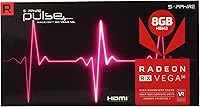
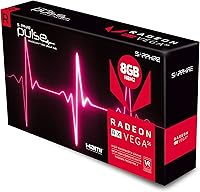
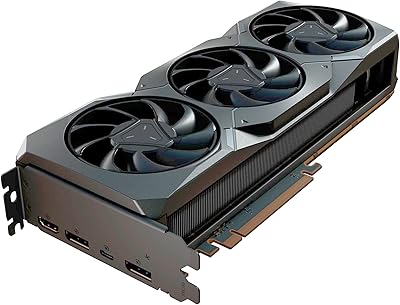
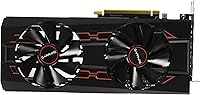
The Sapphire Radeon RX Vega 56 8GB Graphics Card launched in early 2018 as a serious contender in the upper-mid GPU tier, and Sapphire's Pulse treatment gave it real advantages over AMD's reference design. Where the stock Vega 56 ran hot and loud, the Pulse cooler brought noise down noticeably. The 8GB HBM2 memory was a genuine talking point at launch — a fundamentally different architecture than the GDDR5 cards it competed against, offering high bandwidth in a compact memory stack. For anyone shopping used or refurbished today, context matters: this is a card from a specific moment in AMD's history, and understanding where it fits now is as important as knowing what it could do then.
Features & Benefits

The HBM2 memory bandwidth is the standout technical story here — at 1600 MHz effective speed, it handles texture-heavy workloads differently than traditional GDDR solutions, which shows up in specific titles and GPU-compute tasks. The boost clock sits at 1512 MHz, comfortably above the 1208 MHz base, and under sustained load the Sapphire Pulse Vega 56 holds that headroom more reliably than reference cards thanks to its dual-fan cooler. Output flexibility is genuinely useful: triple DisplayPort plus HDMI means you can run four displays simultaneously, with support up to 5120x2880. UEFI compatibility and DirectX 12 support round out a spec sheet that was competitive at launch and remains functional today.

Best For

This Vega 56 card hits a sweet spot for 1440p gaming in older and moderately demanding titles, where its memory bandwidth still holds up well. Creative users running GPU-accelerated workflows — video encoding, compute tasks, anything that benefits from raw bandwidth — will find HBM2 more relevant than clock speeds alone suggest. It is also a natural fit for anyone running a FreeSync display or deep in the AMD software ecosystem, where driver optimization is tuned in your favor. Multi-monitor setups with three or four screens are straightforward given its output configuration. For a secondary build or a budget-conscious upgrade, it remains a capable option if sourced at the right price.

User Feedback

Owners consistently praise the build quality and Sapphire's cooling solution — the Pulse cooler earns genuine appreciation for keeping this AMD GPU quieter than expected from a Vega card. The 4.3-star average across over 240 ratings reflects real satisfaction, but power consumption comes up repeatedly and honestly. This card pulls significantly more watts than modern equivalents at similar performance levels, so factor that into your total cost calculation. Driver stability gets mixed notes; most users report a smooth enough experience, but AMD's software history with Vega has had rough patches. Long-term owners generally report solid fan durability, though a small number flag issues after heavy continuous use.

Pros

  • Sapphire's Pulse cooler runs noticeably quieter than AMD's reference Vega 56 design under real gaming loads.
  • 8GB HBM2 memory delivers exceptional bandwidth that benefits GPU-compute and video work beyond what raw clock speeds suggest.
  • Four simultaneous display outputs via triple DisplayPort and HDMI is a practical advantage for multi-monitor setups.
  • The Vega 56 card holds its own at 1440p in a wide range of older and moderately demanding titles.
  • UEFI compatibility means it drops into a broad range of motherboards without headaches.
  • Long-term owners generally report durable build quality and fans that hold up well over years of use.
  • DirectX 12 support keeps this AMD GPU relevant for modern game compatibility.
  • Strong fit for FreeSync monitor owners who get the most out of AMD's adaptive sync implementation.
  • Factory boost clock offers reliable performance headroom over standard Vega 56 reference cards.
  • A well-priced used unit represents genuinely capable performance for secondary builds or budget upgrades.

Cons

  • Power draw is substantially higher than modern GPUs at equivalent performance levels, raising long-term running costs.
  • Vega architecture driver support has historically been uneven, and AMD's focus has shifted to newer GPU generations.
  • The card's physical footprint at over 14 inches long creates clearance challenges in smaller cases.
  • Ray tracing and hardware-accelerated features from newer API generations are completely absent.
  • Thermals, while improved over reference, still run warm under sustained heavy workloads in poorly ventilated cases.
  • A small but recurring subset of user reports flag fan issues after extended periods of continuous heavy use.
  • Buying at full retail pricing is difficult to justify when current-generation alternatives offer better performance per watt.
  • Performance in the most demanding modern titles has aged noticeably since the card's 2018 launch.
  • AMD Radeon Software has seen interface and stability complaints tied specifically to older Vega-era card support.
  • No hardware video encoding block comparable to Nvidia's NVENC, which affects streamers and video editors who rely on that pipeline.

Ratings

The scores below reflect AI-driven analysis of verified global buyer reviews for the Sapphire Radeon RX Vega 56 8GB Graphics Card, with spam, bot activity, and incentivized feedback actively filtered out before scoring. Each category is rated based on patterns found across hundreds of real ownership experiences, covering both what users consistently praised and what genuinely frustrated them. Nothing is glossed over — the strengths and the pain points are weighted equally in every score.

Gaming Performance
74%
26%
At 1440p in older and moderately demanding titles, the Sapphire Pulse Vega 56 delivers frame rates that hold up well enough for enjoyable play. Users running games from the 2016–2021 era report smooth, consistent experiences, especially on FreeSync displays where adaptive sync removes the roughest edges.
In demanding modern titles at max settings, performance noticeably drops off compared to current-generation cards. Users trying to push high refresh rates in recent AAA releases at 1440p will find this AMD GPU increasingly challenged, and 4K gaming is not a realistic daily use case.
Thermal Management
81%
19%
Sapphire's Pulse dual-fan cooler is one of the most frequently praised aspects across long-term user reviews. Under typical gaming workloads, core temperatures stay in a controlled range that the reference blower design simply could not match, making extended gaming sessions noticeably more stable.
Under sustained heavy loads — particularly compute workloads running for hours — temperatures climb higher than users expect from a dual-fan setup. Cases with restricted airflow amplify this issue, and a handful of owners report thermal throttling during extended stress tests.
Noise Level
78%
22%
Coming from the notoriously loud AMD reference Vega blower, the Sapphire Pulse cooler feels like a meaningful improvement in real use. At idle and light loads the fans are barely audible, and the silent BIOS profile gives users an extra option for desktop work or media use.
At full load the fans do spin up to noticeable levels, which is an unavoidable consequence of managing Vega's 210W thermal envelope. Users who upgraded from quieter mid-range GDDR5 cards from the same era may find the noise floor under heavy gaming higher than expected.
Power Efficiency
41%
59%
There is not much to say positively here relative to modern standards — the only silver lining users note is that the card's power draw is at least predictable and does not spike erratically, making PSU sizing straightforward.
This is the most common dealbreaker flagged in user reviews. The Vega 56 architecture draws substantially more power than current-generation GPUs at comparable performance levels, with real-world system draw regularly exceeding 350W under gaming load. Long-term electricity costs and case heat output are legitimate concerns that buyers consistently underestimate.
Build Quality
89%
Sapphire's reputation for well-constructed cards holds up with this Vega 56 card — the PCB feels solid, the cooler mounting is secure, and the overall fit and finish is noticeably above reference card standards. Long-term owners frequently cite build quality as a reason they held onto this card longer than expected.
At nearly 15 inches in length, the physical size creates real installation challenges in smaller enclosures, and the weight of the cooler assembly puts some stress on the PCIe slot over time. A few long-term users have reported fan bearing wear after several years of heavy continuous use.
Driver Stability
62%
38%
For most users running mainstream gaming workloads, day-to-day driver stability is acceptable. AMD has continued updating Radeon Software to support Vega architecture, and users who stay a version behind the latest release generally report fewer interruptions.
Vega-era driver support has historically been one of the most recurring complaints in user feedback. Certain game titles trigger crashes or performance anomalies that Nvidia owners do not encounter, and major Radeon Software updates have occasionally introduced new issues for Vega cards specifically. Users sensitive to software reliability will find this a genuine frustration.
Memory Performance
83%
The HBM2 memory architecture is genuinely appreciated by users doing GPU-compute work, video rendering, or running GPU-accelerated creative applications. The bandwidth advantage over GDDR5 cards of the same era shows up clearly in those workloads, and users in those niches rate it highly.
In pure gaming scenarios, the HBM2 advantage is less tangible than the specs imply, and users who bought primarily for gaming sometimes feel the memory architecture did not translate into the frame rate gains they anticipated. The 8GB ceiling is also becoming a more visible constraint in some modern titles.
Multi-Monitor Support
86%
The triple DisplayPort plus HDMI configuration is a practical strength that users with three or four-monitor setups consistently highlight. No adapters, no compromises — all four outputs work simultaneously, which is more than many competing cards from the same period offered natively.
There are occasional reports of display flickering or output detection issues at higher resolutions across all four ports simultaneously. These appear to be driver-related edge cases rather than hardware faults, but they are real enough that multi-monitor power users should factor them in.
Value for Money
69%
31%
Sourced at a fair used-market price, the Sapphire Pulse Vega 56 offers a reasonable performance-per-dollar ratio for 1440p gaming in a secondary build. Users who bought at the right moment report satisfaction with what the card delivers relative to what they paid.
At or near original retail pricing, the value proposition is difficult to defend against newer-generation alternatives. Buyers who purchased at launch price and have tracked the GPU market since frequently acknowledge that the card has not aged as gracefully in value terms as some GDDR5 competitors from the same era.
FreeSync Compatibility
88%
Users pairing this AMD GPU with FreeSync monitors consistently report a smooth, tear-free experience that significantly improves the perceived quality of gaming frame rates. This combination is one of the strongest use cases for the card and comes up frequently as a genuine highlight in owner reviews.
FreeSync benefits are naturally limited to AMD-compatible monitors, so users with G-Sync or non-adaptive displays gain nothing from this feature. The range and quality of FreeSync behavior also varies by monitor, meaning real-world results are not uniform across all setups.
Cooling Longevity
71%
29%
Most long-term owners report that the Pulse cooler fans remain functional and quiet after two to three years of regular gaming use. Sapphire's fan quality is considered above average in the GPU community, and many users have run this card for years without cooling issues.
A recurring subset of reviews from owners past the three-year mark flag increasing fan noise or bearing degradation, particularly among units used in warmer environments or under heavy compute workloads. Replacement fans are available but require some technical comfort to install correctly.
Compute Workloads
77%
23%
Users running OpenCL or Vulkan compute tasks report that the Vega 56 architecture performs meaningfully above what raw gaming benchmarks suggest. The HBM2 bandwidth advantage is most tangible here, and creative professionals running GPU-accelerated tools often rate this aspect more highly than gamers do.
For streaming-specific workloads, the absence of a high-quality hardware video encoder is a real limitation that users compare unfavorably to Nvidia alternatives. AMD's encoder quality has improved in later driver versions but still draws complaints from users who rely on GPU encoding for streaming or fast video export.
Installation Experience
84%
UEFI compatibility and standard PCIe interface mean the installation process is straightforward for anyone who has fitted a GPU before. Users across a wide range of motherboard generations report no compatibility issues, and the dual-BIOS switch adds a layer of flexibility without requiring software intervention.
The card's physical length requires careful case planning, and users with older mid-towers have occasionally found that cable routing around a 14.75-inch card is tighter than comfortable. The two 8-pin power connectors also demand that builders audit their PSU cable configuration before committing to the install.

Suitable for:

The Sapphire Radeon RX Vega 56 8GB Graphics Card is a strong match for 1440p gamers who primarily play older titles or mid-demand games and want solid frame rates without spending on a current-generation card. If you are running a FreeSync monitor or already invested in the AMD ecosystem, this card slots in naturally and benefits from years of driver optimization for Vega architecture. Creative professionals doing GPU-accelerated video work, compute tasks, or bandwidth-sensitive workflows will find that HBM2 memory punches above its clock speed numbers in those specific scenarios. Multi-monitor users are particularly well served given the triple DisplayPort and HDMI configuration, which handles up to four simultaneous displays without adapters or compromises. Budget-conscious builders sourcing a secondary rig or looking for a capable used GPU at a reasonable street price will find the Sapphire Pulse Vega 56 holds up better than many alternatives from the same era, largely due to Sapphire's above-average build quality and cooling solution.
Not suitable for:

Buyers who prioritize power efficiency should look elsewhere — the Sapphire Radeon RX Vega 56 8GB Graphics Card draws considerably more watts than modern GPUs delivering comparable or better performance, which translates directly into higher electricity costs and more heat output in your case. If you are building a compact or small-form-factor system, the card's physical size and thermal demands make it a difficult fit. Competitive gamers chasing high refresh rates in demanding modern titles will find this AMD GPU increasingly challenged, as newer architectures have moved the goalposts significantly since 2018. Users who have historically had frustrations with AMD's driver software or Radeon Software stability may find Vega-era support more inconsistent than current AMD offerings. Anyone expecting ray tracing capability or features tied to newer API generations will be disappointed, as this card predates those hardware-level features entirely. Finally, if you are buying new at full retail pricing, the value proposition becomes genuinely hard to defend against what current-generation options offer at similar price points.

Specifications

  • GPU Architecture: Built on AMD's Vega 56 architecture using a 14nm FinFET manufacturing process with 3584 stream processors.
  • Memory Type: Equipped with 8GB of HBM2 (High Bandwidth Memory 2), a stacked memory architecture that provides higher bandwidth per watt than GDDR5.
  • Memory Speed: HBM2 memory operates at 800 MHz native clock, delivering 1600 MHz effective speed with a 2048-bit memory bus.
  • Base Clock: The GPU core runs at a base engine clock of 1208 MHz under standard operating conditions.
  • Boost Clock: Under load, the Sapphire Pulse cooler allows the GPU to sustain a factory boost clock of 1512 MHz.
  • Display Outputs: Provides four video outputs in total: one HDMI port and three DisplayPort connectors for multi-monitor configurations.
  • Max Resolution: Supports display output up to 5120x2880 pixels, suitable for 5K single-monitor or multi-display arrangements.
  • API Support: Fully compatible with DirectX 12, OpenGL 4.6, OpenCL 2.0, and Vulkan 1.1 for broad software and game support.
  • Interface: Uses a PCIe 3.0 x16 interface and is backward compatible with PCIe 2.0 slots.
  • UEFI Support: Ships with UEFI-compatible firmware, ensuring compatibility with modern motherboards and fast boot environments.
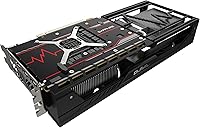
  • Cooling System: Fitted with Sapphire's Pulse dual-fan cooler designed to reduce operating noise and maintain lower core temperatures compared to the AMD reference blower.
  • Dimensions: The card measures 14.75 x 3.25 x 8 inches, occupying a dual-slot footprint with a longer-than-average PCB length.
  • Power Connectors: Requires two 8-pin PCIe power connectors; AMD recommends a minimum 650W system power supply for stable operation.
  • TDP: Rated at a 210W thermal design power, which is substantially higher than modern GPUs at comparable performance tiers.
  • Dual BIOS: Features a dual-BIOS switch allowing users to toggle between performance and silent operating profiles without reflashing firmware.
  • FreeSync Support: Fully supports AMD FreeSync adaptive sync technology over DisplayPort for compatible monitors.
  • Manufacturer: Designed and built by Sapphire Technology, distributed in North America by Althon Micro Inc.
  • Launch Date: First made available in March 2018, positioning it within AMD's original Vega product generation.
  • User Rating: Holds a 4.3 out of 5 star average rating based on 243 verified Amazon customer ratings.
  • Item Weight: Listed shipping weight is approximately 1 pound for the card itself, though actual installed weight with cooler is higher.

Related Reviews
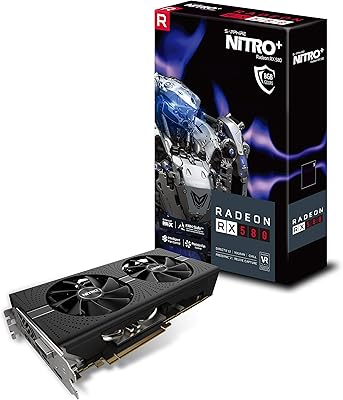
Sapphire NITRO+ RX 580 8GB Graphics Card
80%
84%
1080p Gaming Performance
88%
Thermal Management
91%
Build Quality
83%
Value for Money
57%
Power Efficiency
More
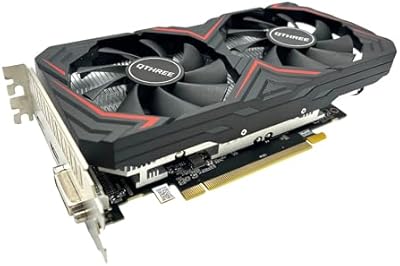
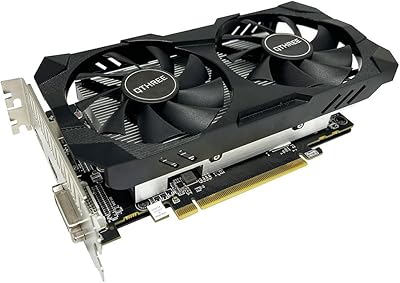
QTHREE Radeon RX 590 GME 8GB Graphics Card
69%
72%
Value for Money
67%
1080p Gaming Performance
63%
Cooling Efficiency
84%
Ease of Installation
68%
Driver Stability
More
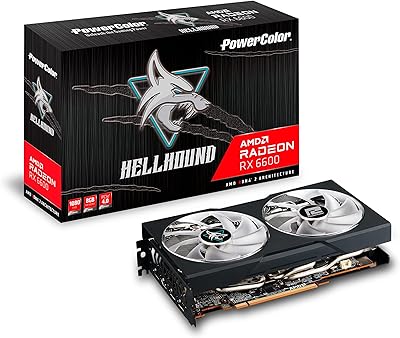
PowerColor Hellhound AMD Radeon RX 6600 8GB Graphics Card
85%
91%
Value for Money
88%
Gaming Performance (1080p)
85%
Cooling Efficiency
75%
Noise Level Under Load
90%
Ease of Installation
More
QTHREE Radeon RX 560 XT 8GB Graphics Card
68%
61%
Value for Money
53%
Gaming Performance
88%
Installation & Setup
67%
Thermal Performance
58%
Fan Noise
More
Sapphire Radeon RX 7900 XT Graphics Card
78%
91%
Rasterization Performance
63%
Ray Tracing Performance
93%
VRAM Capacity
88%
Build Quality
84%
Thermal Management
More
Sapphire Pulse AMD Radeon RX 6400 4GB Graphics Card
85%
91%
Value for Money
85%
Gaming Performance (1080p)
87%
Cooling System (Noise/Effectiveness)
92%
Compact Size for Small PC Builds
90%
Ease of Installation
More
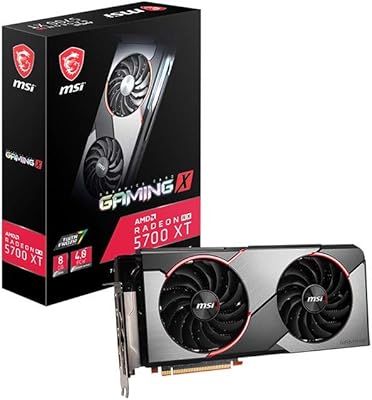
MSI RX 5700 XT Gaming X GPU
81%
88%
1440p Gaming Performance
91%
Thermal Performance
86%
Acoustic Performance
63%
Driver Stability
82%
Value for Money
More
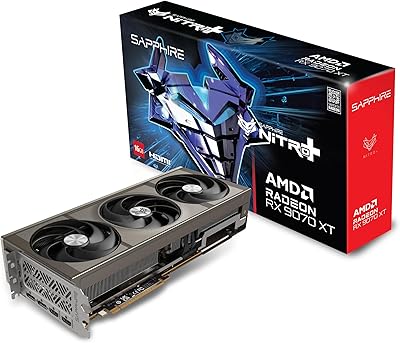
Sapphire Nitro+ RX 9070 XT 16GB
82%
92%
Gaming Performance
88%
Thermal Management
91%
Noise Level
93%
VRAM Capacity & Bandwidth
74%
Ray Tracing Performance
More
XFX QICK308 RX 6600 XT Graphics Card
79%
88%
1080p Gaming Performance
67%
1440p Gaming Performance
91%
Cooling Performance
86%
Noise Levels
53%
Ray Tracing Performance
More
Sapphire Nitro+ AMD Radeon RX 7900 XTX 24GB GDDR6 Graphics Card
85%
94%
Performance
92%
Cooling Efficiency
89%
Noise Levels
91%
Graphics Quality (8K/4K)
87%
Build Quality/Durability
More

FAQ

It runs noticeably quieter than the AMD reference Vega 56, which used a blower-style cooler that was genuinely loud under load. The Sapphire Pulse dual-fan setup is a real improvement. Under light gaming it is quite tolerable; under extended heavy load the fans do spin up, but most users find it acceptable compared to reference Vega cards.

AMD officially recommends a minimum 650W PSU for this card. Given the Vega 56 can draw over 200W on its own, a quality 650W or 750W unit with two 8-pin PCIe connectors is the sensible minimum. Do not cut corners on the PSU with this card — Vega architecture is known for drawing power in sharp bursts, so a reliable brand matters.

It will fit in most standard mid-tower cases, but pay close attention to the listed PCB length of 14.75 inches. That is on the longer end, and some mid-towers with drive cages positioned near the front can cause clearance issues. Measure your available GPU clearance before buying.

For older titles and games that are not aggressively demanding, yes, it still holds up at 1440p. In recent AAA titles with high graphical settings it will start to show its age, often struggling to maintain smooth frame rates at max settings. Dropping to medium-high settings in modern games makes it workable, but if 1440p high-refresh gaming in new releases is your primary goal, newer options are worth considering.

HBM2 has significantly higher memory bandwidth, which benefits GPU-compute tasks, video processing, and texture-heavy workloads. In gaming, the practical difference versus GDDR6 is less dramatic than the raw bandwidth numbers suggest, because most games do not fully saturate memory bandwidth. Where you feel HBM2 most is in creative or compute workloads rather than gaming frame rates.

Yes. The three DisplayPort outputs and one HDMI port allow up to four simultaneous displays. All four outputs are active at the same time, so no special adapters or tricks are needed for a standard quad-monitor setup.

Driver support exists and AMD has continued updating Radeon Software to cover Vega cards, but the experience is less polished than it is on newer RDNA architecture cards. Most users report stable day-to-day operation, but the Vega generation has historically had occasional quirks with certain titles or after major driver updates. Keeping drivers a version or two behind the absolute latest is a common workaround some owners use.

The silent BIOS profile reduces fan noise at the cost of slightly lower sustained performance and higher temperatures. For everyday desktop use or light gaming it is a nice option. For sustained heavy workloads or overclocking, the performance BIOS is the better choice. The switch is a physical toggle on the card, so it requires a system power-off to change, not a software flip.

For GPU-accelerated video encoding and rendering it performs well, and the HBM2 bandwidth is a genuine asset in those workflows. The one caveat for streamers is that this AMD GPU lacks a dedicated hardware encoder comparable to Nvidia NVENC in quality and CPU offload efficiency. AMD's encoder has improved over the years but still trails NVENC for streaming quality at lower bitrates.

The general consensus among long-term owners is that the Sapphire Pulse build quality is above average. The fans tend to last well under normal use. A small number of owners have reported fan bearing noise after several years of heavy continuous operation, which is worth monitoring. Buying used, always ask about the card's workload history — a card used for crypto mining around 2018 will have experienced very different wear than one used for casual gaming.