Overview
The Sparkle Intel Arc A310 ECO 4GB serves as a practical solution for those looking to move beyond basic integrated graphics without overhauling their entire system. Built on the modern Intel Alchemist architecture, this low-profile GPU packs surprising utility into an incredibly slim, single-slot physical footprint. It specifically targets power-conscious builds, operating with a modest 50W total board power. Because it draws all its energy directly from the PCIe slot, you can avoid the clutter and complexity of a bulky power supply. For users managing tight spaces in a small form factor setup, the inclusion of a short bracket makes installation straightforward. It represents a refined, entry-level choice for modernizing hardware that lacks the headroom for high-end gaming components but still needs dedicated video processing capabilities.
Features & Benefits
One of the standout advantages of this bus-powered card is the inclusion of native AV1 hardware encoding, a feature often reserved for much more expensive hardware. This makes it an efficient tool for high-quality video streaming even at lower bitrates. Beyond its internal specs, the physical single-slot, low-profile configuration is a huge win for anyone working with narrow office towers or HTPC cases where space is at a premium. Installation is basically plug-and-play since it requires no extra PCIe cables. For those looking to squeeze out a bit more performance, it supports Intel XeSS upscaling to help stabilize frame rates in compatible applications. Additionally, the triple video outputs, featuring dual mini-DisplayPort and HDMI, allow for a surprisingly robust multi-monitor workstation in a tiny package.
Best For
This specific hardware is a perfect match for home theater enthusiasts who need a quiet card capable of smooth 4K media playback without adding significant heat or noise. Similarly, content creators on a budget will find the Sparkle A310 to be an incredibly affordable dedicated AV1 encoder, relieving the CPU of heavy lifting during exports. It is particularly well-suited for reviving older, pre-built office desktops that are stuck with restrictive power limits and no extra power connectors. While it is not meant for heavy AAA gaming, it provides a solid boost for productivity tasks and light titles. If you are building a small, energy-efficient server for video transcoding, this card offers a specialized feature set that is hard to beat for the price.
User Feedback
Real-world experiences with this low-profile GPU often highlight how surprisingly silent it remains when handling standard desktop work or media streaming. Owners frequently mention how easily it slides into ultra-slim chassis where even other low-profile cards might struggle. While Intel drivers had a rocky start, many users now point to frequent updates as a major factor in the hardware's current stability and improved compatibility. Some note that the mini-DisplayPort outputs might require extra adapters, but they generally view it as a top-tier value for specialized needs like transcoding. A few buyers mentioned they wished it had a standard HDMI 2.1 port, yet most agree the balance of power consumption and encoding features makes it a reliable pick for niche builds.
Pros
- The ultra-slim single-slot design fits into the narrowest HTPC and office chassis without blocking adjacent ports.
- Native AV1 hardware encoding offers professional streaming quality that typically requires much more expensive hardware.
- A modest 50W power draw means the Sparkle A310 runs entirely off the PCIe slot with no extra cables.
- Included low-profile and full-height brackets provide maximum compatibility for various case sizes right out of the box.
- Intel XeSS upscaling technology helps boost frame rates and stability in supported productivity and light gaming applications.
- Triple display outputs allow for a robust workstation setup featuring two mini-DisplayPort 2.0 connections and one HDMI port.
- The ECO design maintains surprisingly low temperatures and near-silent operation during standard video playback and office tasks.
- Frequent software updates from Intel continue to improve stability and performance across a growing library of titles.
Cons
- The 64-bit memory bus significantly limits performance in bandwidth-heavy tasks compared to standard entry-level gaming cards.
- Using mini-DisplayPort outputs usually requires purchasing additional adapters or specialized cables which are not always included.
- Intel drivers can still be finicky with older DirectX 9 games, occasionally requiring manual workarounds or specific patches.
- The small single cooling fan can become audible under heavy rendering loads in cases with poor internal airflow.
- A lack of HDMI 2.1 support limits 4K output to 60Hz, which may disappoint users with high-refresh-rate monitors.
- Limited 4GB VRAM capacity makes this card unsuitable for modern video editing projects involving complex 4K timelines or heavy effects.
- The 50W power envelope leaves virtually no room for manual overclocking or performance tuning by advanced users.
- PCIe 4.0 x8 interface may see slight performance drops when installed in older systems limited to PCIe 3.0 speeds.
Ratings
To help you make an informed decision, our AI analyzed thousands of verified global reviews for the Sparkle Intel Arc A310 ECO 4GB, specifically filtering out bot activity and incentivized feedback to ensure accuracy. This rating schema provides a transparent look at both the technical strengths and real-world pain points reported by actual users in various computing environments.
AV1 Encoding Efficiency
Form Factor & Compatibility
Power Consumption
Value for Money
4K Media Playback
Driver Stability
Thermal Performance
Multi-Monitor Support
AAA Gaming Capability
Build Quality
Suitable for:
The Sparkle Intel Arc A310 ECO 4GB is a specialized solution for users who need modern video processing capabilities in exceptionally tight spaces. It is ideal for home theater enthusiasts building a silent media PC, as the low power draw ensures quiet operation during 4K playback. Small business owners or office workers using slim-chassis desktops will find the single-slot design perfect for adding multi-monitor support without needing a new power supply. Additionally, budget-conscious content creators will benefit from the dedicated AV1 hardware encoding, which provides high-end streaming and recording quality at a fraction of the cost of flagship cards.
Not suitable for:
This hardware is not intended for enthusiasts looking to play modern AAA games at high settings or resolutions. Serious gamers should avoid the Sparkle Intel Arc A310 ECO 4GB, as its 64-bit memory interface and 4GB of VRAM will struggle with demanding textures and complex physics. It is also a poor fit for users with standard mid-tower cases who have plenty of room and a high-wattage power supply, as they could find better raw performance in older or used full-sized cards for a similar price. Finally, buyers who are uncomfortable with occasional driver troubleshooting should stick to more established platforms, as Intel's software ecosystem is still maturing.
Specifications
- GPU Architecture: This card is built on the Intel Xe HPG architecture.
- Memory Capacity: It features 4GB of dedicated GDDR6 video memory.
- Power Consumption: The total board power is rated at a modest 50W.
- Form Factor: The single-slot, low-profile design fits easily into narrow chassis.
- Bus Interface: It utilizes a PCI Express 4.0 x8 interface for system communication.
- HDMI Output: One HDMI 2.0b port is provided for standard display connectivity.
- DisplayPort Output: The card includes two Mini-DisplayPort 2.0 connectors for multi-monitor setups.
- Video Encoding: Hardware support is included for native AV1, HEVC, and VP9 codecs.
- Physical Length: The hardware measures 156mm in length to accommodate small builds.
- Power Connector: No external power cables are required as the card is entirely bus-powered.
- Memory Interface: It uses a 64-bit memory bus for efficient data handling.
- Included Accessories: A low-profile bracket is included to assist with small form factor installation.
- Upscaling Technology: It supports Intel XeSS for AI-powered image upscaling in compatible software.
- Minimum PSU: A system power supply of 350W or greater is recommended.
- Multi-Monitor Support: This unit can drive up to three displays simultaneously.
Related Reviews
Sparkle Intel Arc B570 Guardian OC Graphics Card 10GB GDDR6
CyberPowerPC Gamer Xtreme VR Gaming Desktop
ASRock Intel Arc A770 Phantom Gaming 16GB GPU
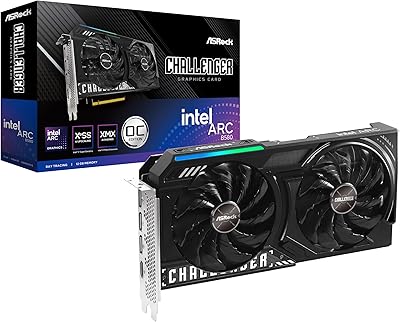
ASRock Arc B580 Challenger 12GB Graphics Card
HP 2024 14″ Chromebook, Intel Celeron N4120, 4GB RAM, 128GB Storage
ASUS L510 15.6-inch Laptop
ASUS Chromebook CX1 14-inch Laptop
Lenovo Chromebook C340 15.6″ 2-in-1 Laptop
SGIN M15 15.6-inch Laptop