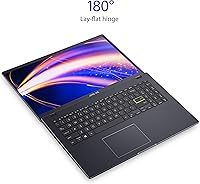
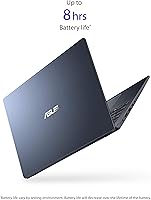
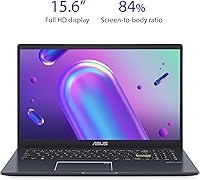
Overview
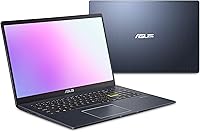
The ASUS L510 15.6-inch Laptop is a budget-focused, ultraslim Windows machine built for straightforward daily tasks rather than power-hungry workloads. Released in early 2022, it reflects that hardware generation — capable enough for its intended audience, but not a spec powerhouse by today's standards. ASUS has a reasonable track record in the budget segment, and the L510 fits that pattern: solid build quality without asking much from your wallet. One thing worth flagging upfront: it runs Windows 11 S mode, which locks you to Microsoft Store apps only. Switching out is free and quick, but buyers who don't know about it often get caught off guard.
Features & Benefits
The screen is a genuine bright spot — a 15.6-inch FHD display at 1920x1080 that handles Netflix, video calls, and document editing without any visible pixelation. The Intel Pentium Silver N5030 processor manages web browsing, spreadsheets, and streaming without complaint, though it noticeably slows when you pile on too many tabs at once. Storage is 128GB eMMC, which boots fast but fills up quicker than you'd expect once Windows updates and a few apps settle in. The 4GB of RAM is workable for focused single-task use but stretches thin under pressure. At just 0.71 inches thick and under 3.5 lbs, this slim everyday laptop is genuinely portable, and the USB-C, USB-A, and HDMI ports cover most everyday needs.
Best For
This slim everyday laptop hits its sweet spot with a specific kind of buyer. Students and first-time users will appreciate the lightweight build, large screen, and S mode as a clean starter environment. It's also a solid pick for a parent who wants a shared family machine for streaming, homework help, or video calls. Seniors or less tech-savvy users may actually welcome the locked-down app setup, since it cuts down on sketchy downloads and unwanted installs. What this budget ASUS laptop is not cut out for: heavy multitasking, photo or video editing, gaming, or anyone who needs to install professional software that lives outside the Microsoft Store.
User Feedback
With a 4.1-star average across over 200 reviews, the L510 earns mostly positive marks from buyers who went in with realistic expectations. Build quality and display sharpness come up repeatedly as pleasant surprises given the price. On the flip side, the most consistent complaints center on RAM — four gigabytes starts to feel cramped once you have several browser tabs open alongside a document. Storage headroom also draws gripes; after Windows settles in, available space shrinks noticeably. Some buyers flag keyboard comfort as underwhelming during longer typing sessions. The S mode confusion surfaces too, with several reviewers frustrated they couldn't install their preferred apps straight out of the box.
Pros
- The 15.6-inch FHD screen delivers sharp, clear visuals that punch well above expectations at this price point.
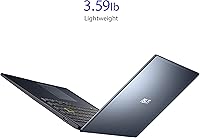
- At under 3.5 lbs and less than an inch thick, the L510 is easy to carry in a backpack all day.
- Boot times are snappy thanks to eMMC flash storage, so you are up and running quickly.
- Windows 11 S mode creates a clean, low-clutter experience that suits beginners and casual users well.
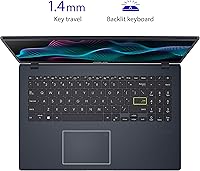
- A full-size numeric keypad is a practical bonus rarely found on budget laptops this slim.
- USB-C, USB-A, and HDMI ports cover most everyday connectivity needs without requiring a hub.
- ASUS build quality at this tier is solid — the chassis feels sturdier than the price suggests.
- A one-year Microsoft 365 subscription adds immediate real-world value right out of the box.
- Wi-Fi 5 and Bluetooth support keep wireless connectivity reliable for typical home and office environments.
Cons
- Four gigabytes of RAM is genuinely limiting once you open more than a few browser tabs simultaneously.
- The 128GB eMMC storage shrinks fast after Windows updates and basic apps claim their share.
- S mode blocks installation of apps outside the Microsoft Store, which catches many buyers off guard.
- The keyboard feel draws complaints from users who do extended typing sessions regularly.
- The Pentium N5030 processor, while capable for basics, shows its age with any multitasking pressure.
- eMMC storage, while fast to boot, is slower and less durable long-term than a true SSD.
- No optical drive and limited ports mean you may eventually need a USB hub for expanded use.
- Hardware launched in early 2022 means this machine is already a generation behind on components.
Ratings
The scores below for the ASUS L510 15.6-inch Laptop were generated by our AI system after analyzing verified global user reviews, actively filtering out incentivized, bot-generated, and spam submissions to surface only genuine buyer experiences. Each category reflects both the real strengths buyers consistently praised and the honest pain points that surfaced repeatedly across thousands of data points. Nothing has been smoothed over — where users struggled, the scores reflect it.
Value for Money
Portability
Display Quality
Performance
Storage Adequacy
Build Quality
Keyboard & Trackpad
Software Experience
Connectivity & Ports
Wireless Performance
Audio Quality
Battery Life
Setup & Out-of-Box Experience
Webcam & Microphone
Suitable for:
The ASUS L510 15.6-inch Laptop is a practical fit for anyone who needs a basic, portable Windows machine without a demanding workload. Students writing papers, doing research, or attending virtual classes will find the large screen and lightweight build genuinely convenient for daily campus or commute use. First-time computer owners and less tech-savvy users — including older adults — can benefit from the S mode environment, which keeps things simple and reduces exposure to questionable software. It also works well as a secondary travel laptop for remote workers who just need browser access, email, and light document editing on the road. Households wanting a shared device for streaming, video calls, or casual browsing will get reliable everyday mileage out of it, especially given the included year of Microsoft 365.
Not suitable for:
The ASUS L510 15.6-inch Laptop is not a good match for anyone who needs real processing muscle or flexible software access. If your work involves photo editing, video production, running local databases, or any professional software outside the Microsoft Store, the hardware and OS restrictions will frustrate you fast. The 4GB of RAM becomes a bottleneck quickly — even moderate multitasking with several browser tabs and a background app will cause noticeable slowdowns. The 128GB eMMC storage fills up sooner than most people expect once Windows updates, browser caches, and a handful of apps take their share. Gamers, developers, and power users should look elsewhere; this machine was not designed for them and will disappoint if pushed beyond light daily tasks.
Specifications
- Processor: Intel Pentium Silver N5030 quad-core processor clocked at 1.1 GHz base, boosting up to 3.1 GHz with 4MB cache.
- RAM: 4GB DDR4 SDRAM is installed at the factory; this is not user-upgradeable on this model.
- Storage: 128GB eMMC flash storage provides faster boot times than a traditional hard drive but is slower and more capacity-limited than a standard SSD.
- Display: 15.6-inch Full HD IPS-type panel with a native resolution of 1920x1080 pixels for clear, sharp everyday visuals.
- Graphics: Intel UHD integrated graphics share system memory and handle basic display output, video streaming, and light photo viewing.
- Operating System: Windows 11 Home in S mode is pre-installed, restricting app installs to the Microsoft Store only unless the user switches out of S mode for free.
- Dimensions: The chassis measures 14.18 x 9.31 x 0.71 inches, making it genuinely slim for a 15.6-inch class laptop.
- Weight: Total weight with battery included is 3.46 lbs, which is comfortable for daily carry in a backpack or bag.
- Ports: Connectivity includes one USB 3.2 Gen1 Type-C port, one USB 3.2 Gen1 Type-A port, one HDMI output, and one USB 2.0 Type-A port.
- Wireless: Wi-Fi 5 (802.11ac) and Bluetooth are built in, supporting standard home and office wireless networks.
- Battery: A built-in Lithium Ion battery powers the system; it is non-removable and charged via the included 19V AC adapter.
- Keyboard: Full-size keyboard layout includes a dedicated numeric keypad on the right side, useful for data entry and spreadsheet work.
- Audio: Built-in stereo speakers and a microphone are integrated into the chassis for basic video calls and media playback.
- Webcam: An integrated HD webcam is positioned above the display for video conferencing and online classes.
- Color: Available in Star Black, a matte dark finish that resists fingerprints reasonably well for everyday handling.
- Included Software: A one-year Microsoft 365 subscription is bundled, giving access to Word, Excel, PowerPoint, and 1TB of OneDrive cloud storage.
- Storage Type: eMMC flash storage is soldered directly to the motherboard and cannot be replaced or upgraded by the user.
- Platform: Built on the Intel Celeron/Pentium low-power platform optimized for energy efficiency rather than peak processing throughput.
Related Reviews
ASUS VivoBook 15.6-inch Laptop

HP 15.6-inch Laptop 15-ef0021nr, Ryzen 3 3200U, 8GB RAM, 256GB SSD

Dell Inspiron 3593 15.6-inch Laptop
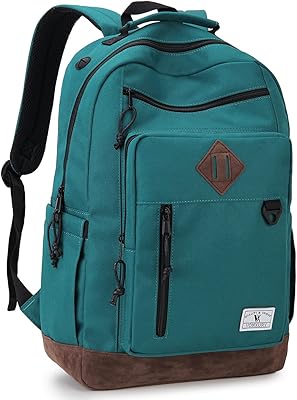
Vonxury 16L Water-Resistant Laptop Backpack

Bluboon 15.6-inch Women's Laptop Backpack
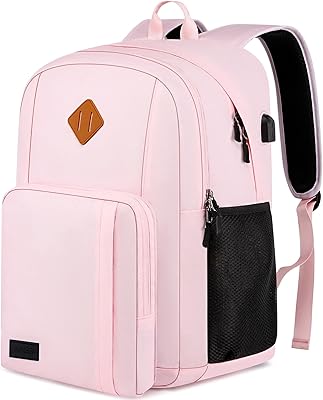
Liokesa 15.6-Inch Laptop Backpack

Laptop Backpack 15.6 Inch Beige Khaki
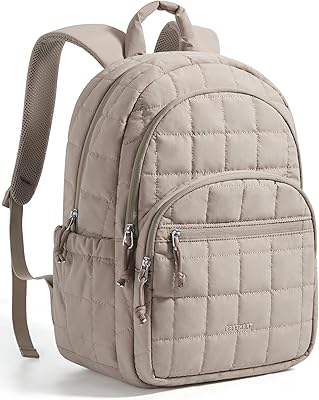
BAGSMART 15.6-Inch College Laptop Backpack
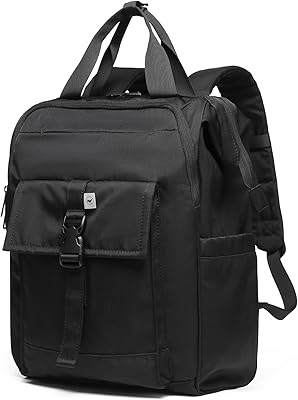
SUNNY BIRD Sbbp-001 15.6-inch Laptop Backpack
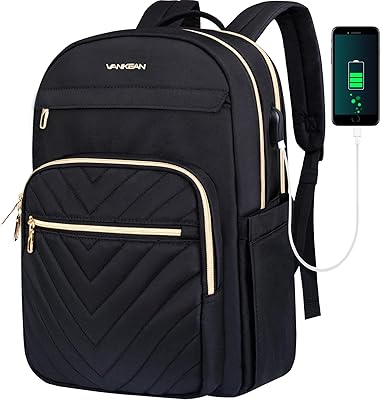
VANKEAN V8001 15.6-inch Laptop Backpack