Overview

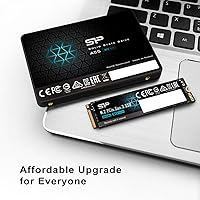
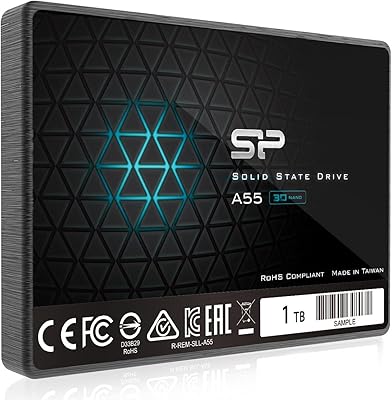
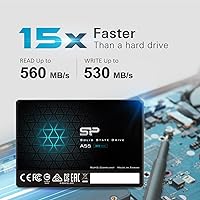
The Silicon Power A55 512GB Internal SSD sits comfortably in the entry-level SATA market, designed for one straightforward purpose: giving aging laptops a meaningful second life. Silicon Power has built a reputation for delivering no-frills storage at accessible prices, and this drive fits that mold. It uses a 2.5-inch form factor with a 7mm slim profile, making it compatible with ultrabooks and compact notebooks that cannot accommodate thicker drives. Don't expect NVMe-class performance — this is a SATA III drive through and through. What you can expect is reliable everyday performance that handles boot times, app launches, and general multitasking without complaint.

Features & Benefits

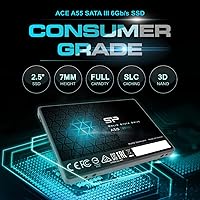
The A55 SSD uses 3D NAND flash memory, which offers better endurance and data retention compared to older planar NAND technology — a real advantage if you plan to keep the drive in service for several years. Backing that up is SLC Cache technology, which gives the drive a burst of speed during typical file transfers and everyday tasks. SATA III keeps things honest: sequential speeds are plenty fast for an OS drive, but large sustained writes — say, copying a 50GB folder — will eventually push past the cache and drop to the drive's native write speed. On the reliability side, ECC and TRIM support help maintain data integrity and long-term health.

Best For

This budget SATA upgrade makes the most sense for anyone pulling a spinning hard drive out of an older laptop and wanting an instant, tangible performance boost — faster boot times, snappier app loading, and a quieter, cooler machine overall. Students and everyday users who don't move massive files regularly will barely notice the SATA ceiling. It also fits neatly into mini-PCs and desktops as a secondary drive for the OS or frequently used applications. The 7mm height is a specific win for ultrabook owners who cannot use standard 9.5mm drives. If you're not doing video editing or heavy data workloads, NVMe isn't necessary here.

User Feedback

Owners of this Silicon Power drive consistently praise how straightforward it is to install and how dramatic the speed jump feels coming from a mechanical hard drive — that part lives up to expectations. Long-term users report solid reliability over multiple years of daily use. The main gripe that surfaces: sustained write performance slows noticeably once the SLC cache fills, which matters if you regularly transfer large batches of data. A few buyers have also flagged that the warranty registration process requires a separate visit to Silicon Power's website — not difficult, but an extra step worth knowing about. Overall, sentiment skews strongly positive for the value delivered.

Pros

  • Replacing a spinning hard drive with the A55 SSD delivers an immediate, noticeable boost to boot times and app loading.
  • 512GB of storage is genuinely practical — enough for an OS, core apps, and a solid media library.
  • The 7mm slim profile fits ultrabooks and compact laptops that reject thicker 2.5-inch drives.
  • 3D NAND construction improves endurance and data retention compared to older flash technologies.
  • ECC support quietly corrects minor errors in the background, protecting data integrity without user intervention.
  • TRIM and Garbage Collection help the drive maintain consistent performance over months and years of use.
  • Installation is straightforward — no proprietary tools or complex setup required for most laptops.
  • The 3-year limited warranty offers meaningful peace of mind for a budget storage purchase.
  • Silent operation and negligible heat output are genuine day-to-day quality-of-life improvements over mechanical drives.
  • Cost per gigabyte is highly competitive within the SATA SSD category at this capacity.

Cons

  • Sustained write speeds drop significantly once the SLC cache fills, making large file transfers feel sluggish.
  • No bundled migration or cloning software means less technical users must source their own third-party tools.
  • Warranty activation requires manual registration on Silicon Power's website — easy to forget and not automatic.
  • Sequential and random write benchmarks trail behind top-tier SATA competitors like the Samsung 870 EVO.
  • Silicon Power lacks the long-term reliability track record of more established storage brands, which may concern cautious buyers.
  • No mounting bracket or adapter is included, which can be a problem for desktop bays designed for 3.5-inch drives.
  • Customer support response times for warranty replacements have been inconsistent according to some long-term owners.
  • The drive offers no meaningful advantage over similarly priced SATA alternatives if you regularly work with large data sets.

Ratings

The Silicon Power A55 512GB Internal SSD has been evaluated by our AI system after analyzing thousands of verified global user reviews, with spam, bot activity, and incentivized feedback actively filtered out. The scores below reflect the honest consensus of real buyers — from students upgrading their first laptop to IT professionals deploying budget workstation drives — capturing both what this budget SATA upgrade genuinely delivers and where it falls short.
Value for Money
93%
Few drives at this price point offer 512GB of solid NAND-based storage with a recognizable brand warranty behind them. Buyers repeatedly describe the cost-per-gigabyte ratio as one of the best available in the SATA segment, especially for laptop upgrades where NVMe slots are absent.
The value case weakens slightly if you catch competing drives on sale, since the gap between the A55 SSD and similarly priced alternatives can narrow. Budget-conscious buyers should compare current pricing before committing.
Boot & OS Performance
88%
Coming from a mechanical hard drive, the difference in boot times is immediate and dramatic. Users consistently report Windows loading in under 20 seconds and applications snapping open with no perceptible delay during everyday tasks like browsing, email, and document editing.
Against other SATA SSDs in the same class, boot time differences are minimal. Users expecting a leap over similarly priced competitors may find the improvement incremental rather than transformative.
Sustained Write Speed
61%
39%
For typical use — moving a few gigabytes, downloading games, or transferring photo libraries — the SLC cache keeps speeds feeling brisk and responsive. Casual users copying files under 10–15GB will rarely, if ever, notice any slowdown.
Once the SLC cache is saturated during large sustained writes, native write speeds drop noticeably. Buyers who regularly transfer large video files or multi-gigabyte archives report a clear slowdown mid-transfer, which is a genuine limitation worth understanding before buying.
Installation & Compatibility
94%
The 2.5-inch form factor and 7mm height make this drive a straightforward drop-in for the vast majority of laptops, including ultrabooks that cannot accommodate the thicker 9.5mm standard. Buyers describe the physical installation as uncomplicated even with minimal technical experience.
A small number of users with very old chassis or proprietary laptop designs reported fit issues. It is always worth confirming your laptop accepts a 2.5-inch SATA drive before purchasing, as some newer ultrabooks have moved exclusively to M.2 slots.
Long-Term Reliability
82%
18%
Multi-year owners of the A55 SSD report consistent performance with no unexpected failures or data loss incidents. The 3D NAND construction holds up well under light to moderate daily workloads, and the ECC support quietly handles minor errors in the background without user intervention.
Silicon Power does not have the same brand recognition or documented long-term reliability data as Samsung or WD in this space. Some buyers feel less confident relying on it for mission-critical storage without a regular backup routine in place.
Sequential Read Speed
79%
21%
Sequential reads are competitive for a SATA III drive, handling OS tasks, application launches, and media playback smoothly. For the target use case of a laptop OS drive, the read performance rarely becomes a bottleneck in daily work.
The A55 does not push the upper limits of SATA III bandwidth the way pricier drives do. Benchmarks show it trailing behind top-tier SATA competitors like the Samsung 870 EVO, which matters if raw throughput is a priority.
Build Quality & Form Factor
76%
24%
The chassis feels solid enough for an internal drive that will sit undisturbed inside a laptop. The 7mm slim profile is a practical asset for ultrabook users, and the drive fits cleanly into standard 2.5-inch bays without any adapter gymnastics.
The enclosure is basic plastic without the premium finish found on higher-end drives. It is not a concern for internal use, but the construction offers no reassurance for users who also want a rugged secondary drive for portable use.
Warranty & Support Experience
66%
34%
A 3-year limited warranty is a reasonable commitment for a budget drive and provides some peace of mind for buyers keeping the drive in service long-term. Silicon Power does honor warranty claims, and responses from support channels are generally described as adequate.
The warranty registration requires a separate sign-up on Silicon Power's website, which some buyers find inconvenient and easy to forget. A handful of users also reported that reaching customer support for replacement units took longer than expected compared to larger brands.
Random Read/Write (4K) Performance
72%
28%
For the everyday workloads this drive is designed for — opening browsers, launching Office apps, loading saved games — 4K random performance is perfectly acceptable. Users notice a snappier feel compared to any spinning disk in these mixed small-file scenarios.
4K random write speeds lag behind more premium SATA options. Power users running database applications or software development environments with heavy small-file I/O may find this category a real constraint over time.
Noise & Heat
96%
Like all SSDs, this budget SATA upgrade runs completely silent and generates negligible heat under typical workloads. Buyers upgrading from loud, warm mechanical drives often mention the absence of noise and vibration as a quality-of-life improvement they hadn't fully anticipated.
There is almost nothing negative to say here — solid-state storage at this capacity level simply does not produce meaningful heat or noise. This is a category where the A55 SSD matches drives at any price point.
Software & Tooling
54%
46%
The drive works immediately out of the box with standard OS tools for cloning and formatting. Windows TRIM support is native, so day-to-day maintenance requires no additional software from the user.
Silicon Power does not bundle a first-party migration or drive management tool, which is a noticeable gap compared to Samsung or Crucial. Buyers needing disk cloning software for a laptop swap must source a third-party solution on their own, which adds a step for less technical users.
Power Efficiency
83%
The drive draws minimal power during idle and light workloads, which is a real benefit for laptop users focused on battery life. Buyers using the A55 SSD in thin ultrabooks report that it does not contribute meaningfully to battery drain.
Power consumption figures during sustained heavy workloads are not class-leading among SATA SSDs. The difference is small in practice, but buyers squeezing every minute from a laptop battery may find minor gains with alternatives optimized specifically for low-power operation.
Packaging & Out-of-Box Experience
71%
29%
The drive arrives well-protected and ready to install. The no-frills packaging is consistent with the product's positioning and keeps costs where they belong — in the drive itself rather than the box it comes in.
No mounting screws, adapter brackets, or migration software are included. For experienced builders this is a non-issue, but first-time upgraders may feel under-equipped when they open the box and find only the bare drive.

Suitable for:

The Silicon Power A55 512GB Internal SSD is the right call for anyone still running an older laptop with a mechanical hard drive who wants a dramatic, affordable performance boost without replacing the entire machine. Students carrying mid-range laptops to class, remote workers relying on aging business notebooks, and casual home users who mostly browse, stream, and work in Office applications will get everything they need from this drive. It also fits ultrabook owners specifically, since the 7mm slim chassis clears the height restriction that trips up thicker 2.5-inch drives. Anyone building a budget desktop or mini-PC and looking for a reliable, inexpensive OS drive will find it more than adequate for that role too. If your workload doesn't regularly involve moving dozens of gigabytes at a time, the SATA interface is genuinely no compromise — you simply won't hit its ceiling in daily use.
Not suitable for:

The Silicon Power A55 512GB Internal SSD is not the right fit for power users who need sustained, high-throughput storage. Video editors regularly ingesting or exporting large files, photographers batch-processing RAW libraries, or developers compiling large codebases will run into the drive's SLC cache ceiling and experience noticeable slowdowns during those heavy workloads. Anyone whose laptop already has an M.2 NVMe slot should use it — the performance gap over SATA is real and worth the modest price difference at that point. This budget SATA upgrade also isn't ideal for buyers who want a set-it-and-forget-it warranty experience, since activating the 3-year coverage requires manual registration on Silicon Power's website, which some users overlook entirely. Finally, if you need a primary drive for a workstation handling RAID arrays or enterprise-grade I/O demands, look at drives with proven long-term reliability track records from more established storage brands.
Specifications

  • Brand: Manufactured by SP Silicon Power, a Taiwanese storage brand known for affordable consumer and prosumer memory products.
  • Model Number: The exact model identifier for this drive is SP512GBSS3A55S25, part of the A55 series lineup.
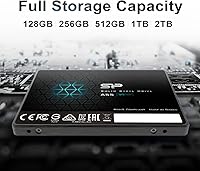
  • Capacity: This drive provides 512GB of usable flash storage, suitable for an operating system, core applications, and a substantial media library.
  • Interface: Uses a SATA III (6Gb/s) interface, backward compatible with SATA II ports at reduced speeds.
  • Form Factor: Standard 2.5-inch form factor, the most common size for laptop and desktop internal drive bays.
  • Height: Measures 7mm (0.28″) in height, making it compatible with slim ultrabooks and ultra-thin notebooks that cannot accommodate 9.5mm drives.
  • Dimensions: Full physical dimensions are 3.94 x 2.75 x 0.28 inches, consistent with the standard 2.5-inch internal drive footprint.
  • Weight: The drive weighs 1.76 ounces, contributing negligible mass to any laptop or desktop build.
  • NAND Type: Built with 3D NAND flash memory, which stacks memory cells vertically to improve endurance, density, and data retention over planar NAND.
  • Cache Technology: Incorporates SLC (Single-Level Cell) Cache technology to accelerate burst transfer speeds during typical everyday file operations.
  • ECC Support: Includes hardware-level Error Checking and Correction (ECC) to detect and fix minor data errors automatically during read and write operations.
  • TRIM Support: Fully supports the TRIM command, allowing the operating system to inform the drive which data blocks are no longer in use for ongoing performance maintenance.
  • Garbage Collection: Onboard Garbage Collection technology reorganizes stored data in the background to preserve write performance over the drive's lifespan.
  • RAID Support: Compatible with RAID configurations, making it usable in multi-drive desktop setups that require array-based storage redundancy.
  • Compatible Devices: Designed primarily for laptops and ultrabooks, and also suitable as a secondary internal drive in desktops and mini-PCs with a 2.5-inch bay.
  • Warranty: Backed by a 3-year limited manufacturer warranty, which requires product registration through Silicon Power's official website to activate fully.
  • Date Available: This drive was first made available for purchase on January 23, 2018, and has not been discontinued by the manufacturer.

Related Reviews
SP Silicon Power A55 4TB SSD
88%
94%
Performance & Speed
90%
Reliability & Durability
88%
Ease of Installation
92%
Build Quality
89%
Compatibility
More
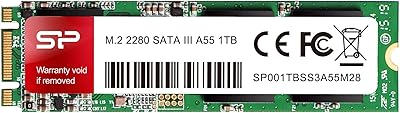
Silicon Power A55 1TB Internal SSD
77%
92%
Value for Money
74%
Read/Write Performance
88%
Boot & System Responsiveness
83%
Build Quality & Form Factor
91%
Installation Experience
More
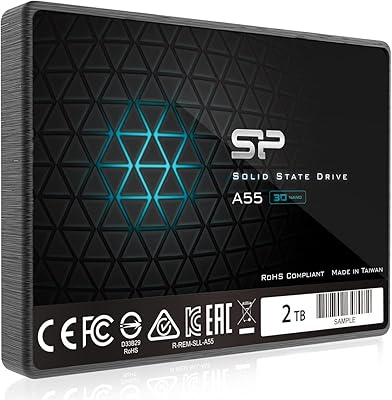
Silicon Power A55 1TB M.2 SATA SSD
76%
91%
Value for Money
74%
Read/Write Performance
68%
Compatibility
78%
Long-Term Reliability
86%
Ease of Installation
More
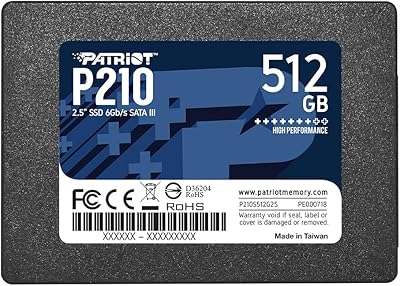
Silicon Power A55 2TB Internal SSD
75%
88%
Value for Money
82%
Read Performance
63%
Write Performance
71%
Long-Term Reliability
91%
Installation Experience
More
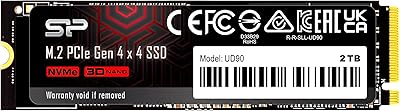
Patriot P210 512GB Internal SSD
85%
90%
Value for Money
88%
Performance for Everyday Tasks
80%
Speed Consistency
85%
Gaming Performance
93%
Ease of Installation
More
Silicon Power US75 1TB NVMe SSD
88%
93%
Performance
89%
Compatibility with PlayStation 5
92%
Value for Money
94%
Read/Write Speeds
88%
Reliability and Durability
More
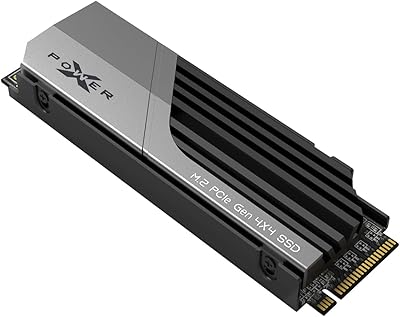
Silicon Power 2TB UD90 Gen4 NVMe SSD
81%
88%
Sequential Read Speed
84%
Sequential Write Speed
93%
Value for Money
61%
Thermal Management
91%
Installation & Compatibility
More
Silicon Power UD90 4TB NVMe SSD
89%
94%
Performance
92%
Speed (Read/Write)
90%
Reliability under Load
91%
Value for Money
88%
Compatibility
More
Silicon Power 4TB XS70 NVMe SSD
88%
95%
Performance
94%
Speed
88%
Thermals
90%
PS5 Compatibility
87%
Build Quality
More
Patriot Memory P320 512GB M.2 NVMe SSD
82%
93%
Value for Money
84%
Read Performance
71%
Write Performance
96%
Installation Ease
88%
Compatibility
More

FAQ

In most cases, yes. If your laptop uses a 2.5-inch drive bay — which is standard on the vast majority of laptops made in the past decade — the A55 SSD will fit. The 7mm height also means it slides into ultraslim chassis without needing a spacer. The safest step before buying is to check your laptop's service manual or specs page to confirm it accepts a 2.5-inch SATA drive.

Not directly, no. This is a 2.5-inch SATA drive and requires a standard SATA bay. If your laptop only has an M.2 slot, you would need an M.2 SATA or M.2 NVMe drive depending on what your slot supports. Check your laptop specs before purchasing.

Absolutely, and the difference is not subtle. Boot times that used to take 60–90 seconds on a spinning disk typically drop to under 20 seconds. Application loading, file browsing, and general system responsiveness all improve dramatically. For anyone coming from a mechanical drive, this is one of the most impactful upgrades you can make to an aging laptop.

Yes, it can. The drive uses SLC Cache to handle burst transfers quickly, but once that cache is saturated, write speeds drop to the drive's native rate, which is noticeably slower. For everyday file transfers in the single-digit gigabyte range, you won't notice anything. But if you regularly move large batches of video files or archives, you should be aware of this limitation.

No special software is required to use the drive itself — your operating system will recognize it automatically. However, if you want to clone your existing drive to avoid reinstalling Windows from scratch, you'll need a third-party cloning tool like Macrium Reflect Free, since Silicon Power does not bundle migration software with this drive.

The 3-year limited warranty requires you to register your drive on Silicon Power's official website. It is not automatically activated at purchase, so it's worth doing this soon after installation while you still have the model number and purchase details handy. Without registration, your warranty coverage may be limited.

It is reliable for everyday use, and long-term owners generally report stable performance without unexpected failures. That said, no single drive — regardless of brand or price — should be your only copy of irreplaceable data. Maintain a regular backup to an external drive or cloud service as a matter of habit.

This budget SATA upgrade works with any operating system that supports SATA storage, including macOS and major Linux distributions. The drive is just a storage device — there are no drivers or OS-specific firmware requirements. Format it appropriately for your operating system during setup and it will function normally.

Neither. Solid-state drives have no moving parts, so this one is completely silent and generates very little heat under normal workloads. If you are upgrading from a mechanical hard drive, the absence of noise and vibration is something you will notice right away.

The A55 SSD trades some peak performance for a lower price. The Samsung 870 EVO offers higher sustained write speeds and has a more extensively documented reliability track record. For casual daily use — web browsing, documents, media playback — most users will not feel the difference. If you are running demanding workloads or want maximum confidence in long-term durability, the premium drives are worth the extra spend.

Where to Buy