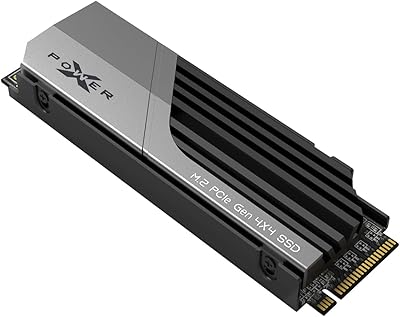
Overview

The Silicon Power A55 1TB M.2 SATA SSD sits squarely in the value tier of the storage market, targeting everyday users who want a real speed upgrade without overspending. One thing to know upfront: this is not NVMe. That simply means the drive uses the SATA protocol, which has lower peak speeds but is more than sufficient for routine computing. Silicon Power is a Taiwan-based storage brand with over two decades of experience, and the A55 reflects that heritage with a straightforward, well-tested design. Coming from an old spinning hard drive, you’ll notice faster boot times and snappier app loading right away — just don’t expect to rival a high-end NVMe drive.

Features & Benefits

The SP A55 1TB is built around 3D NAND flash, which stacks memory cells vertically to improve both endurance and consistency over time. This matters for everyday use because NAND flash that degrades quickly leads to slowdowns — something Silicon Power addresses by pairing it with a capable controller designed for stable daily workloads. TRIM support is included, which helps the drive manage write operations efficiently as it fills up, keeping performance from degrading over months of use. The 2280 form factor slots into most laptops, mini PCs, and desktops without issue, and the 3-year warranty with U.S.-based email support adds a reassuring safety net for a drive at this price point.

Best For

This M.2 SATA drive is a strong fit for anyone replacing an HDD or a first-generation 2.5-inch SSD. The speed difference is immediately obvious — Windows boots faster, apps open without the usual lag, and file transfers stop feeling like an endurance test. It’s also a practical pick as a secondary drive in a desktop where your main NVMe handles heavy lifting and you just need reliable everyday storage. Students and office workers who browse, stream, and run standard productivity software will find it more than capable. If your budget is tight and your M.2 slot is SATA, this is the kind of drive that simply gets the job done.

User Feedback

Across nearly 2,800 ratings, this Silicon Power SSD sits at 4.4 stars — a solid showing that reflects mostly positive real-world experiences. Buyers consistently highlight easy installation and a tangible speed boost compared to whatever they replaced. Long-term owners — some past the one-year mark — report no major reliability issues, which adds credibility to the brand’s warranty commitment. That said, a recurring complaint involves drive recognition failures on certain systems. It’s not widespread, but it happens often enough to mention. Silicon Power’s U.S. email support team is the recommended path for troubleshooting those cases. A number of negative reviews also stem from buyers who expected NVMe-level speeds — a mismatch of expectations, not a product defect.

Pros

  • Replacing an old HDD with this M.2 SATA drive delivers an immediately noticeable boost in everyday system responsiveness.
  • 3D NAND flash helps maintain consistent performance over time rather than degrading quickly under regular use.
  • TRIM support keeps the drive running efficiently as storage fills up, extending its useful lifespan.
  • The 2280 form factor is broadly compatible with laptops, mini PCs, and desktop motherboards.
  • A 3-year warranty backed by a dedicated U.S. email support team provides real recourse if something goes wrong.
  • At under 0.6 oz, the SP A55 1TB adds virtually no weight — a minor but welcome detail for laptop installs.
  • Long-term owners report solid reliability past the one-year mark with no major failures.
  • The price-to-capacity ratio makes 1TB of internal storage accessible without stretching a tight budget.
  • Installation is straightforward enough that even first-time upgraders rarely report difficulty getting it seated and running.

Cons

  • SATA protocol caps peak transfer speeds, so this drive will not satisfy users coming from a fast NVMe setup.
  • A recurring subset of buyers report drive recognition failures on certain systems right out of the box.
  • Compatibility troubleshooting is left to the buyer — confirming your slot supports SATA before purchasing is essential.
  • Silicon Power is less visible in retail than brands like Samsung or Crucial, which may affect resale or replacement confidence.
  • Email-only U.S. tech support means there is no phone or live chat option if you run into a problem.
  • Write endurance ratings are not prominently published, making it harder to evaluate long-term durability compared to competitors who disclose TBW figures.
  • Some systems require a BIOS update to recognize the drive, which adds an extra step that less experienced users may find frustrating.
  • Not a practical choice if your only available M.2 slot is NVMe-only, since the drive will not function in that configuration.

Ratings

The scores below reflect an AI-driven analysis of verified global user reviews for the Silicon Power A55 1TB M.2 SATA SSD, with spam, bot-submitted, and incentivized feedback actively filtered out to ensure the results represent genuine buyer experiences. Ratings are calibrated to surface both what this drive genuinely does well and where real-world frustrations exist — nothing is smoothed over for the sake of appearances.

Value for Money
91%
For budget-conscious buyers replacing an aging hard drive, the SP A55 1TB delivers a meaningful performance upgrade at a price point that rarely causes hesitation. Students and home office users in particular consistently report feeling like they got more than they paid for, especially given the 1TB capacity and included 3-year warranty.
A handful of buyers who experienced early drive recognition failures feel the value proposition collapses quickly when troubleshooting time is factored in. For those users, a slightly more expensive but better-documented drive would have been the smarter trade-off.
Read/Write Performance
74%
26%
For everyday computing — booting Windows, loading a browser with a dozen tabs, or opening Office documents — this M.2 SATA drive is noticeably snappier than any spinning hard drive. Users upgrading from HDDs describe the difference as transformative for routine desktop tasks.
Anyone expecting speeds comparable to a modern NVMe drive will be disappointed. The SATA protocol has an inherent ceiling, and users who move large files regularly or play demanding games will hit that ceiling and find transfers slower than anticipated.
Compatibility
68%
32%
The B+M Key connector and 2280 form factor make the SP A55 1TB physically compatible with the vast majority of laptops and desktop motherboards that include an M.2 slot. Most users slot it in without any issues and their system detects it on the first boot.
A recurring frustration involves systems where the M.2 slot is NVMe-only, leaving the drive unrecognized and the buyer with a return to process. Others report needing a BIOS mode change from RAID to AHCI before the drive shows up, which trips up less experienced users.
Long-Term Reliability
78%
22%
A meaningful portion of reviewers who have owned this Silicon Power SSD for one to two years report zero issues — no slowdowns, no data loss, no unexpected failures. The 3D NAND flash and TRIM support appear to hold up well under light-to-moderate daily workloads over extended periods.
The subset of buyers who experienced sudden failures or recognition issues within the first few weeks introduces enough uncertainty to keep confidence from being fully high. Without published TBW endurance figures from Silicon Power, it is harder to objectively benchmark long-term durability against competing drives.
Ease of Installation
86%
The physical installation process draws consistent praise — slide the drive into the M.2 slot, secure it with a single screw, and the OS picks it up almost immediately. First-time upgraders frequently mention being surprised by how uncomplicated the hardware side of the swap was.
The experience breaks down when software-side complications arise. Users who need to adjust BIOS settings or troubleshoot a drive that is not appearing in Disk Management often feel under-supported by the documentation included with the product.
Build Quality
72%
28%
The drive feels solid for its weight class and shows no signs of flimsy construction under normal handling. At under 0.6 oz, it is clearly designed to be lightweight and unobtrusive inside a laptop chassis, and the board itself appears well-assembled.
There is no heat spreader or thermal pad included, which is standard at this price tier but worth noting for users installing it in compact systems with limited airflow. The minimalist packaging also offers little in the way of static protection beyond basic anti-static wrapping.
Warranty & Support
76%
24%
A 3-year warranty is a genuine asset at this price, and Silicon Power's decision to maintain a dedicated U.S. email support channel is something many competing budget brands skip. Users who have actually contacted the support team report reasonable response times for drive-related issues.
Email-only support feels limiting when you are dealing with a storage failure and need answers quickly. A few users mention delays in getting a response, and the requirement to register your product on the SP website to unlock full warranty coverage is an easy-to-miss step that can create friction later.
Boot Speed
82%
18%
Users consistently highlight faster boot times as one of the most immediately satisfying outcomes of switching to this M.2 SATA drive. On systems previously running a mechanical hard drive, cold boots that used to take over a minute often drop to under 20 seconds.
On systems that already had a SATA SSD installed, the improvement in boot time is marginal at best. The gains are real but only dramatic for the HDD-to-SSD transition, so managing expectations here matters.
Software & Driver Support
63%
37%
No special drivers are needed for Windows or Linux — the OS handles a SATA SSD natively, and most users are up and running within minutes of installation without touching any software. TRIM is automatically enabled by modern operating systems.
Silicon Power does not bundle a dedicated migration or cloning tool with the drive, which some competing brands do include. Users who want to clone their existing OS to the new drive have to source third-party software independently, which adds a step that first-time upgraders may not anticipate.
Thermal Performance
67%
33%
Under typical office and light media workloads, the drive runs at normal temperatures without any throttling. For the use cases it is designed for — documents, browsing, light software — thermal management is a non-issue for the overwhelming majority of users.
During sustained large file transfers, some users in compact laptops report the drive becoming warm to the touch. Without a thermal pad or spreader, heat dissipation relies entirely on the system chassis, which in thin ultrabooks can be limited.
Capacity Adequacy
88%
At 1TB, the drive offers enough headroom for a full Windows installation, a standard suite of productivity and creative apps, a photo library, and several years of documents without the user needing to think carefully about space management. This is the sweet spot capacity for most casual and office users.
For users who store large local game libraries, uncompressed video, or extensive media archives, 1TB will fill up faster than expected. Those buyers may find themselves managing storage manually within 12 to 18 months of active use.
Brand Reputation
66%
34%
Silicon Power has been in the storage industry for over 20 years, and the A55 series has accumulated a substantial review base that reflects real-world longevity. For buyers familiar with Taiwanese storage manufacturers, the brand carries reasonable credibility.
In markets where Samsung, Crucial, or Western Digital dominate shelf space, Silicon Power remains a lesser-known name. Some buyers report hesitation at purchase and lingering uncertainty post-install that a more recognized brand would not trigger, regardless of actual performance.

Suitable for:

The Silicon Power A55 1TB M.2 SATA SSD is built for practical upgraders, not power users, and that distinction matters. If you are replacing a clunky spinning hard drive in an aging laptop or budget desktop, this drive will feel like a genuine transformation — boot times drop, apps snap open, and the overall system just feels alive again. Students managing coursework, office workers running productivity software, and casual home PC users will find the 1TB of space more than adequate for years of everyday use. Laptop owners with an open M.2 SATA slot will appreciate how the compact 2280 form factor slides in cleanly without any adaptation. It also works well as a secondary drive in a desktop build where you need dependable overflow storage without spending extra on NVMe bandwidth you will never fully use.

Not suitable for:

Anyone expecting speeds that compete with modern NVMe drives should look elsewhere — the Silicon Power A55 1TB M.2 SATA SSD is a SATA-class drive, and that is a fundamental design ceiling, not a flaw. If your workflow involves large video editing projects, fast game load times, or heavy data throughput, the performance gap between SATA and NVMe will be noticeable and frustrating. Buyers whose systems only have an M.2 NVMe slot will also find this drive incompatible, since the B+M Key connector does not override the protocol requirement. Those who have already upgraded from an HDD to a modern SATA SSD may not feel a compelling difference here. And if your tolerance for any compatibility troubleshooting is low, the drive recognition issues some users have reported may make a more established brand worth the extra cost.

Specifications

  • Capacity: The drive offers 1TB of usable internal storage, suitable for an operating system, applications, and a large media library.
  • Form Factor: Built to the M.2 2280 standard, meaning it is 22mm wide and 80mm long, the most common M.2 size found in laptops and desktops.
  • Interface: Connects via SATA III using a B+M Key edge connector, which is compatible with the majority of M.2 SATA slots on the market.
  • Protocol: Operates over the SATA protocol, not NVMe — an important distinction that determines speed expectations and slot compatibility.
  • Flash Type: Uses 3D NAND flash memory, which stacks cells vertically to improve data density, endurance, and write consistency over the drive's lifespan.
  • TRIM Support: TRIM is supported and helps the drive manage deleted data blocks proactively, keeping write performance stable as the drive fills over time.
  • Weight: The drive weighs just 0.528 oz (approximately 15g), adding negligible mass to any laptop or desktop installation.
  • Dimensions: Physical size measures 3.15″ x 0.87″ x 0.14″, consistent with the standard M.2 2280 footprint.
  • Warranty: Covered by a 3-year manufacturer warranty, with product registration available through Silicon Power's official website for full warranty activation.
  • Tech Support: Silicon Power provides dedicated U.S.-based technical support via email at [email protected] for issues such as drive recognition failures or formatting errors.
  • Compatible Devices: Designed for internal installation in desktop PCs and laptops that include an M.2 SATA-compatible slot.
  • Installation Type: Internal installation only — this drive is not a portable or external storage solution and requires mounting inside a compatible system.
  • Series: Part of Silicon Power's A55 series, a value-oriented line of SATA SSDs positioned for everyday computing workloads.
  • Brand Origin: Manufactured by SP Silicon Power, a Taiwan-based storage specialist with over two decades of experience in flash memory and SSD products.
  • Market Rank: Ranked #79 in Internal Solid State Drives on Amazon, reflecting sustained commercial traction and consistent buyer volume since its 2019 launch.

Related Reviews
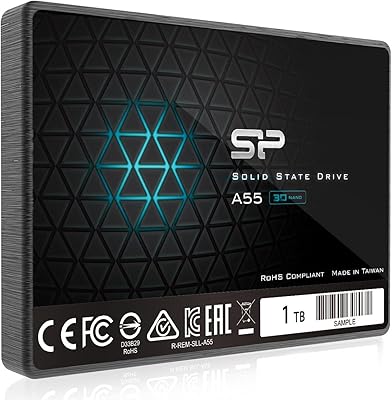
Silicon Power A55 1TB Internal SSD
77%
92%
Value for Money
74%
Read/Write Performance
88%
Boot & System Responsiveness
83%
Build Quality & Form Factor
91%
Installation Experience
More
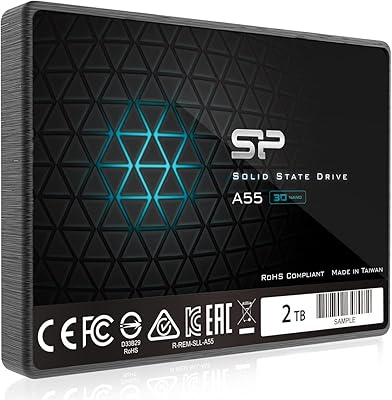
Silicon Power A55 2TB Internal SSD
75%
88%
Value for Money
82%
Read Performance
63%
Write Performance
71%
Long-Term Reliability
91%
Installation Experience
More
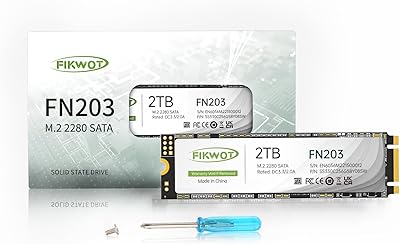
Fikwot FN203 M.2 SATA SSD 1TB
85%
86%
Performance
91%
Installation Ease
88%
Reliability
89%
Read Speed
82%
Write Speed
More
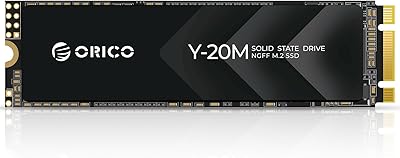
ORICO Y20M 1TB M.2 SATA SSD
80%
71%
Compatibility Clarity
78%
Read/Write Performance
91%
Installation Ease
83%
Value for Money
74%
Drive Longevity & Health Features
More
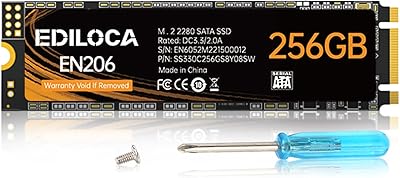
Ediloca EN206 1TB M.2 SATA SSD
84%
87%
Performance
92%
Value for Money
90%
Ease of Installation
88%
Compatibility with Devices
84%
Build Quality
More
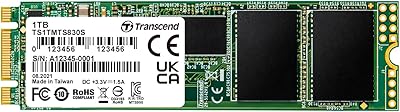
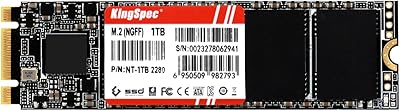
Transcend MTS830S 1TB M.2 SATA SSD
82%
83%
Read Performance
71%
Write Performance
78%
DRAM Cache Effectiveness
91%
Compatibility
93%
Installation Experience
More
Transcend MTS425S 1TB M.2 2242 SSD
84%
93%
Compatibility & Fit
74%
Read & Write Speed
88%
Value for Money
91%
Installation Ease
86%
Build Quality & Durability
More
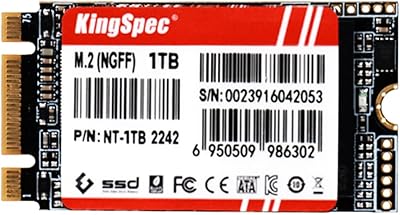
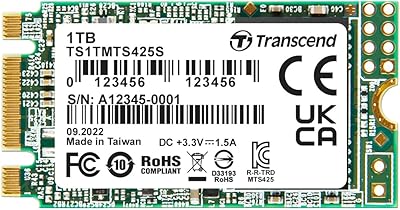
KingSpec NT Series 1TB M.2 2242 SATA SSD
86%
89%
Performance Boost Over HDDs
93%
Ease of Installation
85%
Compatibility with Devices
88%
Speed (Read/Write)
92%
Value for Money
More
KingSpec NT Series 1TB M.2 2280 SATA SSD
80%
87%
Performance
92%
Installation Ease
88%
Value for Money
85%
Speed (Read/Write)
75%
Compatibility
More
Silicon Power 2TB US75 NVMe PCIe Gen4 M.2 SSD
88%
94%
Performance for Gaming
96%
Read Speed
92%
Write Speed
88%
Compatibility with PS5
90%
Ease of Installation
More

FAQ

The easiest way is to check your laptop or motherboard's manual, or look up your model number on the manufacturer's support page. Many systems list whether their M.2 slot supports SATA, NVMe, or both. A slot that physically accepts an M.2 card does not automatically mean it supports SATA — some slots are NVMe-only, which means this drive would not be recognized if installed there.

If you are coming from a traditional spinning hard drive, yes — the difference is dramatic. Boot times that used to take a minute or more can drop to under 15 seconds, and apps that felt sluggish will open almost instantly. If you are upgrading from an already decent SATA SSD, the day-to-day difference will be far less noticeable.

Yes, it works with Windows 11 just like any standard SATA SSD. You can install the OS directly onto it or use it as a secondary storage drive alongside an existing system drive. There are no special drivers required — Windows handles SATA SSDs natively.

In practical terms, TRIM helps your drive stay healthy over the long run. Without it, a drive can slow down as deleted files leave invisible clutter that future writes have to work around. With TRIM enabled, the operating system quietly cleans up that space in the background, keeping write speeds more consistent after months of heavy use.

It does happen to a subset of users, and it is worth taking seriously. In many cases, the issue is a BIOS setting that needs to be switched from RAID to AHCI mode, or a BIOS update that adds compatibility for newer drives. If neither of those resolves it, Silicon Power's U.S. tech support team at [email protected] is the recommended next step — they handle exactly these kinds of recognition and formatting issues.

Yes, you can. An M.2 SATA enclosure will work with this drive, turning it into a portable external SSD. Just make sure the enclosure specifically supports SATA M.2 drives — some enclosures are designed for NVMe only and will not work here.

Silicon Power asks buyers to register through their official website to access the complete warranty services and product support. It is not guaranteed that unregistered purchases receive the same level of support, so it is worth taking a few minutes to complete registration after your drive arrives.

For most everyday users, absolutely. A typical Windows 11 installation takes around 30–40GB, leaving you well over 900GB for documents, photos, software, and media. If you regularly work with large video files or maintain a massive local game library, you might eventually feel the pinch, but for students and office users it should last several years without issue.

At the SATA performance tier, the differences between brands are generally small. The SP A55 uses 3D NAND and a capable controller that puts it in roughly the same performance class as similarly priced drives from larger names. The main trade-off is brand recognition, which can matter for peace of mind. That said, the 3-year warranty and available U.S. support go a meaningful way toward closing that gap.

Yes, as long as your motherboard has a second M.2 slot that supports SATA, or you use a SATA adapter card. Many mid-range and higher motherboards have multiple M.2 slots with different protocol support, so the M.2 SATA drive can coexist alongside an NVMe boot drive as a secondary storage option. Just check your motherboard specs to confirm slot availability before buying.

Where to Buy