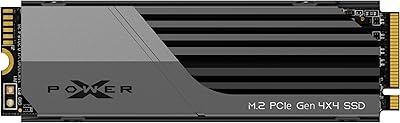
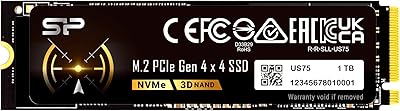
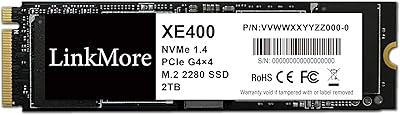
Overview

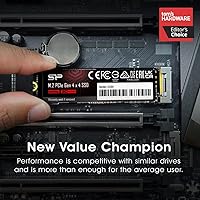
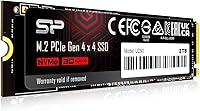
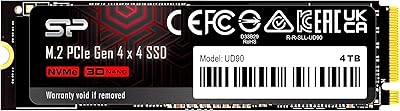
The Silicon Power 2TB UD90 Gen4 NVMe SSD lands in a crowded mid-range market and makes a reasonable case for itself without pretending to be something it isn't. It's a value-oriented Gen4 drive — fast enough to feel like a genuine upgrade over older SATA or Gen3 options, but not chasing the top benchmark numbers that cost significantly more. The 2TB capacity hits a practical sweet spot, giving gamers and everyday users room to breathe without juggling multiple drives. Backed by a 5-year limited warranty, it signals that Silicon Power stands behind the hardware, which counts for a lot at this price tier.

Features & Benefits

The UD90 pushes up to 5,000 MB/s sequential read and 4,800 MB/s sequential write over a PCIe 4.0 x4 interface — numbers that translate to noticeably quicker boot times and snappier large file transfers compared to Gen3 alternatives. SLC caching helps sustain those burst speeds when you're moving big chunks of data, though performance will taper during prolonged writes, as it does on most drives in this class. LDPC error-correction runs quietly in the background, protecting data integrity without any user intervention. End-to-end data protection and RAID support round out the reliability picture. The standard M.2 2280 form factor also means it drops into most laptops and desktops without any compatibility headaches, and it works fine on PCIe 3.0 boards too.

Best For

This Gen4 NVMe drive makes the most sense for a few specific types of buyers. PS5 owners looking for an affordable storage expansion will find it hits the required speed threshold comfortably. PC gamers building or upgrading a mid-range rig get Gen4 performance without stretching the budget. Laptop users swapping out a sluggish factory drive will notice a real difference in day-to-day responsiveness. It also works well for photographers or video editors handling moderate workloads — not heavy 4K color grading pipelines, but solid enough for Lightroom catalogs and 1080p edits. Anyone still running a SATA SSD or an older Gen3 NVMe drive will feel an immediate, tangible improvement.

User Feedback

Across more than 3,000 ratings, Silicon Power's 2TB SSD holds a 4.5-star average — a score that reflects consistent satisfaction rather than outlier enthusiasm. Most buyers highlight fast boot times and straightforward installation as immediate wins. The value-for-capacity ratio gets mentioned frequently, especially among users upgrading from older drives. On the flip side, some reviewers note that the drive runs warm under sustained loads, which isn't unusual for a heatsink-free M.2 at this performance level, but worth keeping in mind if your case or laptop has limited airflow. A small number of users have flagged firmware concerns, though these appear isolated rather than systemic. Overall, the feedback paints a picture of a dependable everyday drive.

Pros

  • Gen4 PCIe 4.0 speeds deliver a noticeable real-world improvement over SATA and Gen3 NVMe drives.
  • 2TB capacity gives gamers and creators ample room without managing multiple drives.
  • Comfortably meets PS5 minimum speed requirements for console storage expansion.
  • SLC caching keeps burst write performance strong for typical everyday workloads.
  • LDPC error correction and end-to-end data protection run silently in the background.
  • Backward compatible with PCIe 3.0 motherboards, adding long-term flexibility for future upgrades.
  • Standard M.2 2280 form factor installs without adapters in most laptops, desktops, and consoles.
  • A 5-year limited warranty provides meaningful peace of mind at this price tier.
  • Over 3,000 verified ratings average 4.5 stars, reflecting broad and consistent buyer satisfaction.
  • Straightforward plug-and-play installation praised by first-time builders and experienced upgraders alike.

Cons

  • No heatsink included, which is a real gap given how warm the drive runs under sustained loads.
  • Sustained write speeds drop noticeably once the SLC cache is exhausted during long transfers.
  • Silicon Power offers no robust first-party software for drive health monitoring or firmware updates.
  • After-sales support response times have been slow and inconsistent based on user reports.
  • A small cluster of long-term users flagged firmware-related issues that remain an unresolved concern.
  • Competing drives occasionally match or undercut the price during sales, narrowing the value advantage.
  • PS5 installation requires a separately purchased heatsink, adding an extra step and cost.
  • Older motherboards may need a BIOS update before the drive is recognized correctly.
  • No thermal pad or accessories included in the box, resulting in a very bare-bones unboxing experience.
  • Random IOPS performance is adequate for everyday use but not competitive for database or NAS workloads.

Ratings

The Silicon Power 2TB UD90 Gen4 NVMe SSD has been scored by our AI system after processing thousands of verified global user reviews, with spam, bot-submitted, and incentivized feedback actively filtered out. The scores below reflect where this Gen4 drive genuinely earns praise and where real buyers have run into friction — no glossing over the rough edges. Both the strengths and the legitimate concerns are represented as transparently as the data allows.

Sequential Read Speed
88%
Users consistently report noticeably faster boot times and quicker game launches compared to their previous Gen3 or SATA drives. In real-world use, loading into large open-world games or transferring sizable media libraries feels snappier, and the up to 5,000 MB/s ceiling holds up well for everyday workloads.
A handful of technically minded users note that peak sequential speeds are only sustained in short bursts, and real-world transfers on PCIe 3.0 systems naturally fall well below the rated maximum. It is not a drive that will impress in synthetic benchmark competitions against higher-end Gen4 alternatives.
Sequential Write Speed
84%
For most day-to-day tasks — moving game folders, backing up photos, or installing large applications — the write performance feels responsive and consistent. Users upgrading from SATA SSDs in particular describe the difference as immediately obvious during large copy operations.
Sustained write speeds drop once the SLC cache fills, which becomes noticeable when transferring very large files over extended periods. Some users doing repeated large-batch video exports flagged a performance dip that, while expected for the class, is worth knowing about upfront.
Value for Money
93%
This is where the UD90 earns its strongest marks across the board. Buyers repeatedly highlight that getting genuine Gen4 speeds at this capacity and price point is difficult to beat in the mid-range segment. For budget-conscious PC builders and PS5 upgraders, it regularly comes up as the easy recommendation.
A few buyers noted that during sales periods, competing brands occasionally undercut the UD90 at similar specs, which softens the value proposition slightly. It remains strong overall, but it is worth doing a quick price comparison before purchasing.
Thermal Management
61%
39%
In well-ventilated desktop builds with active airflow, most users report no thermal throttling during typical gaming or general use sessions. Temperatures stay manageable when the drive is not being pushed hard, and the M.2 slot placement in most mid-tower cases helps.
The drive ships without a heatsink, and in laptops or compact systems with limited airflow, heat buildup under sustained workloads is a recurring complaint. Several users noted performance throttling during long sequential write sessions in warm enclosures, which is a real limitation worth planning around.
Installation & Compatibility
91%
The standard M.2 2280 form factor means it drops into virtually any modern motherboard, laptop, or PS5 without adapter drama. Buyers across skill levels — from first-time builders to seasoned upgraders — consistently describe the physical installation as straightforward and hassle-free.
A small number of users on older platforms reported needing a BIOS update before the drive was recognized correctly, which caught a few people off guard. Nothing unusual for Gen4 hardware on aging boards, but it is a step worth checking before assuming plug-and-play simplicity.
Long-Term Reliability
74%
26%
The 5-year limited warranty gives buyers a meaningful safety net, and the majority of long-term owners in the review pool report no failures or data loss events after extended use. LDPC error correction running in the background appears to do its job quietly for most people.
A small but non-trivial cluster of reviews mentions firmware-related hiccups or unexpected behavior after several months of use. These cases appear isolated rather than widespread, but they introduce enough uncertainty to keep the score from reaching the high eighties.
Random Read/Write Performance
79%
21%
For OS responsiveness — opening applications, switching between browser tabs with heavy loads, or running multiple processes simultaneously — the UD90 performs well above what most users experienced on their previous drives. Daily desktop use feels fluid and responsive.
Dedicated NAS users or professionals running database-heavy workloads noted that random IOPS figures are not class-leading. For those specific use cases, drives with more robust controllers outperform the UD90 noticeably, though for the target audience this is rarely a deciding factor.
Build Quality & Form Factor
82%
18%
The drive feels solid for its weight class, and the compact M.2 footprint makes it genuinely versatile across laptops, desktops, and gaming consoles. Buyers appreciate that it does not feel like a bargain-bin component when handling it during installation.
There is no heatsink included in the box, which feels like a missed opportunity at this price tier given how warm the drive can run. Some buyers expected at least a basic thermal pad, and its absence is a frequent minor complaint in otherwise positive reviews.
Software & Firmware Support
66%
34%
For most users, no software interaction is needed at all — the drive works out of the box and stays out of the way. Those who did reach out to Silicon Power for firmware support generally found the process workable.
Silicon Power does not offer a robust proprietary management suite comparable to what Samsung or Western Digital provide. Users who want drive health monitoring, secure erase tools, or firmware update utilities through a polished first-party app will find the ecosystem noticeably thin.
PS5 Compatibility
87%
The UD90 clears the PS5 minimum speed requirement with room to spare, and users who installed it in Sony's console report fast load times across demanding titles. It is one of the more commonly recommended budget-friendly PS5 expansion options in gaming communities.
Sony officially recommends a heatsink for M.2 drives installed in the PS5, and since none is included here, buyers need to purchase one separately. It is an added step and cost that a few reviewers flagged as mildly frustrating given the otherwise strong compatibility story.
Backward Compatibility
89%
Running the UD90 in a PCIe 3.0 slot works without any configuration changes, and users on older platforms report stable operation at Gen3 speeds. This makes it a practical buy for anyone who plans to upgrade their motherboard down the line.
Operating at PCIe 3.0 speeds obviously caps the drive well below its rated performance ceiling, which some buyers discovered only after installation. The marketing does highlight this as a feature, but a clearer callout of the speed reduction would help set accurate expectations.
Packaging & Unboxing
72%
28%
The drive arrives securely packaged and undamaged in the vast majority of reported cases. For a product that ships internationally at scale, the protective packaging does its job reliably.
The unboxing experience is purely functional — no accessories, no heatsink, no installation guide beyond the basics. For buyers expecting any added-value inclusions at this price point, the bare-bones presentation can feel underwhelming compared to some competitors.
Noise & Vibration
96%
As a solid-state drive with no moving parts, the UD90 operates in complete silence under all workloads. Users coming from mechanical hard drives specifically mention the absence of any noise or vibration as one of the most immediately satisfying aspects of the upgrade.
There is essentially nothing negative to report here — silence is a given with NVMe SSDs. This score is near the ceiling because the only conceivable issue is electrical interference in extreme edge cases, which no reviewer in the sample flagged as a real-world problem.
Warranty & After-Sales Support
77%
23%
A 5-year limited warranty is genuinely competitive for this market segment, and buyers appreciate the long coverage window as a signal of confidence in the drive's durability. Most users who submitted warranty claims reported a functional resolution process.
Several reviewers described the after-sales support experience as slow and requiring persistent follow-up. Response times and the overall support quality do not match what larger SSD brands offer, which is a meaningful gap for buyers who may need help down the road.

Suitable for:

The Silicon Power 2TB UD90 Gen4 NVMe SSD is a strong fit for anyone who wants a meaningful real-world speed upgrade without paying a premium for a flagship drive. PS5 owners looking to expand their console storage will find it clears Sony's minimum speed threshold comfortably, making it one of the more practical choices in its price range. PC gamers building or refreshing a mid-range rig will notice faster game load times and snappier system responsiveness compared to SATA or Gen3 NVMe alternatives. Laptop users swapping out a sluggish factory drive — whether for a faster boot experience or simply more breathing room — will get a reliable, high-capacity result from a straightforward installation. Content creators working with photo libraries, Lightroom catalogs, or moderate 1080p video editing projects will find the performance ceiling more than adequate for those workflows. Budget-conscious builders who want Gen4 speeds and a 5-year warranty without stretching their storage budget will find the value proposition here genuinely compelling.

Not suitable for:

The Silicon Power 2TB UD90 Gen4 NVMe SSD is not the right call for buyers who push storage hardware hard on a regular basis and expect consistent peak performance throughout. Professional video editors working with large 4K or RAW footage pipelines will likely run into the SLC cache ceiling during extended write sessions, causing throughput to drop in ways that disrupt time-sensitive workflows. Users in compact systems — small form factor PCs, thin laptops, or poorly ventilated enclosures — should be aware that this drive runs warm under load and ships without a heatsink, which can lead to thermal throttling in tight builds. Enthusiasts who benchmark obsessively or compare drives on synthetic tests will find faster, more consistent options from premium-tier brands at a higher price point. Anyone who relies heavily on a polished first-party software suite for drive health monitoring and firmware management will find Silicon Power's ecosystem noticeably limited. Finally, buyers who anticipate needing responsive after-sales support should temper expectations, as user experiences with the support process have been mixed.
Specifications

  • Interface: The drive connects via a PCIe 4.0 x4 NVMe interface, offering nearly double the bandwidth of PCIe 3.0 for faster data throughput.
  • Capacity: Total usable storage capacity is 2TB, providing ample space for large game libraries, photo collections, and video projects.
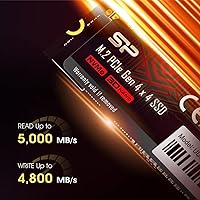
  • Sequential Read: Sequential read speeds reach up to 5,000 MB/s under optimal conditions using a PCIe 4.0 host slot.
  • Sequential Write: Sequential write speeds reach up to 4,800 MB/s, enabling fast large-file transfers and application installations.
  • Form Factor: The drive uses the M.2 2280 form factor, measuring 3.15 x 0.86 x 0.14 inches for broad compatibility across laptops, desktops, and consoles.
  • Cache Type: SLC caching is supported, which boosts burst write performance during short, intensive transfer sessions before sustained speeds taper.
  • Error Correction: Low Density Parity Check (LDPC) coding is built in to detect and correct data transmission errors during read and write operations.
  • Data Protection: End-to-end (E2E) data protection monitors data integrity from the host controller to the NAND flash throughout every transfer.
  • RAID Support: The drive supports RAID configurations, allowing it to be used in multi-drive setups for redundancy or performance at the system level.
  • Backward Compatibility: The UD90 is fully backward compatible with PCIe 3.0 motherboard slots, operating at reduced Gen3 speeds on older platforms.
  • Warranty: Silicon Power backs the drive with a 5-year limited warranty, covering defects in materials and workmanship from the date of purchase.
  • Weight: The drive weighs 0.282 ounces, making it light enough to install in slim laptops without adding any meaningful system weight.
  • Heatsink Included: No heatsink or thermal pad is included in the box; buyers with thermally constrained systems should plan to source one separately.
  • Compatible Devices: Confirmed compatible devices include PCIe 4.0 and 3.0 desktop motherboards, M.2-equipped laptops, and the PlayStation 5 storage expansion slot.
  • Installation Type: The UD90 is designed for internal installation only, secured directly to the M.2 slot on a compatible motherboard or device.
  • First Available: The drive was first made available on December 19, 2022, placing it in the second generation of consumer PCIe 4.0 NVMe products.

Related Reviews
Silicon Power 2TB XS70 NVMe PCIe Gen4 M.2 SSD
89%
94%
Performance
91%
Read Speed
89%
Write Speed
96%
Compatibility with PS5
88%
Build Quality
More
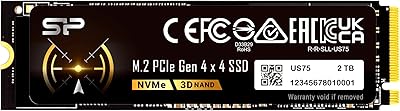
Silicon Power 2TB US75 NVMe PCIe Gen4 M.2 SSD
88%
94%
Performance for Gaming
96%
Read Speed
92%
Write Speed
88%
Compatibility with PS5
90%
Ease of Installation
More
Silicon Power UD90 4TB NVMe SSD
89%
94%
Performance
92%
Speed (Read/Write)
90%
Reliability under Load
91%
Value for Money
88%
Compatibility
More
Silicon Power US75 4TB NVMe M.2 SSD
82%
91%
Sequential Read Speed
88%
Sequential Write Speed
83%
Thermal Management
86%
Value for Money
93%
Capacity & Storage Density
More
Silicon Power 4TB XS70 NVMe SSD
88%
95%
Performance
94%
Speed
88%
Thermals
90%
PS5 Compatibility
87%
Build Quality
More
Silicon Power US75 1TB NVMe SSD
88%
93%
Performance
89%
Compatibility with PlayStation 5
92%
Value for Money
94%
Read/Write Speeds
88%
Reliability and Durability
More
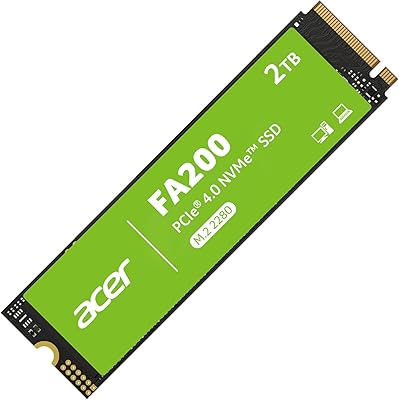
Acer FA200 2TB NVMe Gen4 SSD
87%
94%
Performance
89%
Thermal Management
93%
Read Speed (7200MB/s)
87%
Reliability
90%
Compatibility with PS5
More
LinkMore XE400 2TB PCIe Gen4 NVMe SSD
77%
88%
Read Speed Performance
79%
Write Speed Performance
93%
Value for Money
92%
Installation Experience
87%
Compatibility
More
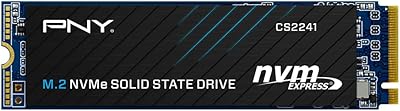
PNY CS2241 2TB M.2 NVMe Gen4 SSD
83%
88%
Sequential Read Performance
83%
Sequential Write Performance
86%
Real-World Speed Gains
91%
Value for Money
67%
Thermal Management
More
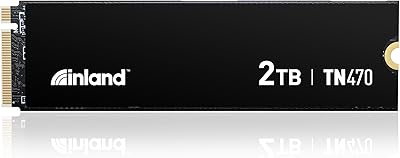
Inland TN470 2TB Gen4 NVMe M.2 SSD
88%
94%
Performance
96%
Speed (Read/Write)
78%
Power Efficiency
88%
Ease of Installation
91%
Compatibility
More

FAQ

Yes, the UD90 meets Sony's minimum speed requirement for PS5 storage expansion and works without any configuration changes. That said, Sony recommends installing a heatsink over any M.2 drive placed in the PS5, and since none is included in the box, you will need to pick one up separately before installation. Slim aftermarket heatsinks designed for the PS5 slot are inexpensive and widely available.

It will work fine — the drive is fully backward compatible with PCIe 3.0 slots. You just will not get the full Gen4 speed ceiling; the drive will operate at Gen3 speeds instead. That is still a significant improvement over most factory-installed laptop drives, so the upgrade is usually worthwhile regardless.

For moderate 4K work — rough cuts, timeline scrubbing, or working with proxy files — the UD90 handles it reasonably well. Where it can struggle is during long, sustained exports of high-bitrate footage, because the SLC cache will fill and write speeds will drop. If your workflow involves repeated heavy sequential writes over extended sessions, a drive with a larger or dedicated DRAM cache would serve you better.

No, Silicon Power does not bundle a proprietary drive management suite with the UD90. There is no first-party app for monitoring drive health, running diagnostics, or updating firmware through a polished interface. If you want that level of visibility, third-party tools like CrystalDiskInfo work well with the drive on Windows.

In a well-ventilated desktop build, thermals are generally not a problem during typical gaming or everyday use. In compact laptops or systems with restricted airflow, the drive can run warm under sustained workloads, and thermal throttling is a real possibility in those environments. If you are installing it in a tight space, adding an aftermarket heatsink or thermal pad is a smart precaution.

Yes, and the difference will be clear from day one. Boot times, application launches, and large file transfers all feel meaningfully quicker compared to a SATA drive. The gap is most obvious when moving large files or loading into complex game levels — tasks where raw sequential speed actually matters in practice.

The 5-year limited warranty covers defects in materials and workmanship under normal use conditions. It does not cover physical damage from mishandling, data recovery, or issues caused by incompatible hardware. If the drive fails under normal operating conditions within that window, Silicon Power will typically replace it, though response times from their support team have been variable based on user reports.

On most modern systems, the drive is recognized immediately after installation with no additional steps required. Windows may prompt you to initialize and format the drive if it is a secondary storage volume, which takes only a minute or two. On older motherboards, a BIOS update is occasionally needed before the drive appears — worth checking your board manufacturer's support page if you run into detection issues.

At similar price points, the UD90 is competitive on sequential speed but trails Samsung and WD options slightly in random IOPS performance and software ecosystem quality. Samsung in particular offers a more polished management app and a stronger long-term reliability track record. That said, the UD90 often undercuts those brands on price for the same capacity tier, which is the primary reason buyers choose it.

For most gamers, 2TB is a comfortable amount of headroom — enough to hold a solid library of installed titles alongside the operating system and applications without constantly juggling what stays installed. If you play a lot of large modern titles simultaneously, or you use the same drive for media storage as well, you might bump up against the ceiling eventually. For the majority of setups, though, 2TB is a practical and well-balanced choice.

Where to Buy