Overview

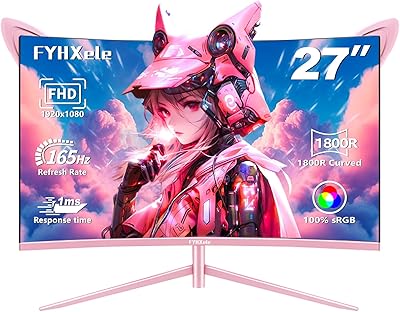
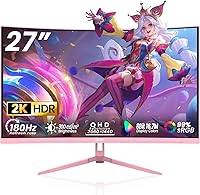
The DJiEX Q27P28 27-inch Curved Gaming Monitor arrives as a genuinely interesting option for buyers who want a capable, good-looking screen without spending flagship money. Made by Shenzhen Yundacheng Technology, the DJiEX brand is a newer name in the monitor space — it only hit the market in mid-2025 — so the usual caveats about brand track record apply. What makes this curved gaming monitor stand out immediately, though, is the pink colorway. In a category where virtually every display ships in matte black, that choice is deliberate and it works for a specific kind of buyer. The 1800R curve paired with a 27-inch panel hits a sweet spot: immersive enough to notice, but not so aggressive it distorts content at the edges.
Features & Benefits

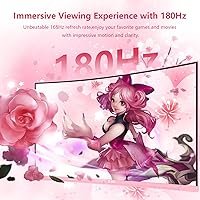
The QHD VA panel is where this pink QHD display punches above its price class. At 27 inches, the jump from 1080p to 1440p is genuinely visible — text sharpens noticeably whether you are reading spreadsheets or spotting enemies across a map. The panel's contrast performance is strong, producing deep blacks that budget IPS screens often struggle to match. VA panels do have narrower viewing angles, so if you are sharing the screen or working at an extreme angle, colors can shift slightly. The 180Hz refresh rate handles fast-paced gaming well without demanding a high-end GPU, and FreeSync keeps things smooth when framerates fluctuate. Low Blue Light and Flicker-Free support add real practical value for extended sessions.

Best For

This curved gaming monitor is a natural fit for budget-conscious gamers who want QHD resolution and a high refresh rate without the price of a well-known brand. It also makes a strong case for desk setup enthusiasts who specifically want a pink or rose-toned display — not many monitors in this size and spec range offer that aesthetic at all, let alone at this kind of price. Home office workers who game in the evenings will appreciate having one screen that handles both tasks without obvious compromise. Console players connecting over HDMI will be fine here, though those needing HDMI 2.1 bandwidth should look elsewhere. The compact footprint and wall-mount compatibility make it a practical choice for tighter desks, too.

User Feedback

Buyers generally respond positively to color vibrancy and contrast on the DJiEX 27-inch screen, with the VA panel's deep blacks drawing frequent praise. Colors reportedly look rich and punchy straight out of the box for most users, though a minority find the default calibration a touch warm and appreciate the ability to adjust via the OSD. Speaking of the OSD — button-based navigation on budget monitors is rarely a highlight, and this one is no exception; a few users find the physical controls a bit fiddly. The pink finish is reported to match its product photos closely, which matters for buyers chasing a specific desk aesthetic. Stand stability gets mixed feedback, which is common at this price tier, and the lack of height adjustment is worth noting.

Pros

  • QHD resolution delivers a visible sharpness improvement at 27 inches over a standard 1080p display.
  • The 180Hz refresh rate handles fast-paced gaming well without demanding a high-end, expensive GPU.
  • VA panel contrast produces deep, rich blacks that most budget IPS monitors simply cannot match.
  • FreeSync keeps gameplay smooth during variable-framerate sessions, reducing tearing without extra cost.
  • The pink colorway is genuinely rare at this screen size and price point, perfect for themed desk builds.
  • Low Blue Light and Flicker-Free certifications make long work sessions and late-night gaming more comfortable.
  • DisplayPort 1.4 and HDMI 2.0 cover a wide range of devices, from desktop PCs to gaming consoles.
  • VESA 75x75mm mount support allows easy transition to a monitor arm or wall mount, freeing up desk space.
  • The three-side frameless bezel keeps the aesthetic clean and reduces visual distraction during use.
  • Colors are reported as vibrant and usable straight out of the box for most buyers without manual tuning.

Cons

  • DJiEX is a brand-new market entrant with no meaningful long-term reliability or ownership track record.
  • VA panel viewing angles are noticeably narrower than IPS, with real color shift at wide off-axis positions.
  • The stand supports tilt only — no height adjustment or swivel, which limits ergonomic customization.
  • OSD button navigation is reported to be fiddly and unintuitive, a recurring complaint at this price tier.
  • The pink finish, while appealing to many buyers, significantly narrows resale appeal on the secondhand market.
  • No HDMI 2.1 port rules this out for anyone needing higher bandwidth for next-gen console gaming.
  • Warranty coverage and customer support responsiveness from this newer brand remain largely unverified.
  • Peak brightness at 300 cd/m² is adequate for normal use but may wash out in very bright or sunlit rooms.

Ratings

Our scores for the DJiEX Q27P28 27-inch Curved Gaming Monitor are generated by AI after analyzing hundreds of verified buyer reviews from global markets, with spam, bot-submitted, and incentivized feedback actively filtered out. Scores reflect the full picture — from the aspects buyers consistently praised to the recurring pain points that surfaced across real ownership experiences. Both the strengths and the frustrations are transparently weighted into every category below.
Value for Money
88%
Buyers consistently highlight how much monitor you get for the asking price — QHD resolution, a fast refresh rate, and FreeSync on a curved VA panel is a combination that typically costs considerably more from established brands. For budget-conscious upgraders coming from a basic 1080p screen, the perceived value jump is significant.
The trade-off for the low price is an unproven brand with limited ownership history, which makes it harder to assess long-term value with confidence. A few buyers also note that fully unlocking the ergonomic potential requires purchasing a monitor arm separately, adding to the real-world cost.
Image Quality
81%
19%
The step up from 1080p is immediately noticeable at 27 inches — text is crisper, game environments look more detailed, and the VA panel's deep blacks add genuine depth to dark scenes and cinematic cutscenes. Buyers who game in low-light or watch movies frequently call the contrast a standout characteristic.
VA panels have a well-known limitation with viewing angles — colors and contrast shift noticeably when you are sitting off to the side rather than directly in front. Brightness at 300 cd/m² is adequate rather than impressive, and very bright or sunlit rooms can cause the image to appear washed out.
Gaming Performance
86%
The combination of a high refresh rate and FreeSync adaptive sync makes a tangible difference during fast multiplayer sessions — FPS games feel responsive, and screen tearing is largely eliminated when framerates fluctuate. Buyers playing competitive shooters and action titles consistently note that motion clarity is one of this display's strongest points.
Users with high-end NVIDIA GPUs note that FreeSync compatibility requires some setup to enable correctly and is not guaranteed on every card or driver configuration. Buyers with very powerful systems may also find that some graphically intensive QHD titles cannot consistently saturate the upper refresh range, limiting the ceiling benefit.
Aesthetic Design
91%
The pink colorway is genuinely rare at this screen size and spec level, and it resonates strongly with buyers building pastel, themed, or streaming setups who struggled to find a monitor that matched their vision. Most buyers confirm the finish closely matches the product photos, which is a meaningful reassurance for aesthetic-driven purchases.
The same pink aesthetic that wins buyers also narrows resale flexibility considerably — it is a niche color with a much smaller secondhand audience than black or white monitors. A small number of buyers expecting a vivid, saturated pink found the actual tone softer and more muted than they had anticipated.
Stand & Ergonomics
47%
53%
Tilt adjustment is present and functional, letting users angle the screen slightly upward or forward to find a workable position for their desk setup. The VESA mounting compatibility is a practical workaround — buyers who pair this display with a monitor arm report that the ergonomic shortcomings of the included stand largely disappear.
The absence of height adjustment or swivel is a genuine frustration for buyers who spend long hours at their desk and need to fine-tune monitor position for neck and eye comfort. Taller users in particular find the fixed stand height sits uncomfortably low without an arm or riser, resulting in noticeable neck strain during extended sessions.
Color Accuracy
76%
24%
The wide sRGB coverage means colors look rich and punchy for everyday gaming and media consumption, with reds, greens, and blues rendering vibrantly straight out of the box. Most buyers report the default calibration is perfectly usable without any manual adjustments, which is a genuine win at this price point.
A portion of users find the default color temperature runs a touch warm, requiring a manual OSD adjustment to feel properly neutral. The VA viewing angle limitation also means colors shift measurably when viewed from off-axis positions, which undermines consistency for anyone doing color-sensitive creative work.
Build Quality
63%
37%
The physical construction is cleaner than some budget monitors at this tier, with a reasonably solid panel body and a frameless bezel that does not feel obviously flimsy. Buyers note that out-of-box assembly is quick and that visible panel defects upon arrival appear to be uncommon based on reported experiences.
Stand stability draws mixed feedback — a recurring complaint is that the base feels lightweight and less planted than expected, particularly on larger desks or surfaces that experience any vibration. Plastic construction throughout the stand assembly feels noticeably less substantial compared to mid-range monitors, and some buyers report a slight wobble when the panel is nudged.
Connectivity
74%
26%
Having both DisplayPort 1.4 and HDMI 2.0 available on a budget monitor is genuinely useful — buyers can keep a PC on one port and a gaming console on the other, switching inputs without unplugging cables. The VESA mount support further extends setup flexibility for arm or wall configurations.
The absence of HDMI 2.1 is a real limitation for next-gen console buyers who want higher-bandwidth output modes that HDMI 2.0 simply cannot support. With only two input ports total, buyers who run more than two devices will need an external switch to avoid constant cable swapping.
Eye-Care Features
83%
Low Blue Light and Flicker-Free certification address two of the most common complaints from users spending long hours at a screen — reduced blue light emission helps limit eye fatigue during late-night gaming, and flicker-free operation removes the subtle strain that PWM-based dimming can introduce over time.
Enabling the Low Blue Light mode typically shifts the color temperature toward a warmer, slightly yellow-tinted tone, which buyers doing color-sensitive work tend to disable immediately. The real-world eye health impact also varies significantly between individuals, and the certification should not be interpreted as a clinical or medical-grade solution.
OSD & Controls
52%
48%
The OSD does cover all the essential picture settings — brightness, contrast, color temperature, and input switching are all accessible, giving buyers enough control to dial things in if the defaults do not suit them. Users who invest a few minutes learning the button layout generally find it manageable after a short adjustment period.
Button-based OSD navigation is consistently flagged as fiddly and unintuitive — the physical controls are small, closely spaced, and require multiple presses to reach deeper menu layers, which becomes genuinely aggravating mid-session. The lack of a joystick or any touch-based navigation is a quality-of-life gap that competing monitors at similar prices have already addressed.
Productivity Use
77%
23%
QHD resolution makes a real difference for desk work — browser tabs, documents, and spreadsheets all appear noticeably sharper than on a 1080p screen, reducing the need to zoom in while reading. The 1800R curve wraps the workspace comfortably for single-monitor setups, adding mild focus without the edge distortion of tighter curves.
VA panel viewing angle behavior can become a subtle irritant during long work sessions, particularly if the fixed stand height places the user's sightline slightly off-center from the panel sweet spot. Buyers who regularly share their screen with a colleague seated beside them will find the visible color shift at wider angles genuinely distracting.
Setup & Installation
79%
21%
Assembly is straightforward — the stand attaches with minimal steps and requires no tools, which buyers consistently appreciate when unboxing a new monitor. The dual-port input configuration means most users can connect and get started quickly without adapters, whether they are plugging in a PC, a laptop, or a gaming console.
The included documentation is minimal, and buyers unfamiliar with display settings sometimes need to look online for guidance on dialing in optimal picture settings. Those planning to use a monitor arm rather than the stock stand will need to factor in that additional purchase before their setup is fully ergonomic.
Brand & Support
44%
56%
The hardware itself is backed by a standard electronics warranty when purchased through major online retailers, and marketplace purchase protection provides some degree of buyer recourse if the unit arrives defective. For buyers who primarily prioritize specs-per-dollar and are comfortable absorbing some brand risk, the core hardware proposition holds up.
DJiEX has been on the market only since mid-2025, which means there is virtually no long-term data on how the brand handles warranty claims, defects, or customer support escalations after the sale. Buyers who have come to rely on the robust support infrastructure of established names will feel the difference in confidence and accountability immediately.

Suitable for:

The DJiEX Q27P28 27-inch Curved Gaming Monitor is an easy recommendation for buyers who want a meaningful visual upgrade from 1080p without stretching their budget to flagship territory. Casual gamers who play a mix of single-player titles and online games will find the QHD sharpness and high refresh rate a noticeable step up, even without a high-end graphics card pushing extreme framerates. The pink colorway makes it a genuinely compelling pick for anyone building a themed desk setup — whether that is a pastel aesthetic, a streaming backdrop, or simply a workspace that does not look like every other monitor out there. Home office workers who also game in the evenings will appreciate how well the VA panel handles both tasks: text is crisp and readable during work, and contrast is strong enough for immersive gaming after hours. The 1800R curve and 27-inch footprint suit single-monitor setups particularly well, offering a sense of immersion without the bulk of ultrawide or dual-monitor rigs. Console players who connect via HDMI and do not need HDMI 2.1 speeds will also find this a cost-effective option.
Not suitable for:

The DJiEX Q27P28 27-inch Curved Gaming Monitor is not the right choice for buyers who prioritize brand reliability and after-sales support above all else — as a very new market entrant from a little-known manufacturer, there is limited long-term ownership data to draw from. Professional designers, photographers, or content creators who need accurate wide-gamut coverage beyond sRGB should look at IPS or OLED alternatives that offer better viewing-angle consistency. This pink QHD display is also a poor fit for anyone who frequently shares their screen with people sitting off to the side, since VA panel color shift at wide angles is a real and well-documented limitation. Competitive esports players chasing the absolute fastest, most validated response performance will find more proven options at comparable price points from established brands. Those who frequently resell gear should also think twice, as the pink colorway narrows the pool of interested secondhand buyers considerably. Finally, anyone who needs HDMI 2.1 bandwidth for next-gen console gaming or high-bandwidth video passthrough will need to look elsewhere.

Specifications

  • Screen Size: The display measures 27 inches diagonally, offering substantial screen real estate well-suited to both gaming and desk productivity work.
  • Panel Type: Built on a VA (Vertical Alignment) panel, which prioritizes high contrast and deep blacks over the wider viewing angles typical of IPS displays.
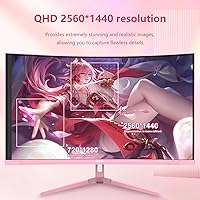
  • Resolution: Native resolution is 2560×1440 QHD, delivering noticeably sharper detail than 1080p at this screen size, particularly for fine text and in-game environments.
  • Refresh Rate: Supports a maximum refresh rate of 180Hz, enabling smooth, low-judder motion in fast-moving gaming content.
  • Response Time: Rated at 1ms GTG (Gray-to-Gray), helping reduce motion blur and trailing artifacts during rapid on-screen transitions.
  • Curve Radius: Features an 1800R curvature, a moderate curve designed to enhance peripheral immersion without significantly distorting flat content like documents or websites.
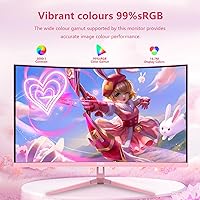
  • Color Gamut: Covers 99% of the sRGB color space, producing vibrant and reasonably accurate colors for gaming, streaming, and general media use.
  • Brightness: Peak brightness is rated at 300 cd/m², which is suitable for typical indoor lighting conditions but may wash out in very bright or sunlit rooms.
  • Contrast Ratio: Static contrast ratio is 3000:1, allowing the VA panel to render deep blacks alongside bright highlights with meaningful visual separation.
  • Adaptive Sync: Supports AMD FreeSync, dynamically synchronizing the display refresh rate with GPU frame output to reduce screen tearing during variable-framerate gameplay.
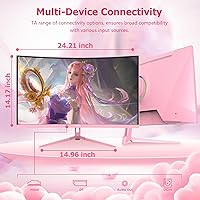
  • Connectivity: Equipped with one DisplayPort 1.4 and one HDMI 2.0 port, covering connections to desktops, laptops, and current-generation gaming consoles.
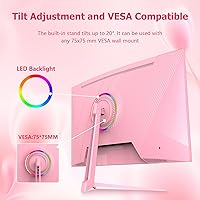
  • VESA Mount: The rear panel is compatible with 75×75mm VESA mounting patterns, fitting most standard monitor arms and wall mount brackets.
  • Tilt Range: The included stand supports tilt adjustment from -5° to +15°; height adjustment and swivel are not available on this stand.
  • Dimensions: With stand attached, the monitor measures approximately 23.62×3.54×16.14 inches (width × depth × height).
  • Weight: The complete unit including stand weighs approximately 11.69 pounds (roughly 5.3 kg).
  • Eye-Care: Certified for both Low Blue Light output and Flicker-Free operation, reducing potential eye strain during extended work or gaming sessions.
  • Bezel Design: Three sides of the panel feature a frameless edge design, minimizing visible borders and contributing to a cleaner desk aesthetic.
  • Model Number: The official model designation is Q27P28, produced by Shenzhen Yundacheng Technology Co., Ltd. and sold under the DJiEX brand name.

Related Reviews

Skytech Gaming Moonshadow 27-inch Curved Gaming Monitor

83%
88%
Image Quality
91%
Refresh Rate Performance
86%
Adaptive-Sync
83%
VA Panel Contrast
84%
Stand & Ergonomics
More
Sealan 27-inch Curved Gaming Monitor
82%
85%
Display Quality
90%
Ease of Setup
91%
Value for Money
87%
Performance in Gaming
83%
Color Accuracy
More
GAMEPOWER T50 27-Inch Curved Gaming Monitor
66%
83%
Value for Money
79%
Gaming Performance
74%
Display Quality
61%
Pixel Density & Sharpness
62%
Build Quality
More
CRUA CR270C 27″ Curved Gaming Monitor
71%
83%
Value for Money
78%
Image Quality
81%
Refresh Rate Performance
86%
Panel Contrast & Blacks
67%
Build Quality
More
ArcticPro AD27EF4C 27-inch Curved Gaming Monitor
74%
88%
Value for Money
91%
Refresh Rate Performance
79%
Panel & Image Quality
76%
Motion Clarity
53%
Ergonomics & Adjustability
More
GAMEPOWER F20 27-inch Curved Gaming Monitor
61%
83%
Value for Money
74%
Image Quality
69%
Gaming Performance
78%
Curve & Immersion
58%
Build Quality
More
Gawfolk GF270C 27-Inch Curved Gaming Monitor
72%
83%
Value for Money
78%
Image Quality
81%
Refresh Rate Performance
74%
Response Time & Motion Clarity
62%
Build Quality
More
Great Voell 27-Inch Curved Gaming Monitor
86%
91%
Value for Money
89%
Display Quality
87%
Gaming Performance
84%
Eye Comfort
80%
Build Quality
More
Samsung S39C 27-Inch Curved Gaming Monitor
75%
83%
Picture Quality & Color Accuracy
88%
Curvature & Immersion
61%
Refresh Rate & Gaming Performance
86%
Eye Comfort & Long-Session Usability
79%
Build Quality & Aesthetics
More
FYHXele 27-inch Curved Gaming Monitor
73%
84%
Gaming Performance
71%
Image Quality
88%
Value for Money
83%
Design & Aesthetics
62%
Build Quality
More

FAQ

Yes, it connects to current-gen consoles via HDMI 2.0, which handles 1080p and 1440p output without any issues. Just keep in mind there is no HDMI 2.1 port here, so 4K output or 120Hz 4K modes that those consoles support will not be available. For 1440p gaming on a console that supports it, this display is a solid pairing.

Buyer feedback generally suggests the finish matches the product photos reasonably well. The tone tends to land closer to a soft blush or rose pink rather than a vivid or saturated hot pink. If you have a very specific shade in mind for your setup, it is worth checking recent buyer photos in the reviews section before committing.

Not always. In less demanding or older titles, a mid-range graphics card can push enough frames at 1440p to reach or approach that refresh rate. In heavier, more graphically intensive games you may fall short of 180fps, but FreeSync will still smooth out whatever variable framerate your GPU delivers, so the experience stays relatively tear-free regardless.

Absolutely. The back of the panel has a 75×75mm VESA mounting pattern, which fits the large majority of aftermarket monitor arms and wall brackets. Just confirm that the arm you choose is rated to support a weight of at least 12 pounds to hold it securely.

Most users find the image vibrant and perfectly usable straight away without any adjustments. A smaller number of buyers report that the default color temperature skews slightly warm, which is easy enough to dial back through the OSD color settings. The OSD button layout does take a moment to get used to, as is common on monitors at this price tier, but it gets the job done.

This display natively supports AMD FreeSync. Many NVIDIA cards from the GTX 10 series onward are compatible with FreeSync monitors through NVIDIA’s G-Sync Compatible program, but that compatibility is not guaranteed on every card or system configuration. Even without adaptive sync active, it will function as a standard high-refresh display with any NVIDIA GPU.

VA panels have a narrower viewing cone than IPS, so colors and contrast can shift noticeably if you are seated well off to either side. For a single user sitting directly in front of the screen, it is completely fine. For shared viewing or collaborative desk work where multiple people need to see the screen simultaneously, an IPS panel would deliver more consistent results across angles.

It is a legitimate question and worth thinking about. DJiEX is a very new brand that only appeared on the market in mid-2025, so there is not yet a meaningful track record for long-term reliability or customer support responsiveness. The hardware specifications are genuinely competitive for the price, but buyers who prioritize proven after-sales support may want to factor in that uncertainty and read the warranty terms carefully before purchasing.

It is workable for casual or hobbyist content creation, since the 99% sRGB coverage is reasonable for general editing. That said, the VA panel’s narrower viewing angles mean color accuracy can vary depending on your seated position, and wider color spaces like DCI-P3 or Adobe RGB are not covered. For serious color-critical work where consistency and accuracy matter, a dedicated IPS or OLED display with broader gamut coverage would be a better fit.

No, the product specifications do not include built-in speakers. You will need to use external speakers or connect headphones for audio when using this display, either through your PC or via a separate audio output device.