Overview

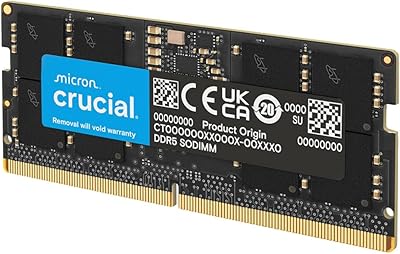
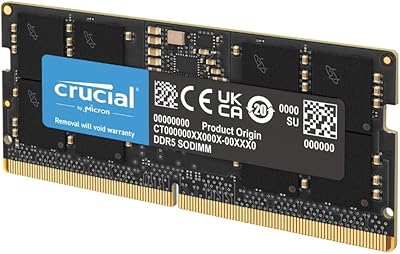
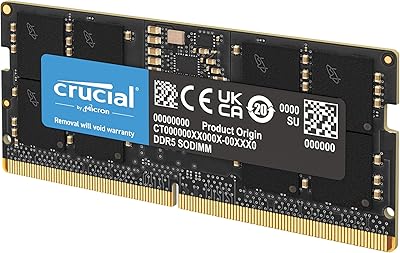
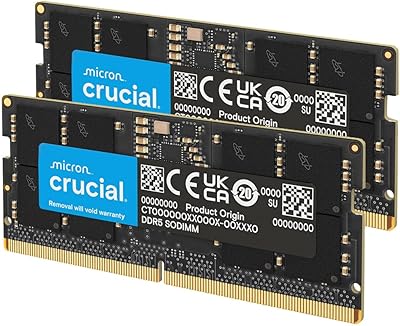
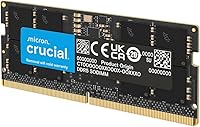
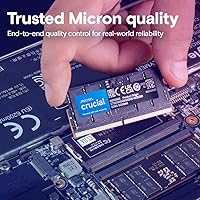
The Crucial 16GB DDR5 5600MHz SODIMM Laptop RAM arrived at a point when DDR5 was still finding its footing in the consumer market, and since its 2022 launch, the broader ecosystem has caught up considerably. Crucial is a Micron brand — and that lineage matters. Micron manufactures its own DRAM, meaning this SODIMM module is tested at both component and module level before it ships. One important caveat upfront: this is a single stick, not a matched pair. That means you are running in single-channel mode unless you already have a compatible module installed or plan to add a second one later.
Features & Benefits

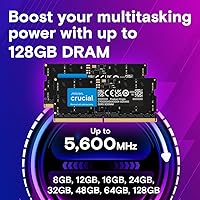
What makes this SODIMM module worth attention is how versatile its speed profile is. It runs natively at 5600MHz but will automatically downclock to 5200MHz or 4800MHz if your laptop’s platform requires it — no manual configuration needed. More notably, it carries both Intel XMP 3.0 and AMD EXPO profiles on the same stick, which is uncommon at this form factor. The 262-pin design is laptop-exclusive, so desktop users need not apply. Its single-rank 1Rx8 layout is standard for the category, and the 1.1V operating voltage keeps power draw modest — a real consideration when you are working unplugged for hours.

Best For

This DDR5 laptop stick makes the most sense for owners of 12th or 13th Gen Intel Core laptops and AMD Ryzen 7000 series machines currently bottlenecked by insufficient memory. Content creators juggling tabs, editing timelines, and background exports will notice the headroom immediately. It also suits anyone who wants a dependable single-stick upgrade now, with the option to add a matching module later for dual-channel gains. If you are already running 16GB and want peak bandwidth, a matched kit is the better move — but for the typical upgrader stepping up from 8GB, this Crucial memory upgrade delivers solid, no-fuss value.

User Feedback

Across nearly 2,000 ratings, this SODIMM module holds a 4.8-star average, and the common thread is how plug-and-play the experience is — most laptops recognize the stick immediately without any BIOS changes. Intel users tend to hit the full 5600MHz without issue, while some AMD users report being held at 4800MHz, which is a platform limitation rather than a flaw in the module. A practical note that comes up repeatedly: buyers who wanted dual-channel operation wish they had ordered two sticks at once. On the support side, Crucial’s customer service earns genuine praise — a detail that actually matters when you are installing RAM in a machine you depend on.

Pros

  • Works out of the box on most compatible laptops with zero BIOS configuration required.
  • Both Intel XMP 3.0 and AMD EXPO profiles are packed into a single SODIMM, which is genuinely uncommon.
  • Auto-downclocking to 5200MHz or 4800MHz means the stick adapts gracefully to less capable platforms.
  • Low 1.1V operating voltage helps preserve battery life during untethered use.
  • Micron’s component-level testing gives this DDR5 laptop stick a reliability edge over generic alternatives.
  • Holds a 4.8-star average across nearly 2,000 real-world ratings — hard to argue with that consistency.
  • Crucial’s customer support is frequently called out by buyers as responsive and genuinely helpful.
  • Buying a single stick now leaves the second slot open for a future matched upgrade.
  • Compact SODIMM form factor installs cleanly in virtually any DDR5-compatible laptop chassis.

Cons

  • Sold as a single stick, so buyers expecting dual-channel performance out of the box will be disappointed.
  • AMD laptop users may be limited to 4800MHz rather than the advertised 5600MHz, depending on the platform.
  • Single-rank 1Rx8 configuration offers less bandwidth headroom than dual-rank alternatives at the same capacity.
  • Purchasing two sticks separately to achieve dual-channel costs more than buying a matched kit upfront.
  • No RGB or aesthetic features for users who care about that sort of thing in chassis with visible memory slots.
  • Not compatible with DDR4 laptops, and there is no adapter or workaround — the platforms are incompatible by design.
  • 16GB as a single stick may feel limiting sooner than expected for users moving into heavier creative or AI workloads.
  • No ECC support rules this out entirely for anyone running error-sensitive professional or scientific software.

Ratings

Our AI rating engine analyzed thousands of verified global reviews for the Crucial 16GB DDR5 5600MHz SODIMM Laptop RAM, actively filtering out incentivized, duplicate, and bot-generated submissions to surface what real buyers actually experienced. The scores below reflect both the genuine strengths that make this SODIMM module a top-ranked memory upgrade and the honest pain points that affected a meaningful share of users. Nothing has been softened — if buyers ran into friction, you will see it reflected in the numbers.

Installation Experience
93%
An overwhelming share of buyers across both Intel and AMD platforms reported that this SODIMM module was recognized instantly after insertion, with no BIOS intervention required. For first-time upgraders who dread the idea of misconfiguring system settings, that kind of friction-free setup carries real weight.
A small but consistent group noted that enabling the full XMP or EXPO speed profile did require a manual BIOS toggle, which caught a few users off guard. It is a minor step, but it is not quite as automatic as the plug-and-play reputation suggests for those who want peak speeds.
Speed & Real-World Performance
81%
19%
Users upgrading from 8GB or from DDR4 configurations reported a clear improvement in multitasking responsiveness — browser-heavy sessions, background app switching, and productivity workloads all felt noticeably snappier. On 13th Gen Intel platforms with XMP 3.0 enabled, the full 5600MHz headroom delivered consistent results.
Not every user gets the advertised speed. A meaningful subset of AMD Ryzen 7000 laptop owners found their platform capping the stick at 4800MHz rather than 5600MHz, which narrows the performance gap with slower, cheaper alternatives and left some buyers feeling they overpaid for headroom they could not unlock.
Platform Compatibility
77%
23%
The combination of Intel XMP 3.0 and AMD EXPO profiles on a single SODIMM is genuinely uncommon at this form factor, giving buyers on both major platforms a supported path to faster operation without hunting for separate SKUs. Compatibility with 12th and 13th Gen Intel Core systems was confirmed across a wide range of laptop brands.
Compatibility is not universal, and the AMD experience in particular proved inconsistent — some Ryzen 7000 laptops simply do not expose EXPO settings in their firmware, leaving the module running at base JEDEC speeds. Buyers with older or non-listed platforms occasionally reported compatibility issues that required returns.
Build & Component Quality
94%
Micron manufactures its own DRAM dies and tests every module at both the chip and finished-product level, and buyers feel that confidence in the result. Reviewers repeatedly mentioned that the stick arrived perfectly seated in its packaging, showed no physical defects, and ran stable across extended stress-testing sessions.
There is very little to criticize here structurally, though a handful of users noted the module lacks any heatspreader — which is standard for SODIMMs — and expressed mild concern about thermals under sustained heavy loads in tight laptop chassis. In practice, no thermal failures were reported.
Dual-Channel Value
58%
42%
Buyers who already had a matching stick installed, or who purchased two units simultaneously, reported solid dual-channel performance gains in bandwidth-sensitive workloads. For those users, the upgrade delivered exactly the memory throughput DDR5 promises on modern platforms.
This is where the single-stick purchasing model creates real regret for some buyers. Users who purchased one stick expecting maximum performance were disappointed to discover they were running in single-channel mode, and several noted that buying two separately cost more than a matched kit would have. The listing does not make this trade-off obvious enough.
Value for Money
74%
26%
For buyers whose laptop hits the full 5600MHz and who are stepping up from 8GB, the performance-per-dollar ratio is reasonable given Crucial’s reliability track record and the DDR5 premium the market currently commands. The brand warranty adds tangible value that generic alternatives cannot match.
Users who end up running at 4800MHz due to platform limitations find it harder to justify the price over cheaper DDR5 sticks that top out at the same effective speed. The value proposition is genuinely platform-dependent, which makes it a riskier buy without thorough pre-purchase research.
Warranty & Support
91%
Crucial’s limited lifetime warranty and customer support responsiveness were called out positively in a disproportionate share of reviews — which is telling, since most buyers only mention support when they actually needed it and were either delighted or let down. Resolution times and return handling were described as straightforward and respectful.
The warranty process, while generally praised, requires buyers to initiate contact and go through a standard RMA flow. A small number of users reported longer-than-expected wait times during high-demand periods, and international buyers occasionally encountered regional support limitations.
Power Efficiency
88%
Running at 1.1V, this DDR5 laptop stick draws noticeably less power than equivalent DDR4 modules, which translates to modest but real battery life improvements during light and moderate workloads. Users who work unplugged frequently — students, commuters, remote workers — tend to notice this benefit over time.
The efficiency advantage is incremental rather than transformative, and it is nearly impossible to isolate in real-world battery benchmarks given how many other variables affect runtime. Users expecting a dramatic change in battery life will be underwhelmed by what is ultimately a marginal gain.
Gaming Performance
69%
31%
Gamers upgrading from 8GB saw genuine improvements in titles that are memory-capacity-sensitive, with faster load times and reduced stuttering in open-world games that aggressively stream assets into RAM. The DDR5 bandwidth advantage is a real factor in a handful of GPU-limited scenarios.
The gaming uplift is heavily context-dependent and easy to overestimate. Users expecting frame rate jumps comparable to a GPU upgrade were frequently disappointed — and running in single-channel mode on a single stick further limits the bandwidth gains that DDR5 theoretically provides over DDR4.
Packaging & Delivery
89%
Reviewers consistently noted that the module arrived in clean, secure retail packaging with no physical damage, which matters more than it sounds for a component that can be sensitive to static discharge or rough handling in transit. Crucial’s logistics and packaging standards held up across multiple regions.
The packaging itself is minimal by design — functional but not premium. A small number of buyers reported units arriving loose inside outer shipping boxes with insufficient cushioning, though reports of actual module damage from this were rare.
Thermal Stability
83%
Under sustained workloads including extended video exports and multi-hour gaming sessions, the vast majority of users reported no throttling or stability issues attributable to the memory. DDR5’s on-die ECC also contributes to error resilience at elevated operating temperatures.
A subset of users in laptops with poor internal airflow noted occasional instability under extreme, prolonged workloads — though it was difficult to isolate whether this was a RAM issue or a broader thermal management problem with their specific chassis design.
Upgrade Path Flexibility
71%
29%
Buying a single 16GB stick leaves the second SODIMM slot open for a future matched upgrade, giving buyers a genuine incremental path to 32GB dual-channel without replacing what they already own. For budget-constrained upgraders, this staged approach is a practical advantage.
The flexibility argument only holds if your laptop actually has a second accessible SODIMM slot — a fact many buyers discover too late. Thin-and-light laptops frequently solder one or both slots, and some users found themselves locked into single-channel operation with no upgrade path remaining.

Suitable for:

The Crucial 16GB DDR5 5600MHz SODIMM Laptop RAM is a strong fit for laptop owners who are running a 12th or 13th Gen Intel Core processor, or an AMD Ryzen 7000 series chip, and want a meaningful memory upgrade without overcomplicating the process. If you are currently on 8GB and feel your machine struggling through browser-heavy sessions, video calls, or light creative work, doubling your capacity with this SODIMM module will produce a noticeable difference in day-to-day responsiveness. Content creators who edit photos or work with moderate video timelines will appreciate the extra headroom, even in single-channel operation. It also suits methodical buyers who prefer to invest in one quality stick now and add a matching second later, building toward dual-channel bandwidth incrementally. Anyone who values the reassurance of buying from a manufacturer-backed brand with a solid support track record will feel comfortable here.

Not suitable for:

The Crucial 16GB DDR5 5600MHz SODIMM Laptop RAM is not the right call for everyone, and being clear about that upfront will save some buyers frustration. If your laptop shipped with DDR4 memory, this stick simply will not work — DDR5 and DDR4 use different pin configurations and are not interchangeable. Users chasing maximum memory bandwidth for sustained workloads, competitive gaming, or RAM-intensive applications like 3D rendering should really be looking at a matched dual-channel kit rather than a single stick, since single-rank, single-channel operation leaves real performance on the table. AMD laptop owners should also verify their specific model before purchasing — not all Ryzen 7000 machines will run this SODIMM at the advertised 5600MHz, and some will cap out at 4800MHz depending on the board’s memory controller. This module is also not appropriate for workstation or server environments that require ECC memory for error correction.
Specifications

  • Capacity: This module provides 16GB of DDR5 SDRAM, doubling the memory available in laptops currently running an 8GB configuration.
  • Memory Type: DDR5 SDRAM — the current-generation standard, offering higher bandwidth and lower voltage compared to DDR4.
  • Speed: Rated at 5600MHz (PC5-44800), with automatic downclocking to 5200MHz or 4800MHz on platforms that do not support the full speed.
  • Form Factor: 262-pin SODIMM, the compact format used exclusively in laptops and small-form-factor systems — not compatible with desktop DIMM slots.
  • Rank Configuration: 1Rx8 single-rank layout, which is standard for consumer laptop memory at this capacity.
  • Voltage: Operates at 1.1V, which is the standard low-voltage specification for DDR5 and contributes to efficient power use in portable systems.
  • XMP Support: Intel XMP 3.0 profile is included on the module, enabling automatic speed optimization on compatible Intel platforms.
  • EXPO Support: AMD EXPO profile is also embedded on the same module, providing native speed optimization for AMD Ryzen 7000 series laptops.
  • ECC: Non-ECC (no error-correcting code), which is appropriate for consumer and prosumer use but not for workstation or server environments requiring error correction.
  • Compatible Platforms: Designed for 12th and 13th Gen Intel Core processors and AMD Ryzen 7000 series laptop platforms.
  • Dimensions: The module measures 2.74 x 0.15 x 1.18 inches, consistent with the standard SODIMM physical footprint.
  • Weight: Weighs 0.307 ounces, negligible in the context of any laptop build or upgrade.
  • Manufacturer: Produced by Crucial, a brand owned and operated by Micron Technology, one of the world’s largest DRAM manufacturers.
  • Model Number: The official model identifier is CT16G56C46S5, which can be used to verify compatibility on Crucial’s own website.
  • PC Speed Rating: Carries the PC5-44800 designation, reflecting its peak theoretical memory bandwidth.
  • Market Rank: Holds the #35 position in Computer Memory on Amazon, based on sales performance at time of listing.
  • Average Rating: Rated 4.8 out of 5 stars across 1,941 verified customer ratings.
  • Release Date: First made available in December 2022, coinciding with the broader consumer rollout of DDR5-compatible laptop platforms.

Related Reviews

Crucial 16GB DDR5 4800MHz Laptop RAM
86%
89%
Performance Improvement
93%
Ease of Installation
88%
Multitasking Performance
91%
Compatibility with 12th Gen Intel & AMD Ryzen 7000
86%
Gaming Performance
More
Adamanta 16GB DDR5 5600MHz SODIMM Laptop RAM

78%
88%
Value for Money
74%
Compatibility
91%
Installation Ease
83%
Performance Gain
87%
Silicon Quality
More
Crucial 64GB DDR5 5600MHz SODIMM Laptop Memory Kit (CT2K32G56C46S5)
89%
94%
System Responsiveness
97%
Multitasking Capacity
91%
Installation Ease
86%
Thermal Management
78%
Value for Money
More
Crucial 32GB DDR5-5600MHz SODIMM Kit (CT2K16G56C46S5)
90%
94%
Multitasking Performance
97%
Ease of Installation
92%
Value for Money
89%
Compatibility
86%
Gaming Stability
More
Crucial 48GB DDR5 5600MHz SODIMM Laptop Memory
88%
92%
Performance in Gaming
89%
Speed for Multitasking
87%
Ease of Installation
94%
Compatibility with Intel and AMD CPUs
90%
Reliability Over Time
More
Crucial 8GB DDR5 4800MHz SODIMM Laptop RAM
89%
91%
Performance Boost
88%
Installation Ease
94%
Compatibility with Intel 12th Gen & AMD Ryzen 7000
85%
Power Efficiency
90%
Multitasking Support
More
KLEVV DDR5 32GB (2x16GB) 5600MHz SODIMM Laptop RAM
88%
94%
Performance for Gaming
91%
Speed and Responsiveness
87%
Compatibility with Laptops
88%
Energy Efficiency
89%
System Stability
More
fanxiang SD05 64GB DDR5 SODIMM Laptop RAM
76%
91%
Value for Money
93%
Installation Ease
84%
Stability & Reliability
79%
Performance at Rated Speed
58%
Brand Trust & Reputation
More
A-Tech 16GB DDR5 5600MHz RAM Kit
88%
96%
Installation Ease
89%
Performance Boost
92%
Value for Money
88%
Energy Efficiency
91%
Compatibility
More
A-Tech 96GB DDR5 5600MHz SODIMM Laptop RAM
84%
83%
System Compatibility
91%
Installation Experience
88%
Real-World Performance
76%
Value for Money
86%
Speed & Bandwidth
More

FAQ

No, it will not. DDR4 and DDR5 use different physical connectors and are not interchangeable. If your laptop shipped with DDR4, you need a DDR4 SODIMM. Check your laptop’s manual or use Crucial’s compatibility tool to confirm which generation your system supports before ordering.

In most cases, no. The majority of compatible laptops will detect this SODIMM module automatically and run it at the appropriate speed. If your platform supports XMP or EXPO, you may see an option in the BIOS to enable the full 5600MHz profile, but it is not required for the memory to function correctly.

It depends on your specific laptop model and its memory controller. Some Ryzen 7000 laptops do reach 5600MHz with EXPO enabled, but others are configured to cap at 4800MHz or 5200MHz. This is a platform limitation, not a defect in the memory itself. Check your laptop manufacturer’s memory specifications or community forums for your exact model to get a realistic expectation.

You can absolutely use it as a single stick — your laptop will run normally. The practical trade-off is that a single module operates in single-channel mode, which offers lower memory bandwidth than a dual-channel setup using two sticks. For everyday tasks and most productivity work, single-channel 16GB is still a significant upgrade from 8GB.

It helps, but the impact varies. Going from 8GB to 16GB removes a real bottleneck in many modern games that are memory-hungry. The DDR5 bandwidth does offer advantages over DDR4, but your frame rates are also shaped heavily by your GPU and CPU. Think of this DDR5 laptop stick as removing a ceiling, not installing a rocket.

1Rx8 describes the internal organization of the memory chips on the module — single rank, with 8 chips per rank. In practical terms, it means this is a standard single-rank stick. Dual-rank configurations can offer modest latency advantages in some workloads, but for the vast majority of laptop users, 1Rx8 is perfectly appropriate and will not be a noticeable limitation.

Yes, and that is actually a smart way to approach the upgrade if you want to spread the cost. Buying a second CT16G56C46S5 module later and installing it in the second slot will enable dual-channel operation, which meaningfully improves memory bandwidth. Just make sure your laptop has a second accessible SODIMM slot — some thin-and-light models solder one or both memory slots to the motherboard.

Yes, Crucial backs this module with a limited lifetime warranty. If the stick ever fails under normal use, their support team can arrange a replacement. Reviewers frequently note that Crucial’s customer service is responsive and straightforward to deal with, which is reassuring when you are opening up a laptop to make hardware changes.

The safest approach is to use Crucial’s online compatibility scanner, which lets you enter your exact laptop model and returns a list of confirmed compatible modules. You can also cross-reference the model number CT16G56C46S5 against your laptop manufacturer’s memory support page. If your laptop requires DDR5 SODIMM and runs a supported Intel or AMD platform, compatibility is very likely.

No. If your laptop’s memory is soldered directly to the motherboard — which is common in ultra-thin models — there is no physical slot to install any SODIMM, including this one. You need at least one free or accessible SODIMM slot to perform a memory upgrade. This is worth confirming before purchasing, as some laptops have one soldered slot and one open slot.

Where to Buy