
Overview

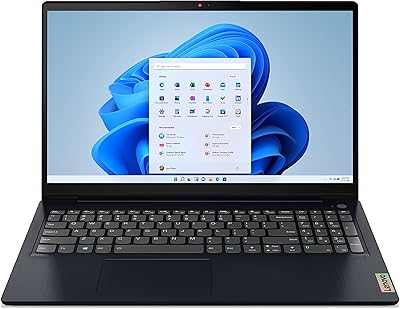
The Lenovo V15 G2 IJL 15.6″ Laptop arrived in late 2023 as part of Lenovo's V-series — a line built for practical, no-fuss computing rather than raw performance. On paper, the specs look surprisingly generous for the price: 16GB of RAM and a 1TB SSD aren't things you typically see at this tier. The catch is the Intel Celeron N4500 sitting underneath all that storage headroom. It's a dual-core chip designed for light, predictable workloads — think email, documents, and the occasional video call — not for juggling demanding applications at once. Go in knowing that, and this budget Lenovo laptop makes a lot of sense. Expect more, and you'll be frustrated.

Features & Benefits

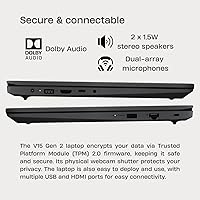
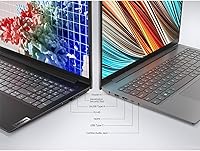
The standout specs are the 16GB DDR4 RAM and 1TB PCIe NVMe SSD — both unusually generous at this price point. That RAM means you can keep a dozen browser tabs open alongside a spreadsheet and a video call without things grinding to a halt. The SSD delivers fast boot times and plenty of room for files, photos, and downloads without ever reaching for an external drive. The 15.6-inch anti-glare display is comfortable indoors, though its 45% NTSC coverage makes it a poor fit for photo editing or any color-critical work. On the connectivity side, you get HDMI, Ethernet, USB-C, and two USB-A ports — a practical, well-rounded spread for everyday use.

Best For

The V15 G2 IJL punches above its weight for a specific kind of user. Students who spend their days writing papers, attending virtual classes, and researching online will find it entirely capable. Same goes for remote workers whose routine centers on email, video calls, and cloud-based tools — nothing here will slow that work down meaningfully. The full-size numeric keypad is a quiet but real advantage for anyone doing regular data entry. Seniors and first-time buyers will appreciate the straightforward Windows 11 Home setup and the familiar 15.6-inch layout. It also works well as a shared household machine — simple enough for anyone to pick up and use without a learning curve.

User Feedback

This budget Lenovo laptop holds a 4.4-star rating — strong for the category, and largely earned. Buyers who are satisfied tend to share one trait: they came in with realistic expectations. The RAM and storage consistently draw praise; people are genuinely surprised to find 16GB of memory at this price point, and the reviews reflect that. Criticism clusters around the processor — users who ran multiple apps simultaneously or tried streaming alongside other tasks noticed the slowdown. The display gets described as adequate but flat, with limited vibrancy. Keyboard comfort and battery life earn mixed responses: fine for desk use, less impressive during longer stretches away from an outlet. Satisfaction here is almost entirely tied to knowing what you're buying.

Pros

  • 16GB of DDR4 RAM is a rare find at this price tier and keeps everyday multitasking smooth.
  • The 1TB NVMe SSD boots fast and stores years of files without needing an external drive.
  • A full-size keyboard with a numeric keypad is a practical advantage for data-entry and spreadsheet work.
  • The anti-glare display is comfortable to use under bright indoor lighting for long stretches.
  • Solid port selection — HDMI, Ethernet, USB-C, and two USB-A ports — covers most everyday connectivity needs.
  • The webcam includes a physical privacy shutter, a small but genuinely useful security feature.
  • TPM 2.0 security chip adds a layer of hardware-level protection without any setup required.
  • Windows 11 Home comes pre-installed, so the machine is ready to use right out of the box.
  • At its price point, the overall build quality is sturdy enough for home and light office use.
  • Dual-array microphone improves call clarity compared to the single-mic setups common on cheaper laptops.

Cons

  • The Celeron N4500 processor slows noticeably when multiple demanding tabs or apps run simultaneously.
  • 45% NTSC color coverage makes the display unsuitable for any color-sensitive creative work.
  • Wi-Fi is limited to 802.11ac, missing out on the faster, more reliable Wi-Fi 6 standard.
  • The 720p webcam is functional but looks soft in lower light compared to modern laptop cameras.
  • Battery life is adequate for desk use but falls short during longer unplugged sessions.
  • Integrated graphics rule out any meaningful gaming or GPU-accelerated tasks entirely.
  • At 5 pounds, this budget Lenovo laptop is on the heavier side for anyone carrying it regularly.
  • The display brightness may feel limiting in environments with strong ambient or natural light.
  • No upgradeable GPU option means performance headroom is permanently capped at the hardware level.

Ratings

Our AI rating system analyzed thousands of verified global reviews for the Lenovo V15 G2 IJL 15.6″ Laptop, actively filtering out incentivized, bot-generated, and duplicate feedback to surface what real buyers actually experienced. The scores below reflect an honest synthesis of both the genuine strengths and the recurring frustrations that shaped long-term satisfaction with this budget Lenovo laptop. Nothing has been glossed over — the highs and the hard limits are both accounted for.

Value for Money
83%
For buyers who sized up their needs accurately before purchasing, this Lenovo V15 consistently over-delivers on paper value — 16GB of RAM and a 1TB NVMe SSD at this price tier is genuinely hard to match. Most satisfied buyers describe feeling like they got more machine than expected for the spend.
Buyers who needed more processing power and stretched their budget to buy this felt shortchanged once the Celeron's ceiling became apparent in daily use. The value equation only holds if your workload actually fits what the chip can handle.
Processor Performance
47%
53%
For single-threaded, predictable tasks like drafting documents, reading email, or joining a video call, the Celeron N4500 gets the job done without drama. Users who kept their sessions light and focused rarely found themselves waiting.
The moment workloads compound — multiple browser sessions, a background download, and a call running at once — the processor shows real strain. A significant portion of critical reviews trace back directly to this chip, and it remains the single biggest source of buyer regret on this machine.
RAM & Multitasking
81%
19%
Having 16GB of DDR4 memory means the system stays responsive across a reasonable number of open applications, and users frequently single out this spec as a surprise highlight for the price. Keeping email, a browser with several tabs, and a video call running simultaneously rarely causes memory-related slowdowns.
The RAM advantage is partially offset by the processor bottleneck — the system may have memory to spare but still slows when the CPU is saturated. A few technically aware buyers noted this mismatch as an odd spec imbalance for the price category.
Storage & Speed
84%
Boot times are noticeably quick for a laptop in this class, and the 1TB capacity means most users will go years without worrying about running low. People migrating from older spinning-disk laptops consistently comment on how much faster everything feels day-to-day.
There are no user-accessible upgrade paths widely reported, so buyers are locked into the included drive configuration. For the rare power user who wanted to swap or expand storage later, this is a minor friction point.
Display Quality
58%
42%
The anti-glare coating earns consistent appreciation from users who work near windows or under fluorescent office lighting — it genuinely reduces reflective strain during long sessions. At 1920x1080, text and general content look clean and sharp enough for everyday reading and browsing.
The 45% NTSC color coverage is a real limitation that shows up in practice: colors look flat and muted compared to even mid-range laptop panels, and users who tried photo sorting or light video work found the screen misleading. Brightness in particularly bright rooms can also feel limiting.
Build Quality
67%
33%
For a value-tier machine, the chassis feels reasonably solid in everyday handling — the lid doesn't flex dramatically, and the overall construction gives most users confidence it will survive normal desk and home use without issue. Lenovo's V-series has a reputation for functional if unspectacular build standards.
The all-plastic construction is evident, and a handful of buyers noted some flex in the keyboard deck under firm typing. It does not feel fragile, but it also does not inspire the kind of confidence you get from thicker or more premium-segment laptops.
Keyboard & Typing Experience
72%
28%
The inclusion of a full-size numeric keypad is a recurring positive in reviews from users who do regular data entry, accounting work, or spreadsheet-heavy tasks — it is a feature often absent at this price. Key spacing feels comfortable for extended typing sessions.
Key travel is on the shallower side, which takes some adjustment for users coming from older or more tactile keyboards. A few buyers described the typing feel as acceptable but not satisfying, particularly during marathon writing sessions.
Webcam Quality
61%
39%
The 720p camera performs adequately in well-lit environments, and the physical privacy shutter is a thoughtful inclusion that users genuinely appreciate — being able to mechanically close the lens is more reassuring than relying on software controls alone.
Image quality degrades noticeably in dim lighting, producing a soft and noisy picture that feels dated even by budget laptop standards. For frequent video callers who work in imperfect lighting conditions, the webcam is a consistent disappointment.
Battery Life
54%
46%
For light, desk-adjacent use — a couple of hours of browsing or document work away from an outlet — the battery holds up well enough for short unplugged stretches. Users who keep it plugged in at a desk most of the time have no complaints.
Sustained use drains the battery faster than many buyers expected, and real-world all-day unplugged use is not realistic for most workloads. Reviews from students and mobile workers frequently flag battery stamina as a weakness, particularly on busier days.
Connectivity & Ports
78%
22%
The port layout is genuinely well-rounded for a budget machine — having wired Ethernet alongside HDMI, USB-C, and two USB-A ports means most everyday connection scenarios are covered without reaching for adapters. Users setting up home office desk stations found the selection practical and complete.
Wi-Fi is limited to 802.11ac rather than the newer Wi-Fi 6 standard, which is a mild but real shortcoming as routers and networks continue to move forward. There is only one USB-A 2.0 port alongside the 3.2 port, which limits simultaneous high-speed peripheral connections.
Audio Quality
55%
45%
The dual-array microphone is a meaningful step up from single-mic budget laptop setups — call participants regularly noted cleaner voice pickup in reviews, and background noise rejection is more effective than expected at this price.
The 2x 1.5W stereo speakers are thin and lacking in bass, making media consumption feel underwhelming without headphones or an external speaker. For watching videos or listening to music, most users end up plugging in external audio.
Setup & Out-of-Box Experience
76%
24%
Windows 11 Home arrives pre-installed and functional, and first-time laptop buyers as well as less tech-savvy users consistently mention a smooth initial setup experience. Lenovo's out-of-box configuration is clean relative to some competitors that load heavy bloatware.
Some users noted pre-installed Lenovo applications they had no interest in and had to manually remove. The initial Windows setup process also requires patience through a round of updates before the machine is fully current, which can feel tedious right after unboxing.
Portability
51%
49%
The 15.6-inch size is a practical choice for users who work primarily at a fixed desk — the larger screen real estate and full keyboard layout work well in that context. For occasional movement between rooms at home, it is manageable.
At 5.04 pounds, this budget Lenovo laptop is noticeably heavy for daily commuting or carrying between classes, and it occupies a large footprint in a bag. Users who expected a lightweight travel companion were regularly caught off guard by the weight in real-world carry situations.
Security Features
74%
26%
The combination of a physical webcam privacy shutter and a TPM 2.0 security chip offers more hardware-level protection than many competing budget laptops include, and business-adjacent users appreciate having these features without paying extra for them.
There is no fingerprint reader or facial recognition login, which some users expected given the security-forward marketing around the privacy shutter. Password-only login feels like a missing convenience at this point in the laptop market, even at the budget tier.

Suitable for:

The Lenovo V15 G2 IJL 15.6″ Laptop was clearly designed with a specific kind of buyer in mind, and for that buyer it delivers real value. Students who spend most of their day in a browser, a word processor, or a video call will find it handles those tasks without complaint. Remote workers whose digital lives revolve around email, cloud tools, and the occasional spreadsheet will rarely run into a wall. Seniors and first-time laptop owners benefit from the straightforward Windows 11 Home setup, the generous screen size, and the full-size keyboard — including a numeric keypad that data-entry users will genuinely appreciate. It also works well as a shared household machine, parked on a desk and passed between family members for everyday tasks like browsing, streaming standard video, or filling out forms online.

Not suitable for:

Anyone who pushes a computer beyond basic tasks should look elsewhere before committing to this Lenovo V15. The Celeron N4500 is a low-power chip that was never built for multitasking under load — open too many applications at once, run a video call while recording, or attempt light video editing, and you will feel the strain almost immediately. Creatives, photographers, and designers should also skip this one outright: the display covers only 45% of the NTSC color space, which means color-accurate work is simply not possible on this screen. Students in technical programs requiring software like MATLAB, CAD tools, or large development environments will find the V15 G2 IJL underpowered for those demands. If portability matters, the 5-pound weight and desk-oriented form factor make it a less natural fit for commuters or students moving between classes all day.

Specifications

  • Processor: Intel Celeron N4500 dual-core chip running at a base frequency of 1.1GHz and boosting up to 2.8GHz, designed for light, everyday computing workloads.
  • RAM: 16GB of DDR4 memory running at 3200MHz, providing ample headroom for multitasking across browser tabs, office applications, and video calls.
  • Storage: 1TB PCIe NVMe SSD offering fast read and write speeds for quick boot times and generous local file storage without external drives.
  • Display: 15.6-inch Full HD anti-glare panel with a 1920x1080 resolution and 45% NTSC color gamut coverage, suited for general use but not color-accurate work.
  • Graphics: Intel UHD Graphics integrated into the Celeron N4500 processor, sharing system memory and supporting standard display output and basic media playback.
  • Operating System: Windows 11 Home comes pre-installed, providing a ready-to-use environment without additional software purchase or setup.
  • Webcam: 720p HD front-facing camera with a physical privacy shutter that mechanically blocks the lens when closed, adding a layer of security during non-call periods.
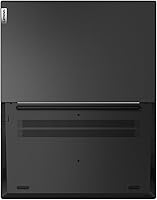
  • Ports: Connectivity includes one USB-C 3.2, one USB-A 3.2, one USB-A 2.0, one HDMI output, one RJ-45 Ethernet port, and one combined headphone and microphone jack.
  • Wireless: Wi-Fi 802.11ac (Wi-Fi 5) and Bluetooth are built in, supporting standard wireless connectivity for home and office network environments.
  • Audio: Two 1.5W stereo speakers and a dual-array microphone are built in, providing adequate sound output and improved voice capture for calls compared to single-mic designs.
  • Security: A Trusted Platform Module (TPM) 2.0 chip is included, enabling hardware-level encryption and security features compatible with Windows 11 requirements.
  • Weight: The laptop weighs 5.04 pounds, making it suitable for desk use but on the heavier side for frequent commuting or travel.
  • Dimensions: The chassis measures 14.14 x 9.28 x 0.78 inches, fitting a standard 15.6-inch footprint with a slim profile for its size class.
  • Keyboard: A full-size keyboard layout includes a dedicated numeric keypad on the right side, a practical addition for data entry and spreadsheet-heavy workflows.
  • Memory Type: System memory uses DDR4 SDRAM at 3200MHz, a reliable and widely compatible standard appropriate for the laptop's intended use cases.
  • SSD Interface: The solid-state drive connects via PCIe NVMe over an M.2 slot, delivering significantly faster data transfer speeds compared to older SATA-based drives.
  • Power Source: The laptop operates on AC power via the included adapter and an internal battery for portable use, though battery life is better suited to shorter unplugged sessions.
  • Microphone: A dual-array microphone is integrated into the display bezel, designed to improve voice pickup clarity and reduce background noise during calls.

Related Reviews
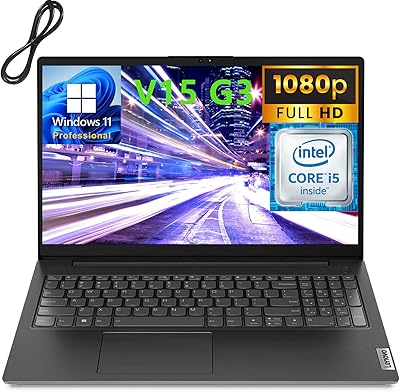
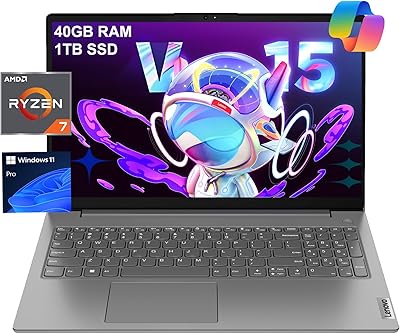
Lenovo V15 G3 15.6″ FHD Laptop, Intel Core i5-1235U, 24GB RAM, 1TB SSD
83%
88%
Performance
91%
Display Quality
84%
Build Quality
90%
Multitasking Ability
77%
Battery Life
More
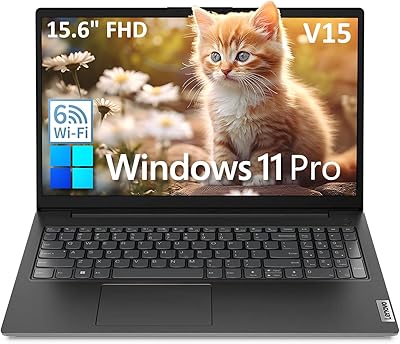
Lenovo V15 Gen 4 Business Laptop, 15.6″, AMD Ryzen 7 7730U, 40GB RAM, 1TB SSD
83%
91%
Performance
88%
Value for Money
90%
Build Quality and Durability
78%
Battery Life
85%
Display Quality
More
Lenovo V15 15.6″ Business Laptop, Intel Celeron N4500, 8GB RAM, 256GB SSD, Windows 11 Pro
79%
92%
Value for Money
88%
Performance for Basic Tasks
85%
Display Quality
78%
Battery Life
80%
Portability
More
Lenovo Yoga 15.6″ Laptop Intel i5-1135G7 8GB RAM 256GB SSD
82%
87%
Performance
90%
Display Quality
82%
Portability
65%
Battery Life
89%
Build Quality
More
Lenovo IdeaPad 1 Gen 7 15.6″ Laptop 24GB RAM 1TB SSD
84%
88%
Performance
91%
Multitasking Capability
94%
Storage Speed
85%
Display Quality
89%
Portability
More
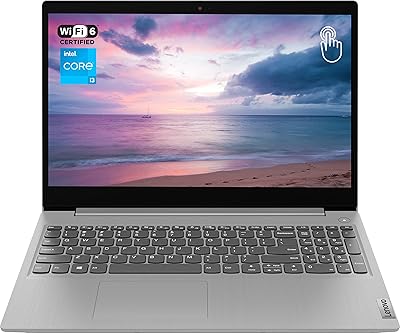
Lenovo IdeaPad 15.6-inch Laptop, 12GB RAM, 512GB SSD, Intel Celeron N4500
82%
92%
Value for Money
89%
Battery Life
75%
Display Quality
85%
Performance for Basic Tasks
88%
Portability
More
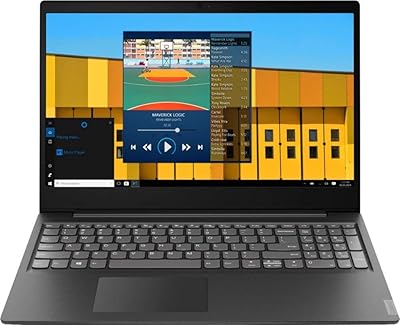
Lenovo Ideapad 3 Laptop, 15.6″, Intel Core i3, 12GB RAM, 256GB SSD
84%
92%
Value for Money
85%
Performance for Everyday Tasks
90%
Portability and Weight
75%
Display Quality
80%
Battery Life
More
Lenovo S145 15.6″ Laptop, Intel Pentium Gold 5405U, 4GB RAM, 500GB HDD
76%
72%
Performance
88%
Value for Money
85%
Portability
63%
Display Quality
78%
Battery Life
More
Lenovo IdeaPad 3 15.6″ Laptop, AMD Ryzen 5 5500U, 8GB RAM, 512GB SSD
81%
91%
Value for Money
87%
Performance for Daily Tasks
82%
Display Quality
79%
Battery Life
85%
Build Quality
More
Lenovo IdeaPad 3 Laptop, 15.6″, Intel Core i3-1115G4, 16GB RAM, 512GB SSD
83%
84%
Performance
91%
Value for Money
85%
Display Quality
76%
Battery Life
80%
Build Quality
More

FAQ

Yes, that is genuinely where the Lenovo V15 G2 IJL 15.6″ Laptop is most comfortable. Email, video conferencing, and standard office applications all run without issues. Just avoid running too many heavy applications simultaneously, as the Celeron processor has real limits under sustained load.

For genuinely everyday tasks — browsing, word processing, streaming video, and video calls — it holds up fine. The trouble starts when you push it harder: multiple heavy applications at once, large file transfers while doing other things, or anything computationally intensive will slow it down noticeably. It is a modest chip, and being realistic about that upfront saves a lot of frustration.

Not comfortably. The display covers only 45% of the NTSC color gamut, which means the colors you see on screen are not accurate representations of how images will look on calibrated monitors or in print. Beyond the display limitation, the integrated graphics and Celeron processor would struggle with most professional editing software. This is not the right machine for that kind of work.

For casual use it is perfectly adequate. The 1920x1080 resolution looks clean and sharp for browsing and video streaming, and the anti-glare coating helps a lot if you are working near a window or under bright overhead lighting. Do not expect vivid, punchy colors — the panel is functional rather than impressive, but it is not a strain to look at during normal daily use.

1TB is more than enough for most people. You can store several years of documents, photos, music, and downloaded media without coming close to filling it up. The NVMe SSD also means the drive itself is fast — boot times are quick, and file access feels snappy compared to older spinning-drive laptops.

More than you might expect. While the Celeron chip sets a ceiling on raw computational speed, having 16GB of RAM means the system handles multitasking much more gracefully than budget laptops with 4GB or 8GB. You can keep many browser tabs, a video call, and a document open without the system choking on memory alone. The RAM is legitimately one of this machine's strongest points.

Yes, the HDMI port handles that directly. You can connect to most modern monitors and projectors without any adapter. It supports a single external display, which is all most home and office users need.

For most students it works well — essays, research, presentations, online classes, and video calls are all within its comfort zone. If your coursework involves engineering software, programming environments, or media production tools, you will likely hit its limits fairly quickly. For humanities, business, or general studies, it is a practical and capable choice.

The 720p camera is serviceable in good lighting but shows its limits in dim or mixed-light conditions. For Zoom, Teams, or Google Meet calls in a reasonably lit room, it is fine — colleagues will be able to see you clearly. The physical privacy shutter is a genuinely useful feature, letting you mechanically block the camera between calls without relying on software settings.

It depends on what you are doing. Light tasks like document editing or browsing can stretch a few hours unplugged, but heavier use drains the battery faster. Most real-world users describe it as desk-primary — fine for a work session at a coffee shop, but not a laptop you would want to rely on all day without access to a charger. If you need strong battery life, that is worth factoring into your decision.