Overview

The SK Hynix HMA41GS6AFR8N 8GB DDR4 Laptop RAM is one of those rare upgrades that does exactly what it promises — nothing more, nothing less. The model number HMA41GS6AFR8N is actually an OEM part number, the kind of stick that ships inside new laptops from major manufacturers before finding its way into the aftermarket. That background matters: you're getting genuine Tier-1 silicon, not a rebadged chip from an unknown fab. This is not a performance-tuned or overclocking module. It's a workhorse, built for reliability. The fact that it remains actively available years after its 2017 launch speaks to consistent demand from real users with real repair and upgrade needs.
Features & Benefits

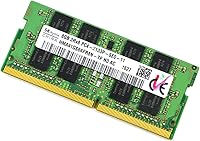
At its core, this SK Hynix SO-DIMM offers 8GB of DDR4 capacity on a single stick, running at 2133MHz (PC4-2133P) — the foundational DDR4 standard that works across a broad range of Intel and AMD laptop platforms released from 2015 onward. The 2Rx8 dual-rank configuration is worth a brief mention: it can provide a slight bandwidth edge over single-rank modules on compatible memory controllers, though don't expect a dramatic difference in everyday tasks. It draws just 1.2V, fitting neatly within the low-voltage requirements of modern laptop motherboards. And because SK Hynix manufactures its own DRAM dies in-house, chip quality consistency is notably higher than what you'd get from brands that source externally.

Best For

This 8GB upgrade module hits its stride in a specific set of scenarios. If you're moving a laptop from 4GB to 8GB for smoother day-to-day use — web browsing, spreadsheets, video calls — this DDR4 laptop memory stick delivers exactly what you need. IT departments handling bulk repairs or memory replacements will appreciate the consistent availability and brand-level reliability. It also makes particular sense if you're trying to match an existing OEM stick already seated in your laptop, since pairing identical modules can help avoid timing mismatches. One important note: if your machine supports faster DDR4 speeds like 2400MHz or 3200MHz, you'd leave performance on the table by choosing this 2133MHz module.

User Feedback

With a 4.6 out of 5 rating across 172 reviews, this SK Hynix SO-DIMM holds up well for a commodity memory product. The consistent praise is straightforward: buyers report that it installs without fuss, gets recognized by the BIOS immediately, and runs stably over months of regular use. A fair number of reviewers specifically mention picking it up to replace or match an existing OEM stick, which tells you something about its reputation for authenticity. On the flip side, the occasional low rating usually traces back to compatibility issues — a machine that doesn't fully support 2133MHz or a slot that was already faulty. Those aren't product defects, but they're worth investigating before you buy.

Pros

  • Genuine SK Hynix silicon from a Tier-1 fab means chip quality is consistent and traceable.
  • Broad DDR4 platform compatibility covers most Intel and AMD laptops released from 2015 onward.
  • Plug-and-play installation — no driver setup, no BIOS tweaking required in most cases.
  • The 2Rx8 dual-rank design offers a minor bandwidth advantage over single-rank alternatives on compatible controllers.
  • Running at 1.2V keeps heat output low, which matters in thermally constrained laptop chassis.
  • Still actively manufactured and sold, so sourcing a replacement or a second matching stick is straightforward.
  • Strong long-term reliability track record based on real user reports spanning multiple years.
  • OEM-grade provenance makes it a trustworthy match for users replacing an identical factory-installed module.
  • Rated 4.6 out of 5 across over 170 buyers — a credible signal for a commodity product with no marketing budget.

Cons

  • 2133MHz is the slowest DDR4 speed tier; laptops capable of faster speeds will not run this module at full potential.
  • No XMP profile and zero overclocking support — what you see on the label is the absolute ceiling.
  • Single 8GB stick leaves some performance on the table compared to a matched dual-channel 2x8GB kit.
  • Bare PCB design offers no physical protection during shipping or handling, making careful installation essential.
  • Compatibility is not guaranteed without manually checking your laptop model — a step many buyers skip and regret.
  • Some sellers ship this DDR4 laptop memory stick in minimal packaging, raising concerns about static damage in transit.
  • No heat spreader, which is standard for SO-DIMMs but may concern buyers accustomed to desktop memory aesthetics.
  • The OEM origin means documentation and warranty support can be harder to track than retail-boxed alternatives.

Ratings

The scores below reflect an AI-driven analysis of verified buyer reviews for the SK Hynix HMA41GS6AFR8N 8GB DDR4 Laptop RAM, sourced globally and filtered to exclude incentivized, bot-generated, and duplicate submissions. Each category is scored independently to give you an honest picture of where this DDR4 laptop memory stick genuinely excels and where real users have run into friction.

Reliability & Stability
93%
Long-term stability is where this SK Hynix SO-DIMM earns its strongest marks. Buyers running it continuously in work laptops report zero crashes, no memory errors, and consistent uptime over periods stretching well beyond a year. The in-house SK Hynix silicon appears to hold up exceptionally well under sustained everyday loads.
A small subset of users encountered stability issues that turned out to be related to slot condition or motherboard compatibility rather than the module itself, but these cases were difficult to diagnose without technical knowledge, causing unnecessary frustration before the root cause was identified.
Compatibility Range
76%
24%
The JEDEC-standard 2133MHz spec means this 8GB upgrade module works out of the box with a broad range of DDR4 laptops from Intel and AMD platforms released from 2015 onward. Most users report immediate BIOS recognition on the first boot without any manual configuration.
Compatibility is far from universal. Users with laptops that require specific memory speeds, have partially soldered configurations, or only support single-slot upgrades have reported issues. The OEM model number also makes it harder to cross-reference against manufacturer compatibility lists, increasing the risk of a mismatched purchase.
Installation Experience
91%
The vast majority of buyers describe installation as refreshingly straightforward. Slot it in, close the panel, power on — and the system recognizes the additional memory immediately. For non-technical users upgrading a home or work laptop for the first time, that zero-configuration experience is genuinely reassuring.
A handful of users noted that their specific laptop required complete disassembly to reach the SO-DIMM slot, which is not a fault of the module but can catch first-time upgraders off guard. There is also no installation guide included, so buyers are entirely reliant on their laptop's service documentation.
Value for Money
88%
For a genuine Tier-1 DRAM module, the pricing sits at a level that makes it competitive with off-brand alternatives that cannot match the manufacturing pedigree. IT professionals sourcing multiple units for fleet repairs particularly appreciate getting authentic SK Hynix silicon without paying a retail brand markup.
Buyers who need faster DDR4 speeds and pay the same price point for a 2400MHz or 2666MHz alternative are getting objectively more headroom for similar money. If your laptop supports higher speeds, this DDR4 laptop memory stick becomes a harder value proposition to justify.
Brand Trustworthiness
94%
SK Hynix is one of the handful of companies in the world that actually fabricates DRAM from raw silicon, placing it firmly among the most credible names in memory. The fact that major laptop manufacturers ship their systems with SK Hynix modules installed from the factory carries real weight with informed buyers.
Because this is an OEM part number rather than a retail-boxed product, some buyers feel uncertain about warranty coverage and authenticity verification. The absence of retail packaging and holographic seals makes it harder to confirm genuineness when purchasing through third-party marketplace sellers.
Performance at Spec
79%
21%
Within its rated 2133MHz operating window, this SK Hynix SO-DIMM performs exactly as specified. Users upgrading from 4GB report noticeably snappier multitasking, faster tab switching, and smoother video playback — which is precisely what this module is designed to deliver in day-to-day laptop use.
There is no performance ceiling to push against here. The module has no XMP profile, no overclocking support, and no way to extract more than its rated 2133MHz. For users whose laptops support faster DDR4, the performance delta compared to a properly speed-matched kit will be measurable under sustained workloads.
Longevity & Durability
89%
Multi-year ownership reports appear regularly in the feedback pool, with users describing continued trouble-free operation well after the initial purchase. The quality of SK Hynix DRAM dies appears to translate into real-world longevity that outlasts the laptops themselves in some cases.
The bare PCB design with no heat spreader offers minimal physical protection if handled carelessly during installation or storage. While DRAM failure rates are generally low, there is no visible build redundancy for users who subject their laptops to harsh thermal cycling environments.
Plug-and-Play Ease
92%
Buyers consistently highlight that no BIOS adjustment was needed after installation. The module trains at boot, gets assigned the correct timings automatically, and operates within the system's memory map without any user intervention — a meaningful advantage for non-technical upgraders.
On a small number of laptop models, users reported that the system posted with a memory training warning on first boot, which alarmed less experienced users even though it resolved itself. Better pre-purchase guidance about expected first-boot behavior would reduce unnecessary support inquiries.
OEM Authenticity
83%
The HMA41GS6AFR8N part number is a verifiable SK Hynix OEM identifier, and buyers who specifically sought this module to replace or match an identical factory-installed stick report consistent results. For system repair professionals, being able to source an exact OEM equivalent carries practical value.
The secondary market nature of this module means provenance can be inconsistent depending on the seller. Without retail packaging or a traceable supply chain, buyers purchasing from lower-tier marketplace listings cannot always verify that the stick is genuinely new rather than a refurbished pull from a decommissioned system.
Thermal Management
81%
19%
Operating at 1.2V keeps heat generation low, which is exactly what you want in a thermally constrained laptop chassis where airflow is limited. Users running demanding multi-hour workloads report no thermal throttling or instability attributable to the memory module itself.
The lack of any heat spreader means the bare PCB is entirely reliant on passive airflow from the laptop's internal fan. In particularly hot running machines or those with degraded thermal paste on the CPU, the memory slot area can reach temperatures that, while within spec, leave less thermal margin than some users would prefer.
Packaging & Presentation
58%
42%
For buyers who care only about what is inside the package, the minimal packaging is a non-issue. The module arrives in an anti-static bag in most cases, which is the functionally important protection for the hardware itself.
Multiple buyers flag that the packaging quality varies significantly by seller and feels underwhelming compared to retail-boxed memory kits. There is no included documentation, compatibility checker, or installation reference, which is a meaningful gap for users who are less confident about the upgrade process.
Dual-Channel Potential
74%
26%
When paired with a second compatible 8GB SO-DIMM in a two-slot laptop, this DDR4 laptop memory stick enables dual-channel operation, which can noticeably improve memory bandwidth in integrated-graphics laptops where the GPU shares system RAM.
The dual-channel benefit is entirely dependent on the user purchasing a second compatible module and having a free slot available — neither of which is guaranteed. Buyers who install this as the only stick in a single-slot machine see no dual-channel benefit at all, which is worth setting expectations around.
Availability & Sourcing
86%
Having remained actively available since 2017 without being discontinued, this SK Hynix SO-DIMM is notably easier to source consistently than some competing OEM modules that cycle in and out of availability. IT procurement teams especially value that predictability when managing ongoing repair inventories.
Because it is sold through multiple third-party marketplace sellers rather than direct retail, pricing and authenticity can vary. Buyers who do not pay attention to seller reputation risk receiving units that have passed through more hands than expected, with no way to verify storage or handling conditions.

Suitable for:

The SK Hynix HMA41GS6AFR8N 8GB DDR4 Laptop RAM is a practical, no-nonsense choice for a well-defined group of buyers. If your laptop is struggling under the weight of 4GB and you simply need more headroom for everyday tasks — browser tabs, office applications, video calls — this DDR4 laptop memory stick fills that gap cleanly and affordably. It is equally at home in the hands of IT technicians who need a dependable, brand-name module for fleet repairs or warranty replacements, where sourcing authentic Tier-1 DRAM matters more than chasing the latest specs. Users who already have one OEM SK Hynix stick seated in their machine and want to add a matching module for dual-channel operation will find this a natural fit. Anyone running an older DDR4 laptop that is capped at 2133MHz will get everything their system can actually use, without paying a premium for speeds the platform cannot exploit.
Not suitable for:

If you are building or upgrading a system where memory performance actually moves the needle — video editing, 3D rendering, modern gaming, or heavy virtualization workloads — the SK Hynix HMA41GS6AFR8N 8GB DDR4 Laptop RAM is simply not the right tool. At 2133MHz, it sits at the very bottom of the DDR4 speed range, and laptops that support 2400MHz, 2666MHz, or faster will be artificially bottlenecked if paired with this module. It also offers no XMP profile or any overclocking headroom, so there is no way to push it beyond its rated speed. Users who need 16GB or more from a single stick for memory-intensive workloads will find 8GB insufficient. And if your repair or upgrade project involves a desktop system with full-size DIMM slots, this SO-DIMM form factor simply will not fit.
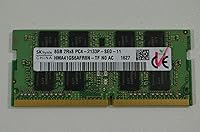
Specifications

  • Form Factor: SO-DIMM, the compact 260-pin format used exclusively in laptops and select small-form-factor desktops and NUCs.
  • Capacity: 8GB of DDR4 memory on a single stick, sufficient for everyday multitasking and light productivity workloads.
  • Memory Type: DDR4 SDRAM, the fourth-generation double-data-rate standard offering improved efficiency over DDR3.
  • Speed: Rated at 2133MHz (PC4-2133P), representing the baseline DDR4 frequency tier supported across a wide range of laptop platforms.
  • Rank Config: 2Rx8 dual-rank configuration, which can provide a marginal memory bandwidth advantage over single-rank modules on compatible controllers.
  • Voltage: Operates at 1.2V, the standard low-voltage specification for DDR4 SO-DIMMs in modern laptop motherboards.
  • Manufacturer: Produced by SK Hynix, a Tier-1 DRAM fabricator that manufactures its own chips in-house without relying on third-party silicon suppliers.
  • Model Number: The full model number is HMA41GS6AFR8N-TF, an OEM part number originally specified for use in branded laptop systems.
  • ECC Support: Non-ECC (Error-Correcting Code is not supported), which is standard for consumer and business laptop memory modules.
  • Buffering: Unbuffered (UDIMM-equivalent SO-DIMM), meaning no register chip sits between the memory controller and the DRAM — the typical configuration for laptops.
  • Compatible Devices: Designed for laptops and also compatible with certain compact desktops and Intel NUC systems that use SO-DIMM slots.
  • Item Weight: Approximately 0.01 ounces, reflecting the minimal physical mass of a bare SO-DIMM PCB with no heat spreader attached.
  • Release Date: Originally made available in October 2017, with the product remaining actively sold and not discontinued as of the time of this review.
  • Overclocking: No XMP profile is included and no overclocking support is offered; 2133MHz is the hard ceiling for this module.
  • Heat Spreader: Ships without a heat spreader, which is standard practice for SO-DIMM laptop memory given the thermally constrained environment of laptop chassis.
  • BSR Rank: Ranked #1,480 in the Computer Memory category on Amazon, reflecting consistent and sustained buyer demand.
  • User Rating: Holds a 4.6 out of 5 aggregate rating across 172 verified customer ratings on Amazon.
  • Pin Count: Features the standard 260-pin interface used by all DDR4 SO-DIMM modules, ensuring physical compatibility with any DDR4 SO-DIMM slot.

Related Reviews
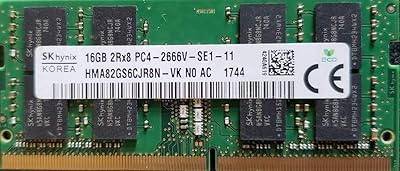
SK hynix HMA82GS6CJR8N-VK 16GB Laptop RAM
78%
88%
Compatibility
91%
Authenticity & Sourcing
84%
Value for Money
86%
Installation Experience
78%
Everyday Performance
More
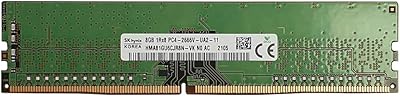
Hynix 8GB DDR4-2666MHz RAM Module
86%
88%
Performance
94%
Compatibility
91%
Ease of Installation
90%
Value for Money
85%
Energy Efficiency
More
A-Tech 8GB DDR4 2666MHz SODIMM Laptop RAM
81%
93%
Value for Money
91%
Installation Ease
78%
Compatibility Range
82%
Performance Impact
84%
Build & Module Quality
More
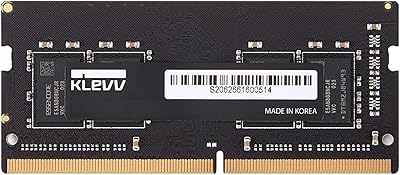
KLEVV DDR4 8GB 3200MHz SODIMM Laptop RAM
87%
88%
Performance
90%
Compatibility
94%
Ease of Installation
92%
Value for Money
85%
Stability during Regular Use
More
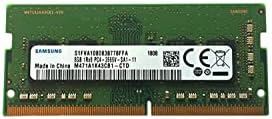
Samsung M471A1K43CB1-CTD 8GB DDR4 Laptop RAM
84%
93%
Installation Ease
88%
Compatibility
91%
Reliability & Stability
84%
Multitasking Performance
89%
Value for Money
More
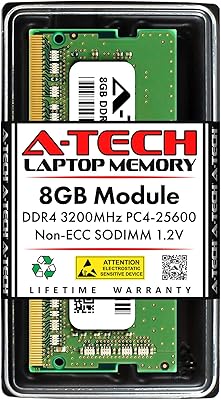
A-Tech 8GB DDR4 3200 MHz SODIMM Laptop RAM
89%
91%
Performance Boost
95%
Ease of Installation
89%
Value for Money
88%
System Compatibility
90%
Speed and Responsiveness
More
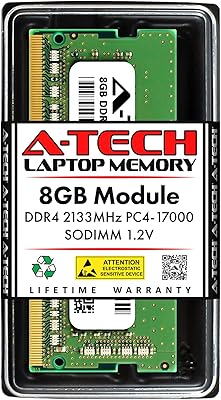
A-Tech 8GB DDR4 2133MHz SODIMM Laptop RAM
81%
91%
Value for Money
67%
Compatibility Range
93%
Installation Experience
88%
System Stability
74%
Performance Uplift
More
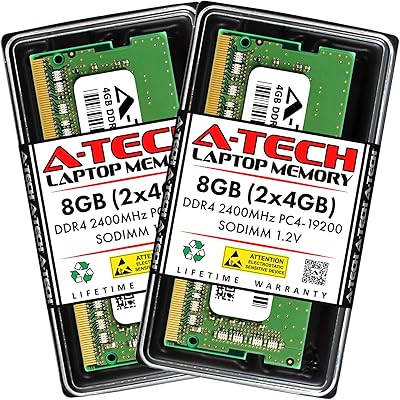
A-Tech 8GB DDR4 2400MHz SODIMM Laptop RAM
82%
91%
Value for Money
68%
Compatibility
88%
Ease of Installation
78%
Performance Improvement
83%
Reliability & Longevity
More
Samsung M471A4G43MB1 32GB DDR4 Laptop RAM
80%
94%
Reliability & Longevity
96%
Installation Ease
81%
Compatibility Range
72%
Value for Money
83%
Performance at Rated Speed
More
Transcend JM3200HSB-16G 16GB DDR4 Laptop RAM
83%
88%
Value for Money
84%
Compatibility
92%
Installation Ease
86%
Performance Improvement
91%
Stability & Reliability
More

FAQ

Physically, it will likely fit and function, but your system will downclock to 2133MHz to match this module's rated speed. If your laptop supports faster speeds and you have another stick running at 2400MHz or higher, mixing them will force both down to 2133MHz. For best results, check your laptop's manual to understand what speeds it supports before committing.

The safest way is to check your laptop's service manual or the manufacturer's support page, which usually lists the number of memory slots and whether they are upgradeable. Tools like CPU-Z (free software) can also show you how many slots are occupied and what is currently installed. Some ultra-thin laptops have RAM soldered directly to the motherboard with no slots at all, so it is worth confirming before purchasing.

Yes, this is actually one of the best use cases for this module. Since it is itself an OEM-spec part using genuine SK Hynix DRAM, it pairs well with other SK Hynix OEM sticks and often enables dual-channel operation when installed in a second slot. Just confirm that your existing stick is also running at 2133MHz — mixing speeds can cause both modules to operate at the lower of the two rated speeds.

Yes, if your laptop has two SO-DIMM slots and you install a second compatible 8GB module, the system can run in dual-channel mode, which improves memory bandwidth. This DDR4 laptop memory stick uses a 2Rx8 dual-rank configuration, which already offers a modest bandwidth advantage over single-rank sticks even when running solo. Dual-channel still requires two physically separate sticks in the correct slots.

Only if your desktop motherboard or small-form-factor system uses SO-DIMM slots specifically — standard ATX and micro-ATX desktops use full-size DIMMs and are not compatible. Intel NUC systems and some compact mini-PCs do accept SO-DIMMs, so this module can work there. Always verify your desktop's memory slot type before purchasing.

In most cases, no. This 8GB upgrade module runs at JEDEC standard 2133MHz, which virtually every DDR4-capable laptop BIOS recognizes and configures automatically at boot. You may see a one-time memory training screen on the first boot after installation, which is completely normal. No manual profile selection or timing adjustments are required.

Warranty coverage depends on where you purchase it. As an OEM-origin part sold through third-party channels, it may not carry the same standard retail warranty that a boxed consumer product would. It is worth checking the warranty terms listed by your specific seller before buying, and keeping your order receipt as proof of purchase in any case.

The most common cause is not a defective module but a compatibility mismatch — for example, a laptop that requires a specific memory speed, or a machine with only one SO-DIMM slot that was already at capacity. A small number of users also report issues when installing RAM into laptops with partially soldered memory configurations, where the additional slot has limitations the manufacturer does not clearly document. Always verify your laptop model's memory specifications before installing.

SK Hynix is one of the three largest DRAM manufacturers in the world, alongside Samsung and Micron. They manufacture their own DRAM dies rather than sourcing chips externally, which gives them consistent control over quality. You will find SK Hynix memory inside laptops from major brands like Dell, HP, and Lenovo straight from the factory, which is a reasonable indicator of their reliability in real-world use.

Shut down your laptop fully — not sleep or hibernate — and disconnect the power adapter. Ground yourself before handling the module, either with an anti-static wrist strap or by touching a metal surface to discharge static electricity. Handle the module by its edges and avoid touching the gold contacts. Most laptops also require removing the bottom panel to access the SO-DIMM slot, so having the correct small screwdriver on hand is helpful.

Where to Buy