Overview

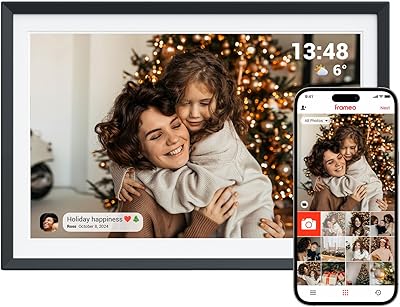
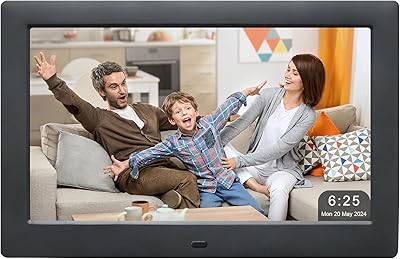
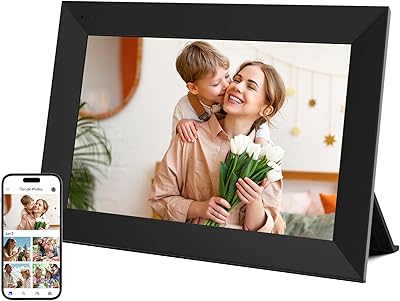
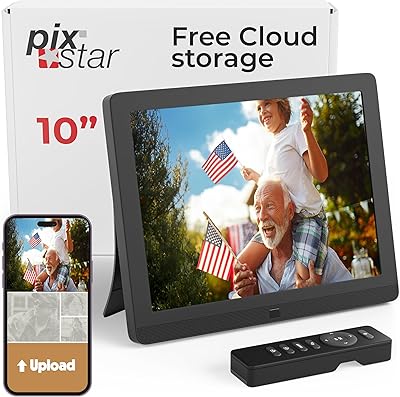
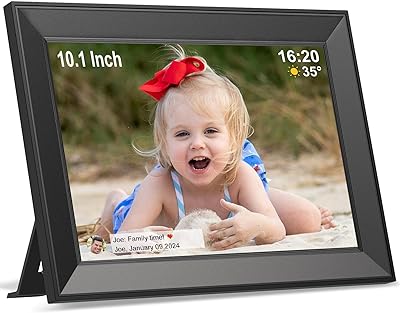
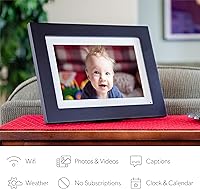
The Simply Smart Home Photoshare 10″ Digital Frame occupies a practical sweet spot for anyone looking to keep distant family members connected through shared photos. It sports a black wood-finish housing with a 10.1-inch touchscreen display, and it can sit on a tabletop or hang on a wall depending on your space. Photos and short video clips reach the frame via the dedicated PhotoShare app, email, Facebook, or Google Photos — covering most of how people already share images. The resolution sits at 720p, worth noting if you’re cross-shopping with 1080p alternatives, though at typical living-room viewing distances the picture looks clean and bright. Unlike many competitors, there are no subscription fees attached whatsoever.

Features & Benefits

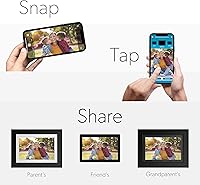
What makes this WiFi photo frame click for most families is how low the friction is from the sender’s side. Install the PhotoShare app on your phone, snap or select a photo, and it appears on the frame within seconds — no cables, no SD cards, no asking grandma to do anything. The frame holds 8 GB of storage, which translates to upwards of 5,000 photos cycling through without ever needing a manual purge. The touchscreen lets recipients adjust slideshows or tweak settings directly on the screen. Better still, you can invite the whole family to contribute — everyone gets access, and it becomes a shared, living album rather than a static display.

Best For

The Photoshare frame is most obviously a gifting purchase — the kind you buy for an aging parent or grandparent who wants to see recent family photos but has little patience for apps, logins, or any kind of tech fiddling. Once it’s plugged in and on WiFi, the recipient barely needs to touch it. It’s equally useful for long-distance families who want an always-on, passive connection — think new grandkids, holidays, or everyday moments that rarely make it into a text message. That said, if display sharpness is your top priority, or you’re a photography enthusiast who wants pixel-perfect images on screen, 1080p alternatives might suit you better.

User Feedback

Across more than 3,600 ratings, this digital picture frame holds a 4.4-star average — solid for a product in daily use inside people’s homes. Buyers repeatedly praise how quickly their less tech-savvy recipients got the frame running, and many gift-givers mention that the reaction on opening day was immediate and enthusiastic. On the critical side, some users report that the app occasionally loses its connection and requires a re-sync, which can be frustrating if the recipient isn’t confident troubleshooting WiFi on their own. A handful also note that video clip support is limited in length. Long-term durability appears generally reliable, though a few mention needing to reconnect after outages.

Pros

  • Setup takes about a minute — genuinely beginner-friendly, even for elderly recipients with no tech background.
  • No ongoing subscription fees means the purchase price is the only cost, ever.
  • The PhotoShare app works reliably and delivers photos to the frame within seconds of sending.
  • 8 GB of internal storage holds thousands of photos without requiring manual cleanup.
  • Multiple family members can all contribute photos simultaneously from their own devices.
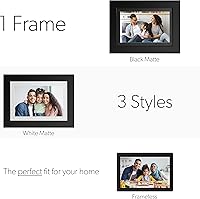
  • The black wood frame finish looks tasteful on a shelf or mounted on a wall.
  • Compatible with both iPhone and Android, so no one in the family gets left out.
  • Photos can be sent via email, Facebook, or Google Photos — not just the dedicated app.
  • The HD touchscreen lets the recipient interact directly with the frame to control slideshows.
  • Over 3,600 customer ratings at 4.4 stars signals consistent real-world satisfaction across a large user base.

Cons

  • The app occasionally loses its connection to the frame and requires a manual re-sync to restore.
  • WiFi reconnection after a power outage is not always automatic, which can be a problem for less tech-confident users.
  • Video clip length support is limited, making it a poor fit if sharing short home videos is a priority.
  • Resolution tops out at 720p — noticeably softer than 1080p competitors when viewed up close.
  • No offline or local playback option beyond what’s already stored; fully dependent on a working network to receive new content.
  • The frame’s app ecosystem is proprietary, so switching to a different frame later means starting the invite process over with family.
  • Some users report the touchscreen is less responsive along the edges, requiring deliberate taps.
  • At 3.1 pounds, it is on the heavier side for a 10-inch frame, which matters if wall-mounting on drywall without a stud.

Ratings

The scores below for the Simply Smart Home Photoshare 10″ Digital Frame were generated by our AI review engine after processing thousands of verified global user ratings, actively filtering out incentivized, bot-generated, and outlier submissions to surface what real everyday buyers actually experienced. Both the genuine strengths and the recurring frustrations are reflected here without softening either side. The result is one of the most transparent rating breakdowns you will find for a WiFi-connected photo display in this price tier.
Ease of Setup
93%
Buyers consistently describe the initial setup as one of the fastest they have experienced with any connected home device. Plugging in, joining WiFi, and receiving the first photo from a family member often happens within two or three minutes, which is a genuine relief when the intended recipient is an older adult with limited patience for tech.
A smaller subset of users encountered friction when their home network used less common security configurations, requiring an extra troubleshooting step that the quick-start guide did not anticipate. For most people this is a non-issue, but it is worth being aware of if your router settings are non-standard.
App Reliability
78%
22%
Under normal conditions the PhotoShare app delivers photos to the Photoshare frame quickly and without requiring any action from the person at the frame end. Families who use it routinely report that sending a photo feels about as effortless as sending a text message, which keeps engagement high over time.
The app has drawn recurring complaints about connectivity dropping between the phone and the frame, particularly after app updates or extended periods of inactivity. Some users report needing to re-add the frame or force-restart the app to restore the link, which can be frustrating when the recipient is not nearby to assist.
Display Quality
74%
26%
For typical family snapshots viewed from a few feet away, the 720p screen looks bright, vibrant, and more than adequate. Colors render warmly, and the display holds up well in normally lit rooms, which is exactly the environment most people place this digital picture frame in.
Up close or in direct comparison with 1080p alternatives, the resolution gap becomes noticeable, especially with photos that contain fine detail or text. Buyers who have high-quality photography as a motivation, rather than casual family moments, will find the sharpness underwhelming.
Value for Money
86%
The absence of any recurring subscription fee is the single biggest value driver here, and buyers mention it frequently as the reason they chose this frame over competing options. When multiple family members can send photos at no additional cost, the upfront price quickly feels justified.
A handful of users who later discovered 1080p frames at comparable or only slightly higher price points felt they had left image quality on the table. The value calculus is strong for gifting and casual use, but buyers doing careful comparison shopping may find the spec-to-price ratio tighter than it first appears.
WiFi Reconnection
58%
42%
When the connection remains stable, the frame operates entirely in the background without needing any attention. Photos arrive automatically and the slideshow continues uninterrupted for weeks at a time for many users, which is the experience the device is designed to deliver.
Power outages are where this WiFi photo frame stumbles most visibly. Multiple reviewers report that after an outage, the frame fails to rejoin the network on its own and requires someone to manually reconnect it — a real problem when the frame belongs to an elderly relative living alone or far away.
Build Quality
76%
24%
The black wood finish gives the frame a more furniture-like appearance than the plastic-dominant competition at this price level, and most buyers comment that it looks noticeably less cheap in person than they expected from product photos. It fits naturally on a shelf or credenza without looking out of place.
At 3.1 pounds it is heavier than some comparable frames, and a few users noted that the wall-mount hardware included in the box felt lightweight relative to the frame itself. Long-term durability of the casing under daily handling appears acceptable but not exceptional based on multi-year owner reports.
Touchscreen Responsiveness
69%
31%
The touchscreen handles basic interactions — swiping through photos, adjusting brightness, pausing the slideshow — reliably enough for the occasional user who wants to interact with the frame directly. For recipients who largely ignore the screen and let it run passively, it is rarely an issue.
Edge sensitivity is a consistent complaint, with taps near the corners or borders of the screen often going unregistered. Users who want to use the touchscreen regularly find the experience mildly irritating, particularly when trying to access settings options that are positioned toward the display perimeter.
Multi-Sender Experience
88%
Families spread across multiple households genuinely appreciate that everyone — regardless of which phone platform they use — can send photos to the same frame without coordinating or handing off credentials. In practice this means the frame stays visually fresh with contributions from several people rather than going stale.
There is no sender-side notification confirming the photo was successfully received on the frame, which leaves some contributors unsure whether their image went through. A few users also noted there is no way to prioritize or organize photos from different senders, so the slideshow mixes everything together chronologically.
Photo Storage Management
82%
18%
With 8 GB of internal storage the frame holds an impressive volume of images, and most users will never hit the ceiling during normal family use. The automatic management means contributors can keep sending without anyone needing to log in and manually delete older photos to free up space.
The frame handles storage deletion automatically using its own logic, which means older photos can disappear without any notice to the owner or senders. Users who care about preserving specific images long-term have no reliable way to pin or protect certain photos from being overwritten.
Video Clip Support
52%
48%
The ability to send short video clips at all is a step beyond what many competing frames in this category offer, and for users who occasionally want to share a moment with movement — a baby's first steps or a quick holiday greeting — it adds a meaningful dimension to the experience.
The length restrictions on video clips are tight enough that many natural video moments get cut off, and the playback quality does not match what the clips look like on a modern phone screen. Several buyers explicitly describe the video feature as feeling like an afterthought rather than a fully developed capability.
Gifting Experience
91%
This digital picture frame has an unusually high ratio of gift-purchase reviews, and the sentiment from gift-givers is consistently warm — many describe the recipient tearing up or lighting up the moment the first photo arrived. The packaging and presentation reinforce the sense that this is a considered, personal gift rather than a generic gadget.
Gift-givers who cannot be present during setup sometimes struggle to walk the recipient through WiFi configuration over the phone, particularly when the recipient is elderly and unfamiliar with their own router password. Remote setup support is an area where better in-box guidance would meaningfully reduce friction.
Sharing Method Flexibility
83%
Supporting email, Facebook, Google Photos, and a dedicated app means contributors do not all need to adopt the same platform to participate. Older relatives who are more comfortable with email can send photos just as easily as younger family members using the app, which removes a real adoption barrier.
Facebook integration in particular has drawn some complaints about inconsistent behavior, with photos occasionally failing to push through from private albums depending on account privacy settings. Users relying on Facebook as their primary sharing method may need to experiment with settings before it works reliably.
Long-Term Durability
71%
29%
The majority of owners who have used the Photoshare frame for two or more years report that the hardware continues to function without obvious degradation. Screen brightness and touch response hold reasonably steady over time, which is a meaningful indicator given that this type of device runs continuously.
A cluster of longer-term owners have reported app compatibility issues following major smartphone OS updates, where the sending side of the experience broke temporarily until an app patch was released. Dependence on the app ecosystem means the frame’s long-term usability is partly tied to the manufacturer’s ongoing software support.

Suitable for:

The Simply Smart Home Photoshare 10″ Digital Frame is built squarely around one scenario: keeping people who aren’t particularly tech-savvy visually connected with the people they love most. If you’re shopping for a grandparent, an aging parent, or any relative who lives far away and wouldn’t know what to do with an SD card, this WiFi photo frame is genuinely one of the easier paths to get family photos in front of them daily. It also works well as a shared family hub — multiple people can send photos from their own phones, so the frame stays fresh without any single person carrying the burden. Long-distance families with new babies, frequent travelers wanting to stay present in a home they’re rarely in, and anyone who simply wants a plug-in-and-forget photo display will find the experience straightforward and low-maintenance. The absence of any subscription fee also makes it a clean, one-time gift with no hidden follow-up costs for the recipient.
Not suitable for:

The Simply Smart Home Photoshare 10″ Digital Frame is not the right pick for buyers who prioritize display sharpness above all else. Its 720p resolution is perfectly acceptable for casual family photos viewed from across a room, but if you’re a photography enthusiast who wants to showcase high-resolution prints or fine-detail images, a 1080p frame will serve you better. It also relies entirely on a stable WiFi connection — users who experience frequent outages or have unreliable home networks have reported needing to manually reconnect the frame, which defeats the purpose for a recipient who can’t troubleshoot on their own. Video support is limited in clip length, so it’s not a substitute for any kind of media or video playback device. And if you want granular control over the interface, advanced slideshow customization, or integration with cloud photo libraries beyond the supported platforms, this digital picture frame will feel limited.
Specifications

  • Screen Size: The display measures 10.1 inches diagonally, offering a comfortable viewing area for tabletop or wall placement.
  • Resolution: The screen outputs at 720p HD, which renders family photos clearly at typical room viewing distances.
  • Touchscreen: The frame includes a capacitive touchscreen that allows direct on-screen control of slideshows and settings.
  • Storage: 8 GB of internal storage is built in, with capacity for more than 5,000 photos without requiring an SD card or external drive.
  • Connectivity: The frame connects to home networks via WiFi, enabling remote photo delivery from anywhere with an internet connection.
  • Sharing Methods: Photos can be sent to the frame through the PhotoShare app, email, Facebook, or Google Photos.
  • Compatible Devices: The PhotoShare app is compatible with both iPhone and Android smartphones.
  • Video Support: The frame accepts short video clips in addition to still photos, though clip length is subject to app-imposed limits.
  • Dimensions: The overall unit measures 14.86 x 10.6 x 2.16 inches, including the frame border.
  • Weight: The frame weighs 3.1 pounds, which should be factored in when planning a wall-mount installation.
  • Frame Finish: The outer housing features a black wood finish designed to blend with typical home decor.
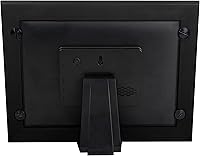
  • Orientation: The frame supports both tabletop display and wall mounting, with hardware included for both configurations.
  • Subscription Fee: There are no monthly or annual subscription fees required to use any feature of this frame.
  • Setup Time: Initial WiFi and app setup is designed to take approximately one minute for a first-time user.
  • Multi-Sender Support: An unlimited number of contacts can be invited to send photos to a single frame simultaneously.
  • Model Number: The manufacturer model number for this unit is FSM010BL.
  • Manufacturer: This frame is designed and sold by Simply Smart Home, a brand focused on connected home display products.
  • Availability Date: This product has been available for purchase since December 2017, indicating several years of market presence and firmware iteration.

Related Reviews

Brookstone PhotoShare 8” Smart Digital Picture Frame
85%
92%
Ease of Setup
89%
Display Quality
77%
App Performance
90%
Storage Capacity
84%
Build Quality
More
Pixedge Frameo 10.1-inch Digital Photo Frame
81%
88%
Ease of Setup
79%
App Experience
74%
Display Quality
91%
Remote Photo Sharing
77%
Build Quality
More
Jaihonda 10 Inch Digital Picture Frame
80%
90%
Display Quality
88%
Ease of Use
84%
Value for Money
75%
Build Quality
94%
Setup & Installation
More
CozylaHome 10.1″ Digital Picture Frame
82%
88%
Ease of Setup
93%
AI Photo Enhancement
85%
Display Quality
82%
Video Playback Support
70%
Connectivity (WiFi)
More
Nethgrow 10.1″ Digital Photo Frame
86%
88%
Display Quality
91%
Ease of Use
84%
Wi-Fi Connectivity
90%
Storage Capacity
86%
App & Photo Sharing Experience
More
Atatat Digital Picture Frame 10-inch
84%
90%
Display Quality
85%
Ease of Setup
88%
Slideshow Functionality
80%
Build Quality
83%
Remote Control Usability
More
ApoloSign 10-inch Neon Light Digital Photo Frame
79%
88%
Display Quality
82%
Ambient LED Lighting
91%
Ease of Setup
76%
App Experience (Frameo)
67%
Touchscreen Responsiveness
More
Pix-Star 10-inch WiFi Digital Photo Frame
77%
88%
Ease of Setup
91%
Photo Delivery Experience
73%
Display Quality
94%
No-Subscription Value
62%
App Reliability
More
Feelcare HN-DPF1003 10-inch Digital Picture Frame
76%
88%
Ease of Setup
83%
Display Quality
76%
App Experience
51%
Video Support
79%
Touchscreen Responsiveness
More
Skylight 10-Inch WiFi Digital Picture Frame
78%
93%
Ease of Setup
91%
Photo Sharing Experience
84%
Display Quality
96%
Gift Readiness
67%
Value for Money
More

FAQ

Not at all. The sender downloads the free PhotoShare app on their iPhone or Android phone, gets added as an approved contact, and then selects any photo from their camera roll to send. It arrives on the frame in seconds. Most people get the hang of it after one or two tries, even if they are not particularly comfortable with technology.

They will need to plug it in and connect it to their home WiFi network during the initial setup, which typically takes about a minute. After that, photos just appear on the frame automatically — the recipient does not need to interact with an app or do anything else to receive new images.

No. The Simply Smart Home Photoshare 10″ Digital Frame has no subscription fees, no premium tiers, and no paid features. What you pay upfront is the only financial commitment, and every person you invite to send photos uses the service at no cost to them either.
There is no hard cap on the number of senders — you can invite your entire extended family if you want. Each person simply downloads the app and accepts the invite, and they can all contribute photos independently without any coordination required.

The photos already stored on the frame will continue to display in slideshow mode even without an internet connection. However, some users have reported that after a power outage the frame does not always reconnect to WiFi automatically, and may need a manual restart or network re-entry. It is worth noting this if the recipient is not comfortable with basic troubleshooting.

You can send short video clips through the app in addition to still photos. That said, there are length restrictions on clips, and this digital picture frame is primarily designed around photo display. If sharing home videos is a major priority, you may find the video functionality feels limited.

For typical family photos viewed from a few feet away, the 720p display looks clean and bright. If you stand very close or send high-resolution images expecting to see fine detail, you will notice it is not as crisp as a 1080p screen. For its intended use case — casual everyday photos displayed in a living room or bedroom — the image quality holds up well.

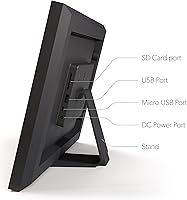
It supports both. The frame comes with hardware for wall mounting and also has a stand for tabletop use. At 3.1 pounds, it is worth using a wall anchor or finding a stud if you plan to hang it, rather than relying on a basic adhesive hook.

Yes — beyond the dedicated app, the Photoshare frame can receive photos sent via email, Facebook, or Google Photos. This is particularly useful if some family members are not willing to download yet another app but are already active on one of those platforms.

For the person receiving the frame, day-to-day use is essentially passive — photos arrive and cycle on their own. The touchscreen lets them interact with slideshows if they want to, but they never have to. The main thing to plan for is the initial WiFi setup, which you may want to handle in person or walk them through over the phone. Once it is running, most elderly recipients need to do nothing at all to keep enjoying it.

Where to Buy