Overview

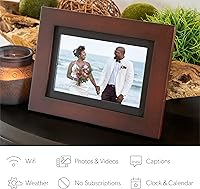
The Brookstone PhotoShare 8″ Smart Digital Picture Frame takes a genuinely practical approach to a problem most families know well — keeping distant relatives in the loop without printing or mailing a single photo. Brookstone has long been a familiar name in home lifestyle gadgets, and this frame sits comfortably in the mid-range tier. The 8-inch HD touchscreen is bright and responsive, and the espresso wood finish gives it a polished look that fits naturally on a shelf or mantel. If you want deep customization or advanced slideshow controls, this isn’t that device — but for straightforward, connected photo sharing, it delivers well.

Features & Benefits

The free PhotoShare app — available for both iPhone and Android — is where most of the action happens. Once installed, anyone you invite can send photos or short video clips directly to the frame over WiFi, often within seconds. You’re not locked into one sharing method either; email, PC uploads, Google Photos, and even a Facebook link all work. The frame holds over 5,000 images on 8 GB of internal storage, so you won’t be scrambling to delete old shots. No subscription fees are required, which is a genuine differentiator many competing frames can’t claim. The touchscreen lets you interact directly without hunting for a remote.

Best For

This smart photo frame was practically designed with grandparents in mind. If you have family scattered across different cities — or a new baby whose milestones you want to share instantly — this is a thoughtful and genuinely useful gift. The one-minute setup means even less tech-comfortable recipients can get started without a tutorial. It also works well as a holiday or birthday gift for older relatives who’d love a constant stream of fresh photos without needing to check an app themselves. If you want a no-fee shared display that just works straight out of the box, this WiFi picture frame is a natural fit.

User Feedback

With a 4.6-star average across more than 3,000 ratings, the PhotoShare frame has clearly found a loyal audience. Buyers consistently praise how reliably the companion app delivers photos, and many specifically note that grandparents on the receiving end need zero technical involvement — which is exactly the point. On the flip side, some users have flagged occasional app hiccups and wish the frame offered a larger screen for the price. Video clip support, while a nice bonus, gets mixed reviews due to length limitations. Most long-term owners report the frame holds up well after months of continuous daily use, which adds confidence for anyone buying it as a gift.

Pros

  • Family members anywhere in the world can send photos directly to the frame within seconds.
  • No monthly or annual subscription fees — pay once and you’re done.
  • The free companion app is straightforward enough for non-technical users to pick up immediately.
  • Multiple sharing methods — email, Google Photos, and more — mean contributors aren’t locked into one platform.
  • Grandparents and older recipients receive photos passively, with zero setup required on their end.
  • 8 GB of storage comfortably holds thousands of images without constant manual management.
  • The espresso wood finish looks far more considered than the plain plastic frames in this category.
  • The HD touchscreen is bright, responsive, and doesn’t require a separate remote.
  • A 4.6-star average across thousands of real buyers reflects consistent, reliable satisfaction.
  • Setup takes roughly a minute, making it genuinely ready to gift right out of the box.

Cons

  • The 8-inch screen can feel small if the frame sits more than a few feet away from the viewer.
  • App reliability has been flagged by some users, with occasional syncing delays or connectivity hiccups.
  • Video clip support is limited in length and not robust enough to replace a dedicated media display.
  • There is no landscape-only or portrait-only lock, which can frustrate users with a fixed placement preference.
  • The frame depends entirely on WiFi — any network outage means no new photos until the connection restores.
  • Advanced slideshow customization options are minimal compared to higher-end smart frames.
  • Some buyers report that the app interface, while simple, lacks flexibility for power users who want more control.
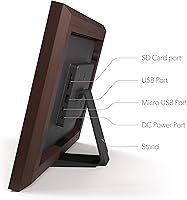
  • The frame does not support direct USB or SD card photo loading as a fallback option.

Ratings

The scores below for the Brookstone PhotoShare 8″ Smart Digital Picture Frame were generated by our AI system after analyzing thousands of verified global buyer reviews, with spam, bot-generated, and incentivized feedback actively filtered out. Each category reflects the honest balance of what real owners praised and what genuinely frustrated them — nothing is glossed over. Whether you are buying this as a gift or for yourself, these ratings are designed to give you a transparent, ground-level picture of what to expect.

Ease of Setup
93%
Buyers overwhelmingly describe the initial setup as one of the fastest they have experienced with any connected home device. Connecting to WiFi and getting the first photo to appear takes most people under two minutes, which matters enormously when the recipient is an older relative with limited patience for technology.
A small number of users ran into trouble when their home network ran on a 5GHz-only band, since the frame requires a 2.4GHz connection. This is not a dealbreaker, but it can catch buyers off guard if their router setup is non-standard.
App Performance
76%
24%
For day-to-day use, the PhotoShare app does its job reliably — photos typically land on the frame within seconds of being sent, and the process of inviting family members is clear enough that most people figure it out without consulting any instructions.
A recurring complaint across reviews involves intermittent syncing delays and occasional instances where the app loses its connection to the frame entirely, requiring a restart. These hiccups are not constant, but they happen often enough to be a pattern rather than an isolated issue.
Display Quality
81%
19%
The 1280x800 HD screen renders family photos with genuine clarity and accurate color reproduction, which makes a real difference when displaying portraits, vacation shots, or baby photos. Brightness levels hold up well in moderately lit rooms without appearing washed out.
In direct sunlight or very brightly lit rooms, glare on the screen becomes noticeable and can reduce visibility. The display also does not auto-adjust brightness based on ambient light, so owners in rooms with variable lighting may need to manually tweak settings.
Photo Sharing Experience
91%
The multi-sender model is where this frame truly earns its reputation. Grandparents, aunts, uncles, and friends can all send photos independently without any coordination, turning the frame into a living, community-built photo album that updates itself organically throughout the day.
Some users wish there were better curation tools — specifically, the ability to approve or reject incoming photos before they appear on the frame. In households where multiple senders are active, occasional unwanted or blurry shots can slip through without a filter option.
Build Quality
78%
22%
The espresso wood finish gives the frame a more considered, furniture-like appearance compared to the glossy plastic alternatives common in this price range. It sits stably on a shelf or mantel and does not feel flimsy when handled during setup or repositioning.
The back panel and internal components feel noticeably lighter and less substantial than the front-facing finish suggests. A few long-term owners have noted that the stand mechanism shows wear after extended use, particularly if the frame is frequently repositioned.
Value for Money
84%
When you factor in that there are zero ongoing subscription fees — unlike several competing smart frames that charge monthly — the one-time cost feels fair and transparent. For a gift purchase especially, the lack of recurring costs removes a common post-gifting awkwardness.
Some buyers feel the screen size and software feature set do not fully justify the price when compared to newer competitors that offer larger displays or more refined apps at a similar cost. The value proposition is strong, but it is not unbeatable.
Video Support
54%
46%
The ability to receive short video clips alongside photos is a welcome bonus that competing frames in this range do not always offer. For brief moments — a baby’s first laugh or a birthday candle being blown out — it adds a layer of emotion that still photos cannot replicate.
Clip length restrictions are tight, and the playback experience is inconsistent enough that several buyers explicitly describe video as a minor add-on rather than a functional feature. Anyone expecting smooth, looping video display will almost certainly be disappointed.
Storage & Capacity
88%
Eight gigabytes of internal storage comfortably holds over 5,000 photos, meaning most families will never need to manually delete old images to make room for new ones. This hands-off approach to storage management is especially appreciated by less technically inclined users.
There is no option to expand storage via an SD card or USB drive, which could matter for buyers who want to load a large pre-existing photo library all at once. The frame also lacks a straightforward bulk-import tool, making large initial uploads somewhat tedious.
Compatibility
87%
Support for both iPhone and Android, combined with sharing options that include email and Google Photos, means virtually every family member can participate regardless of their device preferences. The email-based sharing option is particularly useful for older relatives who are more comfortable with email than apps.
Occasional compatibility complaints surface around specific Android versions or older iOS devices where the app behaves less predictably. The frame also does not integrate natively with Apple’s iCloud Photo Library, which can feel like a gap for heavily Apple-invested households.
Design & Aesthetics
83%
The warm espresso wood tone reads as intentionally decorative rather than purely functional, which helps the frame blend into living rooms, bedrooms, and kitchen shelves without looking like a piece of office equipment. It photographs well and makes a strong first impression as a gift.
The frame is only available in espresso, so buyers whose home decor leans toward lighter tones or white finishes may find the color a poor match. There is no option to swap or customize the frame appearance beyond what comes in the box.
Longevity & Reliability
74%
26%
Many verified buyers report the frame operating consistently after a year or more of daily use, which suggests the hardware is reasonably durable for a home display device running continuously. The internal components handle prolonged operation without overheating issues in most reported cases.
A portion of longer-term reviews cite software-side degradation — specifically, the app connection becoming less stable over time even when the hardware remains physically intact. Firmware updates have addressed some issues, but update frequency and communication from Brookstone have drawn criticism.
Recipient Experience
94%
For the person receiving the frame, the experience is as passive and effortless as it gets — plug it in, connect to WiFi once, and photos simply appear. This zero-maintenance ownership model is the single most praised aspect among buyers who gifted the frame to elderly relatives.
The recipient has limited control over what appears on the frame without assistance, and there is no built-in way for them to easily delete or hide individual photos they dislike. For recipients who want some level of curation authority, this passivity becomes a minor frustration.
Setup for Gifting
89%
The frame can be partially pre-configured by the gift-giver before wrapping, meaning the recipient only needs to connect to their own WiFi on arrival. This thoughtful workflow makes it one of the more genuinely ready-to-gift connected devices in its category.
Pre-configuring the frame ties it to the gift-giver’s app account initially, which requires a handoff process that can occasionally cause confusion if not communicated clearly alongside the gift. A printed quick-start card in the box would help, but the included documentation is minimal.

Suitable for:

The Brookstone PhotoShare 8″ Smart Digital Picture Frame is an excellent fit for anyone who wants to bridge the physical distance between family members through a constant, effortless stream of photos. It was practically built for the grandparent use case — the recipient simply plugs it in and watches photos appear, with no app accounts, no passwords, and no learning curve required on their end. New parents who want grandparents, aunts, uncles, and close friends to feel present during early milestones will find this especially rewarding. It also works beautifully as a gift for holidays, birthdays, or housewarmings, particularly when the recipient lives alone and would genuinely appreciate a living display of people they love. Anyone who has grown tired of paying recurring fees for cloud photo services will appreciate that this frame asks for nothing beyond the initial purchase.
Not suitable for:

Buyers looking for a large, statement display — say, something in the 10-inch range or beyond — may find the 8-inch screen underwhelming, particularly if the frame will be placed across a room rather than on a desk or nightstand. The Brookstone PhotoShare 8″ Smart Digital Picture Frame is also not the right choice for anyone who wants granular control over slideshow transitions, scheduling, or display settings, as the software keeps things intentionally simple. Users who frequently want to share video content will likely feel limited, since video clip support is a secondary feature with length restrictions rather than a core capability. If everyone in the family is on iOS and already invested in Apple’s ecosystem, alternatives with tighter native integration might feel more polished. Finally, buyers in households with unreliable WiFi should be aware that the frame’s core functionality depends entirely on a stable network connection.

Specifications

  • Brand: Manufactured by Brookstone, a brand known for home lifestyle and consumer electronics products.
  • Screen Size: Features an 8-inch display suitable for desks, shelves, and nightstands.
  • Resolution: The HD screen runs at 1280 x 800 pixels, delivering clear and sharp image rendering.
  • Touchscreen: The display is fully touch-enabled, allowing direct interaction without a separate remote control.
  • Storage: Includes 8 GB of internal storage, with capacity for 5,000 or more photos.
  • Connectivity: Connects to home networks via WiFi to receive photos and short video clips wirelessly.
  • Companion App: Works with the free PhotoShare Frame App, available for both iOS and Android devices.
  • Sharing Methods: Photos can be sent via the mobile app, email, PC upload, Google Photos sync, or a Facebook link.
  • Media Support: Supports photo files and short video clips, with video functionality being a secondary feature.
  • Subscription Fees: No monthly or recurring subscription fees are required to use any of the frame’s core features.
  • Frame Finish: Housed in a premium espresso wood finish designed to blend with home decor.
  • Dimensions: The unit measures 13.3 x 9.9 x 2.6 inches including the frame border and base.
  • Weight: Weighs 2.51 pounds, making it stable on a surface without being difficult to reposition.
  • Compatible Devices: Compatible with both iPhone and Android smartphones for sending and managing photos.
  • Model Number: The official item model number is FSM08ESB, as listed by the manufacturer Brookstone.
  • ASIN: The Amazon Standard Identification Number for this product is B086WNVXJL.
  • Release Date: This frame was first made available for purchase in March 2020.
  • Invited Senders: Multiple family members and friends can be invited to send photos to the same frame simultaneously.

Related Reviews

Simply Smart Home Photoshare 10″ Digital Frame
77%
93%
Ease of Setup
78%
App Reliability
74%
Display Quality
86%
Value for Money
58%
WiFi Reconnection
More
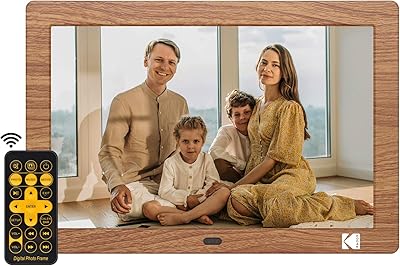
KODAK 8-Inch Digital Picture Frame

78%
93%
Ease of Setup
84%
Display Quality
88%
Simplicity & Usability
61%
Remote Control
89%
Auto On/Off Timer
More
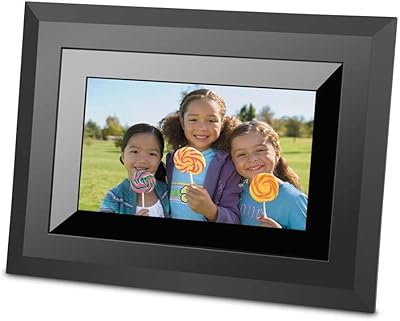
FLYAMAPIRIT DPF808 8-inch Digital Picture Frame
70%
91%
Ease of Setup
78%
Display Quality
72%
Motion Sensor
58%
Build Quality
83%
Value for Money
More
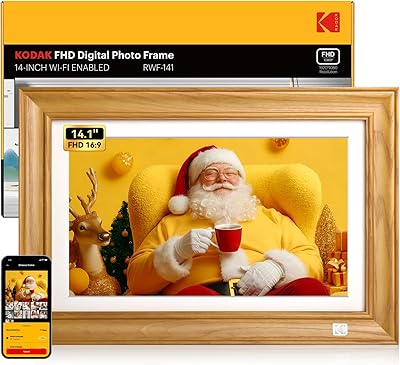
Kodak 14.1-inch WiFi Digital Picture Frame
76%
91%
Display Quality
88%
Build & Design
67%
App Experience
72%
Setup & Connectivity
83%
Photo Sharing
More
Kodak EasyShare SV-811 8-inch Digital Picture Frame
81%
93%
Ease of Setup
75%
Display Quality
82%
Multimedia Playback
80%
Build Quality
88%
Remote Control Functionality
More
Nethgrow 174-Z-N 17″ Digital Picture Frame
78%
91%
Display Size Impact
67%
Image & Color Quality
83%
Photo Sharing Experience
71%
Ease of Setup
88%
Storage & Media Flexibility
More
Aura Aspen 12″
Aura Aspen 12″
84%
88%
Display Quality
82%
Anti-Glare Performance
91%
Build Quality & Design
93%
Setup Experience
79%
App Experience
More
eco4life 7-Inch Digital Picture Frame
76%
93%
Ease of Setup
88%
Value for Money
71%
Display Quality
62%
Build Quality
66%
Remote Control
More
Aluratek ASDPF08F 8″ Slim Digital Photo Frame
74%
93%
Ease of Setup
74%
Image Quality
71%
Build Quality
62%
Display Brightness
58%
Aspect Ratio Compatibility
More
Atatat Digital Picture Frame 10-inch
84%
90%
Display Quality
85%
Ease of Setup
88%
Slideshow Functionality
80%
Build Quality
83%
Remote Control Usability
More

FAQ

Not at all. The person receiving photos just needs to plug the frame in and connect it to WiFi during the initial setup. After that, photos sent by family members appear automatically — no app, no account, and no ongoing interaction required on her end.

No, and that’s one of the more compelling things about this frame. You pay once and the sharing features work without any subscription. There are no hidden costs or premium tiers to unlock basic functionality.

There’s no strict limit on the number of contributors. You can invite multiple family members and friends, and each person can send photos independently through the app or other supported methods. It’s genuinely designed for group participation.

Yes, the frame does support short video clips, but it’s worth keeping expectations in check. Video is a secondary feature with length restrictions, and the experience is nowhere near as polished as dedicated media players. For photos, though, it works very well.

Photos already stored on the frame will continue to display normally during an outage. However, new photos cannot be received until the WiFi connection is restored, since delivery depends entirely on an active network.

Setup typically takes about a minute. You power on the frame, connect it to your home WiFi network using the touchscreen, and then download the free app on your phone to start sending photos. Most buyers report it’s genuinely straightforward, even for less tech-comfortable users.

The frame can be used in both orientations physically, but some users have noted that orientation lock settings are limited, which can occasionally cause display inconsistencies depending on how it’s positioned. It’s worth testing placement before committing to a final spot.

You can send from a computer as well. Supported methods include PC upload, email, and Google Photos sync, in addition to the mobile app. You can also share via a Facebook link. It’s flexible enough to accommodate family members who prefer not to use smartphones.

In most cases, photos appear within seconds of being sent, provided both the sender’s phone and the frame have a working internet connection. Occasional delays can happen during app hiccups, but real-time delivery is the norm under normal network conditions.

For a desk, nightstand, or kitchen counter, 8 inches is a comfortable size that shows photos clearly. If the frame will sit across a room or in a large living space, some buyers do find themselves wishing for a 10-inch or larger option. It comes down to where you plan to place it.

Where to Buy