Overview

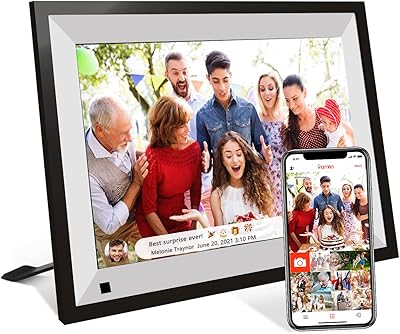
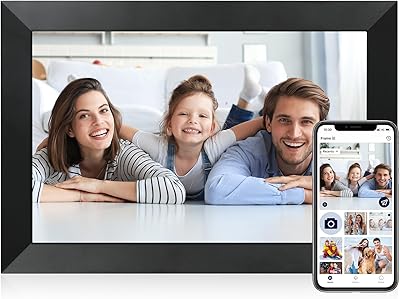
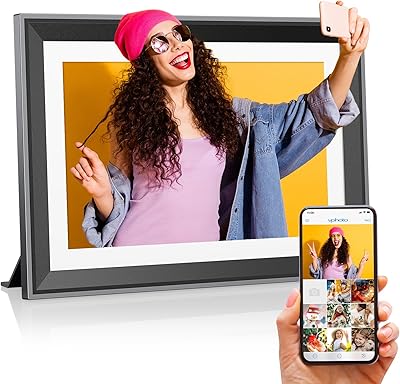
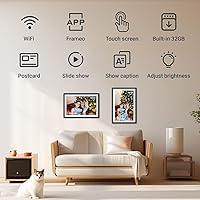
The Pixedge Frameo 10.1-inch Digital Photo Frame sits in a category that has quietly matured — these aren't the static slideshow gadgets of years past. What separates this WiFi picture frame from cheaper plug-in alternatives is its reliance on the Frameo app ecosystem, a free third-party platform that lets family members push photos directly to the frame from anywhere in the world. Build quality lands where you'd expect at this price tier: a slim matte black body, under an inch thick, with two stands included for desk or wall display. It's tidy, understated, and won't clash with most home decor.

Features & Benefits

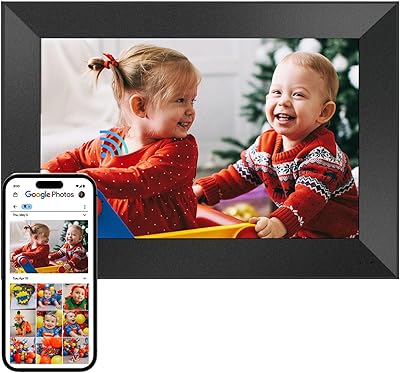
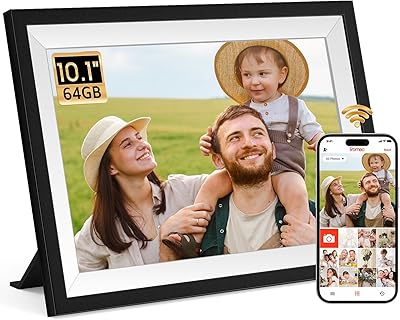
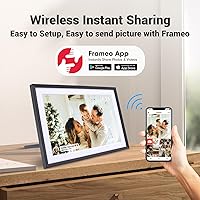
The 10.1-inch IPS display delivers respectable sharpness at 1280×800 — not quite retina-level, but family photos look warm and clear rather than pixelated. The real draw is how the Frameo app handles sharing: a sender installs the app, adds the frame via a one-time code, and photos start arriving. Recipients don't need an account or a smartphone. Transfer is also possible via SD card or computer, with batch sizes of up to 500 images at once. The frame handles a solid range of formats including HEIF and MOV, so iPhone photos and videos transfer without conversion headaches. A 24-month warranty rounds things out reassuringly.

Best For

This smart photo frame makes the most sense as a gift for elderly relatives who want to see family photos without navigating apps themselves — they just plug it in, connect to Wi-Fi once, and photos appear automatically after that. It's also a practical pick for anyone who wants a display that stays fresh without manual updates. Families spread across different cities or countries tend to get the most out of it, especially if multiple people are sending photos from different phones. If you're already using Frameo-compatible frames elsewhere in the home, adding another to the network is straightforward and genuinely useful.

User Feedback

With 63 ratings and a 4.7-star average, the Frameo frame has a small but positive early track record — though that sample size is still thin enough to temper expectations. Buyers consistently highlight easy initial setup and how well the app works for non-technical family members. The most common criticism involves occasional Wi-Fi drops and app connectivity hiccups, which matters since Frameo is third-party software — if that platform ever changes, long-term usability could be affected. A handful of reviewers also note the display could be brighter in well-lit rooms. On balance, hardware draws few complaints; software reliability is the main variable worth monitoring.

Pros

  • Remote photo sharing works without the recipient needing a smartphone or any app account.
  • The Frameo app is genuinely easy to set up, even for users with limited tech experience.
  • Broad format support covers HEIF and MOV, so iPhone users avoid conversion hassles.
  • Two stands are included, giving flexibility for both desk placement and wall mounting.
  • Batch transfers of up to 500 photos via computer make bulk loading practical.
  • The slim matte black frame blends into most home interiors without drawing attention.
  • A 24-month warranty provides real reassurance for a connected electronics purchase.
  • SD card support adds a reliable offline transfer option when Wi-Fi isn't available.

Cons

  • Long-term usability depends on Frameo, a third-party service outside Pixedge's control.
  • Display brightness may feel insufficient in sunlit or well-lit living rooms.
  • With only 63 ratings at launch, the reliability track record is still too thin to fully trust.
  • Occasional Wi-Fi disconnections have been flagged by users, requiring manual reconnection.
  • No portrait orientation support limits placement options in certain spaces.
  • The 1280×800 resolution, while decent, falls short for buyers who care about photo sharpness.
  • App-based sharing caps mobile batch sends at 100 photos, which feels restrictive for large libraries.
  • Customer service quality at this price tier remains harder to verify given the small review pool.

Ratings

The scores below for the Pixedge Frameo 10.1-inch Digital Photo Frame were produced by AI after analyzing verified global buyer reviews, with spam, bot submissions, and incentivized feedback actively filtered out. The result is an honest, balanced snapshot of where this WiFi picture frame genuinely delivers and where real users have run into friction. Both the standout strengths and the recurring frustrations are reflected transparently in every category score.
Ease of Setup
88%
Buyers consistently describe the initial setup as one of the smoothest experiences in this product category. Connecting to Wi-Fi and generating the Frameo pairing code takes most users under ten minutes, and the on-screen touch guidance reduces the need to consult a manual. Families report setting it up remotely for elderly relatives with just a phone call for guidance.
A small number of users encountered difficulty getting the frame to stay connected to certain dual-band routers, requiring a switch to the 2.4GHz band. The setup process also assumes the recipient's home Wi-Fi credentials are known in advance, which can be a mild inconvenience when gifting to someone who lives alone.
App Experience
79%
21%
The Frameo app earns consistent praise for its clean interface and the fact that senders can push photos in seconds without the recipient doing anything at all. Batch sending from a phone feels responsive, and most users appreciate that the app is free and works across both Android and iOS without compatibility issues.
Because Frameo is an independent third-party platform, any changes to its terms, pricing, or availability fall outside Pixedge's control — a concern that tech-aware buyers raise regularly. A subset of users also report occasional app crashes or delayed photo delivery, which interrupts the otherwise passive experience.
Display Quality
74%
26%
For everyday family photos, the 1280×800 IPS panel looks warm and inviting — colors are natural rather than oversaturated, and viewing angles are wide enough that photos read well from across a room. The touch response is accurate and rarely requires multiple taps.
In brightly lit rooms or near windows, the display can struggle to compete with ambient light, leaving photos looking washed out. Buyers who display detailed landscape photography or high-resolution portraits are more likely to notice the resolution ceiling compared to premium-tier alternatives.
Remote Photo Sharing
91%
This is the frame's clearest strength. Family members spread across different cities or countries can send photos directly to the frame without the recipient touching anything after the initial setup. The support for batch transfers — up to 500 photos at once from a computer — makes it practical for loading entire albums, not just individual snapshots.
Mobile batch sends are capped at 100 photos per session, which can feel limiting when trying to share a full vacation album quickly. There is also no native way to schedule or queue photos for timed delivery, which some buyers expected as a feature at this price point.
Build Quality
77%
23%
The matte black finish resists fingerprints reasonably well and gives the frame a clean, understated look that suits most home environments. At under an inch thick and just under two pounds, it feels solid enough on a desk without being heavy or bulky.
The plastic casing does not feel premium up close, and a few buyers note visible flex when handling the edges. At this price tier, a slightly more refined frame border material would be a meaningful upgrade for buyers who care about how it looks on a display shelf.
Format Compatibility
86%
Support for HEIF and MOV means iPhone users can send photos and videos directly from their camera roll without converting files first — a pain point on many competing frames. The range of supported image formats covers virtually every file type a non-professional family photographer is likely to produce.
RAW image formats are not supported, which matters to photography hobbyists who shoot in RAW on DSLRs or mirrorless cameras. Video format support is solid but does not extend to MKV or AVI files, which are common on older Android devices and Windows-recorded clips.
Wi-Fi Reliability
66%
34%
Under stable home Wi-Fi conditions, the frame maintains a consistent connection and receives new photos without noticeable delay. Users with modern mesh network setups report fewer issues, and the frame reconnects automatically after brief outages in most cases.
Wi-Fi disconnection is the most frequently cited hardware complaint in user reviews. Several buyers report that the frame loses its network connection overnight or after a router restart and does not always recover without manual intervention. This is especially disruptive for elderly users who may not know how to troubleshoot it.
Value for Money
81%
19%
Relative to the feature set — IPS touch display, broad format support, dual mounting options, and a two-year warranty — the pricing sits at a reasonable point within the mid-range digital frame segment. For a gift purchase where the recipient will use it passively, the cost-to-utility ratio is hard to argue with.
Buyers who compare carefully will find that a small step up in budget unlocks frames with higher-resolution displays and proprietary app ecosystems that eliminate the third-party dependency risk. For daily personal use rather than gifting, the value case becomes less clear-cut.
Elderly Friendliness
89%
This is the use case the frame was clearly built around, and it delivers. Grandparents and elderly relatives receive photos without ever opening an app, creating an account, or pressing anything beyond the initial Wi-Fi setup. Multiple reviewers specifically mention gifting it to a parent in their 70s or 80s with great success.
The initial setup still requires someone technically comfortable to configure the Wi-Fi connection and pair the first sender's app — it is not zero-effort out of the box. If the frame loses its Wi-Fi connection, elderly users may find the reconnection process confusing without remote assistance.
Gifting Suitability
93%
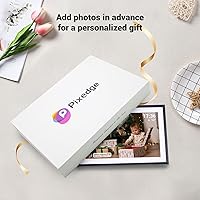
Few connected gadgets are as emotionally resonant as a frame that fills with family photos automatically. The clean packaging, neutral matte finish, and included stands make it feel like a considered gift rather than a commodity tech purchase. Pre-configuring before wrapping is straightforward and elevates the unboxing experience significantly.
The gift experience depends entirely on the Frameo app working smoothly for the sender — if the recipient is the one setting it up themselves, the experience requires more effort than a typical plug-and-play gift. Without a personalized photo pre-loaded, the frame displays a blank or demo screen on first power-on.
Video Playback
71%
29%
Short family video clips play back cleanly on the IPS display, and MOV support means iPhone videos require no conversion. The inclusion of video alongside photos adds a meaningful dimension to the frame's use as a living memory display.
The frame is fundamentally photo-first, and longer video files can expose limitations in smooth playback performance. There is no obvious volume control or speaker mentioned in specifications, which limits the appeal of video clips that rely on audio context.
Mounting Flexibility
78%
22%
The inclusion of two stands out of the box is a practical detail that competing frames at similar prices sometimes skip. Both desktop positioning and wall mounting are supported, giving buyers genuine flexibility depending on where the frame will live in a home.
The frame is designed around landscape orientation only, which limits placement options in spaces where a portrait-style display would look more natural — next to a tall bookshelf or in a narrow hallway, for instance. Wall mounting hardware is not explicitly confirmed to be included, which buyers should verify before assuming.
Warranty & Support
76%
24%
A 24-month warranty is notably longer than the 12-month coverage many competing frames offer at this tier, and it provides a meaningful safety net for a connected electronics purchase. The stated 24/7 customer support availability adds further peace of mind for gift-givers who may be asked to troubleshoot remotely.
With only 63 ratings on record, there is limited independent data on how Pixedge handles actual warranty claims in practice. The quality and responsiveness of customer support is difficult to verify at this stage of the product's review lifecycle.

Suitable for:

The Pixedge Frameo 10.1-inch Digital Photo Frame is genuinely well-suited for families who want to stay visually connected across distances without asking less tech-savvy relatives to do much of anything. It hits its stride as a gift for grandparents or elderly parents — once it's plugged in and on Wi-Fi, they simply watch photos arrive on their own, no app, no account, no tapping required on their end. Adult children who travel frequently or live far from aging family members will find the remote-sharing setup practical and low-maintenance. It also works well in households that already use the Frameo platform, since adding another frame to an existing network takes minutes. Gift-givers shopping for holidays, birthdays, or milestone occasions will appreciate that it arrives ready to wrap, with a clean look that suits most living spaces.
Not suitable for:

The Pixedge Frameo 10.1-inch Digital Photo Frame is a weaker choice for buyers who want complete control over their software stack or prefer a solution that doesn't depend on a third-party cloud platform. Because the core sharing functionality runs through Frameo — an independent service not owned by Pixedge — any future changes to that app's pricing model or availability would directly affect how useful this frame remains long-term. Photography enthusiasts expecting crisp, high-resolution display of detailed images may find the 1280×800 screen underwhelming compared to premium-tier alternatives. Anyone hoping to use this frame in a very bright room should be aware that display brightness has drawn occasional criticism. It's also not the right pick for buyers who want a portrait-orientation display, as the design is built around landscape use.

Specifications

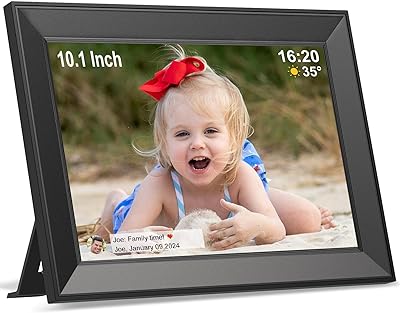
  • Screen Size: The display measures 10.1 inches diagonally, offering a comfortable viewing area for photos and short video clips.
  • Resolution: The IPS panel runs at 1280×800 pixels, providing clear and color-accurate image reproduction under normal indoor lighting.
  • Display Type: An IPS touch screen is used, which delivers wider viewing angles and more consistent color compared to standard TN panels.
  • Dimensions: The frame body measures 10.15 × 6.92 × 0.99 inches, making it compact enough for a nightstand, shelf, or desktop.
  • Weight: At 1.92 pounds, the frame is light enough for wall mounting or easy repositioning without tools.
  • Finish: The outer casing is finished in matte black, which minimizes fingerprint visibility and suits a range of home interior styles.
  • Connectivity: The frame connects to home Wi-Fi networks and uses the Frameo app platform to receive photos and videos remotely.
  • Transfer Methods: Photos can be sent via the Frameo smartphone app (up to 100 per send), via computer (up to 500 per send), or loaded directly from an SD card.
  • Photo Formats: Supported image formats include JPG, JPEG, PNG, HEIF, WEBP, and BMP, covering the most common formats from both Android and iOS devices.
  • Video Formats: The frame plays video files in MP4, M4A, FLV, and MOV formats, including content shot on iPhones without format conversion.
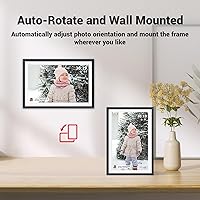
  • Mounting Options: Two stands are included in the box to support landscape desktop orientation, and the frame is also compatible with standard wall mounting.
  • App Platform: Sharing functionality is powered by Frameo, a free third-party app available on iOS and Android — it is not proprietary Pixedge software.
  • Warranty: Pixedge provides a 24-month warranty on this frame, along with stated 24/7 customer support access.
  • Model Number: The official model number is WPF-1034, which can be used when contacting support or sourcing replacement parts.
  • Brand: This frame is manufactured and sold by Pixedge, a consumer electronics brand offering connected photo display products.

Related Reviews

Annalivkg Frameo 10.1″ Digital Photo Frame
87%
94%
Display Quality
91%
Touchscreen Responsiveness
89%
Ease of Setup
85%
WiFi Connectivity
88%
Storage Capacity
More
Cozyla 10.1-inch WiFi Digital Photo Frame
75%
88%
Ease of Setup
67%
App Reliability
79%
Display Quality
58%
Video Playback
82%
Cloud Storage
More
Frameo Digital Picture Frame 10.1 Inch with 64GB Memory
83%
85%
Display Quality
92%
Ease of Setup
80%
App Performance
91%
Storage Capacity
72%
WiFi Connectivity
More
Pix-Star 10-inch WiFi Digital Photo Frame
77%
88%
Ease of Setup
91%
Photo Delivery Experience
73%
Display Quality
94%
No-Subscription Value
62%
App Reliability
More
Nethgrow 10.1″ Digital Photo Frame
86%
88%
Display Quality
91%
Ease of Use
84%
Wi-Fi Connectivity
90%
Storage Capacity
86%
App & Photo Sharing Experience
More
KECAG 10.1-inch 1080p Digital Picture Frame
73%
88%
Display Quality
91%
Ease of Setup
84%
Value for Money
72%
Motion Sensor
63%
Remote Control
More
Kimire 10-inch WiFi Digital Photo Frame
72%
83%
Image Quality
77%
Remote Sharing Experience
81%
Setup & Ease of Use
61%
WiFi Connectivity
58%
Build Quality
More
Anna Bella 10.1 Inch Digital Picture Frame
86%
88%
Display Quality
91%
Ease of Setup
82%
WiFi Connectivity
74%
App Performance
89%
Storage Capacity
More
NOBKLEN 10.1-Inch WiFi Digital Photo Frame
81%
91%
Ease of Setup
86%
App Experience
72%
Display Quality
94%
Gifting Experience
88%
Photo Sharing Speed
More
akimart 32GB 10.1-inch WiFi Digital Picture Frame
73%
88%
Ease of Setup
84%
Remote Photo Sharing
71%
Display Quality
63%
Build Quality
82%
Touch Screen Responsiveness
More

FAQ

No — the recipient does not need to install anything or create an account. Once the frame is connected to Wi-Fi, whoever is sending photos installs the free Frameo app on their phone, pairs it with the frame using a one-time code, and photos start arriving automatically. Your mom just watches them appear.

You plug it in, connect it to a Wi-Fi network through the on-screen touch menu, and the frame generates a pairing code. Anyone you want to share photos with enters that code into the Frameo app on their smartphone. The whole process typically takes under ten minutes.

Yes, multiple senders can be paired to a single frame. Each person installs the Frameo app, gets added via their own pairing request, and can send photos independently. It works well for larger families where several people want to contribute.

The Frameo app is free to download and use at a basic level. Frameo does offer a premium tier with additional features, but standard photo sharing to a connected frame does not require a paid subscription. Keep in mind that Frameo is an independent third-party service, so its pricing model could change in the future.

The Pixedge Frameo 10.1-inch Digital Photo Frame performs well in average indoor lighting, but some users have noted the brightness can feel insufficient in very sunny rooms or near windows. If the frame will sit in a south-facing room with a lot of natural light, you may want to factor that in.
You can send short videos as well. The frame supports MP4, MOV, FLV, and M4A formats, so clips shot on both Android and iPhone devices should work without needing to convert files first. Very long videos may not be ideal given the frame's primary purpose, but short family clips play fine.

Photos that have already been received and stored on the frame will continue to display in a slideshow even without an active internet connection. New photos sent via the app just won't arrive until connectivity is restored.

The product listing does not specify a maximum internal storage capacity. For best results, loading photos in manageable batches is advisable, and using an SD card gives you an additional storage option if internal space becomes a concern.

Yes, and that is actually one of the better ways to gift it. You can complete the initial Wi-Fi setup and app pairing before wrapping it, so the recipient just plugs it in and photos start showing up with no setup required on their end. It makes the unboxing experience much more immediate.

The 24-month warranty is a genuine reassurance for a connected electronics purchase at this price tier. Pixedge states 24/7 customer support availability, though response quality is harder to evaluate given the product's limited review history so far. Keeping your purchase receipt and order confirmation on hand is always a good idea when dealing with warranty claims.