Overview

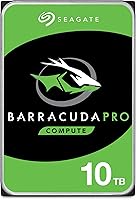
The Seagate Barracuda Pro 10TB Internal Hard Drive sits a clear step above the standard BarraCuda line, tuned for users who push their storage harder than average. Where the base BarraCuda targets everyday computing, the Pro variant is built with creative professionals, PC enthusiasts, and power users in mind — people who routinely move large files and simply can't afford sluggish throughput. In an age where SSDs dominate headlines, 10TB of spinning storage still makes a compelling case for local archiving. The packaging is no-frills but protective, and the drive itself feels solid. There's nothing flashy about the unboxing, which is exactly right for this audience.
Features & Benefits

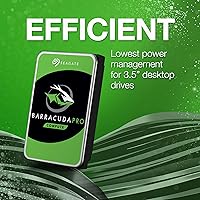
The BarraCuda Pro 10TB spins at 7200 RPM, which translates to sustained transfer rates around 250 MB/s — respectable for mechanical storage and noticeably quicker than slower 5400 RPM alternatives. The 256MB cache buffer helps smooth out the bumps during large sequential operations, like importing a batch of RAW images or copying a folder packed with video assets. Connectivity runs through SATA 6 Gb/s, so compatibility with modern motherboards is a non-issue. Power consumption is also worth noting — this drive runs leaner than many competing 3.5-inch drives at this capacity. Registering the drive unlocks an optional two-year data recovery plan, a safety net that most competitors at this tier simply don't offer.

Best For

This high-capacity desktop drive earns its place in setups where bulk, affordable local storage is the real priority. Video editors and photographers storing large 4K or RAW libraries will appreciate having genuine breathing room without constantly offloading files. It also works well in a home NAS or DAS configuration, where cost-per-gigabyte matters more than peak sequential speed. Desktop builders who already have an SSD handling boot and applications can slot this in as a dedicated media or backup drive — a pairing that makes practical sense. It can technically fit in a laptop enclosure, but this is a desktop-first drive at heart and performs best in that environment.

User Feedback

Owners of this spinning hard drive consistently highlight its quiet operation and long-term reliability as standout positives — two things that matter most when a drive runs continuously in the background. Comparisons to the WD Black and Toshiba X300 come up often, and the BarraCuda Pro holds its own, particularly given Seagate's track record spanning more than two decades. On the downside, some users flag elevated heat during extended write sessions, worth monitoring in cases with limited airflow. Scattered early-failure reports exist, though this is a reality across all mechanical hard drive brands, not a specific indictment here. The RMA experience draws mixed reactions — functional, but not always swift.

Pros

  • 10TB of local storage covers years of media archiving without constant drive swaps.
  • 7200 RPM spin speed delivers noticeably better throughput than slower 5400 RPM alternatives.
  • The 256MB cache buffer keeps large sequential transfers smooth and consistent.
  • Power consumption is lower than many competing 3.5-inch drives at this capacity.
  • SATA 6 Gb/s interface means zero compatibility headaches with modern motherboards.
  • Registering the drive unlocks an optional two-year data recovery plan — a rare perk at this tier.
  • Quiet operation makes it easy to live with in an open desktop or home office setup.
  • Seagate's long track record in this drive family gives buyers reasonable confidence in longevity.
  • Cost-per-gigabyte is compelling compared to SSDs at equivalent capacity.

Cons

  • Mechanical drives of any brand carry an inherent early-failure risk; backups are non-negotiable.
  • Heat output during sustained write sessions can climb, requiring decent case airflow to manage.
  • RMA and warranty support experiences from Seagate have been inconsistent according to some buyers.
  • The BarraCuda Pro 10TB does not meaningfully close the speed gap with SSDs for active workloads.
  • No 2.5-inch version exists, so laptop or compact-build users have no path to internal installation.
  • The data recovery plan requires active registration after purchase — easy to overlook and miss.
  • At this capacity, a full drive clone or backup takes significant time compared to smaller drives.
  • Competing drives from WD and Toshiba at this size are close enough in price to warrant comparison shopping.

Ratings

The scores below reflect our AI-powered analysis of verified global buyer reviews for the Seagate Barracuda Pro 10TB Internal Hard Drive, with spam, bot activity, and incentivized feedback actively filtered out before any scoring was applied. Each category is scored independently to give a transparent, nuanced picture — not a blanket verdict — so you can see exactly where this high-capacity desktop drive excels and where real users have run into friction.

Storage Capacity Value
88%
For users who routinely fill drives with 4K project files, RAW photo archives, or large software libraries, 10TB of local spinning storage at this price tier is genuinely hard to argue with. Reviewers consistently noted that the cost-per-gigabyte felt fair compared to both smaller HDDs and equivalent-capacity SSDs.
A subset of buyers felt the pricing sits at a premium over the standard BarraCuda line without always delivering proportional everyday performance gains, making the value proposition less obvious for lighter workloads.
Sequential Read/Write Speed
74%
26%
At sustained rates approaching 250 MB/s, the BarraCuda Pro 10TB handles large sequential file operations — think multi-gigabyte video exports or bulk RAW imports — with a competence that most buyers found satisfying for a mechanical drive at this capacity.
Users coming from SSD-primary setups noticed the speed gap immediately, particularly on random read operations and smaller file transfers where the mechanical latency becomes a real-world bottleneck rather than a benchmark abstraction.
Long-Term Reliability
79%
21%
The majority of long-term owners — those running the drive for two or more years as a media archive or backup target — reported stable, consistent operation with no performance degradation over time. The BarraCuda family's extended history in the market gave many buyers added confidence during purchase.
A visible minority of reviewers reported early-failure events, some within the first year, which is a pattern not unique to this brand but is worth acknowledging honestly. These cases were statistically infrequent but drove pointed discussion about the reliability of mechanical drives at high capacities.
Noise & Vibration
83%
During idle and light read operations, most users described this spinning hard drive as barely audible — a low, controlled hum that disappeared into the background of a standard desktop setup. Reviewers working in quiet home offices specifically appreciated that it did not add distracting mechanical noise.
Under sustained heavy writes, such as overnight backups or large file migrations, some users noted a more pronounced platter noise and minor vibration that was noticeable in cases with poor dampening or direct metal mounting.
Thermal Performance
63%
37%
Under typical light-to-moderate use, the drive's temperatures stayed within comfortable operating ranges, and several buyers running it in well-ventilated mid-tower builds reported no thermal concerns even after extended periods.
Extended write sessions — particularly multi-hour backup operations or large file migrations — pushed temperatures higher than some users expected, drawing comparisons to competing drives that run cooler under equivalent load. Buyers with compact cases or limited airflow flagged this as a legitimate concern.
Compatibility
91%
The SATA 6 Gb/s interface is about as universal as it gets in the desktop storage world, and practically every reviewer who attempted installation in a standard PC reported zero compatibility issues with their motherboard, power supply, or operating system.
The strict 3.5-inch form factor is the main compatibility ceiling — without a dedicated enclosure, this drive is inaccessible to laptop users entirely, and smaller form-factor mini-ITX builds occasionally lack an appropriate drive bay to accommodate it.
Installation Ease
86%
Reviewers with varying levels of PC-building experience found installation straightforward — mount in a bay, attach SATA data and power cables, and the drive was recognized immediately in BIOS and by the operating system without additional drivers.
The drive ships without a SATA cable, which caught a small number of first-time builders off guard. It is a minor but avoidable friction point when everything else in the box points to a clean out-of-the-box experience.
Power Efficiency
77%
23%
Compared to other 3.5-inch drives in the 10TB range, this drive draws relatively modest power during both idle and active states — a meaningful factor for users running it in a NAS-style always-on configuration where cumulative energy costs add up over months.
It still consumes considerably more power than any SSD alternative, and users in multi-drive setups noted that adding this drive did have a measurable impact on overall system power draw, particularly under simultaneous load.
Cache Performance
81%
19%
The 256MB cache buffer provided a noticeable smoothing effect during large sequential operations, with reviewers doing bulk file transfers noting that throughput felt consistent rather than erratic — a real improvement over drives with smaller buffers at equivalent capacities.
Cache benefits are most visible during sustained large-file scenarios and largely disappear in mixed or random I/O workloads, which means everyday desktop multitasking sees little practical improvement from the larger buffer.
Warranty & Support
68%
32%
The optional two-year data recovery plan available through drive registration is a genuine differentiator at this product tier, and buyers who encountered drive issues mentioned that Seagate's warranty process ultimately resolved their problems through replacement or recovery assistance.
The RMA experience itself drew consistently mixed reviews — resolution timelines were reported as slow by multiple users, and the requirement to actively register the drive to unlock the recovery plan meant some buyers missed it entirely and were left with a narrower safety net.
Build Quality
82%
18%
The drive feels solid and well-constructed in hand, with no reports of physical defects out of the box in the overwhelming majority of reviews. The chassis is dense and shows no flexing, consistent with what buyers expect from a premium-tier internal drive.
As a mechanical drive, there is an inherent physical vulnerability to shock and vibration that solid-state alternatives do not share — a fundamental limitation that a handful of reviewers noted after accidental drops during installation.
NAS & DAS Suitability
66%
34%
For light home NAS setups — think a two-bay enclosure used for media streaming and personal backups — this drive performed acceptably, with several reviewers running it continuously for months without issue in exactly this kind of configuration.
Seagate's own IronWolf line is purpose-engineered for multi-bay, always-on NAS environments, and technically informed buyers noted that using a desktop-class drive in a demanding NAS role carries a reliability trade-off that grows more relevant as drive count and workload intensity increase.
Software & Ecosystem
58%
42%
Seagate's SeaTools diagnostic utility is available for free and gives buyers a way to verify drive health and run stress tests, which was appreciated by technically hands-on users who wanted visibility into the drive's condition over time.
Beyond the basic diagnostic tool and the registration portal for the recovery plan, the broader software ecosystem is fairly bare. Reviewers who expected a richer management experience — comparable to what some competing brands offer — were noticeably underwhelmed.

Suitable for:

The Seagate Barracuda Pro 10TB Internal Hard Drive is a strong match for anyone who needs serious local storage capacity without paying SSD prices for every gigabyte. Video editors working with 4K footage, photographers sitting on years of RAW files, and musicians archiving large sample libraries will all find the 10TB ceiling genuinely useful rather than aspirational. It fits naturally into a desktop build as a secondary drive alongside a faster SSD — the SSD handles speed-sensitive tasks while this drive holds everything else. Home NAS and DAS users will also appreciate the combination of capacity and relatively low power draw, which matters when a drive runs around the clock. If you're the kind of person who has already filled a 4TB or 6TB drive and keeps putting off a storage upgrade, this is a logical next step.
Not suitable for:

The Seagate Barracuda Pro 10TB Internal Hard Drive is not the right call if raw speed is your primary concern. Compared to even a mid-range SSD, the throughput difference is enormous, so anyone expecting to use this as a boot drive or primary working drive for latency-sensitive tasks will be disappointed. Laptop users looking for an internal upgrade are largely out of luck too — the 3.5-inch form factor simply does not fit in standard notebooks without an external enclosure. Budget-focused buyers who don't actually need 10TB should also think carefully, since smaller-capacity drives in the same family offer similar performance at a lower cost. And if your use case involves write-heavy workloads running continuously, like surveillance recording or enterprise logging, a purpose-built NAS or surveillance drive is a better fit than this desktop-oriented model.
Specifications

  • Capacity: This drive offers 10TB of storage, making it one of the higher-capacity options available in the 3.5-inch mechanical hard drive category.
  • Form Factor: The 3.5-inch form factor is standard for desktop builds and compatible with most full-size and mid-tower PC cases.
  • Interface: It connects via SATA 6 Gb/s, the current standard for mechanical drives and broadly supported across modern motherboards.
  • Rotational Speed: The platters spin at 7200 RPM, the faster of the two common HDD speeds, enabling quicker data access than 5400 RPM alternatives.
  • Cache Buffer: A 256MB cache buffer helps the drive manage large sequential read and write operations more efficiently.
  • Transfer Rate: Sustained data transfer rates reach up to 250 MB/s, which is competitive for a high-capacity mechanical drive under real workload conditions.
  • Drive Type: This is a traditional mechanical hard disk drive (HDD) with spinning platters, not a solid-state drive.
  • Dimensions: The drive measures 5.79 x 4.01 x 1.03 inches, conforming to the standard 3.5-inch internal drive specification.
  • Weight: At 1.54 pounds, the drive weight is typical for a high-capacity 3.5-inch mechanical unit.
  • Installation Type: Designed for internal installation inside a desktop PC or compatible external enclosure; it is not a plug-and-play external device.
  • Compatible Devices: Primarily designed for desktop PCs, though it can be used with laptops or compact systems via a suitable 3.5-inch external enclosure.
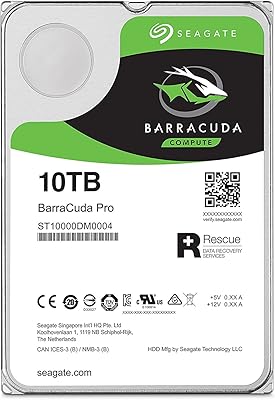
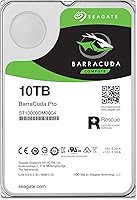
  • Model Number: The official Seagate model number for this unit is ST10000DM0004, useful for warranty registration and compatibility verification.
  • Brand Heritage: The BarraCuda drive family has been in continuous production for over 20 years, with the Pro sub-line targeting more demanding workloads than the standard tier.
  • Data Recovery Plan: Registering the drive with Seagate unlocks access to an optional two-year data recovery and rescue plan, available at the time of registration.
  • Power Efficiency: Seagate positions this drive as one of the lower-power options in the 3.5-inch high-capacity segment, which is relevant for always-on NAS or DAS deployments.

Related Reviews

Seagate BarraCuda Pro 10TB Internal Hard Drive
74%
93%
Storage Capacity
78%
Read/Write Performance
61%
Reliability & Longevity
54%
Noise & Vibration
91%
Warranty Coverage
More
Seagate BarraCuda Pro 6TB Internal Hard Drive
87%
88%
Performance
95%
Storage Capacity
89%
Speed (7200 RPM)
85%
Reliability
91%
Ease of Setup
More
Seagate BarraCuda Pro 1TB 7200RPM Internal Hard Drive
87%
92%
Performance
90%
Speed
88%
Reliability
95%
Ease of Installation
65%
Noise Levels
More
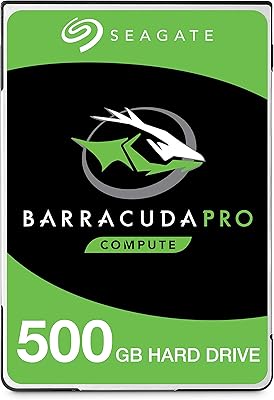
Seagate BarraCuda Pro 500GB Internal Hard Drive
75%
74%
Read/Write Performance
83%
Reliability & Longevity
67%
Value for Money
58%
Noise & Vibration
91%
Compatibility
More
Seagate Barracuda 6TB Internal Hard Drive
77%
93%
Value for Money
91%
Storage Capacity
74%
Reliability & Longevity
89%
Installation Ease
61%
Read/Write Performance
More
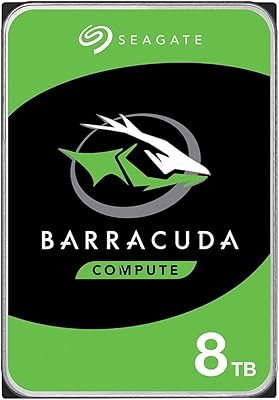
Seagate BarraCuda ST8000DM004 8TB Internal Hard Drive
73%
93%
Storage Capacity Value
67%
Reliability & Longevity
61%
Read & Write Performance
89%
Installation & Compatibility
63%
Noise & Vibration
More
Seagate BarraCuda ST1000DM010 1TB Internal Hard Drive
77%
91%
Value for Money
74%
Reliability & Longevity
79%
Read & Write Performance
93%
Installation Ease
68%
Noise & Vibration
More
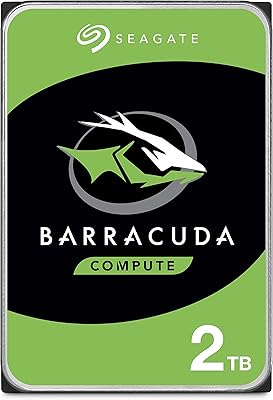
Seagate BarraCuda 2TB Internal Hard Drive
79%
91%
Value for Money
74%
Transfer Speed
77%
Reliability & Longevity
93%
Installation Ease
79%
Noise Level
More
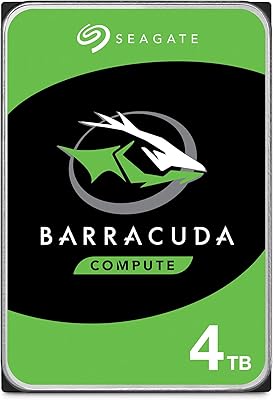
Seagate BarraCuda 4TB Internal Hard Drive
87%
86%
Performance
90%
Reliability
93%
Setup & Installation
95%
Storage Capacity
72%
Data Transfer Speed
More
Toshiba N300 PRO 10TB Internal Hard Drive
87%
92%
Reliability for 24/7 NAS Use
89%
Performance in RAID Setups
91%
Workload Capacity (300 TB/year)
85%
Data Transfer Speed
88%
Vibration Control with RV Sensors
More
Seagate IronWolf 10TB NAS Internal Hard Drive
87%
89%
Performance & Speed
93%
Reliability & Durability
65%
Ease of Setup
88%
Noise & Vibration
91%
RAID & Multi-user Compatibility
More

FAQ

Technically yes, but it is not recommended. Mechanical drives at 7200 RPM are significantly slower than even entry-level SSDs for boot times and application loading. The BarraCuda Pro 10TB is best used as a secondary storage drive alongside an SSD that handles the operating system and active applications.

Almost certainly. The drive uses the standard 3.5-inch form factor, which is supported by virtually every mid-tower, full-tower, and many mini-tower cases with dedicated HDD bays. Just check that your case has an available 3.5-inch drive bay and a free SATA data port on your motherboard.

No, the Seagate Barracuda Pro 10TB Internal Hard Drive ships as a bare drive without cables or mounting accessories. You will need a SATA data cable, which is usually included with your motherboard, and a SATA power connector from your power supply.
Most owners describe it as quiet during idle and light use, with a low, controlled hum during active reads and writes. It is not silent — no 7200 RPM mechanical drive is — but it is generally unobtrusive in a standard desktop environment and well within acceptable noise limits.

Yes, the drive works with Mac systems that have a SATA interface, such as older Mac Pros with internal drive bays, or any Mac connected to a compatible external enclosure. The drive ships unformatted for a specific OS, so you will need to format it to your preferred file system (APFS or exFAT for Mac use) before it appears ready to use.

The Pro variant is tuned for heavier workloads, offering higher sustained performance and a larger cache buffer than the base BarraCuda line. The standard BarraCuda targets everyday home and office computing, while the Pro is aimed at creative users and enthusiasts who move large files regularly. If your workload is light, the standard model may be sufficient and slightly more affordable.

You can, though it is worth noting that this is a desktop-class drive rather than a purpose-built NAS drive. For light home NAS use with one or two drive bays and moderate access frequency, it tends to perform acceptably. For larger multi-bay NAS systems running around the clock, Seagate's IronWolf line is specifically engineered for that environment and is likely the better long-term choice.

Seagate includes a standard limited warranty with this drive, and registering it activates access to an optional two-year data recovery plan that can help retrieve files if the drive fails. For warranty service or RMA, you work directly through Seagate's support portal. User experiences with the RMA process have been mixed — functional but not always fast — so maintaining your own backups is strongly advisable regardless of warranty status.

The drive runs warmer than lower-RPM alternatives, particularly during extended write sessions like large file transfers or backups. In a well-ventilated case with reasonable airflow, it should stay within safe operating temperatures. If your case has poor airflow or you plan to run the drive continuously, adding a case fan directed at the drive bays is a sensible precaution.

Both are competitive high-capacity desktop drives with similar RPM and performance profiles. The WD Black tends to carry a slight premium and leans into a performance-focused branding narrative, while the BarraCuda Pro focuses on reliability and workload consistency. Real-world throughput differences between the two are minor for most users. The optional data recovery plan available with the BarraCuda Pro is a differentiator worth factoring in when comparing total value.