Overview

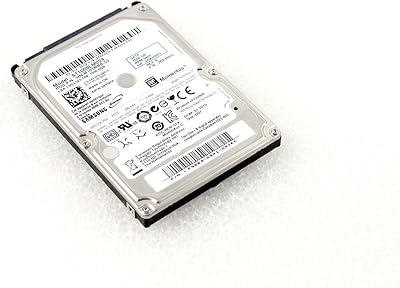
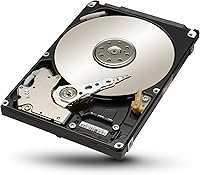
The Seagate ST1000LM024 1TB Internal Hard Drive is the kind of drive that rarely makes headlines but quietly gets the job done for millions of laptop users every year. Seagate has been making spinning-platter storage longer than most of its rivals, and that track record shows in a product that has remained relevant well past its 2014 launch. This is not a drive for someone chasing maximum speed. It is built for the person whose aging laptop is running out of room, or whose original drive just gave up. The 2.5-inch form factor and slim 7mm profile make it physically compatible with a surprisingly wide range of machines, which is half the battle when sourcing a replacement.
Features & Benefits

At its core, this 1TB mobile HDD spins at 5400 RPM, which is the standard speed for laptop drives prioritizing energy efficiency over raw performance. In plain terms, the drive won't feel sluggish transferring large batches of photos or video files, but don't expect SSD-like response times. A 32MB cache buffer helps smooth out sequential read and write operations, so moving big files in bulk is reasonably fluid. The SATA 3.0 Gbps interface covers nearly every laptop socket you're likely to encounter, old or new. Battery impact is minimal given the lower rotational speed, and the two-year warranty offers a reasonable safety net for a mechanical component that does have moving parts.

Best For

This Seagate laptop drive hits its stride in a handful of specific scenarios. If you have an older machine that still runs well but needs more storage space, this is an easy, affordable fix. It also works well as a secondary storage drive in a desktop, or tucked into a NAS enclosure where throughput demands are moderate and cost-per-gigabyte matters more than speed. Repair technicians will appreciate the straightforward compatibility and the no-fuss installation. Students and everyday users storing documents, photos, and media collections are squarely in the sweet spot. Less ideal for anyone wanting to run a full operating system from it, where a solid-state drive will deliver a noticeably better experience.

User Feedback

With over 1,570 ratings averaging 4.4 out of 5 stars, the ST1000LM024 has earned a solid community reputation over many years. Buyers frequently call out the quiet operation and how the drive is immediately recognized by Windows and macOS without any driver fuss. One thing worth flagging: some listings note Samsung as the manufacturer, which can be confusing — this drive is a rebadged Samsung Spinpoint unit sold under the Seagate Mobile line, a perfectly legitimate product. The honest downside reviewers mention is slower boot times compared to SSD-equipped machines, which is not a flaw so much as the nature of any mechanical drive. A small number of early failure reports exist, as with any HDD, so a backup routine remains advisable.

Pros

  • Delivers a full 1TB of storage at a price point that stays competitive within the mechanical HDD segment.
  • The 7mm slim profile fits a wide range of laptop chassis without requiring a separate adapter.
  • Plug-and-play SATA compatibility means most users can install this Seagate laptop drive without any driver configuration.
  • Quiet operation under normal workloads makes it unobtrusive in office, library, or shared living environments.
  • A 32MB cache buffer helps large sequential file transfers move along at a smooth, consistent pace.
  • Low power draw at 5400 RPM keeps battery drain to a noticeable minimum on laptop installations.
  • Over 1,570 verified ratings averaging 4.4 stars reflect a strong, consistent real-world track record.
  • Works equally well as secondary storage in a desktop or NAS enclosure, not just in laptops.
  • The two-year manufacturer warranty provides a solid baseline of post-purchase protection for a mechanical component.

Cons

  • Boot times and application launches are noticeably slower than any SSD, making it a poor primary OS drive.
  • Spinning platters make this 1TB mobile HDD more vulnerable to damage from drops or physical shocks than solid-state alternatives.
  • The Samsung vs. Seagate branding discrepancy on some listings causes genuine confusion among buyers doing research.
  • A small but consistent pattern of early failure reports in user reviews warrants treating the warranty period as a real safety net.
  • At 5400 RPM, random read performance for scattered files can feel sluggish during multitasking or heavy app usage.
  • Incompatible with laptops that use M.2 or NVMe-only bays, which rules out a growing number of modern machines.
  • No mounting adapter or installation kit is included in the box, requiring an extra purchase for certain laptop chassis.
  • Heavier than a comparable SSD, adding a small but measurable amount of weight to portable setups.

Ratings

The scores below were produced by our AI system after analyzing hundreds of verified purchase reviews for the Seagate ST1000LM024 1TB Internal Hard Drive from real buyers worldwide, with spam, bot-generated, and incentivized feedback actively filtered out before any category was scored. Each rating reflects the honest consensus that emerges when you look past the five-star surface and read what people actually say after weeks or months of use. Both the genuine strengths and the recurring pain points are represented transparently here.

Value for Money
88%
For users who need bulk storage without stretching a budget, this 1TB mobile HDD consistently lands as one of the more sensible purchases in its category. Buyers upgrading aging laptops frequently note they got far more usable space for far less money than they expected, especially when repurposing older machines for media storage or secondary use.
The value case weakens slightly if you compare it to entry-level SSDs, which have dropped considerably in price over recent years. For pure cost-per-gigabyte the ST1000LM024 holds its own, but buyers in faster-paced workflows may find the performance trade-off harder to justify at current market pricing.
Storage Capacity
83%
A terabyte of space covers the realistic storage needs of most everyday laptop users with room to spare. Students storing coursework and media, home users managing photo libraries, and small business owners keeping local file backups all tend to find the capacity genuinely sufficient for their day-to-day needs.
For users working with raw video footage, large game installations, or high-resolution photography archives, 1TB can feel limiting within a year or two of active use. Those with growing media collections should consider whether a 2TB variant better fits their longer-term needs before committing.
Installation Ease
91%
Nearly every reviewer who documents their install experience describes it as painless: slide the old drive out, seat this Seagate laptop drive in the same bay, power on, and the system recognizes it instantly. Even first-time upgraders with modest technical confidence report a successful installation within 15 to 30 minutes.
The process assumes you have a 2.5-inch SATA bay to work with, and some buyers have wasted time only to discover their laptop uses a proprietary connector or M.2 slot. No installation kit, mounting bracket, or spacer adapter is included in the box, which catches a handful of users off guard.
Transfer Speed
57%
43%
For sequential tasks like copying large folders of documents, photos, or backup archives, the 32MB cache and 5400 RPM platter deliver adequately smooth transfers that most casual users find acceptable. In a NAS or secondary desktop role where the drive is not being pushed constantly, performance feels entirely reasonable.
Random read performance — the kind of work involved in loading an OS, launching applications, or multitasking — is where the mechanical design hits a hard ceiling. Users who switched from an HDD-based laptop to an SSD system frequently describe the difference as jarring, making this drive a poor candidate for primary OS duties.
Physical Compatibility
86%
The 2.5-inch form factor and 7mm z-height cover a broad swath of laptop models spanning more than a decade of hardware, which is a genuine practical advantage when sourcing a replacement drive. Repair technicians in particular appreciate how reliably the ST1000LM024 drops into a wide variety of consumer laptop chassis without modification.
Compatibility breaks down entirely for any machine using M.2, PCIe, or proprietary SSD connectors — a category that now includes a large portion of laptops built since 2015. Buyers who skip the step of verifying their specific laptop's drive interface before purchasing make up a notable share of the negative reviews.
Build Quality
74%
26%
The physical construction is standard for a mainstream 2.5-inch laptop drive, with a metal chassis that feels solid in hand and shows no signs of flimsy assembly. Users who handle the drive carefully during installation generally have no complaints about its physical condition out of the box.
As a mechanical drive with moving internal components, it is inherently more fragile than a solid-state alternative — a single drop onto a hard surface during installation can cause permanent damage. The outer casing offers no meaningful shock protection, which is worth keeping in mind when handling or transporting the drive.
Noise and Vibration
79%
21%
Most users describe the operating noise as genuinely unobtrusive — a faint, low hum during heavy file operations that fades into the background during normal use. For anyone upgrading from an older, louder HDD, the ST1000LM024 typically comes across as noticeably quieter in day-to-day operation.
During sustained large file transfers or disk-intensive tasks, a small number of users report a mild clicking or ticking sound that can be distracting in quiet environments like libraries or shared workspaces. It remains within normal mechanical HDD behavior, but it is audible enough to register with sensitive users.
Power Efficiency
77%
23%
At 5400 RPM, this drive sits at the energy-efficient end of the mechanical HDD spectrum, and laptop users on battery power report that it does not noticeably accelerate battery drain compared to their previous drives. For students and mobile workers who spend long stretches untethered, this is a small but real advantage.
Compared to solid-state drives, which consume a fraction of the power under load, this 1TB mobile HDD still draws meaningfully more current when actively spinning and seeking. Users who prioritize maximum battery runtime as a top concern will find an SSD provides a more impactful gain on that specific metric.
Reliability and Longevity
68%
32%
The vast majority of buyers who leave long-term reviews report years of trouble-free operation under typical everyday workloads, which aligns with Seagate's broader reputation for producing drives that hold up under normal use. For archival storage or infrequently accessed secondary storage, many users report multi-year reliability without incident.
A consistent thread of early failure reports exists within the review pool — some buyers encountered drive failure within the first six to eighteen months, which is higher than ideal for a storage device. The inherent mechanical nature means vibration, heat accumulation, and heavy sustained use all shorten the effective lifespan over time.
Warranty Coverage
62%
38%
The two-year manufacturer warranty from Seagate is straightforward to invoke and covers manufacturing defects, giving buyers a reasonable window of protection for a mechanical component that is statistically most prone to early failure in its first couple of years. Most buyers in this price tier accept a two-year term as a standard baseline.
Competing drives in adjacent categories often come with three- or five-year warranties, which makes the two-year term here feel noticeably brief. Buyers planning to use this drive in a long-term archival or NAS setup will likely outlive the warranty period well before the drive itself reaches the end of its useful life.
Boot Drive Performance
44%
56%
Users who primarily store media and access files intermittently — rather than relying on the drive for constant OS reads — report a workable, if unhurried, experience that gets the job done for light, infrequent tasks. For a machine used occasionally rather than daily, the performance shortcomings are easier to live with.
As a primary boot drive, the mechanical limitation is impossible to ignore — Windows boot times stretching past 60 seconds and sluggish application launches are among the most cited complaints. Anyone who has experienced an SSD-equipped machine will find the performance gap with this Seagate laptop drive difficult to accept for everyday OS use.
Brand Reputation
84%
Seagate's long presence in the storage industry carries genuine weight here — the 4.4-star average across over 1,570 reviews reflects a track record that holds up under real-world scrutiny. Buyers consistently cite the brand's name as a factor in their purchase confidence, particularly when sourcing a replacement drive where reliability matters.
The Samsung vs. Seagate branding confusion visible in some product listings has eroded trust for a subset of buyers who felt misled about the drive's origins, even though the product is a fully legitimate Seagate offering. A handful of negative reviews appear to stem from this misunderstanding rather than from actual product defects.

Suitable for:

The Seagate ST1000LM024 1TB Internal Hard Drive is a practical choice for anyone who needs to breathe new life into an older laptop without spending heavily on solid-state storage. If your machine shipped with a smaller 500GB drive and you are constantly clearing space for photos, videos, or work files, swapping in this 1TB drive is one of the more cost-effective upgrades available. It also fits comfortably into secondary-storage roles: drop it into a desktop as a data drive, slot it into a NAS enclosure for light network storage, or use it as a cold-storage archive for files you rarely access but cannot afford to lose. DIY repair technicians will find the broad SATA compatibility and 7mm slim profile genuinely useful when sourcing replacements across a wide range of laptop models. Students and light home users who work primarily with documents, media, and browser-based tasks will find the performance entirely adequate for their day-to-day needs.

Not suitable for:

The Seagate ST1000LM024 1TB Internal Hard Drive is not the right tool for anyone whose priority is system speed, responsiveness, or fast application load times. If you plan to run your operating system from this drive, expect noticeably slower boot times and sluggish software launches compared to any modern SSD — the mechanical nature of the drive is simply a hard ceiling on that kind of performance. Power users, gamers, video editors, and anyone running virtualization or compiling large codebases will likely find the 5400 RPM platter frustrating as a primary drive. It is also worth pausing if the laptop you plan to install it in came with an M.2 or NVMe slot rather than a 2.5-inch SATA bay, since this drive has no place in those systems. Finally, if long-term durability under heavy daily workloads is the top concern, the inherent vulnerability of spinning-platter drives to drops and physical shock is a real trade-off worth weighing against solid-state alternatives.

Specifications

  • Storage Capacity: Provides 1TB of formatted storage capacity, suitable for large media libraries, document archives, and backup use cases.
  • Drive Type: A traditional mechanical hard disk drive (HDD) that reads and writes data using spinning magnetic platters and a moving read/write head.
  • Form Factor: Follows the standard 2.5-inch form factor used in the vast majority of laptops and compact desktop systems.
  • Z-Height: Measures 7mm in height, fitting slim ultrabook-style chassis that cannot accommodate the older 9.5mm standard without a spacer adapter.
  • Rotational Speed: The magnetic platter spins at 5400 RPM, a speed that balances sequential data throughput with reduced power consumption and lower heat output.
  • Cache Buffer: Equipped with 32MB of onboard DRAM cache to smooth out sequential read and write operations, particularly during large file transfers.
  • Interface: Uses a SATA 3.0 Gbps (Serial ATA-150) connector, compatible with virtually all laptops and desktops that feature a standard 2.5-inch SATA bay.
  • Installation Type: Designed for internal installation, mounting directly into a 2.5-inch SATA drive bay and not intended for bare external use.
  • Compatibility: Rated for laptop use but also functional in desktop systems and NAS enclosures that accept standard 2.5-inch SATA drives.
  • Warranty: Covered by a 2-year limited manufacturer warranty from Seagate against defects in materials and workmanship.
  • Weight: Weighs 3.36 oz, which is typical for a slim 2.5-inch mechanical drive of this capacity.
  • Dimensions: The drive body measures 3.94 x 2.75 inches in length and width, with a 7mm z-height suitable for most modern laptop bays.
  • Manufacturer: Sold and warranted under the Seagate brand as part of the Mobile HDD line, built on hardware inherited from the Samsung Spinpoint M8 platform.
  • User Rating: Holds an average rating of 4.4 out of 5 stars based on over 1,570 verified customer reviews on Amazon.
  • Market Debut: First made available in March 2014, making it a long-established and extensively documented product within the 2.5-inch HDD category.

Related Reviews
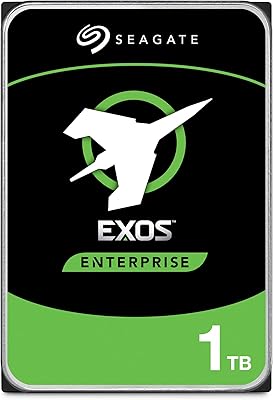
Seagate Exos 1TB Internal Hard Drive
80%
91%
Reliability & Uptime
67%
Value for Money
78%
Sequential Performance
88%
Noise Level
84%
Build & Durability
More
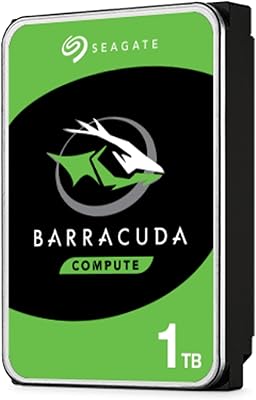
Seagate BarraCuda ST1000DM010 1TB Internal Hard Drive
77%
91%
Value for Money
74%
Reliability & Longevity
79%
Read & Write Performance
93%
Installation Ease
68%
Noise & Vibration
More
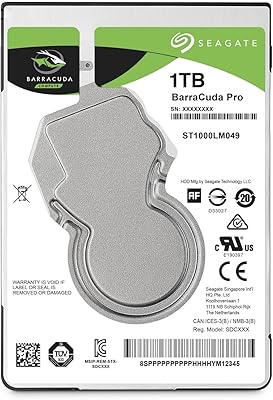
Seagate BarraCuda Pro 1TB 7200RPM Internal Hard Drive
87%
92%
Performance
90%
Speed
88%
Reliability
95%
Ease of Installation
65%
Noise Levels
More
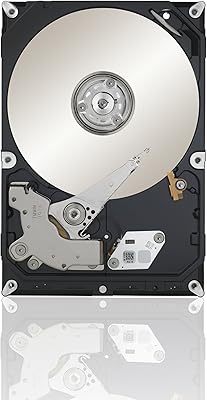
Seagate Constellation ES 1TB Internal Hard Drive
77%
93%
TLER / Error Recovery
91%
Drive Longevity
88%
RAID Compatibility
54%
Refurbished Condition Consistency
79%
Value for Money
More
Seagate 1TB Pipeline HD SATA 6Gb/s Internal Hard Drive
88%
88%
Performance
91%
Reliability for 24/7 Use
93%
Power Efficiency
85%
Noise Level
86%
Ease of Installation
More
Seagate Momentus ST1000LM024 1TB 2.5-Inch SATA III 5400 RPM Hard Drive
84%
91%
Value for Money
88%
Storage Capacity
94%
Ease of Installation
85%
Performance for Everyday Use
90%
Power Efficiency
More
Seagate BarraCuda 4TB Internal Hard Drive
87%
86%
Performance
90%
Reliability
93%
Setup & Installation
95%
Storage Capacity
72%
Data Transfer Speed
More
Seagate BarraCuda ST8000DM004 8TB Internal Hard Drive
73%
93%
Storage Capacity Value
67%
Reliability & Longevity
61%
Read & Write Performance
89%
Installation & Compatibility
63%
Noise & Vibration
More
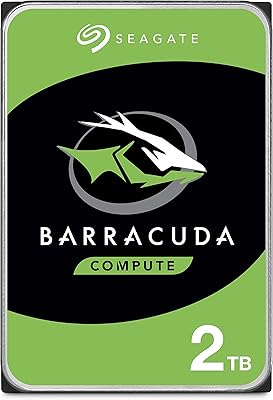
Seagate BarraCuda 2TB Internal Hard Drive
79%
91%
Value for Money
74%
Transfer Speed
77%
Reliability & Longevity
93%
Installation Ease
79%
Noise Level
More
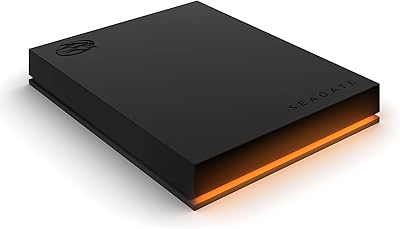
Seagate FireCuda Gaming Hard Drive 1TB
84%
88%
Performance
91%
Data Transfer Speed
94%
Ease of Setup
80%
RGB Lighting Customization
85%
Compatibility with PC & Mac
More
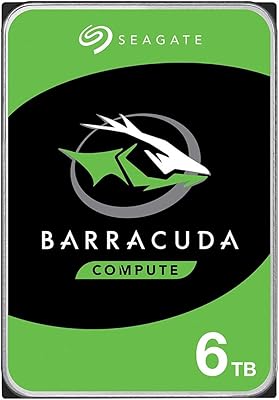
Seagate Barracuda 6TB Internal Hard Drive
77%
93%
Value for Money
91%
Storage Capacity
74%
Reliability & Longevity
89%
Installation Ease
61%
Read/Write Performance
More

FAQ

You need to confirm two things: that your laptop has a 2.5-inch SATA bay (rather than an M.2 or NVMe slot), and that it supports 7mm-height drives. Most laptops built in the past decade accept 7mm drives, but if your chassis was designed for the older 9.5mm standard, a simple spacer adapter bridges the gap. If your laptop only has an M.2 slot, this drive will not fit at all.

This is a surprisingly common source of confusion. The Seagate ST1000LM024 1TB Internal Hard Drive is based on the Samsung Spinpoint M8 platform, which Seagate acquired when it purchased Samsung's hard drive division in 2011. It is a fully legitimate Seagate product covered by Seagate's own warranty — it just happens to be built on Samsung's original hardware design, which is why some listing data still surfaces Samsung as the manufacturer.

There is a meaningful difference for anything OS-related. A typical SSD boots Windows in under 15 seconds; this 1TB mobile HDD will take closer to 45 to 60 seconds under the same conditions. For storing and transferring large files like photos or videos, the gap narrows considerably. If you plan to use it as a secondary data drive rather than a boot drive, the speed difference matters much less in practice.

You can, and plenty of people do — but set realistic expectations going in. Boot times will be noticeably slower than an SSD, and launching applications will take a few extra seconds. For general everyday tasks like web browsing, document editing, and media playback, it works fine. For anything more demanding, like gaming or video editing software, the slower response will become frustrating.

Yes, it is fully plug-and-play compatible with both Windows 10 and Windows 11, as well as most Linux distributions. No additional drivers are required — the operating system recognizes it as a standard SATA drive and you can format it normally through Disk Management or your preferred partition tool.

It will physically fit any Mac that has a standard 2.5-inch SATA drive bay, but most MacBook models from 2013 onward switched to proprietary blade-style SSD connectors and no longer have a SATA bay at all. Older MacBook Pros from 2012 and earlier are the most commonly compatible models. Check your specific Mac's hardware specifications on Apple's support site before purchasing to avoid a mismatch.

The process is fairly straightforward for most laptops. Power down the machine, remove the bottom panel, locate the drive bay, disconnect and slide out the old drive, then seat the ST1000LM024 in its place using the same SATA connector. After that, you will need to either restore from a backup image or perform a fresh operating system installation using a bootable USB drive.

Mechanical drives typically hold up for three to five years under regular everyday use, though many run longer without issue. The two-year warranty covers the window where early failures are statistically most likely. That said, no spinning-platter drive is immune to failure, so running a regular backup to cloud storage or an external drive is strongly advisable regardless of the drive's age.

Both work well. This Seagate laptop drive fits any desktop with an open 2.5-inch SATA bay, though you may need a 2.5-to-3.5-inch mounting bracket to secure it in a standard desktop chassis. It also slides into most USB 2.5-inch enclosures cleanly, which lets you use it as a portable external drive if needed.

For most typical users, yes — comfortably so. A terabyte holds roughly 250,000 average-sized photos, several hundred hours of standard-definition video, or tens of thousands of documents. If you work with 4K video footage, large RAW photo libraries, or a substantial game installation library, you may eventually feel constrained, but for general personal use, 1TB is a practical and workable amount of space.

Where to Buy