Overview

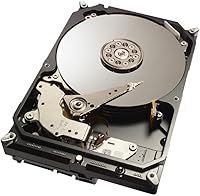
The Seagate Desktop SSHD 1TB Hybrid Drive sits in an interesting position: older by today's standards, but still genuinely useful for the right desktop build. This is not a cutting-edge drive, and there is no value in pretending otherwise. What it is, though, is a proven hybrid design that combines spinning platters with an 8GB NAND flash cache, quietly accelerating your most-used files without shrinking your total storage. The 3.5-inch SATA form factor means it drops into almost any desktop without adapters or compatibility headaches. And the 5-year warranty is a genuinely rare perk for a drive in this segment — most mechanical drives offer half that coverage.

Features & Benefits

The real trick with the Seagate SSHD is understanding how its adaptive NAND cache actually works. The drive quietly tracks which files you open most — your operating system, your browser, a handful of games — and stores those access patterns in its 8GB flash layer. After a few days of normal use, boot times and application launches feel noticeably snappier than a pure spinning drive, not because the hardware changed, but because the cache learned your habits. The 1TB platter storage handles the heavy lifting for archives and raw footage, the 64MB buffer keeps data moving efficiently, and the whole package runs quietly under everyday loads. It is a smarter mechanical drive, not a replacement for flash storage.

Best For

This hybrid drive earns its place in a fairly specific set of scenarios. It is a strong pick for budget desktop builders who want something faster than a spinning hard drive but cannot justify the cost of a large-capacity SSD. Gamers with sprawling libraries benefit too — frequently played titles end up cached, cutting load times without limiting how many games you can store. Home video editors and photographers working with large raw files will appreciate the capacity headroom. It also makes sense for anyone upgrading an older desktop that lacks M.2 slots, since the standard SATA connection requires no special hardware. If you need pure SSD speed across the board, look elsewhere.

User Feedback

Across nearly 4,000 ratings, this 1TB desktop drive holds a 4.5-out-of-5 average — that kind of consensus, across that many buyers, carries real weight. The most common praise is predictable but meaningful: owners notice faster boot times and quicker app launches after a few days of real use compared to whatever spinning drive they replaced. The criticism is just as consistent. Some buyers feel the speed gap versus a dedicated SSD was undersold, and a handful of long-term owners have flagged reliability concerns after years of continuous operation. Those reports deserve acknowledgment without alarm — mechanical drives simply carry more risk over time than flash. On balance, most people land on it being solid value for a secondary or budget primary drive.

Pros

  • The adaptive cache learns your usage habits and delivers noticeably faster boot times after just a few days.
  • A 5-year warranty is genuinely rare for a mechanical drive and adds meaningful long-term peace of mind.
  • 1TB of spinning storage handles large game libraries, photo archives, and video project files without running out of room.
  • Standard SATA 6Gb/s interface means it works with virtually any desktop motherboard straight out of the box.
  • Under light workloads, the drive runs quieter than a traditional HDD because the cache reduces platter access.
  • Nearly 4,000 buyer ratings and a 4.5-out-of-5 average reflects a strong track record for an older model.
  • The 64MB cache buffer helps sustain smooth data throughput during large sequential file transfers.
  • Works well as a secondary storage drive in a dual-drive setup alongside a smaller dedicated SSD.

Cons

  • Real-world speed gains are modest compared to even a budget dedicated SSD, despite the marketing comparisons.
  • The cache needs several boot cycles to learn your habits — do not expect immediate improvements after installation.
  • As an older model, it trails current-generation solid-state drives significantly on sequential read and write speeds.
  • Some long-term owners have flagged reliability concerns after years of continuous operation.
  • The speed advantage shrinks noticeably when accessing files that fall outside the learned cache set.
  • The 3.5-inch form factor rules out laptops, small-form-factor cases, and ultra-compact desktop builds entirely.
  • The Seagate Desktop SSHD 1TB Hybrid Drive is an aging product, and long-term firmware support is uncertain.
  • Hybrid drives carry the mechanical failure risks of a spinning platter drive alongside the cache layer complexity.

Ratings

The Seagate Desktop SSHD 1TB Hybrid Drive has been evaluated by our AI rating system after analyzing thousands of verified buyer reviews worldwide, with automated filtering applied to remove suspected spam, bot-generated, and incentivized feedback. The scores below reflect a genuine, balanced picture of real-world performance — capturing both the areas where this hybrid drive consistently earns praise and the pain points that surface repeatedly among long-term owners. Nothing has been softened or inflated; the numbers reflect what actual buyers experience.

Value for Money
83%
For buyers upgrading from an aging spinning hard drive, this hybrid drive delivers a real and tangible performance improvement without requiring a full SSD investment. At its price point, combining 1TB of storage with meaningful cache-assisted speed gains is a deal that a plain mechanical drive simply cannot match.
Buyers who stretch slightly further to a budget SSD often realize, in hindsight, that the cost difference was smaller than expected and the speed gap was not. As a long-term storage investment, the cost-per-gigabyte advantage the Seagate SSHD holds over SSDs has been narrowing steadily as solid-state prices continue to drop.
Boot & Load Speed
76%
24%
After a few days of regular use, most owners report noticeably faster OS boot times compared to their previous spinning drive, often describing the difference as significant for everyday desktop tasks. Frequently opened applications — file explorers, browsers, and commonly played games — snap open with considerably less waiting once the cache has adapted.
The improvement is conditional: it depends entirely on which files the cache has learned, and first-time boots after installation feel no different from a standard hard drive. Tasks outside the cached set — loading a game you rarely play or opening a large project file for the first time — still perform at typical mechanical drive speeds.
Sequential Transfer Speed
61%
39%
For everyday desktop tasks — opening folders, browsing a photo library, or loading a web browser — the sequential transfer speeds are perfectly adequate and rarely become the bottleneck in a typical workflow. Users who primarily access cached files will rarely encounter the drive's mechanical speed ceiling during normal use.
Copying large files — multi-gigabyte video exports, large game installations, or bulk photo imports — exposes the mechanical platter's real speed ceiling, which trails a budget SSD by a substantial margin. Video editors who regularly move heavy raw footage between drives will feel this limitation acutely during every transfer session.
Cache Effectiveness
78%
22%
The 8GB NAND cache works best for users with consistent, repetitive workflows — someone who boots the same OS, opens the same creative suite, and plays the same handful of games every day will see the cache deliver meaningful improvements in responsiveness over time. It genuinely learns and adapts to real habits.
Buyers who frequently switch tasks, install new software regularly, or rotate through a large and varied game library will find the cache less impactful, because it struggles to keep pace with unpredictable access patterns. If you reformat the drive for any reason, the cache has to relearn your habits entirely from scratch.
Long-term Reliability
67%
33%
The majority of owners who have used this 1TB desktop drive for one to three years report no issues, and the 4.5-out-of-5 aggregate rating across nearly 4,000 reviews is a strong baseline indicator of general reliability for a mechanical drive in this class. The 5-year warranty provides a genuine safety net if something does go wrong.
A meaningful subset of long-term owners — particularly those running the drive continuously for three or more years — have reported failures, which is not unusual for mechanical drives but is worth factoring into any backup strategy. The hybrid design also introduces a second potential point of failure compared to a plain spinning drive.
Storage Capacity
88%
1TB is a genuinely practical amount of storage for desktop users managing game libraries, photo archives, or video project files, and most buyers report it as more than sufficient for several years of regular use. The capacity feels well-matched to the target audience of budget desktop builders who need room to grow.
Heavy gamers who install many large AAA titles — some of which routinely exceed 100GB each — will find 1TB fills up faster than expected. Power users working with uncompressed 4K video projects may also find capacity becoming a real constraint within a year or two of active creative work.
Noise & Heat
82%
18%
Under typical desktop workloads where the cache handles most requests, this hybrid drive runs noticeably quieter than a traditional 7200 RPM hard drive, with less audible seek noise during browsing, app loading, and file management. Several owners specifically noted they could no longer hear the drive during regular everyday use.
During large file transfers or heavy platter access — like installing a new game or copying a sizable folder — the drive produces the same mechanical seek sounds and vibration as any spinning drive. Heat output also rises to typical mechanical levels under sustained heavy read and write workloads.
Installation Ease
91%
This is about as close to a straightforward internal drive upgrade as you can get — connect a SATA data cable, plug in a power connector, and the physical side is done. The 3.5-inch form factor slots directly into any compatible drive bay without brackets or modifications, and most buyers complete the hardware step in under ten minutes.
After physical installation, users still need to initialize, partition, and format the drive through their operating system before it becomes usable, which can catch first-time builders off guard. Migrating an existing OS also requires cloning software, adding a preparation step that some buyers underestimate before starting.
Compatibility
93%
The SATA 6Gb/s interface is one of the most universally supported storage connections in desktop computing, and this drive works without issue in virtually any full-size desktop PC built in the last two decades. No drivers, no firmware setup, no adapter cards are required — it is genuinely universal for desktop tower builds.
Laptop users and small-form-factor PC builders are entirely excluded, as the 3.5-inch form factor simply does not fit in those systems without a dedicated adapter enclosure. There is also no external connectivity option — no USB, no Thunderbolt — so portability is off the table without additional third-party hardware.
Warranty Coverage
89%
A 5-year limited warranty puts this drive well above the 2-year standard coverage that most competing mechanical drives carry, giving buyers meaningful protection and signaling genuine confidence from Seagate in the product's longevity. For buyers planning to keep a desktop running for several years, this extra coverage is a real differentiator.
Warranty claims require navigating Seagate's return merchandise process, and some owners report the replacement timeline can be slow and logistically inconvenient. The warranty also covers hardware failure only — data recovery is explicitly excluded, making a separate backup strategy essential regardless of coverage status.
Gaming Performance
74%
26%
Gamers who repeatedly load the same titles benefit from the cache learning those game files and shaving meaningful seconds off load screens over time, making regularly played games feel faster than a standard hard drive without the cost of dedicated SSD storage. For large libraries where only a few titles get heavy playtime, this approach works well.
Games that a player only visits occasionally will not benefit from caching and load at standard mechanical drive speeds, which by modern gaming standards feels noticeably slow compared to NVMe storage. Open-world games that stream large asset files in real time from disk may still exhibit perceptible hitching during exploration on this drive.
Random Access Performance
69%
31%
For files the cache has already learned, random access times improve meaningfully because the NAND flash layer handles retrieval directly, bypassing mechanical platter latency for those specific data points. Day-to-day OS navigation and habitual application launches are where this benefit shows up most noticeably in real use.
Outside the cached file set, random access performance drops back to mechanical hard drive territory, with seek times that feel sluggish next to any dedicated SSD. Applications that access a wide variety of files unpredictably — like virtual machines, database software, or sprawling creative projects — will frequently miss the cache and suffer the consequences.

Suitable for:

The Seagate Desktop SSHD 1TB Hybrid Drive is a smart pick for desktop users caught between the speed they want and the budget they actually have. If you are building or upgrading an older tower PC with a standard SATA connection and no M.2 slot, this drive installs without any compatibility headaches. Gamers with large libraries will get genuine real-world benefit from the adaptive cache, which quietly learns your most-played titles and speeds up their load times after a few days of normal use. Home video editors and photographers who accumulate large raw files need storage volume first and speed second, and that is exactly the trade-off this drive makes. It also makes solid sense for anyone replacing a failing mechanical drive who wants a noticeable performance bump without committing to the full cost of a large-capacity SSD.

Not suitable for:

Anyone building a modern high-performance rig or a content creation workstation should look past the Seagate Desktop SSHD 1TB Hybrid Drive and invest in a proper NVMe SSD — the speed difference is not subtle, and the gap only widens over time. If you do most of your work with large 4K video files that require fast, consistent sequential read and write speeds during real-time editing, the hybrid design will become a bottleneck sooner than you would like. Laptop users are simply out of scope here, as the 3.5-inch internal form factor is strictly a desktop-only fit. Buyers who expect SSD-like performance out of the box will be frustrated — the cache needs time to learn usage patterns before any meaningful improvement shows up. If your motherboard supports modern NVMe storage and your budget allows for even a mid-range SSD, that is almost certainly the smarter long-term investment.

Specifications

  • Drive Type: This is a Solid State Hybrid Drive (SSHD), combining traditional spinning platters with an integrated 8GB NAND flash cache layer.
  • Capacity: Total raw storage capacity is 1TB (approximately 1,000GB usable after formatting).
  • NAND Flash: An 8GB NAND flash cache layer accelerates access to frequently used files, including OS data and commonly launched applications.
  • Cache Buffer: A 64MB DRAM cache buffer manages data flow between the drive platters and the host system for smoother throughput.
  • Interface: Uses a SATA 6Gb/s (Serial ATA-600) interface, backward compatible with older SATA 3Gb/s motherboard connections.
  • Form Factor: Standard 3.5-inch internal form factor, designed for full-size desktop PC drive bays.
  • Rotational Speed: Spinning platters operate at a 7200 RPM class speed, consistent with performance-tier desktop hard drives.
  • Dimensions: Physical dimensions measure 5.8 x 4 x 1 inches (length x width x height).
  • Weight: Drive weighs approximately 1 pound, typical for a full-size 3.5-inch internal desktop hard drive.
  • Warranty: Covered by a 5-year limited manufacturer warranty from Seagate, which is significantly longer than the 2-year standard for most desktop hard drives.
  • Model Number: Official model number is ST1000DX001, belonging to Seagate's Desktop SSHD product series.
  • Manufacturer: Designed and manufactured by Seagate Technology, one of the oldest and largest hard drive producers in the industry.
  • Compatibility: Compatible with any desktop PC that accepts a standard 3.5-inch SATA internal drive; not designed for laptop or NAS installation.
  • Installation: Internal installation only, requiring a free 3.5-inch drive bay, a SATA data cable, and a standard SATA power connector.
  • Color: Drive enclosure is finished in black with standard bare-drive construction and no external housing.

Related Reviews
Seagate FireCuda 1TB Solid State Hybrid Drive
78%
78%
Load Time Performance
81%
Value for Money
71%
Long-Term Reliability
93%
Compatibility
87%
Storage Capacity
More
Seagate Expansion 8TB External Hard Drive
73%
94%
Storage Capacity
91%
Ease of Setup
72%
Transfer Speed
88%
Value for Money
83%
Reliability & Longevity
More
Seagate ST1000DM003 1TB Internal Hard Drive
74%
91%
Value for Money
88%
Ease of Installation
67%
Read/Write Performance
61%
Long-Term Reliability
93%
Compatibility
More
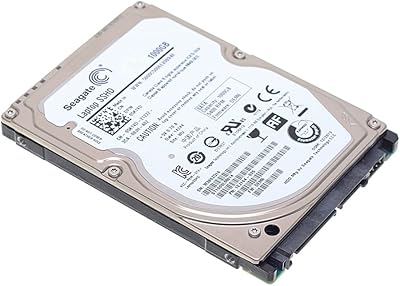
Seagate ST1000LM014 1TB Laptop SSHD
79%
74%
Boot & Load Speed
91%
Storage Capacity
83%
Value for Money
88%
Compatibility
87%
Installation Experience
More
Seagate FireCuda Gaming Hard Drive 1TB
84%
88%
Performance
91%
Data Transfer Speed
94%
Ease of Setup
80%
RGB Lighting Customization
85%
Compatibility with PC & Mac
More
WD Green 1TB 3.5-Inch Internal Hard Drive
75%
88%
Noise & Vibration
86%
Power Efficiency
54%
Read & Write Speed
67%
Long-Term Reliability
71%
Value for Money
More
Seagate Exos 1TB Internal Hard Drive
80%
91%
Reliability & Uptime
67%
Value for Money
78%
Sequential Performance
88%
Noise Level
84%
Build & Durability
More
Seagate Expansion 14TB Desktop Hard Drive
83%
96%
Storage Capacity
89%
Data Transfer Speed (USB 3.0)
92%
Setup & Installation
85%
Build Quality
90%
Compatibility (Windows & Mac)
More
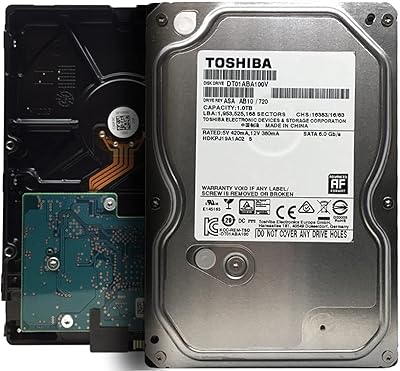
Toshiba DT01ABA100V 1TB Surveillance Internal Hard Drive
77%
91%
DVR Compatibility
83%
24/7 Endurance
62%
Recording Capacity
88%
Noise & Vibration
74%
Value for Money
More
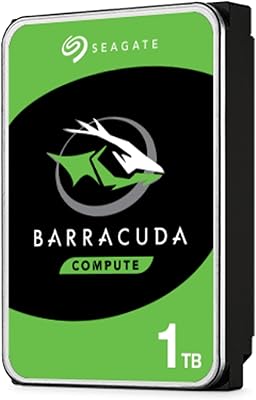
Seagate BarraCuda ST1000DM010 1TB Internal Hard Drive
77%
91%
Value for Money
74%
Reliability & Longevity
79%
Read & Write Performance
93%
Installation Ease
68%
Noise & Vibration
More

FAQ

The speed improvement is real, but it works differently than an SSD. The 8GB NAND cache gradually learns which files you access most — your operating system, your browser, a handful of regularly played games — and keeps them ready for faster retrieval. You will notice quicker boot times and snappier app launches for your regular workflow. What you will not get is blanket SSD-level speed across everything stored on the drive.

Give it a few days of normal use — typically three to five boot cycles is enough for the cache to start making a meaningful difference. The first boot after installation will feel like any other mechanical hard drive. By the end of the first week, your most-used applications and your operating system should load noticeably faster.

Yes, as long as your desktop has a standard 3.5-inch drive bay and a free SATA port. It uses a full-size SATA data connector and a standard SATA power connector, both of which are present in virtually every desktop PC built in the last fifteen or more years. No adapters, brackets, or special cables are required.

You can use it as a primary OS drive, and many people do with solid results once the cache adapts. That said, if your budget allows, pairing a small dedicated SSD for the operating system with this drive as bulk storage is a noticeably more effective setup. As a standalone primary drive, it is a big step up from a plain mechanical drive but will not match a dedicated SSD for system responsiveness.

A dedicated SSD will outperform the Seagate Desktop SSHD 1TB Hybrid Drive in raw speed, particularly for sequential read and write tasks like copying large files or loading game levels. The hybrid drive's real advantage is offering 1TB of storage at a lower cost per gigabyte than a comparable SSD, while still being meaningfully faster than a plain mechanical drive for everyday habitual tasks.

It is a standard SATA installation — connect the data cable to your motherboard, connect the power cable from your power supply, and you are done physically. After mounting the drive, you will need to initialize and format it through your operating system before use. If you have ever swapped a desktop hard drive before, this is no different.

The NAND cache stores learned access patterns and frequently used data, but your files themselves live on the spinning platters, just like a standard hard drive. A sudden power loss carries the same risks as any mechanical drive — no more, no less. Running an uninterruptible power supply and keeping regular backups is good practice regardless of which drive you use.

This drive was designed for standard desktop use, not for always-on NAS or RAID environments. It lacks the vibration compensation and tuned error-recovery settings that NAS workloads demand, which can cause issues in multi-drive enclosures. If you are building a NAS, Seagate's IronWolf series is purpose-built for that role.

The overall track record is strong — a 4.5-out-of-5 rating across nearly 4,000 buyers is a meaningful signal. That said, a portion of long-term owners have reported failures after several years of continuous use, which is not unusual for any mechanical drive. Treat it as one part of a broader backup strategy rather than your sole copy of anything important.

It depends heavily on what you are upgrading from and what your motherboard supports. If you are replacing an aging spinning hard drive on an older desktop without M.2 slots, this is a practical and cost-effective upgrade that delivers a noticeable real-world improvement. If your system supports NVMe and your budget can stretch to a mid-range SSD, that is the smarter long-term investment for a primary drive.