Overview

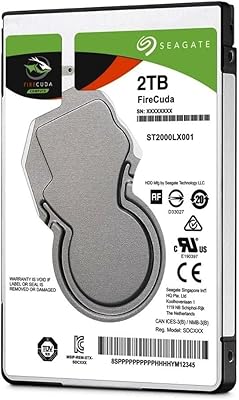
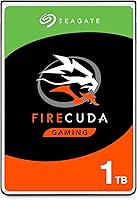
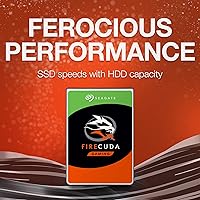
The Seagate FireCuda 1TB Solid State Hybrid Drive occupies an interesting middle ground in the storage market — it is not a pure SSD, but a meaningful step beyond a conventional hard drive. The 2.5-inch form factor makes it a natural fit for laptop upgrades or compact desktop builds where space is limited. What sets this hybrid drive apart is its flash caching technology: the drive quietly monitors which files and games you access most often, then stores them in faster flash memory to cut down load times over repeated use. A 5-year limited warranty rounds out the package and gives buyers reasonable long-term confidence.
Features & Benefits

The headline spec here is an 8GB NAND flash cache — a small but effective pool of fast storage the drive uses to learn and prioritize your most-accessed data. Boot times and game load screens benefit most noticeably from this. The SATA 6Gb/s interface means you can drop this SSHD into nearly any laptop or desktop without compatibility headaches. Running at 5400 RPM, it draws less power than a faster 7200 RPM drive, which is a real advantage for laptop users who care about battery life. The 1TB capacity is generous enough to hold a solid game library without constantly shuffling files, and it arrives in Frustration Free Packaging — a small touch, but a welcome one.

Best For

The FireCuda 1TB makes the most sense for someone upgrading an older laptop where a full SSD feels hard to justify on budget grounds. If you play a fairly consistent rotation of games — the same titles week after week — the flash cache pays off most visibly, because the drive learns those files and prioritizes them on repeated access. It also suits anyone swapping out a failed 2.5-inch drive who wants a quiet performance boost without a full system overhaul. Where it is less compelling is for power users who can comfortably afford a pure SSD; dedicated flash storage will always outperform a hybrid, and that gap is genuinely hard to ignore once you have experienced it firsthand.

User Feedback

With a 4.5-star rating built from thousands of verified purchases, the FireCuda 1TB earns its reputation without being a flawless drive. Buyers consistently report a drop in load times compared to the standard hard drives they replaced — particularly for titles they return to most often. That said, users with large, varied game libraries find the caching advantage less pronounced; when the drive juggles dozens of rarely repeated titles, the flash layer has less to work with. Long-term reliability accounts are mixed — many owners report years of trouble-free use, but a vocal minority flag early drive failures, worth factoring in. Most buyers ultimately consider the value fair for what this SSHD actually delivers day to day.

Pros

  • Noticeable load time improvements over a standard hard drive, especially for frequently played games.
  • 1TB of storage is generous enough to hold a solid game library without constant management.
  • The 2.5-inch form factor fits a wide range of laptops and compact desktop builds.
  • Low power consumption makes the FireCuda 1TB a friendly option for battery-dependent laptops.
  • SATA 6Gb/s interface means broad compatibility with older and newer systems alike.
  • The 5-year limited warranty offers meaningful long-term coverage for a storage drive.
  • Flash caching works passively in the background — no setup or configuration required.
  • Strong user rating built from thousands of real-world purchases adds purchase confidence.
  • Arrives in minimal packaging, which is a small but appreciated touch for eco-conscious buyers.

Cons

  • Cache benefits fade quickly for users who juggle a large, constantly rotating game library.
  • 5400 RPM spindle speed creates a real bottleneck for sequential transfers and large file moves.
  • A subset of buyers report early drive failures, which is worth factoring into long-term expectations.
  • Performance gains are inconsistent — first-time load times before the cache learns offer no speed advantage.
  • Cannot match the responsiveness of a dedicated SSD for cold boots or rarely accessed applications.
  • Not well suited to content creation or any workflow that regularly pushes large amounts of data.
  • The 8GB flash cache is relatively small; heavily used systems may hit its limits faster than expected.
  • No hardware encryption support, which may matter for business or security-conscious users.

Ratings

Our AI rating engine analyzed thousands of verified global purchases of the Seagate FireCuda 1TB Solid State Hybrid Drive, actively filtering out incentivized, duplicate, and bot-generated submissions to surface what genuine buyers actually experienced. The scores below reflect a balanced picture — where this hybrid drive genuinely impresses and where it falls short depending on the buyer's expectations and use case.

Load Time Performance
78%
22%
Buyers upgrading from a standard mechanical hard drive consistently report a meaningful drop in game and OS boot times after a few days of use. The flash cache learns quickly when the same titles are launched repeatedly, and users of open-world games note the difference in map and level loading is real and sustained.
The improvement is not instant — the cache needs time to learn usage patterns, which means first-time loads offer no advantage over a plain HDD. Users expecting SSD-class responsiveness across all tasks are frequently disappointed, as the speed gains are conditional rather than consistent.
Value for Money
81%
19%
For buyers who cannot justify the cost of a full 1TB SSD, the FireCuda 1TB sits in a compelling middle ground — offering a meaningful step up from a standard hard drive at a fraction of solid-state pricing. Many reviewers explicitly describe it as the smartest storage upgrade available within a tight budget.
As SSD prices continue to fall, the value proposition of this hybrid drive erodes. Some buyers who purchased it a year or two ago feel they could now get a comparable-capacity SSD for a similar outlay, which makes the SSHD premium feel less justified in hindsight.
Long-Term Reliability
71%
29%
A significant proportion of long-term owners report years of trouble-free daily use, and the 5-year limited warranty gives buyers a reasonable safety net that is notably generous for this category. Users who install it in laptops used for consistent, moderate workloads tend to report the best durability outcomes.
A recurring thread in critical reviews involves drives failing within the first year, which is a higher early-failure report rate than most buyers would expect. While Seagate's warranty covers these cases, the process of replacement is disruptive, and losing data mid-failure is a real risk users raise repeatedly.
Compatibility
93%
The standard 2.5-inch SATA form factor means this SSHD drops into nearly any laptop or desktop with a conventional drive bay without adapters or additional hardware. Buyers across a wide range of PC brands — from budget Lenovo laptops to older Dell and HP desktops — report completely plug-and-play installation experiences.
Users with ultra-slim laptops or newer machines that use M.2 NVMe slots cannot use this drive at all, and a handful of buyers discovered this incompatibility only after purchase. It is also not a suitable replacement for any system that shipped with a soldered or proprietary SSD form factor.
Storage Capacity
87%
1TB is genuinely practical for gaming use — it comfortably holds a rotating library of modern AAA titles without constant file juggling. Users who migrated from 500GB mechanical drives specifically call out the breathing room this capacity provides as one of the upgrade's most immediately felt benefits.
For users running large media collections alongside a gaming library, 1TB can still fill up faster than expected with modern game install sizes frequently exceeding 50–100GB each. There is no expandability once the drive is full, making storage planning more important upfront.
Cache Effectiveness
66%
34%
For users with a consistent, focused game library — say, a handful of titles played regularly week over week — the 8GB NAND cache delivers noticeable and repeatable load time improvements. Buyers who primarily use their machine for one or two games report that the caching benefit feels dependable after a short learning period.
The 8GB cache ceiling is a real limitation for power users. Those who rotate through many different large games find the cache constantly being overwritten, effectively negating much of the SSHD advantage. Several technically aware reviewers note that the cache is simply too small to cover modern game file sizes meaningfully.
Sequential Read/Write Speed
54%
46%
For everyday file transfers and application launches of cached content, the drive performs adequately enough that most casual users will not notice a bottleneck in normal desktop tasks. Light productivity users moving moderately sized files report no frustrating wait times during typical use.
At 5400 RPM, raw sequential throughput is a clear weak point — large file transfers, video exports, and bulk data moves are slow enough to be genuinely frustrating for anyone doing content work. Users who benchmark the drive are often taken aback by how conventional the sequential speeds are compared to even a budget SSD.
Installation Ease
88%
The majority of reviewers describe the physical installation as straightforward, even for first-timers — a screwdriver, a cloning tool, and 30 minutes is the typical report. Users who cloned their existing drive beforehand consistently highlight how smooth the transition was, with no need to reinstall their operating system.
Buyers who did not clone their drive first and attempted a fresh OS install sometimes ran into driver or setup confusion, particularly on older machines. A small number of users also report that their specific laptop chassis made physical access to the drive bay more involved than expected.
Power Efficiency
84%
Laptop users in particular appreciate that this hybrid drive runs cool and draws noticeably less power than a 7200 RPM alternative. Several buyers report marginally improved battery endurance after switching from a higher-RPM drive, which is a practical benefit for users who work or game away from a charger.
The power savings, while real, are modest rather than dramatic. Users expecting a significant battery life transformation will be underwhelmed — the gain is incremental, and other system components like the GPU and display dominate power draw far more than the storage drive.
Noise & Vibration
76%
24%
Most users describe the FireCuda 1TB as quiet during normal operation, with the 5400 RPM spindle generating less audible noise than the faster hard drives it commonly replaces. In silent room environments, the drive is generally unobtrusive for day-to-day tasks and light gaming sessions.
Under heavy sustained read or write loads, a noticeable clicking or humming sound does emerge, which sensitive users find distracting in quiet settings. A handful of reviewers also report intermittent vibration transferred through laptop chassis during intensive disk access, though this appears to be chassis-dependent rather than universal.
Warranty & Support
82%
18%
The 5-year limited warranty stands out as one of the more generous coverage periods in this storage category, giving buyers meaningful reassurance over the medium term. Users who have successfully processed warranty claims generally describe Seagate's replacement process as functional and not overly bureaucratic.
Warranty replacement does not cover data loss, which is the primary real-world consequence of a drive failure. Some users also report that reaching Seagate support for warranty claims required patience, with response times and the RMA process described as slow by a recurring subset of reviewers.
Gaming-Specific Performance
73%
27%
For the specific scenario this drive is marketed for — faster game loading on a budget gaming laptop — it largely delivers on the promise for users with a consistent game rotation. Open-world games with frequent asset streaming, such as RPGs and sandbox titles, show the most consistent improvement after the cache has had time to adapt.
Competitive gamers who play fast-paced titles where every second of load screen matters will find the hybrid approach too inconsistent to rely on. The performance gains are also game-dependent, and users of titles with large, unpredictable asset loads report that the SSHD behaves essentially like a plain hard drive in those scenarios.
Build & Physical Quality
79%
21%
The drive feels solidly constructed, with a rigid metal casing that inspires more confidence than some budget-tier alternatives. Buyers who handle it during installation typically comment positively on the build, and the slim 7mm profile fits into laptop bays cleanly without the loose tolerances that sometimes plague third-party drives.
The external casing shows scuffs and marks easily, though this is cosmetically irrelevant for an internal drive. A few users who have owned multiple units over the years note that the build quality feels marginally less robust than older Seagate models they remember from previous upgrade cycles.

Suitable for:

The Seagate FireCuda 1TB Solid State Hybrid Drive is a strong fit for anyone who wants a genuine performance upgrade over a standard hard drive without stretching their budget to cover a full SSD. It works especially well for laptop owners with an older machine running a sluggish mechanical drive — the flash cache delivers a noticeable improvement in boot times and load screens for frequently used apps and games. Gamers who stick to a regular rotation of titles will see the most benefit, since the drive learns and prioritizes those files over time. It is also a practical choice for compact desktop or mini-ITX builds where the 2.5-inch form factor and low power draw matter. Anyone replacing a dead 2.5-inch drive and wanting more than a straight like-for-like swap will find this hybrid drive a sensible, cost-conscious step up.

Not suitable for:

The Seagate FireCuda 1TB Solid State Hybrid Drive is not the right call for buyers who can comfortably afford a dedicated SSD — the performance gap between a true solid-state drive and this SSHD is real and persistent, particularly for sequential read and write speeds. Content creators, video editors, or anyone regularly moving large files will find the 5400 RPM spindle speed a genuine bottleneck. Gamers with sprawling libraries who constantly install and uninstall different titles will see diminishing returns from the flash cache, since it has less opportunity to learn a stable set of frequently accessed files. Users in professional or creative workflows that depend on consistent, high-throughput storage should look elsewhere. The hybrid approach is a smart compromise, but it is still a compromise — and buyers who need raw speed should not expect this SSHD to close that gap.
Specifications

  • Storage Capacity: The drive offers 1TB of total storage, giving users ample space for a substantial game or media library.
  • Drive Type: This is a hybrid SSHD, combining a traditional spinning hard disk with a dedicated NAND flash cache layer for improved responsiveness.
  • Flash Cache: An 8GB NAND flash cache is built in to learn and accelerate access to frequently used files and applications over time.
  • Form Factor: The 2.5-inch form factor makes this drive compatible with most laptops and compact desktop enclosures.
  • Interface: Connectivity is handled via a SATA 6Gb/s interface, which is the standard found in the vast majority of consumer laptops and desktops.
  • Rotational Speed: The magnetic platters spin at 5400 RPM, prioritizing lower heat output and power efficiency over maximum sequential throughput.
  • Dimensions: The drive measures 3.95 x 2.75 x 0.28 inches, conforming to the standard 2.5-inch slim drive profile.
  • Weight: At just 3.39 ounces, this SSHD adds minimal weight to a laptop or portable build.
  • Power Profile: The drive is designed for low power consumption, making it well suited to battery-dependent laptop use.
  • Installation Type: This is an internal drive intended for installation inside a laptop, desktop, or compatible external enclosure.
  • Compatible Devices: The drive is compatible with laptops and desktop PCs that feature a standard 2.5-inch SATA drive bay.
  • Model Number: The official Seagate model number for this drive is ST1000LX015, useful for verifying firmware updates and warranty claims.
  • Warranty: Seagate backs this drive with a 5-year limited warranty, which is notably longer than the 2-year coverage common among competing drives in this category.
  • Color: The drive features a black casing, consistent with standard internal hard drive aesthetics.
  • Packaging: The drive ships in Frustration Free Packaging, using minimal materials without excessive plastic or unnecessary inserts.

Related Reviews

Seagate FireCuda ST2000LX001 2TB Hybrid Drive
76%
83%
Value for Money
62%
Read/Write Speed
74%
Cache Effectiveness
91%
Storage Capacity
88%
Installation Ease
More
Seagate FireCuda Gaming Hard Drive 1TB
84%
88%
Performance
91%
Data Transfer Speed
94%
Ease of Setup
80%
RGB Lighting Customization
85%
Compatibility with PC & Mac
More
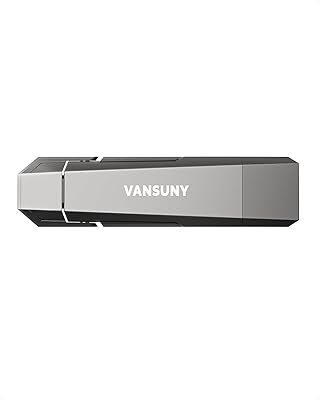
Vansuny U52 1TB Portable External SSD
77%
91%
Dual-Connector Design
74%
Transfer Speed
83%
Build Quality
92%
Portability
88%
Plug-and-Play Compatibility
More
Seagate Fast SSD 500GB Portable External SSD
80%
94%
Portability & Form Factor
88%
Transfer Speed
83%
Build Quality & Durability
91%
Compatibility & Plug-and-Play
61%
Storage Capacity
More
Seagate FireCuda 520N 1TB SSD
87%
94%
Performance
89%
Installation Ease
91%
Speed (Read/Write)
85%
Durability and Reliability
90%
Compatibility
More
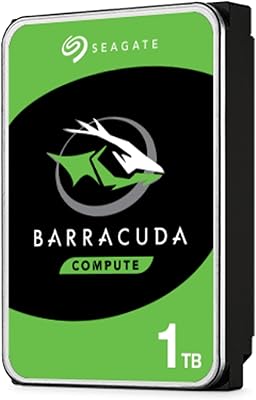
Seagate BarraCuda ST1000DM010 1TB Internal Hard Drive
77%
91%
Value for Money
74%
Reliability & Longevity
79%
Read & Write Performance
93%
Installation Ease
68%
Noise & Vibration
More
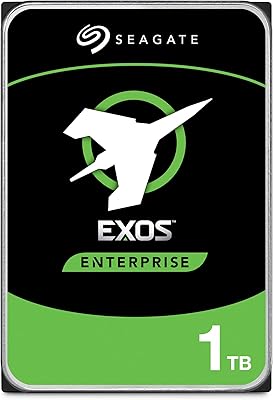
Seagate Exos 1TB Internal Hard Drive
80%
91%
Reliability & Uptime
67%
Value for Money
78%
Sequential Performance
88%
Noise Level
84%
Build & Durability
More
Vansuny 256GB USB Solid State Drive
87%
89%
Performance
92%
Speed of Transfer
84%
Build Quality
91%
Portability
90%
Compatibility
More
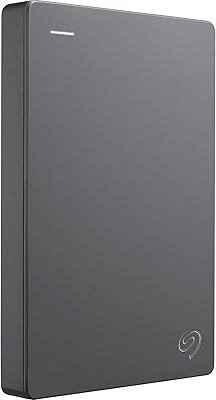
Seagate Basic 1TB Portable External Hard Drive
85%
90%
Value for Money
95%
Portability
88%
Transfer Speed
80%
Build Quality
91%
Ease of Use
More
Seagate Expansion Portable 1TB External Hard Drive
85%
88%
Performance
94%
Setup & Installation
91%
Portability & Size
89%
Compatibility
87%
Value for Money
More

FAQ

It depends on your current setup. If you are coming from a plain mechanical hard drive, yes — you will likely notice quicker boot times and faster loading for the games and apps you use regularly. The flash cache learns your habits over time, so the improvement tends to build after the first few days of use rather than being dramatic right out of the box.

There is nothing to set up. The drive handles everything automatically in the background. It monitors which files and applications you access most frequently and quietly copies them into the faster flash storage layer so they load quicker on your next session. The more consistently you use the same apps and games, the more the cache can help.

Almost certainly yes, as long as your laptop has a 2.5-inch SATA drive bay, which covers the vast majority of laptops made in the past decade. If you are unsure, check whether your current drive is a 2.5-inch SATA model — if it is, this SSHD will slot straight in as a replacement.

A dedicated SSD will outperform this hybrid drive, full stop. The SSHD is faster than a plain hard drive, but it cannot match the consistent read and write speeds of a solid-state drive — especially for files the cache has not yet learned. If budget allows for a same-capacity SSD, that is the stronger long-term choice. This hybrid is a smart middle ground when a pure SSD is out of reach.

Probably less than you would hope. The cache works best when the drive can learn a stable set of frequently accessed files. If you constantly install and uninstall different games, the drive has limited opportunity to build up useful cached data, and you will see fewer speed benefits as a result.

Technically, yes — you can place it in a 2.5-inch USB enclosure and it will function as external storage. However, the flash cache acceleration is optimized for internal SATA connections, so you likely will not see the same caching benefits over USB. For internal installation, the Seagate FireCuda 1TB Solid State Hybrid Drive is where it genuinely earns its keep.
User experiences vary, as they do with any mechanical drive. Many owners report years of trouble-free operation, and the 5-year warranty is a reasonable indicator that Seagate stands behind the hardware. That said, a small but notable share of buyers have flagged early failures. As with any spinning drive, keeping regular backups is sensible practice regardless of brand or model.

Yes. The drive itself is not OS-specific — it is a standard SATA storage device. You can format it for Windows, macOS, or Linux during installation. Just be aware that it will likely need to be formatted before use if your OS differs from whatever it ships pre-formatted as.

At just 0.28 inches (7mm) thick, this SSHD uses the slim profile that fits the majority of modern laptops, including thinner builds. That said, it is worth double-checking your specific laptop model, as some ultra-thin designs use a 5mm or soldered drive configuration that would not accommodate any 2.5-inch replacement drive.

For most laptops, you will need a small Phillips-head screwdriver to access the drive bay and remove the existing drive. It is also strongly recommended to clone your existing drive to this one before swapping, using free tools like Macrium Reflect on Windows, so you do not have to reinstall your operating system from scratch. The physical swap itself is straightforward for most users comfortable with basic hardware tasks.

Where to Buy