Overview
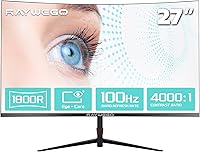
The Raywego Q270B13 27-inch Curved Monitor is a budget-oriented display from Shenzhen-based Yundacheng Technology, aimed squarely at home office workers and casual gamers who want the curved-screen experience without a steep price tag. Launched in December 2024, it is genuinely new to the market, which means long-term reliability data is still thin. At the heart of this curved monitor is a 1800R VA panel, which gives it a more immersive feel than a flat screen at the same size. Going in with the right expectations matters here — this is a 1080p screen built for everyday utility, not professional color work or high-frame-rate competitive gaming.
Features & Benefits
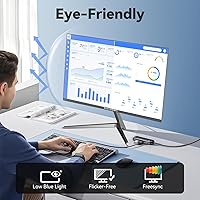
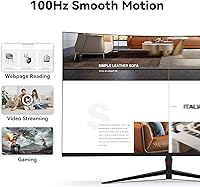
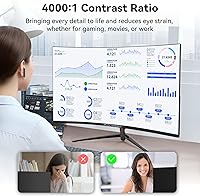
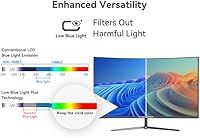
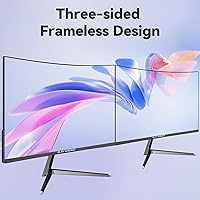
The 4000:1 contrast ratio is where this 27-inch VA screen genuinely stands out at its price point — blacks look convincingly deep, and the panel holds color well across different content types. The 100Hz refresh rate is a real step up from the 60Hz displays it is likely replacing, and while the 1ms figure refers to blur reduction rather than true pixel response time, motion clarity is noticeably better for casual use. A three-sided slim bezel keeps things tidy on a crowded desk, and having both HDMI 2.0 and DisplayPort 1.2 inputs means you can keep two devices connected simultaneously. The blue light filter is a practical addition for long workdays.
Best For
This curved monitor makes the most sense for work-from-home setups where you are staring at spreadsheets, documents, and video calls for hours at a stretch — the curve reduces eye travel across the screen, and the 27-inch size gives you meaningful real estate without dominating a small desk. Students will find it more than capable for day-to-day computing, streaming, and light gaming. It is also a practical pick if you are building a dual-monitor arrangement on a tight budget, since the slim bezels keep the visual gap between screens minimal. Competitive or enthusiast gamers, however, would be better served looking elsewhere.
User Feedback
Buyer sentiment around the Raywego display skews positive at this stage, with many users appreciating the rich color saturation and the sense of depth the curved panel creates. That said, the rating pool is still building — this is a very recently launched product, so take early averages with some caution. The most consistent concern raised is low brightness: at 250 nits, the screen can feel underwhelming in well-lit rooms or near bright windows. A few buyers have also noted that the stand, while functional, feels light on its feet. On the upside, setup is reported to be straightforward, and out-of-box calibration lands in a reasonable place for the category.
Pros
- Deep 4000:1 contrast ratio makes blacks look rich and colors pop well beyond what flat TN panels offer at this price.
- The 1800R curve gives the screen a genuinely immersive feel for a single-monitor desk setup.
- 100Hz refresh rate is a meaningful step up over standard 60Hz office displays for everyday and casual gaming use.
- Both HDMI 2.0 and DisplayPort 1.2 inputs let you keep two devices connected and switch between them without unplugging anything.
- Three-sided slim bezels keep the design clean and work well in side-by-side monitor configurations.
- Built-in blue light filter is a practical feature for users logging long hours at a desk each day.
- VESA mount support gives you the option to move to a proper monitor arm and reclaim desk space.
- Setup is reported to be straightforward, with no complex configuration required right out of the box.
- At its price point, the 100% sRGB color coverage is solid for everyday content consumption and general productivity.
Cons
- Peak brightness of 250 nits is noticeably low and can make the screen feel washed out in bright or naturally lit rooms.
- The stand offers tilt adjustment only — no height, swivel, or pivot options, which limits ergonomic flexibility.
- Raywego is a very new and relatively unknown brand, making long-term reliability and warranty support harder to assess.
- VA panels at this price tier are prone to backlight bleed and screen uniformity issues, which buyers should watch for.
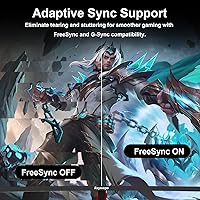
- The 1ms response time is blur reduction, not true pixel response — fast-paced gaming may still show some ghosting.
- At 8 pounds, the overall build feels lightweight, and the stand base may not feel as stable as pricier alternatives.
- The product launched in late 2024, so there is limited independent review data to confirm real-world durability.
- 1080p resolution on a 27-inch panel results in a lower pixel density than many competing monitors at this screen size.
Ratings
The Raywego Q270B13 27-inch Curved Monitor has been scored by our AI rating engine after analyzing verified global buyer reviews, with spam, bot-generated, and incentivized feedback actively filtered out before any score was calculated. The results reflect a candid picture of where this curved monitor genuinely delivers and where real buyers have run into frustration. Both the strengths and the shortcomings are represented transparently in the scorecards below.
Image Contrast & Depth
Brightness & Visibility
Color Accuracy
Refresh Rate & Motion
Gaming Performance
Curvature & Immersion
Build Quality
Stand & Ergonomics
Connectivity
Eye Comfort
Setup & Installation
Bezel Design
Value for Money
Brand Reliability
Suitable for:
The Raywego Q270B13 27-inch Curved Monitor is a practical fit for anyone who wants a more immersive desk setup without committing to a high-end display budget. Work-from-home professionals who spend long hours in front of a screen will appreciate the 1800R curve, which reduces the eye strain that comes from scanning a flat panel all day, along with the built-in blue light filter that makes extended sessions more comfortable. Students will find this curved monitor covers all the bases — coursework, streaming, casual gaming — in a single, tidy package that does not take over a small desk. Budget-conscious buyers assembling a dual-monitor workstation will also benefit from the slim three-sided bezels, which keep the visual gap between screens to a minimum. Console gamers or casual PC players who are currently stuck on a 60Hz flat screen will notice a genuine improvement in motion smoothness at 100Hz, even if this display is not built for competitive play.
Not suitable for:
The Raywego Q270B13 27-inch Curved Monitor is not the right tool for anyone whose work depends on color accuracy or precise brightness control. At 250 nits of peak brightness, this 27-inch VA screen will feel dim in a sunlit room or a brightly lit studio, and graphic designers or photographers who need reliable, calibrated output will find its 100% sRGB coverage insufficient for professional workflows. Competitive gamers chasing the lowest possible input lag and true fast pixel response times should also look elsewhere — the 1ms figure here refers to blur reduction, not native panel response, and the 100Hz ceiling leaves headroom wanting compared to 144Hz or 165Hz alternatives in a similar price bracket. Buyers who prioritize long-term brand support, established warranty infrastructure, or proven reliability records may also hesitate, given that Raywego is a relatively unknown label with a very short track record in the market. If ergonomic flexibility matters to you — height adjustment, swivel, or portrait rotation — the limited tilt-only stand on this display will likely disappoint.
Specifications
- Panel Type: This monitor uses a VA (Vertical Alignment) panel, which delivers stronger contrast and deeper blacks than TN alternatives at a comparable price.
- Screen Size: The viewable screen area measures 27 inches diagonally, providing ample workspace for productivity and media without requiring an oversized desk footprint.
- Resolution: Native resolution is 1920x1080 (Full HD), offering clear and detailed visuals suited to everyday computing, streaming, and casual gaming at this screen size.
- Refresh Rate: The panel runs at a native 100Hz refresh rate, producing noticeably smoother motion compared to standard 60Hz displays during video playback and light gaming.
- Response Time: The specified 1ms figure refers to Blur Reduction (BR) technology rather than native grey-to-grey pixel response time, which is an important distinction for gaming buyers.
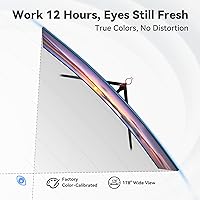
- Curvature: The screen features an 1800R curvature radius, meaning the panel curves to match the approximate focal distance of the average human eye at normal viewing distances.
- Contrast Ratio: A static contrast ratio of 4000:1 allows the display to render noticeably darker blacks and brighter whites than typical IPS or TN panels in this price range.
- Color Gamut: The panel covers 100% of the sRGB color space, making it suitable for general content consumption, web browsing, and casual photo viewing.
- Brightness: Peak brightness is rated at 250 cd/m², which is below the industry average and may feel insufficient in brightly lit rooms or environments with strong ambient light.
- Connectivity: The monitor includes one HDMI 2.0 port and one DisplayPort 1.2 input, allowing two source devices to remain connected simultaneously without cable swapping.
- Bezel Design: Three sides of the monitor feature an ultrathin bezel, reducing visual distractions and making the display a cleaner fit in side-by-side dual-monitor configurations.
- Ergonomics: The stand supports tilt adjustment only; there is no built-in height adjustment, swivel, or pivot functionality included with the base stand.
- VESA Support: The rear of the monitor is VESA mount compatible, allowing users to attach a third-party monitor arm or wall mount for more flexible positioning.
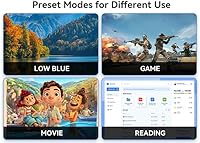
- Blue Light Filter: A built-in blue light reduction mode is available through the monitor's on-screen display menu, intended to reduce eye fatigue during extended use.
- Aspect Ratio: The display uses a standard 16:9 widescreen aspect ratio, which is compatible with virtually all modern operating systems, consoles, and video content formats.
- Dimensions: With the stand attached, the monitor measures approximately 21.2 inches wide, 16.2 inches tall, and 1.45 inches deep at its thinnest point.
- Weight: The complete unit including the stand weighs approximately 8 pounds, making it lightweight and easy to reposition but potentially less stable than heavier builds.
- Power Input: The monitor operates on 12 volts DC input, supplied via an external power adapter that should be included in the retail packaging.
- Brand Origin: This display is manufactured by Shenzhen Yundacheng Technology Co., Ltd, a Chinese electronics maker that markets this product under the Raywego brand name.
- Availability: The monitor was first listed for sale in December 2024, making it a very recent market entry with a limited track record of long-term user reviews.
Related Reviews

Raywego Z270B13 27-inch Gaming Monitor
ZZA 27-inch Curved Monitor

Sealan 27-inch Curved Gaming Monitor
GreBear BM27QA 27-inch Curved Gaming Monitor

Samsung S39C 27-Inch Curved Gaming Monitor
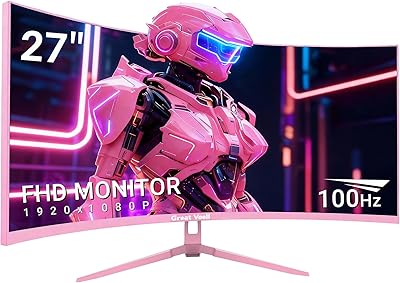
Great Voell 27-Inch Curved Gaming Monitor
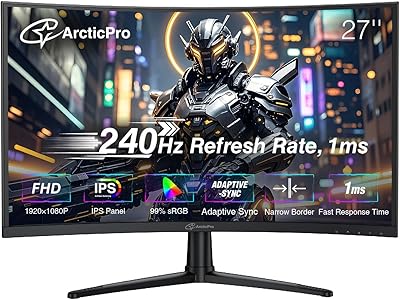
ArcticPro AD27EF4C 27-inch Curved Gaming Monitor
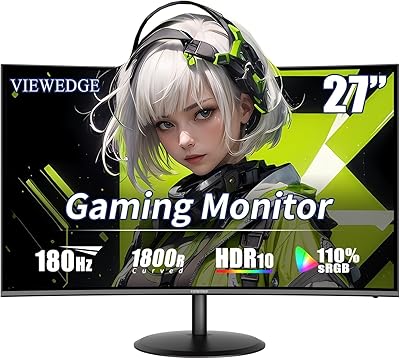
Viewedge CS27FHUS 27-inch Curved Gaming Monitor
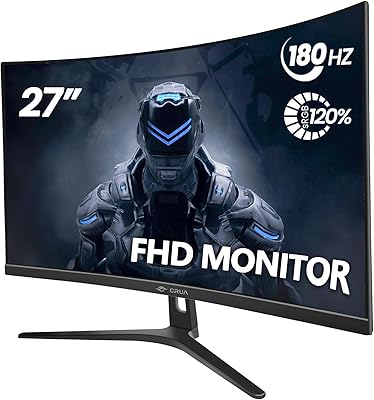
CRUA CR270C 27″ Curved Gaming Monitor