Overview

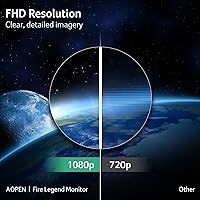
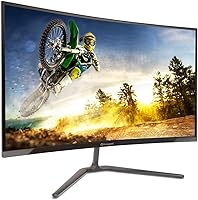
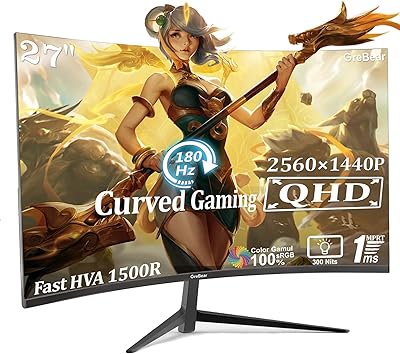
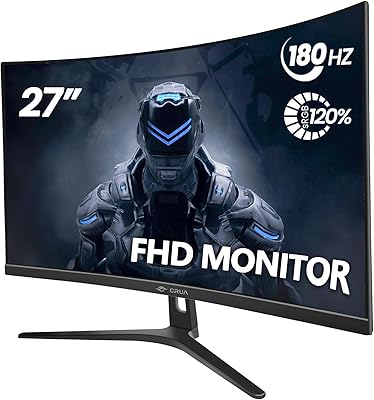
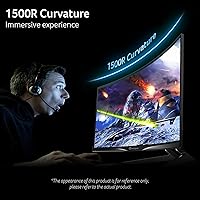
The AOPEN 27HC5R 27-inch Curved Gaming Monitor is AOPEN's entry into the budget gaming display market, and it makes a reasonable first impression. Backed by Acer's engineering, the 1500R curvature wraps the screen around your field of view in a way that genuinely adds to immersion — more so than flat panels at this size. That said, squeezing 1080p across 27 inches means pixel density sits around 82 PPI, which some users will notice as softness in fine text or detailed UI. The build is clean: zero-frame design, a matte anti-glare coating, and an all-black finish that fits most setups without drawing attention.
Features & Benefits

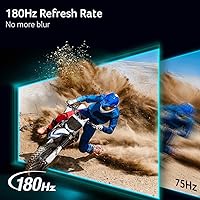
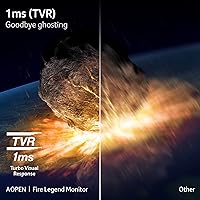
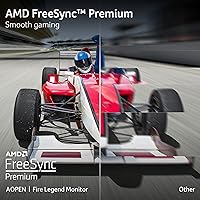
At 180Hz on a VA panel, this curved gaming monitor delivers noticeably smoother motion than the 144Hz displays cluttering this price bracket — you feel the difference in fast-paced titles. The 1ms TVR response time is worth unpacking: TVR is a manufacturer-calculated best-case figure, not the GtG or MPRT measurements used in lab testing, so real-world ghosting may vary slightly. AMD FreeSync Premium keeps things smooth even when framerates dip, which matters if you are running a mid-range GPU. The HDR10 badge is present, but do not expect much — at this brightness level, HDR is more of a checkbox than a visual upgrade. Two HDMI 2.0 ports and a DisplayPort 1.4 give you solid multi-device flexibility.

Best For

This 27-inch VA panel hits its stride for budget-conscious gamers who care more about high refresh rates than ultra-sharp resolution — if you are coming from a 60Hz or 75Hz screen, 180Hz will feel like a revelation. It suits casual to mid-level competitive players in shooters or racing games where smoothness matters more than pixel-perfect detail. The 1500R curve also makes it a natural fit for compact desk setups, since the screen geometry compensates for shorter viewing distances. It doubles well as a secondary display for streaming or a dedicated bedroom gaming setup. Height and swivel adjustments are not available, so users needing precise ergonomic control should budget for a VESA monitor arm.

User Feedback

With a 4.6-star rating across over 400 reviews, the AOPEN 27HC5R earns its score — but the breakdown is worth reading carefully. Buyers frequently highlight color saturation as a standout, which is typical of VA panels, and many note how smooth 180Hz feels once they make the switch. Setup is reportedly quick and the cable management clean. On the downside, the stand draws consistent complaints: it wobbles more than buyers expect and offers only tilt adjustment. A handful of users flag backlight bleed along panel edges, another known VA characteristic. A minority find 1080p looks softer than ideal at 27 inches for desktop work. Most, though, conclude the value-to-performance ratio is hard to argue with at this price.

Pros

  • 180Hz refresh rate delivers genuinely smoother gameplay than most monitors at this price point.
  • The 1500R curve adds real immersion at 27 inches, especially for racing and action games.
  • AMD FreeSync Premium prevents screen tearing even when framerates dip below the refresh rate.
  • Two HDMI 2.0 ports plus a DisplayPort 1.4 make multi-device setups easy to manage.
  • VA panel produces rich, saturated colors that punch above the budget price bracket.
  • Matte anti-glare coating handles ambient light well in bright rooms.
  • VESA 75x75mm compatibility makes it straightforward to mount on a third-party arm.
  • Setup is quick and the zero-frame design looks clean on any desk.
  • At this price, the overall value-to-performance ratio is genuinely competitive.

Cons

  • 1080p across 27 inches results in soft pixel density that bothers users doing detailed desktop work.
  • The included stand offers only tilt adjustment — no height, swivel, or pivot options.
  • Stand rigidity is a recurring complaint; the base wobbles more than expected for a gaming monitor.
  • HDR10 support is largely a checkbox feature — real-world HDR impact is minimal at this brightness level.
  • VA panels are prone to backlight bleed along edges, and some units show this more than others.
  • The 1ms TVR response spec is a best-case manufacturer figure, not a standardized GtG or MPRT measurement.
  • No built-in speakers, which may inconvenience users without external audio setups.
  • Color accuracy shifts noticeably when viewing from off-axis angles, a typical VA panel limitation.

Ratings

The scores below reflect an AI-driven analysis of verified global buyer reviews for the AOPEN 27HC5R 27-inch Curved Gaming Monitor, with spam, bot-submitted, and incentivized feedback actively filtered out before scoring. Each category is rated based on patterns found across hundreds of real user experiences, capturing both what genuinely impresses buyers and where frustrations consistently surface. Nothing here is rounded up to make the product look better than it is.

Value for Money
88%
Most buyers feel this curved gaming monitor punches well above its price class, particularly given the 180Hz refresh rate and VA panel combination. Upgraders from older 60Hz or 75Hz screens consistently describe it as one of the most impactful purchases in their setup without a significant financial commitment.
A small portion of buyers who expected near-premium performance from every spec — particularly HDR and color accuracy — felt slightly let down once they had the monitor in use. Those comparing it directly to pricier 1440p options sometimes question the resolution trade-off at this screen size.
Refresh Rate Performance
91%
The 180Hz experience on a budget VA panel is the most commonly praised aspect across reviews. Gamers playing fast-paced shooters or racing titles describe motion as dramatically smoother than their previous displays, and most say it is the single biggest reason they would recommend this monitor to others.
To actually benefit from 180Hz, your GPU needs to consistently push framerates high enough, and not every buyer in this price bracket has the hardware for that in demanding modern titles. A few users running older mid-range cards reported spending more time in the 90–120fps range than they anticipated.
Picture Quality
74%
26%
Colors on this 27-inch VA panel are noticeably rich and saturated compared to budget IPS monitors, with decent contrast that makes dark gaming environments look more atmospheric. Casual gamers and streamers watching content on the side frequently mention being pleasantly surprised by how vibrant the image looks out of the box.
Pixel density at 1080p across 27 inches sits around 82 PPI, and text-heavy tasks like browsing or document editing can look softer than expected, especially for users coming from a smaller 1080p or any 1440p display. Fine detail in complex game textures also suffers slightly compared to higher-resolution panels.
Adaptive Sync
86%
FreeSync Premium works reliably across a wide framerate range, and the low framerate compensation feature keeps gameplay tear-free even during GPU-intensive moments that push fps below the sync threshold. AMD GPU owners in particular report near-flawless adaptive sync performance with no notable artifacts.
Nvidia GPU users can often enable G-Sync Compatible mode, but it requires manual configuration and does not always activate automatically. A handful of Nvidia users reported needing to enable it through driver settings before seeing the benefits, which can trip up less experienced buyers.
Build Quality
69%
31%
The zero-frame bezel design gives the monitor a cleaner, more expensive look than its price suggests, and the all-black matte finish keeps it from looking out of place in most gaming setups. The panel itself feels solid, and multiple buyers mention the physical screen has no flex or wobble when touching the display area.
The stand is where build quality noticeably drops — it wobbles with even light contact and feels underengineered for a 27-inch panel. Several reviewers specifically flagged that bumping the desk causes the screen to oscillate for a second or two, which is distracting during focused gaming sessions.
Stand & Ergonomics
52%
48%
The tilt range of -5° to +20° covers most basic sitting positions, and the VESA 75x75mm mount means buyers willing to invest in a monitor arm can get full ergonomic flexibility without any compatibility issues. Arm users consistently rate their experience with this monitor much higher than stand users.
The stand offers no height adjustment, no swivel, and no pivot — a real limitation for taller users, multi-monitor setups, or anyone who needs portrait orientation. This is one of the most common complaints in negative reviews, and it becomes more frustrating over time as buyers try to fine-tune their viewing angle.
HDR Experience
41%
59%
HDR10 support means the monitor is technically compatible with HDR content from consoles and PCs, and some buyers appreciate having the option toggled on for select cinematic games where it can produce marginally richer shadow detail.
In practice, the peak brightness and local dimming limitations of this panel make HDR largely underwhelming — most experienced users disable it after a short trial. Buyers who purchase this monitor expecting a noticeable HDR boost from PS5 or Xbox content tend to feel misled by the badge.
Response Time & Motion Clarity
77%
23%
For casual to mid-level competitive gaming, motion clarity is solid and most users playing at 144fps or above report clean, artifact-free gameplay. The panel handles fast panning in racing and action games well enough that ghosting is not a common complaint among typical gaming use cases.
The 1ms TVR specification does not reflect standardized GtG testing, and independent analysis of similar VA panels suggests real-world gray-to-gray transitions are closer to 3–4ms in some scenarios. Hardcore competitive players who scrutinize motion clarity closely may notice trailing in certain high-contrast transitions.
Connectivity
83%
Two HDMI 2.0 ports make it easy to keep a console and a PC connected simultaneously without swapping cables, which buyers with mixed setups find genuinely convenient. The DisplayPort 1.4 input handles full 180Hz output from a PC without any bandwidth limitations.
There is no USB hub built in, which is a common add-on feature even at this price tier and something a few buyers noted they missed. The included cable in the box is HDMI only, so DisplayPort users need to source their own cable separately.
Color Accuracy
66%
34%
Out-of-the-box color presentation is warm and vivid for gaming and entertainment, and the VA panel's contrast advantage means dark scenes have noticeably less washed-out shadow detail than comparable budget IPS options. Casual users rarely feel the need to calibrate it.
The panel exhibits measurable color shift when viewed from off-axis angles — a known VA characteristic — which matters more in multi-viewer scenarios or wider seating arrangements. Users looking for accurate color representation for photo editing or design work will find the factory calibration insufficient for professional use.
Setup Experience
89%
Assembly is consistently described as quick and frustration-free — the stand snaps into place with minimal effort and the OSD menu is clean and easy to navigate. Most buyers report having the monitor up and running within ten minutes of opening the box.
The OSD joystick or button placement is occasionally described as slightly awkward to reach from the front, requiring users to feel around the back edge. It is a minor point, but a few buyers used to front-facing controls found the adjustment period mildly annoying.
Curvature & Immersion
84%
The 1500R curve is well-matched to the 27-inch screen size and meaningfully improves the sense of immersion in open-world and racing games. Buyers who previously used flat monitors at this size frequently describe the curve as making the display feel larger and more enveloping without being disorienting.
At wider desk setups or longer viewing distances — beyond around 3 feet — the curve becomes less impactful and some users feel a flat panel would have been equally good for their situation. A small number of users doing primarily productivity work found the curve slightly uncomfortable for reading straight-line text across the screen.
Anti-Glare Coating
81%
19%
The matte coating handles overhead lighting and window glare effectively, which buyers in bright home offices or living rooms appreciate since glossy panels would be nearly unusable in the same conditions. Most users do not need to reposition the monitor or close blinds to get a clean image.
The coating introduces a subtle graininess to the image that some users with past experience on glossy panels find slightly distracting, particularly on white backgrounds. It is a common trade-off with matte screens and unlikely to bother gamers, but detail-oriented users occasionally mention it.
Gaming Performance Overall
86%
For its market tier, this curved gaming monitor delivers a well-rounded gaming experience — smooth framerates, good contrast, and a screen size that genuinely suits immersive single-player and fast multiplayer gaming alike. Buyers upgrading from entry-level or aging displays consistently describe it as a clear step forward.
The combination of 1080p resolution and VA panel characteristics means it falls short of competing with dedicated esports monitors or mid-range 1440p displays for buyers who have experienced those standards. It is an excellent monitor within its class, but it has a clear performance ceiling that enthusiast gamers will eventually outgrow.

Suitable for:

The AOPEN 27HC5R 27-inch Curved Gaming Monitor is a strong pick for budget-conscious gamers who want a meaningful performance upgrade without spending a lot. If you are currently gaming on a 60Hz or 75Hz display, stepping up to 180Hz on this curved VA panel will feel like a substantial improvement — especially in fast-paced shooters, racing games, or any title where motion clarity matters. The 1500R curvature works particularly well at this screen size, making it a natural fit for compact desk setups where the screen sits closer to your face. PC gamers running mid-range AMD or Nvidia GPUs will also benefit from FreeSync Premium keeping gameplay smooth even when framerates fluctuate. It also serves well as a secondary monitor for streaming, casual browsing, or a dedicated bedroom gaming rig where pixel-perfect sharpness is not the priority.
Not suitable for:

The AOPEN 27HC5R 27-inch Curved Gaming Monitor is a harder sell for anyone who spends significant time on productivity tasks like coding, document editing, or photo work at 27 inches, since 1080p at this screen size produces a pixel density around 82 PPI — noticeably softer than a 1440p alternative. Creative professionals who rely on accurate color reproduction and consistent brightness for design work should look elsewhere, as VA panels can struggle with off-axis color shift and the HDR10 support here is largely cosmetic rather than functional. Competitive esports players who prioritize ultra-low input lag above all else may also find that the TVR response time figure does not tell the full story, and a dedicated 1080p IPS panel might serve them better. Finally, users who need a fully adjustable monitor stand — height, swivel, pivot — will find the tilt-only base frustrating unless they plan to invest in a separate monitor arm.
Specifications

  • Screen Size: The panel measures 27 inches diagonally, offering a wide viewing area suited to immersive gaming at typical desktop distances.
  • Panel Type: Uses a VA (Vertical Alignment) panel, which delivers stronger contrast ratios and deeper blacks compared to IPS panels at this price tier.
  • Resolution: Native resolution is 1920x1080 Full HD, which at 27 inches yields a pixel density of approximately 82 PPI.
  • Curvature: The screen features a 1500R curvature radius, meaning the panel curves to match the natural arc of human vision at close viewing distances.
  • Refresh Rate: Supports a maximum refresh rate of 180Hz, allowing up to 180 frames per second to be displayed for smoother motion in games.
  • Response Time: Rated at 1ms TVR (Total Visual Response), a manufacturer-defined metric that differs from standardized GtG or MPRT measurements used in lab reviews.
  • Adaptive Sync: Compatible with AMD FreeSync Premium, which includes low framerate compensation to prevent stuttering when framerates drop below the monitor's sync range.
  • HDR Support: Carries an HDR10 certification, though peak brightness levels typical of this monitor class limit the practical impact of HDR content.
  • Ports: Connectivity includes one DisplayPort 1.4 and two HDMI 2.0 inputs; an HDMI cable is included in the box.
  • Aspect Ratio: Standard 16:9 widescreen aspect ratio, compatible with virtually all PC, console, and streaming content formats.
  • Screen Surface: Finished with a matte anti-glare coating that reduces reflections from ambient light sources in typical room environments.
  • Tilt Adjustment: The included stand supports tilt adjustment between -5° and +20°, but does not offer height, swivel, or pivot adjustments.
  • VESA Mounting: The rear panel is VESA-compatible at a 75x75mm bolt pattern, allowing use with most third-party monitor arms and wall mounts.
  • Dimensions: With the stand attached, the monitor measures approximately 24.06 inches wide, 17.95 inches tall, and 7.83 inches deep.
  • Weight: The complete unit including stand weighs 8.6 pounds, making it manageable for a single person to set up and reposition.
  • Color: Available in an all-black finish with a zero-frame bezel design on three sides for a clean, modern desktop appearance.
  • Brand: Manufactured by AOPEN, a gaming-focused sub-brand operating under Acer, a globally recognized display and computing hardware company.

Related Reviews

Skytech Gaming Moonshadow 27-inch Curved Gaming Monitor
83%
88%
Image Quality
91%
Refresh Rate Performance
86%
Adaptive-Sync
83%
VA Panel Contrast
84%
Stand & Ergonomics
More
Sealan 27-inch Curved Gaming Monitor
82%
85%
Display Quality
90%
Ease of Setup
91%
Value for Money
87%
Performance in Gaming
83%
Color Accuracy
More
GAMEPOWER T50 27-Inch Curved Gaming Monitor
66%
83%
Value for Money
79%
Gaming Performance
74%
Display Quality
61%
Pixel Density & Sharpness
62%
Build Quality
More
Gawfolk GF270C 27-Inch Curved Gaming Monitor
86%
91%
Performance
88%
Display Quality
92%
Value for Money
90%
Response Time
89%
Color Accuracy
More
GAMEPOWER F20 27-inch Curved Gaming Monitor
61%
83%
Value for Money
74%
Image Quality
69%
Gaming Performance
78%
Curve & Immersion
58%
Build Quality
More
CRUA CR270C 27″ Curved Gaming Monitor
71%
83%
Value for Money
78%
Image Quality
81%
Refresh Rate Performance
86%
Panel Contrast & Blacks
67%
Build Quality
More
Samsung S39C 27-Inch Curved Gaming Monitor
75%
83%
Picture Quality & Color Accuracy
88%
Curvature & Immersion
61%
Refresh Rate & Gaming Performance
86%
Eye Comfort & Long-Session Usability
79%
Build Quality & Aesthetics
More
DJiEX Q27P28 27-inch Curved Gaming Monitor
84%
91%
Display Quality
88%
Gaming Performance
89%
Color Accuracy
72%
Setup & Calibration
85%
Eye Care Features
More
Great Voell 27-Inch Curved Gaming Monitor
86%
91%
Value for Money
89%
Display Quality
87%
Gaming Performance
84%
Eye Comfort
80%
Build Quality
More
ArcticPro 27-inch 240Hz Curved Gaming Monitor
87%
94%
Performance in Gaming
90%
Display Quality
85%
Setup and Installation
88%
Visual Comfort (Low Blue Light)
91%
Design and Aesthetics
More

FAQ

Yes, both consoles connect via HDMI 2.0, and the monitor has two HDMI ports so you can keep both plugged in simultaneously. Keep in mind that at 1080p and 180Hz, the monitor will cap console output at whatever framerate the game and console support — most console titles run at 60Hz or 120Hz rather than 180Hz.

Honestly, not much. The HDR10 badge is present, but budget VA panels typically lack the peak brightness needed to produce the vivid highlights and deep shadow detail that HDR is supposed to deliver. You can enable it, but do not expect the kind of HDR experience you would get from a high-end display. Most users leave it off.

No, they are not the same. GtG (Gray-to-Gray) is the most commonly tested response time metric in independent reviews, while TVR (Total Visual Response) is a manufacturer-defined figure that can represent a best-case scenario under specific conditions. Real-world response on this panel will likely fall between 1ms and 4ms depending on the transition, which is still perfectly acceptable for casual to mid-level competitive gaming.

It depends on what you are used to and how close you sit. At a typical gaming distance of 2 to 3 feet, most people find 1080p at 27 inches acceptable for games. However, if you do a lot of desktop work — reading documents, browsing, coding — the lower pixel density can make text look noticeably less crisp compared to a 1440p screen. It is a real trade-off worth considering.

Yes, the back of the monitor has a standard 75x75mm VESA mounting pattern, so it is compatible with the vast majority of aftermarket monitor arms and wall mounts. Pairing it with an arm is actually a good idea given that the included stand does not offer height or swivel adjustment.

It supports AMD FreeSync Premium natively, but not Nvidia G-Sync certification. That said, many modern Nvidia GPUs support G-Sync Compatible mode, which works with FreeSync monitors — so in practice, Nvidia users often get adaptive sync benefits too, though it is worth checking your GPU model to confirm compatibility.

Some users report mild backlight bleed along the edges, which is fairly common with VA panels at this price point. It tends to be most visible in very dark scenes or when displaying solid black backgrounds. It varies from unit to unit, and many buyers never find it bothersome during normal gaming.

The stand does the job, but it has received consistent criticism for wobbling more than expected — particularly when adjusting cables or accidentally nudging the desk. If ergonomic positioning and stability are important to you, budgeting for a simple monitor arm from the start is a reasonable move given the VESA support is there.

For 1080p gaming at or near 180Hz, a mid-range GPU like an Nvidia RTX 3060 or AMD RX 6600 series should handle most modern titles well. Older or entry-level GPUs may struggle to push framerates high enough to take full advantage of the refresh rate in graphically demanding games, though less demanding or older titles will still benefit.

Yes, an HDMI cable is included. A DisplayPort cable is not included, so if you plan to connect via DisplayPort — which is generally recommended for PC gaming to get the full 180Hz — you will need to purchase that cable separately.