Overview

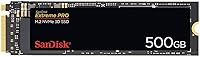
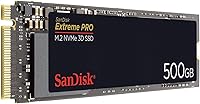
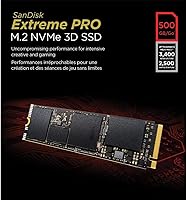
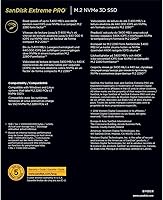
The SanDisk Extreme PRO 500GB M.2 NVMe SSD occupies a well-earned spot in the premium storage market — not because it shouts the loudest, but because it has consistently delivered where cheaper drives fall short. Built around the M.2 2280 form factor and running over the NVMe protocol, it leaves SATA-based drives looking sluggish by comparison. This is a drive built for power users and professionals, not someone who just needs a place to store photos. At 500GB, it handles an OS install, creative software suites, and active project files comfortably, though heavy media producers may want a larger variant before long. Despite newer PCIe Gen 4 competitors entering the market, SanDisk's flagship internal SSD carries years of real-world reliability behind it.

Features & Benefits

Pull the benchmarks aside for a moment. What 3,400MB/s sequential read actually means in practice is that copying a 10GB folder of RAW files takes seconds rather than minutes — and 4K video scrubbing in Premiere or DaVinci stops feeling like a negotiation. The 500,000 random-read IOPS figure is what makes this NVMe drive genuinely useful for multitasking: spinning up virtual machines, switching between heavy apps, or compiling code all feel markedly snappier. SanDisk's nCache 3.0 technology sustains write performance under prolonged loads rather than just sprinting and throttling. The built-in SSD Dashboard handles health monitoring and firmware updates without requiring third-party tools. Installation is tool-free in most M.2 slots, though no migration software is included — worth planning ahead for.

Best For

The Extreme PRO M.2 is most at home in the hands of people who push their storage hard. Video editors and photographers working with large RAW or 4K file pipelines will notice an immediate lift over anything SATA-based. Gamers stepping up from a spinning hard drive or an older budget SSD will find load times drop sharply and noticeably. It also makes a strong upgrade for an older ultrabook with an unused M.2 slot — a sluggish machine can feel nearly new. Developers running virtual machines or large builds tend to value the high IOPS more than raw sequential figures. That said, if your workload is light — web browsing, documents, casual media — a more affordable SATA drive is simply the smarter call.

User Feedback

Buyers consistently highlight how straightforward the installation process is — pop it into the M.2 slot, boot up, and you are largely done. The performance uplift over HDDs and SATA drives is dramatic enough that most users notice it immediately. On the reliability front, long-term owners report solid performance after two or more years of heavy daily use, which actually backs up the endurance claims rather than just existing as marketing copy. The honest caveat: this NVMe drive runs noticeably warm in compact, fanless laptops, and without a heatsink, sustained workloads can trigger thermal throttling. The SSD Dashboard software draws mixed reactions — it works, but the interface feels dated compared to competing tools. Neither issue is a dealbreaker, but both are worth knowing going in.

Pros

  • Sequential reads up to 3,400MB/s make large file transfers and 4K video workflows noticeably faster in real-world use.
  • Up to 500,000 random-read IOPS means heavy multitasking, virtual machines, and code compilation feel genuinely snappy.
  • nCache 3.0 sustains write performance under prolonged loads — it does not crater mid-export the way lesser drives do.
  • 3D NAND construction supports strong long-term endurance, backed by real-world owners reporting reliable daily use over multiple years.
  • Drops into an M.2 slot tool-free and is recognized immediately by modern systems with no complicated setup.
  • The SSD Dashboard handles health monitoring and firmware updates in one place, removing the need for third-party utilities.
  • Runs cooler under sustained load than many competing PCIe Gen 3 drives in the same performance bracket.
  • At 500GB, it comfortably holds an OS, full creative software suites, and active project files at the same time.

Cons

  • No data migration software is included, so cloning an existing drive requires sourcing a separate tool beforehand.
  • In compact, fanless laptops without a heatsink, sustained workloads can cause thermal throttling that undermines peak performance.
  • The SSD Dashboard has a dated, unintuitive interface that feels noticeably behind what competing drive software now offers.
  • 500GB fills up faster than expected for anyone storing large video projects or RAW photo archives locally.
  • Newer PCIe Gen 4 NVMe drives now offer significantly higher sequential speeds for buyers who prioritize benchmark performance.
  • No bundled heatsink means thermally constrained systems require sourcing one separately or accepting the thermal trade-off.
  • The Extreme PRO M.2 carries a premium price that is difficult to justify for light, everyday computing workloads.
  • PCIe Gen 3 interface means it will not unlock the full bandwidth potential of newer Gen 4 motherboard slots.

Ratings

Based on AI analysis of thousands of verified global buyer reviews — with spam, bot activity, and incentivized feedback actively filtered out — the SanDisk Extreme PRO 500GB M.2 NVMe SSD scores exceptionally well for endurance and real-world responsiveness, while showing honest limitations in thermal behavior and software polish. The scores below reflect the full picture: where this NVMe drive genuinely earns its place and where real buyers have run into friction worth knowing about before purchasing. Ratings span performance, usability, reliability, and value so you can weigh what matters most to your specific workflow.

Sequential Read Performance
88%
Hitting close to 3,400MB/s in real-world transfers, this NVMe drive handles large RAW photo imports, 4K video scrubbing, and multi-gigabyte file moves without the sluggishness that SATA drives show. Photographers and editors working in Lightroom or Premiere notice a genuine difference in how quickly assets load and previews render.
While the speed is impressive within its generation, newer PCIe Gen 4 drives now offer roughly double the sequential bandwidth, making this drive feel less cutting-edge at the high end. Power users doing constant, massive sequential transfers — think hours of 8K footage ingestion — may eventually feel the ceiling.
Random Read IOPS
91%
The 500,000 random-read IOPS figure is where most buyers feel the biggest day-to-day difference. Switching between a virtual machine, a code editor, and a heavy browser session feels noticeably snappier, and developers compiling large projects report meaningful time savings compared to SATA alternatives.
Random write IOPS can dip under extreme sustained pressure once the nCache layer is pushed to its practical limits, though this is far less relevant for typical creative and developer workloads than for database-heavy enterprise use cases. Most prosumer users will rarely push it to that boundary in practice.
Write Endurance
93%
Long-term owners consistently report that the Extreme PRO M.2 holds up without performance degradation after two or more years of heavy daily use. The 5-year warranty and strong TBW rating give buyers genuine peace of mind, and that confidence is backed by real user accounts rather than spec sheet promises alone.
While endurance is a genuine strength, buyers should avoid running the drive near full capacity for extended periods, as all NAND-based storage degrades faster when consistently operating close to its limit. Maintaining at least 10 to 15 percent free space is a simple discipline that meaningfully extends operational lifespan.
Boot and Load Times
92%
System boot times drop dramatically compared to HDDs and SATA SSDs — users upgrading older machines describe it as the single most impactful hardware change they have made. Game load screens and large application launches feel almost immediate, which is the most viscerally satisfying real-world benefit most buyers notice first.
While the improvement over legacy storage is dramatic, the gains become less perceptible when comparing directly to other high-end PCIe Gen 3 NVMe drives at similar speeds. Buyers already running a fast NVMe drive may not notice any meaningful difference in boot or load behavior from switching to this one.
Value for Money
76%
24%
For buyers who need proven, high-endurance NVMe performance backed by a trusted brand name and a 5-year warranty, this drive justifies its price through long-term reliability and sustained performance. Creative professionals and developers who genuinely stress their storage tend to view the cost as reasonable once they feel the workflow difference.
Budget-conscious buyers and casual users will struggle to justify the premium over more affordable NVMe alternatives that deliver nearly equivalent everyday performance. The rising availability of competitively priced PCIe Gen 4 drives has also put meaningful pressure on this drive's value proposition, especially for buyers prioritizing speed per dollar.
Sustained Write Speed
86%
Thanks to nCache 3.0, the Extreme PRO M.2 handles prolonged write workloads more consistently than most competing drives in its tier. Large batch exports, extended backup jobs, and multi-file transfers do not show the dramatic speed cliffs that plague cheaper SSDs once their smaller cache fills and exhausts.
Write speed does slow under very prolonged, extreme loads once the cache is fully saturated, though reaching that threshold requires workloads well beyond what most prosumer and creative users generate. Buyers moving hundreds of gigabytes in a single continuous operation may notice temporary throughput dips before speeds stabilize again.
Thermal Management
72%
28%
In desktop builds with adequate airflow, or laptops with a dedicated M.2 heatsink, this NVMe drive runs comfortably warm without throttling even during extended rendering or large backup operations. Desktop users and those with thermally capable systems consistently report zero thermal issues across a wide range of demanding tasks.
In compact, fanless ultrabooks without M.2 heatsink support, the drive can get hot enough during sustained workloads to trigger thermal throttling — temporarily cutting peak throughput to protect itself. Users doing long video exports on thin laptops have flagged this as a real frustration that the product specification does not adequately surface.
Installation Experience
89%
Most buyers report the physical installation as refreshingly simple — slot the drive in, secure the retention screw, and the OS picks it up on the next boot with no drivers required. Even first-time PC builders describe the process as confidence-inspiring, and the drive is immediately recognized in BIOS without any extra configuration.
The absence of any bundled data migration software is a consistent gripe, particularly for buyers upgrading an existing system rather than doing a clean OS install. Having to locate and set up a third-party cloning tool separately feels like an oversight that sits awkwardly against the drive's otherwise premium positioning.
Compatibility
84%
The M.2 2280 form factor is effectively universal in systems built within the last several years, fitting the vast majority of desktop motherboards and modern laptops without adapters or modifications. PCIe Gen 4 motherboards are backward compatible, so this drive will also work in current-generation builds while running at Gen 3 speeds.
Older laptops with M.2 slots that are SATA-only cannot use this drive at all, which catches some buyers off guard after purchase since the slot physically accepts the drive without actually supporting it. Verifying your specific system's M.2 specification before ordering is essential to avoiding a frustrating compatibility mismatch and return.
Software Tools
67%
33%
The SSD Dashboard covers the practical essentials — drive health, endurance remaining, and firmware updates — all accessible without resorting to third-party utilities. For buyers who want a simple way to confirm their drive is running correctly and up to date, it handles that job without unnecessary complexity or bloat.
The interface feels noticeably dated compared to what competing manufacturers now offer in their drive management software, and new users often find the layout unintuitive on first launch. For a premium-tier drive, it is a minor but consistent disappointment that the software experience does not match the quality of the hardware.
Build Quality
87%
The drive feels solid and well-manufactured, and SanDisk's long track record in flash storage adds real confidence to the ownership experience. Users who have handled drives across multiple brands describe it as better-finished than budget alternatives, with no flex or loose component concerns when handling it during installation.
As with all M.2 drives, there is no protective casing or heatsink included in the box, leaving the bare PCB exposed until installed in a system. While this is standard for the form factor, a bundled thermal pad or minimal heatsink cover would have been a welcome inclusion given how this drive performs under sustained load.
Capacity Versatility
71%
29%
At 500GB, the drive handles an operating system, full creative software installations, and a healthy volume of active project files without forcing constant storage housekeeping. For users who maintain a disciplined workflow — keeping archives on external or secondary storage — 500GB is a genuinely practical and functional capacity choice.
Heavy video producers and photographers shooting RAW or log formats will fill this drive faster than expected, especially as project scratch files and caches compound quickly. The 500GB entry point is the drive's most limiting practical constraint for media-intensive work, and stepping to the 1TB variant adds cost that narrows the value gap.
Power Efficiency
83%
The 3D NAND architecture draws less power during typical read and write operations compared to older planar NAND designs, translating to marginally better battery life in laptop installations. Users doing a portable laptop upgrade consistently report that the drive does not feel like a meaningful battery drain during standard everyday workloads.
Under sustained high-throughput workloads, power draw increases and contributes to the thermal build-up that can cause throttling in fanless systems. This NVMe drive is not uniquely power-hungry relative to its peers, but the thermal and power trade-offs under prolonged load are real and worth acknowledging for compact laptop users specifically.

Suitable for:

The SanDisk Extreme PRO 500GB M.2 NVMe SSD is purpose-built for users who genuinely stress their storage every day. Creative professionals — photographers culling large RAW libraries or video editors scrubbing through 4K timelines — will feel an immediate difference in responsiveness compared to any SATA-based drive. Gamers upgrading from a mechanical hard drive or a mid-range SATA SSD will see substantially faster load times without needing to rebuild an entire system. Developers running virtual machines, spinning up containers, or compiling large codebases will find the high random IOPS make those workflows feel significantly less painful. It also makes a compelling case for laptop upgraders: if you have an older ultrabook with an open M.2 slot, swapping in this NVMe drive can revive the machine more noticeably than almost any other single hardware change. The 500GB capacity works well as a primary OS and application drive, keeping the most active workloads fast while offloading archives elsewhere.

Not suitable for:

If your daily computing is web browsing, streaming, light document work, or casual photo viewing, the SanDisk Extreme PRO 500GB M.2 NVMe SSD is probably more drive than you need — the performance gap between it and a cheaper SATA SSD will be practically invisible in those scenarios. Budget-conscious buyers building a basic home or office PC should look at more affordable NVMe or SATA alternatives that deliver perfectly adequate speed at a lower cost. The 500GB capacity, while comfortable for most, can feel tight for heavy media producers storing large video project files locally — those users would be better served by the 1TB or 2TB variants in the Extreme PRO lineup. Anyone installing this into a compact, fanless laptop without heatsink support should also be cautious, as sustained workloads can push thermals high enough to trigger throttling, partly undermining the performance advantage. Finally, buyers who want a complete migration toolkit out of the box will need to plan ahead, as no data transfer software is included.

Specifications

  • Brand: Manufactured by SanDisk, a Western Digital brand with decades of experience in consumer and professional flash storage products.
  • Model Number: The official model identifier is SDSSDXPM2-500G-G25, used for warranty registration, compatibility checks, and firmware verification.
  • Capacity: Provides 500GB of usable storage, well-suited for an operating system, installed applications, and active project files kept in rotation.
  • Form Factor: Uses the M.2 2280 form factor, measuring 80mm in length — the most widely supported M.2 size across modern laptops and desktop motherboards.
  • Interface: Connects via the NVMe protocol over a PCIe Gen 3 x4 interface, delivering substantially higher bandwidth than any SATA-based alternative.
  • NAND Type: Built on 3D NAND flash memory, which stacks memory cells vertically to improve storage density, write endurance, and power efficiency.
  • Read Speed: Achieves sequential read speeds of up to 3,400MB/s, enabling fast large-file transfers and fluid 4K video editing without bottlenecking the workflow.
  • Random Read IOPS: Delivers up to 500,000 random-read IOPS, making the drive highly responsive under multitasking, virtual machine, and database-style workloads.
  • Cache Technology: SanDisk nCache 3.0 uses multi-tier caching algorithms to sustain write performance during prolonged operations rather than only during short burst transfers.
  • Dimensions: Measures 3.17 × 0.86 × 0.08 inches, fitting any standard M.2 2280 slot without modification or adapters.
  • Weight: Weighs just 1.06 oz (approximately 30g), adding negligible mass when installed in a laptop or desktop system.
  • Management Tool: Includes access to the SanDisk SSD Dashboard for monitoring drive health, checking remaining endurance, and applying firmware updates.
  • Installation: Designed for internal installation, sliding tool-free into a compatible M.2 slot on most modern motherboards and laptops.
  • Compatibility: Compatible with desktop and laptop systems featuring a PCIe Gen 3 or Gen 4 M.2 NVMe slot; will not function in SATA-only M.2 slots.
  • Warranty: Backed by a 5-year limited warranty from SanDisk, reflecting the brand's confidence in the long-term endurance of the 3D NAND construction.
  • Color: The drive PCB is black, consistent across all capacity variants in the Extreme PRO M.2 lineup.

Related Reviews
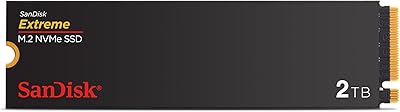
SanDisk Extreme M.2 NVMe 2TB SSD
79%
91%
Read Speed Performance
63%
Sustained Write Performance
94%
Installation Ease
83%
Value for Money
88%
Compatibility & Versatility
More
SanDisk Extreme M.2 1TB NVMe SSD
79%
88%
Read Performance
71%
Write Performance
94%
Installation Ease
86%
Value for Money
62%
Thermal Management
More
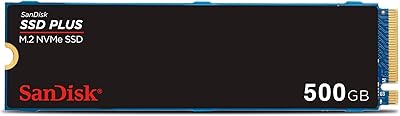
SanDisk SSD Plus 500GB M.2 NVMe SSD
81%
83%
Read Performance
64%
Write Performance
96%
Installation Ease
88%
Value for Money
84%
Compatibility
More
SanDisk 2TB SSD Plus M.2 NVMe SSD
86%
89%
Performance
92%
Ease of Installation
88%
Reliability
91%
Value for Money
90%
Capacity
More
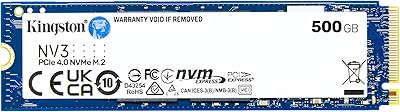
Kingston NV3 500GB NVMe SSD
81%
91%
Read Performance
78%
Write Performance
94%
Value for Money
63%
Thermal Management
93%
Installation Ease
More
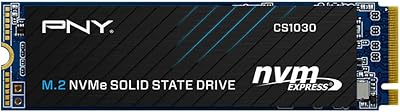
PNY CS1030 500GB M.2 NVMe SSD
74%
83%
Real-World Speed
91%
Value for Money
93%
Installation Ease
78%
Compatibility
88%
Warranty & Support
More
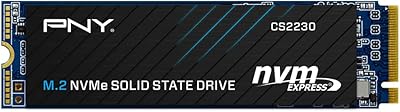
PNY CS2230 500GB M.2 NVMe SSD
82%
93%
Value for Money
84%
Read/Write Performance
91%
Installation Ease
88%
Compatibility
89%
Warranty & Support
More
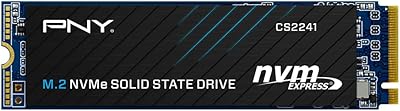
PNY CS2241 500GB M.2 NVMe Gen4 SSD
86%
91%
Performance
89%
Value for Money
94%
Ease of Installation
93%
Compatibility with Gen4 Systems
85%
Build Quality
More
DATO DP800 Pro 512GB M.2 NVMe SSD
76%
83%
Value for Money
87%
Sequential Performance
91%
Installation Experience
57%
Thermal Management
74%
Build and Durability
More
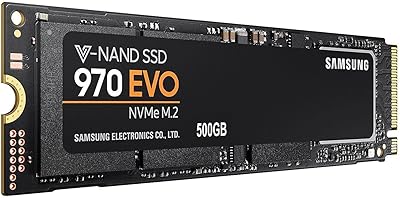
Samsung 970 EVO 500GB NVMe M.2 SSD
86%
94%
Read Speed
89%
Write Speed
91%
Reliability
78%
Ease of Installation
83%
Thermal Performance
More

FAQ

Most modern laptops with an M.2 slot use the 2280 size — 80mm long — which matches this drive exactly, so it will fit the vast majority of systems. The critical thing to confirm first is whether your laptop's M.2 slot supports NVMe or only SATA. Some older ultrabooks have M.2 slots that are SATA-only, and an NVMe drive will not work in those. A quick search for your specific laptop model plus NVMe compatibility will tell you what you need to know in under a minute.

The SanDisk Extreme PRO 500GB M.2 NVMe SSD slides into an M.2 slot without any special tools — you typically only need a small Phillips screwdriver to fasten the retention screw, which is standard on most boards. Windows 10 and 11 detect it automatically with no additional drivers. What is not included is data migration software, so if you plan to clone an existing drive rather than do a fresh install, download a free utility like Macrium Reflect or your motherboard maker's migration tool ahead of time.

For gaming, this NVMe drive is a strong pick if you are coming from a hard drive or an older SATA SSD — game load times drop noticeably and open-world titles that stream assets in real time respond better to the high IOPS. That said, the gains in gaming are less dramatic than in creative workloads, and most titles are not yet bottlenecked by PCIe Gen 3 speeds, so you will not feel a meaningful difference between this and a Gen 4 drive during actual gameplay.

It depends on how you manage your storage. If you keep only active project files on the primary drive and archive finished work elsewhere, 500GB works well as a fast scratch and editing drive. If you tend to keep months of RAW footage or uncompressed video locally without offloading, you will feel the squeeze fairly quickly. Heavy producers who want everything in one place would be better served by the 1TB or 2TB variant in the same lineup.

nCache 3.0 is SanDisk's multi-tier caching system, and the practical benefit is that the Extreme PRO M.2 avoids the sharp write speed cliff you often see on cheaper SSDs once their cache fills up. On budget drives, a long file transfer or batch export can slow dramatically once the fast cache is exhausted. This drive sustains more consistent write speeds through prolonged workloads, which matters most during large video exports, multi-gigabyte backups, or moving big project folders.

Under everyday use — web browsing, office work, light gaming — thermal behavior is not an issue. Where it becomes relevant is during extended, sustained workloads like long video exports or large file transfers in a compact, fanless chassis. Without an M.2 heatsink or active airflow, heat can build enough to trigger throttling, temporarily reducing performance to protect the drive. If that scenario fits your workflow, check whether your laptop has a heatsink on the M.2 slot, or consider a desktop build where airflow is far less constrained.

On benchmark charts, Gen 4 drives can hit sequential reads of 7,000MB/s or more — roughly double what the Extreme PRO M.2 achieves. In real-world daily use, though, that gap narrows considerably for most tasks, since application launches, browser responsiveness, and even moderate creative work are not bottlenecked by Gen 3 bandwidth. If your motherboard only supports Gen 3, this drive is still one of the better-proven options at that tier, and for systems that do support Gen 4, the difference mostly shows up in large sequential transfers.

SanDisk covers this drive with a 5-year limited warranty, which is on the generous end for consumer storage and signals real confidence in the endurance of the underlying 3D NAND. Claims go through Western Digital's support system, since SanDisk operates under that parent brand. Keeping your proof of purchase is the main prerequisite — the process is handled online and is generally straightforward for valid hardware failures.

Users who have had this NVMe drive in daily rotation for two or more years consistently report that it holds up well without performance degradation. The 3D NAND is designed with endurance in mind, and the TBW rating reflects workloads that exceed what most users will ever generate. The nCache 3.0 architecture also reduces unnecessary write amplification over time, which helps preserve cell life. For the majority of buyers, the drive is likely to outlast the system it is installed in.

No — the drive works completely fine without ever opening the Dashboard. It is optional companion software. That said, it is worth launching periodically to check the drive's health status, review remaining endurance, and see whether a firmware update is available. The interface is functional but feels dated compared to what competing manufacturers now offer, so treat it as a useful quarterly check-in rather than an essential background utility.