Overview

The SanDisk Extreme M.2 NVMe 2TB SSD sits firmly in the mid-to-upper performance tier of the consumer NVMe market, targeting content creators and power users who need both speed and storage in one place. Backed by Western Digital's manufacturing infrastructure, the Extreme lineup carries a degree of credibility that budget-brand alternatives simply can't match. At 2TB, this NVMe drive hits a practical sweet spot — enough space to house a working library of RAW photos, video projects, and software without forcing constant cleanup. It's not an enterprise-grade flagship, but it doesn't pretend to be. What it offers is a well-rounded package at a price that makes serious performance genuinely accessible.
Features & Benefits

The headline spec here is a 5,150 MB/s read speed — and that number actually means something in practice. Opening a dense Premiere Pro timeline or loading a batch of high-res Lightroom exports feels noticeably snappier on this Gen 4.0 SSD compared to older SATA or Gen 3 drives. The PCIe Gen 4.0 interface is backward compatible with Gen 3.0 motherboards, so it's not locked to cutting-edge hardware only. SanDisk's nCache 4.0 technology handles burst writes efficiently, though users pushing continuous large-file transfers may see speeds taper off over extended sessions — worth keeping in mind for heavy video work. Installation is refreshingly simple: one screw, one slot. The Western Digital Dashboard rounds things out with health monitoring and firmware management in a clean interface.

Best For

This NVMe drive is an easy recommendation for video editors and photographers regularly juggling large 4K footage or RAW image batches. Anyone building or upgrading a PCIe Gen 4.0 system who doesn't want to pay flagship prices for a WD Black SN850X or Samsung 990 Pro will find the SanDisk Extreme M.2 genuinely competitive on value. Laptop users will appreciate how physically unobtrusive the M.2 2280 form factor is — swapping out an old drive takes maybe ten minutes. It also makes a strong case for anyone still running a SATA SSD who wants a real performance jump, not just a marginal one. Creative professionals doing 3D rendering or simulation work that hammers storage will benefit from the low-latency access this interface delivers.

User Feedback

With around 89 ratings and a 4.4-star average, early buyer sentiment leans positive. Installation speed and ease come up frequently in praise — people seem genuinely relieved by how straightforward the setup is. Performance consistency for everyday tasks also gets nods, and the 2TB capacity is widely appreciated as strong value for the tier. That said, some buyers report write speed throttling during prolonged, heavy-duty transfers, which aligns with what nCache-based drives typically do under sustained load. A handful of reviewers compare it unfavorably to the WD Black SN850X for raw performance, though most acknowledge the price difference. With fewer than 100 reviews total, long-term reliability remains an open question — early signs are promising, but the data pool is still thin.

Pros

  • Read speeds up to 5,150 MB/s make a noticeable difference when loading large creative project files.
  • The 2TB capacity offers a practical balance of speed and storage without needing multiple drives.
  • PCIe Gen 4.0 with Gen 3.0 backward compatibility means it works across a wide range of systems.
  • Single-screw M.2 2280 installation is quick and approachable even for first-time builders.
  • nCache 4.0 technology handles burst write tasks efficiently for everyday file transfers.
  • Western Digital Dashboard provides useful health monitoring and firmware updates in one place.
  • At well under 0.2 ounces, this NVMe drive adds virtually no weight to a laptop build.
  • Early buyer ratings average 4.4 stars, with consistent praise for speed and ease of setup.
  • Backed by Western Digital's manufacturing, the SanDisk brand carries credible quality assurance.
  • Competitive value positioning makes it accessible without sacrificing meaningful performance.

Cons

  • Sustained write speeds can throttle under prolonged heavy loads once the nCache buffer is exhausted.
  • Fewer than 100 reviews means long-term reliability data is still too limited to draw firm conclusions.
  • Dedicated performance flagships from competitors outperform this Gen 4.0 SSD in sustained throughput benchmarks.
  • No heatspreader is included, which may matter in high-temperature or poorly ventilated system builds.
  • Users needing more than 2TB in a single M.2 drive will find no higher-capacity option in this lineup.
  • Requires a PCIe M.2 slot, making it incompatible with older desktops or laptops that only support SATA.
  • The performance gap over Gen 3.0 drives is less pronounced on systems still running Gen 3.0 motherboards.
  • No bundled cloning software means migrating an existing OS requires a third-party tool or manual reinstall.

Ratings

The SanDisk Extreme M.2 NVMe 2TB SSD has been scored across key performance and usability categories by our AI system after analyzing verified global buyer reviews, actively filtering out incentivized, bot-generated, and spam feedback to surface what real users actually experience. Scores reflect both where this NVMe drive genuinely excels and where it falls short — no category has been glossed over. The result is a transparent, balanced picture designed to help you decide whether this Gen 4.0 SSD matches your specific needs.
Read Speed Performance
91%
Users consistently report that opening large Premiere Pro projects, loading Lightroom catalogs, and booting into Windows feels noticeably faster compared to their previous Gen 3.0 or SATA drives. The 5,150 MB/s ceiling translates into real, felt improvements during day-to-day creative work rather than just benchmark bragging rights.
Those numbers are measured under ideal sequential conditions, and real-world mixed workloads rarely hit the ceiling. Users running simultaneous reads and writes across multiple applications report more moderate gains than the headline figure suggests.
Sustained Write Performance
63%
37%
For shorter burst transfers — moving a project folder, copying a batch of RAW files, or exporting a finished video — nCache 4.0 keeps things moving at a solid clip. Most everyday tasks stay well within the cache window, so the average user won't notice any drag.
Under prolonged heavy writes, such as transferring hundreds of gigabytes in a single session or writing large video captures continuously, speeds drop noticeably once the cache buffer saturates. This is an honest limitation that shows up in reviews from users doing large media ingests or backup operations.
Installation Ease
94%
Buyers frequently call out how straightforward the physical installation is — one screw, one slot, and you're done. First-time PC builders and laptop upgraders alike mention completing the swap in under fifteen minutes with no prior experience, which is a genuine differentiator over more fiddly storage form factors.
The drive itself installs easily, but no migration or cloning software is included in the package. Users who want to move their existing OS rather than do a fresh install have to source a third-party tool on their own, which adds a step that catches some buyers off guard.
Value for Money
83%
At its price point, this NVMe drive offers a competitive balance of speed and capacity that buyers regularly highlight as a reason they chose it over pricier flagships. Getting 2TB of Gen 4.0 performance without paying top-shelf prices for a WD Black SN850X or Samsung 990 Pro is a meaningful advantage for budget-conscious creative professionals.
A handful of reviewers feel the value equation shifts once you factor in the sustained write throttling — for the price, some expected closer to flagship performance across the board. Users who do the research and find the speed drop-off before purchasing tend to be satisfied, but those caught by surprise feel slightly misled.
Compatibility & Versatility
88%
The backward compatibility with PCIe Gen 3.0 boards broadens the potential user base considerably, and the universal M.2 2280 form factor fits a wide range of laptops and desktops without adapters. Buyers upgrading older systems report it working without any configuration headaches.
Users on systems without any M.2 PCIe slot are entirely excluded, and those on Gen 3.0 boards won't experience the full performance headroom the drive is capable of. A small segment of buyers discovered this compatibility gap only after purchasing.
Drive Health Monitoring
79%
21%
The Western Digital Dashboard is appreciated by users who like keeping tabs on drive temperature and overall health without digging into third-party tools. For professionals relying on the drive for irreplaceable project files, having a built-in health indicator provides genuine peace of mind.
Some users find the Dashboard interface dated compared to competing tools and note it occasionally requires manual updates to recognize newer firmware. It functions well enough, but it doesn't quite match the polish of Samsung's Magician software, according to buyers who have used both.
Build & Form Factor
86%
The drive's M.2 2280 dimensions and sub-0.2-ounce weight mean it disappears completely inside a laptop build with zero bulk added. Users upgrading thin-and-light notebooks specifically call out how cleanly it fits without adding any perceptible weight or heat to the chassis.
There is no included heatspreader, which means users in warm or poorly ventilated desktop builds are left to source their own thermal solution. While most laptop installs are fine, desktop users running demanding workloads in compact cases have reported higher idle temperatures than they'd prefer.
Long-Term Reliability
61%
39%
Western Digital's manufacturing backing gives buyers a degree of confidence that off-brand alternatives can't match, and early adopters haven't reported widespread failure issues. The five-year limited warranty provides a reasonable safety net for buyers concerned about drive longevity.
With fewer than 100 reviews collected since its March 2024 release, there simply isn't enough field data to draw confident conclusions about how this drive holds up over years of heavy use. Buyers seeking proven multi-year reliability data will find the track record too short to evaluate fairly at this stage.
Thermal Management
67%
33%
Under typical creative workloads — editing sessions, moderate transfers, general OS use — the drive runs at reasonable temperatures without any active cooling. Most laptop users report no thermal throttling during normal day-to-day operation.
Extended high-intensity workloads in compact or warm enclosures push temperatures higher than some users are comfortable with, particularly in desktops without dedicated M.2 airflow. A few reviewers noted performance dips they attributed to thermal throttling during long sustained transfers in hot environments.
Software Ecosystem
72%
28%
The WD Dashboard covers the basics effectively — health monitoring, temperature tracking, firmware updates — and it's freely available without subscription requirements. Users who migrate from other WD or SanDisk products find the interface familiar and the learning curve minimal.
No bundled migration or cloning utility is included, which is a notable gap compared to Samsung drives that ship with full data migration software. Users who aren't comfortable sourcing and configuring a third-party cloning tool have reported frustration during the initial OS migration process.
Packaging & Unboxing
74%
26%
The packaging is clean and appropriately minimal — buyers appreciate that it doesn't arrive in excessive plastic or confusing multi-layer retail packaging. The drive is protected adequately for shipping, and the unboxing experience feels in line with a mid-to-upper-tier product.
Accessories are essentially non-existent beyond the drive itself — no mounting screw is included, which is a small but recurring complaint from buyers whose systems didn't have a spare. It's a minor omission that costs little to fix but surfaces repeatedly in user feedback.
Boot & Load Times
89%
Users migrating from SATA SSDs consistently report noticeably faster Windows boot times and application launch speeds after installing this NVMe drive. Creative software like Adobe Creative Cloud apps and DaVinci Resolve in particular benefits from the lower latency access pattern NVMe enables.
The improvement over a premium Gen 3.0 NVMe drive in boot and load scenarios is more modest than the raw spec gap implies, since real-world OS tasks rarely saturate even Gen 3.0 bandwidth. Users upgrading from already-fast Gen 3.0 drives may find the perceived difference underwhelming in light daily use.
Capacity Practicality
86%
At 2TB, the drive gives creative professionals a genuine working space for active projects without constant file management. Photographers handling large RAW shoots and video editors maintaining multiple project timelines locally both call out the 2TB tier as the right balance of cost and breathing room.
Power users who keep everything locally — raw footage archives, finished exports, and active projects — will find 2TB fills faster than expected, especially with 4K and 6K formats. There is no higher-capacity variant available in this model line for those who need a single larger drive.

Suitable for:

The SanDisk Extreme M.2 NVMe 2TB SSD is a strong fit for content creators who spend their days wrangling large files — think video editors cutting 4K footage, photographers batch-processing RAW shoots, or 3D artists waiting on asset loads. If your current bottleneck is storage speed and you're running a PCIe Gen 4.0 motherboard, this drive will deliver a tangible difference in how fast your workflow moves. It's equally well-suited to PC builders who want a high-performing NVMe without climbing all the way to premium flagship pricing. Laptop users looking to replace a sluggish factory drive will appreciate both the straightforward M.2 2280 installation and the fact that backward compatibility with Gen 3.0 boards means you don't need the latest hardware to benefit. Anyone migrating off an older SATA SSD will notice the performance gap immediately and likely won't look back.
Not suitable for:

The SanDisk Extreme M.2 NVMe 2TB SSD is not the right call for users who regularly push sustained, continuous large-file writes over extended periods — think rendering directly to drive or running intensive server-style workloads — since nCache-based drives tend to throttle once the cache fills, and this one is no exception. If you need absolute top-tier sequential performance and budget isn't a concern, competing options like the WD Black SN850X or Samsung 990 Pro edge it out in sustained throughput benchmarks. Users who need more than 2TB in a single drive will also need to look elsewhere, as this model tops out at that capacity. It's also not ideal for buyers on older systems with only SATA slots, since the M.2 NVMe interface requires a compatible PCIe slot to function at all. Finally, those who prioritize long-term, well-documented reliability data may want to wait — the review pool is still small, and multi-year durability track records simply haven't been established yet for this specific model.

Specifications

  • Capacity: This NVMe drive offers 2TB of raw flash storage, with actual usable capacity slightly less due to formatting and system overhead.
  • Interface: Uses a PCIe Gen 4.0 NVMe interface, delivering substantially higher bandwidth than older PCIe Gen 3.0 or SATA-based drives.
  • Form Factor: Follows the M.2 2280 standard, measuring 3.15 x 0.87 x 0.09 inches — compatible with the vast majority of modern laptops and desktops.
  • Read Speed: Maximum sequential read speed reaches 5,150 MB/s under optimal conditions, based on internal testing by the manufacturer.
  • Cache Tech: Equipped with nCache 4.0 technology, which accelerates burst write operations by using a portion of flash memory as a high-speed buffer.
  • Backward Compat: Fully backward compatible with PCIe Gen 3.0 motherboards, though maximum speeds will be limited by the host slot's bandwidth ceiling.
  • Weight: Weighs just 0.192 ounces, making it one of the lightest internal storage upgrades available for both desktop and laptop systems.
  • Dimensions: Physical dimensions are 3.15 x 0.87 x 0.09 inches, conforming precisely to the standard M.2 2280 footprint.
  • Installation: Installs via a single M.2 slot screw, requiring no special tools beyond a small Phillips-head screwdriver for most systems.
  • Compatible Devices: Designed for use in both desktop PCs and laptops equipped with an M.2 PCIe slot supporting the NVMe protocol.
  • Monitoring Tool: Compatible with the Western Digital Dashboard software, which provides drive health status, temperature readings, and firmware update management.
  • Manufacturer: Designed and backed by Western Digital Technologies, Inc., which also produces the WD Black and WD Blue SSD product lines.
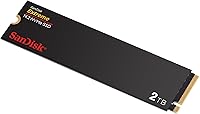
  • Color: Ships in a matte black finish typical of the SanDisk Extreme product line, with no exposed circuit board on the label side.
  • Amazon Rating: Holds a 4.4 out of 5 star average rating on Amazon, based on approximately 89 consumer ratings at time of review.
  • Sales Rank: Ranked #333 in the Internal Solid State Drives category on Amazon, indicating strong market traction relative to competing NVMe drives.
  • Release Date: First made available for purchase on March 14, 2024, making it a relatively recent addition to the SanDisk Extreme lineup.
  • Model Number: The official model number is SDSSDX3N-2T00-G26, which can be used to verify compatibility and look up firmware updates.
  • Brand Series: Part of the SanDisk Extreme M.2 NVMe SSD series, positioned above the SanDisk Ultra line in terms of performance and target use case.

Related Reviews

SanDisk 2TB SSD Plus M.2 NVMe SSD
86%
89%
Performance
92%
Ease of Installation
88%
Reliability
91%
Value for Money
90%
Capacity
More
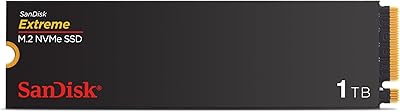
SanDisk Extreme M.2 1TB NVMe SSD
79%
88%
Read Performance
71%
Write Performance
94%
Installation Ease
86%
Value for Money
62%
Thermal Management
More
SanDisk Extreme PRO M.2 NVMe SSD 500GB
85%
92%
Performance Speed
90%
Reliability & Endurance
88%
Installation & Setup
75%
Price vs. Value
84%
Power Efficiency
More
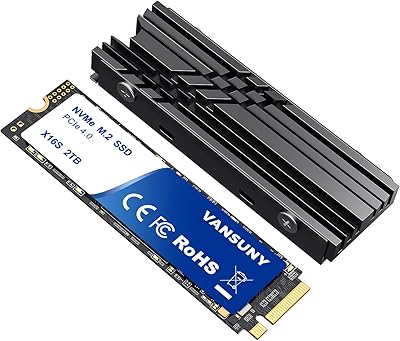
Vansuny 2TB NVMe M.2 SSD
86%
95%
Performance
88%
Installation Ease
78%
Thermal Management
92%
Storage Capacity
94%
Speed for Gaming
More
GAMERKING 2TB M.2 NVMe SSD
85%
91%
Performance (Read/Write Speeds)
72%
Thermal Management
88%
Ease of Installation
94%
Compatibility with PS5
87%
Value for Money
More
Fikwot FX910 2TB M.2 NVMe SSD
90%
93%
Performance
89%
Ease of Installation
95%
Read Speed
91%
Write Speed
87%
Thermals/Cooling
More
PNY CS1030 2TB M.2 NVMe SSD
88%
92%
Performance Speed
88%
Ease of Installation
90%
Reliability
89%
Value for Money
85%
Power Efficiency
More
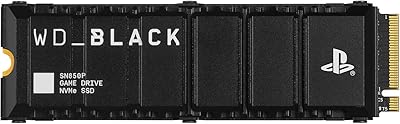
WD_BLACK SN850P 2TB NVMe SSD

86%
93%
Read Speed Performance
96%
PS5 Compatibility & Licensing
94%
Installation Experience
88%
Heatsink Quality & Thermal Management
71%
Value for Money
More
PNY CS2230 2TB M.2 NVMe SSD
88%
94%
Performance
88%
Installation Ease
92%
Speed (Read/Write)
90%
Compatibility with PC and Mac
89%
Reliability
More
SanDisk SSD Plus M.2 NVMe 500GB
90%
94%
Sequential Read Speed
87%
Sequential Write Speed
88%
Random Read/Write Performance
91%
Reliability & Longevity
95%
Ease of Installation
More

FAQ

Yes, the SanDisk Extreme M.2 is backward compatible with PCIe Gen 3.0 M.2 slots. You won't hit the full 5,150 MB/s read speed — Gen 3.0 caps out at roughly half that — but you'll still see a meaningful improvement over any SATA drive you're replacing.

For most modern laptops and desktops with an accessible M.2 slot, yes. You remove the back panel, locate the M.2 slot, slide the drive in at an angle, and secure it with one small screw. The whole process usually takes under fifteen minutes. If you've never opened a laptop before, a quick video walkthrough for your specific model goes a long way.

No bundled migration software is included in the box. If you're moving an existing operating system to this drive, you'll need a free third-party tool like Macrium Reflect or Clonezilla, or you can do a fresh OS install if you prefer a clean slate.

For burst transfers and everyday creative work, it performs well. That said, like most nCache-based drives, sustained write speeds can dip during very long continuous transfers once the cache fills up. For most editing workflows — opening projects, scrubbing timelines, exporting — it holds up reliably. Only users pushing non-stop bulk writes over many gigabytes in a single session are likely to notice any slowdown.

Absolutely. It works fine as a primary boot drive on compatible Windows systems. For macOS, compatibility depends on your Mac model — most modern Macs use proprietary connectors and won't accept a standard M.2 drive without an adapter, so check your specific machine before purchasing.

The WD Dashboard is optional software that lets you monitor drive health, check temperatures, see how much life the drive has left, and install firmware updates. You don't need it for the drive to function, but it's genuinely useful for keeping tabs on the drive's condition over time, especially if you're using it as a primary work drive.

The WD Black SN850X is a step above in raw sustained performance and is generally preferred for the most demanding workloads. That said, for most video editing tasks — even 4K multicam work — the difference in day-to-day use is relatively minor. The SanDisk Extreme M.2 offers a more accessible price point for users who don't need absolute peak throughput.

No heatsink is included, and most laptop installations don't use one due to space constraints. Under normal workloads the drive runs within acceptable temperature ranges. If you're installing it in a desktop with good airflow, a motherboard-mounted heatsink or a third-party M.2 cooler is optional but harmless. Sustained heavy use in a poorly ventilated system could raise temperatures, but that's true of nearly any NVMe drive.

For a lot of photographers and video editors, 2TB as a working drive is very workable — especially if you're offloading finished projects to a larger external or NAS storage system. If you keep everything locally and never archive, you might find yourself managing space carefully. But as a fast primary drive paired with a secondary archive, 2TB covers most professional day-to-day needs comfortably.

With fewer than 100 user reviews so far, there isn't enough field data to make strong claims about long-term durability — it's simply too new to know. Western Digital typically backs its SanDisk Extreme NVMe drives with a five-year limited warranty, which is a reasonable safety net. Checking the warranty terms directly on WD's website before purchasing is always a good idea to confirm what's covered for your region.

Where to Buy