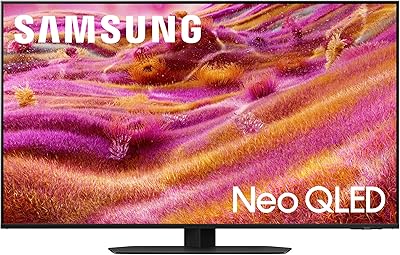


Overview

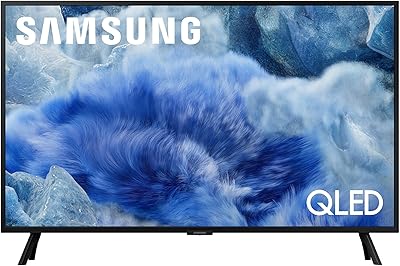
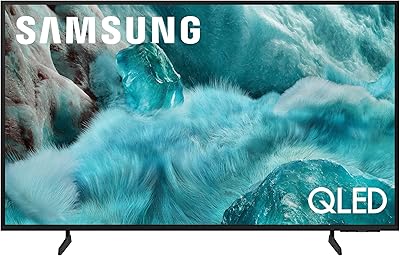
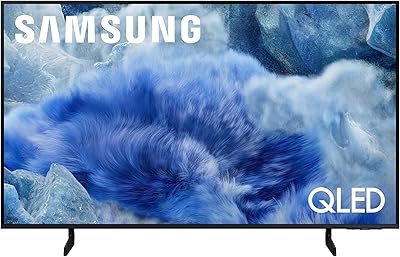
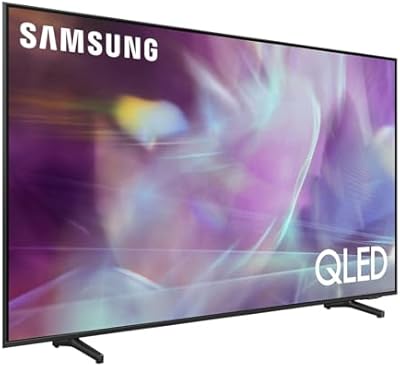
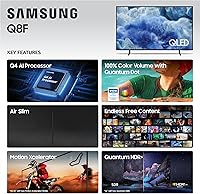
The Samsung Q8F 50-inch QLED 4K Smart TV sits in an interesting spot — not a flagship, but a genuinely capable mid-range option that most households will find more than sufficient. Powered by the Q4 AI Processor, one step below Samsung's top-tier chip, it handles scene-by-scene picture and audio adjustments automatically, so you're not constantly digging through menus to get a decent image. The AirSlim design is a real selling point for anyone who wants a TV that hugs the wall without a tangle of cables. Where things get complicated is the competitive landscape — at this price tier, entry-level OLED sets are knocking on the same door.

Features & Benefits

The Q8F 50-inch's Quantum Dot panel earns its keep in a bright living room. Colors carry real punch — sunsets in nature documentaries, stadium greens in sports — without feeling artificially oversaturated. The 100% color volume claim means the display holds that richness even at higher brightness levels, unlike cheaper LCD panels that wash out. HDR performance is solid, with dynamic scene analysis improving contrast noticeably, though don't expect the inky black levels of an OLED. One thing worth flagging clearly: despite marketing references to 4K 144Hz input support, the native panel runs at 60Hz. That distinction matters more than Samsung's packaging suggests.

Best For

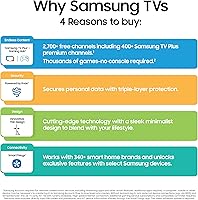
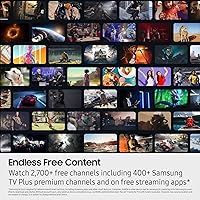
This Samsung QLED makes strong sense for well-lit living rooms where OLED's advantage — perfect blacks — gets neutralized by ambient light anyway. Cord-cutters will appreciate Samsung TV Plus: over 2,700 channels spanning news, sports, and movies with no monthly fee. Fair warning, though — ads are part of the deal, and channel quality varies by region. Casual gamers benefit from VRR support for smoother frame delivery, but competitive players who need fast, consistent response times should look at a true 120Hz panel instead. At 50 inches, it also hits a practical size sweet spot for medium-sized rooms without feeling undersized or overwhelming.

User Feedback

Buyers picking up this mid-range Samsung TV are frequently surprised by how strong it looks straight out of the box — color accuracy and brightness are recurring themes in positive reviews, particularly from people upgrading from older LCD sets. Setup earns high marks too; Samsung's guided installation and manageable stand assembly make the process approachable. On the downside, gamers have been vocal about the 60Hz panel reality clashing with what the box implies, and a handful of users flag Alexa voice commands as occasionally sluggish. Tizen OS runs well overall, though app load times draw scattered complaints during extended streaming sessions.

Pros

  • Out-of-box color accuracy is strong — most users won't need to calibrate anything manually.
  • Quantum Dot panel holds color vibrancy well even in bright, sunny rooms where cheaper TVs struggle.
  • AirSlim design sits close to the wall and looks genuinely clean when mounted.
  • Samsung TV Plus bundles over 2,700 free channels, a real perk for cord-cutters.
  • VRR support keeps casual gaming smooth on compatible consoles without screen tearing.
  • Tizen OS is fast and well-organized — finding apps and switching inputs rarely feels clunky.
  • Setup process is beginner-friendly, with guided steps and a manageable stand assembly.
  • Broad connectivity covers HDMI, USB, Bluetooth, Ethernet, and Wi-Fi without compromise.
  • Dynamic HDR processing visibly improves contrast on a scene-by-scene basis for everyday viewing.
  • At 50 inches, the screen size is ideal for medium rooms without overwhelming the space.

Cons

  • Native panel is 60Hz — the advertised 144Hz figure refers to input support only, not actual refresh rate.
  • Black levels fall noticeably short compared to OLED rivals available at a similar price.
  • Samsung TV Plus channels often include ads and vary in quality depending on your region.
  • Alexa voice commands can be sluggish and occasionally misfire in noisy environments.
  • Viewing angles are narrower than OLED — picture quality drops if you sit far off-center.
  • The Q4 AI Processor is mid-tier; upscaling lower-resolution content is decent but not exceptional.
  • Remote control feels plasticky relative to the TV's otherwise premium build quality.
  • No Dolby Vision support — HDR relies on Samsung's own formats, which limits compatibility with some content.
  • Smart TV ads appear on the home screen by default and require deliberate steps to minimize.
  • Lacks the deep shadow detail that makes dark cinematic content feel truly immersive in dim rooms.

Ratings

Our AI rating system analyzed thousands of verified global buyer reviews for the Samsung Q8F 50-inch QLED 4K Smart TV, actively filtering out incentivized, bot-generated, and duplicate submissions to surface what real owners genuinely think. Scores reflect the full picture — where this mid-range Samsung QLED earns its keep and where it falls measurably short against buyer expectations and direct competitors.

Picture Quality
83%
In well-lit living rooms, the Quantum Dot panel produces colors that hold their saturation and brightness in a way cheaper LCD sets simply cannot match. Sports broadcasts and nature documentaries look particularly vivid, and the AI-driven scene optimization means most users get a strong image without touching the picture settings at all.
Dark room performance is where real limitations surface — shadow detail gets muddy compared to OLED rivals, and black levels look more dark gray than true black in dimly lit environments. HDR highlights are improved but won't satisfy viewers who regularly watch cinematic content in a controlled home theater setup.
Refresh Rate & Motion
61%
39%
For everyday TV watching — sitcoms, news, daytime sports — the native 60Hz panel handles motion cleanly without obvious judder or blur. VRR support adds genuine value for casual console gamers, smoothing out frame pacing on titles that don't lock to a fixed frame rate.
The gap between Samsung's 144Hz input support claim and the 60Hz native panel is a recurring frustration for buyers who expected true high-refresh performance. Competitive gamers and anyone watching high-motion content like fast-break basketball will notice the ceiling that a 60Hz panel imposes, especially coming from a 120Hz display.
Gaming Performance
66%
34%
VRR compatibility and a responsive game mode make casual sessions on PS5 or Xbox Series X a reasonable experience, with reduced input lag compared to the standard picture mode. Single-player narrative games and slower-paced titles play well, and the 4K resolution makes visually rich environments look sharp.
The 60Hz native panel is an honest limitation for anything competitive — fast-paced shooters or fighting games expose the motion ceiling quickly. Buyers who read the 144Hz input spec as a panel refresh rate feel misled, and that frustration shows up consistently across user reviews from the gaming community.
Color Accuracy
88%
Out-of-box color calibration on the Q8F 50-inch is notably strong for a mid-range set — skin tones look natural in drama content, and color-rich animated films come through with real pop. Users upgrading from budget LED TVs consistently describe the color improvement as immediately obvious without needing any manual calibration.
Color consistency drops off at wider viewing angles, which can be an issue for larger households watching from the sides of the room. The Quantum Dot panel also skews slightly toward oversaturation in the default vivid preset, which some users initially mistake for accuracy before adjusting to a more natural picture mode.
Smart TV Experience
79%
21%
Samsung's Tizen OS is one of the faster and better-organized smart TV platforms available, with logical menus, quick app switching, and a broad app library covering all major streaming services. Samsung TV Plus adds real standalone value — over 2,700 free channels available immediately without any account setup or subscription.
Default home screen ads are a consistent irritant for users who prefer a clean interface, and removing them requires deliberate steps in the settings menu. Samsung TV Plus channel quality and availability varies meaningfully by region, and the ad-supported model means interruptions are part of the free content experience.
Setup & Installation
91%
Samsung's guided on-screen setup is consistently praised as one of the smoother TV installation experiences available — even buyers who describe themselves as non-technical get through it quickly. Stand assembly is manageable solo, and the included instructions are clear enough that most users are up and running within 30 minutes of opening the box.
Wall mounting requires a separately purchased VESA-compatible bracket, which surprises some buyers who expected mounting hardware to be included. A small number of users also report that the initial software update during setup can take longer than expected on slower internet connections.
Build Quality & Design
82%
18%
The AirSlim chassis genuinely delivers on its promise — the TV sits close to the wall when mounted and looks proportionally clean and minimal in most room setups. The slim bezel and matte finish give it a more premium appearance than comparable sets in its price tier.
The remote control feels noticeably plasticky relative to the TV's otherwise solid construction, with a hollow feel that a few users compare unfavorably to competitor remotes. The stand, while functional, is basic and slightly narrow, which can feel unstable on soft furniture surfaces without additional support.
Voice Assistant & AI Features
71%
29%
Alexa built-in handles common commands reliably — switching inputs, adjusting volume, controlling smart home devices, and answering quick questions all work without needing a separate Echo device nearby. Samsung Vision AI's automatic content-based picture tuning is a practical feature that most users appreciate without ever having to manually trigger it.
Alexa responsiveness drops in noisier rooms or when issuing multi-step commands, with a noticeable lag compared to dedicated smart speakers. Bixby, Samsung's own voice assistant, remains less capable and less natural than Alexa for general queries, which makes it feel redundant to many users.
Audio Quality
68%
32%
Built-in speakers perform adequately for casual viewing — dialogue clarity in standard TV content is clean, and the AI audio optimization adjusts output based on content type in a way that casual viewers find helpful without requiring manual sound mode switching.
Bass depth and overall volume ceiling are limiting at higher listening levels, and the built-in speakers feel underpowered for larger rooms or action-heavy content. Most users who take picture quality seriously also invest in an external soundbar within the first few months of ownership, suggesting the audio rarely satisfies as a standalone experience.
Connectivity
84%
The port selection — HDMI, USB, Ethernet, Bluetooth, and dual-band Wi-Fi — covers all standard use cases without needing an external hub or adapter. Bluetooth pairing for headphones and wireless speakers works reliably, and Ethernet remains a practical fallback for users in environments with inconsistent Wi-Fi.
The exact number of HDMI ports and their ARC/eARC assignment matters to buyers connecting multiple devices simultaneously, and Samsung's documentation on this is not always immediately clear at the point of purchase. A small number of users also report inconsistent Bluetooth reconnection behavior after the TV has been powered off and back on.
Value for Money
77%
23%
For a household wanting a reliable, good-looking smart TV with free built-in content and solid brightness performance, the Q8F 50-inch delivers a fair return on investment — especially for buyers not prioritizing advanced gaming or dark room viewing. The included Samsung TV Plus content adds tangible long-term value that partially offsets the initial cost.
The presence of similarly priced entry-level OLED options makes the value equation genuinely competitive, and buyers who do the research often find themselves weighing trade-offs carefully rather than seeing this as an obvious choice. The native 60Hz panel in particular feels like a cost-cutting compromise that limits the TV's longevity as gaming content continues to push higher frame rates.
HDR Performance
74%
26%
Dynamic HDR with per-scene analysis noticeably improves the contrast range during movie watching, pulling out detail in bright highlights that would otherwise blow out on a static HDR setting. Most casual viewers find the HDR presentation on streaming services like Netflix or Disney+ visibly better than what they experienced on previous non-HDR sets.
The absence of Dolby Vision limits HDR compatibility for buyers using Apple TV, Vudu, or other Dolby Vision-heavy platforms. Peak brightness, while better than entry LCD sets, does not reach the levels needed to make HDR highlights as impactful as Samsung's higher-tier models or competing OLED sets in the same price range.
Viewing Angles
58%
42%
Dead-center viewing is genuinely strong — color accuracy and brightness hold up well for the primary viewer seated directly in front of the screen, which covers the majority of solo and couples-viewing scenarios without issue.
Off-axis viewing reveals the Q8F 50-inch's most consistent weakness — color shifts and brightness loss become noticeable past roughly 25 to 30 degrees from center, which is a meaningful limitation for families watching together on a wide sofa. This is a fundamental characteristic of VA-panel QLED technology and is not something a software update can address.

Suitable for:

The Samsung Q8F 50-inch QLED 4K Smart TV is a strong match for households that watch a lot of TV in a room that gets plenty of natural light — this is where its Quantum Dot panel pulls real weight over OLED, holding color richness and brightness without washing out. Families upgrading from an older 1080p or budget 4K set will likely notice a meaningful jump in picture quality without needing to touch a single setting. Cord-cutters who want a capable smart TV with built-in free content will find Samsung TV Plus a genuinely useful addition, covering news, sports, and movies without an extra subscription. It also works well for anyone who wants a clean, minimal wall setup — the AirSlim chassis is legitimately slim and doesn't demand much wall depth. Casual gaming is covered well enough, with VRR support smoothing out frame delivery on compatible consoles or PCs.

Not suitable for:

The Samsung Q8F 50-inch QLED 4K Smart TV is harder to recommend for buyers who are cross-shopping seriously with entry-level OLED sets — at this price point, options like the LG B4 OLED offer superior contrast, true black levels, and wider viewing angles that this QLED panel simply cannot replicate. Dedicated gamers chasing true high-refresh performance will run into a real limitation: despite the marketing language around 144Hz input support, the panel itself is native 60Hz, which matters for fast-paced competitive play where motion clarity is critical. Home theater purists who watch a lot of dark, cinematic content in a dim room will notice the difference in black depth compared to OLED, and HDR highlights, while improved, don't reach the peak brightness of Samsung's own higher-tier Q80F or QN90F. Anyone deeply invested in a Google or Apple smart home ecosystem may also find the Samsung-first SmartThings platform a friction point day-to-day.

Specifications

  • Screen Size: The panel measures 50 inches diagonally, suited for small-to-medium living rooms or dedicated media spaces.
  • Display Type: Uses QLED (Quantum Dot LED) technology, which enhances color output by passing backlight through nano-sized semiconductor particles.
  • Resolution: Outputs native 4K UHD at 3840 x 2160 pixels, delivering four times the pixel density of a standard 1080p panel.
  • Native Refresh: The panel runs at a native 60Hz refresh rate; input signals of up to 4K 144Hz are supported via compatible sources.
  • Processor: Powered by Samsung's Q4 AI Processor, which handles real-time scene analysis for picture and audio optimization automatically.
  • HDR Support: Includes dynamic HDR with scene-by-scene analysis to adjust brightness and contrast levels throughout playback.
  • Color Volume: Rated at 100% color volume via Quantum Dot technology, maintaining color accuracy and saturation across varying brightness levels.
  • Smart Platform: Runs Samsung Tizen OS with Samsung Vision AI, providing app access, content recommendations, and AI-driven display tuning.
  • Voice Assistant: Alexa is built in natively; Samsung's own Bixby assistant is also accessible through the remote.
  • Connectivity: Includes HDMI, USB, Bluetooth, Ethernet, and dual-band Wi-Fi for flexible wired and wireless device connections.
  • Free Content: Samsung TV Plus comes pre-loaded with over 2,700 channels covering news, sports, and movies at no subscription cost, though ads are included.
  • Design: Features an AirSlim low-profile chassis designed to sit close to the wall when mounted, minimizing visual bulk.
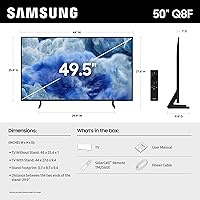
  • Dimensions: Physical dimensions are 44″ wide, 27.6″ tall, and 9.4″ deep with the stand attached.
  • Weight: The unit weighs 24.7 pounds, making one-person wall mounting manageable but still easier with two people.
  • Model Number: Official Samsung model identifier is QN50Q8FAAFXZA, useful for confirming compatibility with mounts, accessories, and service parts.
  • Color Finish: Available in Black, with a slim bezel and matte-finish surround that reduces reflections in bright environments.
  • In the Box: Package includes the TV, power cable, remote control, stand with screws, and a printed user manual.
  • Batteries: The remote control requires two AAA batteries, which are not included in the retail package.

Related Reviews
Samsung 32-inch Q8F QLED 4K Smart TV
77%
88%
Picture Quality
91%
Color Accuracy
63%
Motion Handling
74%
Gaming Performance
69%
Smart TV Interface
More
Samsung The Frame LS03F 50-inch QLED TV
77%
91%
Art Mode & Display Illusion
78%
Picture Quality
94%
Design & Aesthetics
58%
Art Store Value
88%
Installation & Setup
More
Samsung 50-Inch QLED 4K Q80C Series Smart TV

84%
94%
Picture Quality
88%
Sound Quality
91%
Gaming Performance
89%
Value for Money
85%
Smart Features
More
Samsung 43-inch Q8F QLED 4K Smart TV
79%
88%
Picture Quality
86%
Color Accuracy
74%
Gaming Performance
81%
Smart TV Experience
84%
Free Content Value
More
Samsung 85-inch Q8F QLED 4K Smart TV
77%
83%
Picture Quality
88%
Color Accuracy
81%
Gaming Performance
79%
Motion Handling
74%
Smart TV Platform
More
Samsung 50-inch Q7F QLED 4K Smart TV
75%
86%
Picture Quality
78%
HDR Performance
83%
Color Accuracy
61%
Motion Handling
54%
Gaming Performance
More
Samsung 50-inch Q60A QLED TV
75%
88%
Color Accuracy
57%
Contrast & Black Levels
79%
Brightness
71%
4K Upscaling
58%
Motion Handling
More
Samsung QN90F 50-inch Neo QLED 4K TV
78%
93%
Picture Brightness
76%
Contrast & Blacks
91%
Anti-Glare Performance
89%
Gaming Performance
84%
AI Upscaling
More
Samsung Q60B 50-inch QLED TV
75%
82%
Picture Quality
84%
Color Accuracy
63%
HDR Performance
54%
Viewing Angles
78%
Smart TV Experience
More
Samsung 50-inch Crystal UHD TU8000 Smart TV
61%
61%
Picture Quality
47%
Motion Handling
78%
Smart Platform
74%
Voice Control
52%
HDR Performance
More
Samsung QN85D 85-inch QLED 4K Smart TV
77%
91%
Picture Brightness
87%
Color Accuracy
74%
Contrast & Black Levels
88%
Motion Handling
83%
AI Upscaling
More

FAQ

This is one of the most misunderstood specs on this TV. The native panel refresh rate is 60Hz — not 120Hz, not 144Hz. What Samsung is referring to with the 144Hz figure is the maximum input signal the TV can accept from an external source like a gaming PC. The panel itself still displays at 60Hz, so if you're a competitive gamer relying on high frame rates for motion clarity, that distinction matters a lot.

The Samsung Q8F 50-inch QLED 4K Smart TV and a comparable entry OLED like the LG B4 serve genuinely different buyers. OLED wins on contrast and black levels — especially in a dark room — because each pixel produces its own light and can shut off completely. This QLED pulls ahead in bright room performance, where its higher sustained brightness keeps colors punchy and visible. If your living room gets a lot of sunlight during the day, the QLED often looks better in practice despite the OLED's technical advantages in a controlled environment.

No subscription is needed — Samsung TV Plus is available as soon as you connect the TV to the internet. You do not even need a Samsung account to access it. Keep in mind the channels are ad-supported, so you will see commercials, and the channel lineup varies depending on your country or region.

The Q8F 50-inch uses a VESA 200x200 mounting pattern, so any VESA-compatible wall mount rated for that pattern and a minimum of 24.7 pounds will work. Given the AirSlim design, a low-profile fixed mount or a slim tilt mount works especially well to keep the TV close to the wall as intended.

Yes, it connects via HDMI and supports VRR (Variable Refresh Rate), which helps reduce screen tearing during gaming. That said, the native 60Hz panel means you will not get the full benefit of a console outputting at 120fps — you are capped at 60 frames per second on screen. For casual play or single-player story games, it is perfectly capable. For fast-paced multiplayer where every frame counts, a 120Hz TV would serve you better.

Setup is one of this TV's stronger suits. Samsung walks you through everything on screen with a guided flow that covers Wi-Fi, account login, and picture preferences. The stand assembly is straightforward and typically takes under 10 minutes. Most buyers report having a fully working TV within 20 to 30 minutes of opening the box.

No, the Q8F 50-inch does not support Dolby Vision. It uses Samsung's own HDR formats — HDR10 and HDR10+ — along with its dynamic scene analysis. For most streaming content, this is not a major gap, but if you specifically want Dolby Vision compatibility for movies on Apple TV or Vudu, you would need to look elsewhere.

It works reliably for common tasks — controlling the TV itself, checking the weather, setting timers, and managing other smart home devices in your Alexa network. Where it falls short is in noisier environments or when giving multi-step commands; some users find it slower to respond compared to a dedicated Echo speaker. It is a useful built-in addition, but not a full replacement if you rely heavily on Alexa throughout your home.

At 50 inches, it depends on your room size. For a standard bedroom viewed from around 6 to 8 feet away, 50 inches is on the larger side but workable. The AirSlim design helps it feel less imposing on a wall. If your bedroom is smaller or you watch from a short distance, a 43-inch model might be a more comfortable fit.

Yes, the Q8F 50-inch supports audio output via HDMI ARC, optical audio out, and Bluetooth, giving you several ways to connect external speakers or a soundbar. Samsung's own soundbars pair especially smoothly through the SmartThings app, but third-party soundbars work fine over HDMI ARC or optical as well.