

Overview

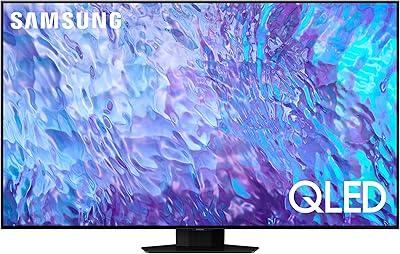
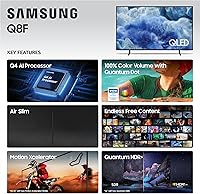
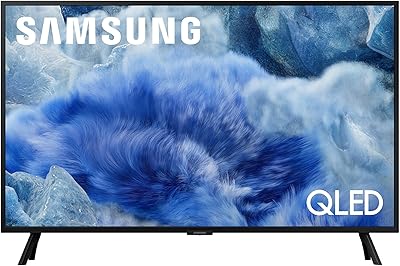
The Samsung 43-inch Q8F QLED 4K Smart TV is Samsung's 2025 answer for buyers who want genuine QLED picture quality without committing to a flagship price. Powered by the new Q4 AI Processor, this 43-inch QLED TV brings meaningful improvements in upscaling and content-aware optimization compared to older models. The AirSlim design keeps the profile lean enough for clean wall-mounts or tight media consoles — a real plus in bedrooms and home offices where bulk is the enemy. Just be clear-eyed going in: this is a strong mid-range performer, not a premium reference display.

Features & Benefits

What sets the Q8F apart at this size is its Quantum Dot panel, which delivers 100% color volume — meaning colors hold their richness as brightness climbs, which matters a lot in sunlit rooms. The Q4 AI Processor analyzes content on the fly, adjusting picture and audio based on whether you're watching a dark thriller or a bright sports broadcast. Samsung Vision AI handles scene recognition automatically, so you're not constantly diving into settings menus. For gamers, VRR support is a genuine asset, though the native panel runs at 60Hz — the 4K 144Hz figure only applies through compatible gaming inputs.

Best For

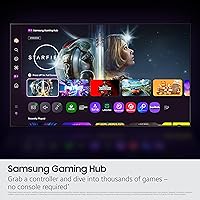
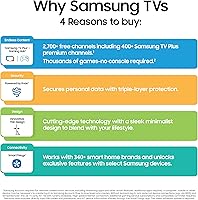
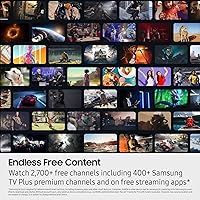
This 43-inch QLED TV hits a practical sweet spot for anyone setting up a secondary room without sacrificing picture quality. It's a natural fit for console and PC gamers who want VRR responsiveness on a compact screen, and for cord-cutters who lean on Samsung TV Plus's 2,700-plus free channels rather than stacking subscriptions. The slim chassis makes it a clean choice for minimalist wall setups where a bulky bezel would ruin the look. If you're upgrading from an older 1080p or entry-level 4K set, the jump in color depth and AI-assisted clarity will be immediately noticeable.

User Feedback

Buyers consistently praise the color vibrancy and brightness of this Samsung QLED, particularly in rooms with plenty of ambient light where cheaper panels tend to look washed out. Setup earns high marks too — the wall-mount process is straightforward and the Tizen interface is generally responsive. That said, two criticisms come up regularly. The 60Hz-versus-144Hz distinction frustrates some buyers who expected high-refresh gaming across all inputs. And the built-in speakers, predictably for a slim-chassis TV, leave many users reaching for a soundbar sooner than expected. Neither is a dealbreaker, but both are real factors worth weighing before buying.

Pros

  • Quantum Dot panel delivers rich, accurate color that holds up well in bright, sunlit rooms.
  • AI-powered upscaling makes lower-resolution content look noticeably cleaner on the 4K screen.
  • VRR and Game Mode provide responsive, low-latency performance for console gamers.
  • Samsung TV Plus offers 2,700-plus free channels with no subscription required.
  • The AirSlim design is genuinely slim and wall-mount friendly right out of the box.
  • Tizen OS is fast, intuitive, and supports a wide range of popular streaming apps.
  • Alexa built-in handles voice commands without needing a separate smart home device.
  • Setup is straightforward, with clear instructions and a manageable physical footprint.
  • Dynamic HDR analyzes scenes individually, improving brightness and contrast without manual adjustment.
  • The 43-inch size is a practical fit for secondary rooms where space is a real constraint.

Cons

  • Native panel refresh rate is 60Hz; the 144Hz gaming spec only applies through specific inputs, which can mislead buyers.
  • Built-in speakers lack the depth and volume needed for an immersive movie or music experience.
  • QLED technology cannot match OLED for contrast or true black levels in dark viewing environments.
  • The Q4 AI Processor is mid-tier; do not expect flagship-level processing or local dimming performance.
  • Samsung TV Plus ads and promoted content can clutter the home screen interface.
  • Remote control navigation frustrates some users, particularly when browsing the smart TV menu quickly.
  • No Dolby Vision support; HDR is handled through Samsung's own format, limiting compatibility with some content.
  • 43 inches may feel small as a primary TV for rooms larger than a standard bedroom or office.

Ratings

Our AI rating engine analyzed thousands of verified global purchases of the Samsung 43-inch Q8F QLED 4K Smart TV, actively filtering out incentivized reviews, bot patterns, and unverified feedback to surface what real owners genuinely think. The scores below reflect an honest cross-section of buyer experiences — from first-week impressions to long-term daily use — capturing both what this 43-inch QLED TV gets right and where it leaves some buyers wanting more.

Picture Quality
88%
Buyers consistently describe the Quantum Dot panel as a visible step up from anything in the same price tier — colors are vivid without looking oversaturated, and the image holds up well in bright rooms where cheaper panels go flat. The AI-assisted upscaling of older or compressed streaming content draws frequent praise from users who watch a mix of sources.
Contrast performance in dark room viewing is where the panel shows its mid-range limitations, with noticeable blooming around bright objects on dark backgrounds. Buyers comparing it side by side with OLED or Neo QLED sets tend to come away impressed by the color but less satisfied by the black level depth.
Color Accuracy
86%
The Quantum Dot layer's ability to maintain color volume at high brightness is a genuine, real-world advantage — sunlit living rooms no longer wash out the picture the way they do on standard LED panels. Nature documentaries, animated content, and sports broadcasts are specifically called out by buyers as looking exceptionally natural and well-saturated.
Out-of-the-box color calibration leans warm for some users, requiring manual adjustment to reach a neutral baseline. A small but consistent group of buyers note that the factory default picture modes can over-process colors in ways that look artificial on skin tones and darker scenes.
Gaming Performance
74%
26%
Game Mode is well-regarded for noticeably reducing input lag, and VRR support keeps console gaming smooth when connected via a compatible HDMI source. Players who use PS5 or Xbox Series X specifically mention that fast-paced games feel responsive and the QLED panel makes high-contrast game environments look striking.
The 60Hz native panel is a sticking point for buyers who read the 144Hz marketing language and expected a universal high-refresh experience. PC gamers who need consistent high frame rates across all inputs often feel misled, and the distinction between panel refresh rate and VRR capability is not made obvious at the point of purchase.
Smart TV Experience
81%
19%
Tizen OS is responsive and logically laid out — switching between apps, adjusting settings, and launching streaming services feels quick by mid-range smart TV standards. The breadth of available apps and the seamless Alexa integration make it a practical hub for households already using Amazon smart devices.
The home screen's aggressive promotion of Samsung TV Plus content and sponsored tiles frustrates a meaningful share of buyers who prefer a cleaner interface. App load times on less popular streaming services can lag, and a handful of users report that the OS slows down slightly after extended uptime without a reboot.
Free Content Value
84%
Samsung TV Plus earns genuine appreciation from cord-cutters who did not expect a free channel library of this scale to be baked in without any account creation. News, sports highlights, classic movies, and niche interest channels cover enough ground that many buyers report delaying or canceling paid streaming subscriptions after discovering the depth of free content.
Channel quality is inconsistent — while the premium tier channels are solid, a noticeable portion of the library consists of low-effort filler content that pads the channel count. Some buyers also note that the TV Plus interface pushes its content quite aggressively, which can feel intrusive when you just want to open Netflix.
Audio Quality
58%
42%
The AI audio processing does a reasonable job adapting sound profiles to content type — dialogue clarity in particular is better than many buyers expect from a slim-chassis TV. For everyday news viewing and casual streaming at moderate volume, most users find the built-in speakers acceptable as a starting point.
For anything beyond casual viewing, the built-in speakers fall noticeably short — bass is thin, high volumes introduce distortion, and movie soundtracks lose their impact entirely. A consistent pattern across buyer feedback is that a soundbar purchase follows within weeks of setup, suggesting the built-in audio rarely satisfies beyond short-term use.
Design & Build
87%
The AirSlim chassis genuinely impresses buyers who care about how a TV looks on the wall — the slim profile and narrow bezel give it a premium aesthetic that punches above this product tier. Build quality feels solid, and the matte finish on the back panel is consistently noted as a nice touch for visible cable routing setups.
The included stand design generates some criticism for feeling less stable than the overall build quality suggests, with a small number of buyers reporting minor wobble on uneven surfaces. Cable management at the stand base could also be more considered given the otherwise clean aesthetic.
Setup & Installation
91%
Buyers with no technical background consistently report a smooth out-of-box experience — physical assembly is quick, the on-screen setup wizard is clear, and the TV finds Wi-Fi networks and apps without friction. Wall-mounting is especially praised, with the slim profile making alignment and flush-mounting noticeably easier than bulkier sets.
A recurring minor complaint is that the initial setup process nudges users toward creating or signing into a Samsung account more persistently than some buyers prefer. First-time smart TV owners occasionally find the input source labeling and HDMI port configuration options less intuitive than expected.
Remote Control
67%
33%
The remote is slim, lightweight, and comfortable to hold during extended browsing sessions, and the Alexa button gets regular use from buyers who have leaned into voice control for channel switching and smart home commands. Button layout is generally clean and does not feel overloaded.
Navigation speed frustrates buyers who prefer quick menu traversal — scrolling through the smart TV interface with the remote's directional pad feels sluggish compared to app-based TV remotes or streaming sticks. Several buyers also note that the remote feels plasticky relative to the TV's overall build standard.
Brightness & HDR
79%
21%
In well-lit rooms, the panel holds its own against ambient light better than expected for this tier, and the scene-by-scene dynamic HDR processing visibly improves highlight detail in bright outdoor scenes and stadium sports content. Daytime viewing without window blinds closed is frequently cited as a positive real-world experience.
Peak HDR brightness does not reach the levels needed to make HDR content truly pop the way it does on higher-end Mini-LED or OLED sets. In a controlled dark room environment, the HDR performance gap between this panel and Samsung's flagship lineup becomes more obvious, particularly in high-contrast cinematic content.
Value for Money
83%
At its market tier, the Q8F delivers a combination of QLED picture quality, solid smart TV features, and free content access that buyers repeatedly describe as better than they anticipated. Buyers upgrading from older or budget 4K sets in particular feel the value proposition strongly, noting the visible picture improvement justifies the spend.
Buyers who stretch their budget to reach this set sometimes feel the audio situation — factoring in the likely soundbar purchase — pushes the total ownership cost higher than the initial unit price suggests. A small segment also feels the 60Hz native panel should be more clearly communicated before purchase given the 144Hz messaging in marketing materials.
Upscaling Performance
82%
18%
The Q4 AI Processor's upscaling capability is a consistent win for buyers who stream a mix of HD and 4K content — 1080p material in particular looks substantially cleaner and more detailed than on non-AI-processed panels. Older shows and movies benefit noticeably, which buyers who watch catalog content frequently appreciate.
Heavily compressed streaming content at lower bitrates can still look soft even after upscaling, and the AI processing occasionally introduces mild over-sharpening artifacts on fine textures like fabric and hair in close-up shots. This is a minor complaint but one that detail-conscious viewers tend to notice.
Viewing Angles
63%
37%
Head-on picture quality is strong, and buyers in single-viewer setups — a bedroom or personal home office — rarely encounter the off-angle limitations as a practical issue. For the primary use cases this TV targets, straight-ahead viewing is the norm and the panel performs well.
Color and contrast shift noticeably when viewed from wide angles, which becomes a real problem in living rooms where seating spans more than roughly 30 degrees off-center. Families or groups watching together from a wide sofa arrangement consistently flag this as the Q8F's most limiting real-world flaw.
Connectivity
85%
The range of physical and wireless connectivity options covers most real-world hookup scenarios without needing adapters — HDMI, USB, Ethernet, Wi-Fi, and Bluetooth together make the Q8F a practical hub for soundbars, gaming consoles, streaming sticks, and smart home devices simultaneously.
Some buyers note that the HDMI port placement on the back panel can be awkward to access once the TV is wall-mounted flush, requiring a brief unmounting for initial cable routing. The number of available HDMI ports also becomes a constraint for users running multiple devices at once without a switch.

Suitable for:

The Samsung 43-inch Q8F QLED 4K Smart TV is a strong pick for anyone furnishing a bedroom, home office, or smaller living room where a 55-inch or larger screen would simply overwhelm the space. Buyers upgrading from an aging 1080p set will notice the jump in color depth and sharpness almost immediately, thanks to the Quantum Dot panel's ability to hold vivid, accurate color even at high brightness levels. Console gamers working with a compact setup will appreciate the VRR support and dedicated Game Mode, which keep motion responsive and input lag manageable. Cord-cutters will find real value in Samsung TV Plus's extensive free channel lineup, which covers news, sports, and movies without requiring a single extra subscription. The slim AirSlim chassis also makes this 43-inch QLED TV a practical choice for anyone who wants a clean wall-mount installation without a thick, protruding frame.

Not suitable for:

The Samsung 43-inch Q8F QLED 4K Smart TV is not the right call for buyers who prioritize cinematic contrast and deep blacks, as QLED panels cannot match the per-pixel black levels that OLED technology delivers. Serious high-refresh-rate gamers should also look carefully before buying: the native panel runs at 60Hz, and the advertised 4K 144Hz capability only kicks in through specific compatible gaming inputs, which may not match every setup. Buyers who want a primary living room centerpiece for a mid-to-large room will likely find 43 inches underwhelming at typical viewing distances. Anyone sensitive to audio quality should budget for a soundbar from the start, since the built-in speakers on this slim chassis are adequate for casual viewing but fall short for movies or music. If your priority is the absolute best picture processing Samsung offers, the Q8F sits clearly below the brand's higher-tier QLED and Neo QLED lines.

Specifications

  • Screen Size: The panel measures 43 inches diagonally, making it well-suited for bedrooms, home offices, and smaller living rooms.
  • Display Type: Uses QLED technology with Quantum Dot nano-crystal layer to achieve 100% color volume across the full brightness range.
  • Resolution: Native 4K UHD (3840 x 2160) resolution delivers four times the pixel density of a standard 1080p panel.
  • Processor: The Q4 AI Processor handles real-time content analysis for adaptive upscaling and audio optimization based on content type.
  • Native Refresh Rate: The panel's native refresh rate is 60Hz, which covers standard broadcast, streaming, and casual gaming needs.
  • Gaming Refresh Rate: Supports up to 4K 144Hz refresh rate via Variable Refresh Rate (VRR) through compatible gaming inputs only.
  • HDR Support: Dynamic HDR analyzes each scene individually to adjust brightness and contrast levels rather than applying a static tone map.
  • Smart Platform: Runs Samsung's Tizen OS, which provides access to major streaming apps, Samsung TV Plus, and voice assistant integration.
  • Voice Assistant: Alexa is built in natively, allowing hands-free control of the TV and compatible smart home devices without an external speaker.
  • Free Content: Samsung TV Plus provides access to over 2,700 free channels, including 400-plus premium channels, with no subscription or sign-in required.
  • Connectivity: Includes multiple HDMI ports, USB ports, Ethernet, dual-band Wi-Fi, and Bluetooth for broad device compatibility.
  • Design: AirSlim chassis keeps the depth profile minimal, designed specifically for clean flush wall-mount installations and tight media setups.
  • Dimensions: With the stand attached, the unit measures 38″ wide, 24.2″ tall, and 7.8″ deep.
  • Weight: The set weighs 18.1 pounds, making solo wall-mounting manageable for most adults with the right hardware.
  • Color: Available in Black with a matching slim bezel designed to minimize visual distraction around the screen.
  • Audio: Built-in speakers are included and tuned with AI audio optimization, though external sound hardware is recommended for richer output.
  • Model Number: The official Samsung model number is QN43Q8FAAFXZA, useful for confirming compatibility with mounts and accessories.
  • In the Box: Package includes the TV, power cable, remote control, stand with hardware, and user manual; two AAA batteries are required for the remote.

Related Reviews
Samsung 32-inch Q8F QLED 4K Smart TV
77%
88%
Picture Quality
91%
Color Accuracy
63%
Motion Handling
74%
Gaming Performance
69%
Smart TV Interface
More
Samsung 85-inch Q8F QLED 4K Smart TV
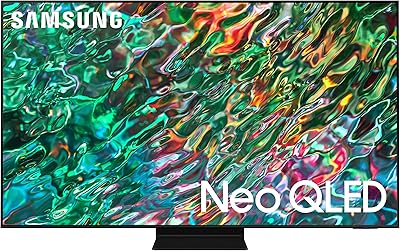
77%
83%
Picture Quality
88%
Color Accuracy
81%
Gaming Performance
79%
Motion Handling
74%
Smart TV Platform
More
Samsung QN90B 43-inch Neo QLED 4K TV

80%
91%
Picture Quality
93%
Gaming Performance
88%
Brightness & HDR
83%
Anti-Glare & Viewing Angle
54%
Built-in Audio
More
Samsung U8000F 43-inch 4K Smart TV
77%
72%
Picture Quality
88%
Value for Money
84%
Smart TV Platform
91%
Design & Build
61%
Gaming Performance
More
VIZIO M43Q6-J04 43-inch QLED Smart TV
74%
83%
Picture Quality
78%
Brightness & HDR Performance
76%
Gaming Performance
58%
Smart TV Platform
88%
Value for Money
More
Samsung QN85D 85-inch QLED 4K Smart TV
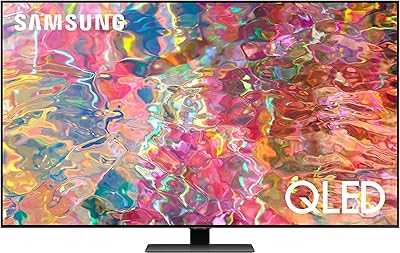
77%
91%
Picture Brightness
87%
Color Accuracy
74%
Contrast & Black Levels
88%
Motion Handling
83%
AI Upscaling
More
SYLVOX 43-Inch Outdoor Smart TV QLED 4K UHD
85%
93%
Display Quality
89%
Weather Resistance
74%
Ease of Setup
78%
Sound Quality
87%
Voice Control (Google Assistant)
More
Samsung The Frame LS03F 65-inch 4K TV
77%
94%
Aesthetic Design
81%
Art Mode Quality
88%
Matte Screen Performance
76%
Picture Quality
79%
Gaming Performance
More
Samsung QN70F 55-inch Neo QLED Smart TV
78%
83%
Picture Quality
88%
Gaming Performance
84%
Motion Handling
81%
Brightness & HDR
78%
Smart TV Platform
More
Samsung The Frame LS03F 50-inch QLED TV
77%
91%
Art Mode & Display Illusion
78%
Picture Quality
94%
Design & Aesthetics
58%
Art Store Value
88%
Installation & Setup
More

FAQ

It is a bit of both, and worth understanding before you buy. The native panel refresh rate is 60Hz, which handles everyday TV watching and streaming without issue. The 4K 144Hz figure only applies when using a compatible gaming source — like a PC graphics card or next-gen console — connected through a supported HDMI input with VRR enabled. If you are a casual viewer or a console gamer using standard HDMI, you will be working with 60Hz in practice.

Yes, with some caveats. Game Mode reduces input lag noticeably, and VRR support helps eliminate screen tearing when your gaming hardware supports it. The 60Hz native panel is perfectly fine for most console gaming, and the QLED panel makes fast-moving scenes look vivid rather than washed out. Hardcore PC gamers chasing the highest frame rates may want a dedicated gaming monitor instead, but for living room or bedroom console gaming this TV handles the job well.

The built-in audio is adequate for news, casual streaming, and general TV watching at moderate volumes. That said, the slim AirSlim chassis physically limits how much speaker hardware can fit inside, so you will not get deep bass or room-filling sound. If you watch a lot of movies, sports with crowd noise, or listen to music through the TV, pairing it with even a budget soundbar will make a significant difference.

Samsung TV Plus covers a broad range — local and national news, sports, classic movies, reality TV, documentaries, and niche interest channels. The total library sits above 2,700 channels, and it updates regularly with new additions. You do not need to create an account or enter payment information to access it; it works the moment the TV connects to the internet.

Wall-mounting is straightforward, and the AirSlim design means the TV sits quite close to the wall once installed. You will need a VESA-compatible mount — check the Samsung spec sheet for the exact VESA hole pattern for the QN43Q8FAAFXZA before purchasing a bracket, as patterns vary by model. At 18.1 pounds, it is light enough that most standard 43-inch wall mounts will handle it without issue.

No, the Q8F does not support Dolby Vision. Samsung uses its own HDR format, which handles dynamic tone mapping scene by scene. This means some streaming content that is mastered specifically for Dolby Vision will play in a standard HDR mode instead. For most viewers this distinction will not be obvious, but if Dolby Vision is important to you, it is worth knowing upfront.

Yes, this 43-inch QLED TV works as an external display via HDMI. At 4K resolution on a 43-inch screen the pixel density is lower than a dedicated PC monitor, so fine text may look slightly soft up close. For casual productivity, media playback, or extended desktop use from a couch distance, it works well. If you plan to sit within arm's reach for hours of spreadsheet work, a proper PC monitor will be more comfortable.

The Q4 AI Processor keeps the Tizen OS moving at a reasonable pace for day-to-day use. App launches, input switching, and menu navigation are generally snappy. Some users report occasional slowdowns when the home screen is loading Samsung TV Plus thumbnails or after extended use without a restart, but this is not a persistent problem for most buyers.

Yes, you can use it as a standard display for cable boxes, Blu-ray players, gaming consoles, or any HDMI source without connecting to Wi-Fi. You will lose access to smart TV features, Samsung TV Plus free channels, and streaming apps, but the core TV functionality works offline without any issues.

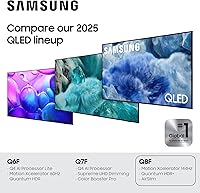
The main differences come down to processing power, local dimming, and brightness. Higher-tier Samsung QLED and Neo QLED sets use more advanced processors, Mini-LED backlighting with more precise local dimming zones, and significantly higher peak brightness figures. The Q8F delivers strong QLED color performance at a more accessible price point but does not match the contrast depth or brightness ceiling of the premium lineup. For a secondary room or a buyer not chasing reference-grade picture quality, the gap is acceptable; for a dark home theater setup, it becomes more noticeable.