
Overview

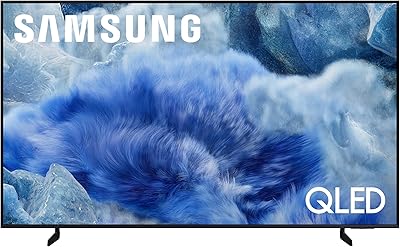
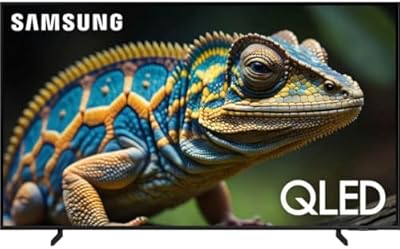
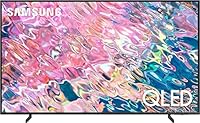
The Samsung Q60B 50-inch QLED TV sits comfortably in the middle of Samsung's 2022 lineup — not a bargain-bin purchase, but not a flagship splurge either. This 50-inch set targets people who want noticeably better colors than a standard LED TV without paying top-of-the-range prices. The Quantum Dot panel produces rich, saturated tones that hold up well in lit rooms, which is a genuine advantage for daytime viewing. Buyers should know upfront, though: local dimming is limited, and peak HDR brightness won't overwhelm you. It's a solid, honest mid-ranger that delivers where it counts most.

Features & Benefits

The Dual LED backlight is one of the more practical engineering choices here — using separate warm and cool LEDs allows the panel to render skin tones and natural textures more convincingly than a single-backlight system would. The Quantum Processor Lite handles 4K upscaling from HD and Full HD content cleanly, without artificial over-sharpening. Quantum HDR adds real depth to high-contrast scenes, though it stops well short of what mini-LED or OLED setups can do. Tizen OS runs smoothly, Alexa responds reliably, and extras like Game Mode and Eco Sensor add genuine day-to-day practicality rather than just padding the spec sheet.

Best For

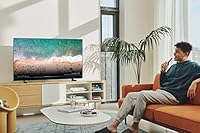
This Samsung QLED works particularly well for anyone stepping up from an older 1080p TV who wants a meaningful picture upgrade without flagship-level spending. Apartment dwellers and families fitting it into a bedroom or medium-sized living room will find the screen size genuinely well-proportioned for the space. Casual gamers get a capable panel with Game Mode keeping input lag at a usable level — adequate for console play without needing a separate gaming monitor. Cord-cutters will appreciate the broad Tizen app library and voice assistant access. Those chasing wide viewing angles or peak HDR brightness may need to look further up the lineup.

User Feedback

Most owners consistently praise the out-of-box color quality — images look vivid and well-balanced without requiring deep manual calibration. Setup draws positive marks too, and the remote is generally well-regarded. Criticism tends to cluster around two areas: HDR brightness that feels underwhelming compared to step-up QLED models, and viewing angle drop-off that is fairly typical of VA-panel displays — sitting noticeably off-center affects contrast. The Tizen interface gets credit for responsiveness but earns some frustration over home-screen ad placements. Overall, real-world sentiment matches what the specs imply: a reliable mid-range performer that delivers on color and smart features, not a do-everything flagship.

Pros

  • Rich, vivid colors straight out of the box with minimal manual calibration needed.
  • The Dual LED backlight produces more natural-looking skin tones than single-backlight competitors in this price range.
  • 4K upscaling handles HD and Full HD source content cleanly without obvious artificial sharpening.
  • Tizen OS is responsive and includes a broad library of streaming apps without major omissions.
  • Built-in Alexa works reliably for voice-controlled channel switching, app launching, and smart home commands.
  • Game Mode genuinely reduces input lag enough to make casual console gaming comfortable.
  • Eco Sensor adjusts brightness automatically, which helps manage power consumption day to day.
  • The initial setup process is quick and well-guided, even for less tech-savvy users.
  • At its price point, the Q60B delivers color performance that punches above what standard LED panels offer.
  • The Titan Black bezel finish is slim and understated, fitting easily into most room decors.

Cons

  • HDR brightness is underwhelming in bright scenes compared to step-up QLED or mini-LED alternatives.
  • VA panel viewing angles are a real limitation — contrast and color shift when seated noticeably off-center.
  • The 60 Hz refresh rate is a hard ceiling, ruling out 120 Hz support for next-gen console owners.
  • Samsung's Tizen home screen includes promotional placements that some users find persistently annoying.
  • Local dimming is limited, meaning dark scenes can show blooming or uneven backlight uniformity.
  • The Q60B does not support HDMI 2.1, restricting bandwidth for advanced gaming features like VRR at high resolutions.
  • Built-in speakers are adequate for casual use but lack the bass depth that most standalone soundbars provide.
  • Art Mode, while listed as a feature, is a stripped-back version compared to what Samsung's premium The Frame TV offers.

Ratings

Our AI rating system analyzed thousands of verified global user reviews for the Samsung Q60B 50-inch QLED TV, actively filtering out incentivized, bot-generated, and duplicate submissions to surface what real buyers actually experience day to day. The scores below reflect both the genuine strengths that make this 50-inch set a popular mid-range pick and the honest trade-offs that have frustrated a meaningful portion of owners. Nothing is glossed over — if a category scored low, you will see exactly why.

Picture Quality
82%
18%
Everyday streaming content looks genuinely vibrant on this panel — colors are rich and well-saturated whether you are watching a nature documentary or a live sports broadcast. The Quantum Dot layer gives it a clear edge over standard LED sets at a similar price, and most users report being impressed from the moment they power it on.
Once you push into HDR-heavy content, the limitations become more visible. Peak brightness is moderate at best, meaning the specular highlights in HDR films — bright sunlight, lamp glows, explosions — lack the punch that step-up panels deliver. Users upgrading from OLED or mini-LED sets will notice the gap immediately.
Color Accuracy
84%
Out-of-the-box color calibration is genuinely solid for a mid-range TV — skin tones look natural, and the Dual LED backlight helps maintain consistent color temperature across different content types. Casual viewers and even moderately enthusiast buyers rarely feel the need to dig into manual calibration settings.
Color accuracy under direct side-lighting or when viewed at wider angles deteriorates noticeably due to the VA panel's inherent characteristics. Users who watch in groups or from non-central seating positions report that colors shift and contrast weakens — a recurring complaint in long-term ownership feedback.
HDR Performance
63%
37%
Quantum HDR does add visible depth to contrast compared to a non-HDR panel, and for SDR-to-HDR tone-mapped content it performs acceptably. Viewers watching standard streaming in HDR mode generally find the experience a step above what they had before, particularly in darker scenes.
Peak HDR brightness is the Q60B's most consistent weakness across reviewer feedback. Bright highlights in Dolby Vision or HDR10 content simply do not reach the luminance levels needed to make HDR feel impactful rather than marginal. Users expecting the HDR experience they have seen advertised are frequently underwhelmed.
Viewing Angles
54%
46%
For a single viewer sitting directly in front of the screen, the VA panel delivers good contrast and punchy blacks that IPS-based competitors at this price cannot match. In a dedicated home cinema setup with controlled seating, the direct-view experience is genuinely pleasing.
Viewing angle performance is one of the most commonly flagged pain points in user feedback. Contrast washes out and colors shift clearly when seated more than 30 to 40 degrees off-center, which causes real problems during group watching on a couch that does not face the TV squarely. This is a structural VA panel limitation, not a defect.
Smart TV Experience
78%
22%
Tizen OS is one of the more polished smart TV platforms available — it loads quickly, navigating between apps feels responsive, and the broad library covers every major streaming service without gaps. Voice control through Alexa works reliably for launching apps, adjusting volume, and controlling smart home devices.
The home screen advertising is a persistent irritant that users mention repeatedly in long-term reviews. Sponsored content rows and promotional banners appear prominently on the Tizen home screen and cannot be fully disabled, which feels intrusive on a TV in this price bracket.
Gaming Performance
71%
29%
Game Mode measurably reduces input lag, and casual console gamers playing story-driven or multiplayer titles at 1080p or 4K at 60 fps report a comfortable, responsive experience. The 50-inch screen size at this resolution feels well-proportioned for a typical living room gaming setup.
The hard ceiling at 60 Hz and the absence of HDMI 2.1 rule out high-frame-rate gaming at 4K — a genuine limitation for PS5 or Xbox Series X owners who want to use their consoles to their full capability. Competitive gamers who need sub-10ms input lag and high refresh rates should look elsewhere.
4K Upscaling
77%
23%
The Quantum Processor Lite handles upscaling from 1080p sources quite cleanly in real-world use — catch-up TV, Blu-ray, and older streaming content all look reasonably crisp without the over-processed sharpening artifacts that some processors introduce. It is a genuine practical benefit for mixed-source households.
Upscaling performance drops off more noticeably with 720p and lower-resolution content, which can look soft or slightly unnatural on a 4K panel this size. The Lite processor also lacks the fine detail reconstruction that Samsung's higher-end Neural Quantum processors provide.
Build Quality
79%
21%
The physical construction feels solid for its market tier — the Titan Black bezel is slim and consistent, and the stand provides stable support without any wobble under normal viewing conditions. At 26 pounds, wall mounting is practical and the chassis does not feel cheap when handling it during installation.
The plastic finish on the rear panel and stand legs is noticeably less premium than what you find on Samsung's higher-tier models, and a small number of users have reported minor flex in the chassis when mounting. It is built to a price point, and close inspection makes that clear.
Audio Quality
58%
42%
Built-in audio is adequate for daytime background viewing and works well enough for news, talk shows, and casual streaming where dialogue clarity is the priority. Most users find the default audio settings passable for low-stakes daily viewing without any adjustments.
Bass response is thin and the speakers struggle to fill larger rooms at higher volumes, which is a persistent criticism in user feedback. The overwhelming consensus is that a soundbar or external speaker system is a worthwhile addition — the built-in audio is clearly the Q60B's weakest hardware component.
Remote & Controls
81%
19%
The Samsung Smart Control remote is well-designed for everyday use — the button layout is intuitive, the voice control button is conveniently placed, and the overall feel in hand is better than many competitors at this price point. First-time Samsung TV buyers consistently call out the remote as a positive surprise.
The remote lacks a dedicated number pad, which frustrates users who prefer direct channel entry for cable or satellite TV. Some buyers also report that the remote's Bluetooth pairing can occasionally drop and require re-pairing, though this is an intermittent rather than universal issue.
Ease of Setup
86%
Initial setup is one of the most consistently praised aspects across user feedback. The on-screen guided setup is clear, Wi-Fi connection is reliable, and the whole process from unboxing to first picture typically takes under 20 minutes even for less tech-confident users.
A handful of users report difficulties linking third-party accounts or troubleshooting Wi-Fi connectivity in homes with older routers or congested 2.4GHz networks. Samsung's initial account sign-up prompts are also described as persistent and somewhat pushy during setup.
Value for Money
83%
Measured against what the Q60B actually delivers — strong color performance, a capable smart platform, and reliable build quality — most buyers feel the price is fair and competitive within the mid-range TV market. The step-up in picture quality over a standard LED TV at a comparable price point is tangible and appreciated.
The value proposition softens when you start factoring in the limitations: no 120 Hz, no HDMI 2.1, weak HDR brightness, and narrow viewing angles are all meaningful trade-offs that buyers sometimes only fully appreciate after living with the TV for a few weeks.
Energy Efficiency
74%
26%
The Eco Sensor actively adjusts screen brightness based on ambient room light, which helps manage power consumption during long daily viewing sessions without requiring manual intervention. Users who leave the TV on for extended periods note that power draw feels reasonable for its size.
In brighter room conditions where the Eco Sensor pushes brightness higher to compensate, power consumption climbs more noticeably. Some users also find the automatic brightness adjustments distracting if the sensor reacts to lighting changes during a film or show.
App & Streaming Performance
80%
20%
All major streaming apps run smoothly with fast load times and minimal buffering on a stable network connection. The Q60B handles 4K HDR streams from Netflix and Disney+ without stuttering, and the app update process in the background is largely invisible to the user.
A small number of apps — particularly some regional or niche streaming services — are absent from the Tizen app store, which could be a problem for users outside major markets. Occasional reports of apps crashing after Tizen OS updates have also appeared in longer-term owner reviews.

Suitable for:

The Samsung Q60B 50-inch QLED TV is a strong fit for buyers who want a meaningful step up from a basic LED TV without committing to flagship pricing. Families or apartment dwellers furnishing a medium-sized living room or primary bedroom will find the 50-inch screen size genuinely well-proportioned — large enough to feel immersive, compact enough not to overpower the space. Color-conscious streamers who spend most of their time watching Netflix, Disney+, or YouTube will appreciate how the Quantum Dot panel handles saturated tones across a wide range of content. Casual console gamers benefit from the built-in Game Mode, which keeps input lag at a workable level without requiring a separate monitor. Cord-cutters will find Tizen OS a reliable daily driver, with broad app support and voice assistant access through Alexa making navigation straightforward.

Not suitable for:

The Samsung Q60B 50-inch QLED TV is not the right call for buyers who prioritize peak HDR brightness or cinema-grade contrast, as the Quantum Processor Lite and standard backlight setup simply cannot match what mini-LED or OLED panels deliver at higher price points. Competitive or serious gamers who need a high refresh rate above 60 Hz will hit a hard ceiling here — the panel does not support 120 Hz, which rules out smoother next-gen console performance. Anyone who frequently watches TV from the side or at sharp angles should be cautious: this 50-inch set uses a VA panel, and color and contrast fall off noticeably when you move off-center. Users who want a completely clean, ad-free smart TV interface may also find Tizen's home screen promotions more irritating than acceptable over time. If your room has strong ambient light control and you are chasing the best possible HDR specular highlights, the Q60B will likely leave you wanting more.

Specifications

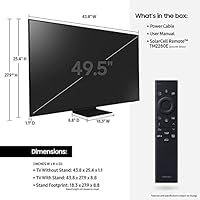
  • Screen Size: The panel measures 49.5 inches diagonally, commonly marketed as a 50-inch class display.
  • Display Type: Uses QLED (Quantum Dot LED) technology, which applies a layer of quantum dots over an LED backlight to produce a wider color gamut.
  • Resolution: Native 4K UHD resolution at 3840 x 2160 pixels delivers four times the pixel density of a standard 1080p panel.
  • Refresh Rate: The panel runs at a native 60 Hz refresh rate, which is standard for this class of TV but does not support 120 Hz for high-frame-rate gaming.
  • Backlight System: Dual LED backlighting uses separate warm and cool LED zones to improve color temperature accuracy across different types of content.
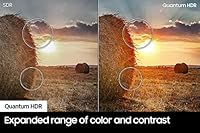
  • HDR Support: Quantum HDR is supported, expanding the visible range of color and contrast beyond standard dynamic range, though peak brightness is moderate compared to premium tiers.
  • Processor: The Quantum Processor Lite handles real-time 4K upscaling and picture optimization for lower-resolution source content.
  • Smart Platform: Runs Samsung's Tizen OS, providing access to major streaming apps including Netflix, Disney+, Prime Video, and YouTube.
  • Voice Assistants: Amazon Alexa is built in, and the TV also supports Bixby and Google Assistant via compatible devices.
  • Special Modes: Includes Game Mode for reduced input lag, Art Mode for displaying images when idle, and Eco Sensor for automatic brightness adjustment based on room lighting.
  • Connectivity: Standard connectivity includes HDMI ports, USB inputs, Wi-Fi, Bluetooth, and an Ethernet port for wired network connections.
  • Aspect Ratio: Standard 16:9 widescreen aspect ratio at 1.78:1, compatible with all modern broadcast, streaming, and physical media formats.
  • Dimensions: Without stand, the set measures 44″ wide, 26.8″ tall, and 8.8″ deep; stand dimensions will vary slightly.
  • Weight: The TV weighs 26 pounds without the stand, making two-person wall mounting straightforward without specialist equipment.
  • Bezel & Finish: Titan Black bezel finish with a slim profile that sits unobtrusively against most wall colors and room setups.
  • VESA Mount: VESA-compatible mounting pattern allows use with most standard third-party wall mounts sold separately.
  • Audio Output: Built-in speaker system provides adequate output for everyday viewing, though dedicated soundbar pairing is recommended for a fuller audio experience.
  • Power Supply: Ships with a standard power cable suited for domestic wall outlets; no external power brick is required.
  • Included Items: Box contents include the TV, remote control, power cable, Samsung Smart Control, and both printed and digital user manuals.
  • Model Year: Released as part of Samsung's 2022 TV lineup, first available for purchase in March 2022.

Related Reviews
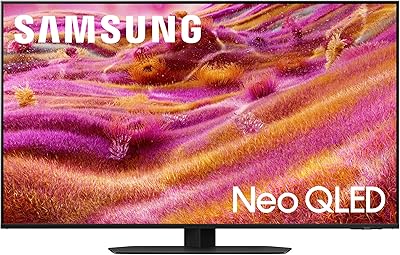
Samsung QN90F 50-inch Neo QLED 4K TV
88%
96%
Picture Quality
94%
HDR Performance
92%
Brightness and Glare Handling
90%
Motion Handling
91%
Gaming Performance
More
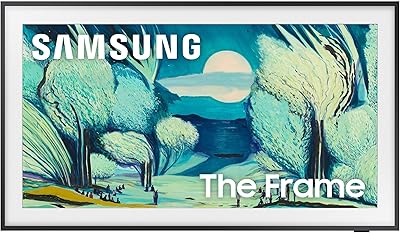
Samsung The Frame LS03F 50-inch QLED TV
77%
91%
Art Mode & Display Illusion
78%
Picture Quality
94%
Design & Aesthetics
58%
Art Store Value
88%
Installation & Setup
More
Samsung 50-Inch QLED 4K Q80C Series Smart TV
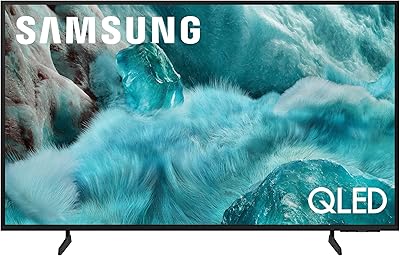
84%
94%
Picture Quality
88%
Sound Quality
91%
Gaming Performance
89%
Value for Money
85%
Smart Features
More
Samsung 50-inch Q7F QLED 4K Smart TV
75%
86%
Picture Quality
78%
HDR Performance
83%
Color Accuracy
61%
Motion Handling
54%
Gaming Performance
More
Samsung 50-inch Q60A QLED TV
75%
88%
Color Accuracy
57%
Contrast & Black Levels
79%
Brightness
71%
4K Upscaling
58%
Motion Handling
More
Samsung QN50Q8FAAFXZA 50″ QLED TV (2025)
88%
95%
Picture Quality
93%
Color Accuracy
90%
HDR Performance
88%
Motion Handling
84%
Audio Quality
More
Samsung 65-Inch QLED 4K TV Q60C
86%
94%
Picture Quality
91%
Gaming Performance
87%
Ease of Setup
88%
Smart Features
72%
Sound Quality
More
Samsung The Serif 55-inch QLED 4K TV
79%
96%
Design & Aesthetics
78%
Picture Quality
91%
Anti-Glare Performance
88%
Stand & Placement Flexibility
74%
Smart Platform & App Support
More
Samsung QN90C 50-inch Neo QLED 4K TV
79%
93%
Picture Brightness
88%
Color Accuracy
71%
Contrast & Black Levels
91%
Gaming Performance
86%
Anti-Glare Performance
More
Samsung QN75Q900RBFXZA 75-Inch 8K QLED TV
83%
94%
Picture Quality
90%
8K Upscaling Performance
88%
Smart Features & Alexa Integration
86%
Design & Aesthetics
78%
Sound Quality
More

FAQ

It holds up reasonably well in lit environments. The Quantum Dot panel maintains color saturation better than a standard LED TV would, and the Eco Sensor adjusts brightness automatically. That said, peak brightness is moderate, so a room with direct sunlight hitting the screen will still cause some washout.

You can, and Game Mode does a solid job of reducing input lag for a comfortable gameplay experience. The main limitation is the 60 Hz native refresh rate — you won't get 120 Hz output, and there is no HDMI 2.1, so advanced features like 4K at 120 fps or VRR are off the table. For casual gaming it works well; serious competitive gamers may want to look at higher-spec panels.

This is one area worth being upfront about. The Q60B uses a VA panel, which delivers good contrast when you are sitting directly in front of it, but colors and contrast noticeably shift when viewed from the side. If your sofa is positioned well off-center, or multiple people sit at wide angles during family viewing, you may find it a bit disappointing compared to IPS-based TVs.

Yes, Tizen OS covers all the major platforms — Netflix, Disney+, Amazon Prime Video, YouTube, Apple TV, and more are all available. The interface is generally smooth and the app library is broad enough that most cord-cutters will find everything they need without needing an external streaming stick.

Most users find it straightforward. The on-screen setup guide walks you through Wi-Fi connection, account sign-in, and basic picture preferences in a logical order. The Samsung Smart Control remote is intuitive, and the whole process typically takes under 15 minutes.

Somewhat, yes. The Tizen home screen does include promotional banner placements and sponsored content rows, which some users find intrusive. It does not affect actual app performance or picture quality, but if a completely clean interface is important to you, it is worth knowing upfront.

The main differences come down to brightness, local dimming, and processing power. Step-up models like the Q80B or Q90B offer higher peak brightness, more advanced local dimming zones for better HDR contrast, and more powerful processors. The Q60B trades those premium capabilities for a lower price, making it a sensible middle ground rather than a top-tier performer.

Wall mounting is straightforward — the TV uses a standard VESA mounting pattern, so most universal wall mounts available online will be compatible. At 26 pounds without the stand, two people can handle the installation comfortably without needing professional help. Just confirm the VESA hole spacing matches your chosen mount before purchasing.

The Quantum Processor Lite does a decent job of upscaling 1080p and even 720p content to fill the 4K screen. It is not the most aggressive or detailed upscaler you will find, but it avoids the artificial over-sharpened look that some processors produce. Standard cable TV looks acceptable, though obviously the source quality puts a ceiling on the results.

Samsung typically includes a one-year limited manufacturer warranty covering parts and labor for this product category, though you should verify current warranty terms at time of purchase as they can vary by retailer and region. Samsung's customer support channels include phone, chat, and in-home service options depending on your location.