Overview

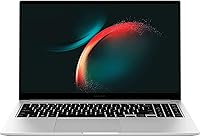
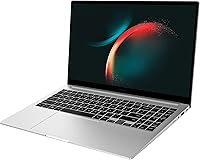
The Samsung Galaxy Book3 15.6-inch Laptop occupies an interesting spot in the 2023 Windows laptop market — large enough to be genuinely productive, yet slim enough that carrying it daily doesn't feel like a burden. At this price tier, you'd typically expect plastic-heavy construction and mediocre panels, but this Galaxy Book3 punches above that expectation. The 13th Gen Core i7 brings a meaningful step up from older i5 and previous-gen machines for everyday work. Just be clear going in: with Intel Iris Xe integrated graphics, this isn't built for gaming or heavy video editing. It's designed for people who want capable, all-day productivity in a thin, travel-ready package.

Features & Benefits

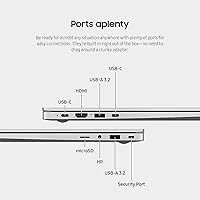
The i7-1355U processor handles multitasking well — browser tabs, video calls, spreadsheets, and background downloads running simultaneously without noticeable slowdown. Paired with 16GB of RAM and a 512GB SSD, the Samsung 15.6-inch laptop feels snappy in day-to-day use and has enough headroom to stay relevant for a few years. The FHD display looks sharp and comfortable for long work sessions, though outdoor visibility in bright sunlight is limited. Port selection is genuinely impressive — eight ports including USB-A, USB-C, HDMI, and microSD means you're rarely reaching for an adapter. Samsung claims 15 hours of battery life, but real-world mixed use will land closer to 8–10 hours, which is still solid for a full workday.

Best For

This Galaxy Book3 is a strong fit for students and remote workers who need a large, easy-to-carry screen without dragging a docking station everywhere. If you're a business user who values all-day battery life and a full set of ports right out of the box, this machine checks those boxes without asking you to spend ultrabook money. It's also worth a close look if you're already in the Samsung ecosystem — Galaxy phone and tablet users get meaningful cross-device benefits. Upgrading from a 10th or 11th Gen Intel machine? The performance jump is real and noticeable. What it isn't suited for: gaming, 3D work, or anything that needs a dedicated GPU.

User Feedback

Owners of this Windows 11 machine consistently praise the build quality and display clarity — the slim chassis feels more premium than the price suggests, and the keyboard draws positive mentions for comfort during long sessions. Battery performance also earns approval from most buyers. On the other side, a recurring frustration is the 720p webcam, which falls noticeably short of the 1080p cameras now standard on competing laptops at this price. Some users flag pre-installed Samsung software as unnecessary bloat, and fan noise under sustained load gets occasional mentions too. Sitting at 4.2 out of 5 stars, the overall sentiment points to solid value for productivity users, though those coming from HP or Lenovo flagships may find the display brightness underwhelming outdoors.

Pros

  • The 13th Gen Core i7 processor handles multitasking and browser-heavy workloads with genuine headroom to spare.
  • 16GB of RAM paired with a fast SSD makes this Windows 11 machine feel noticeably snapper than older mid-range laptops.
  • Eight built-in ports — including USB-A, USB-C, HDMI, and microSD — mean you can connect almost anything without carrying adapters.
  • The slim chassis feels more solidly built than most laptops at this price, with a premium look that doesn't scream budget.
  • Real-world battery life comfortably covers a full workday, even if it falls short of the 15-hour manufacturer claim.
  • Windows Hello fingerprint login works reliably and speeds up the sign-in experience for daily users.
  • The 15.6-inch FHD display is sharp and comfortable for long work or media sessions in typical indoor lighting.
  • Storage is expandable up to 2TB via microSD, which is a practical bonus for users who work with large files.
  • Dolby Atmos speaker tuning makes audio noticeably better than what you'd expect from a laptop at this price.

Cons

  • The 720p webcam is a real step behind competitors — most rival laptops at this price now ship with 1080p cameras.
  • Display brightness struggles in direct sunlight or bright rooms, limiting usability when working near windows.
  • Samsung pre-installs a noticeable amount of its own software, and cleaning it up takes time out of the box.
  • Fan noise under sustained load is audible enough to be distracting in quiet environments like libraries or meetings.
  • Intel Iris Xe graphics cap the machine firmly at light productivity — any serious creative or gaming workload is out of scope.
  • The battery life claim of 15 hours is optimistic; mixed real-world use typically lands in the 8–10 hour range.
  • At 3.46 lbs, it is portable, but not as light as true ultrabooks in a similar price bracket from competing brands.

Ratings

The Samsung Galaxy Book3 15.6-inch Laptop earns its 4.2-star average across thousands of verified global purchases, and our AI-driven scoring system has analyzed that feedback in depth — filtering out incentivized reviews, spam, and outlier bot activity to surface what real buyers consistently experience. Scores reflect both the genuine strengths that make this Windows 11 machine a smart mid-range pick and the recurring frustrations that prevent it from being a universal recommendation. Nothing has been softened or inflated: the numbers below tell the full story.

Everyday Performance
84%
The 13th Gen Core i7-1355U handles the kind of multi-app chaos most users actually deal with — dozens of browser tabs, a video call running in the background, a document open on the side — without breaking a sweat. Buyers upgrading from 10th or 11th Gen machines consistently note how much more responsive this Galaxy Book3 feels in daily use.
Performance headroom disappears quickly when tasks get heavier. Sustained workloads like large file exports or prolonged Zoom sessions with screen sharing cause the CPU to throttle noticeably, and the absence of a dedicated GPU means anything graphics-adjacent hits a hard ceiling fast.
Build Quality
81%
19%
For a laptop in this price tier, the chassis feels noticeably more solid than what buyers typically expect. The slim silver finish doesn't creak or flex under normal use, and the overall construction earns frequent comparisons to machines that cost meaningfully more.
The bottom panel and some hinge areas use plastic rather than full metal, which becomes apparent on closer inspection. A few long-term owners have noted that the silver finish around high-touch areas shows wear faster than expected for a machine marketed at this build level.
Display Quality
76%
24%
Indoors, the 15.6-inch FHD panel delivers sharp, clear visuals that hold up well for both productivity and casual media consumption. Text rendering is crisp, color reproduction is decent for everyday work, and the screen size gives users genuine breathing room when multitasking.
Brightness is the persistent weak point — in bright office environments or near windows, glare becomes a real problem and the panel simply doesn't get bright enough to compensate. Users who frequently work outdoors or in sunlit rooms will find this a genuine daily frustration.
Battery Life
78%
22%
In real mixed use — a combination of browsing, light document work, and the occasional video — most users consistently get through a full 8 to 10 hour workday on a single charge. For students moving between classes and remote workers in coffee shops, that translates to genuine all-day independence from a power outlet.
The manufacturer-rated 15-hour claim sets expectations that the battery simply doesn't meet under normal conditions. Users running video calls, keeping screen brightness at comfortable levels, or working with multiple apps open will land at the lower end of real-world estimates, sometimes below 8 hours.
Port Selection
91%
Eight built-in ports is a genuine differentiator at this price point — USB-A, USB-C, full-size HDMI, and a microSD slot are all present without any compromise. Buyers coming from ultrabooks that ship with two USB-C ports and nothing else consistently call this out as a major reason they chose this machine.
The USB-C port does not support Thunderbolt 4, which limits high-bandwidth use cases like connecting external GPUs or ultra-fast docking stations. Power delivery speeds through USB-C are also modest compared to what competing business laptops offer at a similar tier.
Webcam Quality
47%
53%
The 720p camera is functional in good indoor lighting and adequate for casual calls where the other party isn't scrutinizing video quality. The accompanying microphone performs better than the camera — voice clarity on calls is frequently praised and rarely a source of complaint.
A 720p webcam is a tough sell in 2023 when competing laptops at the same price are shipping with 1080p cameras as standard. In lower light or on calls where video quality actually matters professionally, the softness and noise in the image are hard to ignore, and buyers consistently flag this as the laptop's most glaring omission.
Keyboard & Trackpad
79%
21%
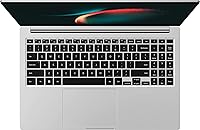
The keyboard is one of the more consistently praised aspects of this Samsung 15.6-inch laptop — key travel feels satisfying, the layout is logical, and extended typing sessions don't cause the fatigue that shallower laptop keyboards tend to produce. Students and writers in particular appreciate the tactile feedback.
The trackpad, while adequately sized, generates mixed feedback around click feel and palm rejection accuracy. Some users report accidental cursor jumps during fast typing sessions, which is an annoyance that becomes harder to overlook during long work sessions without an external mouse.
Audio
72%
28%
Dolby Atmos tuning gives the built-in speakers a sonic profile that punches above what most thin laptops produce — there is actual presence and clarity to voices and music that makes casual listening and video watching genuinely enjoyable without reaching for headphones.
Low-end frequencies are thin and the maximum volume, while sufficient for a quiet room, falls short in noisier environments like open offices or busy cafes. Users expecting bass-forward audio or room-filling volume will be disappointed, but for focused solo use the speakers are above average.
Thermal Management
61%
39%
Under typical workloads the chassis stays comfortable, with heat dissipating reasonably well across the bottom and rear vent areas. Light productivity users who stay within the machine's comfort zone rarely report heat as a concern during normal daily use.
Push the processor with sustained tasks and the fan response is both audible and slow to settle back down. In quiet environments — libraries, shared offices, late-night work — the fan noise under load is distracting enough that multiple buyers specifically mention it as a recurring frustration.
Software & Bloatware
54%
46%
Windows 11 Home runs well on the hardware, and Samsung's Galaxy ecosystem apps are genuinely useful for buyers who already use Galaxy phones or tablets — the Link to Windows integration in particular saves real time when switching between devices.
Out of the box, the pre-installed Samsung app suite feels excessive to users who don't want or need it. The uninstall process is not complicated, but it adds an unwelcome first-hour chore, and a handful of Samsung apps resist easy removal, which frustrates buyers who prefer a clean Windows setup.
Value for Money
77%
23%
Measured against what this machine actually delivers — a modern i7, 16GB RAM, a generous port lineup, and a solid build — the price sits in a range that most buyers find fair and competitive. Compared to premium ultrabooks with similar specs, the Galaxy Book3 represents a meaningful saving.
At this price, the 720p webcam and limited display brightness feel like corners that didn't need to be cut. Buyers who cross-shop against HP Envy or Lenovo IdeaPad equivalents sometimes find competing options that match the spec sheet while also offering better cameras or brighter panels for similar money.
Portability
82%
18%
At 3.46 lbs and just over 0.6 inches thin, this Windows 11 machine slides into a backpack without adding meaningful bulk or weight to a daily carry. The combination of a large screen and a genuinely portable form factor is a real selling point for students and commuters who don't want to compromise on screen size.
It is not as light as dedicated ultrabooks like the LG Gram or the MacBook Air, which is the right comparison point for buyers prioritizing absolute portability above everything else. The size of a 15.6-inch chassis also means it won't comfortably fit in smaller bags designed for 13 or 14-inch machines.
Connectivity & Wireless
74%
26%
Wi-Fi 6 support keeps wireless performance fast and stable on modern routers, and Bluetooth 5.1 handles peripherals and audio devices reliably without the pairing frustrations that older Bluetooth versions sometimes cause. For home office and campus use, wireless connectivity holds up well day to day.
There is no built-in LTE or 5G option for buyers who need untethered connectivity away from Wi-Fi hotspots. Ethernet requires a USB adapter since there is no RJ-45 port, which is a minor but real inconvenience for users in office environments where wired connections are standard practice.
Fingerprint Reader
83%
Windows Hello via the fingerprint reader works quickly and reliably in everyday use — logging in feels effortless, and the reader rarely fails on the first attempt. For business users or students who open and close their laptop dozens of times a day, this small convenience adds up meaningfully over time.
The fingerprint sensor is integrated into the power button, which takes a brief adjustment period for users accustomed to standalone readers. In rare cases involving wet or very dry fingers, the reader misreads and requires a PIN fallback, but this is an occasional edge case rather than a consistent complaint.

Suitable for:

The Samsung Galaxy Book3 15.6-inch Laptop is built squarely for people who spend most of their day in productivity apps, browser tabs, and video calls — and need a machine that can keep up without weighing them down. Students carrying it between classes and library sessions will appreciate the slim profile paired with a screen large enough to actually get work done on. Remote workers and hybrid professionals benefit from the strong port lineup, which means plugging into a monitor, ethernet adapter, or USB drive doesn't require hunting for a dongle. If you're already using a Galaxy phone or tablet, the cross-device integration adds genuine convenience for file sharing and notifications. And for anyone still running an older i5 or a 10th or 11th Gen Intel machine, the jump in everyday responsiveness is real enough to feel immediately worthwhile.

Not suitable for:

The Samsung Galaxy Book3 15.6-inch Laptop is simply not the right tool if gaming or graphics-intensive creative work is part of your workflow. Intel Iris Xe integrated graphics can handle light photo editing and streaming, but 3D rendering, video production, and modern PC games will expose its limits quickly. Buyers who spend a lot of time on video calls in well-lit or bright environments may also find the 720p webcam disappointing — competitors at similar price points are increasingly shipping with 1080p cameras, and the difference is visible. The display, while sharp and clear indoors, lacks the brightness needed to work comfortably outside or near a sunny window. If you need a machine that doubles as a portable workstation for demanding software, a laptop with a dedicated GPU is a much better fit, even if it costs more.

Specifications

  • Processor: Powered by the Intel Core i7-1355U (13th Gen), a 10-core processor with a boost clock up to 5.0GHz, well-suited for multitasking and productivity workloads.
  • RAM: Comes with 16GB of LPDDR4x system memory, providing comfortable headroom for running multiple applications and browser sessions simultaneously.
  • Storage: Equipped with a 512GB NVMe SSD for fast boot times and responsive file access across everyday tasks.
  • Display: Features a 15.6-inch FHD IPS-level panel with a 1920x1080 resolution and a 16:9 aspect ratio, designed for sharp, clear visuals in typical indoor environments.
  • Graphics: Runs Intel Iris Xe integrated graphics, which handles everyday display output and light image work but is not designed for gaming or GPU-intensive creative applications.
  • Operating System: Ships with Windows 11 Home pre-installed, including Samsung's own suite of pre-loaded applications.
  • Battery: Houses a 54Wh lithium-ion battery with a manufacturer-rated life of up to 15 hours; real-world mixed use typically yields 8 to 10 hours.
  • Webcam: Includes a 720p HD front-facing camera, which is functional for standard video calls but below the 1080p benchmark increasingly common in this price range.
  • Audio: Delivers sound through Dolby Atmos-tuned speakers alongside a studio-grade built-in microphone optimized for voice clarity on calls.
  • Ports: Offers 8 total ports including USB-A, USB-C, HDMI, and a microSD card slot, eliminating the need for a separate hub in most everyday scenarios.
  • Biometrics: Integrates a fingerprint reader supporting Windows Hello for fast, password-free login.
  • Expandable Storage: Accepts microSD cards of up to 2TB, providing a straightforward way to extend local storage without opening the chassis.
  • Weight: Weighs approximately 3.46 lbs (1.57 kg), making it portable enough for daily commutes without being in the ultrabook featherweight category.
  • Dimensions: Measures 14.04 x 9.02 x 0.61 inches, giving it a slim profile that fits easily in standard laptop sleeves and backpacks.
  • Wireless: Supports Wi-Fi 6 (802.11ax) and Bluetooth 5.1 for fast, stable wireless connectivity in modern network environments.
  • Color & Build: Available in Silver with a metal-accented thin-and-light chassis that presents a more premium appearance than typical plastic-bodied laptops in this tier.
  • Model Number: The specific model number for this configuration is NP750XFG-KB2US, sold under Samsung's 2023 Galaxy Book3 lineup.

Related Reviews
Samsung Galaxy Book4 15.6″ Laptop
78%
88%
Build Quality
91%
Portability
94%
Storage Capacity
83%
Processing Performance
76%
Display Quality
More
Samsung Galaxy Book4 Edge 15.6-inch Laptop, Snapdragon X Plus, 16GB RAM, 512GB SSD
85%
93%
Battery Life
86%
Performance
84%
Display Quality
90%
Portability
91%
Charging Speed
More
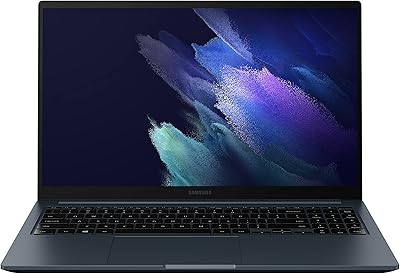
Samsung Galaxy Book Odyssey Intel Laptop 15.6″, i7, 8GB RAM, 512GB SSD
84%
89%
Performance
91%
Battery Life
87%
Gaming Experience
85%
Display Quality
72%
Portability/Weight
More
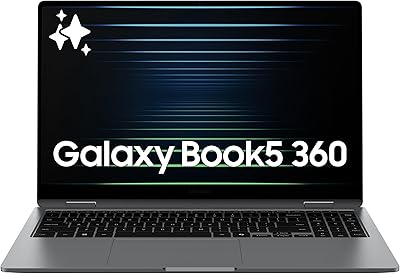
Samsung Galaxy Book5 360 15.6″ 512GB
76%
83%
Battery Life
88%
Display Quality
81%
Performance & Speed
91%
Portability & Design
71%
Keyboard & Typing Experience
More
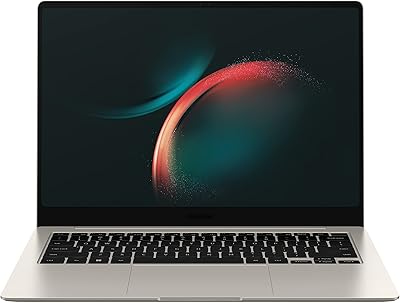
Samsung Galaxy Book3 Pro 14-inch Laptop
79%
93%
Display Quality
91%
Portability
88%
Build Quality
79%
Performance
67%
Battery Life
More
HP 15.6-inch Laptop 15-ef0021nr, Ryzen 3 3200U, 8GB RAM, 256GB SSD

82%
92%
Value for Money
85%
Performance
83%
Build Quality
89%
Portability
81%
Battery Life
More
Dell Inspiron 3593 15.6-inch Laptop
68%
74%
Everyday Performance
81%
SSD Speed & Storage
52%
Display Quality
63%
Battery Life
57%
Build Quality
More
Vonxury 16L Water-Resistant Laptop Backpack
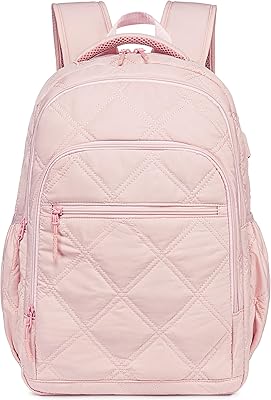
79%
93%
Value for Money
91%
Organization Layout
88%
Laptop Protection
89%
Weight & Portability
74%
Water Resistance
More
Liokesa 15.6-Inch Laptop Backpack
86%
89%
Value for Money
87%
Comfort and Ergonomics
84%
Durability and Build Quality
92%
Storage and Organization
90%
Water Resistance
More
Bluboon 15.6 Inch Laptop Backpack
84%
89%
Organization & Storage
84%
Comfort & Ergonomics
90%
Portability & Weight
78%
USB Charging Port Convenience
85%
Laptop Protection
More

FAQ

Unfortunately, no. The 16GB of RAM in this Galaxy Book3 is soldered directly to the motherboard, which means it cannot be upgraded after purchase. If you think you might need more than 16GB down the line, that is worth factoring into your buying decision now.

Samsung rates it at up to 15 hours, but that figure is based on light, controlled testing conditions. In real mixed use — browsing, video calls, light document work with the screen at a comfortable brightness — most users land somewhere between 8 and 10 hours. That is still solid enough to get through a full workday without hunting for an outlet.

Casual or older titles may run at low settings, but this machine uses Intel Iris Xe integrated graphics, not a dedicated GPU. Modern games or anything graphically demanding will either struggle or not run well at all. If gaming is part of your plan, this is not the right laptop for that use case.

This is genuinely one of the stronger points of the Samsung Galaxy Book3 15.6-inch Laptop — it ships with 8 ports built in, including USB-A, USB-C, full-size HDMI, and a microSD slot. For the vast majority of everyday connection needs, you will not need an adapter at all.

It works, but it is a 720p camera, which is noticeably softer than the 1080p webcams now appearing on competing laptops at a similar price. In decent indoor lighting it is perfectly acceptable for standard meetings, but if video quality matters a lot to you professionally, it is a real trade-off to be aware of.

Yes, Samsung's ecosystem integration is one of the reasons this machine is worth considering if you already own a Galaxy device. Features like Samsung Link to Windows allow you to mirror your phone, access notifications, transfer files, and even make calls directly from the laptop without picking up your phone.

Under sustained load — like extended video rendering or running several demanding apps at once — the fan does spin up and becomes audible. It is not disruptively loud, but in a quiet room or library setting, you will notice it. For typical office or school work, fan noise is rarely an issue.

Yes, Samsung does include a collection of its own apps alongside the standard Windows 11 setup. Some users find them useful, but others prefer to uninstall them right away to keep things clean. It takes maybe 15 to 20 minutes to sort through and remove what you do not want.

The built-in 512GB SSD is not easily swappable for most users, but the laptop does include a microSD card slot that supports cards up to 2TB. That is a practical and affordable way to add storage for documents, photos, or media files without needing to open the machine.

The Galaxy Book3 holds its own well in terms of raw performance and port selection at this price point. Where competitors sometimes have an edge is display brightness and webcam quality — some HP and Lenovo models in this range offer slightly brighter panels and 1080p cameras. Build quality on this Samsung is generally considered competitive, and battery life is a genuine strength compared to many rivals at the same tier.

Where to Buy