Overview

The Samsung 990 EVO Plus 2TB M.2 SSD occupies a smart middle ground in Samsung's lineup — faster than the standard 990 EVO, but priced well below the 990 Pro. What makes it particularly interesting is its dual-interface design: it runs on PCIe 4.0 x4 in most current systems, but can also operate on PCIe 5.0 x2 where supported. Both modes deliver comparable bandwidth, so you're not locked into one path. Out of the box, the drive is as compact and lightweight as any M.2 stick — no heatsink included, but the build feels solid. For PC builders or laptop upgraders chasing serious throughput without flagship-level spending, this sits in a genuinely appealing spot.

Features & Benefits

The headline speeds here are impressive for the price tier — reads pushing past 7,000 MB/s means large file transfers that would have dragged on a SATA drive now clear in seconds. Intelligent TurboWrite 2.0 is the real step up from its predecessor; it sustains write performance over longer bursts, which matters when you're exporting a 4K timeline or shifting a bulk photo archive. The HMB technology lets the drive borrow system RAM rather than relying on onboard DRAM — effective under typical workloads, though heavy sustained random I/O can expose that trade-off. Samsung Magician adds practical value too, covering firmware updates, health monitoring, and optional encryption.

Best For

The 990 EVO Plus is a strong pick for content creators and video editors who regularly push large files and need consistent throughput without mid-project slowdowns. Gamers moving up from an older NVMe or any SATA drive will notice a genuine difference in load times and level streaming. Laptop users on PCIe 4.0 platforms get near-Gen-5 performance without overpaying for bandwidth their system cannot fully use. Power users running virtual machines or compiling large codebases will appreciate the low-latency headroom. One caveat: if you're using a compact laptop with tight airflow, keep thermal throttling in mind during prolonged heavy workloads.

User Feedback

Buyers consistently highlight installation simplicity — drop it in, boot up, and most systems recognize it without fuss. Speed consistency gets praise too, with many noting the drive holds steady through everyday tasks. The more nuanced feedback centers on heat: users in slim laptops or dense compact builds report occasional throttling under sustained pressure, which is worth knowing going in. A handful of buyers felt the dual-interface marketing set expectations closer to a full Gen-5 experience than the drive actually delivers. Against the standard 990 EVO, most agree the Plus variant is the better long-term choice. Given the relatively recent launch, long-term durability data is still thin, but early reports and Samsung's reliability track record leave most buyers confident.

Pros

  • Exceptional transfer speeds make moving large video files or game libraries noticeably faster than older drives.
  • The dual PCIe 4.0 x4 and PCIe 5.0 x2 interface adds genuine forward compatibility for future system upgrades.
  • TurboWrite 2.0 sustains high write speeds over longer bursts, reducing slowdowns during extended transfers.
  • Drop-in installation is genuinely painless — most systems detect it immediately with zero configuration required.
  • Samsung Magician provides practical, ongoing value through health monitoring, encryption, and firmware management.
  • The nickel-coated controller helps keep temperatures in check in open desktop builds with reasonable airflow.
  • At 2TB capacity, this M.2 SSD offers substantial storage headroom for mixed-use builds without a second drive.
  • A 4.8-star rating backed by thousands of verified buyers signals broad, consistent real-world satisfaction.
  • Backed by Samsung's established warranty and reliability track record, giving buyers long-term peace of mind.

Cons

  • No heatsink included in the box — compact laptop users or dense ITX builds are left to source one separately.
  • HMB is not a true DRAM substitute; sustained random I/O performance lags behind fully DRAM-cached competitors.
  • Thermal throttling is a real risk in slim laptops with poor airflow during prolonged heavy workloads.
  • The PCIe 5.0 branding can mislead buyers expecting full next-gen throughput — it operates in x2 mode, not x4.
  • Users already on a modern PCIe 4.0 NVMe drive may notice only marginal real-world improvement in daily tasks.
  • Long-term field reliability data is still thin given the drive's late-2024 launch date.
  • A small number of users encountered BIOS compatibility issues on older platforms that required extra troubleshooting.
  • Samsung Magician's update prompts can feel intrusive, particularly on systems where the software runs in the background.

Ratings

The scores below for the Samsung 990 EVO Plus 2TB M.2 SSD were generated by our AI engine after analyzing thousands of verified buyer reviews from global markets, with spam, incentivized posts, and bot activity actively filtered out. Both the standout strengths and the recurring frustrations are reflected honestly — nothing is smoothed over to protect a rating.

Sequential Read Performance
93%
Buyers moving large RAW photo batches or 4K footage consistently report transfers that feel noticeably snappier compared to their previous PCIe 3.0 or SATA drives. The peak read throughput holds up well under real desktop conditions, not just synthetic benchmarks.
A small share of users on older motherboards report not fully reaching advertised speeds due to platform limitations — something Samsung does not prominently flag in its marketing materials.
Sequential Write Performance
88%
For the price tier, sustained write speeds impress most buyers handling video exports or large OS migrations. TurboWrite 2.0 extends the high-speed write window meaningfully versus its predecessor, which makes a real difference during longer continuous operations.
Once you push past the TurboWrite cache ceiling on very large sequential writes — think multi-hour 4K renders dumping to the drive — speeds do taper off. Power users doing this regularly should factor that in.
Thermal Management
71%
29%
The nickel-coated controller genuinely helps in open desktop builds with decent airflow, where the drive stays cool enough to avoid meaningful throttling during everyday workloads like gaming sessions or routine file management.
Users in thin-and-light laptops or compact ITX cases with restricted airflow report the drive runs warm under sustained load, occasionally triggering throttling. Without a heatsink included in the box, slim-notebook owners are particularly exposed.
Value for Money
91%
Reviewers repeatedly highlight that this M.2 SSD punches well above its price bracket, offering near-top-tier throughput without the premium attached to flagship drives. For a 2TB capacity, buyers across PC builds and laptop upgrades call it one of the most sensible purchases in the category.
A handful of buyers feel the gap between this drive and the 990 Pro is narrower in daily use than the price difference suggests, making the value argument slightly softer for users already comparing both options side by side.
Installation & Compatibility
94%
Drop-in installation is one of the most frequently praised aspects — nearly every reviewer notes that their system detected the drive immediately, with no driver headaches or BIOS tweaks required. It fits the vast majority of M.2 2280 slots in both desktops and laptops without modification.
A small number of users encountered edge cases on specific older AMD and Intel platforms where the drive required a BIOS update before being recognized correctly — not a widespread issue, but worth checking firmware compatibility before purchase.
Random I/O Performance
74%
26%
For mainstream workloads — booting Windows, launching applications, loading game levels — the HMB-assisted random read performance feels responsive and snappy in daily use. Most buyers cannot distinguish it from a DRAM-equipped drive under typical desktop tasks.
HMB has real limits under sustained heavy random I/O, such as running multiple virtual machines simultaneously or intensive database operations. Technically inclined buyers who tested this directly noted a performance gap versus true DRAM-cache competitors in those edge cases.
Software & Ecosystem
87%
Samsung Magician is consistently praised as one of the better drive management tools available — firmware updates are straightforward, health monitoring is clear and useful, and the optional encryption setup works without requiring third-party tools.
Some buyers find Magician occasionally prompts for updates more aggressively than they prefer, and a few reported minor UI glitches on non-standard Windows configurations — nothing critical, but polished enough to be noticeable.
Build Quality & Form Factor
83%
The drive feels well-constructed for its weight class, and the compact M.2 2280 footprint fits neatly into virtually any modern laptop or desktop slot. The overall impression out of the box is of a premium, reliable component.
No heatsink is included, which is standard for this segment but still a mild point of friction for buyers who want an all-in-one installation without a separate accessory purchase for their open-frame desktop builds.
Sustained Workload Endurance
76%
24%
For typical creative workflows — moving a photo library, transferring a game library, backing up a system drive — endurance is more than adequate and buyers doing these tasks regularly report no issues over weeks of use.
The absence of onboard DRAM means that very long, uninterrupted write sessions will eventually see a step-down in throughput. Professionals whose workflows involve continuous hour-long writes should benchmark their specific use case before committing.
PCIe 5.0 Compatibility & Future-Proofing
79%
21%
The dual-mode interface is a genuine differentiator — buyers who already have PCIe 5.0 x2-capable boards can take advantage of it today, while everyone else gets solid PCIe 4.0 x4 performance without losing anything.
Marketing around the Gen 5 compatibility creates expectations some buyers feel are slightly overstated. The drive does not reach the raw ceiling of a native full-bandwidth PCIe 5.0 x4 drive, and users who did not read the fine print came away mildly underwhelmed.
Gaming Load Times
89%
Gamers upgrading from SATA drives or early-gen NVMe storage report a clear, tangible reduction in level load times and open-world streaming stutters. Titles that rely heavily on fast asset streaming benefit most noticeably.
Buyers already on a mid-range PCIe 4.0 NVMe drive may not notice a dramatic real-world difference in games specifically, since most game engines cannot fully exploit the higher bandwidth headroom this drive offers.
Long-Term Reliability
81%
19%
Samsung's track record in the NVMe space reassures most buyers, and early adopters who have had the drive for several months report no unexpected failures or performance degradation. The warranty backing adds a layer of confidence.
The drive was released in late 2024, so truly long-term field data is still accumulating. A few cautious reviewers explicitly noted they were withholding full confidence until the one-year mark, which is a fair and reasonable stance.
Noise & Vibration
97%
As a solid-state drive with no moving parts, it operates in complete silence — a straightforward win that buyers migrating from mechanical or hybrid drives appreciate immediately, especially in quiet home-office setups.
There is genuinely nothing meaningful to criticize here. This is one area where the product meets every buyer expectation without exception.
Power Efficiency
84%
Laptop users consistently note that this M.2 SSD does not appear to noticeably impact battery life during typical use, which is a real concern for anyone upgrading a portable machine. The efficient controller design plays a meaningful role in this.
Under sustained heavy workloads on battery power, the drive does consume more energy than in idle or light-use states. This is expected behavior, but users relying on battery for intensive creative work should keep it in mind.
Packaging & Out-of-Box Experience
78%
22%
The packaging is clean and appropriately protective — the drive arrives well-secured, and setup instructions are clear enough that even first-time builders feel confident getting started without hunting for external guides.
Beyond the drive itself, there are no meaningful accessories in the box. No heatsink, no mounting screw, and no installation tool — items that some competing drives include at similar price points, making the unboxing feel slightly bare.

Suitable for:

The Samsung 990 EVO Plus 2TB M.2 SSD is purpose-built for the kind of buyer who wants serious NVMe performance without paying a flagship tax — and that covers a wide range of real users. Content creators who regularly move large video projects, export 4K timelines, or shuffle multi-gigabyte photo libraries between folders will appreciate how much faster these tasks complete compared to a SATA or older PCIe 3.0 drive. Gamers stepping up from a budget drive will notice shorter load times and smoother open-world streaming, especially in asset-heavy titles. Laptop upgraders on modern PCIe 4.0 platforms get a particularly strong deal here, since the dual-interface design means the drive is also forward-compatible with PCIe 5.0 x2 boards — useful if you plan to upgrade your system in a year or two. Power users running virtual machines, compiling large codebases, or working with demanding productivity applications will also find the throughput headroom genuinely useful day-to-day. Anyone building a mid-to-high-end PC who values long-term software support and brand reliability alongside raw speed will feel well-served by this drive.

Not suitable for:

The Samsung 990 EVO Plus 2TB M.2 SSD is not the right call for every buyer, and it is worth being honest about where it falls short. Users working in thin-and-light laptops with constrained airflow should think carefully before purchasing — without a heatsink and with limited thermal headroom in compact chassis, the drive can throttle under prolonged heavy writes, which undercuts its performance advantage at the worst possible moment. Professionals whose workflows involve continuous, uninterrupted multi-hour writes — think automated video encoding pipelines or large database transactions — will eventually hit the limits of HMB-based caching in a way that a DRAM-equipped drive would handle more gracefully. Buyers already running a competent mid-range PCIe 4.0 NVMe drive should also temper expectations; the real-world difference in most everyday tasks will be modest, and the upgrade may not justify the cost. If you are specifically chasing the absolute peak performance of a native full-bandwidth PCIe 5.0 x4 drive, this is not that product — the Gen 5 compatibility here is x2 mode, which delivers comparable bandwidth to PCIe 4.0 x4, not a true next-generation leap. Finally, buyers on very tight budgets who only need basic storage without demanding workloads may find a simpler, cheaper drive more than adequate for their needs.
Specifications

  • Capacity: Available in a 2TB configuration, providing ample space for operating systems, large application libraries, and media storage.
  • Form Factor: M.2 2280 — the standard 22mm wide by 80mm long stick format compatible with the vast majority of modern desktops and laptops.
  • Interface: Supports PCIe Gen 4x4 and PCIe Gen 5x2 (NVMe), automatically negotiating with the host system for the best supported mode.
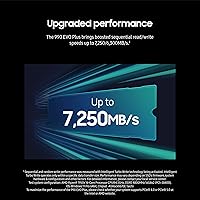
  • Sequential Read: Peak sequential read throughput reaches up to 7,250 MB/s under optimal conditions on a compatible PCIe 4.0 or 5.0 platform.
  • Sequential Write: Peak sequential write throughput reaches up to 6,300 MB/s, supported by Intelligent TurboWrite 2.0 during extended write operations.
  • Cache Technology: Intelligent TurboWrite 2.0 dynamically allocates a portion of NAND as a high-speed write buffer, sustaining performance over larger data transfers than the original TurboWrite.
  • Buffer Type: Uses HMB (Host Memory Buffer), borrowing a portion of system RAM rather than using dedicated onboard DRAM for cache management.
  • Controller: Nickel-coated proprietary Samsung controller designed to operate at lower temperatures and reduce power draw during sustained workloads.
  • NAND Type: Samsung V-NAND (latest generation TLC), manufactured in-house for consistent quality control and endurance characteristics.
  • Dimensions: Measures 3.2 x 0.9 x 0.1 inches (approximately 80 x 22 x 2.38 mm), conforming to the standard M.2 2280 specification.
  • Weight: The drive weighs just 0.317 ounces (approximately 9 grams), adding negligible mass to any laptop or desktop build.
  • Compatible Devices: Designed for internal installation in desktops and laptops equipped with an M.2 slot supporting NVMe (PCIe) protocol; not compatible with SATA-only M.2 slots.
  • Management Software: Compatible with Samsung Magician, a free Windows and macOS utility offering firmware updates, health monitoring, performance benchmarking, and optional AES 256-bit encryption.
  • Encryption: Supports AES 256-bit hardware encryption when configured through Samsung Magician, enabling secure data-at-rest protection without a significant performance penalty.
  • Operating Temperature: Rated for operation between 0°C and 70°C; sustained workloads near the upper thermal limit may trigger throttling, particularly in thermally constrained enclosures.
  • Warranty: Backed by Samsung's standard 5-year limited warranty, covering manufacturer defects under normal usage conditions.
  • Color: Matte black PCB and controller coating; no RGB lighting or aesthetic accessories are included.
  • Heatsink Included: No heatsink is included in the retail package; users in thermally constrained builds may wish to add a third-party M.2 heatsink separately.
  • OS Compatibility: Compatible with Windows 10 and 11, recent macOS versions, and major Linux distributions that support NVMe drivers natively.
  • Release Date: First made available in October 2024, positioning it as a current-generation product with active firmware and software support from Samsung.

Related Reviews

SanDisk 2TB SSD Plus M.2 NVMe SSD
86%
89%
Performance
92%
Ease of Installation
88%
Reliability
91%
Value for Money
90%
Capacity
More
Samsung 990 EVO Plus 4TB SSD
92%
98%
Sequential Read Speed
96%
Sequential Write Speed
91%
Thermal Management
94%
Reliability/Durability
89%
Compatibility with Systems
More
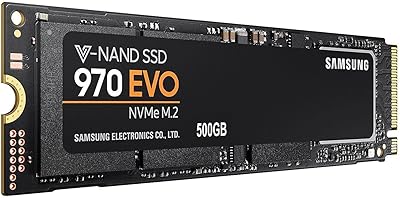
Samsung 970 EVO 500GB NVMe M.2 SSD
86%
94%
Read Speed
89%
Write Speed
91%
Reliability
78%
Ease of Installation
83%
Thermal Performance
More
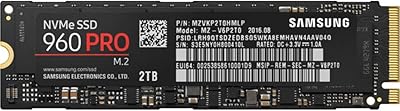
Samsung 960 PRO 2TB PCIe NVMe M.2 SSD
88%
94%
Performance
92%
Speed (Read/Write)
89%
Reliability
88%
Ease of Installation
85%
Software (Samsung Magician)
More
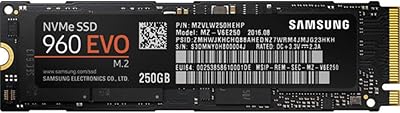
Samsung 960 EVO 250GB PCIe NVMe M.2 SSD
88%
94%
Performance
93%
Speed (Read/Write)
88%
Installation Ease
85%
Software/Management Experience
91%
Durability
More
Samsung 860 EVO 2TB SSD
88%
92%
Performance
90%
Reliability
88%
Ease of Installation
89%
Compatibility (Windows/Mac/Linux)
78%
Thermals (Heat Management)
More
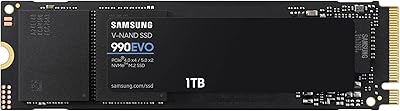
Samsung 990 EVO 1TB NVMe SSD
87%
91%
Read Speed Performance
84%
Write Speed Performance
88%
Value for Money
93%
Compatibility & Versatility
82%
Thermal Management
More
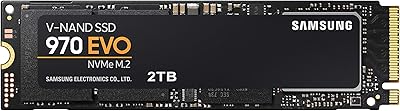
Samsung 970 EVO 2TB SSD
89%
95%
Performance Speed
85%
Installation Ease
92%
Build Quality
88%
Thermal Management
91%
Data Security
More
GAMERKING 2TB M.2 NVMe SSD
85%
91%
Performance (Read/Write Speeds)
72%
Thermal Management
88%
Ease of Installation
94%
Compatibility with PS5
87%
Value for Money
More
iDsonix D7450 2TB M.2 SSD
88%
94%
Performance
90%
Compatibility
88%
Heat Management
92%
Ease of Installation
87%
Value for Money
More

FAQ

Yes, absolutely — the 990 EVO Plus is fully backward compatible with PCIe 4.0 x4 slots, which is actually the most common configuration in current laptops. You will get the full advertised performance without needing a PCIe 5.0 system. The dual-interface design simply means it can also run in PCIe 5.0 x2 mode if your board supports it, delivering comparable bandwidth either way.

PCIe 5.0 x2 means the drive uses two PCIe 5.0 lanes instead of four PCIe 4.0 lanes — both configurations deliver roughly the same peak bandwidth, around 7,000–8,000 MB/s. It is not the same as a native PCIe 5.0 x4 drive, which can reach 14,000 MB/s or more. Think of it as a clever way to offer Gen 5 slot compatibility without the cost of a full Gen 5 x4 design.

No, it does not use traditional onboard DRAM. Instead, it relies on HMB — Host Memory Buffer — which borrows a small slice of your system RAM to handle cache operations. For most everyday tasks this works well, but if you run very intensive sustained random I/O workloads like large database operations or multi-VM environments, a DRAM-equipped drive may edge it out in those specific scenarios.

Installation is straightforward. You need a small Phillips-head screwdriver to secure the M.2 mounting screw on your motherboard or laptop. Slide the drive into the M.2 slot at an angle, press it flat, and fasten the screw. Most systems will detect it immediately on next boot. If you are doing a fresh Windows install, just boot from your USB installer and the drive should appear in the setup wizard without additional drivers.

If you already own a 990 EVO and it is working fine for you, the upgrade is probably not worth the cost unless your workloads specifically push the limits of your current drive. The Plus version meaningfully improves sustained write performance and peak throughput, but in everyday use the difference will be subtle. If you are buying new, the Plus is the better pick at a similar price point.

It can under sustained heavy workloads. The nickel-coated controller does a reasonable job managing heat in open desktop builds, but slim laptops with limited airflow are a different story — prolonged transfers or intensive writes can push temperatures high enough to trigger throttling. If your laptop chassis runs warm already, consider whether your use case involves extended heavy writes, and look into whether a heatsink mod is possible on your specific model.

No. The PS5 requires an M.2 NVMe SSD with PCIe 4.0 support, and while this drive does support PCIe 4.0, the PS5 has specific compatibility requirements — particularly around physical size with heatsink attached. Samsung does not officially list the 990 EVO Plus as PS5-compatible, so we would not recommend it for that use case. Drives explicitly certified for PS5 expansion are the safer choice.

Download Samsung Magician — it is free and available on Samsung's website. It gives you a clear dashboard showing drive health, temperature, remaining lifespan estimate, and available capacity. You can also run built-in performance tests and check for firmware updates from the same interface. It is genuinely one of the more useful drive management tools available and worth setting up once you have the drive installed.

Technically yes, if you place it in an M.2 NVMe USB enclosure, it will work as an external drive. However, you will not get anywhere near its full performance potential over USB — even USB 3.2 Gen 2x2 caps out far below what this drive can do internally. It is designed and optimized for internal use, so an enclosure setup really only makes sense as a temporary or secondary solution.

The 990 EVO Plus carries a 5-year limited warranty from Samsung, which is the industry standard for a drive in this category. Samsung's warranty process is handled through their support portal, and most users report a reasonably smooth replacement experience when legitimate defects arise. Keep your proof of purchase handy, as that is typically required to initiate a claim.

Where to Buy