




Overview

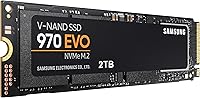
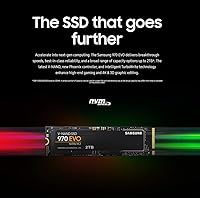
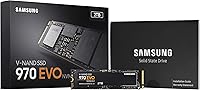
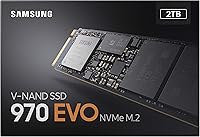
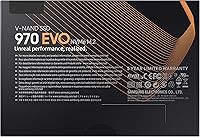
The Samsung 970 EVO 2TB M.2 NVMe SSD sits firmly in the upper tier of consumer storage, built for users who actually push their machines hard. Unlike standard SATA drives, it uses a PCIe NVMe interface via an M.2 2280 slot — and that distinction matters. You get dramatically lower latency and far higher throughput than any SATA drive can deliver. The 2TB capacity is genuinely practical for video libraries, game installations, or large project files. Samsung also bundles a two-month Adobe Creative Cloud Photography membership, a nice touch for photographers and creative professionals. Just be clear: this is not a budget pick or a portable drive — it is built for performance-first internal builds.

Features & Benefits

What makes the 970 EVO 2TB genuinely impressive is how those spec numbers translate to actual use. Sequential read speeds of up to 3,500MB/s mean large files — think raw video footage or game assets — transfer in a fraction of the time compared to SATA. Samsung's V-NAND technology keeps performance consistent even under extended load, rather than degrading as some drives do under pressure. The Dynamic Thermal Guard quietly manages heat to avoid throttling during sustained workloads. Samsung Magician Software handles drive health monitoring and firmware updates with minimal fuss. The 5-year warranty backed by a 600 TBW endurance rating makes this a drive you can reasonably expect to last through years of heavy daily use.

Best For

Samsung's 970 EVO is a strong fit for a fairly specific kind of user — and knowing whether you are one saves a lot of second-guessing. Gamers running asset-heavy open-world titles will notice real differences in load times and texture streaming. For 4K editors or 3D designers moving large project files daily, the write speeds hold up well where other drives slow down under sustained transfers. It is also a compelling upgrade path for anyone currently on a SATA SSD who wants a tangible speed improvement. The bundled Adobe Photography plan adds genuine value for creative professionals. Before buying, confirm your motherboard has an M.2 PCIe slot — not all boards do.

User Feedback

Across a large pool of verified buyers, the story for this NVMe drive is largely positive — but not without nuance. Boot times and file transfer speeds earn consistent praise, particularly from those upgrading from older SATA drives who describe the difference as immediately noticeable. Samsung Magician gets frequent mentions as a tool that actually gets used, not just installed and forgotten. On the critical side, a handful of users in compact or poorly ventilated cases encountered thermal throttling during long rendering sessions — not a design flaw, but a real consideration for small-form-factor builds. A smaller number flagged compatibility hiccups with aging motherboards lacking proper NVMe support. Overall, repeat Samsung buyers show strong loyalty, and first-timers tend to come away satisfied.

Pros

  • Real-world read speeds dramatically cut file transfer and boot times compared to SATA drives.
  • The 2TB capacity is practical for large game libraries, raw video projects, and creative asset storage.
  • Samsung V-NAND technology keeps performance consistent under extended load rather than degrading mid-task.
  • Dynamic Thermal Guard actively manages heat, reducing throttling risk in well-ventilated builds.
  • Samsung Magician Software is genuinely useful for health monitoring and firmware management.
  • The 5-year warranty with a 600 TBW endurance rating signals strong long-term confidence from Samsung.
  • Bundled Adobe Creative Cloud Photography membership adds real value for photographers and creative professionals.
  • Reliability track record is strong, with very few early-failure reports across a large buyer base.
  • Low latency via the PCIe NVMe interface makes a noticeable difference in random read-heavy workloads.
  • Repeat Samsung SSD buyers report strong brand trust built on consistent product quality over time.

Cons

  • Thermal throttling can occur in compact or poorly ventilated cases during prolonged heavy workloads.
  • A minority of older motherboards lack proper NVMe support, causing compatibility headaches at install.
  • The price premium over SATA SSDs is hard to justify for users with light, everyday computing needs.
  • Buyers must verify M.2 PCIe slot availability on their board before purchasing — not all systems qualify.
  • Newer-generation NVMe drives from competing brands have closed or surpassed this drive in raw throughput benchmarks.
  • The bundled Adobe offer requires product registration, adding a step that some buyers overlook or miss.
  • No included heatsink means users in high-ambient-temperature environments may need to source one separately.
  • Not a practical choice for laptop users on machines that lack an accessible M.2 upgrade slot.

Ratings

The Samsung 970 EVO 2TB M.2 NVMe SSD has been scored by our AI system after analyzing thousands of verified global user reviews, with spam, bot-generated, and incentivized feedback actively filtered out before any scoring was applied. The ratings below reflect a balanced synthesis of real buyer experiences — covering both the areas where this NVMe drive genuinely excels and the friction points that matter to specific types of buyers.

Read Speed Performance
93%
Users upgrading from SATA drives consistently describe the read speed difference as immediately felt rather than just measured — boot times drop noticeably, large game levels load without the familiar pause, and transferring raw photo libraries takes a fraction of the time. For 4K editors pulling footage off the drive during a project, the throughput holds up well under real working conditions.
A small number of users running intensive sequential reads for prolonged periods noted that speeds can dip slightly once the drive warms up in poorly ventilated cases. This is not a flaw unique to this drive, but buyers in compact builds should factor in airflow before expecting peak benchmarks consistently.
Write Speed Consistency
88%
The 970 EVO 2TB holds its write speeds well during sustained transfers — video renders pushing several gigabytes through the drive in one session tend to complete without the mid-transfer slowdowns that plague lower-tier drives. Users moving large Lightroom catalogs or 3D project files report noticeably smoother export workflows compared to their previous SATA setups.
Under extreme sustained writes — think multi-hour video encoding sessions or back-to-back large file migrations — some users observed moderate speed reduction as the SLC cache fills and the drive shifts to native V-NAND speeds. It is manageable in typical use but worth knowing for anyone running near-continuous write workloads.
Reliability & Longevity
91%
With a 600 TBW endurance rating and a 5-year warranty, the 970 EVO 2TB gives buyers a tangible commitment from Samsung on durability. Real-world reports back this up — very few users report early failures, and drives used heavily over multiple years show minimal performance degradation according to health data from Samsung Magician.
A small cohort of users did encounter drive failures, typically after extended high-temperature operation in systems with inadequate cooling. While statistically rare, the consequences of SSD failure can be severe if backups are not in place, so this is not a drive to treat as a substitute for a proper backup strategy.
Thermal Management
74%
26%
Dynamic Thermal Guard does its job in standard mid-tower builds with reasonable airflow — the drive runs warm under load but rarely reaches temperatures that cause noticeable performance drops during typical gaming or creative work sessions. Users in well-ventilated cases report stable temperatures even during extended use.
In compact ITX builds, slim laptops, or cases with poor airflow, thermal throttling is a real and recurring complaint. Some users in these scenarios saw sustained write speeds drop meaningfully during long rendering jobs, and adding a third-party heatsink became a practical necessity rather than an optional upgrade.
Software & Ecosystem
86%
Samsung Magician stands out among drive companion apps as one that buyers actually continue using after initial setup. Health monitoring, drive benchmarking, and firmware updates are all accessible without technical expertise, and the interface communicates drive status in plain language rather than cryptic codes.
Magician is Windows-only, which leaves macOS users without any official monitoring or management tools for the drive. A handful of Windows users also reported occasional software instability after major OS updates, requiring a reinstall to restore full functionality.
Compatibility
71%
29%
In modern desktops and recent-generation laptops with PCIe NVMe M.2 slots, installation is typically plug-and-play with no configuration headaches. The M.2 2280 form factor is widely supported across mainstream motherboards from the past several years.
Compatibility issues represent one of the more frequent pain points in user reviews — older motherboards with SATA-only M.2 slots will not work with this drive at all, and a handful of users discovered this only after purchase. NVMe boot support also varies on legacy BIOS systems, making it essential to verify specifications before buying.
Value for Money
78%
22%
For power users who genuinely need NVMe-class performance and 2TB of capacity, the 970 EVO 2TB delivers enough real-world benefit to justify the cost difference over SATA alternatives. The bundled Adobe Creative Cloud Photography plan adds tangible value for photographers who would pay for that subscription regardless.
For casual users or those whose workloads do not stress storage speeds, the price premium over a quality SATA SSD is difficult to rationalize — the day-to-day experience difference in light computing tasks is minimal. Competing newer-generation NVMe drives have also pushed the price-to-performance calculus in ways that make this drive feel less sharp a value than it was at launch.
Installation Experience
83%
Physical installation is straightforward for anyone comfortable opening a PC case — the M.2 slot on most modern boards accepts the drive easily, a single screw secures it, and Windows detects it automatically on next boot. Most buyers report the whole process taking under 15 minutes including data migration using Samsung Magician.
Users migrating an existing OS drive reported occasional hiccups with the cloning tool, particularly when source and destination drive sizes interact with partition layouts. A small number of buyers also found that their system required a BIOS update to recognize the drive correctly, which added unexpected complexity to what should be a simple install.
Gaming Performance
89%
Open-world games with large streaming assets load noticeably faster on the 970 EVO 2TB than on SATA drives — users switching from SATA SSDs commonly reference specific titles where load screens that previously took 20-plus seconds now complete in under 10. In-game texture streaming and level transitions also feel smoother in asset-heavy titles.
For smaller or less storage-intensive games, the performance advantage over a good SATA SSD shrinks considerably. Buyers whose library consists mainly of older or lighter titles may find the upgrade delivers less practical improvement than anticipated based on the raw speed figures.
Creative Workflow Fit
87%
For photographers and video editors working with large raw files, Samsung's 970 EVO holds up well under the kind of sustained read-write cycles that come with importing, editing, and exporting high-resolution content. The bundled Adobe Photography plan is a genuine bonus for those already planning to subscribe.
Very high-end video workflows — think multicam 8K raw editing or extreme-resolution compositing — may push the limits of what this generation of drive can sustain without speed fluctuation. Professionals at that level may want to evaluate newer PCIe 4.0 or 5.0 drives before committing.
Build & Form Factor
92%
The M.2 stick design is compact and adds no bulk to a build, which matters in space-constrained systems. The drive weighs under 2 ounces and fits flush in the motherboard slot, making cable management a non-issue compared to 2.5-inch SATA drives.
The lack of an included heatsink is a genuine omission given the thermal behavior under load. While many motherboards include one, not all do — and buyers who need to source a heatsink separately face an extra cost and compatibility check that could have been avoided.
Noise & Vibration
97%
As a solid-state drive with no moving parts, the 970 EVO 2TB produces absolutely no operational noise or vibration, which is particularly appreciated by users building quiet workstation or home-theater PCs where drive noise was a prior nuisance.
There is genuinely nothing to criticize here from a noise standpoint — the only marginal note is that the drive can generate slight warmth that a chassis fan may need to compensate for, but that does not produce audible noise from the drive itself.
Endurance Rating
88%
A 600 TBW rating puts the 970 EVO 2TB comfortably above average for consumer NVMe drives — at realistic daily write volumes for most users, the drive is rated to outlast the typical lifespan of the rest of the components in the build. Samsung Magician tracks TBW consumed in real time, which gives users a clear picture of remaining drive life.
Workstation users running database operations, virtual machines, or continuous logging may burn through TBW faster than typical consumer users and should calculate their expected write volumes against the rating before assuming the drive will last as long in their specific context.

Suitable for:

The Samsung 970 EVO 2TB M.2 NVMe SSD is built for users who genuinely need storage to keep pace with demanding workloads, not just those chasing benchmark numbers. It is a natural fit for PC builders and upgraders who already have a compatible M.2 PCIe slot and want a meaningful step up from the SATA drives they have outgrown. Gamers running large, asset-heavy titles will appreciate shorter load times and smoother in-game streaming, while 4K video editors and 3D designers benefit from write speeds that hold up during sustained, file-intensive sessions rather than dropping off mid-transfer. Creative professionals working within Adobe's ecosystem get added practical value from the bundled Creative Cloud Photography membership. If you are the kind of person who keeps a machine running hard for hours at a time and wants a drive that can keep up reliably over years of use, this NVMe drive is well-matched to those expectations.

Not suitable for:

The Samsung 970 EVO 2TB M.2 NVMe SSD is not the right call for every buyer, and being honest about that saves frustration down the line. Users on older desktops or laptops without an M.2 PCIe slot simply cannot install it — checking your motherboard specs before purchasing is non-negotiable. Budget-focused builders who primarily run everyday tasks like web browsing, document editing, or light gaming are unlikely to notice a meaningful difference over a quality SATA SSD, making the price premium hard to justify. Those working in compact or mini-ITX cases with poor airflow should also think carefully, since sustained workloads can trigger thermal throttling without adequate ventilation. Anyone needing portable or external storage is looking at the wrong product category entirely — this is strictly an internal drive. If you want maximum raw performance per dollar and are open to newer drive generations, it is worth comparing this against more recent NVMe options before committing.

Specifications

  • Storage Capacity: The drive offers 2TB of usable storage, suitable for large game libraries, raw video projects, and professional asset collections.
  • Form Factor: It uses the M.2 2280 format, meaning it is 22mm wide and 80mm long — the most common M.2 size found in modern desktops and laptops.
  • Interface: The drive connects via PCIe NVMe, delivering significantly lower latency and higher throughput than SATA-based M.2 or 2.5-inch drives.
  • Sequential Read: Sequential read speeds reach up to 3,500MB/s, enabling fast loading of large files such as 4K video footage or expansive game assets.
  • Sequential Write: Sequential write speeds top out at up to 2,500MB/s, sustaining strong performance during prolonged file transfers and rendering tasks.
  • Random Read: Random read performance reaches up to 500,000 IOPS at 4KB queue depth 32, which benefits multitasking and operating system responsiveness.
  • NAND Technology: Samsung V-NAND flash memory is used, offering improved cell endurance and more consistent performance compared to planar NAND designs.
  • Thermal Control: Dynamic Thermal Guard continuously monitors drive temperature and adjusts performance to prevent overheating during sustained workloads.
  • Endurance Rating: The drive is rated for 600 TBW (Terabytes Written), indicating strong long-term durability for heavy daily use over multiple years.
  • Warranty: Samsung covers the drive with a 5-year limited warranty, one of the stronger warranty terms available in the consumer NVMe segment.
  • Companion Software: Samsung Magician Software provides drive health monitoring, benchmark testing, secure erase, and automatic firmware update management.
  • OS Compatibility: The drive is officially supported on Windows 10 build 10240 and above, with broad compatibility across modern desktop and laptop platforms.
  • Device Compatibility: It is compatible with desktops, workstations, and laptops that feature an M.2 slot supporting PCIe NVMe — not compatible with SATA-only M.2 slots.
  • Installation Type: This is strictly an internal drive and must be installed directly into an M.2 slot on a compatible motherboard or laptop board.
  • Weight: The drive weighs just 1.92 ounces, reflecting its compact, chip-based design with no moving parts.
  • Color: The drive features a black and red label design consistent with Samsung's 970 series aesthetic.
  • Bundled Offer: Purchase and registration of an eligible 1TB or 2TB model includes a two-month Adobe Creative Cloud Photography plan membership.
  • Encryption: The drive supports hardware-based encryption to help protect stored data, manageable through Samsung Magician Software.

Related Reviews
Samsung 970 EVO 500GB NVMe M.2 SSD
86%
94%
Read Speed
89%
Write Speed
91%
Reliability
78%
Ease of Installation
83%
Thermal Performance
More
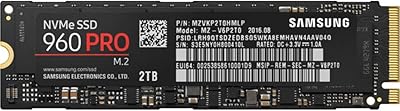
Samsung 960 PRO 2TB NVMe M.2 SSD
81%
91%
Raw Read Performance
83%
Write Performance
93%
Long-Term Reliability
58%
Value for Money
62%
Thermal Management
More
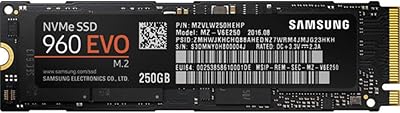
Samsung 960 EVO 250GB M.2 NVMe SSD

82%
93%
Read Performance
86%
Write Performance
88%
Real-World Speed
91%
Long-Term Reliability
67%
Thermal Management
More
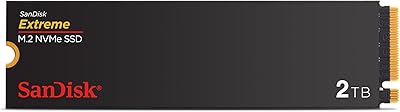
SanDisk 2TB SSD Plus M.2 NVMe SSD
86%
89%
Performance
92%
Ease of Installation
88%
Reliability
91%
Value for Money
90%
Capacity
More
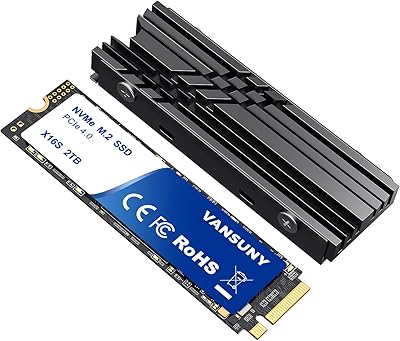
Vansuny 2TB NVMe M.2 Internal SSD

78%
88%
Value for Money
79%
Read/Write Speed
91%
PS5 Compatibility
74%
Thermal Management
93%
Installation Experience
More
GAMERKING 2TB M.2 NVMe Internal SSD

75%
78%
Read/Write Performance
82%
Value for Money
91%
Installation Experience
67%
Thermal Management
63%
Long-Term Reliability
More
Fikwot FX910 2TB M.2 NVMe SSD
80%
88%
Read/Write Performance
91%
Thermal Management
93%
Installation Ease
84%
PS5 Compatibility
87%
Value for Money
More
PNY CS2230 2TB M.2 NVMe Internal SSD
80%
88%
Read/Write Performance
91%
Value for Money
94%
Installation Ease
67%
Thermal Management
89%
Compatibility
More
Ediloca EN870 2TB NVMe M.2 SSD
78%
88%
Sequential Read Speed
79%
Sequential Write Speed
91%
Value for Money
93%
PS5 Compatibility
86%
Installation Ease
More
fanxiang S770 2TB NVMe M.2 SSD
79%
88%
Sequential Read Speed
91%
PS5 Compatibility
86%
Value for Money
83%
Thermal Management
74%
Build Quality
More

FAQ

It depends on your laptop's M.2 slot type. The 970 EVO 2TB requires a PCIe NVMe M.2 slot — if your laptop only has a SATA M.2 slot, it will not work. Check your laptop's service manual or manufacturer spec page before buying; this step saves a lot of hassle.

Most users do, especially during boot, large file transfers, and game load times. The jump from SATA to NVMe is more noticeable than people expect, particularly if you regularly move files over a few gigabytes in size. For light everyday tasks like browsing or email, the difference is much less dramatic.

No — this drive is designed for PC installation only. The PS5 requires a specific PCIe 4.0 NVMe drive with a heatsink, and this drive does not meet those requirements. For console storage expansion, you would need a drive explicitly listed as compatible with your console.

No, the 970 EVO 2TB does not include a heatsink out of the box. Most standard desktop cases with decent airflow will handle temperatures fine, but if you are running a compact build or a high-ambient-temperature setup, you may want to add an aftermarket M.2 heatsink or use your motherboard's built-in one if available.

You need to purchase and register your eligible drive through Samsung's official registration process — details are typically included in the box or on Samsung's website. Registration deadlines apply, so do not leave it too long after purchase. The offer covers two months of the Photography plan, which includes Lightroom and Photoshop.

Samsung Magician is currently a Windows-only application. Mac users can still use the drive for storage, but they will not have access to the health monitoring, benchmarking, or firmware update tools that Windows users get. If you rely on macOS, factor that limitation into your decision.

The Dynamic Thermal Guard will throttle performance before temperatures reach damaging levels, so outright failure from heat is unlikely under normal conditions. You may notice speed drops during long rendering or transfer sessions if airflow is poor. Adding a heatsink or improving case ventilation usually resolves the issue without any long-term damage.

The 600 TBW endurance rating gives you a concrete benchmark — at 100GB of writes per day, that works out to well over 16 years of use before hitting the rated limit. Combined with the 5-year warranty, it is a drive you can expect to outlast most of the other components in a typical build.

In most cases, no — modern operating systems detect the drive automatically after physical installation. If it is your primary OS drive, you will need to install Windows onto it fresh. For a secondary drive, you just need to initialize and format it via Windows Disk Management. Samsung Magician is optional but worth installing to keep firmware current.

For gaming, the honest answer is: it depends on what you play. Open-world games with large streaming assets will load noticeably faster on Samsung's 970 EVO than on a SATA drive. For smaller or less asset-heavy titles, the difference is marginal. If storage capacity and long-term reliability matter more to you than raw speed, a quality SATA SSD at a lower price point is a reasonable alternative.

Where to Buy