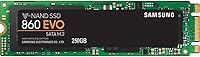

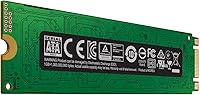
Overview

The Samsung 860 EVO 250GB M.2 SSD has been a reliable storage upgrade option since its 2018 launch, and it has held up remarkably well in a market that keeps moving fast. It uses the M.2 2280 form factor, making it a practical fit for laptops and compact desktops that have outgrown their original hard drives. One thing worth stating clearly upfront: this is a SATA III drive, not NVMe. That distinction matters more than most buyers realize — the M.2 slot shape does not guarantee NVMe compatibility. At 250GB, it is best treated as a dedicated OS and core applications drive rather than an all-in-one storage solution.

Features & Benefits

Samsung's V-NAND technology is the core reason this drive holds up well over time. Unlike older planar NAND, V-NAND stacks memory cells vertically, delivering better endurance and more consistent performance under sustained workloads. In daily use, sequential read speeds reaching 550 MB/s translate to noticeably snappier boot times and faster application launches compared to any mechanical hard drive. Write speeds top out around 520 MB/s — solid for SATA, though not comparable to modern NVMe options. The drive weighs under 3 ounces, works across Windows, macOS, and Linux without driver headaches, and pairs with Samsung Magician software for health monitoring and basic performance tuning.

Best For

This M.2 SATA drive earns its keep in a specific but very common scenario: upgrading an older laptop still running on a spinning hard disk. The improvement in responsiveness is immediate and hard to miss. It is also a sensible pick for builders who want a dedicated OS drive paired with larger secondary storage. Students, remote workers, and light gamers who do not need multi-terabyte space will find 250GB workable for an operating system and frequently used apps. Critically, it is the right choice for systems whose M.2 slot is SATA-only — machines where an NVMe drive would not function regardless of its speed or price.

User Feedback

With over 6,000 ratings averaging close to a perfect score, the 860 EVO M.2 has built genuine buyer trust rather than just early hype. The most consistent praise centers on long-term reliability — owners who installed this Samsung SSD years ago still report stable, steady performance with no signs of degradation. Installation also earns high marks, especially among first-time upgraders. Where criticism surfaces, it is almost always about capacity: 250GB fills up faster than expected once the OS, updates, and a few applications settle in. A smaller number of buyers ran into slot compatibility confusion, mistakenly assuming any M.2 drive works in any M.2 slot — worth double-checking before ordering.

Pros

  • Dramatically faster boot and load times compared to any mechanical hard drive.
  • Samsung V-NAND delivers consistent, reliable performance even after years of daily use.
  • M.2 2280 form factor fits a wide range of laptops and compact desktop builds.
  • Works out of the box on Windows, macOS, and Linux with no driver installation needed.
  • Lightweight and slim enough to drop into ultra-thin laptops without fitting issues.
  • Samsung Magician software lets you monitor drive health and check performance over time.
  • Thousands of verified buyers report stable operation well beyond the initial warranty period.
  • Installation is straightforward enough for first-time upgraders with no technical background.
  • A practical and cost-effective OS drive when paired with a larger secondary storage device.

Cons

  • 250GB fills up surprisingly fast once the OS, updates, and a few modern apps are installed.
  • SATA III speeds, while solid, are noticeably slower than mid-range NVMe drives available at similar prices.
  • Not compatible with M.2 slots that only support NVMe — a growing issue on newer motherboards.
  • No included cloning software or mounting hardware in the box, adding friction for first-time upgraders.
  • The 860 EVO M.2 is an older platform, and Samsung has since launched newer generations with better specs.
  • 250GB is impractical as a standalone drive for gamers who keep more than a couple of large titles installed.
  • Buyers unfamiliar with the SATA vs NVMe distinction risk ordering the wrong drive for their system.
  • No NVMe performance tier option within this specific product line for users who want to stick with Samsung.

Ratings

The Samsung 860 EVO 250GB M.2 SSD earned its scores after our AI system processed thousands of verified global buyer reviews, actively filtering out incentivized, duplicate, and bot-generated submissions to surface what real users actually experienced. Ratings reflect both the consistent strengths that made this drive a long-standing bestseller and the recurring frustrations that buyers ran into after purchase. Nothing has been smoothed over — where pain points surfaced repeatedly, the scores reflect that honestly.

Read/Write Performance
83%
For users coming from a mechanical hard drive, the jump to 550 MB/s sequential reads is transformative in daily use — Windows boots in under 15 seconds, applications snap open, and large file copies that used to take minutes now finish in seconds. Buyers consistently described it as making their old laptops feel like new machines.
Against current NVMe drives, the SATA speed ceiling becomes obvious quickly. Users who later upgraded to an NVMe drive reported the 860 EVO M.2 felt sluggish by comparison, particularly during sustained large file transfers or multi-tasking with heavy workloads.
Long-Term Reliability
92%
This is where the 860 EVO M.2 genuinely stands out. Buyers who installed it three or four years ago still report stable performance with no degradation in boot times or transfer speeds. Samsung's V-NAND architecture appears to hold up well under sustained everyday workloads, which is reflected in the high volume of repeat Samsung purchasers.
A small but notable subset of users reported unexpected drive failures within the first year, though these cases appear to be outliers rather than a systemic pattern. As with any storage device, the risk of eventual failure is real, and the absence of included backup guidance in the box was flagged by some buyers.
Value for Money
78%
22%
At its current price point, this Samsung SSD lands in reasonable territory for buyers who specifically need a SATA M.2 drive. For older laptops where an NVMe slot is not an option, the performance-per-dollar ratio is strong, and the Samsung brand carries enough trust that buyers feel confident in the purchase.
The calculus shifts when NVMe alternatives enter the picture — several competing drives offer significantly faster speeds for a comparable or lower price. Buyers who could have used an NVMe slot but chose this drive out of brand familiarity felt they left performance on the table without saving much money.
Storage Capacity
61%
39%
For a clean OS installation paired with productivity software, a browser, and a handful of utilities, 250GB covers the basics without issue. Users who treat it as a dedicated system drive and store media and large files elsewhere reported no capacity complaints over extended use.
This is the most cited frustration across reviews. Modern games routinely consume 50GB to 100GB each, and a single Windows install with updates can occupy 30GB to 40GB before any user files are added. Multiple buyers mentioned regretting not choosing the 500GB variant within the first few months of ownership.
Installation Ease
89%
The M.2 form factor means no cables, no screws beyond a single retention point, and no power connectors — buyers with no prior hardware experience described installing this Samsung SSD as surprisingly straightforward. The compact stick design is forgiving even in tight laptop chassis where space is limited.
Samsung does not include a data migration tool or cloning software in the box, which created friction for first-time upgraders who had to research third-party solutions independently. A few buyers also noted confusion around identifying the correct M.2 slot type in their system before installation.
Boot Time Improvement
91%
Buyers upgrading from spinning hard drives consistently reported boot times dropping from 60 to 90 seconds down to 10 to 15 seconds. This single improvement alone dominated positive reviews, with many users describing the experience as the most impactful hardware upgrade they had made in years.
Users already running a 2.5-inch SATA SSD who switched to the 860 EVO M.2 noticed little to no real-world boot time difference, since the protocol is the same. The dramatic gains are specific to HDD-to-SSD transitions, which set a high expectation that does not always match every upgrade scenario.
Compatibility Range
74%
26%
The M.2 2280 size is the most standardized form factor across consumer laptops and desktop motherboards, and the drive works natively on Windows, macOS, and Linux without any driver installation. This broad out-of-the-box compatibility reduced setup friction for most buyers.
The SATA-only protocol has become a meaningful limitation as newer systems increasingly ship with NVMe-only M.2 slots. A recurring complaint in reviews involved buyers discovering after delivery that their motherboard did not support SATA over M.2, resulting in returns and frustration.
Thermal Management
88%
SATA drives inherently generate less heat than NVMe alternatives, and this M.2 SATA drive stays cool enough during typical workloads that thermal throttling is essentially a non-issue. Laptop users in particular appreciated that drive temperatures did not contribute to system fan noise or chassis warmth.
Under prolonged heavy write workloads — such as large video file copies or extended backup operations — temperatures do creep upward, though still within safe operating ranges. No thermal throttling events were commonly reported, but the lack of a heatsink means sustained workloads run warmer than they could.
Software Ecosystem
76%
24%
Samsung Magician is a genuinely useful free utility that lets owners monitor drive health, check remaining lifespan, update firmware, and run benchmark tests. Buyers who took the time to install it appreciated having visibility into how the drive was performing over months and years of use.
Samsung Magician is not pre-installed and requires a separate download, which many casual buyers never bother to do. The software also has a history of interface quirks and inconsistent update cadences, and a portion of reviewers found it more confusing than helpful.
Random Read/Write Speed
79%
21%
Random 4K read and write performance is strong for a SATA drive and translates well into the kind of mixed-workload responsiveness that matters most during everyday computing — opening files, switching between apps, and loading web assets all benefit meaningfully from solid random I/O.
NVMe drives outpace this Samsung SSD significantly on random I/O benchmarks, and power users running database workloads, large development environments, or virtualization stacks will feel that gap in real-world responsiveness. For casual users it is a non-issue, but professionals should weigh this carefully.
Form Factor Design
87%
The M.2 2280 stick design is genuinely space-efficient, and at under 3 ounces it adds virtually no weight to any build. Buyers fitting this drive into ultra-thin laptops or mini-ITX desktop builds appreciated that it cleared clearance constraints that a 2.5-inch drive would have struggled with.
The bare PCB design without any protective casing means the drive is more vulnerable to physical handling damage during installation if mishandled. A few buyers noted mild concerns about ESD risk, though in practice this did not appear to cause measurable failure rates in the review data.
Brand Reputation
93%
Samsung's standing in consumer storage is well-earned, and buyers frequently cited brand trust as a key reason for choosing this drive over less-established competitors at similar prices. The 860 EVO series specifically has accumulated enough long-term field data that its reliability profile is about as well-documented as any consumer SSD available.
Brand loyalty occasionally led buyers to pay a slight premium over competing SATA drives with comparable specifications. Some technically informed reviewers noted that Samsung has since released faster, newer platforms and felt the 860 EVO line has not been updated to reflect current NAND capabilities.
Packaging and Unboxing
67%
33%
The packaging is clean, minimal, and protective without being excessive. The drive arrives securely seated in a static-resistant tray, and the compact box is easy to store or resell. For buyers who simply want the drive to arrive safely with no fuss, it does the job.
There is no mounting screw included in the box, which some laptop and motherboard combinations require for M.2 retention. Multiple buyers had to source a single M2-size screw separately before installation, which felt like an unnecessary omission for a product at this price tier.

Suitable for:

The Samsung 860 EVO 250GB M.2 SSD is purpose-built for anyone looking to breathe new life into an aging laptop or compact desktop that still runs on a mechanical hard drive. The transformation from HDD to SSD in that context is dramatic — boot times drop from minutes to seconds, and everyday tasks like opening browsers, loading documents, and switching applications feel like a different machine entirely. Students, remote workers, and light gamers who primarily need fast, dependable storage for an operating system and a core set of applications will find 250GB more than workable. It is also a practical fit for any system whose M.2 slot is SATA-only, since these machines cannot use NVMe drives regardless of how much more those cost. Budget-conscious builders who plan to pair a small, fast OS drive with a larger secondary storage device will find this M.2 SATA drive slots cleanly into that strategy without overpaying for speeds the rest of their system cannot fully exploit.

Not suitable for:

The Samsung 860 EVO 250GB M.2 SSD is not the right call for buyers whose workflows demand the kind of throughput that only NVMe can provide — video editors working with large raw files, 3D designers, or anyone regularly moving multi-gigabyte data will hit the ceiling of SATA performance quickly. The 250GB capacity is also a real constraint for gamers who maintain a rotating library of modern titles, many of which consume 50GB or more each, leaving almost no room once the OS and essentials are installed. Anyone buying a new system built in the last few years should check carefully whether their M.2 slot is SATA-compatible at all — many modern motherboards have dropped SATA M.2 support entirely in favor of NVMe-only slots, which would make this drive completely non-functional in that machine. If your storage needs skew toward a single high-capacity drive rather than a tiered setup, stepping up to a larger capacity or a different interface type is the smarter long-term decision.

Specifications

  • Capacity: This drive offers 250GB of usable flash storage, suited for operating system installs and core application libraries.
  • Form Factor: It uses the M.2 2280 format, measuring 22mm wide and 80mm long, the most common M.2 size found in laptops and desktop motherboards.
  • Interface: The drive connects via SATA III at 6Gb/s — it is not an NVMe device and will not operate in slots that require the NVMe protocol.
  • Sequential Read: Maximum sequential read speed reaches up to 550 MB/s under optimal conditions.
  • Sequential Write: Maximum sequential write speed reaches up to 520 MB/s, delivering fast file transfer and application write performance for a SATA drive.
  • NAND Type: Storage cells use Samsung V-NAND, a vertically stacked 3D NAND architecture that improves endurance and maintains consistent speeds over the drive's lifespan.
  • Dimensions: Physical dimensions are 3.15 x 0.87 x 0.09 inches (approximately 80 x 22 x 2.38mm), making it slim enough for ultra-thin laptops.
  • Weight: The drive weighs 2.88 ounces, adding negligible mass to any laptop or compact build.
  • OS Support: Compatible with Windows (XP SP2 and later, including Windows 8), macOS, and major Linux distributions without requiring additional drivers.
  • Compatible Devices: Designed for internal installation in laptops and desktop PCs equipped with an M.2 SATA-compatible slot.
  • Installation Type: Internal drive only — it requires physical installation inside a device and is not designed for external or portable enclosure use without an adapter.
  • Model Number: The official Samsung model number is MZ-N6E250BW, useful for verifying compatibility with system documentation or motherboard specs.
  • Color: The drive PCB and label are black, though the color is irrelevant once installed inside a device.
  • Management Software: Compatible with Samsung Magician, a free utility that monitors drive health, checks firmware updates, and runs basic performance benchmarks.
  • Manufacturer: Manufactured by Samsung Electronics, a company with an established track record in consumer and enterprise NAND flash storage.
  • Launch Date: First made available in January 2018, giving the drive a long track record of real-world consumer use across multiple years.

Related Reviews
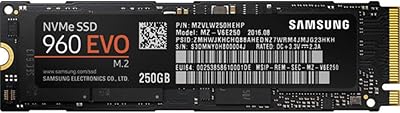
Samsung 960 EVO 250GB M.2 NVMe SSD
82%
93%
Read Performance
86%
Write Performance
88%
Real-World Speed
91%
Long-Term Reliability
67%
Thermal Management
More
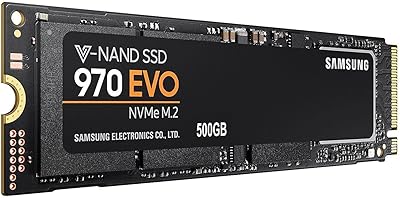
Samsung 970 EVO 500GB NVMe M.2 SSD
86%
94%
Read Speed
89%
Write Speed
91%
Reliability
78%
Ease of Installation
83%
Thermal Performance
More
Samsung 860 EVO 2TB SSD
88%
92%
Performance
90%
Reliability
88%
Ease of Installation
89%
Compatibility (Windows/Mac/Linux)
78%
Thermals (Heat Management)
More
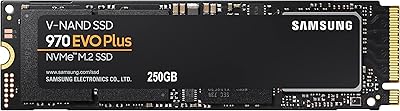
Samsung 970 EVO Plus 250GB SSD
89%
95%
Overall Performance
98%
Read Speed
94%
Write Speed
82%
Thermal Management
89%
Ease of Installation
More
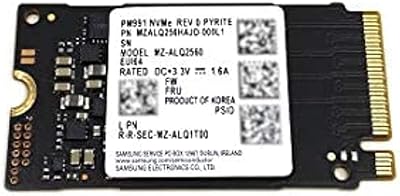
Samsung PM991 256GB M.2 2242 NVMe SSD
78%
94%
Form Factor Fit
78%
Read/Write Performance
88%
Build Reliability
83%
Value for Money
91%
Installation Ease
More
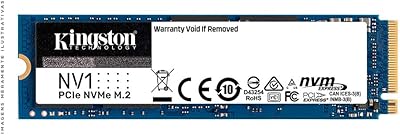
Kingston NV1 250GB NVMe SSD
79%
88%
Value for Money
83%
Read Speed Performance
71%
Write Speed Performance
93%
Installation Ease
81%
Compatibility
More
Samsung PM9B1 256GB M.2 NVMe SSD
77%
91%
Value for Money
84%
Read Speed Performance
67%
Write Speed & Sustained Performance
88%
Authenticity & Build Quality
82%
Compatibility
More
Samsung PM9C1A 512GB M.2 NVMe SSD
78%
93%
Read Performance
76%
Write Performance
91%
Compatibility
88%
Installation Experience
84%
Value for Money
More
Samsung 960 PRO 2TB NVMe M.2 SSD
81%
91%
Raw Read Performance
83%
Write Performance
93%
Long-Term Reliability
58%
Value for Money
62%
Thermal Management
More
Samsung PM991a 512GB M.2 2230 NVMe SSD
84%
88%
Read Performance
79%
Write Performance
96%
Form Factor Fit
93%
Installation Ease
71%
Thermal Management
More

FAQ

It depends on which type of M.2 slot your laptop has. The Samsung 860 EVO 250GB M.2 SSD uses the SATA protocol, so it only works in M.2 slots that support SATA. Many newer laptops have M.2 slots that are NVMe-only, and this drive will not function in those. Check your laptop's manual or the manufacturer's spec page for the slot type before ordering.

The M.2 form factor is a compact stick-shaped design that plugs directly into a slot on your motherboard, with no cables needed. A 2.5-inch SSD is a larger, boxed drive that connects via a SATA data cable and power cable. Both can use the SATA protocol, but the M.2 version saves space and is standard in most modern slim laptops.

SATA is an older storage interface with a practical speed ceiling around 550 MB/s for sequential reads. NVMe is a newer protocol that can reach 3,500 MB/s or more on modern drives. The 860 EVO M.2 is a SATA drive, so it will not match NVMe speeds. For everyday computing and laptop upgrades from a spinning hard disk, SATA is still a major improvement. If you need top-tier performance for video editing or heavy workloads, NVMe is worth the extra cost.

It depends on how you use your computer. For a clean Windows or macOS install plus a core set of apps, productivity tools, and some media, 250GB is workable. If you store a large photo or video library, keep multiple large games installed, or tend to accumulate files without regularly cleaning up, you will likely feel cramped within a year. Many users pair this drive with a larger secondary storage drive to get the best of both worlds.

Yes, technically. M.2 SATA enclosures are widely available and let you use this drive as a portable external storage device. It is not designed or marketed for that purpose, but it works reliably in a SATA-compatible M.2 enclosure. Just make sure the enclosure supports M.2 SATA and not only M.2 NVMe.

Samsung does not include cloning software in the box, but Samsung Magician offers a data migration tool you can download for free from Samsung's website. Alternatively, tools like Macrium Reflect Free work well for cloning your current drive to the 860 EVO M.2. You will need a USB-to-M.2 adapter or enclosure to connect the new drive while the old one is still active.

SATA SSDs in general run cooler than NVMe drives, and this Samsung SSD is no exception. Under normal workloads like web browsing, office tasks, or media playback, temperatures stay well within safe operating ranges. You are unlikely to experience thermal throttling under typical everyday use scenarios.

Samsung covers the 860 EVO series with a 5-year limited warranty, which is standard for mainstream consumer SSDs from major brands. That coverage applies from the original purchase date and covers manufacturing defects under normal use conditions.

The difference is substantial and immediately noticeable. Cold boot times typically drop from 60 to 90 seconds on a hard drive down to 10 to 15 seconds on the 860 EVO M.2. Apps launch faster, file operations feel snappier, and the system responds more quickly when switching between tasks. For most people upgrading an older laptop, it feels like getting a new machine without buying one.

For the right use case, yes. If your system has a SATA M.2 slot and you are upgrading from a hard disk, this Samsung SSD delivers proven, reliable performance at a mature price point. Where it makes less sense is if your system supports NVMe and you want the best possible speeds — in that case, a current-generation NVMe drive offers significantly better performance. The 860 EVO M.2 is not cutting-edge, but it is dependable and well-documented, which counts for a lot.