Overview

The SABRENT Rocket 2230 1TB NVMe SSD is built for a specific purpose: upgrading devices that use the compact M.2 2230 slot, not the standard 2280 drives found in most desktops and laptops. That distinction matters more than it sounds — drop a 2280 drive into a Steam Deck or Surface Pro 9, and it simply will not fit. This compact NVMe drive ships retail-boxed with a real warranty and bundled cloning software, which separates it from the cheaper OEM pulls that flood the market. Peak spec numbers look impressive on paper, but real-world speeds in thermally constrained handhelds will run somewhat below the quoted maximums.

Features & Benefits

The Rocket 2230 runs on a PCIe Gen4 x4 interface, which translates to noticeably faster game installs and boot times compared to Gen3 drives — in handheld devices, that gap is real and felt immediately. The drive uses a DRAM-less design that borrows a slice of system RAM as a write cache rather than carrying dedicated memory onboard. That keeps heat and power draw low, which genuinely matters inside a device like the Steam Deck. The trade-off is honest, though: sustained large transfers can slow down compared to drives with full DRAM cache. On the physical side, the single-sided 2230 board fits snugly in tight chassis with no clearance concerns.

Best For

This 2230-format SSD is a natural fit for Steam Deck owners who have outgrown stock storage and want to install a full game library without constantly managing space. Surface Pro 8 and 9 users benefit equally — compatible retail upgrade options for that slot are genuinely limited, and this drive covers the capacity most people actually need. ROG Ally owners chasing faster load times will find the Gen4 speed class worthwhile. It also suits ultrabook users who want faster storage without paying a premium for a DRAM-equipped alternative. If cloning an existing drive is part of the plan, Acronis True Image is included, removing a step most buyers would otherwise have to pay for separately.

User Feedback

With over 5,400 ratings and a 4.5-star average, the Rocket 2230 has earned a solid track record. Common praise focuses on easy installation and a clear improvement in Steam Deck boot and load times — many buyers describe the difference as immediately obvious. The Acronis cloning process draws positive remarks too, with users noting it works reliably even for first-time SSD swappers. On the critical side, a portion of reviewers flag write throttling during long sustained transfers, which is expected given the HMB architecture but worth factoring in. A smaller number of Surface Pro owners report occasional BIOS recognition issues, though these seem isolated rather than a widespread pattern.

Pros

  • Noticeably faster game load times and OS boot speeds compared to stock handheld storage.
  • Exact physical fit for Steam Deck, ROG Ally, and Surface Pro 8 and 9 — no clearance issues.
  • Acronis True Image is included, making data migration accessible even for first-time upgraders.
  • Five-year warranty available through simple product registration — strong coverage for this price tier.
  • DRAM-less design draws less power, which matters during long handheld gaming sessions on battery.
  • Retail-boxed with firmware support, unlike the OEM pulls that dominate the used 2230 market.
  • Single-sided board design works in tight chassis where double-sided drives physically cannot seat.
  • 1TB capacity is large enough to hold a meaningful game library without constant space management.
  • 3D TLC NAND from a proven Gen4 controller delivers consistent day-to-day reliability for typical workloads.

Cons

  • Sustained write speeds drop noticeably once the HMB cache fills — not ideal for large bulk transfers.
  • Real-world throughput inside thermally limited handhelds falls short of the advertised peak figures.
  • A subset of Surface Pro owners have reported BIOS recognition issues requiring manual troubleshooting.
  • The five-year warranty requires active registration — easy to miss and easy to forget.
  • Acronis activation can feel unnecessarily clunky, particularly for less tech-savvy buyers.
  • HMB borrows a small amount of system RAM, which adds minor overhead on memory-limited devices.
  • No thermal pad is included in the box, which some chassis configurations genuinely benefit from.
  • Incompatibility with PS5 and standard 2280 slots generates avoidable returns from buyers who skip compatibility checks.
  • Cheaper OEM alternatives exist, though they lack warranty coverage and bundled software support.

Ratings

The SABRENT Rocket 2230 1TB NVMe SSD earned its scores through AI analysis of thousands of verified global buyer reviews, with spam, bot activity, and incentivized submissions actively filtered out before scoring. The ratings below reflect what real owners consistently praised and where they pushed back — neither the strengths nor the frustrations have been softened. If a category matters to buyers making this specific purchase decision, it is represented here.

Read Speed Performance
88%
Steam Deck and ROG Ally owners consistently report noticeably faster game launches and system boot times after installing the Rocket 2230, with many describing the improvement over stock storage as immediately obvious in daily handheld use. Sequential reads hold up well for typical gaming and OS workloads.
Real-world read speeds inside thermally constrained handhelds fall short of the peak spec figures, which are measured under controlled bench conditions. Users expecting desktop-class throughput in a handheld chassis will encounter a gap between the numbers on the box and what the device actually sustains.
Write Speed Performance
71%
29%
For typical use cases — installing games, copying save files, writing OS updates — the Rocket 2230 handles write tasks quickly enough that most handheld users will not notice any lag. Short-burst writes benefit meaningfully from the Host Memory Buffer cache.
Sustained large transfers, like moving a full game library or writing several gigabytes of data in one session, can trigger noticeable throttling as the HMB cache fills and the drive falls back to raw NAND speeds. Users moving large files regularly will feel this limitation more than casual gamers will.
Form Factor Compatibility
93%
The single-sided 2230 board fits precisely into Steam Deck, Surface Pro 8 and 9, and ROG Ally slots without any clearance concerns — a detail that matters more than most buyers anticipate until they are holding the drive next to their device. The physical fit is consistently praised as exact.
The 2230 format is a strict requirement, not a preference — buyers who accidentally order this for a standard 2280 slot or a PS5 end up returning it. A meaningful portion of negative reviews trace back to compatibility mismatches that careful pre-purchase research would have prevented.
Installation Experience
91%
The physical swap is straightforward for most devices, and the included Acronis True Image software makes cloning an existing drive accessible even for first-timers who have never touched storage hardware before. Buyers regularly describe completing the entire process — swap and data migration — in under an hour.
A small but consistent group of Surface Pro owners report BIOS recognition issues after installation, requiring a firmware check or manual drive initialization before the system acknowledges the new storage. This is infrequent but worth knowing before committing to the upgrade.
Thermal Management
74%
26%
The DRAM-less design genuinely reduces power draw compared to DRAM-equipped alternatives, which helps in always-on handheld scenarios where battery and heat are ongoing concerns. Users running long gaming sessions report that the drive does not contribute meaningfully to device warmth under typical loads.
Handhelds have limited airflow by design, so the low-power advantage has a ceiling. During extended gaming sessions in warm environments, some buyers note the overall chassis temperature rises enough that the SSD cannot maintain peak write speeds regardless of its efficient architecture.
Value for Money
84%
For a retail-boxed Gen4 drive with a real warranty, bundled migration software, and 1TB of capacity in the rare 2230 form factor, the pricing sits at a reasonable point relative to competing options that often ship without software or long-term warranty coverage. Buyers consistently feel the package is fair.
OEM pulls of similar or identical NAND can be found cheaper, and budget-focused buyers occasionally question paying a premium for retail packaging. However, those alternatives typically carry no warranty and no software, a trade-off that catches out less experienced buyers down the line.
Data Migration Software
82%
18%
Acronis True Image is a genuinely capable cloning tool, and buyers upgrading from a smaller stock drive appreciate that the process does not require any third-party downloads or subscriptions. The software handles partition resizing during cloning reliably in most cases.
A subset of users find the Acronis activation process clunky, particularly when registering the bundled license for the first time. Those less comfortable with software setup occasionally abandon the tool entirely and use free alternatives instead.
Warranty Coverage
87%
The base two-year warranty is standard for this tier, but the option to extend to five years through simple product registration is a meaningful differentiator. Buyers who have gone through warranty claims with Sabrent generally report a responsive and straightforward process.
The five-year coverage requires active registration, which a portion of buyers forget or skip — leaving them with only the base term by default. The onus on the buyer to claim the extended protection is a minor but real friction point.
Random I/O Performance
79%
21%
With up to 800K random IOPS on paper, the Rocket 2230 handles the kind of scattered read patterns that operating systems and game engines generate during typical play. Day-to-day responsiveness — app switching, level streaming, OS multitasking — feels snappy in handheld use.
DRAM-less drives can show weaker random write consistency under queue depth conditions compared to DRAM-equipped counterparts, and technically inclined users running benchmarks will see this gap clearly. For most buyers this never surfaces as a real-world complaint, but it is worth noting for power users.
Build & Physical Quality
86%
The drive arrives in solid retail packaging and the board itself feels well-made — no flex, clean solder points, and a reliable connector edge. Buyers swapping it into a Steam Deck specifically note that it slots in without any of the wobble sometimes associated with budget drives.
At roughly 4 grams and 30 mm long, there is not much to physically evaluate, and some buyers feel the bare board warrants a thermal pad in the box. Devices with dedicated thermal pads pre-installed on the SSD slot are fine, but users relying solely on the drive itself in a tighter chassis may want to source one separately.
Long-Term Reliability
81%
19%
The 1.5 million hour MTBF rating and 3D TLC NAND give a reasonable foundation for long-term confidence, and the broader Sabrent community has not flagged any widespread early-failure patterns across the drive's several years on market. Verified buyers using it daily on Steam Deck report stable operation over extended periods.
TLC NAND without DRAM does see more write amplification over time compared to premium MLC or DRAM-cached configurations, which can affect endurance under heavy write workloads. For typical gaming and portable PC use this is unlikely to matter, but buyers planning intensive content creation on the same drive should be aware.
Device Compatibility Range
76%
24%
The Rocket 2230 covers the three most popular 2230-slot devices on the market — Steam Deck, ROG Ally, and Surface Pro 8 and 9 — which addresses the vast majority of buyers shopping in this form factor. For those specific devices, recognition and operation are generally plug-and-play.
Outside the core compatible devices, compatibility becomes less predictable. Compact HTPCs and older ultrabooks with 2230 slots sometimes show quirks, and the drive explicitly does not support PS5 or any standard 2280 application — a detail that generates a disproportionate share of one-star reviews from buyers who did not verify before purchasing.
Power Efficiency
83%
Handheld gaming puts a premium on battery life, and buyers who have monitored power draw report that the Rocket 2230 sits comfortably below what DRAM-equipped alternatives consume in similar workloads. Over a long gaming session, the difference in battery drain is measurable if not dramatic.
HMB operation does pull a small slice of system RAM, which is a real trade-off on devices with limited memory. On the Steam Deck with its 16 GB unified pool this is barely noticeable, but users on memory-constrained ultrabooks may want to account for this before assuming zero overhead.

Suitable for:

The SABRENT Rocket 2230 1TB NVMe SSD is purpose-built for a narrow but growing group of buyers who need a genuine performance upgrade in a device that uses the compact M.2 2230 slot. Steam Deck owners who have already filled their stock storage and are tired of deleting games to make room will find this the most straightforward upgrade path available — the capacity jump to 1TB is meaningful, and the Gen4 speed class makes a noticeable difference in boot and load times. Surface Pro 8 and 9 users face an even more limited retail market for 2230-format drives, so the combination of a real warranty and bundled cloning software makes this a low-risk choice for a device that is expensive to get wrong. ROG Ally owners and users of other compact handheld PCs will appreciate the Gen4 headroom without the heat penalty that comes with DRAM-equipped alternatives in a chassis with limited airflow. If you are migrating data from an existing drive and have never done it before, the included Acronis True Image software removes most of the friction from the process.

Not suitable for:

If your device uses a standard M.2 2280 slot — which covers the majority of laptops, desktops, and even the PS5 — the SABRENT Rocket 2230 1TB NVMe SSD is physically incompatible and will not work regardless of the interface. Buyers who regularly move large files in bulk, such as video editors transferring raw footage or developers syncing large repositories, will likely find the sustained write performance disappointing once the HMB cache is exhausted, and a DRAM-equipped drive would serve those workloads better. Power users who run detailed storage benchmarks and expect real-world throughput to match the peak spec figures will consistently come away underwhelmed — those numbers reflect ideal lab conditions, not a thermally constrained handheld. Users on memory-constrained systems should also be aware that HMB borrows a slice of system RAM to function, which is a minor but real overhead. Finally, anyone chasing the absolute lowest price per gigabyte will find bare OEM pulls cheaper, though that path trades away warranty coverage and migration support.

Specifications

  • Form Factor: M.2 2230 single-sided board measuring 22 mm wide by 30 mm long — roughly the size of a postage stamp.
  • Interface: PCIe Gen4 x4, NVMe 1.4 — the current mainstream high-speed standard for M.2 solid-state storage.
  • Capacity: 1TB usable storage, formatted and ready for Windows, SteamOS, or other supported operating systems.
  • Sequential Read: Rated up to 5000 MB/s under controlled benchmark conditions using a PCIe Gen4-capable host system.
  • Sequential Write: Rated up to 4300 MB/s under controlled benchmark conditions; sustained real-world write speeds will vary based on thermal headroom.
  • Random IOPS: Up to 800K random IOPS, supporting responsive multitasking, OS operations, and game asset streaming.
  • NAND Type: 3D TLC (Triple-Level Cell) NAND flash, a widely used and well-proven configuration balancing cost, density, and endurance.
  • Cache Architecture: DRAM-less design using Host Memory Buffer (HMB), which borrows a portion of system RAM as a write cache instead of carrying dedicated onboard DRAM.
  • Weight: Approximately 4 grams for the bare drive, making it one of the lightest storage upgrades available for handheld devices.
  • Operating Temp: Rated for operation between 0°C and 70°C, covering typical handheld gaming and ultrabook use environments.
  • MTBF: 1.5 million hours Mean Time Between Failures, reflecting the manufacturer's stated reliability baseline for normal operating conditions.
  • Warranty: Two-year limited warranty included at purchase, extendable to five years at no additional cost through Sabrent's product registration program.
  • Bundled Software: Acronis True Image license is included in the retail package, enabling full drive cloning and data migration without a separate software purchase.
  • Compatible Devices: Officially supported in Valve Steam Deck, ASUS ROG Ally, Microsoft Surface Pro 8 and 9, and other compact systems using the M.2 2230 slot.
  • Dimensions: Physical board dimensions are 1.18 x 0.87 x 0.08 inches, consistent with the M.2 2230 specification.
  • Controller: Gen4 NVMe controller with HMB support, optimized for low power draw and consistent performance across typical handheld workloads.
  • Model Number: Official model identifier is SB-2130-1TB, used for warranty registration, firmware updates, and support inquiries.

Related Reviews
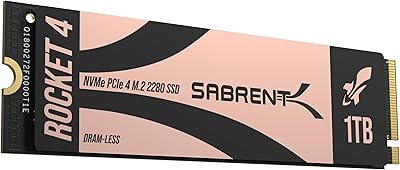
Sabrent Rocket 4 1TB NVMe SSD
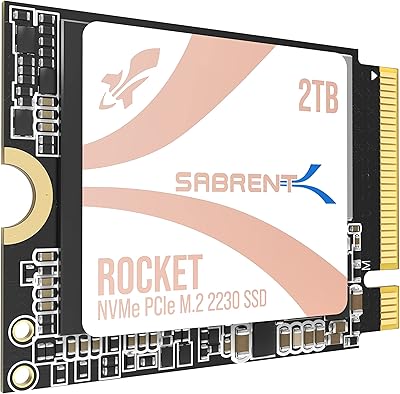
86%
94%
Performance
92%
Speed (Read/Write)
74%
Thermal Management
89%
Reliability
91%
Compatibility
More
SABRENT Rocket Q4 2230 2TB NVMe SSD
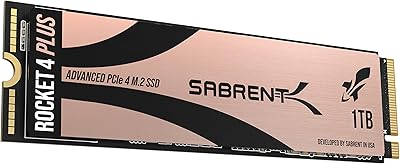
81%
97%
Form Factor Compatibility
88%
Read Performance
67%
Write Performance
83%
Installation Experience
74%
Thermal Management
More
Sabrent 1TB Rocket 4 Plus NVMe 4.0 SSD
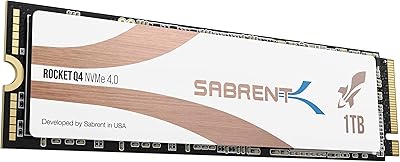
88%
94%
Performance
88%
Installation Ease
92%
Value for Money
70%
Thermal Management
91%
Compatibility
More
Sabrent Rocket Q4 1TB NVMe SSD
79%
91%
Sequential Read Performance
58%
Sustained Write Performance
84%
Value for Money
61%
Thermal Management
93%
Installation & Setup
More
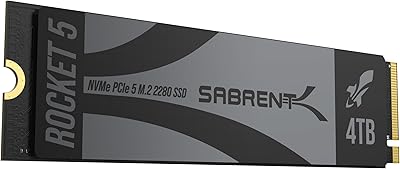
SABRENT Rocket 5 4TB NVMe SSD
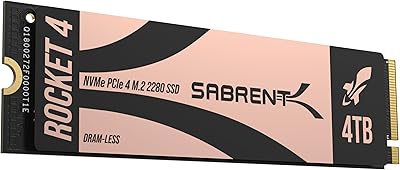
88%
94%
Performance
92%
Transfer Speed
89%
Compatibility
88%
Build Quality
75%
Cooling Efficiency
More
SABRENT Rocket 4 4TB NVMe SSD
84%
93%
Sequential Throughput
88%
Random I/O Performance
86%
Thermal Management
91%
PS5 Compatibility
74%
Value for Money
More
SABRENT Rocket 4 Plus 8TB NVMe SSD
80%
93%
Sequential Read Speed
89%
Sequential Write Speed
61%
Thermal Management
67%
Value for Money
88%
NAND Endurance
More
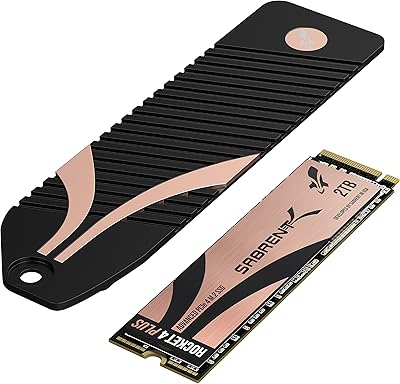
SABRENT Rocket 4 Plus 2TB NVMe SSD
83%
94%
Read/Write Performance
91%
Heatsink Build Quality
96%
PS5 Compatibility
88%
Thermal Management
83%
Value for Money
More
SABRENT Rocket Nano V2 1TB External SSD
80%
93%
Transfer Speed
91%
Build Quality
96%
Portability
67%
Thermal Management
82%
Value for Money
More
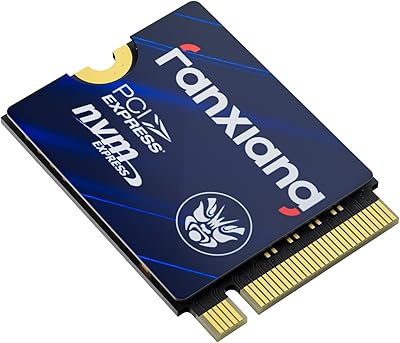
fanxiang S630 1TB M.2 2230 NVMe SSD
80%
88%
Read Speed Performance
74%
Write Speed Performance
81%
Device Compatibility
79%
Thermal Management
93%
Installation Experience
More

FAQ

Yes, the Rocket 2230 is designed specifically for the M.2 2230 slot that the Steam Deck uses. The board is 22 mm wide and 30 mm long, which is the exact format Valve built into the device. Just make sure you have the right screwdriver — a small Phillips head is all you need for the swap itself.

No, it does not. The PS5 uses an M.2 2280 slot, and this drive is 30 mm long — it physically will not seat correctly. This is one of the more common reasons for returns, so double-check your device's slot length before purchasing.

Host Memory Buffer is a feature that lets the drive borrow a small slice of your system's RAM as a write cache instead of carrying its own dedicated DRAM chip. In practice, for gaming and everyday use it works well — you will not notice a difference during normal play. Where it shows up is during large sustained transfers, like moving a big game library all at once, where speeds can drop once that borrowed cache fills up. For most handheld gaming use cases, it is a reasonable trade-off that also keeps power draw lower.

Sabrent includes an Acronis True Image license in the box specifically for this. You install the software on your current system, clone the existing drive to the new one, swap the drives, and boot up. Most buyers complete the whole process in under an hour. If you are on a Steam Deck, the process is a bit different since it runs SteamOS — there are community guides that walk through it step by step.

Not exactly. The peak figures — up to 5000 MB/s read — are measured under ideal lab conditions with a desktop motherboard and active cooling. In a handheld with limited airflow and thermal constraints, real-world throughput will be lower. That said, the improvement over stock storage is still very noticeable for game loads and boot times. The gap between spec and reality is a characteristic of all drives in thermally constrained devices, not specific to this one.

Yes, it is listed as compatible with Surface Pro 8 and 9. That said, a small number of Surface Pro owners have reported needing to manually initialize the drive or check BIOS settings after installation before the system recognizes it. It is not a widespread issue, but it is worth knowing so you are not caught off guard if it happens.

The base two-year warranty applies automatically from your purchase date. To extend it to five years, you need to register the product on Sabrent's website — it is a straightforward process using the model number and proof of purchase. The main thing is not to forget: the registration window is not indefinite, so it is worth doing soon after you receive the drive.

The drive does not include one in the box. Whether you need one depends on your specific device. Most handheld gaming devices like the Steam Deck have a pre-installed thermal pad on the SSD slot, so the drive makes contact with it automatically. If your device does not have one and the chassis runs warm, picking up a thin M.2 thermal pad separately is a cheap precaution worth taking.

For most users, yes. The stock eMMC in entry-level Steam Decks is a significant bottleneck compared to an NVMe drive, and the difference in game load times and system responsiveness is immediately obvious. Even upgrading from a lower-end NVMe that came in some Steam Deck models will show a meaningful improvement with a Gen4 drive in this class.

Only if your laptop or desktop has an M.2 2230 slot. Most mainstream laptops and virtually all desktops use the longer 2280 form factor, so this drive would not physically mount correctly in those systems. A few thin ultrabooks do use 2230 slots, but you need to verify your specific model before assuming compatibility. It is not a universal laptop upgrade — it is purpose-built for compact devices.

Where to Buy