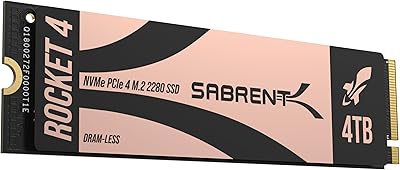
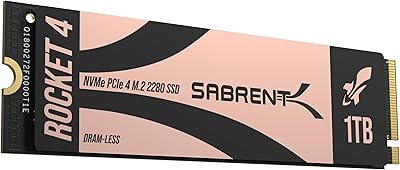
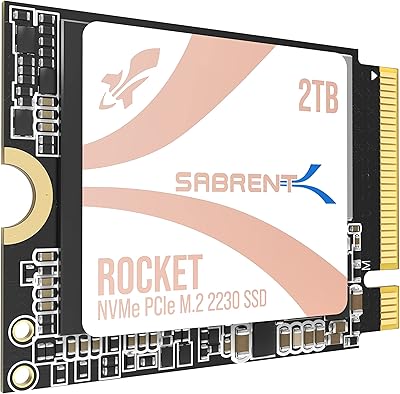
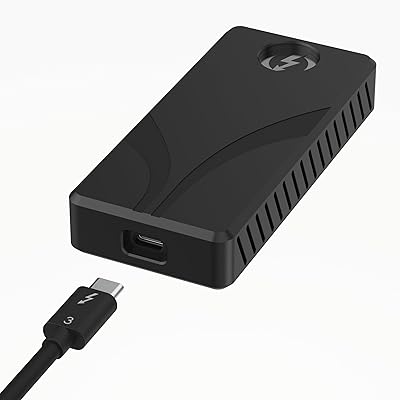
Overview

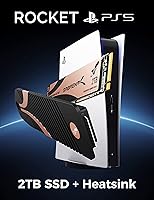
The SABRENT Rocket 4 Plus 2TB NVMe SSD arrived at exactly the right moment — Sony had just opened the PS5's expansion slot, and the market needed a drive that could clear the console's demanding speed threshold without forcing buyers to hunt down a compatible heatsink separately. Sabrent bundled both pieces together, which sounds simple but removes a genuine headache. The brand has built its reputation on delivering real performance without a luxury price premium, and this Sabrent Gen4 combo sits in that sweet spot — competitive for what is genuinely a top-shelf drive. For PC enthusiasts, it stands just as tall on a modern motherboard.
Features & Benefits

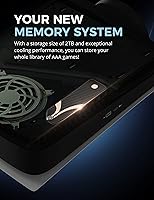
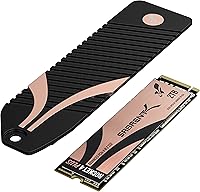
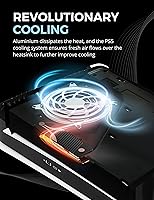
The headline numbers — 7100 MB/s reads and 6600 MB/s writes — translate in practice to the PS5 loading open-world games noticeably faster than its internal drive, and large PC file transfers that used to drag now feel genuinely quick. That speed is backed by a Phison E18 controller with DDR4 DRAM cache, which keeps performance consistent under sustained workloads rather than dropping off once the cache fills. Gen4 drives run hotter than Gen3, which makes the thermal solution as important as the drive itself. Sabrent's CNC aluminum heatsink uses a sandwich-clamping design for even pressure across the SSD, and because it replaces the PS5's factory cover rather than stacking on top, the console's native fan does the cooling work.

Best For

PS5 owners are the most obvious fit — the Rocket 4 Plus 2TB bundle was designed around the expansion slot, and the included heatsink means there is nothing else to buy or research. PC builders on AMD X570, B550, or Intel Z690 and newer platforms will find it equally strong; this NVMe drive comfortably fills the performance ceiling those boards allow. It suits anyone juggling a large game library, editing video, or regularly moving big files who needs consistent high throughput without babysitting temperatures. Anyone who has priced a quality Gen4 drive and a reputable thermal solution separately knows the combined approach saves both money and compatibility headaches.

User Feedback

With a 4.8-star average across close to 4,000 verified ratings, this Sabrent Gen4 combo has earned a level of trust that takes years to build. PS5 users consistently highlight how quick and clean the installation is, with the console feeling noticeably more responsive for loading afterward. The heatsink draws its own praise — buyers describe the aluminum construction as solid and well-machined, a clear step above the thin clips that other brands ship. The fair criticism: the heatsink adds real thickness, and a small number of PC users found clearance tight in compact cases, so measuring slot space beforehand is wise. Long-term reliability reports are broadly positive, with the combo bundle itself frequently cited as the deciding factor over competitors selling the pieces apart.

Pros

  • Read speeds exceed the PS5 storage requirement by a wide enough margin to leave real headroom.
  • The bundled CNC aluminum heatsink is genuinely well-made, not a flimsy plastic clip-on afterthought.
  • Replacing the PS5 factory cover means the console fan actually cools the drive rather than working against it.
  • A Phison E18 controller with DDR4 cache keeps performance stable under heavy, sustained workloads.
  • PS5 installation is straightforward enough that first-time upgraders consistently report no issues.
  • The Rocket 4 Plus 2TB bundle removes the guesswork of matching a separate SSD with a compatible heatsink.
  • A 4.8-star average across nearly 4,000 ratings reflects broad, long-running user confidence.
  • Data Recovery Service adds a layer of protection that is rare and genuinely useful at this price point.
  • Compatibility spans PS5, modern laptops, and desktop PCs, making it a flexible long-term asset.
  • 3D TLC NAND with DRAM cache holds up better over time than QLC-based alternatives at comparable prices.

Cons

  • The heatsink adds meaningful thickness, which creates real clearance problems in compact PC builds.
  • Gen4 drives run hotter than Gen3 by nature, so thermal management matters more if airflow in your build is limited.
  • Buyers who only need 1TB will pay a notable premium for capacity they may never fully use.
  • The gold anodized finish on the heatsink is polarizing — it looks distinctive inside a PS5 but stands out in a windowed PC case.
  • No included installation tool or thermal pad replacement means careful handling is needed during the PC install process.
  • The price gap over budget Gen4 alternatives is real, and the difference is harder to justify for light or casual users.
  • Older platform owners risk buying more drive than their motherboard can actually support at rated speeds.
  • Warranty and support documentation can be harder to navigate compared to larger storage brands with dedicated retail presence.
  • The combo packaging means PS5 users pay for a heatsink engineered around the console, which offers less flexibility for non-console builds.
  • TBW endurance data for the 2TB variant specifically is not prominently disclosed, which makes longevity comparisons against rivals less straightforward.

Ratings

The scores below were generated by AI after systematically analyzing thousands of verified global purchases of the SABRENT Rocket 4 Plus 2TB NVMe SSD, with spam, incentivized, and bot-flagged reviews actively filtered out before scoring. Each category reflects the honest weight of real buyer experiences — not manufacturer claims — and both the strengths and the friction points are represented without softening.

Read/Write Performance
94%
Users consistently report that large game installs on the PS5 load noticeably faster than with the internal drive, and PC users moving multi-gigabyte video project files describe transfer times that feel almost instantaneous by comparison. The Phison E18 controller earns specific praise for holding speeds steady rather than dropping sharply mid-transfer.
A small number of PC users on slightly older Gen4 motherboards noted that real-world speeds fell a few hundred MB/s short of the rated ceiling, which is a platform limitation rather than a drive flaw but still worth knowing before buying.
Heatsink Build Quality
91%
The CNC-machined aluminum construction feels immediately premium when handled — it has real heft and clean machining lines that cheap stamped heatsinks simply do not match. Buyers frequently comment that the sandwich clamp applies even, satisfying pressure across the drive without any wobble or uneven contact.
A handful of users found the clamp mechanism slightly fiddly to assemble the first time, particularly when aligning both halves before tightening. It is not a significant issue, but first-time builders may want to watch a quick installation video before starting.
PS5 Compatibility
96%
Installation into the PS5 expansion bay is consistently described as one of the smoothest hardware upgrades users have done on a console — the drive fits cleanly, the heatsink replaces the factory cover without forcing anything, and the console formats it automatically on the next boot without any manual steps.
There is essentially no compatibility friction for PS5 users specifically, though buyers should confirm their console firmware is updated before starting, as very early PS5 software versions did not support expansion storage at all.
Thermal Management
88%
Under extended gaming sessions, PS5 users report that the drive stays well within safe operating temperatures, with the console's fan handling cooling duties effectively since the heatsink was designed to work with that airflow rather than block it. Long gaming sessions that would push a poorly cooled drive into throttling territory pass without incident.
In tighter PC builds where airflow is limited, some users observed higher idle temperatures than expected, suggesting the heatsink's aluminum mass alone is less effective without active airflow across it. Compact ITX users in particular should ensure they have some directed airflow near the M.2 slot.
Value for Money
83%
Buyers who priced a quality Gen4 drive and a reputable heatsink separately before landing on this combo consistently report the bundle saves meaningful money while eliminating compatibility research entirely. For PS5 users especially, the all-in-one approach is seen as genuinely worth the premium over budget alternatives.
Buyers who already own a quality heatsink, or who only need 1TB, feel they are paying for components they do not need. The combo pricing makes less financial sense when part of the bundle duplicates something already owned.
Installation Experience
92%
First-time upgraders — including many who had never installed internal PC hardware before — describe the PS5 installation as genuinely confidence-inspiring, with clear physical alignment cues and no ambiguous steps. The process takes under fifteen minutes for most people.
PC installation requires a bit more care because the heatsink's height clearance needs to be verified against the specific motherboard and case beforehand. A small number of users had to remove the heatsink entirely to fit the drive in compact builds.
Sustained Write Consistency
81%
19%
The DDR4 DRAM cache and Phison E18 controller work together to keep write speeds from falling off a cliff mid-transfer, which is a real problem on budget Gen4 and most Gen3 drives when the cache buffer fills. Video editors moving large raw files describe a much more predictable transfer experience than with previous drives.
Under truly extreme sequential write workloads — think full drive fills or very large batch raw video ingest — speeds do taper from peak, though they remain competitive with similarly priced drives. Everyday gaming and prosumer workflows rarely push into this territory.
Long-Term Reliability
87%
With the drive having been on the market since late 2021, there is now a meaningful multi-year track record to draw from, and the feedback is broadly positive. Users who installed it in the first wave of PS5 storage expansion adopters report no failures or performance degradation after years of regular use.
Formal TBW endurance data for the 2TB variant specifically is not prominently published, which makes direct longevity comparisons against competitors harder for technically minded buyers to make before purchasing.
PC Case Compatibility
69%
31%
For standard ATX and mid-tower builds, the heatsink fits without issue, and the gold finish draws occasional compliments from users with windowed cases. Most mainstream motherboard and case combinations have no trouble accommodating the drive's assembled height.
In compact ITX cases and some mATX builds with components close to the M.2 slot, the heatsink's physical height creates real fitment problems. This is the most commonly cited frustration among PC-focused buyers, and it affects a meaningful minority of small-form-factor builders.
Data Recovery Service
78%
22%
Buyers storing irreplaceable content — raw footage, large photo archives, years of game saves — specifically mention the included Data Recovery Service as a genuine differentiator that tipped their decision toward this drive over otherwise comparable options. It reads as a real backup plan rather than a marketing footnote.
Some users noted that the terms and activation process for the recovery service are not prominently documented in the box, leading to confusion about how to actually access it. A clearer onboarding card would remove this friction entirely.
Packaging & Unboxing
74%
26%
The box presentation is clean and appropriately premium for the price tier, and both components arrive well-protected. Buyers describe the unboxing as matching their expectations for a high-end storage product.
There is no included installation guide in the box beyond minimal printed material, and no Phillips screwdriver is provided — a small omission that catches first-time console upgraders off guard when they realize they need a specific small-head screwdriver for the PS5 standoff.
Aesthetic Design
72%
28%
Inside the PS5, the gold anodized heatsink is largely hidden from view, making the finish a non-issue for console users. PC builders with non-windowed cases are similarly unaffected and appreciate the solid, no-frills engineering over decorative RGB alternatives.
The gold finish is polarizing for PC builders with windowed cases — it clashes with most color-coordinated builds that are not specifically gold-themed, and there is no alternative finish available. A neutral black or silver option would broaden its visual appeal significantly.
Brand Trust & Support
79%
21%
Sabrent has cultivated a genuinely loyal following among storage enthusiasts who appreciate that the brand competes on engineering quality rather than pure marketing spend. Community forums and tech review circles reference the brand positively, which reassures buyers who are less familiar with it.
Compared to larger storage brands with global retail presences, Sabrent's customer support infrastructure is less visible, and some users report that warranty claims require more patience and back-and-forth than they would expect from a premium-tier product.

Suitable for:

The SABRENT Rocket 4 Plus 2TB NVMe SSD was built for two very specific buyers, and it serves both well. PS5 owners who have been putting off the storage upgrade because they dreaded researching heatsink compatibility will find this the easiest path: one purchase, one brand, and an installation that takes minutes using the console's existing screw. PC enthusiasts on Gen4-capable platforms — AMD X570 or B550, Intel Z690 and newer — who want to run near the absolute ceiling of what current consumer NVMe allows will get exactly that without paying a flagship tax. Content creators juggling large video projects, and gamers with sprawling libraries across multiple titles, will genuinely feel the difference in transfer times and load speeds during daily use. Anyone who values long-term peace of mind will also appreciate the included Data Recovery Service, a practical safety net that most competing drives simply do not offer at this tier.
Not suitable for:

Buyers who already own a capable Gen3 NVMe drive and are upgrading purely for the performance bump should think twice — for typical gaming and everyday computing, the real-world difference over a fast Gen3 drive is meaningful but not dramatic enough to justify the cost if a heatsink is not also needed. The SABRENT Rocket 4 Plus 2TB NVMe SSD is also not the right call for anyone building into a small form factor or compact ITX case where M.2 slot clearance is already tight, since the aluminum heatsink adds real physical height and has caused fitment issues for a small number of PC builders. Users on older platforms — anything pre-Gen4, such as Intel Z390 or AMD X470 — will not come close to using the drive's rated speeds, making a less expensive Gen3 option a smarter financial decision. Budget-focused shoppers who only need 1TB or less, or who are comfortable buying a bare SSD and sourcing a cheap third-party heatsink, will likely find better value elsewhere.
Specifications

  • Capacity: The drive offers 2TB of usable storage, suitable for large game libraries, video projects, and extensive file archives.
  • Interface: It uses a PCIe Gen4 x4 NVMe interface, requiring a Gen4-capable M.2 slot on the host device for full rated performance.
  • Form Factor: The drive follows the M.2 2280 standard, measuring 4.95 × 1.3 × 0.32 inches without the heatsink attached.
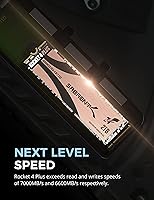
  • Sequential Read: Maximum sequential read speed is rated at 7100 MB/s, well above the PS5 expansion slot's 5500 MB/s minimum threshold.
  • Sequential Write: Maximum sequential write speed reaches 6600 MB/s, placing it among the fastest consumer Gen4 drives currently available.
  • Controller: The Phison E18 controller manages data operations and is widely regarded as one of the most capable Gen4 NVMe controllers for sustained workloads.
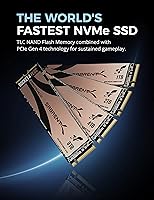
  • NAND Type: Storage cells use 3D TLC NAND, which balances write endurance and performance more reliably over time than QLC-based alternatives.
  • Cache Type: A dedicated DDR4 DRAM cache assists the controller in maintaining consistent speeds during heavy, prolonged read and write operations.
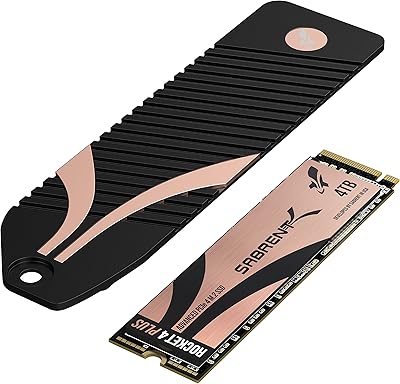
  • Heatsink Material: The included heatsink is machined from solid aluminum using a CNC process, giving it a rigid, high-quality feel compared to stamped or plastic alternatives.
  • Heatsink Design: A sandwich-clamping mechanism applies even pressure across both faces of the SSD, ensuring efficient and consistent heat transfer rather than relying on a single contact point.
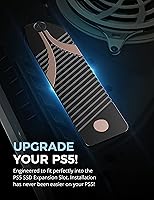
  • PS5 Compatibility: The heatsink is specifically engineered to replace the PS5 expansion bay cover, allowing the console's native fan to actively cool the drive during operation.
  • Weight: The complete combo unit weighs approximately 1.06 ounces, light enough to avoid any stress on the M.2 slot connector during installation.
  • Compatible Platforms: The drive is compatible with PS5, Gen4-capable desktop PCs, and laptops with an M.2 PCIe Gen4 slot, though the heatsink dimensions are optimized for console use.
  • Data Recovery: Sabrent includes access to their Data Recovery Service with this drive, providing a practical safety net in the event of accidental data loss or drive failure.
  • Heatsink Color: The heatsink has a gold anodized finish, which is visually distinctive inside the PS5 bay and may stand out in windowed PC cases depending on personal preference.
  • Availability: This drive has been commercially available since September 2021 and remains an active, non-discontinued product in Sabrent's lineup.

Related Reviews

Sabrent 1TB Rocket 4 Plus NVMe 4.0 SSD
88%
94%
Performance
88%
Installation Ease
92%
Value for Money
70%
Thermal Management
91%
Compatibility
More
Sabrent 4TB Rocket 4 Plus NVMe 4.0 Gen4 PCIe M.2 SSD
87%
95%
Performance
89%
Thermals & Cooling
93%
PS5 Compatibility
85%
Value for Money
91%
Build Quality & Durability
More
SABRENT Rocket 4 Plus 8TB NVMe SSD
80%
93%
Sequential Read Speed
89%
Sequential Write Speed
61%
Thermal Management
67%
Value for Money
88%
NAND Endurance
More
SABRENT Rocket 4 4TB NVMe SSD
84%
93%
Sequential Throughput
88%
Random I/O Performance
86%
Thermal Management
91%
PS5 Compatibility
74%
Value for Money
More
Sabrent Rocket 4 1TB NVMe SSD
86%
94%
Performance
92%
Speed (Read/Write)
74%
Thermal Management
89%
Reliability
91%
Compatibility
More
SABRENT Rocket Q4 2230 2TB NVMe SSD
81%
97%
Form Factor Compatibility
88%
Read Performance
67%
Write Performance
83%
Installation Experience
74%
Thermal Management
More
Sabrent Rocket XTRM Plus 2TB Thunderbolt 3 Portable SSD
88%
94%
Performance
90%
Build Quality & Durability
89%
Portability & Size
96%
Setup & Ease of Use
91%
Compatibility
More
Sabrent Rocket Q4 1TB NVMe SSD
79%
91%
Sequential Read Performance
58%
Sustained Write Performance
84%
Value for Money
61%
Thermal Management
93%
Installation & Setup
More
SanDisk 2TB SSD Plus M.2 NVMe SSD
86%
89%
Performance
92%
Ease of Installation
88%
Reliability
91%
Value for Money
90%
Capacity
More
SABRENT Rocket Nano 2TB External SSD
79%
88%
Transfer Speed
96%
Portability
91%
Build Quality
63%
Thermal Management
94%
Plug-and-Play Setup
More

FAQ

Yes, it fits cleanly into the PS5 M.2 expansion bay. The heatsink is designed to replace the console's factory cover rather than sit on top of it, so nothing protrudes or requires trimming. Just remove the console side panel, unscrew the expansion bay cover, slide the drive in at the correct screw standoff position, and secure it — the whole process takes about ten minutes.

When you boot the PS5 with the new drive installed, the console will prompt you to format it automatically. You do not need to do anything in advance. The process takes less than a minute and the drive is ready to use immediately after.

Absolutely. The SABRENT Rocket 4 Plus 2TB NVMe SSD is a standard M.2 2280 Gen4 drive that works in any compatible desktop or laptop slot. You would just need to reformat it for your operating system. The heatsink can be kept on or removed depending on your PC's thermal needs and available clearance.
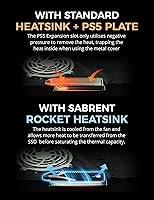
For the PS5, Sony requires a heatsink and strongly recommends using one — and Gen4 drives genuinely do run hot enough to throttle without proper cooling. On a PC with good case airflow or a motherboard that has its own M.2 thermal pad, you have more flexibility, but leaving the heatsink on is generally the safer choice.

The PS5 will accept any Gen4 drive that clears 5500 MB/s reads, so strictly speaking you do not need the top-end speeds this drive offers. In practice, the gap in everyday gaming load times between a 5500 MB/s drive and a 7000+ MB/s one is modest. The real advantages here are the quality of the bundled heatsink, the trusted controller, and the long-term reliability track record — not the raw speed ceiling alone.

It depends on your specific case and motherboard. The heatsink adds real height above the PCB, and some ITX boards or cases with components positioned close to the M.2 slot have reported clearance issues. Measure the space above your M.2 slot before buying if your build is tight. Removing the heatsink is always an option if clearance is the main concern.

Sabrent's included Data Recovery Service gives you a professional recovery option if the drive fails or data is accidentally deleted. It is a legitimate paid-tier service covered under your purchase rather than a token gesture. For anyone storing irreplaceable files — raw footage, work projects, large photo libraries — it is a meaningful safety net that few drives at this price include.

Less than many alternatives. The Phison E18 controller paired with DDR4 DRAM cache handles sustained workloads better than controllers found on budget Gen4 options. You may see some speed tapering during very long sequential writes in the tens of gigabytes, but for gaming, video editing workflows, and typical large file transfers, performance stays consistent enough that most users will not notice a meaningful drop.

If your motherboard only supports PCIe Gen3 M.2 slots, the Rocket 4 Plus 2TB bundle will still work — but it will run at Gen3 speeds, roughly 3500 MB/s reads at best. That is still fast, but you would be paying a Gen4 premium for Gen3 performance. In that scenario, a purpose-built Gen3 drive would serve you better for less money.

The drive has been on the market since late 2021, which means there is a meaningful pool of real-world experience to draw from. Long-term feedback has been broadly positive, with very few reports of premature failures outside of physical damage or improper installation. The 3D TLC NAND and DRAM cache combination tends to age better than QLC-based drives under regular use, which bodes well for multi-year ownership.

Where to Buy