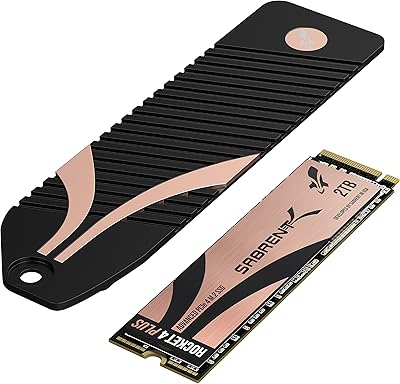

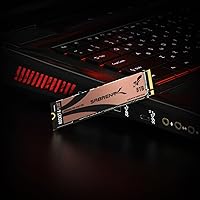
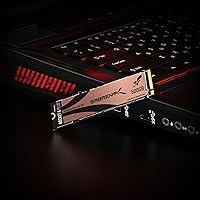
Overview

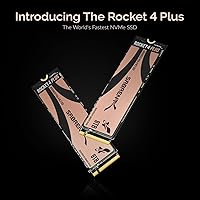
The SABRENT Rocket 4 Plus 8TB NVMe SSD occupies a genuinely rare category: a single M.2 2280 drive that pairs top-tier Gen4 speed with a capacity most professionals previously needed multiple drives to match. Eight terabytes in this form factor remains uncommon, and that scarcity alone sets the Rocket 4 Plus apart from the crowd. Built around a PCIe 4.0 interface, it fits any M.2 slot on a modern motherboard, though you will only unlock its full potential on a Gen4-capable system. This is not a drive for casual users or light workloads — it targets photographers, editors, and workstation builders who have outgrown smaller storage tiers and are willing to pay accordingly.

Features & Benefits

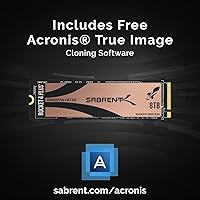
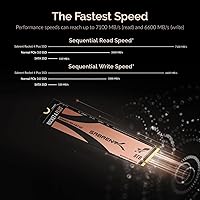
At 7100 MB/s sequential read and 6600 MB/s write, the Rocket 4 Plus sits at the fast end of the Gen4 NVMe spectrum — speeds that translate to noticeably snappier large-file transfers when moving 4K footage or loading massive project files. Crucially, Sabrent chose TLC NAND over the cheaper QLC alternative, which means better sustained write performance and longer drive endurance over years of heavy use. The drive also supports APST, ASPM, and L1.2 power states, keeping idle consumption sensible. Bundled Acronis True Image software makes migrating from an existing drive straightforward, and a sector-size utility lets you choose between 512-byte and 4K formatting — a small but practical touch for users cloning older systems.

Best For

This 8TB NVMe drive makes the most sense for professionals whose storage demands have outpaced what two or three smaller drives can handle. Video editors and colorists working with uncompressed or RAW formats will appreciate having a single fast volume that eliminates constant project juggling across drives. Workstation builders looking to consolidate will find the Rocket 4 Plus equally compelling. PS5 owners who have filled their internal expansion slot can use it here too, though the console use case is a side benefit rather than the primary pitch. Small creative studios replacing aging spinning-disk arrays with a single, fast NVMe solution will find this drive genuinely practical.

User Feedback

Across more than 3,000 ratings, Sabrent's flagship M.2 SSD holds a 4.6-star average — a strong signal that most buyers get what they paid for. Real-world speed results consistently track close to advertised figures, and long-term reliability earns frequent praise. That said, heat is a recurring theme: Gen4 drives at this performance tier run warm under sustained loads, and some users reported throttling without adequate airflow or a heatsink. The Acronis cloning software gets mixed reactions — intuitive for some, frustrating for others during initial setup. A handful of older reviews appear tied to early firmware, so those edge-case complaints carry less weight today than they once did.

Pros

  • Real-world sequential speeds track closely to the advertised 7100 MB/s read and 6600 MB/s write figures.
  • TLC NAND delivers better sustained write endurance than QLC alternatives at this capacity tier.
  • Eight terabytes in a single M.2 slot eliminates the need to manage multiple drives in a workstation build.
  • Bundled Acronis True Image software makes migrating from an existing drive straightforward and cost-free.
  • The sector-size utility — supporting both 512-byte and 4K formatting — is a thoughtful touch for users cloning legacy systems.
  • Over 3,000 buyer ratings and a 4.6-star average reflect consistent, long-term reliability across a large install base.
  • PCIe Gen4 x4 with backward Gen3 compatibility gives this drive broad motherboard support.
  • Advanced wear leveling, bad block management, and ECC help protect data integrity over years of heavy use.
  • PS5 compatibility is confirmed, making this a viable high-capacity console storage upgrade as well.
  • Power management support for APST, ASPM, and L1.2 keeps idle power draw in check despite the high performance ceiling.

Cons

  • The premium price point is hard to justify unless both Gen4 speeds and 8TB capacity are genuinely required for your workflow.
  • Gen4 drives running sustained heavy writes can throttle without a heatsink or adequate case airflow — plan accordingly.
  • Running on a Gen3 motherboard cuts performance roughly in half, making the investment difficult to rationalize on older platforms.
  • Acronis True Image setup receives mixed reviews; some users encounter friction during initial configuration or activation.
  • A handful of older reviews tied to early firmware issues can distort the overall rating picture for prospective buyers.
  • At this capacity and performance tier, the drive runs warmer than mid-range alternatives even during moderate workloads.
  • The cost per terabyte is significantly higher than QLC-based 8TB options, which may matter in cost-sensitive studio environments.
  • No heatsink is included in the base package, requiring a separate purchase for users in thermally demanding builds.

Ratings

The ratings below for the SABRENT Rocket 4 Plus 8TB NVMe SSD were generated by our AI system after analyzing thousands of verified global buyer reviews, actively filtering out incentivized, bot-generated, and duplicate submissions to surface genuine user sentiment. Both the strengths that made buyers recommend this drive and the friction points that gave others pause are reflected transparently in each score.

Sequential Read Speed
93%
Users consistently report real-world read speeds that land within a few percent of the advertised 7100 MB/s figure when tested on Gen4 platforms, which is unusually honest for a high-capacity drive. Video editors pulling large RAW files from the drive into Adobe Premiere or DaVinci Resolve describe noticeably faster scrubbing and project load times compared to their previous Gen3 setups.
Achieving these figures requires a PCIe Gen4 x4 slot and a compatible CPU platform — users on older Gen3 systems see speeds roughly halved, which is expected by design but still frustrates buyers who did not verify compatibility before purchasing.
Sequential Write Speed
89%
At 6600 MB/s sustained write, the Rocket 4 Plus handles large continuous data dumps — long video exports, full-drive backups, bulk RAW photo imports — without the sharp mid-transfer speed collapses that QLC drives at similar capacities frequently exhibit. TLC NAND is the reason, and buyers who came from QLC alternatives are often the most vocal about the difference.
A subset of users doing extremely prolonged writes — think multi-hour video capture sessions or overnight server-style backups — do report speed tapering as the drive heats up, particularly in systems without active airflow over the M.2 slot. A heatsink mitigates this, but it is not included in the box.
Thermal Management
61%
39%
Under typical desktop workloads — booting, loading applications, moderate file transfers — the drive runs at perfectly acceptable temperatures and does not cause any noticeable system impact. Users in well-ventilated mid-tower cases with decent airflow rarely report thermal issues in day-to-day use.
This is the most commonly flagged concern across user reviews. Sustained sequential writes during rendering, large file migrations, or continuous capture push temperatures high enough to trigger throttling on systems without a dedicated M.2 heatsink. Several PS5 users also noted the importance of the console-required heatsink, reinforcing that passive cooling is not optional at this performance tier.
Value for Money
67%
33%
For professionals who genuinely need 8TB of Gen4 NVMe in a single M.2 slot — and that is a real, specific need — the cost-per-terabyte calculus looks more reasonable than the sticker price suggests in isolation. Buyers replacing two or three smaller SSDs report that consolidating to one fast volume simplifies their workflow enough to feel worth the premium.
For anyone outside that narrow professional use case, the price is difficult to justify. Casual users, moderate gamers, and even many content creators have found that a smaller, cheaper Gen4 drive handles their workload just as well. The value equation only works when both the capacity and the speed tier are genuinely necessary.
NAND Endurance
88%
TLC NAND combined with hardware wear leveling, over-provisioning, and ECC gives this drive a strong long-term endurance profile compared to QLC-based competitors at similar capacities. Long-term owners frequently mention that the drive continues to perform consistently months and years into heavy use without measurable degradation.
Endurance data specific to Sabrent's TLC implementation at 8TB is not always easy to find independently verified, so buyers have to take some specifications on faith. Drives used in write-heavy professional environments — continuous video capture rigs, for example — should be monitored via SMART data regularly as a precaution.
PS5 Compatibility
82%
18%
The drive meets and exceeds Sony's minimum speed requirements for PS5 M.2 expansion, and installation is physically straightforward for users comfortable opening their console. PS5 owners who have exhausted the internal expansion slot find this 8TB option particularly appealing given how few competing drives offer this capacity in a PS5-compatible form.
The PS5 requires a separately purchased heatsink for any M.2 drive, which adds to the total cost and catches some buyers off guard. A handful of PS5-specific reviews mention minor initial formatting steps that were not immediately obvious, though none reported functional incompatibility once set up correctly.
Cloning Software
71%
29%
Bundled Acronis True Image for Sabrent is a legitimate, full-featured cloning tool that most users upgrading from an existing drive will find genuinely useful — it saves purchasing a separate migration utility. Users who follow the activation steps carefully typically complete a full OS clone in a reasonable time without incident.
Activation friction is the most consistent complaint: locating the correct license, registering on Acronis's site, and navigating version-specific steps trips up a meaningful minority of users. Those who run into issues during initial setup often describe the experience as unnecessarily complicated for what should be a straightforward bundled perk.
Sector Size Utility
78%
22%
The ability to reformat the drive in either 512-byte or 4K sectors before cloning is a thoughtful utility that solves a real, specific problem — mismatched sector sizes between source and destination drives can silently corrupt a clone, and Sabrent is one of the few brands to address this proactively.
The utility is only relevant to a narrow subset of buyers cloning legacy drives, and those users need to know it exists and download it separately. It is not prominently documented in the box, so users who need it most are sometimes the last to discover it.
Build & Form Factor
91%
At 0.15 ounces and standard M.2 2280 dimensions, the drive installs without any physical complications in full-size desktops, supported laptops, and compatible enclosures. Users appreciate that fitting 8TB into such a compact package requires no adapters, brackets, or special mounting hardware beyond what any standard M.2 slot provides.
The drive is bare — no thermal pad, no heatsink, no protective sleeve — which is standard for M.2 drives but still leaves buyers in thermally demanding builds sourcing additional hardware independently. The slim profile also means it can feel surprisingly easy to mishandle during barehand installation.
Platform Compatibility
86%
NVMe 1.3 compliance and Gen3 backward compatibility mean the Rocket 4 Plus works across a wide range of modern platforms without driver headaches. Windows, Linux, and macOS users across multiple motherboard generations have reported clean detection and stable operation out of the box.
Users on Intel Alder Lake and earlier platforms, or AMD systems without Gen4 lane support on the primary M.2 slot, will not see full performance. While backward compatibility works, it does make the cost premium harder to swallow when the drive is effectively bottlenecked by the platform.
Reliability & Longevity
87%
The 4.6-star average across more than 3,000 verified ratings is a meaningful reliability indicator, and long-term owners consistently report stable operation without data loss, unexpected failures, or degraded performance over extended periods of heavy professional use.
A small cohort of early buyers encountered firmware-related issues that generated a cluster of lower ratings. Most of these appear to be tied to early production batches, and recent buyers rarely report similar problems — but the presence of these reviews slightly muddies the reliability picture for cautious shoppers.
Power Efficiency
79%
21%
APST, ASPM, and L1.2 power management support means the drive scales its power draw sensibly during idle periods, which matters in laptop deployments and externally powered M.2 enclosures where power budgets are tighter. Users in these contexts report that the drive does not cause noticeable battery drain during light workloads.
Under full Gen4 load, power consumption climbs in line with what the performance tier demands — this is expected, but users running the drive in compact fanless enclosures or underpowered USB adapters occasionally encounter instability that traces back to insufficient power delivery rather than drive defects.
Out-of-Box Experience
74%
26%
Physical installation is simple and identical to any standard M.2 drive, with no unusual steps or proprietary tooling required. For users doing a clean install rather than a clone, the drive is ready to format and use immediately without any Sabrent software interaction.
The packaging provides minimal guidance on software activation, heatsink requirements, or platform compatibility verification. Buyers unfamiliar with Gen4 nuances — particularly around slot compatibility and thermal needs — occasionally set up the drive in suboptimal conditions simply because the included documentation does not flag these considerations clearly.

Suitable for:

The SABRENT Rocket 4 Plus 8TB NVMe SSD was built for users whose storage demands have grown beyond what a typical enthusiast setup can handle. Video editors cutting 4K or 8K RAW footage, 3D artists managing dense asset libraries, and photographers archiving high-resolution shoots will find the combination of Gen4 speed and massive single-drive capacity genuinely transformative — no more splitting projects across multiple volumes or managing slow external drives. Workstation builders who want one fast, consolidated storage solution rather than a patchwork of smaller SSDs will also get real value here. Small creative studios looking to retire aging spinning-disk arrays in favor of a single NVMe volume will find this drive a practical fit. Even PS5 owners who have filled their internal expansion slot and want the highest-capacity upgrade available have a legitimate reason to consider it.

Not suitable for:

If your workload involves standard office tasks, web browsing, or even moderate gaming, the SABRENT Rocket 4 Plus 8TB NVMe SSD is almost certainly more drive than you need — and the pricing reflects that gap clearly. Buyers on a tight budget should look elsewhere; the cost per terabyte here is a premium you only justify if Gen4 speeds and 8TB in a single M.2 slot are both genuinely necessary for your workflow. Users with older platforms lacking PCIe Gen4 support will also leave significant performance on the table, running this drive at Gen3 speeds — capable, but far from what the hardware can actually deliver. Those without adequate case airflow or a quality heatsink should be cautious, since sustained high-speed workloads can push Gen4 drives into thermal throttling territory. Anyone primarily doing light reads and sequential media playback — rather than heavy sustained writes — would likely find a less expensive TLC drive nearly indistinguishable in day-to-day use.

Specifications

  • Capacity: This drive offers 8TB of usable storage, making it one of the highest-capacity M.2 NVMe options currently available in a standard 2280 form factor.
  • Interface: It uses a PCIe Gen4 x4 NVMe interface, delivering peak bandwidth that far exceeds what older PCIe Gen3 or SATA connections can provide.
  • Form Factor: The drive follows the M.2 2280 standard, measuring 3.15 x 0.86 x 0.11 inches and fitting any motherboard or enclosure with a full-length M.2 slot.
  • Sequential Read: Maximum sequential read speed is rated at 7100 MB/s under ideal Gen4 conditions, suitable for rapidly loading large project files or transferring high-resolution media.
  • Sequential Write: Maximum sequential write speed reaches 6600 MB/s, which supports sustained data ingestion without the sharp drop-off common in QLC-based alternatives.
  • NAND Type: The drive uses Triple-Level Cell (TLC) NAND flash, which offers a stronger balance of write endurance and sustained performance compared to QLC NAND at similar capacities.
  • Protocol: NVMe 1.3 compliance ensures broad OS and platform support, covering Windows, Linux, and macOS environments with compatible M.2 slots.
  • Power Management: The drive supports APST, ASPM, and L1.2 power states, allowing the system to reduce power draw during idle periods without compromising wake response times.
  • NAND Standards: Compatible with ONFi 2.3, 3.0, 3.2, and 4.0 interface standards, reflecting the maturity of the NAND architecture used in this drive.
  • Error Correction: Built-in Error Correction Code (ECC) actively detects and corrects data errors at the hardware level, helping maintain data integrity over the drive's lifespan.
  • Wear Leveling: Advanced wear leveling distributes write operations evenly across all NAND cells, extending the drive's operational life under heavy and repeated workloads.
  • Bad Block Mgmt: Automated bad block management monitors and remaps failing NAND cells before they can cause data loss or visible performance degradation.
  • Sector Size: A Sabrent utility allows users to reformat the drive in either 512-byte or 4K sector sizes, which is particularly useful when cloning drives that use legacy sector formats.
  • Bundled Software: Acronis True Image for Sabrent is included at no extra cost, providing a full disk cloning and backup solution compatible with Windows systems.
  • SMART & TRIM: Full SMART monitoring and TRIM command support are included, enabling drive health tracking and automatic performance maintenance by the operating system.
  • Compatible Devices: The drive is compatible with PCIe Gen4 and Gen3 desktop PCs, laptops with M.2 NVMe slots, M.2 NVMe external enclosures, and the Sony PlayStation 5.
  • Weight: The drive weighs just 0.15 ounces, adding virtually no measurable mass to a system build or portable enclosure setup.
  • Over-Provisioning: Factory over-provisioning reserves a portion of NAND capacity to support consistent write performance and extend the effective endurance of the drive over time.

Related Reviews
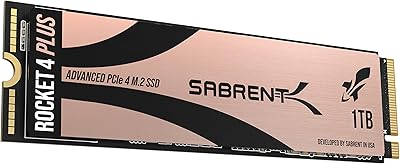
Sabrent 1TB Rocket 4 Plus NVMe 4.0 SSD
88%
94%
Performance
88%
Installation Ease
92%
Value for Money
70%
Thermal Management
91%
Compatibility
More
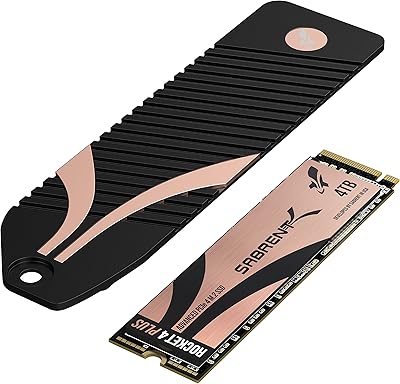
Sabrent 4TB Rocket 4 Plus NVMe 4.0 Gen4 PCIe M.2 SSD
87%
95%
Performance
89%
Thermals & Cooling
93%
PS5 Compatibility
85%
Value for Money
91%
Build Quality & Durability
More
SABRENT Rocket 4 Plus 2TB NVMe SSD
83%
94%
Read/Write Performance
91%
Heatsink Build Quality
96%
PS5 Compatibility
88%
Thermal Management
83%
Value for Money
More
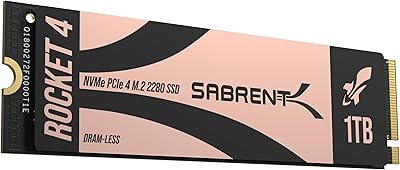
Sabrent Rocket 4 1TB NVMe SSD
86%
94%
Performance
92%
Speed (Read/Write)
74%
Thermal Management
89%
Reliability
91%
Compatibility
More
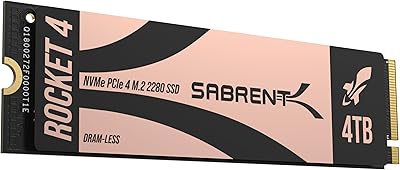
SABRENT Rocket 4 4TB NVMe SSD
84%
93%
Sequential Throughput
88%
Random I/O Performance
86%
Thermal Management
91%
PS5 Compatibility
74%
Value for Money
More
Sabrent Rocket Q4 1TB NVMe SSD
79%
91%
Sequential Read Performance
58%
Sustained Write Performance
84%
Value for Money
61%
Thermal Management
93%
Installation & Setup
More
INLAND Performance Plus 8TB NVMe SSD
84%
93%
Sequential Read Performance
89%
Sequential Write Performance
84%
Random I/O Responsiveness
61%
Thermal Management
86%
Build & Hardware Quality
More
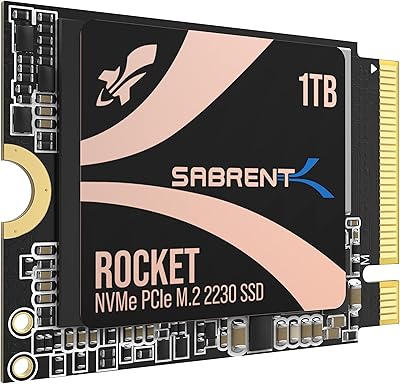
SABRENT Rocket 2230 1TB NVMe SSD
83%
88%
Read Speed Performance
71%
Write Speed Performance
93%
Form Factor Compatibility
91%
Installation Experience
74%
Thermal Management
More
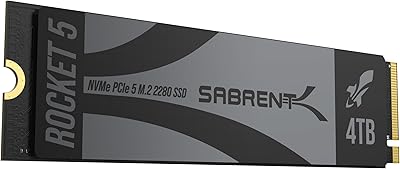
SABRENT Rocket 5 4TB NVMe SSD
88%
94%
Performance
92%
Transfer Speed
89%
Compatibility
88%
Build Quality
75%
Cooling Efficiency
More
SABRENT Rocket Q4 2230 2TB NVMe SSD
81%
97%
Form Factor Compatibility
88%
Read Performance
67%
Write Performance
83%
Installation Experience
74%
Thermal Management
More

FAQ

Yes, the Rocket 4 Plus is backward compatible with PCIe Gen3 x4 slots. You will not lose any data or risk damage, but your sequential speeds will be capped closer to the Gen3 ceiling — roughly 3500 MB/s read — rather than the full Gen4 figures. For most users that is still very fast, but it is worth knowing before you spend the premium.

No, the base package includes the drive only. Given that Gen4 drives at this performance level generate meaningful heat under sustained workloads, adding a compatible M.2 heatsink is strongly recommended — especially in cases with limited airflow. Many motherboards include one, so check your board first before buying separately.

TLC stores three bits per cell versus QLC's four, which means TLC generally handles sustained writes better and degrades more gracefully over time. At 8TB, QLC alternatives tend to drop write speeds more sharply once they exhaust their SLC write cache. For workloads involving frequent large file writes — video editing, backups, data ingestion — TLC is the more reliable long-term choice.

Yes, the drive is officially compatible with the PlayStation 5's M.2 expansion slot. Keep in mind the PS5 requires a heatsink on any installed M.2 drive, so you will need to add one separately. The drive meets Sony's minimum speed requirements comfortably.

Acronis True Image for Sabrent is a full disk imaging and cloning tool that lets you copy your existing drive — OS, apps, and all — directly onto this one. Most users find it straightforward once they locate the download link through Sabrent's site. A minority of reviewers report activation friction or initial setup confusion, so patience during the first launch is advisable. It is a genuinely useful inclusion that saves you buying a third-party cloning solution.

Sabrent provides a separate utility that lets you reformat the drive in either 512-byte or 4K sector sizes before cloning. Most modern drives and operating systems default to 4K, but if your existing drive uses 512-byte sectors, mismatching them can cause cloning errors. If you are doing a clean install rather than cloning, you can ignore it entirely.

For most everyday users — including gamers, students, and home office workers — it is overkill. Where it makes genuine sense is in professional or prosumer contexts: video editors managing large RAW or multi-stream projects, 3D artists with dense asset libraries, or anyone replacing multiple spinning hard drives with a single fast volume. If you are not regularly filling several terabytes of fast storage, a smaller Gen4 drive will likely serve you just as well at a fraction of the cost.

For standard daily use — browsing, light file transfers, even gaming — thermal load is manageable. The concern arises during sustained sequential writes, such as large file copies, video renders being saved to the drive, or prolonged backup jobs. In those scenarios, without a heatsink or adequate airflow, you may see speeds dip as the controller throttles to protect itself. A heatsink resolves the issue in nearly every reported case.

Yes, TRIM is fully supported. When enabled — which modern versions of Windows, macOS, and Linux handle automatically — the operating system tells the drive which data blocks are no longer in use, allowing it to manage NAND cells efficiently without manual intervention. You do not need to run any regular maintenance routines beyond keeping your OS TRIM settings intact.

The combination of TLC NAND, hardware ECC, bad block management, wear leveling, and over-provisioning gives this drive a solid reliability foundation for sustained professional use. The 4.6-star average across more than 3,000 reviews, with consistent praise for long-term operation, supports that picture. As with any high-capacity drive, regular backups remain non-negotiable regardless of how reliable the hardware is rated.

Where to Buy