Overview

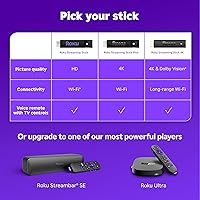
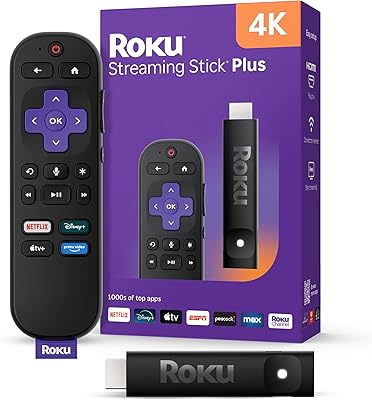
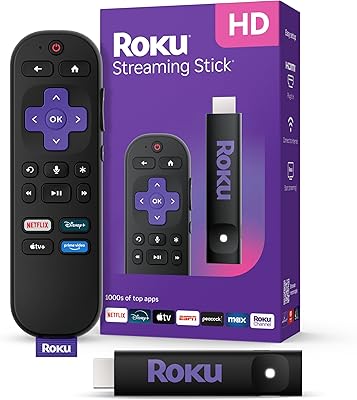
The Roku Streaming Stick 4K is one of those rare devices that actually delivers on its promise without overcomplicating things. Plug it into any HDMI port on an older TV and you have a fully capable 4K streaming setup in minutes. It supports Dolby Vision and HDR10+, which means richer contrast and more accurate color on compatible displays. The included voice remote doubles as a TV controller, handling power and volume so you are not hunting for two remotes. At its price point, this streaming stick sits comfortably in the mid-range — not the cheapest option, but one that covers the essentials without unnecessary extras.
Features & Benefits

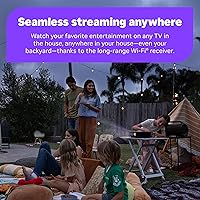
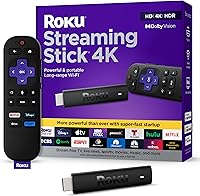
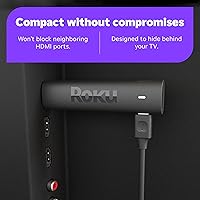
What makes this Roku device stand out in day-to-day use is the combination of long-range Wi-Fi and a genuinely compact body. The extended wireless receiver helps in rooms where weaker sticks tend to stutter — though results still depend on your home layout and router placement. Its slim profile tucks behind the TV and leaves neighboring HDMI ports free, which matters if you have a game console or soundbar plugged in nearby. Voice search works reliably for jumping between apps, and the free live TV access through Roku Channel — over 500 channels — adds real everyday value that paid-only platforms simply cannot match.

Best For

This streaming stick makes the most sense for anyone trying to breathe new life into an older 4K-capable TV without spending on a whole new set. It is equally practical for frequent travelers — the stick is light enough to toss in a bag, and since your Roku account carries over, you walk into a hotel room and pick up right where you left off. Anyone living in a larger apartment where the Wi-Fi signal drops off toward the bedroom will also appreciate the improved receiver. For viewers who want Dolby Vision quality without paying for a premium streaming box, this Roku device offers a sensible middle ground.

User Feedback

Buyers consistently praise how quickly the Roku 4K stick gets up and running — most report having it working within minutes of unboxing. The intuitive interface earns repeated mentions, particularly from users switching away from a smart TV's built-in apps, which tend to run slower. The improved Wi-Fi receiver draws positive comments from people who struggled with older sticks in distant rooms. On the downside, some owners report that software updates occasionally interrupt viewing at inconvenient times, and a handful note the remote batteries drain faster than expected. App loading speeds also draw occasional criticism, though that tends to vary with internet connection quality.

Pros

  • Gets up and running in minutes — even first-time streaming device owners rarely hit a wall during setup.
  • Dolby Vision and HDR10+ support brings noticeably richer color and contrast to compatible 4K displays.
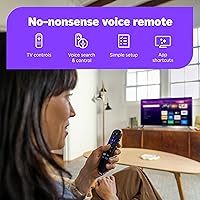
  • The included remote handles TV power and volume, cutting out the need for multiple remotes entirely.
  • Over 500 free live TV channels offer genuine everyday value without touching a paid subscription.
  • The slim body tucks cleanly behind the TV and does not block neighboring HDMI ports.
  • Voice search works reliably across apps, making it faster to find content without endless scrolling.
  • Lightweight and portable enough to slip into a bag and use on hotel TVs without re-logging into accounts.
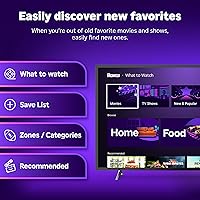
  • The Roku interface spans multiple streaming services in one search, saving real time when hunting for a title.
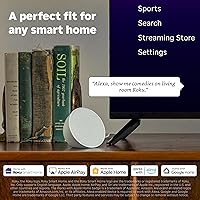
  • Apple AirPlay support adds useful flexibility for households with iPhones, iPads, or Macs.
  • Long-term Roku users report a solid reliability track record across multiple device generations.

Cons

  • Forced software updates can interrupt viewing sessions at inconvenient times with no easy way to delay them.
  • The remote's battery life draws repeated complaints, with some owners replacing batteries within a few months.
  • Promotional advertising tiles on the Roku home screen cannot be fully disabled by the user.
  • App loading speeds vary and some less-optimized apps require occasional restarts to perform acceptably.
  • Headphone mode requires the companion smartphone app to activate, adding unnecessary steps for late-night viewing.
  • Bluetooth audio pairing can introduce lip sync lag that becomes distracting during dialogue-heavy content.
  • Wi-Fi improvements are real but inconsistent — thick walls or congested networks still cause buffering.
  • Niche or regional streaming apps that exist on Fire TV or Android TV platforms are often absent from Roku.
  • The remote has no backlight, making button navigation awkward in a completely dark room.
  • The device runs noticeably warm during extended streaming sessions, which may raise durability concerns over years of use.

Ratings

The Roku Streaming Stick 4K earns strong marks across most categories based on our AI analysis of thousands of verified global buyer reviews — with spam, bot, and incentivized feedback actively filtered out before scoring. Ratings reflect what real owners experienced after weeks and months of daily use, not just first impressions. Strengths and recurring frustrations are both captured transparently so you can make a confident, informed decision.

Ease of Setup
93%
Buyers consistently describe the initial setup as one of the fastest they have experienced with any streaming device. Plugging into an HDMI port, connecting to Wi-Fi, and logging into accounts typically takes under ten minutes, even for less tech-savvy users setting it up on a bedroom TV.
A small number of users ran into hiccups when their TV did not supply enough power through the HDMI port, requiring the included USB power adapter. The onboarding flow also prompts account creation, which some older users found unexpectedly lengthy.
Picture Quality
88%
On a Dolby Vision-capable display, the jump in color depth and contrast compared to a standard HD stick is immediately noticeable — especially during darker scenes in movies or HDR-mastered nature documentaries. HDR10+ support broadens compatibility across a wider range of TV brands.
The quality ceiling ultimately depends on the TV itself and the streaming service's bitrate. Users with older 4K panels that lack proper Dolby Vision support reported less dramatic improvements, and a few noted that heavily compressed streams still looked soft regardless of the stick.
Wi-Fi Performance
79%
21%
The upgraded long-range receiver draws frequent praise from buyers who had previously struggled with buffering on older sticks placed in bedrooms or rooms at the far end of their homes. Many report noticeably fewer dropouts compared to previous Roku generations.
Performance gains are not universal — homes with thick walls, older routers, or crowded 2.4GHz bands will see less improvement. A portion of buyers in larger houses or apartments with complex layouts still experienced occasional stuttering during peak usage hours.
Remote Usability
84%
The ability to control TV power and volume from a single remote is genuinely appreciated in households that had accumulated multiple remotes over the years. Voice search is responsive and accurate enough for everyday use, handling app names, actors, and show titles without much frustration.
Battery life on the remote draws recurring criticism, with some buyers reporting replacements needed within a few months of regular use. There is no backlight on the buttons, which becomes an annoyance when watching in a completely dark room.
App & Content Library
91%
The breadth of available apps is a genuine strength — all the major paid services are present, but the free content layer through the Roku Channel and 500-plus live TV channels adds everyday value that many buyers did not fully anticipate before purchasing. It is a real differentiator for casual viewers.
A handful of niche or regional streaming apps are absent from the Roku platform, which occasionally frustrates users coming from Android TV or Fire TV ecosystems. App update rollouts can also lag behind competing platforms by days or even weeks.
Build Quality & Design
77%
23%
The slim form factor tucks neatly behind most TVs and, unlike some competing sticks, does not physically block adjacent HDMI ports. The all-plastic construction feels light and purposeful for a device designed to stay permanently hidden.
The plastic casing feels noticeably lightweight in hand, and some buyers question its long-term durability if used in a portable context and handled frequently. The remote itself feels a touch hollow compared to what competitors offer at a similar price.
Streaming Stability
81%
19%
On a solid home network, this Roku device handles sustained 4K streams reliably, with most buyers reporting smooth playback across Netflix, Prime Video, and Disney Plus during normal viewing sessions. Buffering interruptions are uncommon under typical household conditions.
A segment of buyers noted that certain apps — particularly those that receive less frequent Roku-side optimization — can stall or require an app restart occasionally. Live TV streams through third-party apps were more prone to brief freezes than on-demand content.
Software & Interface
82%
18%
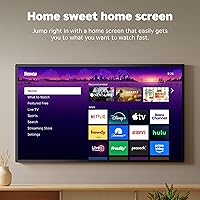
Roku's home screen is refreshingly uncluttered compared to many smart TV interfaces, and long-time Roku users switching from an older stick will find everything exactly where they left it. Navigation is fast, and the search function spans multiple services simultaneously.
Forced software updates that interrupt viewing sessions are a recurring complaint. Some buyers also find the home screen advertising tiles intrusive, and there is currently no way to fully disable promotional content on the main screen.
Voice Search Accuracy
76%
24%
For common requests — searching by title, actor name, or genre — the voice remote performs reliably well. Users who rely on it daily report it cuts navigation time significantly, particularly when browsing across several apps at once.
Accent sensitivity is a known weak point, with non-native English speakers reporting more misrecognitions than native speakers. Complex or multi-part requests sometimes return irrelevant results, and the voice feature does not extend to controlling third-party smart home devices.
Portability & Travel Use
86%
At under an ounce, this streaming stick slips into a travel bag without any noticeable weight addition. The account-based setup means logging in on a hotel TV is not required — content, preferences, and installed apps are all ready to go from the moment it powers on.
Travelers in countries with strict digital content licensing occasionally find their usual streaming libraries restricted while abroad, which has nothing to do with the hardware but still affects the experience. The stick also relies on a stable hotel Wi-Fi, which is not always guaranteed.
Value for Money
87%
For what it costs, the combination of 4K, Dolby Vision, a functional voice remote, and a vast free content library is difficult to match from competing brands at the same tier. Buyers who previously paid more for a premium box frequently note they see little functional difference in daily use.
Buyers who already own a capable smart TV with a fast built-in interface may find limited justification for the purchase. The price has also crept up slightly from its original launch price, which narrows the value gap compared to some newer budget alternatives.
Free Content Access
89%
The volume and variety of free content available without any subscription is a standout feature that many buyers only fully appreciate after setup. Live news, classic TV, and curated movie channels cover enough ground to keep casual viewers entertained without touching a paid service.
Free channel quality is inconsistent — production standards and streaming bitrates vary widely across the 500-plus offerings, and some channels feel more like placeholder content than genuinely curated viewing. Ad frequency on free channels can also feel heavy during longer viewing sessions.
Apple AirPlay Support
72%
28%
AirPlay compatibility is a welcome addition for households with multiple Apple devices, allowing iPhone or iPad content to be mirrored to the TV without extra hardware or complex setup steps. It works reliably for photos, videos, and music from the native Apple apps.
AirPlay on Roku is not as deeply integrated as on Apple TV hardware — some third-party apps that support AirPlay natively on iOS do not behave consistently when cast to this Roku device. Users expecting full Apple ecosystem parity will likely find it falls short.
Headphone & Audio Mode
67%
33%
The option to route audio through headphones via the Roku mobile app is genuinely useful for late-night viewing without disturbing others. Bluetooth headphone pairing adds flexibility for users who prefer a wireless audio experience without a separate speaker.
The headphone mode requires the companion app on a smartphone to initiate, which adds a step that some buyers find unnecessarily awkward. Bluetooth audio latency, while manageable for most content, becomes distracting when watching content where lip sync matters.
Long-Term Reliability
74%
26%
The majority of buyers who have owned previous Roku sticks report a track record of multi-year reliable operation, and early signs from this generation suggest similar durability. Owners who use it as a permanent fixture behind the living room TV rarely report hardware failures.
A small but consistent group of buyers report the stick running noticeably warm during long streaming sessions, raising questions about sustained heat management over years of use. Software bloat from accumulated updates has also caused sluggishness for a minority of longer-term owners.

Suitable for:

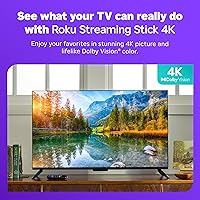
The Roku Streaming Stick 4K is an easy recommendation for anyone who owns a 4K TV but is still relying on a sluggish built-in smart TV interface or an aging streaming stick from a few years back. It is particularly well-suited to renters or people who move frequently, since it transforms any HDMI-equipped TV into a capable streaming hub within minutes of arrival. Travelers will find real practical value here too — the account-based setup means your apps, preferences, and watchlists follow you to hotel rooms without the hassle of logging into someone else's device. Households where the TV sits in a bedroom or a room far from the router will appreciate the improved wireless receiver, though the gains depend on your specific layout and router quality. If you want access to Dolby Vision picture quality and a broad content library — including hundreds of free live TV channels — without spending on a premium streaming box, this device hits a realistic sweet spot for everyday viewing.
Not suitable for:

Buyers who already own a recent smart TV with a fast, well-maintained operating system will likely find limited reason to add this streaming stick to their setup, since the practical difference in day-to-day use will be modest at best. Heavy users embedded in the Amazon or Google ecosystems may find the Roku platform's app selection and deeper voice assistant integration less satisfying than Fire TV or Chromecast alternatives. The Roku Streaming Stick 4K also does not support Dolby Atmos audio, so if high-fidelity surround sound is a priority alongside your picture quality upgrades, you will need a separate audio solution or a higher-tier device. Users who are sensitive to software-driven advertising and cannot tolerate promotional tiles on a home screen will find the Roku interface frustrating with no current option to fully remove them. Finally, anyone expecting plug-and-play reliability in environments with weak or inconsistent Wi-Fi — such as older buildings or rural areas with limited bandwidth — may find the streaming experience less dependable than expected.
Specifications

  • Model: The device is officially designated as the Roku Streaming Stick 4K, manufacturer model number Roku_Streaming_Stick_4K.
  • Dimensions: The stick measures 3.7 x 0.8 x 0.45 inches, making it compact enough to sit hidden behind most flat-panel TVs.
  • Weight: The unit weighs just 0.9 ounces, light enough to carry in a travel bag without any noticeable bulk.
  • Connector: The device connects to TVs via a built-in HDMI connector, compatible with any standard HDMI port.
  • Resolution: Supports 4K Ultra HD output, delivering four times the pixel density of standard 1080p HD content.
  • HDR Support: Compatible with Dolby Vision, HDR10, and HDR10+, providing enhanced contrast and color accuracy on supported displays.
  • Audio Format: Supports standard streaming audio formats including Dolby Digital and stereo output, but does not support Dolby Atmos.
  • Connectivity: Uses Wi-Fi with a long-range receiver for improved wireless signal stability compared to previous Roku stick generations.
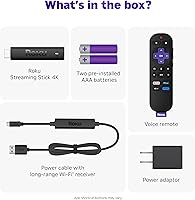
  • Power Source: Powered via USB using the included power adapter, drawing power from a standard wall outlet rather than the TV USB port.
  • Remote Type: Includes a voice remote with dedicated TV power and volume controls, allowing full TV management without a second remote.
  • Batteries: The remote requires two AAA batteries, which are included in the box at the time of purchase.
  • Voice Control: Built-in voice search supports natural language queries for content titles, actors, genres, and app navigation across services.
  • Supported Services: Compatible with major streaming platforms including Netflix, Hulu, Prime Video, Disney Plus, Vudu, Pandora, and hundreds of others.
  • Free Content: Provides access to over 500 free live TV channels through the Roku Channel, requiring no paid subscription.
  • AirPlay Support: Apple AirPlay 2 compatible, allowing users to mirror or cast content directly from Apple devices to the TV.
  • Headphone Mode: Private listening is available via the Roku mobile app on iOS and Android, with Bluetooth headphone support included.
  • Form Factor: Designed as a slim TV stick that tucks behind the display without obstructing adjacent HDMI or other ports.
  • Manufacturer: Designed and sold by Roku, Inc., one of the longest-established dedicated streaming platform companies in the United States.
  • Release Date: The device was first made available for purchase on September 20, 2021.
  • Batteries Included: Two AAA batteries for the voice remote are included in the retail package.

Related Reviews
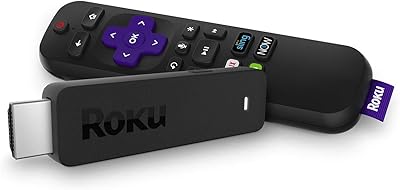
Roku Streaming Stick (2018)
87%
92%
Value for Money
95%
Ease of Setup
88%
Streaming Performance
89%
Voice Remote Functionality
90%
Portability
More
Roku Streaming Stick HD 2025
84%
94%
Ease of Setup
91%
Interface & Navigation
86%
Streaming Performance
88%
Remote Quality
78%
Picture Quality
More
Roku Streaming Stick Plus 2025
84%
94%
Ease of Setup
88%
Picture Quality
91%
Remote Usability
58%
Audio Support
93%
Portability & Travel Use
More
Roku Ultra 4K Streaming Player (2017)
85%
92%
Streaming Quality (4K & HDR)
89%
Voice Remote Functionality
74%
Wi-Fi Connectivity
95%
Ease of Setup
88%
App Compatibility
More
Roku Streambar 9102MX Spanish Edition
82%
93%
Bilingual Interface & Language Support
78%
Audio Quality
82%
4K & HDR Picture Performance
86%
Value for Money
91%
Ease of Setup
More
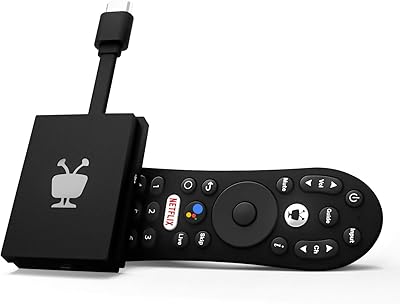
TiVo Stream 4K
TiVo Stream 4K
76%
88%
Content Discovery & Unified Search
84%
Picture Quality
63%
Performance & Responsiveness
81%
Remote Control & Voice Features
86%
App Ecosystem & Google Play Access
More
Roku Express 4K (2022)
80%
93%
Ease of Setup
87%
Streaming Performance
88%
Picture Quality
82%
Remote Usability
91%
Value for Money
More
Xiaomi Mi TV Stick 4K
78%
88%
Picture Quality
91%
Ease of Setup
86%
App Selection & Ecosystem
47%
Internal Storage
73%
Performance & Speed
More
BL Q6 Android TV Stick 4K
73%
74%
Streaming Performance
81%
Picture Quality
86%
Remote Control
88%
Setup & Ease of Use
61%
App Ecosystem
More
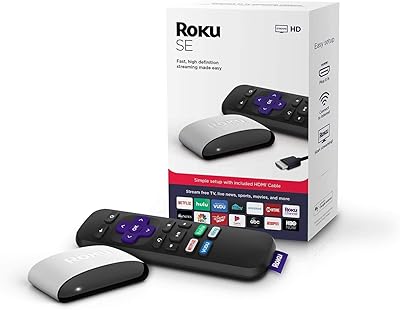
Roku 3903 SE Streaming Media Player
82%
91%
Value for Money
95%
Ease of Setup
85%
Streaming Performance
88%
User Interface
72%
Remote Functionality
More

FAQ

It works with any TV that has an HDMI port, smart or otherwise. That is actually one of the main reasons people buy it — to add streaming capability to an older TV that either lacks built-in apps or has a sluggish smart interface that has not received software updates in years.

Yes, a free Roku account is required to complete setup and access apps. The good news is that creating one takes only a couple of minutes, and the account is what makes the device portable — your apps and preferences follow you wherever you take the stick.

Only if your TV supports 4K, and ideally Dolby Vision or HDR10+. If your display is 1080p, the stick will still work fine but you will not see any visual upgrade. On a compatible 4K screen, the difference in color depth and contrast is genuinely noticeable, particularly during HDR-mastered films.

Yes, and it is one of the more practical use cases for this Roku device. Since all your settings and apps are tied to your Roku account rather than the hardware, you just plug it into the hotel TV's HDMI port, connect to the hotel Wi-Fi, and your usual setup is ready to go — no need to log into anything on the hotel's system.

Closer is always better, but the improved long-range Wi-Fi receiver does give it more tolerance for distance than older sticks. Realistically, it handles a room or two away from the router reasonably well in most homes. That said, thick concrete or brick walls, older routers, and congested networks can still cause buffering regardless of the receiver improvement.

No, it does not. The stick supports Dolby Vision for picture and standard Dolby Digital for audio, but Dolby Atmos is not included. If immersive surround sound is a priority for your setup, you would need to look at a higher-tier streaming device.

In most cases, the included voice remote can handle TV power, volume, and input switching through HDMI-CEC, so you can set the original remote aside entirely. Compatibility depends on your TV brand and model, but it works reliably with the vast majority of modern televisions.

There is a substantial amount of free content available — over 500 live TV channels through the Roku Channel, covering news, movies, and general entertainment, all supported by ads and requiring no subscription. Paid services like Netflix and Hulu are available separately if you subscribe to them.

Honestly, it is one of the more common complaints from owners. Some users get several months out of a set of AAA batteries, while others find themselves replacing them sooner — within a couple of months of regular daily use. Keeping a spare set of batteries handy is a reasonable precaution.

Updates are managed by Roku and download automatically in the background, but they can occasionally trigger a restart at inopportune moments — sometimes mid-evening when you are settled in for a movie. There is no built-in option to schedule updates for off-hours, which is a recurring frustration for a portion of owners. It does not happen frequently, but it is worth knowing about.