
Overview
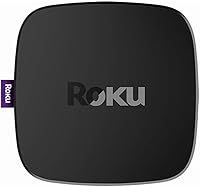
The Roku Ultra 4K Streaming Player was Roku's top-tier streaming box when it launched in 2017, and it still represents a meaningful step up from budget sticks and basic dongles. Where entry-level Roku devices keep things simple, the Ultra box loads up with ports, a more capable remote, and support for 4K HDR content — without dumping a complicated setup on you. Plug it in, run an Ethernet cable or connect wirelessly, and you're watching in minutes. It sits at the upper end of the Roku lineup, and that positioning shows in every hardware decision Roku made.
Features & Benefits
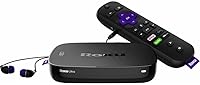
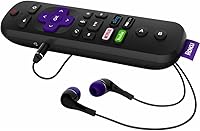
The two features that actually change daily life with this Roku streamer are the remote finder and the headphone jack. Press a button on the set-top box itself and the remote beeps — genuinely handy when it has slid between couch cushions at 11 p.m. The headphone jack lets you plug directly into the remote for private listening with no app or Bluetooth pairing required. Beyond the remote, a rear Ethernet port handles homes where Wi-Fi signals are weak or congested, and the built-in voice search pulls results across Netflix, Hulu, Amazon, and VUDU simultaneously so you stop hunting across apps.
Best For
This Roku streamer makes the most sense for a few specific types of buyers. If you have a 4K HDR television and want to actually use its picture capabilities, this box is a practical way to do it — just don't expect visual magic on a 1080p set. Households in older buildings with thick walls will appreciate having a real Ethernet port rather than fighting unreliable Wi-Fi. And if you live with someone who watches TV late at night, the ability to plug headphones directly into the remote is surprisingly freeing. The remote finder alone will win over anyone who regularly loses theirs.
User Feedback
Owners of Roku's flagship box consistently single out the remote finder and wired Ethernet stability as the reasons they chose this over cheaper options. Picture quality on 4K screens draws praise too, though a portion of buyers note the interface — unchanged from Roku's broader ecosystem — can feel a bit dated next to more recently refreshed competitors. A handful of users report minor friction when first linking streaming accounts, though setup complaints tend to drop off quickly. The more pointed concern is value: with newer Roku Ultra models available, some buyers wonder whether the 2017 version justifies its asking price, and that is a fair question worth weighing before purchasing.
Pros
- The remote finder button is a genuinely practical feature that saves real frustration on a near-daily basis.
- Plugging headphones directly into the remote makes private late-night listening effortless with zero pairing steps.
- A physical Ethernet port delivers rock-solid streaming stability that Wi-Fi-only devices simply cannot guarantee.
- Voice search pulls results across multiple major streaming services at once, cutting down hunting time significantly.
- 4K HDR output is noticeably sharper and richer on a compatible television compared to 1080p-only players.
- The microSD and USB ports give this Roku streamer storage and media flexibility most compact streamers lack.
- Setup is fast and approachable — even less tech-savvy household members can get it running without help.
- Dolby Audio and DTS Digital Surround pass-through keeps home theater audio setups properly fed.
- The compact box sits discreetly on any entertainment center without cluttering the setup.
- Cross-service search means you find what to watch faster instead of bouncing between apps manually.
Cons
- This is a 2017 model, and the software interface looks and feels noticeably older next to current competitors.
- Newer Roku Ultra generations offer meaningful performance and feature improvements that make this version harder to recommend at full price.
- The 802.11 b/g/n Wi-Fi standard is outdated and slower than the dual-band or 802.11ac found in more recent devices.
- Some users hit minor friction when linking streaming accounts during initial setup, which can frustrate first-time Roku owners.
- The box form factor requires a surface or shelf space — less flexible than a stick that plugs directly into the TV.
- There is no Dolby Vision support, which limits HDR performance on TVs that rely on that specific format.
- Voice control depends on the Roku ecosystem and does not integrate as deeply with Alexa or Google Assistant as some rivals.
- Buyers in markets where Roku channel availability is limited may find the large channel count less relevant than advertised.
Ratings
Our AI rating engine processed thousands of verified global user reviews for the Roku Ultra 4K Streaming Player, actively filtering out incentivized submissions, duplicate accounts, and bot-generated feedback to surface what real buyers genuinely think. The scores below reflect a balanced synthesis of both the strongest praise and the most persistent frustrations owners report across markets. Where this Roku streamer excels, the scores show it clearly — and where it falls short for certain buyers, we have not smoothed that over.
Streaming Performance
Picture Quality
Remote Quality
Private Listening
Connectivity Options
Setup Experience
Interface & Navigation
Audio Performance
Channel & App Selection
Build Quality
Value for Money
Power & Efficiency
Compatibility
Suitable for:
The Roku Ultra 4K Streaming Player is a strong pick for cord-cutters who want a reliable, fully equipped streaming hub without dealing with a steep learning curve. It makes particular sense if you own a 4K HDR television and want to put that screen to real use — the hardware is built to take advantage of it. People living in larger homes or apartments with thick walls will benefit most from the Ethernet port, which sidesteps the Wi-Fi reliability issues that plague streaming sticks in those environments. Late-night viewers who share a bedroom or living space will find the headphone jack on the remote a genuine quality-of-life feature, not a gimmick. And if you have a habit of losing the remote between cushions, the built-in remote finder is the kind of small practical detail that quietly earns its keep every single week.
Not suitable for:
Buyers who are happy with a basic 1080p TV and do not plan to upgrade should think carefully before paying for the Ultra box, since the 4K HDR capabilities will go entirely unused. This is also a 2017 device, and while it still works, the interface has not aged as gracefully as newer Roku hardware — shoppers who want the freshest software experience and the latest performance improvements are better served by a current-generation Roku Ultra. Anyone who streams exclusively over strong, centrally located Wi-Fi will also find little reason to pay a premium for Ethernet they will never plug in. Budget-focused buyers who simply want a no-frills way to access Netflix and YouTube would be overpaying for features they do not need. Finally, if you already own a recent smart TV with a built-in Roku OS, adding a separate box is largely redundant.
Specifications
- Model Number: This unit carries the official model designation Roku Ultra 4660R.
- Dimensions: The box measures 4.9 x 4.9 x 1 inches, making it compact enough to sit discreetly on any shelf or entertainment unit.
- Weight: The device weighs 1 pound including its casing, so it stays put without any mounting hardware.
- Video Resolution: Supports output up to 4K UHD with HDR10 and HLG, though picture quality depends on the connected television's capabilities.
- Audio Output: Passes through Dolby Audio and DTS Digital Surround over HDMI, and delivers digital stereo for standard setups.
- HDMI: Connects to your television via a single HDMI port, and a premium HDMI cable is included in the box.
- Ethernet: A dedicated Ethernet port allows for a wired internet connection, which is particularly useful in homes with weak or congested Wi-Fi signals.
- USB Port: One USB port supports external storage devices and allows direct playback of media files stored on compatible drives.
- MicroSD Slot: A microSD card slot lets users expand the available storage for additional channels and content.
- Wireless: Built-in 802.11 b/g/n Wi-Fi handles wireless connectivity for homes without Ethernet access or cabling options.
- Remote Type: The included enhanced voice remote supports hands-free search, TV power and volume control, a headphone jack, and a remote finder function activated from the main unit.
- Private Listening: A 3.5mm headphone jack on the remote enables wired private listening without requiring the Roku mobile app or any Bluetooth pairing.
- Remote Finder: Pressing a button on the top of the player causes the remote to emit an audible tone so it can be located when misplaced.
- Voice Search: The voice remote allows users to search for titles across multiple streaming services simultaneously using spoken commands.
- Supported Services: Compatible with major streaming platforms including Netflix, Hulu, Amazon Instant Video, VUDU, and YouTube, among thousands of other channels.
- Batteries: The remote requires two AAA batteries, which are included in the package.
- Power Source: The device is powered via a micro-USB power adapter included in the box.
- Form Factor: Designed as a compact set-top box rather than a streaming stick, requiring a flat surface or shelf placement near the television.
- Color: Available in purple as the standard color for this model.
- Release Year: This model was first made available in October 2017 and represents that year's flagship tier in the Roku lineup.
Related Reviews
Roku Streaming Stick 4K
Roku 3903 SE Streaming Media Player
Roku Express HD Streaming Media Player
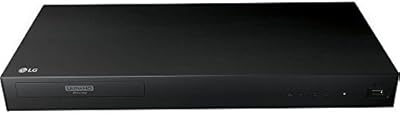
LG UBK80 4K Blu-ray Player
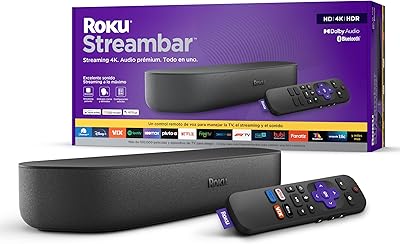
Roku Streambar 9102MX Spanish Edition
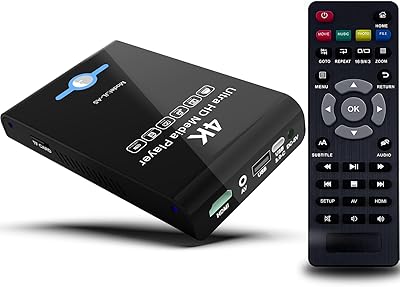
JLZNLC A5 4K Media Player & HDD Enclosure

Sony UBP-X700M 4K Ultra HD Blu-ray Player
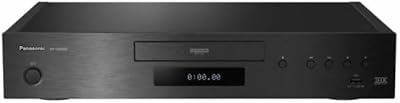
Panasonic DP-UB9000 4K Blu-ray Player
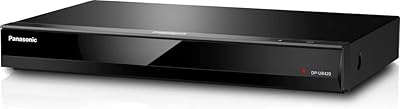
Panasonic DP-UB420-K 4K Ultra HD Blu-ray Player