
Overview

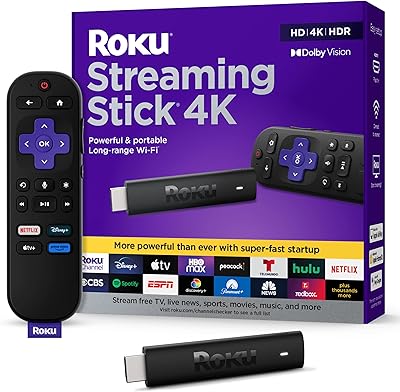
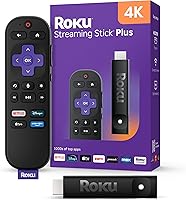
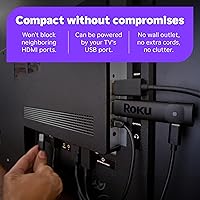
The Roku Streaming Stick Plus 2025 is Roku's latest iteration of its popular plug-in streamer, built for cord-cutters who want 4K picture quality without spending a premium. It tucks directly into your TV's HDMI port and can draw power from the TV's own USB port — no wall outlet required, no extra cables in sight. Setup takes minutes: follow a few on-screen prompts and you're watching content almost immediately. No account is required to access free channels right away. For what it costs, this streaming stick punches well above its weight in both picture performance and sheer ease of use.

Features & Benefits

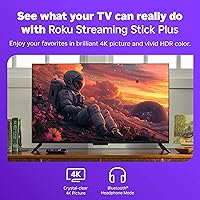
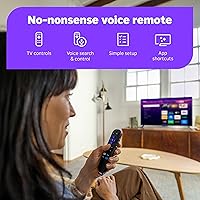
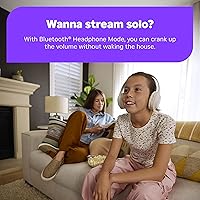
Picture quality is where this little streamer earns its keep. With 4K and HDR10+ support, colors look noticeably richer on a compatible TV — not dramatic on a budget panel, but a real improvement if your display can handle it. The voice remote handles TV power, volume, and input switching, so the original remote mostly stays in the drawer. Bluetooth Headphone Mode is a genuinely useful addition — pair your wireless headphones directly for late-night viewing without needing the mobile app. It also works with Alexa, Google Assistant, and Apple AirPlay. The 500+ free channels are ad-supported and uneven in quality, but there's enough to reduce subscription fatigue for most households.

Best For

This streaming stick makes the most sense for a few specific types of buyers. If your smart TV's built-in interface is sluggish or no longer receiving updates, plugging this in immediately gives you a faster, more current experience. It's also a smart pick for frequent travelers — since it draws power from the TV's USB port, there's nothing to plug into the wall, and you avoid fumbling through a hotel TV's confusing menu. Secondary TVs in bedrooms or guest rooms are another natural fit. And if you dislike juggling multiple remotes, unified TV control through a single remote is a practical daily improvement that's hard to give up once you have it.

User Feedback

Across thousands of ratings, setup speed stands out as the most consistently praised aspect — many buyers report being fully up and running in under five minutes, which tracks with the actual experience. The interface is snappy and the remote feels intuitive, even for less tech-savvy users. Wi-Fi performance in typical home environments also gets strong marks. On the other side, the absence of Dolby Atmos is a legitimate gap for buyers cross-shopping with competing sticks that include it at a comparable price. A handful of users also mention remote battery drain being faster than expected over time. Neither issue is a dealbreaker for most people, but both are worth factoring into your decision.

Pros

  • Roku Streaming Stick Plus 2025 sets up in under five minutes with no technical knowledge required.
  • USB-powered design eliminates wall adapters — ideal for travel or clean TV setups.
  • The single remote controls TV power, volume, and all streaming navigation without extra pairing.
  • 4K HDR10+ picture quality is a visible upgrade on any compatible display.
  • Bluetooth Headphone Mode works directly without needing a phone or companion app.
  • The free content library is genuinely large and reduces reliance on paid subscriptions.
  • Interface response times are fast and consistent, even after extended use.
  • Works with Alexa, Google Assistant, and Apple AirPlay out of the box.
  • The compact stick form factor hides behind the TV without blocking adjacent HDMI ports.
  • Strong Wi-Fi reliability reported across typical home environments and apartment setups.

Cons

  • No Dolby Atmos support — a real gap for anyone with a capable soundbar or AV receiver.
  • No Dolby Vision support either, limiting HDR compatibility with certain premium displays.
  • Remote batteries drain faster than expected with regular daily use over several months.
  • No Ethernet adapter option means users in weak Wi-Fi areas have no wired fallback.
  • Remote lacks backlighting, making it harder to use in a fully dark room.
  • Free channels are ad-supported with uneven content quality — not a cable replacement.
  • Some hotel TV USB ports do not supply enough power to run the stick reliably.
  • Button responsiveness on the remote can degrade noticeably after 18 to 24 months of use.
  • No rechargeable remote option at this tier; replaceable batteries only.
  • Third-party channel apps load noticeably slower than flagship streaming services.

Ratings

The Roku Streaming Stick Plus 2025 earns strong marks across the board based on AI analysis of thousands of verified global user reviews, with spam, bot-generated, and incentivized feedback actively filtered out before scoring. Categories reflect what real buyers consistently praised and complained about — setup experience, remote usability, picture quality, and portability all surfaced as standout themes, while audio format support and long-term remote battery life drew recurring criticism. Both the highs and the honest shortcomings are reflected in every score below.

Ease of Setup
94%
Buyers across skill levels — including those who rarely touch tech — consistently report being fully set up and watching content in under five minutes. The on-screen prompts are clear, no account is required to start accessing free channels, and the USB power eliminates the usual cord-hunting that trips people up with other devices.
A small number of users on older TVs ran into HDMI handshake issues that required unplugging and reinserting the stick. Wi-Fi password entry via remote can feel tedious for people with complex network credentials, though it is a one-time inconvenience.
Picture Quality
88%
On a 4K HDR-capable TV, the improvement over a standard HD stream is immediately visible — colors are more saturated, shadow detail holds up better in dark scenes, and fast-moving content like sports looks noticeably sharper. HDR10+ support makes a real difference on compatible panels.
The quality ceiling depends entirely on the TV it is paired with. Users with 1080p or budget 4K panels often notice little difference from a cheaper HD stick, and the device does not support Dolby Vision, which is a gap that audiophile-adjacent buyers will find frustrating.
Remote Usability
91%
The ability to control TV power, input, and volume from a single remote is something reviewers mention repeatedly as a quality-of-life improvement they did not expect to value so much. The button layout is clean, voice search works reliably, and the remote pairs quickly after battery changes.
The remote lacks backlighting, which makes it harder to use in a completely dark room. A meaningful number of longer-term owners report battery drain faster than expected — some replacing batteries every two to three months with regular daily use.
Audio Support
58%
42%
For most casual TV watchers, the audio passthrough handles Dolby Digital and standard stereo without issue, covering the output needs of a typical soundbar or TV speaker setup. The vast majority of content plays back cleanly with no sync or dropout issues.
The absence of Dolby Atmos support is a real and recurring complaint, especially from buyers who cross-shopped with competing sticks that include it at a similar or only slightly higher price. For anyone with an Atmos-capable soundbar, this gap is impossible to ignore.
Portability & Travel Use
93%
The USB power design is the key advantage here — travelers plug it into the hotel TV's USB port with no wall adapter needed, and the familiar Roku interface appears instantly on a foreign screen. Multiple frequent travelers in the review pool specifically called this out as the deciding factor in their purchase.
A small subset of users found that some hotel TVs do not supply enough USB power output to run the stick reliably, requiring a travel USB adapter as a backup. It is a rare edge case, but worth knowing if travel use is your primary reason for buying.
App & Content Library
86%
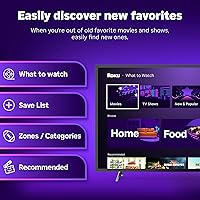
All major streaming platforms are present and load quickly. The Roku Channel's free, ad-supported library is larger than most people expect — it genuinely reduces the pressure to maintain multiple paid subscriptions simultaneously, which reviewers with tighter budgets mentioned as a real benefit.
The free content is ad-supported and the quality is uneven; a lot of it is older catalog material or niche programming. Users looking for current, premium free content will be disappointed, and the ad frequency on free channels is noticeably higher than on paid tiers.
Interface Responsiveness
89%
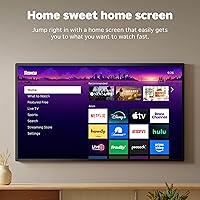
Navigation feels quick and consistent — scrolling through apps, launching titles, and switching between services happens without the sluggishness that plagues many built-in smart TV systems. The home screen loads fast even after extended idle periods, which is a common frustration point on older platform hardware.
Occasional lag has been reported during heavy app loading or when the device has been running for several hours without a restart. A small group of users noted that certain third-party channel apps feel slower than the flagship streaming services, likely due to those apps being less optimized.
Wi-Fi Performance
87%
In a typical home environment with a router within 30 feet, the dual-band Wi-Fi holds a stable enough connection to sustain 4K streams without interruption. Reviewers in apartments and mid-size homes consistently praised the connection reliability, even through walls.
In larger homes or spaces with weaker Wi-Fi signals, buffering does creep in during peak usage hours. The stick lacks an Ethernet adapter option, so users in signal-challenged environments have no wired fallback without a third-party solution.
Build & Design
83%
The compact form factor genuinely hides behind the TV without blocking neighboring HDMI ports, which is not the case for every streaming stick on the market. The physical build feels solid enough, and the short profile makes it easy to forget it is there at all.
The plastic casing feels utilitarian rather than premium, though at this price tier that is expected. A few users noted that the stick runs warm after extended use — not hot enough to be a concern, but noticeable if you happen to touch it while repositioning cables.
Smart Home Integration
79%
21%
Alexa, Google Assistant, and Apple HomeKit support is all present and functional. Users already embedded in any of those ecosystems can use voice commands to launch apps, adjust volume, or power the TV without touching the remote, which simplifies daily routines in a meaningful way.
Integration depth is somewhat surface-level — it covers the basics well, but advanced automation scenarios like conditional routines triggered by viewing activity are limited. Users with more complex smart home setups found the functionality useful but not particularly impressive compared to dedicated smart home devices.
Bluetooth Headphone Mode
77%
23%
Pairing wireless headphones directly to the stick — without needing the mobile app — is a genuinely underrated feature for late-night viewing or anyone in a shared living situation. The pairing process is straightforward and works with most standard Bluetooth headphones and earbuds.
Audio latency with Bluetooth headphones is noticeable on some pairings, particularly with older Bluetooth headphones. The mode also does not support multi-device pairing, so switching between headphones requires going back through the settings each time.
Value for Money
92%
Compared to what this category offered three years ago at the same price, the 2025 version delivers a meaningful amount: 4K, HDR10+, voice control, Bluetooth audio, and USB power in a single small package. For secondary TVs or as an upgrade to a slow smart TV interface, the return on investment is hard to argue with.
Buyers who want Dolby Atmos, Dolby Vision, or a rechargeable remote will need to spend more on competing options. At its price, the stick hits the value target well, but it is not the right choice for buyers who want a single device to cover every premium audio-visual format.
Long-Term Reliability
74%
26%
Most users who have owned previous Roku sticks report they hold up well over one to three years with regular daily use. Software updates arrive reliably and have generally improved rather than degraded performance over time, which is not guaranteed with every streaming platform.
A recurring thread among longer-term reviewers involves remote reliability degrading after 18 to 24 months — buttons becoming less responsive or the remote requiring more frequent battery swaps. A small percentage of users also reported the unit failing to wake from sleep consistently after extended ownership.

Suitable for:

The Roku Streaming Stick Plus 2025 is a natural fit for anyone whose current TV experience feels slow, cluttered, or outdated — whether that means a smart TV whose interface has aged badly, an older set that never had streaming built in, or a secondary bedroom TV that deserves more than a basic cable box. Frequent travelers in particular get real, practical value here: the USB-powered design means you can plug this little streamer into a hotel TV, skip the unfamiliar menu system entirely, and be watching your own apps and saved preferences within minutes — no wall adapter, no logging into a stranger's device. It also makes strong sense for households trying to cut down on subscription costs, since the free ad-supported content library is large enough to meaningfully reduce how much paid streaming you actually need. People who dislike managing multiple remotes will appreciate that one remote handles TV power, volume, and all streaming navigation. And if you already use Alexa, Google Home, or Apple HomeKit, the integration here is broad enough to slot in without friction.

Not suitable for:

Buyers who have invested in a premium home theater setup — particularly those with a Dolby Atmos-capable soundbar or AV receiver — should know upfront that the Roku Streaming Stick Plus 2025 does not support Dolby Atmos or Dolby Vision, and that gap is real enough to push serious home theater enthusiasts toward competing options that do. If you are someone who prioritizes having every audio and video format covered by a single device, this streaming stick will leave something on the table. It is also not the right choice for users in large homes with weak or inconsistent Wi-Fi, since there is no Ethernet adapter option and no wired fallback. Those who want a rechargeable remote, backlit buttons, or a remote finder feature will need to step up to a pricier tier within the Roku lineup or look at alternatives entirely. And if your TV only outputs 1080p, the 4K capability here goes completely unused — a cheaper HD stick would serve you just as well for less money.

Specifications

  • Model Number: The device ships under model number 3830R, representing Roku's 2025 Streaming Stick Plus refresh.
  • Form Factor: Compact HDMI stick measuring 3.7 x 0.8 x 0.5 inches, designed to sit flush behind a TV without blocking adjacent ports.
  • Weight: The stick weighs 6.4 ounces including the attached HDMI connector.
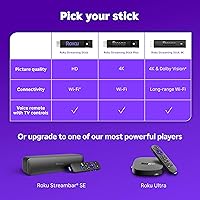
  • Resolution: Supports up to 4K Ultra HD output on compatible displays.
  • HDR Support: Compatible with HDR10+ for enhanced contrast and color depth on supported televisions.
  • Connector Type: Built-in HDMI connector; no separate cable required — the stick plugs directly into the TV's HDMI port.
  • Power Source: Powered via USB, allowing it to draw power directly from the TV's USB port with no wall outlet or separate power brick needed.
  • Wi-Fi: Dual-band Wi-Fi connectivity for stable wireless streaming in typical home environments.
  • Bluetooth: Bluetooth support enables direct wireless headphone pairing and remote connectivity without a separate receiver.
  • Remote Type: Includes a voice remote with dedicated buttons for TV power, volume, and input control, eliminating the need for the TV's original remote.
  • Voice Assistants: Compatible with Amazon Alexa and Google Assistant for hands-free search and device control.
  • AirPlay & HomeKit: Supports Apple AirPlay 2 and Apple HomeKit for integration with Apple devices and home automation workflows.
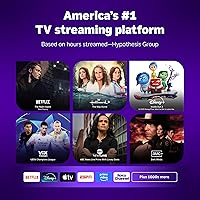
  • Streaming Services: Provides access to Netflix, Disney+, Hulu, Prime Video, Apple TV+, and thousands of additional channels through the Roku platform.
  • Free Channels: Includes access to 500+ free ad-supported live TV channels via The Roku Channel.
  • Headphone Mode: Bluetooth Headphone Mode allows direct pairing of wireless headphones to the device for private listening without a companion app.
  • Dolby Atmos: Dolby Atmos audio is not supported; the device passes through Dolby Digital and standard stereo audio formats only.
  • Dolby Vision: Dolby Vision HDR is not supported; HDR10+ is the highest HDR tier available on this device.
  • Smart Home: Works with Roku Smart Home ecosystem as well as third-party platforms including Alexa, Google Home, and Apple HomeKit.
  • Manufacturer: Manufactured by Roku, Inc., with the product first made available in April 2025.
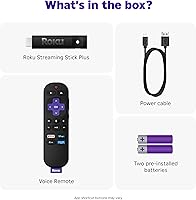
  • Box Contents: Package includes the streaming stick, voice remote, two AA batteries, a USB power cable, and a USB power adapter for use when a TV USB port is unavailable.

Related Reviews
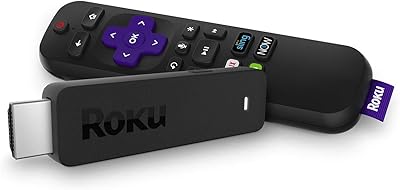
Roku Streaming Stick HD 2025
84%
94%
Ease of Setup
91%
Interface & Navigation
86%
Streaming Performance
88%
Remote Quality
78%
Picture Quality
More
Roku Streaming Stick 4K
82%
93%
Ease of Setup
88%
Picture Quality
79%
Wi-Fi Performance
84%
Remote Usability
91%
App & Content Library
More
Roku Streaming Stick (2018)
87%
92%
Value for Money
95%
Ease of Setup
88%
Streaming Performance
89%
Voice Remote Functionality
90%
Portability
More
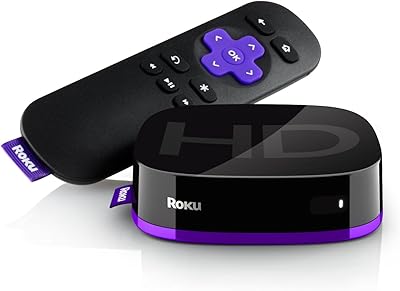
Roku 3903 SE Streaming Media Player
82%
91%
Value for Money
95%
Ease of Setup
85%
Streaming Performance
88%
User Interface
72%
Remote Functionality
More
Roku Ultra 4K Streaming Player (2017)
85%
92%
Streaming Quality (4K & HDR)
89%
Voice Remote Functionality
74%
Wi-Fi Connectivity
95%
Ease of Setup
88%
App Compatibility
More
Roku Express HD Streaming Media Player (2018)
87%
92%
Value for Money
95%
Ease of Setup
90%
Picture Quality (1080p)
88%
Remote Control Functionality
65%
Wi-Fi Connectivity
More
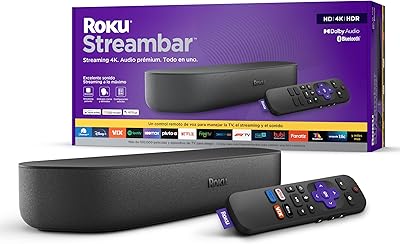
Roku Streambar 9102MX Spanish Edition

82%
93%
Bilingual Interface & Language Support
78%
Audio Quality
82%
4K & HDR Picture Performance
86%
Value for Money
91%
Ease of Setup
More
Lume Deodorant Plus Sweat Control Stick 2.6oz Unscented
90%
96%
Odor Control Effectiveness
94%
Sweat Reduction Performance
91%
Skin Sensitivity Compatibility
88%
Application Smoothness
85%
Residue and Staining
More
Roku Plus Series 65-Inch 4K QLED Smart TV
87%
94%
Picture Quality
89%
Ease of Setup
91%
Streaming Performance
88%
Design and Build
75%
Sound Quality
More
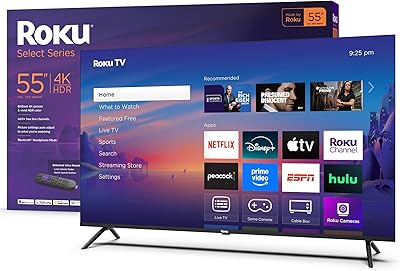
Roku Smart TV 2025 – 55-Inch Select Series 4K HDR TV
86%
88%
Picture Quality
91%
User Interface & Smart Features
94%
Setup & Installation
90%
Value for Money
84%
Gaming Performance
More

FAQ

Yes, and that is genuinely one of its best practical features. It draws power through a USB cable connected to your TV's USB port — no wall adapter needed in most cases. Just keep in mind that some older TVs have USB ports that do not supply enough power, in which case you can use the included USB adapter as a fallback.

It works on any TV with an HDMI port, including 1080p sets. You just will not see any 4K or HDR benefit unless your TV supports those formats. If your TV tops out at 1080p, the stick will still function fine — you may just want to weigh whether a less expensive HD streaming stick would serve you equally well.

Most standard Bluetooth headphones and earbuds pair directly to the stick through the Bluetooth Headphone Mode setting. You do not need any special equipment or the Roku mobile app. Some users have noted slight audio latency depending on the headphone model and Bluetooth version, but for most casual viewing it works without issue.

It is one of the more practical travel streaming options available at this price. Because it is USB-powered, you can plug it directly into a hotel TV's USB port without carrying a wall adapter. Your apps, login credentials, and preferences travel with the device, so you never have to sign into a hotel's smart TV system or worry about your account being left on someone else's screen.

No, and that is worth being clear about before you buy. This streaming stick does not pass through Dolby Atmos audio. If you have an Atmos-capable soundbar or AV receiver and that format matters to you, you will want to look at competing sticks that do support it, as this is a genuine limitation rather than a minor spec omission.

The remote comes pre-paired and works right out of the box. Voice search is activated by holding the microphone button, and you can search across apps, launch content, or ask general questions. The remote also controls your TV's power and volume automatically by sending HDMI-CEC signals — most modern TVs support this without any extra configuration.

The free tier through The Roku Channel offers 500+ live channels and an on-demand library, all ad-supported. The content ranges from news and classic movies to niche interest channels — it is genuinely useful for reducing how many paid subscriptions you need, but it is not a replacement for premium services. Expect advertising breaks and a catalog that skews toward older titles.

Roku pushes regular firmware updates that have historically maintained or improved performance rather than degraded it, which is a point in its favor compared to some smart TV platforms. That said, a subset of longer-term owners has reported remote button responsiveness declining after 18 to 24 months of heavy use. The device itself tends to hold up reasonably well, but the remote may need attention over time.

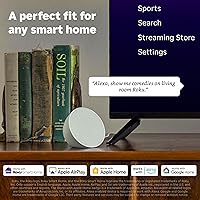
It works across all three major ecosystems. Apple AirPlay 2 lets you cast content from an iPhone, iPad, or Mac directly to your TV, and Apple HomeKit integration means you can control it through the Home app or Siri. Alexa and Google Assistant are also supported, so it is genuinely flexible regardless of which smart home platform you are already using.

This is actually one of the strongest use cases for this little streamer. Plugging it into any available HDMI port effectively replaces your TV's interface with the Roku platform, which is faster, more regularly updated, and easier to navigate than most manufacturer-built smart TV systems. You do not need to buy a new TV — just switch inputs after setup and your old TV behaves like a current-generation streaming device.