Overview

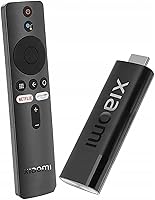
The Xiaomi Mi TV Stick 4K is a compact Android TV 11 streaming stick aimed squarely at budget and mid-range buyers who want to upgrade an older TV without replacing it entirely. Plug it into any HDMI port and you have a capable smart platform running in seconds. Xiaomi has a reputation for packing solid specs into affordable hardware, and this streaming stick fits that pattern well. It competes directly with Amazon's Fire TV Stick 4K and the Chromecast with Google TV in a crowded field where every dollar matters. The 2GB RAM and 8GB storage are worth flagging upfront — they define the real-world experience more than any marketing bullet point will.

Features & Benefits

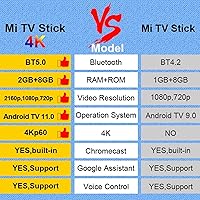
The hardware covers the essentials confidently. 4K HDR and AV1 support deliver sharp, efficient video on compatible displays, with AV1 particularly helpful for squeezing bandwidth on heavy 4K streams. Android TV 11 opens Google Play, so Netflix, Disney+, YouTube, and most major services install without any workarounds. The Google Assistant voice remote earns its keep — searching across apps, adjusting smart home devices, or pulling up content by voice beats hunting through on-screen keyboards every time. Chromecast built-in is a genuine convenience, letting you cast directly from a phone or laptop without switching inputs. Dual-band Wi-Fi and Bluetooth 5.2 keep things stable, though the quad-core chip is built for streaming, not multitasking or gaming.

Best For

This streaming stick makes the most sense for a handful of specific buyers. Frequent travelers will appreciate how compact it is — it slips into any bag and turns a hotel TV into a familiar setup instantly. It also suits anyone with a functional older TV that simply lacks smart features; swapping the whole set just to access Netflix is overkill when this media player handles it for a fraction of that cost. Google ecosystem users benefit most, since Assistant, Chromecast, and Google Play all work natively rather than feeling like afterthoughts. If your main goal is straightforward 4K streaming of Netflix, Disney+, or YouTube with minimal configuration, this fits the brief well.

User Feedback

With over a thousand ratings and a 4.4-star average, the reception is solid but not without caveats. Easy initial setup and strong 4K picture quality are the most consistent compliments — the majority of buyers report being up and running within minutes. The voice remote also draws praise for feeling responsive. On the downside, 8GB internal storage is the single most repeated frustration: install a handful of apps and you are already making choices about what to keep. Some users also note occasional sluggishness when switching between heavier applications. A smaller group wishes the remote included TV volume and power controls, which means keeping a second remote around. These are real limitations, though none are surprising at this price tier.

Pros

  • Xiaomi Mi TV Stick 4K delivers genuine 4K HDR picture quality at a price most buyers find hard to argue with.
  • Full Google Play access means Netflix, Disney+, Prime Video, and YouTube all install without any workarounds.
  • Chromecast built-in lets you cast content from a phone or laptop instantly, without switching inputs.
  • Google Assistant voice search works reliably across apps and doubles as a smart home control hub.
  • Setup takes under five minutes — plug in, connect to Wi-Fi, sign in, and start streaming.
  • Dual-band Wi-Fi and Bluetooth 5.2 keep the connection stable for most typical home environments.
  • AV1 codec support helps maintain sharp 4K streams even when your internet bandwidth fluctuates.
  • The stick is compact enough to travel with daily and light enough to forget it is in your bag.
  • Android TV 11 provides a clean, familiar interface that most users adapt to quickly.
  • The voice remote is responsive and well-sized, making day-to-day navigation genuinely comfortable.

Cons

  • 8GB of internal storage fills up quickly once system data and multiple app caches are factored in.
  • No dedicated TV volume or power buttons on the remote means keeping a second remote within reach.
  • Occasional UI lag appears when rapidly switching between heavier applications back to back.
  • The quad-core processor is not suited for Android gaming or running demanding non-streaming apps.
  • Plastic build feels budget-grade and the HDMI connector can feel loose in some TV ports over time.
  • Software update support may taper off after the first couple of years, a concern for long-term users.
  • Signal strength can drop noticeably if the stick is tucked behind a large TV or inside a cabinet.
  • Casting 4K content depends on the source app supporting Chromecast 4K — not all of them do.
  • Users outside major English-speaking markets sometimes find Google Assistant voice recognition less accurate.
  • Competing sticks at a similar price point now offer more RAM, which gives them a smoother multitasking edge.

Ratings

The Xiaomi Mi TV Stick 4K earns a strong overall reception from buyers worldwide, and these scores reflect an AI-driven analysis of verified global user reviews — with spam, bot activity, and incentivized feedback actively filtered out. The ratings below capture both what this streaming stick genuinely does well and where real buyers have run into friction, with no sugar-coating on the pain points.

Picture Quality
88%
Buyers consistently highlight how crisp and detailed 4K HDR content looks, especially on larger screens where the difference from 1080p is obvious. AV1 codec support means streams stay sharp even when bandwidth dips, which frequent streamers notice and appreciate.
Output quality depends heavily on the TV and the streaming service's own 4K library. Users with older or mid-range panels sometimes feel the hardware potential is capped by their display, and HDR tone mapping can look inconsistent across apps.
Ease of Setup
91%
Getting this media player running is genuinely painless — plug into HDMI, connect to Wi-Fi, sign into a Google account, and you are streaming within a few minutes. First-time smart TV converts in particular call out how little friction is involved.
A small number of users with older TVs report HDMI handshake issues that require unplugging and reinserting the stick. Initial software update on first boot can also take longer than expected, which catches some buyers off guard.
App Selection & Ecosystem
86%
Android TV 11 and full Google Play access mean Netflix, Disney+, YouTube, Prime Video, and most regional streaming services install without workarounds. Having a real app store rather than a curated walled garden is a meaningful advantage over some competing sticks.
Not every Google Play app is optimized for TV interfaces, so a handful of titles display poorly or lack remote navigation support. The 8GB storage cap means users with six or more apps installed quickly start juggling what stays and what gets uninstalled.
Internal Storage
47%
53%
For buyers who stick to two or three core streaming apps, the 8GB is technically workable, and casual users who only need Netflix and YouTube rarely hit the wall immediately after setup.
This is the single most repeated frustration across reviews. Eight gigabytes fills up fast once system files, app data, and cached content are accounted for. Users who want a broad app lineup — including games or multiple streaming services — will find themselves constantly managing space.
Performance & Speed
73%
27%
Day-to-day streaming navigation is smooth enough for most users. Launching Netflix or YouTube, browsing content rows, and playing 4K video all happen at a pace that does not feel sluggish during normal use.
The quad-core processor shows its limits when switching between multiple heavy apps in quick succession — some users notice a pause or stutter that breaks the experience. It is not a platform for Android gaming or running several background processes simultaneously.
Remote Control
71%
29%
The voice remote is compact and responsive, and Google Assistant integration works reliably for content searches and smart home commands. Buyers coming from TVs with no voice control find this a noticeable step up.
A recurring complaint is the absence of dedicated TV volume and power buttons, meaning users must keep their original TV remote nearby. For a living room setup, juggling two remotes becomes an annoyance quickly.
Google Assistant Integration
84%
Voice search across apps, smart home device control, and general queries all work fluidly through the included remote. For households already using Google Home or Nest devices, having Assistant on the TV feels like a natural extension of an existing setup.
Assistant occasionally misidentifies content titles or returns web results instead of launching the relevant app directly. Users outside the US or UK sometimes find voice recognition accuracy drops noticeably with regional accents.
Chromecast Functionality
82%
18%
Casting from Android phones, iPhones, or Chrome browsers works reliably and without meaningful delay for most users. It is a practical feature for anyone who regularly shares content from a mobile device to a bigger screen.
Casting 4K content from some apps requires the source app to explicitly support Chromecast 4K, which not all do. A few users on congested home networks report occasional cast drops that require restarting the session.
Wi-Fi Stability
79%
21%
Dual-band support gives users the option to connect on 5GHz for less interference, and most buyers in typical home environments report stable connections during extended streaming sessions.
Users with the stick positioned behind a large TV or in a cabinet report weaker signal strength than expected. The antenna design inside such a compact body has physical limits, and thick walls or long distances to the router can cause buffering.
Build Quality & Design
77%
23%
The stick is genuinely compact and light, which makes it easy to travel with or to tuck behind a TV without blocking adjacent HDMI ports. The matte black finish looks neutral and unobtrusive in most setups.
The plastic housing feels budget-grade up close, and a few users note the HDMI connector feels slightly loose in certain TV ports over time. It is not a device you would describe as premium to the touch.
Value for Money
83%
For buyers on a strict budget who want real 4K Android TV capability, this streaming stick competes respectably on price. The combination of Google Play, Google Assistant, and Chromecast built-in is hard to match at this tier.
The Fire TV Stick 4K Max and Chromecast with Google TV sit nearby in price and offer more RAM or smoother interfaces. Buyers who stretch slightly beyond this price point may find better long-term value in those alternatives.
Audio Output
74%
26%
Dolby Audio passthrough works well for users with capable soundbars or AV receivers, and most buyers streaming through standard TV speakers report clean, clear audio without obvious artifacts.
Audiophiles note that surround sound performance depends almost entirely on the downstream equipment. Users expecting rich audio from built-in TV speakers will not notice a dramatic difference compared to a standard HDMI source.
Portability
89%
Weighing almost nothing and fitting easily into a jacket pocket, this is genuinely one of the more travel-friendly streaming devices available. Hotel TV setups take under two minutes, which frequent business travelers consistently point out as a real benefit.
The power adapter adds slight bulk to a travel kit, and some international travelers note the adapter is not universally compatible without a separate plug converter. A USB-powered option for hotel USB ports would improve the experience further.
Software Updates & Longevity
66%
34%
Android TV 11 is a reasonably current base, and Xiaomi has pushed updates to the device post-launch. For casual users, the current software state handles all major streaming apps without issue.
Xiaomi's update cadence for budget devices has historically slowed after the first year or two, which raises questions about long-term Android security patches. Users planning to keep the device for three or more years may find software support becomes a concern.

Suitable for:

The Xiaomi Mi TV Stick 4K is a strong match for anyone who wants to breathe new life into an older or budget TV without spending much. Frequent travelers are an obvious fit — the stick weighs almost nothing, sets up in minutes on any hotel TV, and turns an unfamiliar screen into a familiar home streaming environment. It also works well for renters or students who move often and need a portable smart TV solution that goes wherever they go. Google ecosystem households get particular value here: Assistant, Chromecast, and the full Google Play library all work natively, so the experience feels cohesive rather than bolted on. If your daily streaming habits revolve around Netflix, Disney+, YouTube, or a couple of other major services and you want a clean, low-fuss setup, this media player checks those boxes without overcomplicating things.

Not suitable for:

Buyers who plan to install a wide range of apps — including games, fitness platforms, or several regional streaming services simultaneously — will likely find the 8GB internal storage a persistent headache, and the Xiaomi Mi TV Stick 4K is not designed to grow with those needs. The 2GB of RAM is adequate for focused streaming but becomes a limiting factor if you expect to switch quickly between multiple heavy applications without any lag or delay. Hardcore Android gamers should look elsewhere entirely; the quad-core processor handles video content well, but it was never intended as a gaming platform. Users who want a fully unified remote experience — controlling TV power and volume from a single device — will be frustrated by the missing dedicated TV control buttons. And if you are already comparing this against the Fire TV Stick 4K Max or the Chromecast with Google TV and have a little flexibility in budget, those alternatives offer meaningfully more RAM and a smoother overall interface that might justify the modest price difference.

Specifications

  • Resolution: Supports 4K Ultra HD output at up to 3840 x 2160 pixels on compatible HDMI displays.
  • Operating System: Runs Android TV 11, providing access to Google Play, Google Assistant, and the broader Google ecosystem.
  • RAM: Equipped with 2GB of RAM, sufficient for standard streaming tasks but limited for heavy multitasking.
  • Internal Storage: Includes 8GB of onboard storage, of which a portion is reserved for the OS and system files.
  • Processor: Powered by a quad-core CPU designed to handle smooth 4K video playback and everyday app navigation.
  • Wi-Fi: Supports dual-band Wi-Fi on both 2.4GHz and 5GHz bands for flexible and stable wireless connectivity.
  • Bluetooth: Features Bluetooth 5.2 for connecting the included remote and compatible wireless peripherals.
  • Video Codecs: Supports HDR and AV1 decoding, enabling efficient high-quality playback on supported streaming platforms.
  • Connector: Uses a standard HDMI connector to plug directly into any compatible TV or monitor port.
  • Casting: Chromecast built-in allows content to be cast directly from Android, iOS, or Chrome browser sources.
  • Voice Assistant: Google Assistant is built in and accessible via the included voice remote for search and smart home control.
  • Remote: Comes with a voice-enabled remote control that includes shortcut buttons for Google Assistant and select streaming apps.
  • Form Factor: Compact TV stick design measuring 4.2 x 1.16 x 0.6 inches, intended to sit discreetly behind a television.
  • Weight: The stick itself weighs 0.16 ounces, making it light enough to carry in a pocket or travel bag.
  • Color: Available in Black with a matte plastic finish that blends into most TV setups without drawing attention.
  • Power Input: Powered via a USB power adapter included in the box, requiring a standard wall outlet for operation.
  • Audio Support: Passes through Dolby Audio to compatible soundbars or AV receivers via the connected HDMI output.
  • App Ecosystem: Google Play on Android TV 11 provides access to over 7,000 apps including Netflix, Disney+, YouTube, and Prime Video.

Related Reviews
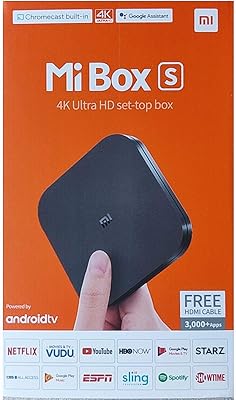
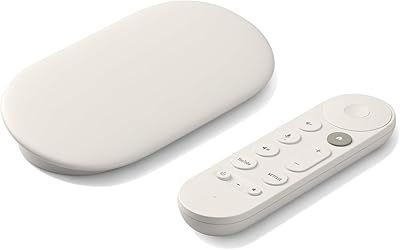
Xiaomi Mi Box S Android TV 4K HDR Streaming Media Player
86%
90%
Value for Money
88%
Setup & Ease of Use
92%
Picture Quality (4K HDR)
89%
Google Assistant Voice Control
78%
App Performance
More
BL Q6 Android TV Stick 4K
73%
74%
Streaming Performance
81%
Picture Quality
86%
Remote Control
88%
Setup & Ease of Use
61%
App Ecosystem
More
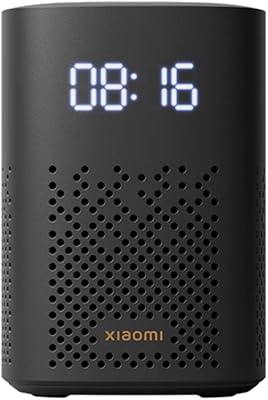
Xiaomi TV Box S 3rd Gen
82%
88%
Picture Quality
84%
Streaming Performance
86%
Interface & Navigation
83%
Value for Money
79%
Remote Control
More
Xiaomi TV Box S 2nd Gen
82%
91%
Value for Money
84%
Streaming Performance
88%
Picture Quality
89%
Google TV Interface
86%
Remote Control
More
Roku Smart TV 2025 – 55-Inch Select Series 4K HDR TV
86%
88%
Picture Quality
91%
User Interface & Smart Features
94%
Setup & Installation
90%
Value for Money
84%
Gaming Performance
More
Roku Streaming Stick 4K
82%
93%
Ease of Setup
88%
Picture Quality
79%
Wi-Fi Performance
84%
Remote Usability
91%
App & Content Library
More
Google TV Streamer 4K (32GB)
87%
93%
4K Streaming Quality
78%
Voice Control Responsiveness
92%
Ease of Setup
85%
Storage Capacity
88%
Chromecast Integration
More
XBMCMart Android TV Box S905X 4K
83%
92%
Value for Money
89%
4K Streaming Quality
86%
Ease of Use
85%
Audio Performance (Dolby DTS)
80%
Build Quality
More
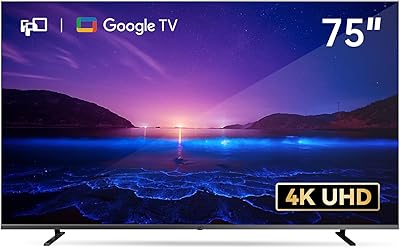
FPD 75 Inch 4K Smart TV
88%
93%
Picture Quality
89%
Sound Quality
90%
Ease of Use
87%
Google TV Interface
78%
Motion Performance (MEMC)
More
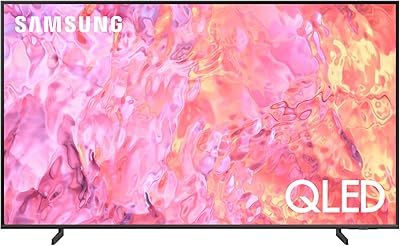
Samsung QN75Q60C 75″ QLED 4K TV
87%
94%
Display Quality
91%
Color Accuracy
89%
HDR Performance
86%
Motion Handling
88%
Sound Clarity
More

FAQ

Netflix 4K support depends on your Netflix subscription tier — you need a plan that includes Ultra HD streaming. The hardware itself is fully capable of 4K output, so as long as your plan and TV support it, you will get 4K Netflix without any issues.

Out of the 8GB total, you realistically have around 5 to 5.5GB free after Android TV 11 and pre-installed system files occupy their portion. That is enough for a handful of apps, but buyers who want to install ten or more services will hit the ceiling quickly and need to manage storage actively.

In most cases, yes — just plug it into the TV's HDMI port and connect to the hotel Wi-Fi. Some hotel networks require a browser-based login page, which can be a minor hurdle since Android TV's browser support is limited, but using your phone as a mobile hotspot is a reliable workaround.

Unfortunately, the included remote does not have dedicated TV volume or power buttons, which is one of the most common complaints from buyers. You will need your original TV remote or a universal remote to handle those functions, so keep it nearby.

For Google ecosystem users, this stick has a clear edge — Assistant, Chromecast, and Google Play feel native rather than forced. The Fire TV Stick 4K Max offers more RAM and a slightly snappier interface, but if you are not invested in Amazon's ecosystem, the practical day-to-day difference is modest for pure streaming use.

Yes, both install and run well from Google Play. Disney+ streams in 4K on supported content, and YouTube works exactly as you would expect on any Android TV device, including 4K and HDR content where available.

Yes, Bluetooth 5.2 is supported, so you can pair compatible wireless headphones or speakers directly through the Android TV settings menu. The connection is generally stable for audio streaming, though latency can vary depending on the headphone codec supported.

There is no native expandable storage option via USB on this streaming stick, which makes the 8GB limit a hard ceiling. Your options are to uninstall less-used apps, clear app caches regularly, or prioritize which services you keep installed at any given time.

For 4K streaming, connecting to 5GHz is generally the better choice when your router is nearby, since it offers faster speeds and less interference from other household devices. If the stick is far from your router or separated by walls, 2.4GHz may actually provide a more stable signal despite its lower top speed.

It can run off a TV USB port if that port delivers sufficient power output — many modern TVs do. However, if you notice performance issues or the stick not booting reliably, switching to the included wall adapter is the more stable choice, especially for extended use.