Overview

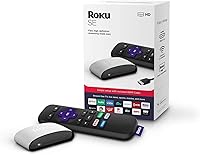
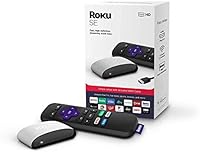
The Roku 3903 SE Streaming Media Player is Roku's no-frills entry into cord-cutting — a compact box that plugs into any HDMI-equipped TV and gets you streaming within minutes. It sits clearly below Roku's mid-range and premium tiers, skipping 4K and HDR entirely, but that omission is deliberate. For a TV that tops out at 1080p Full HD, this Roku streamer covers what most people actually need without charging for features they won't use. The setup is quick, the interface is familiar, and the included remote keeps things simple from the moment you open the box. It doesn't overreach, and for the right buyer, that restraint is the whole appeal.

Features & Benefits

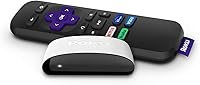
What the Roku SE box does well is strip things down to what matters. One HDMI cable, a quick Wi-Fi login, and you're inside a clean tile-based interface that organizes your apps without confusion. Netflix, Disney+, Hulu, HBO, Apple TV+, and Sling sit alongside free options like The Roku Channel, so there's genuinely plenty to watch. Picture quality at 1080p holds up well on most modern screens, and the compact form factor tucks away neatly behind any TV. The standard remote covers directional navigation and playback controls — no frills, no extra buttons — which is either a strength or a limitation depending on what you're used to.

Best For

This streaming stick alternative earns its place in specific setups rather than every living room. It's a natural fit for first-time cord-cutters who want something that works right away without a manual. Secondary TVs — bedrooms, guest rooms, kids' spaces — are where it really makes sense, since 4K isn't a factor there anyway. Older users or those who find tech frustrating tend to respond well to how approachable the Roku interface is; the learning curve is essentially flat. If you're building a proper home theater around a 4K display, though, this isn't your device. It knows what it is, and that honesty is part of what makes it worth considering.

User Feedback

Most buyers highlight the setup experience as a genuine strong point — many report being fully running in under ten minutes, with consistent Wi-Fi performance during everyday use. The breadth of available channels also earns praise, particularly from users transitioning off cable. The criticisms are real, though. Several reviewers find the remote feels flimsy, and the lack of voice search is a noticeable step down for anyone coming from a more capable device. Some buyers also raise questions about ongoing software support given how long this model has been on the market. Still, overall sentiment skews positive — most buyers feel the value holds up, as long as expectations are set correctly from the start.

Pros

  • Setup takes under ten minutes for most users, with no technical experience needed.
  • The Roku interface is one of the cleanest and easiest to navigate at any price point.
  • Connects to any modern TV via a single HDMI cable — nothing complicated.
  • Access to a broad range of streaming apps covers virtually every major service people actually use.
  • 1080p picture quality is solid and holds up well on most living room and bedroom TVs.
  • Compact form factor sits neatly behind a TV without cluttering the entertainment area.
  • The Roku Channel provides free, ad-supported content without any subscription required.
  • Wi-Fi performance is reported as stable by the majority of everyday users.
  • An approachable choice for older adults who find most streaming tech overly complicated.
  • Delivers reliable Roku ecosystem performance at a price that's easy to justify for a secondary TV.

Cons

  • No 4K or HDR support makes it a poor fit for any modern high-resolution display.
  • The included remote lacks voice search, which feels limiting compared to most competitors today.
  • Build quality of the remote is noticeably budget-level — several users report it feeling flimsy.
  • As an older model first released in 2019, long-term software update support is uncertain.
  • No private listening feature via the remote, unlike higher-tier Roku devices.
  • Wi-Fi range can be inconsistent for TVs placed far from the router.
  • No Bluetooth or headphone jack on the remote limits flexible audio options.
  • Users upgrading from a voice-controlled device will likely find the step down in convenience noticeable.

Ratings

The scores below for the Roku 3903 SE Streaming Media Player were generated by our AI system after analyzing thousands of verified global user reviews, with spam, bot-submitted feedback, and incentivized reviews actively filtered out. Each category reflects the full spectrum of buyer experiences — the genuine strengths and the real frustrations — so you can make a confident, informed decision without the noise.

Ease of Setup
93%
Users consistently describe the initial setup as one of the fastest and least stressful they've experienced with any streaming device. Plugging in the HDMI cable, connecting to Wi-Fi, and walking through the on-screen prompts takes most people well under fifteen minutes, with no technical background required.
A small number of users encountered issues during account activation, particularly those without a stable email address or who struggled with the Roku account creation step on mobile. These cases are outliers, but they do represent a real friction point for the least tech-familiar buyers.
Interface & Navigation
88%
The tile-based Roku OS layout is widely praised for being immediately intuitive, even for users who have never owned a streaming device before. Older adults in particular frequently mention how easy it is to find and launch their favorite apps without getting lost in nested menus.
Some users find the home screen becomes cluttered over time as Roku surfaces promoted and sponsored channels alongside ones they actually chose. The inability to fully hide or suppress these suggestions is a recurring frustration among more experienced users who want a cleaner, personalized layout.
Streaming Performance
82%
18%
For everyday 1080p streaming — catching up on Netflix series, watching Hulu live TV, or browsing The Roku Channel — the Roku SE box performs reliably without noticeable lag or frequent buffering under normal home Wi-Fi conditions. Most users report a smooth, consistent experience during regular nightly viewing.
Performance does show strain when multiple apps are open or the device has been running for extended periods, with occasional slowdowns requiring a restart. Users who frequently switch between apps rapidly may find the load times slightly sluggish compared to newer, more capable hardware.
Picture Quality
77%
23%
At 1080p, the output looks clean and sharp on most bedroom and living room TVs, and users placing this Roku streamer on older 1080p screens report that it makes a genuine improvement over built-in smart TV platforms. For non-4K viewing, it gets the job done without obvious compromise.
On any 4K or HDR-capable TV, the ceiling of this device becomes immediately apparent — content is upscaled rather than natively rendered in higher resolution, and the absence of HDR support means colors and contrast never reach what the display is actually capable of. This is a hard technical ceiling, not a software fix.
Remote Control
58%
42%
The included infrared remote covers all the basics — directional navigation, playback controls, volume, and direct-launch buttons for a handful of streaming services — which is enough for users who simply want to press play and relax without fussing over a complicated controller.
Build quality is the most consistent complaint; the remote feels noticeably cheap in hand, and several users report button responsiveness degrading after months of regular use. The complete absence of voice search is a significant step down for anyone accustomed to it, and the infrared requirement means the remote must be pointed directly at the box.
Wi-Fi Reliability
74%
26%
In typical setups where the TV is in the same room as or close to the router, most users report stable, drop-free streaming sessions over extended periods. The connection holds up well for single-stream household use during normal daily viewing hours.
Users with older routers or TVs positioned farther from their Wi-Fi source report more frequent buffering and occasional disconnections. Unlike some competing devices, this streaming stick alternative lacks any ethernet adapter option as a fallback, which leaves users with weak wireless signals without an easy solution.
App & Channel Selection
86%
The breadth of the Roku channel store is a genuine strength — virtually every major streaming service is available, and the free, ad-supported content on The Roku Channel gives users meaningful options without any subscription. For the average household's viewing habits, the app library covers everything they're likely to need.
A small number of niche or regional apps are missing or inconsistently updated on Roku's platform compared to Android TV or Fire TV alternatives. Users looking for very specific international content channels occasionally find gaps that require workarounds.
Value for Money
89%
Buyers who understand what they're buying consistently rate this as excellent value — a reliable, brand-name streaming experience at a price point that leaves room to put the savings toward the subscriptions themselves. For a secondary TV or a first cord-cutting setup, the cost-to-utility ratio is hard to argue with.
The calculus changes if a buyer later realizes they needed 4K support or a voice remote, as upgrading means buying an entirely different device. A few reviewers feel the age of the hardware relative to its current price makes slightly newer budget competitors a marginally better deal today.
Build Quality & Design
63%
37%
The compact box design is practical — it tucks neatly behind a TV stand or sits flat on a shelf without drawing attention. The unit itself feels reasonably solid, and most users report no hardware failures with the main box over extended ownership.
The overall construction quality feels entry-level, which it is, but the remote is where this shows most clearly. Lightweight plastics and buttons that can feel mushy or imprecise over time give the package a less-than-premium feel that doesn't match how some users expect a brand-name product to hold up.
Long-Term Reliability
71%
29%
Many users report years of consistent, trouble-free operation from this Roku streamer, with the device continuing to function well as long as it receives software updates. For a set-it-and-forget-it secondary TV device, the failure rate reported in reviews is reassuringly low.
The device's 2019 launch date is a legitimate concern for buyers thinking about multi-year use. Roku's update support for older hardware has historically been reliable but not indefinite, and users who plan to keep a device for four or more years face some uncertainty about how long the platform will remain fully functional.
Audio Output
69%
31%
For users running audio directly through their TV speakers or a basic soundbar via HDMI ARC, the audio passthrough works cleanly without configuration. Most everyday viewers are satisfied with the output for normal TV watching.
There is no optical audio output, no dedicated audio port, and no Bluetooth audio support — so users with external speaker setups that don't rely on HDMI are entirely out of luck. The lack of a private listening mode through the remote, a feature available on higher Roku models, is a frequently noted omission.
Compatibility
91%
HDMI compatibility is essentially universal for TVs made in the past fifteen years, and the Roku OS works with any internet-connected home network regardless of ISP or router brand. Users rarely encounter compatibility issues getting this device to work with their existing setup.
Older CRT or component-only televisions are completely unsupported, as HDMI is the only video output. While this is an industry-wide standard rather than a unique limitation, it does occasionally catch buyers with legacy equipment off guard.
Initial Configuration
84%
Beyond physical setup, the process of adding channels, adjusting display settings, and organizing the home screen is well-designed and walks users through each step clearly. Most buyers report feeling confident using the device independently within an hour of first turning it on.
Users who don't have a smartphone or reliable email access can find the mandatory Roku account creation step more cumbersome than expected. The account requirement itself — while standard across the industry — is a point of friction for buyers who prefer not to register devices.

Suitable for:

The Roku 3903 SE Streaming Media Player is a genuinely smart pick for anyone who wants to start streaming without spending much or overthinking the setup. It's especially well-suited for first-time cord-cutters who just want Netflix, Hulu, and a handful of other apps working on their TV by tonight — no technical knowledge required. Secondary TVs throughout the house are another natural fit; a bedroom or guest room TV rarely needs 4K, and this Roku streamer handles 1080p content without any fuss. Older adults or less tech-savvy family members tend to take to the Roku interface quickly, since it's one of the cleaner, more intuitive platforms available at any price. If you're buying for a kid's room or a vacation property where simplicity and durability matter more than cutting-edge specs, the Roku SE box checks all the right boxes without leaving you worried about the investment.

Not suitable for:

If your TV supports 4K or HDR and you actually want to use those capabilities, the Roku 3903 SE Streaming Media Player will leave you underwhelmed — it simply doesn't output beyond 1080p, full stop. Home theater enthusiasts who have invested in high-end displays should look at Roku's own higher-tier sticks or boxes, or consider competing platforms that support Dolby Vision and Atmos. Users who rely heavily on voice search to find content quickly will also find this Roku streamer frustrating, as the included remote is purely button-based with no microphone. Anyone who needs strong Wi-Fi range for a TV positioned far from the router may run into connectivity issues that a more capable device handles better. And if long-term software support is a priority, it's worth noting that this is an older model — future firmware updates are not guaranteed indefinitely.

Specifications

  • Brand: Manufactured by Roku, one of the most widely used streaming platform brands in the United States.
  • Model: Model number 3903, marketed as the SE (Special Edition) variant of Roku's entry-level streaming box lineup.
  • Resolution: Supports up to 1080p Full HD output; does not support 4K UHD or HDR content of any kind.
  • Connectivity: Connects to a TV via a single HDMI cable; no composite or component video output is available.
  • Form Factor: Compact TV box design measuring 7 x 7 x 2.4 inches, intended to sit near or behind a television.
  • Weight: The unit weighs 7.2 ounces, making it lightweight enough to position discreetly in most entertainment setups.
  • Remote Type: Includes a standard infrared remote control requiring 2 AAA batteries; no voice input or motion features are present.
  • Wireless: Connects to home networks via built-in Wi-Fi; exact Wi-Fi standard specifications are not officially published for this model.
  • Power Source: Powered via an included AC adapter; does not support USB power directly from a TV port on this model.
  • Supported Services: Compatible with major streaming platforms including Netflix, Disney+, Apple TV+, Hulu, HBO, Sling, and The Roku Channel, among thousands of others.
  • Operating System: Runs Roku OS, a tile-based smart TV platform known for its simple layout and broad app channel library.
  • Color: Available in Purple as the primary color finish for this SE edition.
  • Audio Output: Audio is passed through the HDMI connection; no dedicated optical, RCA, or headphone audio outputs are included.
  • Market Tier: Positioned as an entry-level, budget-friendly device within Roku's broader product lineup.
  • Release Date: First made available for purchase in December 2019, making it one of the older active models in the Roku lineup.
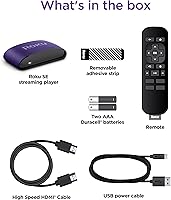
  • Box Contents: The package includes the streaming box unit, a standard remote control, an HDMI cable, a power adapter, and a quick-start guide.
  • HDR Support: This device does not support HDR10, Dolby Vision, or any high dynamic range video format.
  • Voice Control: No voice control functionality is available; all navigation is performed using the physical buttons on the included remote.

Related Reviews
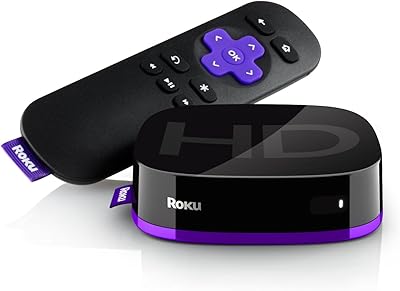
Roku Express HD Streaming Media Player
83%
94%
Ease of Setup
91%
Interface & Navigation
93%
Channel Selection
88%
Free Content Value
62%
Remote Usability
More
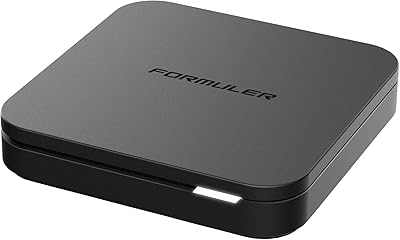
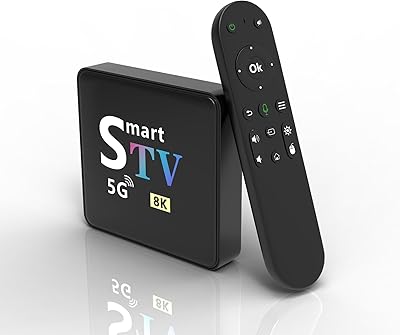
Formuler Z10 SE Android 10 2GB RAM 4GB ROM 4K Streaming Media Player
81%
88%
Value for Money
91%
4K Streaming Quality
89%
Ease of Setup
84%
Connectivity Options
78%
User Interface
More
Roku Ultra 4K Streaming Player
82%
88%
Streaming Performance
84%
Picture Quality
91%
Remote Quality
89%
Private Listening
93%
Connectivity Options
More
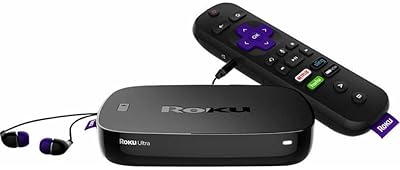
YFDSPSM M9-8K Streaming Media Player
71%
83%
Value for Money
81%
Setup & Ease of Use
76%
Streaming Performance
88%
WiFi Connectivity
71%
Remote Control Quality
More
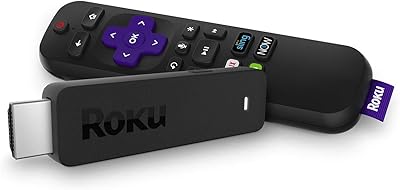
Xiaomi Mi Box S Android TV 4K HDR Streaming Media Player
86%
90%
Value for Money
88%
Setup & Ease of Use
92%
Picture Quality (4K HDR)
89%
Google Assistant Voice Control
78%
App Performance
More
MYPIN HA0284-NCUSF 4K Media Player
77%
91%
Ease of Setup
88%
Format Compatibility
74%
4K Video Quality
83%
H.265 Decoding Performance
86%
Storage Flexibility
More
Roku Streaming Stick 4K
82%
93%
Ease of Setup
88%
Picture Quality
79%
Wi-Fi Performance
84%
Remote Usability
91%
App & Content Library
More
MYPIN Mini 1080p HDMI Media Player
78%
91%
Ease of Setup
83%
Format Compatibility
78%
Build Quality & Portability
76%
Video Playback Quality
58%
Remote Control & Navigation
More
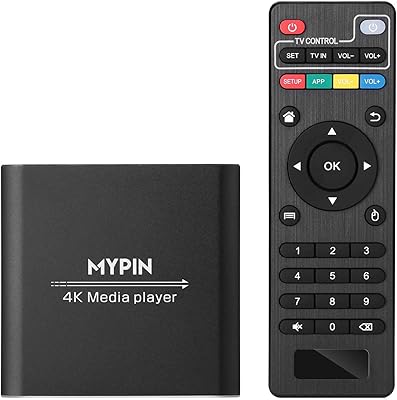
Roku Streaming Stick 2018 Streaming Device
80%
93%
Ease of Setup
88%
Remote Usability
81%
Streaming Performance
79%
Picture Quality
67%
Wi-Fi Reliability
More
Roku Streaming Stick HD 2025
84%
94%
Ease of Setup
91%
Interface & Navigation
86%
Streaming Performance
88%
Remote Quality
78%
Picture Quality
More

FAQ

As long as your TV has an HDMI input — which virtually every TV made in the last fifteen years does — this Roku streamer will work with it. Brand doesn't matter at all. You're essentially bypassing whatever smart TV software your TV came with and using Roku's platform instead.

No, it cannot. The Roku 3903 SE Streaming Media Player tops out at 1080p Full HD. If your TV supports 4K and you want to actually use that resolution, you'll need to step up to a 4K-capable Roku model or a competing device that supports UHD output.

Setup is genuinely straightforward. You plug it into your TV's HDMI port, connect the power adapter, and follow a short on-screen guide to connect to your Wi-Fi and log into or create a free Roku account. Most people are up and running in under fifteen minutes without any outside help.

Yes, a free Roku account is required to activate the device and access channels. Creating one takes just a few minutes and doesn't cost anything on its own — paid subscriptions like Netflix or Hulu are separate and entirely optional depending on what you want to watch.

No, the included remote is a standard button-based infrared remote with no microphone or voice capability. If voice search is something you rely on regularly, this is a real limitation worth considering before you buy.

Yes, it will work fine on a 4K TV — it just won't output 4K content. The picture will display at 1080p regardless of the TV's native resolution, which is perfectly watchable but won't take advantage of the TV's full display capability.

For most users with the device positioned in the same room as their router, Wi-Fi performance is described as reliable and stable. Users who place their TV far from the router, or who have older or lower-power routers, report more occasional buffering. It's not a power-user networking device, so a reasonably modern router setup helps.

It's actually one of the better options for a kids' room precisely because of its simplicity. The Roku OS is easy for children to navigate, it supports popular kid-friendly apps, and you can set up a PIN to restrict purchases or certain content types through the Roku account settings.

Roku has historically pushed updates to its devices for several years after release, but since this model launched in December 2019, it is now on the older end of the lineup. Roku hasn't announced an end-of-support date for it, but buyers should be aware that longer-term update support is less certain compared to a newer model.

You get the streaming box itself, the included remote control, an HDMI cable, a power adapter, and a basic quick-start guide. The two AAA batteries for the remote are typically not included, so having a pair on hand before you set it up saves a quick trip to find some.

Where to Buy