Overview

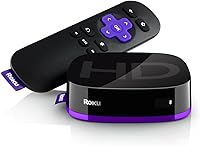
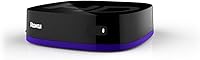
The Roku Express HD Streaming Media Player is Roku's most affordable entry point into the streaming world, built for HD televisions that lack built-in smart features. Plug it in, connect the included HDMI cable, follow a few on-screen prompts, and you are watching Netflix within minutes. That simplicity is the whole point. The device itself is tiny — barely larger than a matchbook — and draws less than 2.2 watts of power, so it never clutters or burdens your TV setup. One honest caveat: this Roku streamer tops out at 1080p HD. No 4K, no HDR. If your TV is already an HD set, that is perfectly fine; just go in knowing exactly what you are getting.
Features & Benefits

The channel library alone makes the Express genuinely worth considering. You get access to over 500,000 movies and TV episodes across more than 1,000 channels — Netflix, Prime Video, HBO, Hulu, Sling TV, ESPN, and plenty more. Beyond the paid services, The Roku Channel offers a solid catalog of free, ad-supported content with no subscription required, which is a real perk at this price tier. The IR remote is basic but functional, with shortcut buttons for popular apps. For those who prefer their phone, the free Roku mobile app handles voice search and private listening surprisingly well. This little streaming box also pairs with Alexa and Google Assistant for hands-free control.

Best For

This Roku streamer makes the most sense for a specific kind of buyer. If you have an older bedroom TV — the kind that predates the smart TV era — the Express is one of the cleanest ways to add streaming without spending a lot. It is also well-suited for anyone who finds technology intimidating; the interface is genuinely easy to navigate, and setup rarely takes more than ten minutes. Guest rooms, home offices, and kitchen TVs are natural fits too. The one group who should look elsewhere: anyone planning to upgrade to a 4K television soon, since the Express simply will not grow with you in that direction.

User Feedback

With well over 170,000 ratings and a score sitting at 4.7 out of 5, the response from real buyers is hard to argue with. People consistently highlight the quick, painless setup and Roku's clean, uncluttered interface as standout strengths. Free content through the Roku Channel also gets mentioned often, particularly among buyers who were not expecting it. On the flip side, the IR remote draws recurring criticism — it requires a clear line of sight to the device, which becomes annoying if your TV sits inside a cabinet. A smaller number of users flag the lack of 4K support, though most acknowledge that limitation was stated upfront.

Pros

  • Setup is genuinely fast — plug in the included HDMI cable, follow a few on-screen steps, and you are streaming in minutes.
  • The Roku interface is one of the cleanest and easiest to navigate of any streaming platform on the market.
  • Access to over 500,000 movies and TV episodes across more than 1,000 channels covers almost every major service.
  • Free, ad-supported content through the Roku Channel adds real value with no extra cost or sign-up required.
  • The free Roku mobile app is a capable backup remote that also enables voice search and private listening through headphones.
  • Works with both Alexa and Google Assistant, so it fits into existing smart home setups without friction.
  • At under 2.2 watts of power consumption, it costs almost nothing to run continuously.
  • The tiny form factor means it tucks behind any TV without cluttering the space.
  • A rating above 4.7 out of 5 across a very large pool of verified buyers is a reliable indicator of consistent real-world performance.
  • Batteries and HDMI cable are included, so there are no surprise add-on purchases needed out of the box.

Cons

  • The IR remote requires a clear line of sight to the device, which becomes a daily nuisance if your TV sits in a closed cabinet.
  • Single-band Wi-Fi can be unreliable in homes with many connected devices competing for the same network bandwidth.
  • No 4K or HDR support makes this a poor long-term investment if a TV upgrade is anywhere on your horizon.
  • The base remote lacks a headphone jack, a lost remote finder, and personal shortcut buttons found on pricier Roku remotes.
  • No voice control on the physical remote — you have to rely on the mobile app or a separate smart speaker for hands-free commands.
  • Older 2018 hardware means it may eventually lag behind in software updates compared to current-generation Roku devices.
  • The Roku Channel's free content library, while useful, is ad-heavy and not always stocked with current or popular titles.
  • No Ethernet port means you are entirely dependent on Wi-Fi — not ideal for areas with weak wireless signal.

Ratings

The scores below reflect an AI-driven analysis of verified global user reviews for the Roku Express HD Streaming Media Player, with spam, bot-generated, and incentivized feedback actively filtered out to ensure reliability. Our model weighs both the enthusiastic praise and the genuine frustrations buyers have shared after weeks and months of daily use. Strengths and shortcomings are reflected with equal transparency so you can make the most informed decision possible.

Ease of Setup
94%
Buyers across all age groups consistently describe setup as one of the fastest and least stressful they have experienced with any streaming device. The included HDMI cable eliminates a common first hurdle, and the on-screen instructions are clear enough that most people are watching content within ten minutes of opening the box.
A small segment of users with older or less common TV models reported minor compatibility hiccups during the initial HDMI handshake, requiring them to switch ports or adjust display settings manually. These cases are the exception rather than the rule, but worth noting for buyers with non-standard setups.
Interface & Navigation
91%
Roku OS is widely regarded as one of the most neutral and intuitive streaming interfaces available, and real users back that up. Seniors and first-time streaming device owners in particular highlight how easy it is to find channels, adjust settings, and switch between services without getting lost in menus.
Some longer-term users find that the home screen fills up with promoted content and sponsored rows over time, which can make locating personal favorites slightly less immediate. It is not a dealbreaker, but it does add a small layer of clutter that was not there on day one.
Channel Selection
93%
Access to more than 1,000 channels covering virtually every major streaming service — Netflix, Prime Video, HBO, Hulu, Sling TV, ESPN, and dozens more — means the Express rarely leaves users hunting for content elsewhere. The breadth of the library is one of the most frequently praised aspects across tens of thousands of reviews.
A few niche or regional streaming services are absent from the Roku channel store, which matters to a small but vocal subset of international users. Additionally, channel availability can shift over time due to licensing disputes, as has historically happened with a handful of major providers on the platform.
Free Content Value
88%
The Roku Channel stands out as a genuine differentiator at this price tier — buyers are often pleasantly surprised to discover a meaningful library of ad-supported movies and shows waiting for them at no cost whatsoever. For casual viewers or households trying to reduce subscription spending, this alone justifies a significant portion of the purchase.
The free content catalog leans heavily toward older titles and lesser-known films, so viewers expecting current releases or trending shows without a paid subscription will find the selection underwhelming. The ad frequency on the Roku Channel is also higher than most users expect, which interrupts longer viewing sessions noticeably.
Remote Usability
62%
38%
The shortcut buttons for popular channels are a practical touch that regular users genuinely appreciate — jumping straight to Netflix or Prime Video without navigating the home screen saves small but real amounts of time each day. The remote itself is lightweight and comfortable to hold for extended viewing sessions.
The IR-based design is the most common complaint in user reviews by a clear margin. It requires unobstructed line-of-sight to the device, which becomes an ongoing irritation for anyone whose TV is mounted inside a cabinet or entertainment unit. There is no headphone jack, no voice button, and no way to find a misplaced remote — limitations that feel dated compared to competitors at similar price points.
Streaming Performance
79%
21%
In typical home environments with a stable Wi-Fi connection, the Express delivers consistent 1080p playback without noticeable lag or mid-stream buffering. Users in smaller apartments or homes with their router in the same room as the TV report a reliably smooth experience across all major services.
The single-band 802.11ac radio shows its limits in households with many connected devices or in larger homes where the router is several walls away. Users in those situations report more frequent buffering and occasional connection drops compared to dual-band or wired alternatives, and there is no Ethernet port to fall back on.
Picture Quality
74%
26%
For 1080p HD content, the image output is clean and accurate — colors look natural and motion is handled well during action-heavy scenes or live sports. On a good HD television in a well-lit room, the visual experience is genuinely enjoyable and more than sufficient for everyday viewing.
The hard ceiling of 1080p is a real limitation as 4K televisions become the household norm, and there is no HDR support of any kind. Buyers who already own a 4K TV are essentially underutilizing their display hardware from day one, which becomes a growing frustration the longer they keep the device.
Mobile App Experience
83%
The free Roku app for iOS and Android earns consistent praise as a capable and reliable substitute for the physical remote. Private listening through connected headphones is a feature users return to repeatedly — it is particularly popular in households where one person wants to watch TV late at night without disturbing others.
The app requires a stable local Wi-Fi connection to communicate with the device, which means it occasionally lags or disconnects in moments when the IR remote would work instantly. A handful of users also report that the app takes several seconds to reconnect after switching away to other phone apps, which disrupts the flow of casual use.
Voice Assistant Integration
71%
29%
Compatibility with both Alexa and Google Assistant gives this little streaming box a useful layer of hands-free control for users who already have smart speakers in their living room. Launching a channel or searching for a specific show by voice works reliably once the initial linking process is complete.
Voice control is entirely dependent on a separate smart speaker — nothing about the physical remote supports it. Users who do not already own an Alexa or Google Home device will find this feature irrelevant, and the setup process for linking accounts can be unnecessarily confusing for less tech-savvy buyers.
Build Quality & Design
77%
23%
The matte black finish looks unobtrusive behind or beside any television, and the compact footprint means it genuinely disappears into the setup. At 1.3 ounces, the device feels light but not cheap, and users report no issues with overheating even after extended use throughout the day.
The remote feels noticeably budget-grade in hand — the plastic is thin and the button travel is shallow in a way that becomes more apparent after extended use. A few users mention that the remote started showing wear, including sticky buttons, sooner than expected for a device in this category.
Value for Money
89%
When assessed purely on what it delivers for the asking price — a full streaming ecosystem, free content, a reliable interface, and practically zero ongoing power cost — the Express represents one of the stronger value propositions in the entry-level streaming category. Most buyers feel they got exactly what they paid for, and then some.
Buyers who stretch their expectations beyond what the hardware is designed for — particularly those hoping it will future-proof a 4K TV purchase — end up feeling shortchanged. Relative to newer models in Roku's own lineup, the price gap has narrowed enough that the Express is not always the obvious choice it once was.
Power Efficiency
92%
Drawing under 2.2 watts during operation, the Express is one of the most energy-efficient devices in its category. Users who leave it running for hours each day appreciate that it adds essentially nothing to their electricity bill, which is a meaningful consideration for devices used in multiple rooms simultaneously.
There is no automatic sleep or power-off function that users can customize through the device itself, which means it continues drawing power even when the television is off unless physically unplugged. This is a minor point for most, but environmentally-minded users mention it as a missed opportunity.
Software & Updates
76%
24%
Roku OS receives regular over-the-air updates automatically, meaning the platform stays current without any manual action from the user. New channel additions, interface improvements, and occasional feature releases have kept the software experience feeling reasonably fresh for a device with older underlying hardware.
As the hardware ages, there is a growing concern among users that Roku may eventually limit which OS versions the older Express model can receive, a pattern that has played out with previous entry-level devices in the lineup. Some users also note that certain newer Roku OS features are unavailable on this model even after updates.
Compatibility
86%
The HDMI connection standard is universally compatible with virtually any television manufactured in the past fifteen years, which makes the Express a genuinely plug-in-and-go solution for the vast majority of buyers. The device works equally well on a budget bedroom TV and a mid-range living room set.
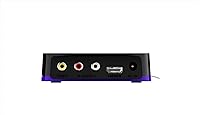
The absence of any analog output options means it is incompatible with very old CRT-style televisions that lack HDMI ports, which occasionally catches out buyers who misjudge their TV's age or connector options. There is also no component or composite output, so there is no workaround for non-HDMI sets.

Suitable for:

The Roku Express HD Streaming Media Player is a strong match for anyone who wants reliable, straightforward access to streaming without overcomplicating things. If you have an older HD television sitting in a bedroom, guest room, or kitchen that has no smart features built in, this little box solves that problem quickly and affordably. It is also a genuinely good option for seniors or less tech-savvy users who get frustrated by overly complex interfaces — Roku's home screen is clean, logically organized, and rarely requires troubleshooting. Budget-conscious households setting up a secondary TV will find the value hard to beat, especially given the free content available through the Roku Channel, which requires no subscription at all. Casual streamers who watch primarily at 1080p and have no immediate plans to move to a 4K display will likely never feel like they are missing anything.
Not suitable for:

Buyers who are planning to invest in a 4K or HDR television in the near future should skip the Roku Express HD Streaming Media Player and look at something higher up in the Roku lineup — the hardware ceiling here is 1080p, full stop. Power users who want a voice-enabled remote straight out of the box will also be disappointed, since the included IR remote is basic and requires a direct line of sight to function, which gets old fast if your TV is mounted inside a cabinet or an entertainment unit. Those living in apartments or homes with congested Wi-Fi networks should be aware that the single-band 802.11ac connection can struggle when competing with multiple devices, so it is not ideal for households with heavy wireless traffic. Anyone who wants advanced features like private listening built into the physical remote, a lost remote finder, or personal shortcut buttons will need to step up to a more capable model.
Specifications

  • Resolution: Supports up to 1080p full HD output; no 4K or HDR capability.
  • Connectivity: Uses 802.11ac single-band Wi-Fi for wireless network connection.
  • Video Output: Connects to your TV via HDMI; a high-speed HDMI cable is included in the box.
  • Remote Type: Standard IR remote with channel shortcut buttons; requires line-of-sight to function.
  • Power Draw: Consumes under 2.2 watts during normal operation, making it extremely energy-efficient.
  • Dimensions: Measures 3.3 x 1.4 x 1 inches, small enough to fit in a shirt pocket.
  • Weight: Weighs just 1.3 ounces, including the device body without cables or remote.
  • Batteries: Requires 2 AAA batteries for the remote, which are included in the package.
  • Model Number: Official model identifier is 3900R, also referred to as the Roku Express.
  • Form Factor: Compact TV box design intended to sit near or behind the television.
  • Color: Available in black with a matte finish on the device body.
  • Supported Services: Compatible with Netflix, Prime Video, HBO, Hulu, Sling TV, YouTube TV, ESPN, Google Play, and many more.
  • Voice Assistants: Works with Amazon Alexa and Google Assistant via compatible smart speakers or displays.
  • Mobile App: The free Roku app for iOS and Android enables voice search, private listening, and full remote control.
  • Channel Library: Provides access to over 500,000 movies and TV episodes across more than 1,000 streaming channels.
  • Free Content: The Roku Channel offers a curated library of ad-supported movies and shows at no subscription cost.
  • Audio Output: Supports DTS Digital Surround, Dolby Audio, and digital stereo passed through the HDMI connection.
  • Platform: Runs Roku OS, a purpose-built streaming operating system with automatic software updates.

Related Reviews
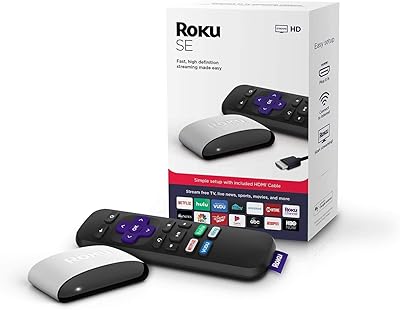
Roku 3903 SE Streaming Media Player
79%
93%
Ease of Setup
88%
Interface & Navigation
82%
Streaming Performance
77%
Picture Quality
58%
Remote Control
More
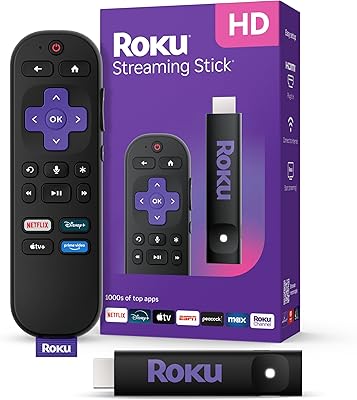
Roku Streaming Stick HD 2025
84%
94%
Ease of Setup
91%
Interface & Navigation
86%
Streaming Performance
88%
Remote Quality
78%
Picture Quality
More
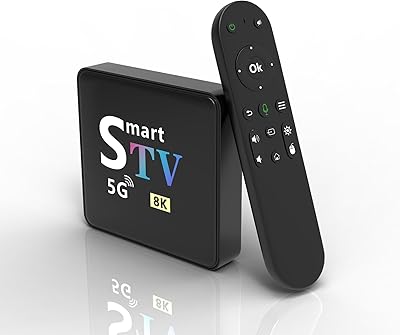
YFDSPSM M9-8K Streaming Media Player
71%
83%
Value for Money
81%
Setup & Ease of Use
76%
Streaming Performance
88%
WiFi Connectivity
71%
Remote Control Quality
More
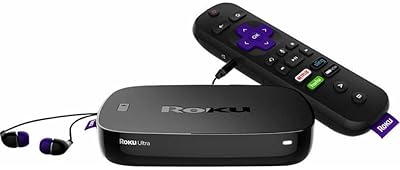
Roku Ultra 4K Streaming Player
82%
88%
Streaming Performance
84%
Picture Quality
91%
Remote Quality
89%
Private Listening
93%
Connectivity Options
More
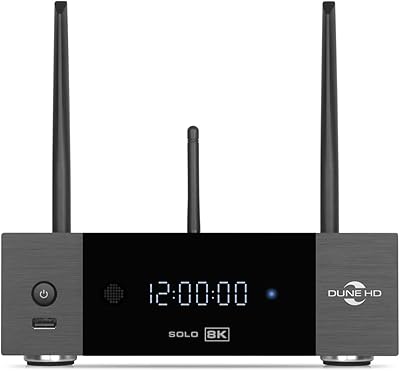
Dune HD Solo 8K Media Player
88%
94%
Video Quality
89%
Audio Performance
90%
Setup & Installation
85%
Storage Expandability
92%
Connectivity Options
More
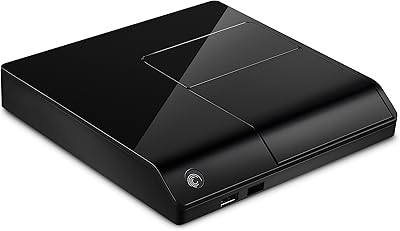
Seagate FreeAgent Theater+ 1080P HD Media Player
82%
89%
Ease of Setup
91%
Video Quality
88%
Audio Quality
85%
Usability & Interface
80%
Connectivity Options
More
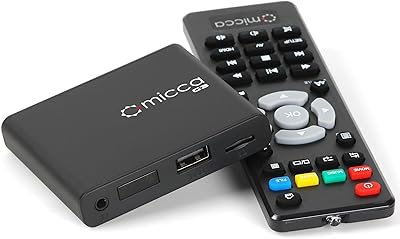
Micca G3 Digital Media Player
79%
93%
Ease of Setup
91%
Signage & Loop Reliability
78%
Video Playback Quality
88%
Format Compatibility
74%
Build Quality & Design
More
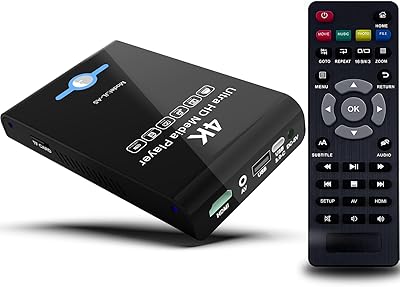
JLZNLC A5 4K Media Player & HDD Enclosure
78%
91%
Ease of Setup
78%
4K Video Playback Quality
83%
Auto-Loop & Resume Reliability
72%
HDD Enclosure Functionality
69%
Codec & Format Compatibility
More
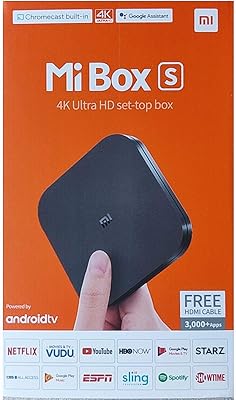
Xiaomi Mi Box S Android TV 4K HDR Streaming Media Player
86%
90%
Value for Money
88%
Setup & Ease of Use
92%
Picture Quality (4K HDR)
89%
Google Assistant Voice Control
78%
App Performance
More
VK 10.1-inch Car Headrest DVD Player
65%
71%
Value for Money
63%
Screen Quality
78%
Ease of Installation
51%
Build Quality
74%
Media Compatibility
More

FAQ

Not at all. The Roku Express HD Streaming Media Player is about as close to plug-and-play as streaming devices get. You connect the included HDMI cable, plug in the power adapter, insert the batteries into the remote, and follow the on-screen prompts. Most people are up and running in under ten minutes.

Yes, that is exactly the scenario this device was designed for. As long as your TV has an available HDMI port, the Express will work with it. The HDMI cable is included, so you do not need to buy anything separately.

No. The Express maxes out at 1080p HD. If your TV is a 4K set or you plan to upgrade to one soon, you would be better served by a higher-tier Roku model that supports 4K and HDR content.

You can watch quite a bit for free. The Roku Channel is built into the platform and offers a solid catalog of movies and TV shows supported by ads, with no subscription required. Many other channels also have free tiers or free trial periods.

The included remote uses infrared (IR) technology, which requires a direct, unobstructed line of sight between the remote and the device. If your TV or the streamer sits inside a cabinet, this can be genuinely frustrating. A practical workaround is using the free Roku mobile app on your phone, which connects over Wi-Fi and works from anywhere in the room.

For most households, yes. The single-band 802.11ac radio is adequate for 1080p streaming under normal conditions. That said, if you have a lot of devices competing for bandwidth on your network, you may occasionally notice buffering. Placing your router closer to the device or reducing network congestion can help.

Yes, but you will need a compatible smart speaker or display already in your home — the Express remote itself does not have a built-in microphone. Once linked through the Roku app or your smart home settings, you can use voice commands to launch channels, search for content, and control playback.

Quite a lot, actually. The free app for iOS and Android lets you use your phone as a full remote, search for content by voice, and listen privately through your phone's headphone jack or Bluetooth headphones — which is handy if the standard remote lacks that feature. It also lets you browse and add channels directly from your phone.

As of now, Roku continues to push software updates to the Express, so the platform itself stays reasonably current. That said, as hardware ages, there is always a point where older devices may no longer receive the latest OS versions. For most everyday streaming tasks, it remains a fully functional device.

Both are solid entry-level streamers, but they differ in ecosystem. The Express runs Roku OS, which is widely regarded as one of the most neutral and easy-to-navigate platforms, with strong support for nearly every major streaming service. The Fire Stick leans more heavily into the Amazon ecosystem and tends to surface Prime Video content more prominently. If you do not have a strong preference for either ecosystem, Roku's interface is generally considered more impartial and beginner-friendly.