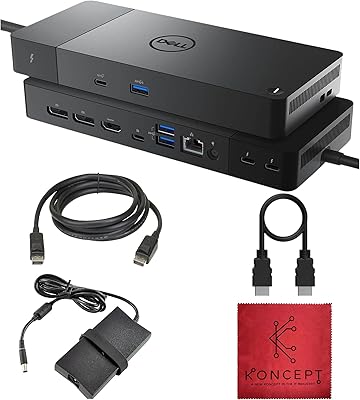
Razer USB 4 14-Port Docking Station


Overview
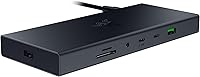
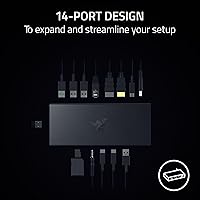
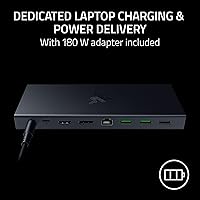
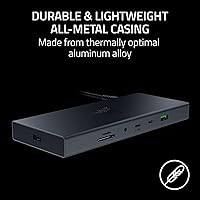
The Razer USB 4 14-Port Docking Station arrived in late 2024 as one of the first serious USB 4 hubs targeting users who need real port density alongside dual-monitor capability. Built around an all-metal chassis, it feels like a desktop fixture rather than an afterthought accessory. Razer bundles a 180W power adapter that handles both the dock's own power demands and pushes 100W to a connected laptop. At roughly 9 by 8 by 4 inches and weighing 3.67 pounds, this USB 4 dock sits firmly in desktop territory — don't expect to slip it into a travel bag without noticing. Windows and Mac users are both supported out of the box.
Features & Benefits
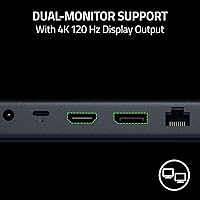
The real story with Razer's 14-port hub is what USB 4 actually unlocks at the system level. A single cable from a compatible laptop carries data, dual-display signals, and charging simultaneously — no juggling multiple adapters. The primary display reaches 4K at 120Hz via HDMI 2.1, while a second monitor connects through DisplayPort 1.4. Photographers and videographers will appreciate the UHS-II card slots: full SD and microSD transfer speeds are meaningfully faster than the UHS-I slots found on cheaper hubs, which matters when moving large RAW files. Five Type-A and two downstream Type-C ports cover a typical desk setup, and a dedicated power button lets you cut the dock completely without pulling cables.
Best For
This USB 4 dock makes the most sense for people already pushing the limits of their laptop's native ports. Creative professionals — think photographers offloading large card sessions or video editors running a high-refresh primary display — get the most value from the dual-monitor output and UHS-II card speed. Remote workers wanting a single-cable desk connection will find it equally compelling. It also works well for anyone bouncing between a Mac and a Windows machine, since cross-platform support is genuinely built in. One critical thing to understand: you need a host device with USB 4 or Thunderbolt 4 to access full bandwidth and dual 4K output. USB 3.x laptops will see reduced capability.
User Feedback
With 92 ratings and a 4.3-star average at the time of writing, reception for the dock is broadly positive — though that's a limited sample for a product this new. Build quality is consistently praised: the all-metal shell stays notably cool under sustained load. Buyers are also satisfied with the included adapter, which handles even power-hungry laptops without hesitation. On the downside, a portion of Mac users have reported occasional display handshake quirks, and long-term reliability remains an open question this early in the product's life. Price surfaces frequently in reviews, but most buyers ultimately conclude the premium over a Thunderbolt 3 alternative is justified for the USB 4 upgrade path.
Pros
- Single USB-C cable handles displays, data, and 100W laptop charging simultaneously — no adapter juggling.
- UHS-II card slots read large RAW photo and video files noticeably faster than most competing docks.
- All-metal chassis stays cool under sustained multi-device load, which bodes well for daily durability.
- Dual-monitor output via HDMI 2.1 and DisplayPort 1.4 supports up to 4K 120Hz on the primary screen.
- The included 180W adapter is powerful enough to charge even demanding 16-inch laptops without throttling.
- 14 ports cover virtually every peripheral a modern desk setup could need in one unit.
- Works across Windows and macOS without manual driver installation for the majority of users.
- A dedicated power button lets you fully cut the dock without unplugging cables — a small but genuinely useful detail.
- Wired Gigabit Ethernet delivers the connection stability that dense Wi-Fi environments simply cannot match.
- Buyers upgrading from USB-C or Thunderbolt 3 docks get a forward-compatible platform built for the next hardware generation.
Cons
- Full dual 4K output is locked behind a USB 4 or Thunderbolt 4 host port — USB 3.x laptops get significantly less capability.
- A USB 4 upstream cable is not included in the box, which is a frustrating omission at this price point.
- Mac users on certain configurations report intermittent display handshake failures after waking from sleep.
- Only two downstream USB-C ports are available once the upstream port is accounted for, which can feel tight in USB-C-heavy setups.
- Gigabit Ethernet is the ceiling here — users with 2.5GbE home networks will hit a bottleneck the dock cannot clear.
- At 3.67 pounds and 9 by 8 by 4 inches, portability claims should be taken with skepticism.
- The review base is still under 100 ratings, making long-term reliability genuinely unknown at this stage.
- UHS-II card speed only benefits users who already own UHS-II rated cards — standard cards see no improvement.
- The analog audio output is functional for calls but offers no amplification for higher-impedance headphones.
- Buyers without USB 4 host hardware are paying a premium for bandwidth and display features they cannot currently use.
Ratings
The Razer USB 4 14-Port Docking Station has been evaluated by our AI rating system after analyzing verified global buyer reviews, actively filtering out incentivized, bot-generated, and low-quality feedback to surface what real users actually experience. Scores reflect both the strengths that make this dock stand out in a competitive USB 4 field and the friction points that prevent it from being a universal recommendation. Every category below is grounded in aggregated user sentiment, not marketing claims.
Build Quality
Port Selection & Density
Dual Monitor Performance
Laptop Charging Performance
Data Transfer Speed
SD Card Reader Speed
Mac Compatibility
Windows Compatibility
Thermal Management
Ethernet Reliability
Audio Output
Value for Money
Setup & Ease of Use
Long-Term Reliability
Suitable for:
The Razer USB 4 14-Port Docking Station was clearly designed with a specific type of user in mind, and for that user it genuinely delivers. Creative professionals — photographers offloading large RAW card sessions, video editors running a 4K primary timeline display, or designers who need a high-refresh secondary screen for reference — will find the combination of UHS-II card slots, dual display output, and broad port density genuinely useful in a single unit. Remote workers who are tired of plugging in five separate adapters every morning will appreciate reducing that entire ritual to a single USB-C cable connection. It also suits anyone bouncing between a Windows machine and a Mac, since cross-platform support works without any configuration headaches for the majority of users. Laptop owners with Thunderbolt 4 or USB 4 ports who want a desktop-grade peripheral hub — stable wired Ethernet, proper charging, and enough USB slots for keyboard, mouse, drives, and audio — will find this dock covers essentially every base without requiring a second hub.
Not suitable for:
The Razer USB 4 14-Port Docking Station carries real trade-offs that make it the wrong choice for a meaningful slice of potential buyers. Most critically, users whose laptops only have USB 3.2 or USB-C ports without USB 4 certification will not unlock dual-display output or peak data bandwidth — they are effectively paying for a premium spec they cannot access. Budget-conscious buyers comparing this against mid-range Thunderbolt 3 docks should know that the price gap is only justified if the USB 4 features are actually usable with their current hardware. Those hoping to use this as a portable travel hub should also recalibrate: at 3.67 pounds and the size of a small hardcover book, it is a desk fixture, not a bag companion. Mac users who rely on rock-solid sleep-and-wake display behavior should be aware that a minority of macOS configurations have reported intermittent handshake issues that require a manual reconnect. Finally, buyers who want confirmed long-term reliability data before spending at this tier should note that the dock launched in late 2024 and the review pool is still relatively shallow.
Specifications
- Host Interface: The dock connects to a host device via a single USB 4 port, which supports simultaneous data transfer, display output, and power delivery over one cable.
- Total Ports: A total of 14 ports are available across all connection types, covering USB, display, networking, audio, and card reader slots.
- USB Type-A Ports: Five USB Type-A ports are included for connecting standard peripherals such as keyboards, mice, external drives, and USB receivers.
- USB Type-C Ports: Three USB Type-C ports are present, with one designated as the upstream host connection and two available for downstream devices or charging.
- Display Output: Dual monitor output is delivered through one HDMI 2.1 port and one DisplayPort 1.4 port, supporting two independent external displays simultaneously.
- Max Resolution: The primary display output supports up to 4K at 120Hz refresh rate when connected to a USB 4 or Thunderbolt 4 compatible host device.
- Ethernet: A single RJ-45 Gigabit Ethernet port provides wired network connectivity at speeds up to 1Gbps.
- SD Card Reader: Both a full-size SD card slot and a microSD card slot are included, both operating at UHS-II speeds for faster file transfer from compatible cards.
- Power Delivery: The dock delivers up to 100W of power to a connected laptop through the upstream USB-C connection when paired with the included adapter.
- Included Adapter: A 180W power adapter is included in the box, providing enough wattage to run the dock at full load while simultaneously fast-charging a laptop.
- Audio: A single 3.5mm combo audio jack supports both headphone output and microphone input for headsets and standard analog audio devices.
- Casing Material: The outer housing is constructed entirely from metal, functioning as a passive heat sink and providing resistance to everyday physical wear.
- Dimensions: The dock measures 9 inches long by 8 inches wide by 4 inches tall, making it a desktop fixture rather than a compact travel accessory.
- Weight: The unit weighs 3.67 pounds, reflecting the all-metal construction and the density of internal components required to support 14 ports.
- Power Button: A dedicated physical power button on the unit allows users to completely cut power to the dock without disconnecting any cables.
- OS Compatibility: The dock is officially compatible with both Windows 10/11 and macOS, with plug-and-play functionality requiring no driver installation on most configurations.
- USB Backward Compat.: The USB 4 host interface is backward compatible with USB 3.0 and USB 2.0 devices, so older peripherals still function when connected to the dock.
- Release Date: The dock was first made available in November 2024, making it among the earliest consumer USB 4 hubs with dual display output to reach the market.
Related Reviews
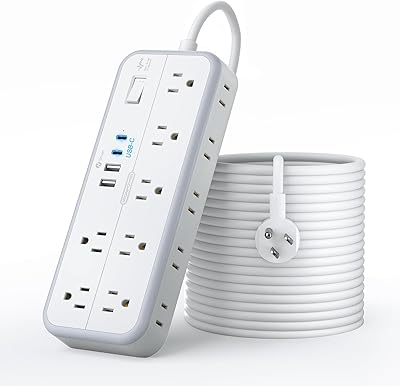
NTONPOWER 25FT 14-Outlet Surge Protector Power Strip
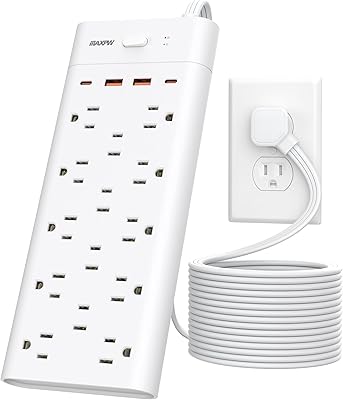
Maxpw 18-in-1 Power Strip Surge Protector with 14 Outlets and 4 USB Ports
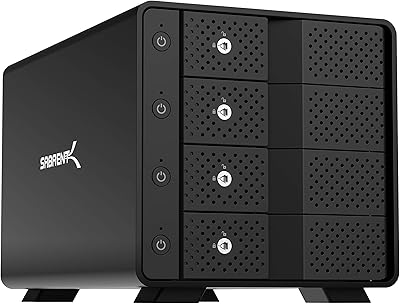
Sabrent DS-SC4B 4-Bay USB 3.2 Gen 2 Docking Station
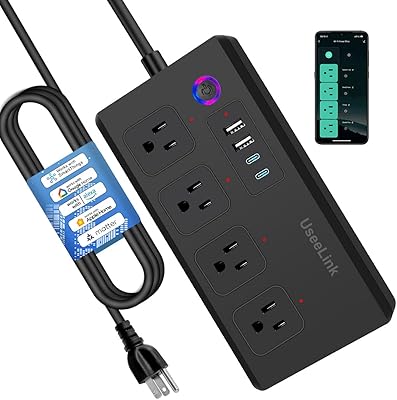
UseeLink Smart Power Strip with 4 Outlets and 4 USB Ports
LIDER PD 36W Recessed Desktop Power Grommet
TJCXELE USB 3.0 Switch Selector 4-Port for 4 Computers

Plugable UD-3900Z

WAVLINK WL-ST334UA Dual-Bay USB 3.0 Hard Drive Docking Station

StarTech DK31C3HDPD USB-C USB-A Docking Station