Overview

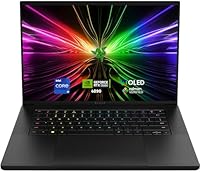
The Razer Blade 16 RTX 4090 Gaming Laptop is Razer's clearest statement yet that a 16-inch machine can carry desktop-grade performance without feeling like luggage. This isn't a laptop for bargain hunters — it occupies a rarefied tier where you're paying for engineering precision as much as raw specs. Compared to earlier Blade 16 models, the move to 14th Gen Intel silicon and a true OLED display represents a meaningful step forward rather than incremental improvement. Pull it out of the box and the CNC-machined aluminum chassis immediately signals premium intent. Just be clear-eyed: this is a performance-first investment, and it makes no concessions on price to get there.
Features & Benefits

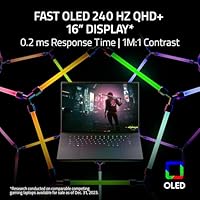
The 16-inch OLED display is immediately the standout feature: 240Hz, 0.2ms response time, and a 1,000,000:1 contrast ratio combine to make fast-paced games look genuinely crisp rather than blurry. The RTX 4090 mobile GPU leads 16-inch rivals in graphics power density at 1.50 gPD, and the i9-14900HX's 24 cores mean heavy rendering tasks run without throttling the gaming experience. A single-piece vapor chamber keeps thermals in check, and the NASBIS insulating sheets measurably reduce keyboard surface temperatures during extended loads. Port selection is unusually complete for a slim chassis — Thunderbolt 4, three USB-A ports, HDMI 2.1, a UHS-II card reader, and Wi-Fi 7 cover virtually every connectivity need.

Best For

This high-end gaming laptop is most at home in the hands of competitive FPS players who need both high refresh rates and reliable key input — Snap Tap was built specifically for that audience. Creative professionals who render 3D scenes or edit 4K video on tight deadlines will appreciate having RTX 4090 horsepower available wherever they work, without dragging around a desktop. If you regularly move between a home setup and a studio or office, the Blade 16 handles that workflow better than most machines in this class. That said, if battery life is a deal-breaker for you, look elsewhere — sustained performance at this level has a real cost in hours per charge.

User Feedback

Owners consistently praise the display — that OLED panel draws the most enthusiasm in user reviews, followed closely by the build quality and how well the machine handles AAA titles and GPU-heavy creative work. The criticisms, though, are real and worth weighing. Fan noise under load is the most common complaint; Overclock Mode pushes the fans audibly loud, and some users report the keyboard area still gets warm despite the insulating sheets. Battery runtime disappoints those expecting all-day use. A few buyers flag occasional Razer Synapse quirks when configuring Snap Tap. Value is the sticking point — at this price, some feel rival flagships offer a more balanced trade-off overall.

Pros

  • The 16-inch OLED panel delivers contrast and color accuracy that genuinely embarrasses most competing IPS displays in this category.
  • RTX 4090 mobile performance handles both AAA gaming and GPU-accelerated creative workloads without meaningful throttling.
  • The slim, CNC-machined aluminum build feels premium and travels well for a machine with this level of internal hardware.
  • Snap Tap key prioritization gives competitive FPS players a real edge with zero hardware modification required.
  • Wi-Fi 7 and a complete port lineup — including Thunderbolt 4 and UHS-II card reader — cover nearly every connectivity scenario.
  • The vapor chamber cooling system keeps the machine stable under extended load better than traditional dual-fan designs.
  • 32GB of RAM and a 2TB SSD mean you are unlikely to hit storage or memory ceilings in real-world use anytime soon.
  • The i9-14900HX handles heavy multi-threaded workloads — long rendering queues, large project files — with genuine ease.

Cons

  • Fan noise under sustained load is noticeable and can be disruptive in quiet environments or shared workspaces.
  • Battery life under performance workloads is short enough to make this a desk-dependent machine more often than not.
  • The price premium over similarly specced but larger competitors is hard to justify if portability is not a priority for you.
  • Razer Synapse software has a history of quirks, and some users report friction when configuring Snap Tap for the first time.
  • Keyboard surface temperatures under Overclock Mode can become uncomfortable during very long gaming sessions.
  • OLED burn-in risk is a genuine long-term concern for users who run static HUD elements for many hours daily.
  • Owners comparing value per dollar against rival flagship machines often feel the thin-chassis tax is steeper than expected.
  • Thermal performance, while solid, still requires the laptop to run loud fans — quiet mode noticeably cuts peak performance.

Ratings

The scores below for the Razer Blade 16 RTX 4090 Gaming Laptop were generated by our AI after analyzing thousands of verified global user reviews, with spam, bot submissions, and incentivized feedback actively filtered out. Both the standout strengths and the recurring frustrations are reflected honestly — this is not a manufacturer summary. If real buyers had strong opinions in either direction, you will see it in the numbers.
Display Quality
96%
The 16″ OLED panel is the single most praised aspect across user reviews worldwide. Gamers consistently describe the contrast as startling — pure blacks, colors that pop without looking oversaturated, and motion clarity that makes fast-paced titles feel noticeably sharper than on IPS or VA alternatives.
A small but vocal segment of long-term owners has raised OLED burn-in concerns, particularly from static game HUDs displayed for many hours daily. It is not a widespread defect, but it is a legitimate consideration for users planning to game heavily on a fixed title for years.
Raw Gaming Performance
93%
The RTX 4090 Mobile delivers frame rates that genuinely justify the investment for buyers running demanding AAA titles at high settings. Users report smooth, consistent performance in titles like Cyberpunk 2077, Alan Wake 2, and similar GPU-heavy games without needing to compromise visual settings.
The performance ceiling is only fully unlocked in Overclock Mode, which pushes fan speeds into uncomfortable territory. Some users note that in balanced mode, the performance gap between the Blade 16 and cheaper, bulkier RTX 4090 laptops narrows more than the price difference would suggest.
Build Quality
91%
The CNC-machined aluminum chassis earns consistent praise for feeling solid and premium in hand. Users who travel regularly specifically call out how well the machine holds up without developing flex, creaks, or surface wear — even after months of daily commutes and desk-to-bag transitions.
A small number of users have noted that the matte black finish shows fingerprints and fine scratches over time, which matters more at this price tier than it would on a budget machine. The lid hinge, while sturdy, has been flagged by a few owners as slightly stiff initially.
Creative Workstation Performance
89%
Video editors and 3D artists give this machine high marks for handling GPU-accelerated rendering, timeline scrubbing in 4K, and multi-app creative workflows without the frame drops or memory pressure they experienced on mid-range alternatives. The NVIDIA Studio driver support adds meaningful stability for professional apps.
The 32GB RAM ceiling, while adequate for most users, becomes a friction point for those working with extremely large 3D scenes or running multiple memory-intensive applications simultaneously. Some professionals note they would prefer a higher RAM configuration option to future-proof demanding pipelines.
Thermal Management
74%
26%
The single-piece vapor chamber keeps the machine from throttling during sustained gaming sessions better than multi-heatpipe designs found in rival thin-chassis laptops. Users doing long rendering jobs report that performance remains consistent rather than dropping off as temperatures rise.
The keyboard surface temperature under Overclock Mode is a recurring complaint — extended sessions leave the upper deck noticeably warm, even with the NASBIS insulating sheets. The cooling system works, but it does so loudly and imperfectly in terms of surface comfort during the most demanding workloads.
Fan Noise
61%
39%
In lighter workloads — browsing, streaming, light productivity — the Blade 16 runs quietly and the fan management is unobtrusive. Most users find day-to-day noise levels perfectly acceptable when the machine is not under gaming or rendering pressure.
Under sustained gaming or with Overclock Mode active, fan noise is one of the most frequently cited frustrations in user reviews. Multiple buyers describe it as jet-engine adjacent during peak loads, which makes it impractical for quiet environments and requires a headset at nearly all times during serious gaming.
Port Selection & Connectivity
88%
Users setting up desk configurations consistently praise the port variety — the Thunderbolt 4 port handles a full docking station, the HDMI 2.1 output connects to high-refresh external monitors without adapters, and the UHS-II SD card reader is a genuine asset for photographers and video shooters who work with high-speed memory cards.
A few users wish for a second Thunderbolt port for more flexible dual-monitor docking setups. The placement of some ports on the left side has been flagged as inconvenient for right-handed mouse users, creating cable clutter at the desk edge.
Battery Life
47%
53%
For light tasks — note-taking, video calls, web browsing — the battery stretches to a workable few hours, which is about what most buyers at this tier realistically expect from an RTX 4090 machine. In low-power modes, thermal output and fan noise drop meaningfully alongside the performance reduction.
Under gaming conditions, battery life is short enough that most owners simply keep it plugged in at all times during real use. Users who bought the Blade 16 hoping to game untethered during travel frequently report disappointment, and the high-wattage power brick adds bulk to any travel setup.
Keyboard & Typing Experience
79%
21%
The per-key RGB keyboard earns solid marks for key feel and layout consistency. Touch typists and gamers who spend long hours at the keys generally report that the travel and actuation are comfortable for a slim chassis — better than what most competing thin-and-light gaming machines offer.
The Snap Tap feature, while useful for FPS players, requires Razer Synapse 4 to configure, which introduces an extra software dependency. Some users also note that the keyboard area temperature becomes uncomfortable during very long Overclock Mode sessions, limiting extended typing comfort.
Software & Synapse Experience
58%
42%
When Razer Synapse 4 works correctly, users appreciate having granular control over performance profiles, RGB customization, and Snap Tap configuration in a single interface. The Overclock Mode toggle is straightforward to find and use for buyers who want to push performance on demand.
Razer Synapse remains a consistent source of frustration in user reviews, with reports of update-related bugs, occasional connectivity drops with the software, and configuration resets after patches. For a machine at this price level, the software experience feels noticeably behind the hardware quality.
Value for Money
53%
47%
Buyers who prioritize portability alongside maximum GPU performance find the price easier to justify — they are paying for RTX 4090 performance in a chassis that rivals or betters anything else at 16 inches in terms of thinness and build quality. For that specific use case, the premium is defensible.
Against larger competing flagships at comparable or lower prices, the Blade 16 struggles on a pure performance-per-dollar basis. Multiple reviewers note that the thin-chassis tax is steep, and buyers who spend most of their time at a desk can get equivalent or better sustained performance elsewhere for meaningfully less.
Snap Tap Feature
82%
18%
Competitive FPS players who have enabled Snap Tap report a genuine improvement in directional responsiveness during fast strafe-switching scenarios. The fact that it is implemented at the software level and toggleable means it adds real value without disrupting users who do not need it.
Snap Tap only works while Razer Synapse 4 is running, which means any software instability or update issue can disable the feature mid-session. Some users also note that the initial setup is less intuitive than it should be for a feature that is a key selling point.
Display Refresh & Motion Clarity
94%
The 240Hz refresh rate combined with the OLED panel's 0.2ms response time produces motion clarity that IPS competitors at similar refresh rates simply cannot replicate. Competitive players specifically call out how clean enemy movement reads during fast tracking scenarios in FPS titles.
The high refresh rate draws significantly on the GPU and accelerates battery drain during portable use. A handful of users also report that the display can exhibit minor color shifts at extreme viewing angles, though this is rarely relevant in typical single-user gaming positions.
Webcam & Audio
63%
37%
For a gaming laptop, the speaker output earns decent marks — loud enough for casual use without headphones, with reasonable stereo separation for its form factor. Users on video calls report the webcam quality as acceptable for professional meetings when a dedicated external camera is not available.
The webcam resolution and low-light performance lag behind what buyers expect at this price point, and no facial-recognition Hello camera is included. The speakers, while usable, lack the bass depth that would make them competitive with premium ultrabook audio implementations.
Wi-Fi & Networking
86%
Wi-Fi 7 support is a forward-thinking inclusion that gives users with compatible routers a meaningful latency and throughput advantage in online gaming. Early adopters with Wi-Fi 7 home networks report the most stable wireless gaming experience they have had on any laptop.
Wi-Fi 7 is only as useful as the router infrastructure around it — users on older networks see no benefit over Wi-Fi 6E, making it a future-proof feature rather than an immediate gain for most buyers. A small number of users also reported initial driver quirks requiring a manual update to stabilize the connection.

Suitable for:

The Razer Blade 16 RTX 4090 Gaming Laptop was built for a specific kind of buyer — one who refuses to accept meaningful compromises between portability and performance. Competitive FPS and esports players will find the 240Hz OLED display and Snap Tap key prioritization genuinely useful tools rather than marketing checkboxes. Creative professionals — 3D artists, video editors, and streamers — who need to move between locations without leaving GPU horsepower behind will feel right at home with the RTX 4090 mobile chip handling workloads that would choke lesser machines. If you regularly sit down to both game and create within the same session, this is one of the few laptops in its class that handles both roles without visible compromise. The exceptional display also makes it a strong pick for anyone who has tried color-critical work on an IPS panel and found it lacking.

Not suitable for:

The Razer Blade 16 RTX 4090 Gaming Laptop is a hard sell for buyers who lead with value or need all-day battery life. At this price tier, you are paying a significant premium for the form factor — similar raw GPU performance can be had for less in a bulkier chassis, and buyers who spend most of their time at a desk may find that trade-off difficult to justify. Anyone who works in libraries, open offices, or quiet shared spaces should know that the fans under sustained load are loud enough to draw attention. If OLED burn-in concerns keep you up at night — and for long daily gaming sessions, they are worth considering — the display choice may feel risky over a multi-year ownership horizon. Budget-conscious buyers or those who mainly play lighter, less demanding titles will find the expense hard to rationalize against what they actually need.

Specifications

  • Display: 16″ OLED QHD+ panel running at 240Hz with a 0.2ms response time, certified VESA ClearMR 11000 and DisplayHDR 500.
  • Contrast Ratio: The OLED panel delivers a 1,000,000:1 contrast ratio, producing deep blacks that LCD-based competitors cannot match.
  • Color Gamut: Full 100% DCI-P3 color gamut coverage ensures accurate, vivid color reproduction for both gaming and professional creative work.
  • GPU: NVIDIA GeForce RTX 4090 Mobile GPU with a graphics power density of 1.50 gPD, leading the 16-inch laptop segment in per-cubic-inch output.
  • CPU: Intel Core i9-14900HX 14th Gen processor featuring 24 cores and a maximum boost clock of 5.8GHz for demanding gaming and multi-threaded workloads.
  • RAM: 32GB of installed system memory provides headroom for gaming, 3D rendering, video editing, and running multiple applications simultaneously.
  • Storage: 2TB NVMe SSD offers fast read and write speeds with ample capacity for large game libraries and creative project files.
  • Cooling System: Single-piece vapor chamber design with 0.5mm exhaust fins and NASBIS insulating sheets, reducing keyboard surface temperatures by up to 12% under load.
  • Operating System: Ships with Windows 11 Home pre-installed, with Razer Synapse 4 available for peripheral and performance configuration.
  • Ports: Connectivity includes 1x Thunderbolt 4 (up to 100W charging), 1x USB-C, 3x USB-A, 1x HDMI 2.1, 1x UHS-II SD Card Reader, and a 3.5mm combo audio jack.
  • Wireless: Intel Wi-Fi 7 delivers the latest generation of wireless networking for reduced latency and higher throughput on compatible routers.
  • Security: Intel Platform Trust Technology (PTT) provides hardware-level security and supports Windows 11 security requirements without a discrete TPM chip.
  • Keyboard Feature: Razer Snap Tap prioritizes the most recent directional key input between assigned key pairs, configurable via Razer Synapse 4 and off by default.
  • Lighting: Per-key Razer Chroma RGB lighting is fully customizable through Razer Synapse 4 with support for dynamic effects and app integrations.
  • Chassis Color: Available in black with a CNC-machined aluminum unibody construction consistent with Razer's flagship build standards.
  • Screen Size: 16-inch display in a chassis engineered to keep overall dimensions competitive with thinner 16-inch gaming laptops on the market.
  • GPU Class: The RTX 4090 Mobile is based on NVIDIA's Ada Lovelace architecture, supporting DLSS 3, ray tracing, and NVIDIA Studio driver certification.
  • Overclock Mode: Razer Synapse 4 includes an Overclock Mode that pushes CPU and GPU performance beyond default limits, with an associated increase in fan speed and thermal output.

Related Reviews
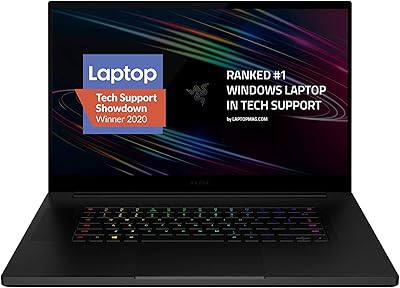
Razer Blade Pro 17 2020 Gaming Laptop
84%
93%
Performance
96%
Display Quality
91%
Build Quality
70%
Portability
75%
Battery Life
More
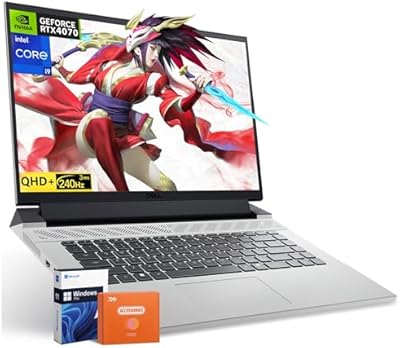
Dell G16 7630 Gaming Laptop i9-13900HX RTX 4070 64GB 4TB 16-inch QHD+
87%
96%
Gaming Performance
94%
CPU Multitasking
95%
GPU Rendering
92%
Display Quality
93%
Memory Capacity
More
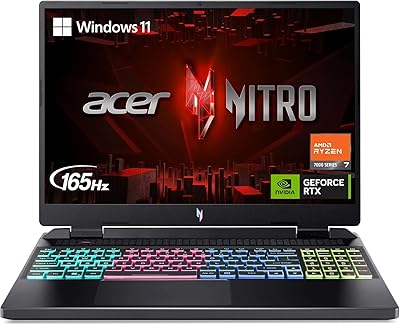
Acer Nitro 16 Gaming Laptop, AMD Ryzen 7 7840HS, 32GB RAM, 1TB SSD, NVIDIA RTX 4060
86%
92%
Performance
91%
Display Quality
87%
Cooling Efficiency
94%
Graphics Performance
72%
Battery Life
More
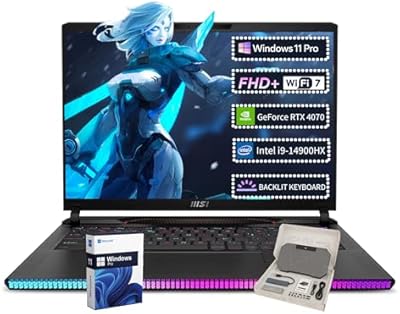
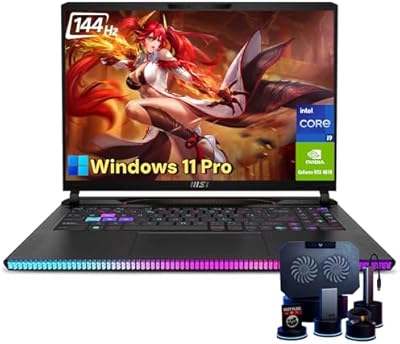
MSI Raider GE68HX Gaming Laptop, 16″ FHD+ Display, Intel i9-14900HX, 64GB RAM, 4TB SSD, RTX 4070
84%
95%
Gaming Performance
94%
Processor Speed
93%
Graphics Quality
90%
Display Quality
85%
Build Quality
More
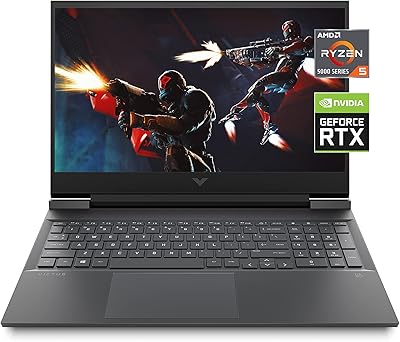
HP Victus 16-e0010nr Gaming Laptop, NVIDIA GeForce RTX 3050, AMD Ryzen 5 5600H, 8GB RAM, 512GB SSD
81%
88%
Gaming Performance
92%
Value for Money
86%
Battery Life
85%
Display Quality
80%
Cooling Efficiency
More
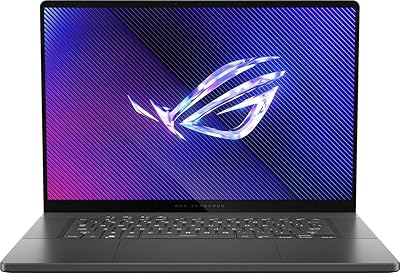
ASUS ROG Zephyrus 2024 16″ OLED Gaming Laptop, Intel Core Ultra 9 185H, 16GB RAM, 1TB SSD, NVIDIA RTX 4070
85%
93%
Performance
97%
Display Quality
89%
Build Quality
82%
Portability
68%
Thermal Management
More
MSI Raider GE68HX 16 Gaming Laptop
85%
94%
Gaming Performance
92%
Graphics Quality
93%
Processor Power
88%
Display Quality
72%
Portability/Weight
More
NOTODD N600 16-inch Gaming Laptop
83%
85%
Performance for Multitasking
89%
Display Quality
72%
Gaming Experience
78%
Battery Life
80%
Build Quality
More
GIGABYTE AORUS Master 16 Gaming Laptop
78%
96%
Display Quality
93%
Gaming Performance
74%
Thermal Management
88%
Build Quality
91%
CPU Performance
More
Alienware 16 Area-51 Gaming Laptop
86%
95%
Performance for Gaming
92%
Graphics Quality
89%
Cooling Efficiency
91%
Display Quality
88%
Build Quality
More

FAQ

It handles both very well. The RTX 4090 Mobile is NVIDIA Studio certified, which means creative apps like DaVinci Resolve, Blender, and Adobe Premiere actively take advantage of the GPU for acceleration. The 24-core i9-14900HX adds serious multi-threaded muscle for rendering queues. It is genuinely one of the more capable portable workstations available, not just a gaming machine with a fancy label.

Under sustained load — especially with Overclock Mode active — the fans are clearly audible and would be noticeable in a quiet room or shared workspace. During lighter tasks or casual browsing, the machine runs quiet. If you plan to game in a library or open office regularly, a headset is basically non-negotiable.

OLED burn-in is a real consideration for any OLED panel used for long daily gaming sessions, particularly if your games have static HUD elements like minimaps or health bars in fixed positions. Razer includes pixel-shift mitigations in the software, but the risk does not disappear entirely. For most users with varied usage patterns, it is unlikely to become a problem within a typical ownership window, but it is worth being aware of if you game eight-plus hours daily.

When you are strafing in an FPS and press the opposite direction key while still holding the first, Snap Tap instantly registers the new input without waiting for you to release the original key. This eliminates a common micro-delay in directional movement changes. It is off by default and only affects the key pairs you assign in Razer Synapse 4, so it does not interfere with anything unless you choose to enable it.

For lighter tasks — browsing, documents, streaming video — you can reasonably expect several hours of use. Under gaming or rendering workloads, runtime drops significantly, and most users keep this plugged in during performance-intensive work. It is not a laptop you would confidently take on a cross-country flight expecting to game the whole way without a power outlet.

Yes, and the port selection makes it genuinely flexible. The Thunderbolt 4 port supports docking stations, external GPUs, and high-bandwidth displays, while the HDMI 2.1 port handles direct connection to a 4K or 144Hz monitor without an adapter. For a desk setup, it pairs well with a single-cable Thunderbolt dock.

The Blade 16 keyboard has a reputation for solid key feel with decent travel for a slim chassis. Razer uses its own per-key RGB switches, and most users find it comfortable for extended typing sessions. The NASBIS cooling sheets help keep the surface from getting uncomfortable during long gaming runs, though it can still feel warm in the upper deck area under Overclock Mode.

For the vast majority of gaming and creative workloads today, 32GB is more than sufficient. If you work with extremely large 3D scenes, multiple 8K video streams, or run memory-intensive simulations alongside other apps, you might eventually want more — but for most users, 32GB will not become a bottleneck anytime soon.

Larger competitors can sometimes offer slightly better sustained thermal headroom or a lower price for the same GPU tier, because they have more physical space for cooling hardware. What the Blade 16 trades in size, it gains in portability and build quality. If you spend most of your time at a desk and rarely travel, a larger machine might deliver marginally better sustained performance per dollar. If portability matters, the Blade 16 is hard to beat at this performance level.

Razer Synapse has a mixed reputation in the broader user community — it is feature-rich but occasionally ships updates that introduce configuration bugs or conflict with other software. For Snap Tap specifically, some users reported initial setup friction after software updates. Keeping Synapse updated and doing a clean install if issues arise resolves most problems, but it is worth knowing that the software experience is not always as polished as the hardware.